Best WPForms Websites of 2026 (20 Real-World Examples)
Real website examples with public WPForms signals, plus a practical brief for an enquiry workflow
WPForms is a WordPress form component, not the designer of an entire website. These examples connect the surrounding page design with a narrowly observed public resource signal, without claiming that another organization’s messages, bookings or integrations have been tested.
A form starts before its first field. The page’s service explanation, navigation, location context and action labels all influence what someone expects to happen next. A useful website may offer a short enquiry, a phone route and a separate booking system on the same screen. Detecting WPForms does not tell us that it powers every one of those interactions.
Use this collection to study the relationship between page context and a request, not to copy a competitor’s fields or infer its private systems. Public plugin resources support a scoped association with the named page. They do not establish an active edition, a specific form configuration, successful delivery, a conversion rate or suitability for sensitive information.
Before the examples
What makes good WPForms website development in 2026?
Keep the component separate from the whole design
WPForms provides form-related functionality within WordPress. The theme, images, navigation and business process remain separate decisions. An attractive hero is not evidence that the plugin created the layout, and a detected stylesheet is not proof that every pictured action uses the same form system.
An enquiry, quote request, registration application and confirmed reservation are different outcomes. Write labels and acknowledgements that match the process the business can support. A polite confirmation should not invent a booking, approval, response-time commitment or price.
A readable form and a visible success message do not establish that staff receive a notification or an external system records the request. Use an authorized test plan on the site you control and keep those results separate from this collection’s public-source observations.
Compare the information around the enquiry route. Each WPForms association is scoped to current public resources; neither the screenshot nor the detector identifies every form, backend action or connected service.
We start with five recognizable brands or organizations: Any Hour Services, Piece of Cake Moving & Storage, Only About Children, CloudHesive, GUSS Automation. Each attribution applies to the named website property, not every product or website belonging to its organization. This is a curated reading sequence, not a measured ranking.
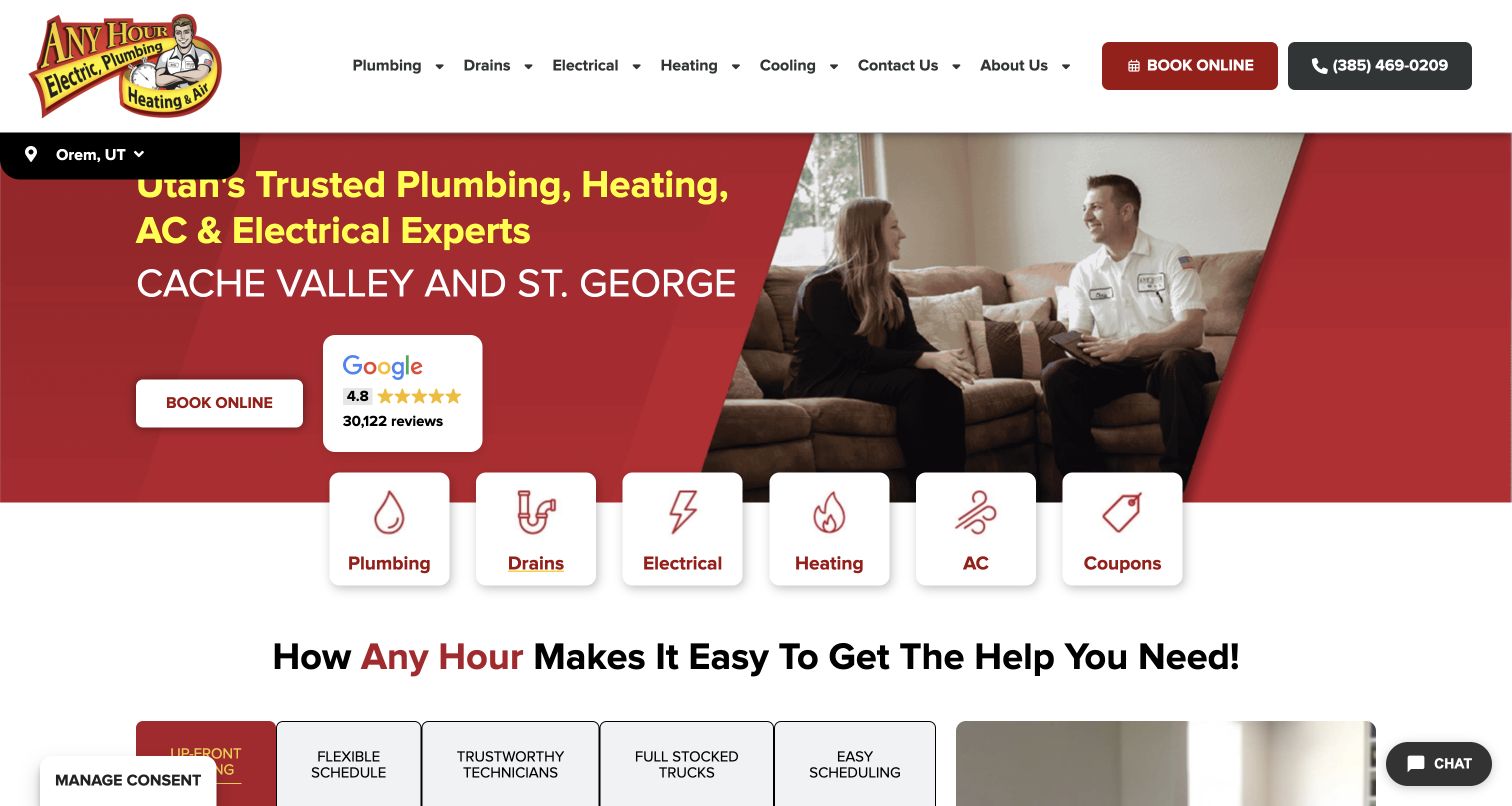
Any Hour combines a red service hero, a photograph of a technician talking with a customer and a row of distinct service cards. Book Online appears in both the header and campaign area, while the phone number remains prominent. That hierarchy is useful for a WPForms project because it separates the visitor’s immediate need from the information a later enquiry may collect. Current public page resources identify WPForms, but the screenshot does not establish which booking action uses it or whether a submission reaches staff. The review badge and customer-service language are the company’s own presentation, not independently verified outcomes.
What you can learn
Begin with the service decision, then ask only for information needed to route the request. Keep telephone and scheduling options understandable, and verify the actual form and notification workflow separately. A plugin resource on the page does not prove that every visible booking control shares the same implementation.
Pros
Distinct service cards can help visitors identify the relevant request.
Phone and online routes remain visible together.
Cons & considerations
Repeated actions need clear labels if their destinations differ.
A visible form-plugin signal cannot establish appointment availability or email delivery.
Platform source: WordPress.org Showcase. Current exact public-page source sample contains linked script matches wpforms. This is a scoped public resource association, not a tested form submission or complete backend inventory. Platform evidence is separate from the direct website screenshot and is not a complete current infrastructure audit.
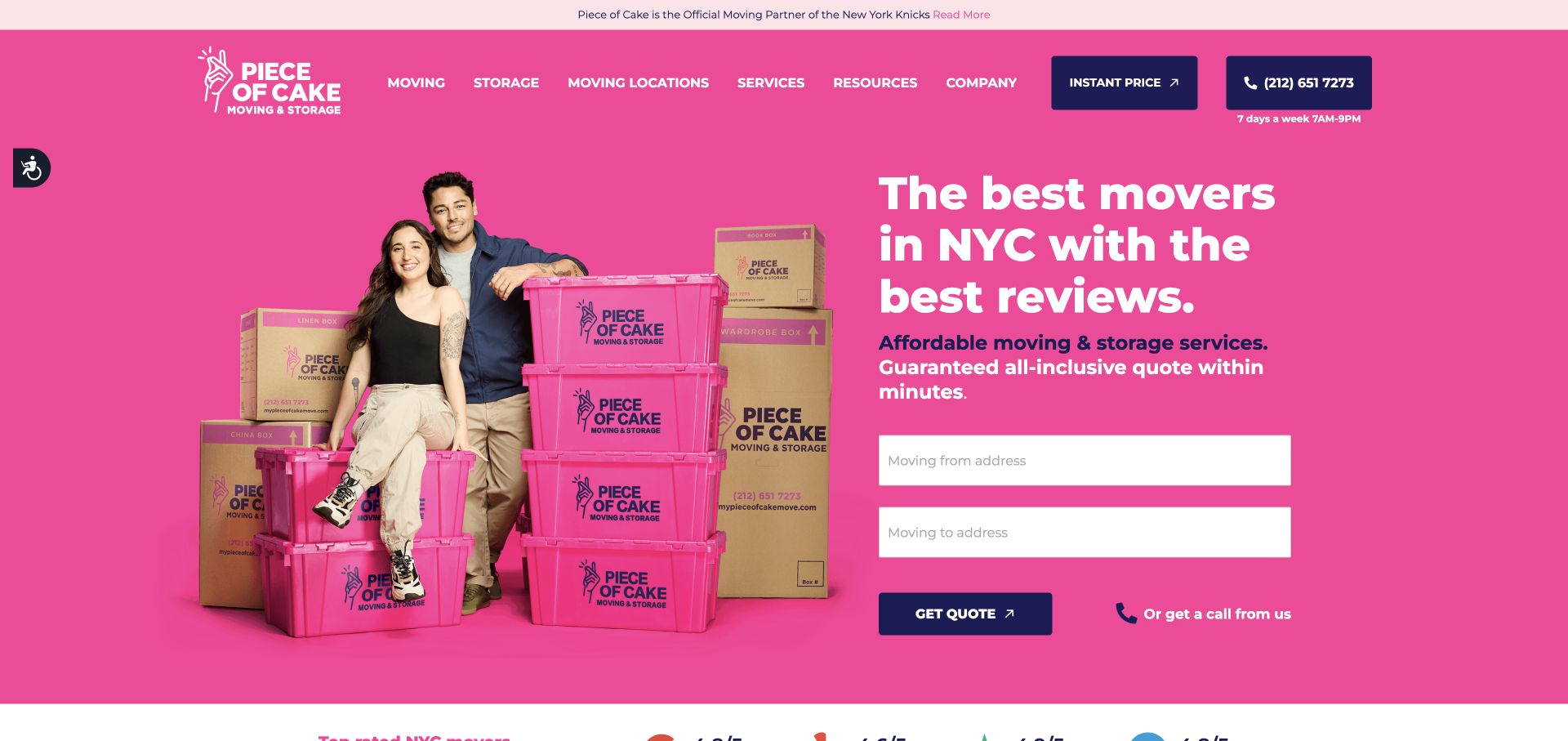
Piece of Cake uses a saturated pink background, branded moving containers and a large white headline to make the opening immediately recognizable. Two address inputs and a Get Quote button appear beside the image, with an alternative callback route nearby. This is a useful context for studying how a form can become part of a campaign composition without occupying the whole screen. A current WPForms resource is present on the named public page, but that association does not identify the provider of these particular inputs or validate the advertised pricing process. The image and typography supply the brand; the plugin signal concerns a separate component.
What you can learn
Use a small initial form only when the next step genuinely benefits from it. Give location fields persistent labels and explain what happens after the request. Confirm address handling, validation, follow-up and data retention on your own implementation instead of inferring them from an attractive quote entrance.
Pros
Two inputs keep the quote entrance compact.
A callback alternative sits nearby.
Cons & considerations
Address-only prompts may need clearer labels outside their placeholders.
Neither the pictured interface nor WPForms detection proves an instant or guaranteed quote.
Platform source: WordPress.org Showcase. Current exact public-page source sample contains linked stylesheet matches wpforms. This is a scoped public resource association, not a tested form submission or complete backend inventory. Platform evidence is separate from the direct website screenshot and is not a complete current infrastructure audit.
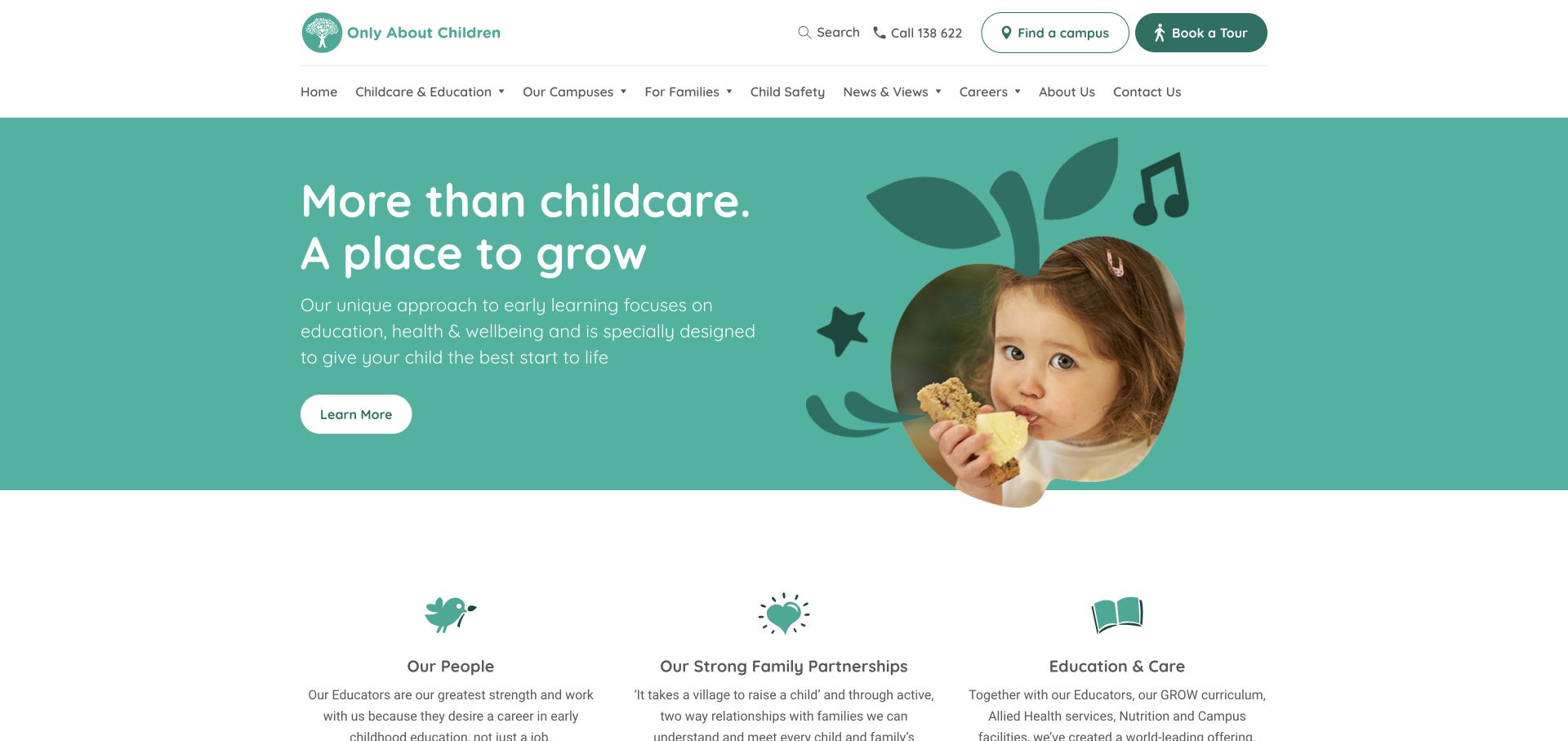
Only About Children pairs a turquoise introduction with a child’s portrait incorporated into an illustrated apple shape. The white header keeps Find a Campus and Book a Tour prominent, while the lower navigation separates families, education, safety and other audiences. For a WPForms brief, the useful lesson is that the surrounding information architecture can prepare someone for an enquiry before any form is shown. Current page resources identify WPForms, not the exact handling of tour requests, enrolment or other private records. The screenshot is a public promotional entrance; it does not demonstrate a childcare service outcome or an operational admissions workflow.
What you can learn
Keep the initial enquiry proportionate and distinguish finding a location from reserving an appointment or applying for a place. Explain the request’s purpose before collecting details. Public-facing form design, internal access and the treatment of family information need separate review rather than assumptions based on one plugin association.
Pros
Campus and tour actions are easy to distinguish in the header.
Audience-specific navigation provides context before an enquiry.
Cons & considerations
A homepage action cannot establish current vacancies or confirmed tour availability.
A generic form should not invite unnecessary sensitive family details.
Platform source: WordPress.org Showcase. Current exact public-page source sample contains linked stylesheet matches wpforms. This is a scoped public resource association, not a tested form submission or complete backend inventory. Platform evidence is separate from the direct website screenshot and is not a complete current infrastructure audit.
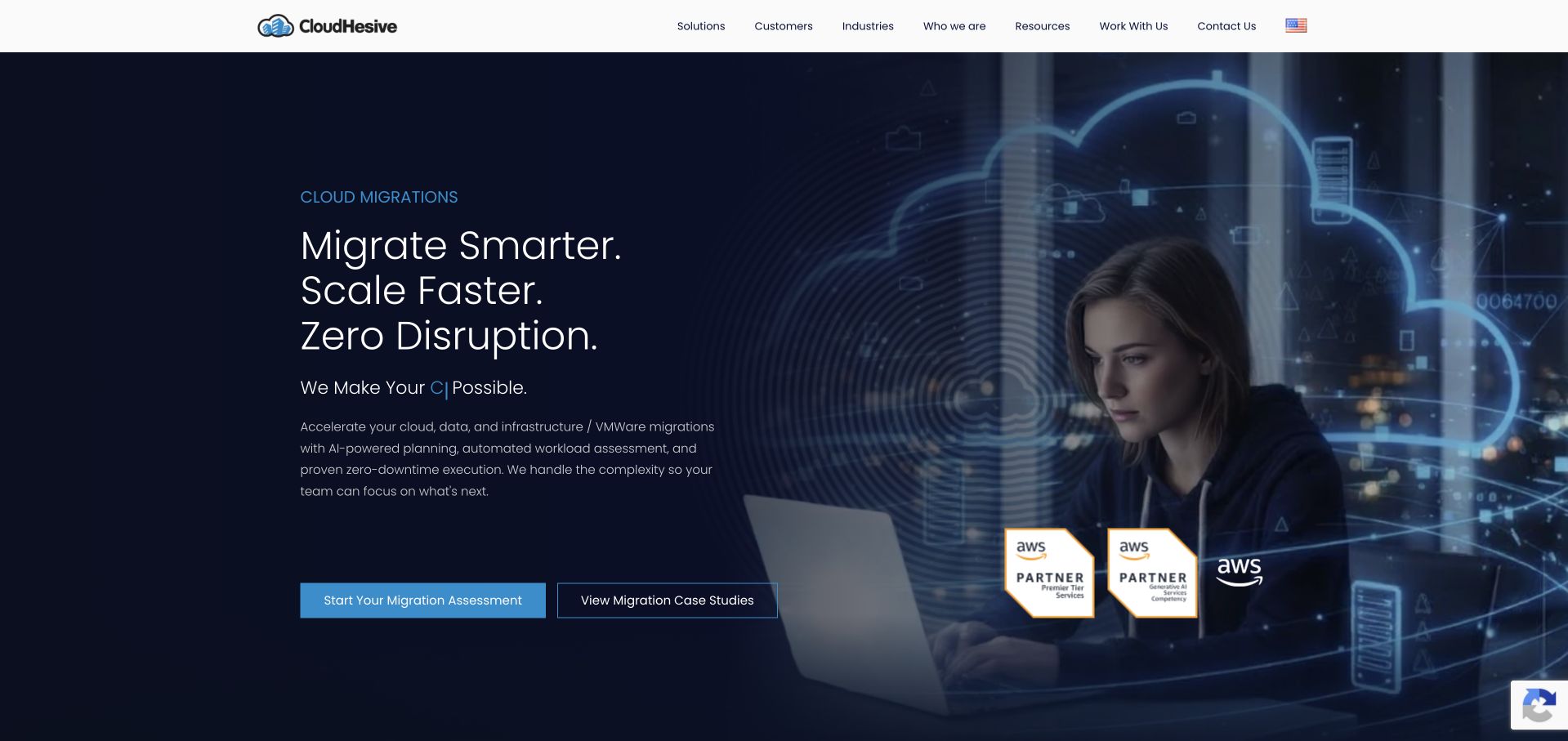
CloudHesive places a migration proposition and explanatory text beside a large technology-themed image, with two distinct actions beneath: an assessment route and a case-study route. The restrained white navigation separates solutions, customers and industries before someone makes contact. This context is useful when planning a WPForms-powered enquiry because a prospective client may need evidence before being ready to describe infrastructure. Current public resources identify WPForms on the named page. They do not establish that it powers the pictured assessment action, that any integration is configured or that the company’s migration claims have been independently tested. The design and the detected component remain separate observations.
What you can learn
Offer an educational route alongside a request route when the buying decision requires investigation. An initial assessment form should ask for a manageable outline, not credentials, confidential architecture or an unrestricted file dump. Test routing and delivery under the real business configuration before promising a particular response.
Pros
Assessment and case-study actions represent different levels of readiness.
The header organizes solutions and industries clearly.
Cons & considerations
Strong delivery claims require evidence beyond a homepage presentation.
A public WPForms asset does not reveal CRM routing or handling of confidential enquiries.
Platform source: WordPress.org Showcase. Current exact public-page source sample contains linked stylesheet matches wpforms. This is a scoped public resource association, not a tested form submission or complete backend inventory. Platform evidence is separate from the direct website screenshot and is not a complete current infrastructure audit.
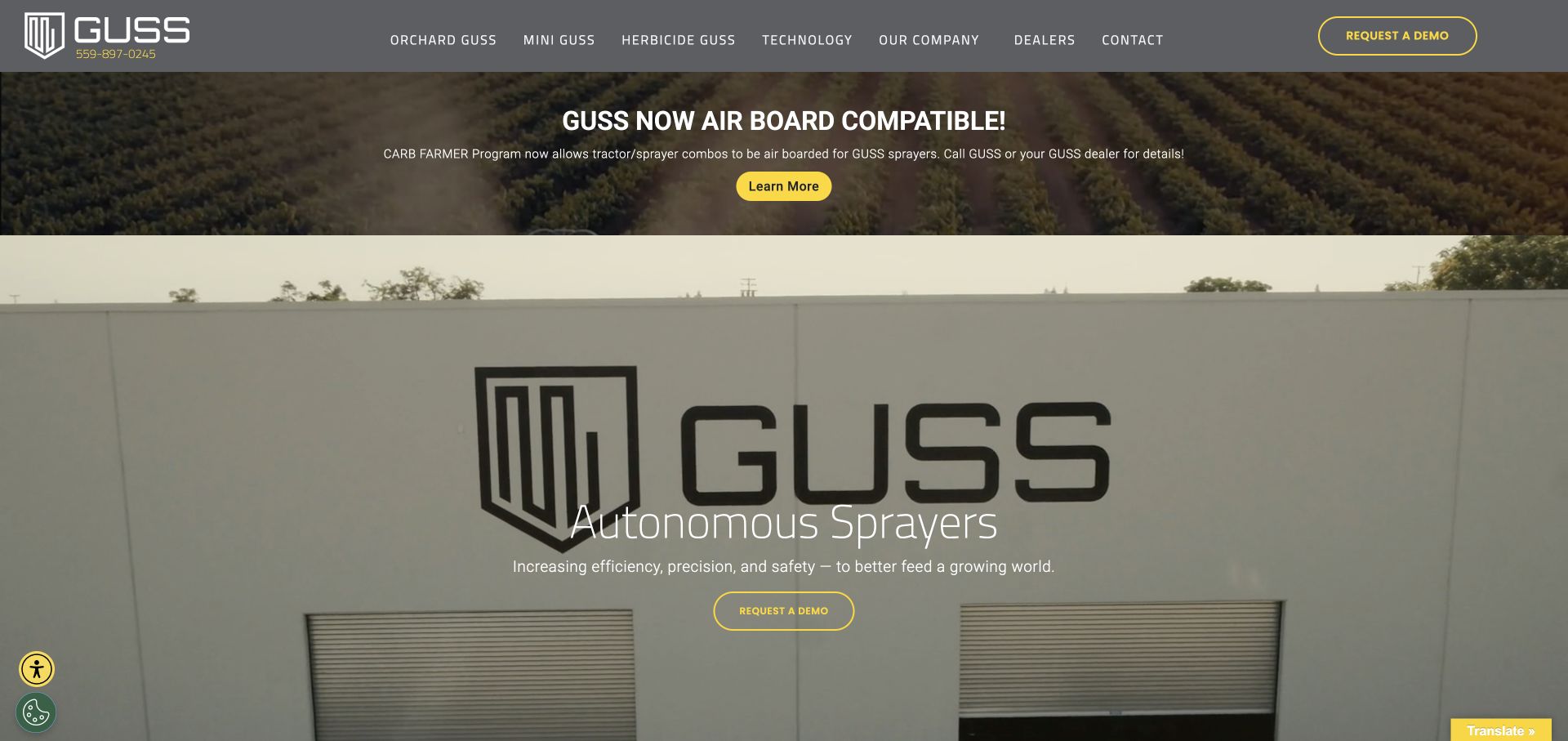
GUSS uses a grey product-focused navigation and yellow action accents over industrial video imagery. Request a Demo appears in the header and again near the central sprayer introduction, while named product families remain visible across the top. For a WPForms project, this is a useful example of the context around a specialist enquiry: the visitor needs to identify a product before supplying application details. Current public resources identify WPForms, but no demonstration request was submitted and the detected asset does not prove the provider of either button’s destination. Product performance and programme statements are the manufacturer’s own claims, not conclusions from this design review.
What you can learn
Plan demo enquiries around a relevant product and a short description of the intended application. Explain that a request begins a conversation rather than confirming suitability, availability or a demonstration date. Keep form validation, notification routing and any sales integration as explicit implementation tests instead of treating detection as operational evidence.
Pros
Named product families give the request context.
Yellow demo actions remain recognizable.
Cons & considerations
Repeated demo buttons need consistent and accurately described destinations.
A plugin reference cannot validate product suitability or the sales team’s follow-up process.
Platform source: WordPress.org Showcase. Current exact public-page source sample contains linked stylesheet matches wpforms. This is a scoped public resource association, not a tested form submission or complete backend inventory. Platform evidence is separate from the direct website screenshot and is not a complete current infrastructure audit.
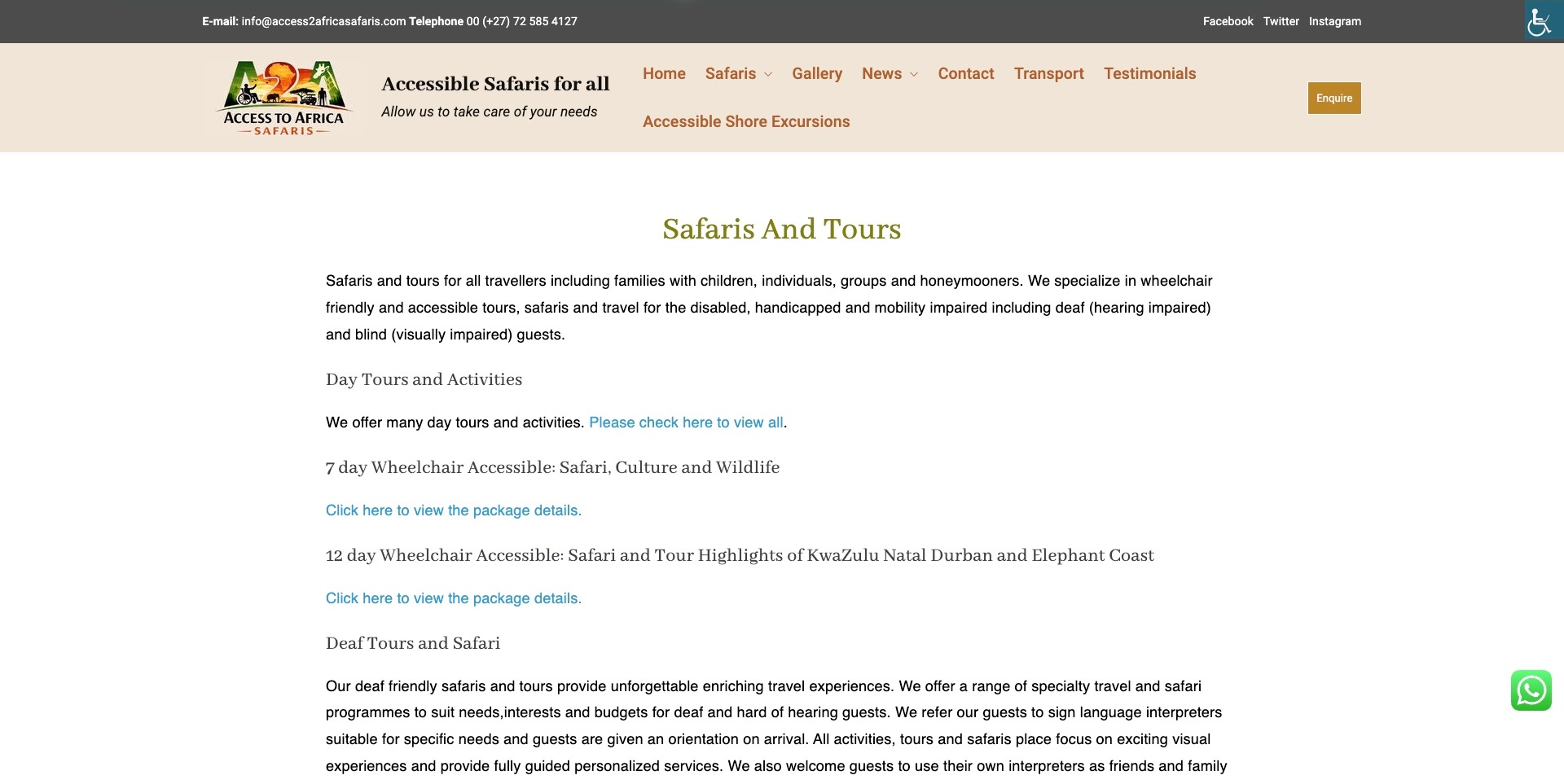
Access2Africa’s pictured Safaris and Tours page uses a straightforward text directory, with named trip types, descriptive paragraphs and links to package information. The header includes a distinct Enquire button, while a public phone and email line provides alternatives. The design is useful for a WPForms brief because detailed service context can do some of the work before someone reaches an enquiry. Current public page resources identify WPForms, but this is not a screenshot of its configuration or a completed booking. The operator’s accessibility descriptions remain its own statements; the page does not independently establish arrangements for an individual traveller.
What you can learn
Let the public information explain the service, then use the initial form to start a proportionate conversation. Avoid asking for sensitive personal or medical information simply because a form builder supports more fields. Keep confirmation, actual travel arrangements and staff follow-up separate from a generic submission message.
Pros
Package links give the enquiry a specific point of reference.
An Enquire action coexists with ordinary contact alternatives.
Cons & considerations
Repeated generic link wording may make individual destinations less distinguishable.
WPForms resources do not establish suitability, reservations or secure handling of sensitive details.
Platform source: WordPress.org Showcase. Current exact public-page source sample contains linked script matches wpforms. This is a scoped public resource association, not a tested form submission or complete backend inventory. Platform evidence is separate from the direct website screenshot and is not a complete current infrastructure audit.
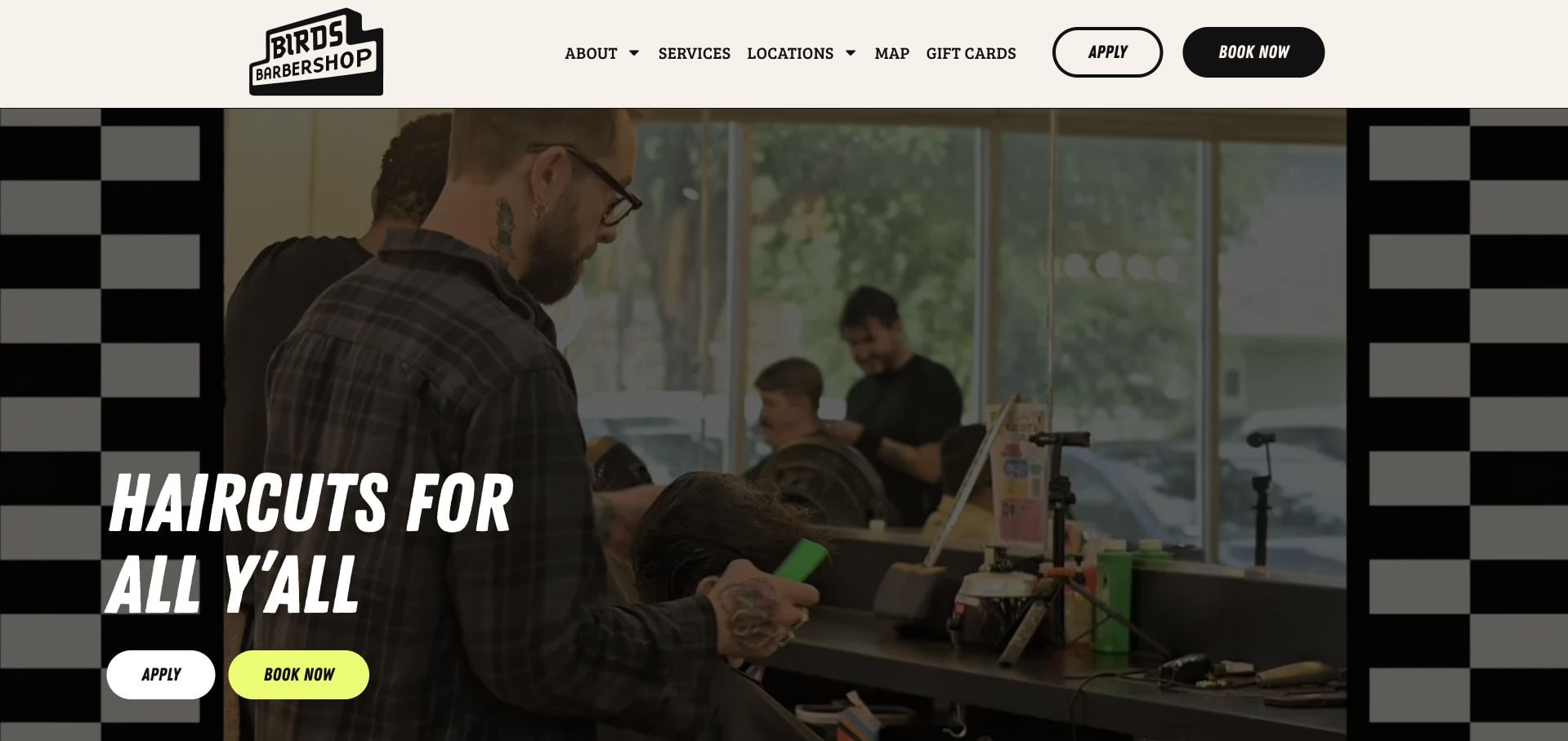
Birds Barbershop frames a working-shop image with a strong black-and-white checkerboard treatment. Its header gives Apply and Book Now different button treatments, and the same two actions recur below the large haircut headline. That separation is relevant to WPForms planning: not every visitor supplying information is making the same kind of request. Current public resources identify WPForms on the named page, but the screenshot does not show which destination uses the plugin or whether a booking happens in another system. The barbershop imagery and visual identity should not be attributed to a form component merely because its assets are present.
What you can learn
Separate recruitment from customer enquiries in labels, routing and confirmation. If one form supports several purposes, explain the choice clearly and test each route under authorized conditions. Preserve visible service and location information so a form is a useful next step rather than the only way to learn anything practical.
Pros
Apply and Book Now are visually and verbally distinct.
The header retains services and location routes.
Cons & considerations
Repeated competing actions may need tighter priority on smaller screens.
A detected form asset does not establish appointment availability or recruitment handling.
Platform source: WordPress.org Showcase. Current exact public-page source sample contains linked stylesheet matches wpforms. This is a scoped public resource association, not a tested form submission or complete backend inventory. Platform evidence is separate from the direct website screenshot and is not a complete current infrastructure audit.
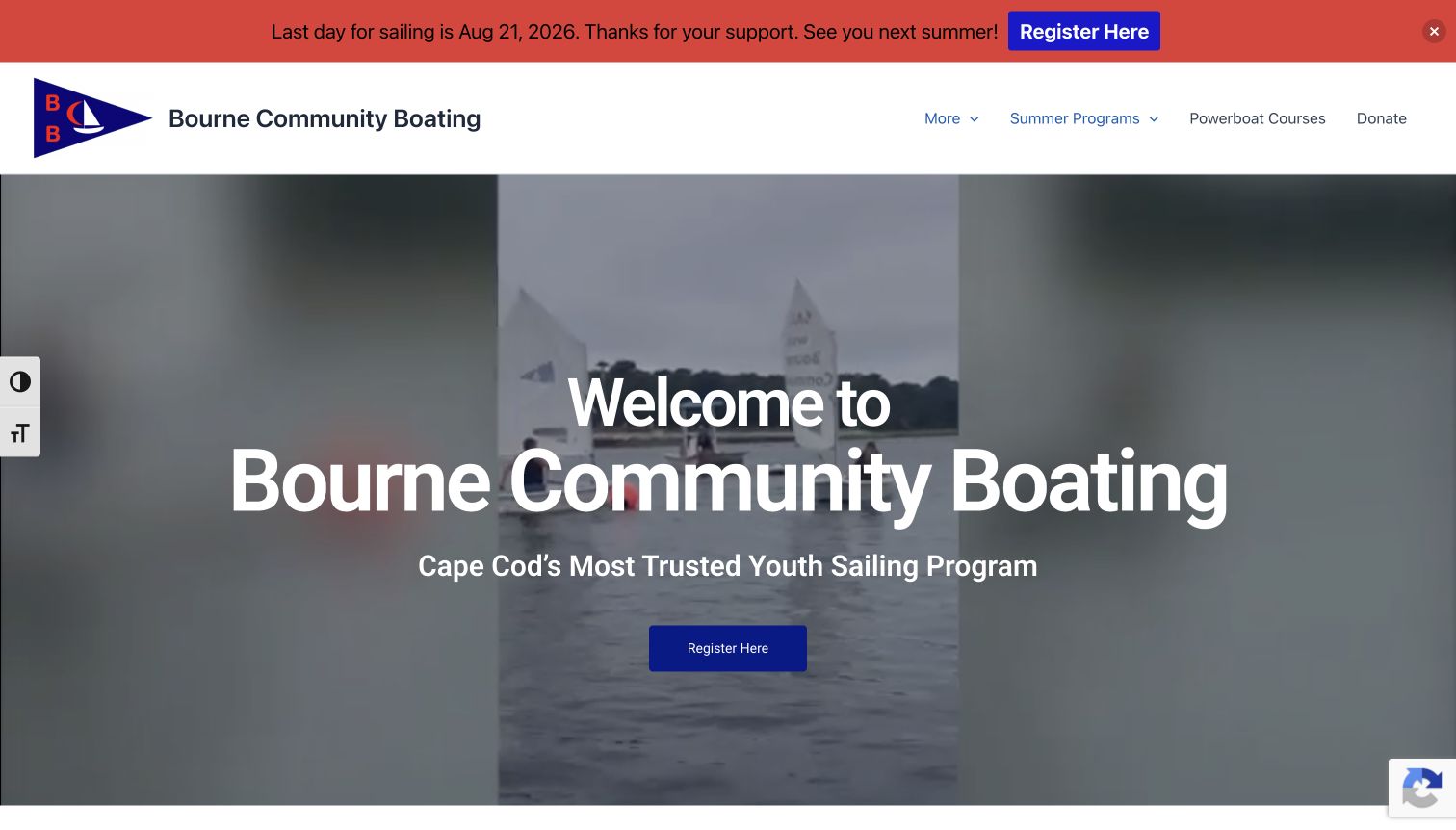
Bourne Community Boating places a conspicuous seasonal notice above its white navigation, followed by a large sailing image and a registration action. Summer Programs, Powerboat Courses and Donate are separated in the header. The pictured notice refers to the sailing season, so it should be read as captured context rather than a promise of current registration. For a WPForms project, the useful issue is how a website explains timing before asking someone to send information. Current public page resources identify WPForms; they do not prove that the pictured registration button uses it or that any place has been reserved.
What you can learn
Put programme dates and eligibility context before the initial form, and make a request’s status explicit. Distinguish an enquiry, an application and a confirmed registration in both button labels and confirmations. The form implementation must be tested separately from any external enrolment, donation or payment system.
Pros
A prominent notice gives time-sensitive context before the main action.
Programme and donation routes are separated.
Cons & considerations
An old seasonal notice can confuse visitors unless maintained.
Plugin detection does not establish registration capacity, payment handling or a confirmed place.
Platform source: WordPress.org Showcase. Current exact public-page source sample contains linked stylesheet matches wpforms. This is a scoped public resource association, not a tested form submission or complete backend inventory. Platform evidence is separate from the direct website screenshot and is not a complete current infrastructure audit.
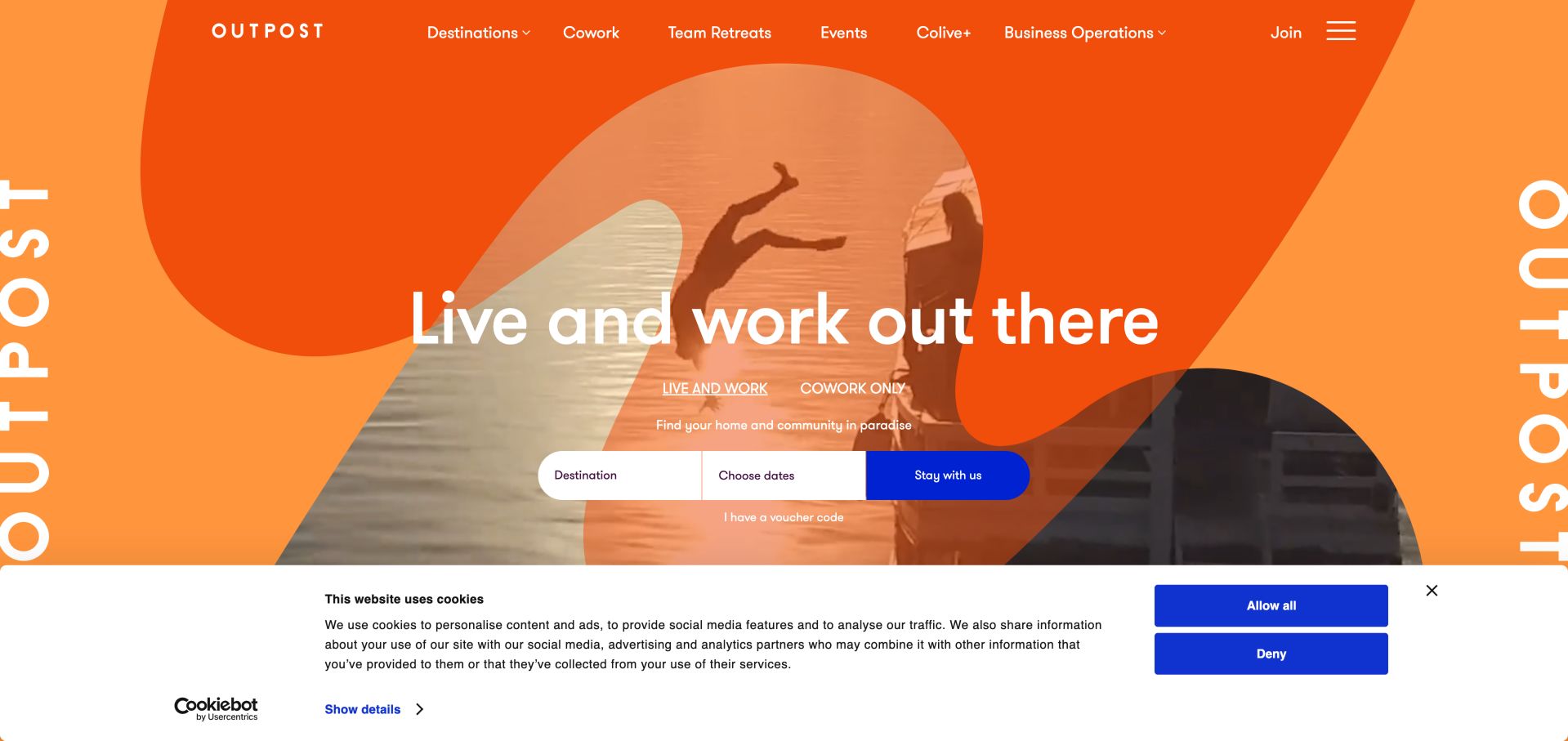
Outpost uses an orange, oversized graphic treatment over lifestyle imagery, with a compact destination-and-date bar beneath its main message. Live and Work and Cowork Only appear as different entrances, and the header adds retreats, events and other routes. In a WPForms guide, this is useful for distinguishing a site-wide form component from the visible booking interface. Current public resources identify WPForms on the page, but that does not establish that the pictured date controls, accommodation booking or member systems use it. The visual character belongs to the surrounding website and should not be presented as a form-builder template.
What you can learn
Map booking, membership and general contact as separate tasks before choosing form fields. An enquiry form can provide a useful fallback without pretending to reserve a stay. Test destinations, confirmation wording and routing explicitly, and identify any external system responsible for inventory or payment rather than attributing the whole journey to one plugin.
Pros
Living and coworking routes are visible within the hero.
A compact bar keeps destination and date prompts together.
Cons & considerations
Large decorative lettering may compete with practical booking information.
A public WPForms reference cannot establish inventory availability or the booking system.
Platform source: WordPress.org Showcase. Current exact public-page source sample contains linked stylesheet matches wpforms. This is a scoped public resource association, not a tested form submission or complete backend inventory. Platform evidence is separate from the direct website screenshot and is not a complete current infrastructure audit.
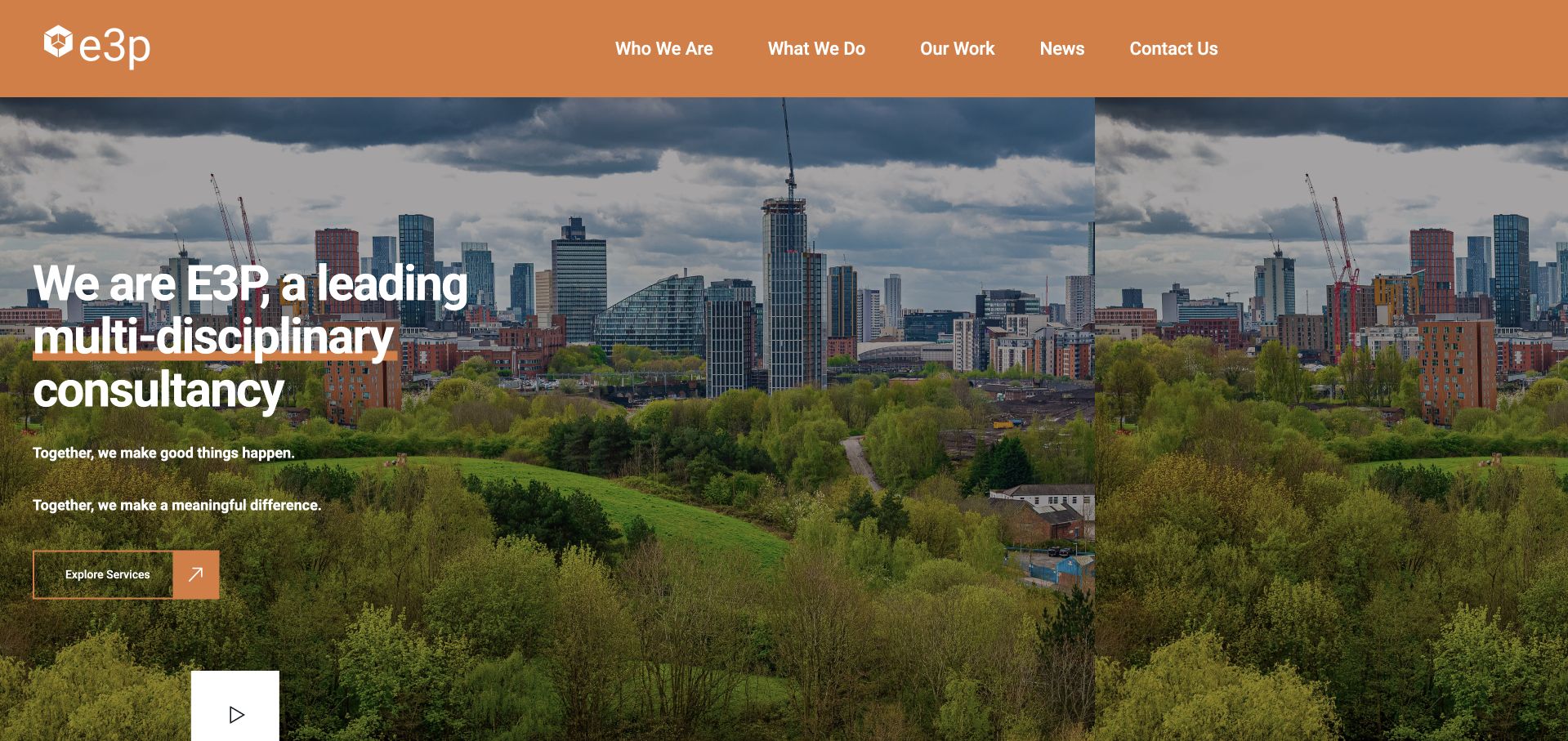
E3P puts an orange navigation bar above a large cityscape and a concise consultancy introduction. Who We Are, What We Do, Our Work and Contact Us provide straightforward routes, while an Explore Services action keeps the first screen focused on understanding the business. That is relevant to a WPForms project because a technical enquiry usually benefits from service context before an open message field. Current page resources identify WPForms, not the provider of every interaction or the handling of private project documents. The image and general positioning do not establish engineering capability, a service outcome or the plugin’s role beyond its observed reference.
What you can learn
Give prospective clients a clear description of relevant services before inviting an outline. Keep the first form manageable and explain how the enquiry will be reviewed. Large files, confidential plans and formal technical advice need a deliberately designed process rather than assumptions based on a generic contact form.
Pros
Plain navigation labels provide useful context before contact.
The service action gives undecided visitors a clear alternative.
Cons & considerations
A broad consultancy headline may need deeper service-specific explanation.
WPForms detection does not reveal document security, team routing or technical assessment.
Platform source: WordPress.org Showcase. Current exact public-page source sample contains linked stylesheet matches wpforms. This is a scoped public resource association, not a tested form submission or complete backend inventory. Platform evidence is separate from the direct website screenshot and is not a complete current infrastructure audit.
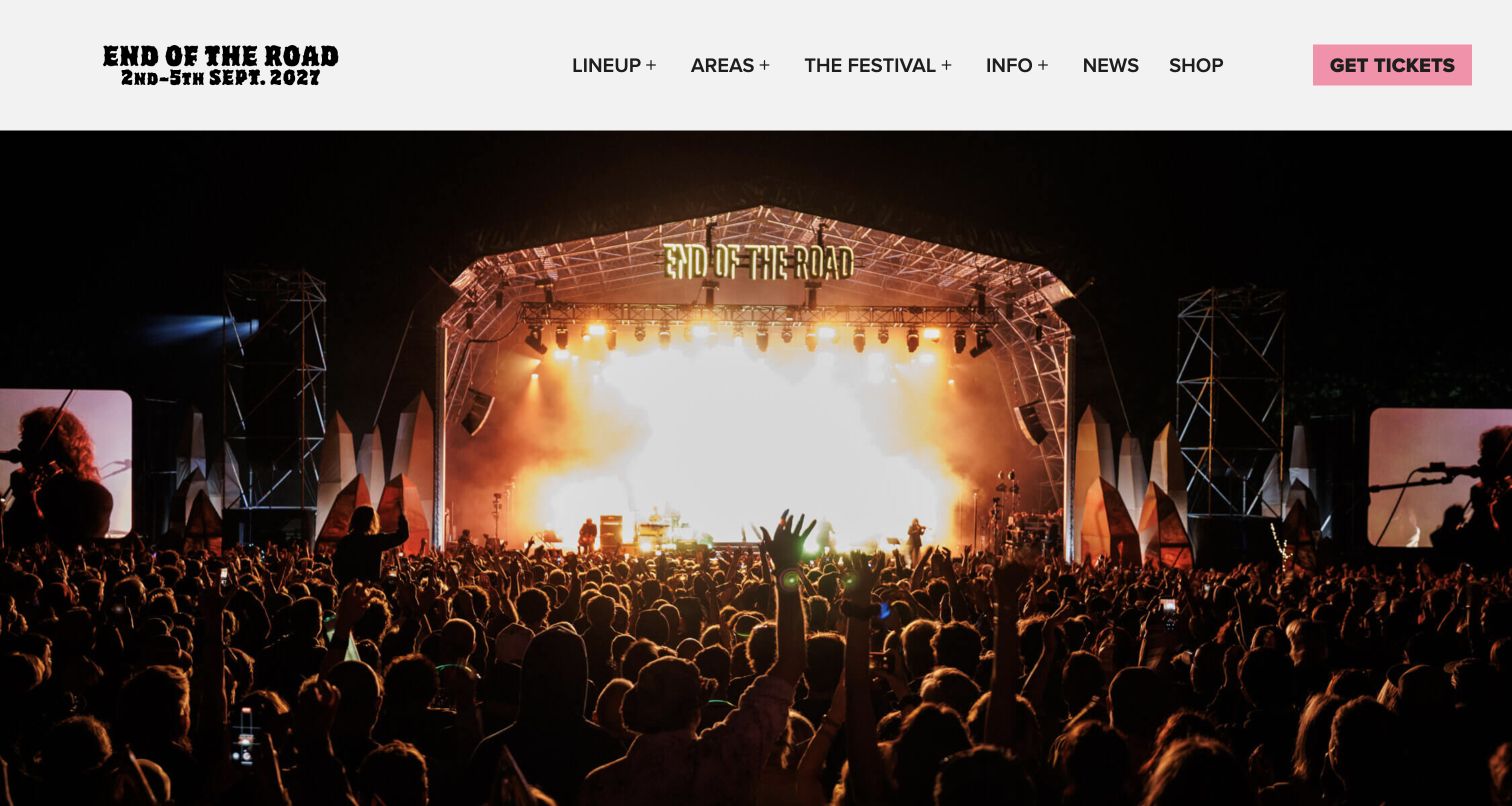
End of the Road’s pictured homepage gives most of the opening view to a brightly lit stage and crowd photograph. The white header names the event, displays its dates and separates Lineup, Areas, Festival, Info, News and Shop from a pink Get Tickets action. For a WPForms brief, the useful point is the distinction between promotional information, enquiries and ticketing. Current public resources identify WPForms, but the screenshot does not show a form or establish that ticket checkout uses the plugin. The photograph communicates an event atmosphere; it cannot verify this edition’s programme, availability or an attendee’s eventual experience.
What you can learn
Decide which requests belong in a general form and which belong with ticketing, access or another specialist team. Keep event dates and the purpose of each route clear. Test an authorized enquiry and its follow-up separately from ticket transactions, and never treat a plugin resource as evidence that both workflows share a backend.
Pros
Event dates and ticket action are visible in the header.
Plain programme and information labels support orientation.
Cons & considerations
A large hero postpones practical detail below the opening view.
The public plugin signal cannot establish ticket availability or enquiry delivery.
Platform source: WordPress.org Showcase. Current exact public-page source sample contains linked script matches wpforms. This is a scoped public resource association, not a tested form submission or complete backend inventory. Platform evidence is separate from the direct website screenshot and is not a complete current infrastructure audit.
Enter Art Fair uses an expansive view of visitors looking at artworks, with a small central wordmark and a menu control over the photograph. The image establishes a gallery environment without filling the screen with promotional blocks. In a WPForms project, the lesson is not that the plugin produces this visual treatment: current public resources identify the form component separately from the layout. No enquiry was sent, and the first frame does not explain which public-facing request uses WPForms. The sparse opening may create a strong sense of place, but dates, tickets, exhibitor information and contact need clear routes beyond the photograph.
What you can learn
If a visual introduction is intentionally minimal, make the practical route after it unmistakable. Separate exhibitor, press and visitor enquiries where the organization handles them differently. The form should explain the request it accepts and the expected next step, without implying that a submission confirms participation or access.
Pros
An uncluttered exhibition photograph establishes the setting immediately.
A compact identity leaves the artworks visually prominent.
Cons & considerations
A menu-led opening may make practical information less immediate.
A WPForms reference does not identify approval, ticketing or exhibitor-management processes.
Platform source: WordPress.org Showcase. Current exact public-page source sample contains linked stylesheet matches wpforms. This is a scoped public resource association, not a tested form submission or complete backend inventory. Platform evidence is separate from the direct website screenshot and is not a complete current infrastructure audit.
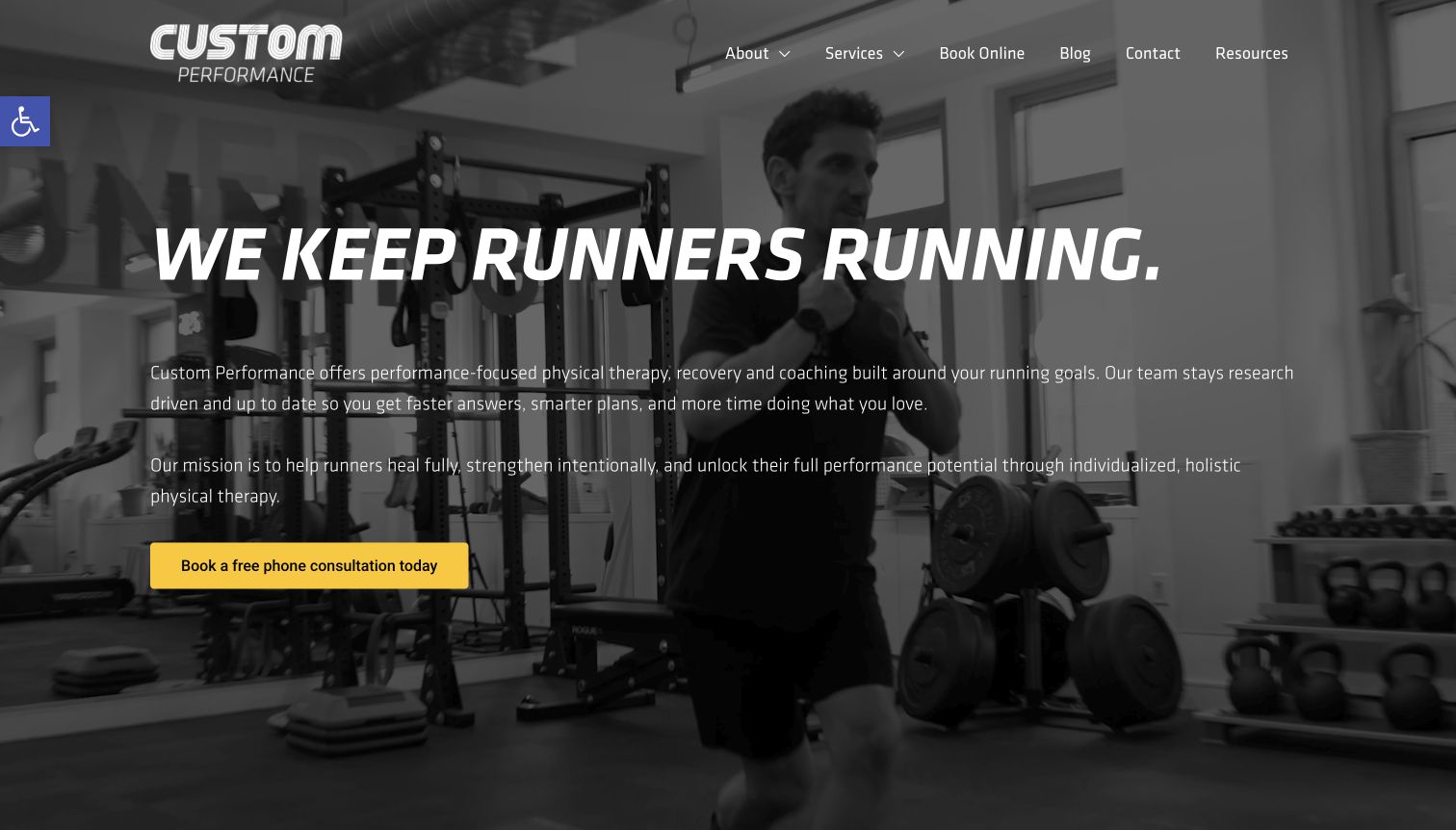
Custom Performance overlays a monochrome training scene with a large runner-focused headline and a yellow phone-consultation action. The header retains services, booking, contact and resources. This gives a form project a clear context: an initial enquiry can begin with the visitor’s stated interest rather than collecting a comprehensive personal history. Current public page resources identify WPForms, but the picture does not show its fields or establish which consultation or booking destination uses it. The site’s therapy and performance statements are its own service presentation, not outcomes independently verified through this design review.
What you can learn
Describe the initial conversation accurately and ask only for information needed at that stage. Do not assume a general form is suitable for clinical or sensitive records. Validation, access controls, retention and notification handling require deliberate implementation and review; a visible plugin resource does not establish them.
Pros
The consultation action contrasts clearly with the monochrome image.
A specific audience makes the enquiry context understandable.
Cons & considerations
A broad promotional promise needs supporting service detail.
The plugin association does not establish clinical suitability or protection of sensitive submissions.
Platform source: WordPress.org Showcase. Current exact public-page source sample contains linked stylesheet matches wpforms. This is a scoped public resource association, not a tested form submission or complete backend inventory. Platform evidence is separate from the direct website screenshot and is not a complete current infrastructure audit.
Skin Health Institute’s pictured hero pairs a clinical-trial message with a close-up photograph and a Register Now action. The header distinguishes health professionals, patients and clinical trials, alongside referral and other routes. For a WPForms brief, the important lesson is to distinguish the public-facing entrance from what happens in a research or patient workflow. Current page resources identify WPForms, but the screenshot does not prove it handles the pictured registration, eligibility screening or any private records. The trial criteria visible in the capture are historical page context, not an invitation or independent medical guidance from this collection.
What you can learn
Label the purpose and scope of an initial request, especially when several audiences use the same site. Keep a general contact form separate from processes requiring dedicated approval, privacy review or specialist handling. Test routing and authorized confirmations without inferring data safeguards or eligibility decisions from a plugin reference.
Pros
Audience categories distinguish patients, professionals and research visitors.
The hero ties its action to a named purpose.
Cons & considerations
Time-sensitive trial information requires deliberate maintenance.
WPForms detection does not establish eligibility, approval or handling of clinical information.
Platform source: WordPress.org Showcase. Current exact public-page source sample contains linked stylesheet matches wpforms. This is a scoped public resource association, not a tested form submission or complete backend inventory. Platform evidence is separate from the direct website screenshot and is not a complete current infrastructure audit.
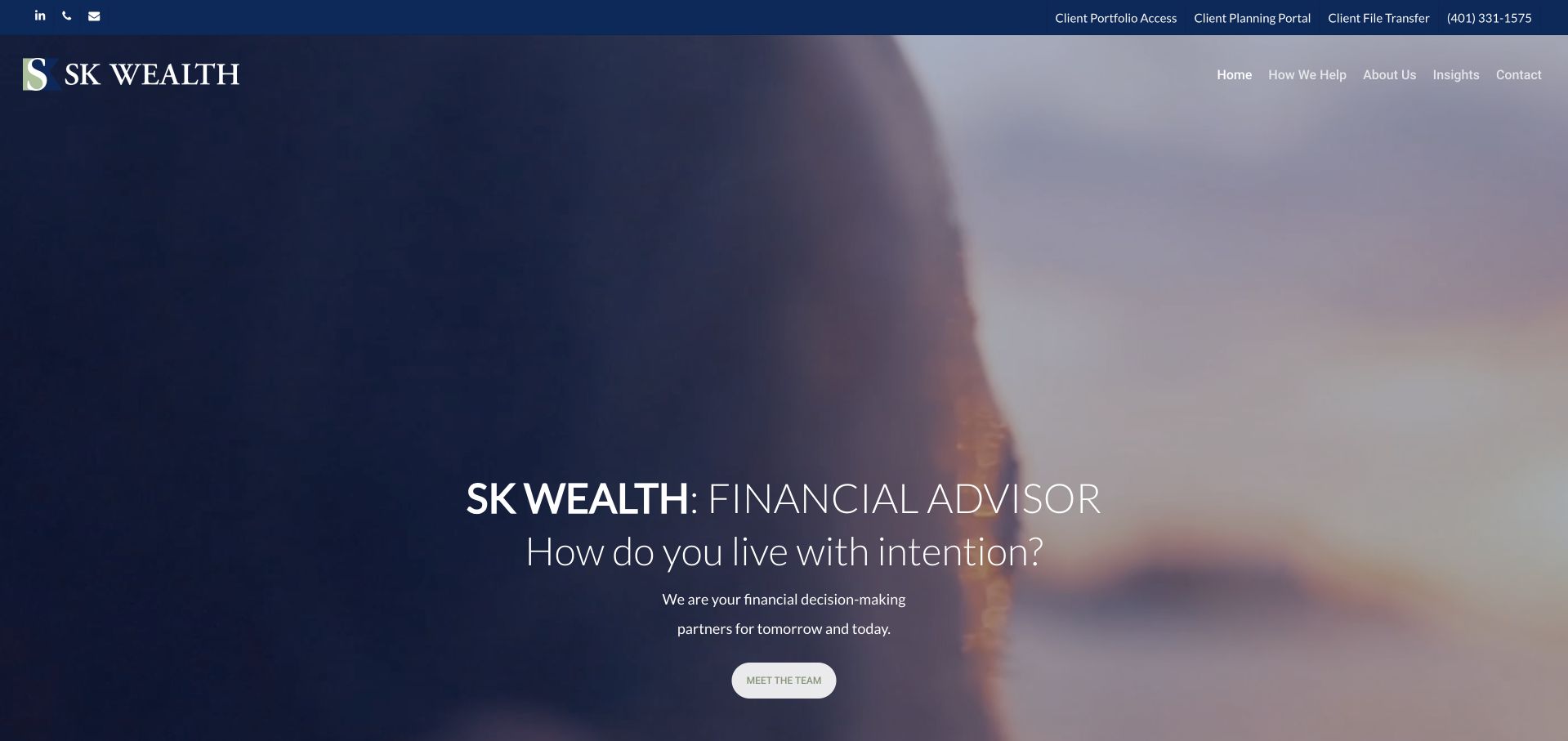
SK Wealth uses a soft, blue-toned image behind a restrained financial-advisor introduction and a Meet the Team action. A narrow top bar separates existing-client portfolio, planning and file-transfer routes from the public navigation. That separation is useful in a WPForms project: the first public enquiry should not quietly become a substitute for secure account access or document exchange. Current page resources identify WPForms on the named page. They do not establish a particular CRM, private portal configuration, encryption arrangement or a successful message delivery. The pictured design introduces the practice; it does not verify financial services or outcomes.
What you can learn
Define the initial enquiry as a limited conversation starter and direct existing clients to the appropriate supported system. Avoid inviting account credentials, statements or other sensitive records through an unqualified general form. Public labels, internal access and notification content need separate review rather than assumptions based on a plugin’s presence.
Pros
Existing-client access is separated from the public introduction.
The team action supports research before contact.
Cons & considerations
A quiet relationship message may need more specific service context.
A public form resource does not establish portal security or private document handling.
Platform source: WordPress.org Showcase. Current exact public-page source sample contains linked stylesheet matches wpforms. This is a scoped public resource association, not a tested form submission or complete backend inventory. Platform evidence is separate from the direct website screenshot and is not a complete current infrastructure audit.
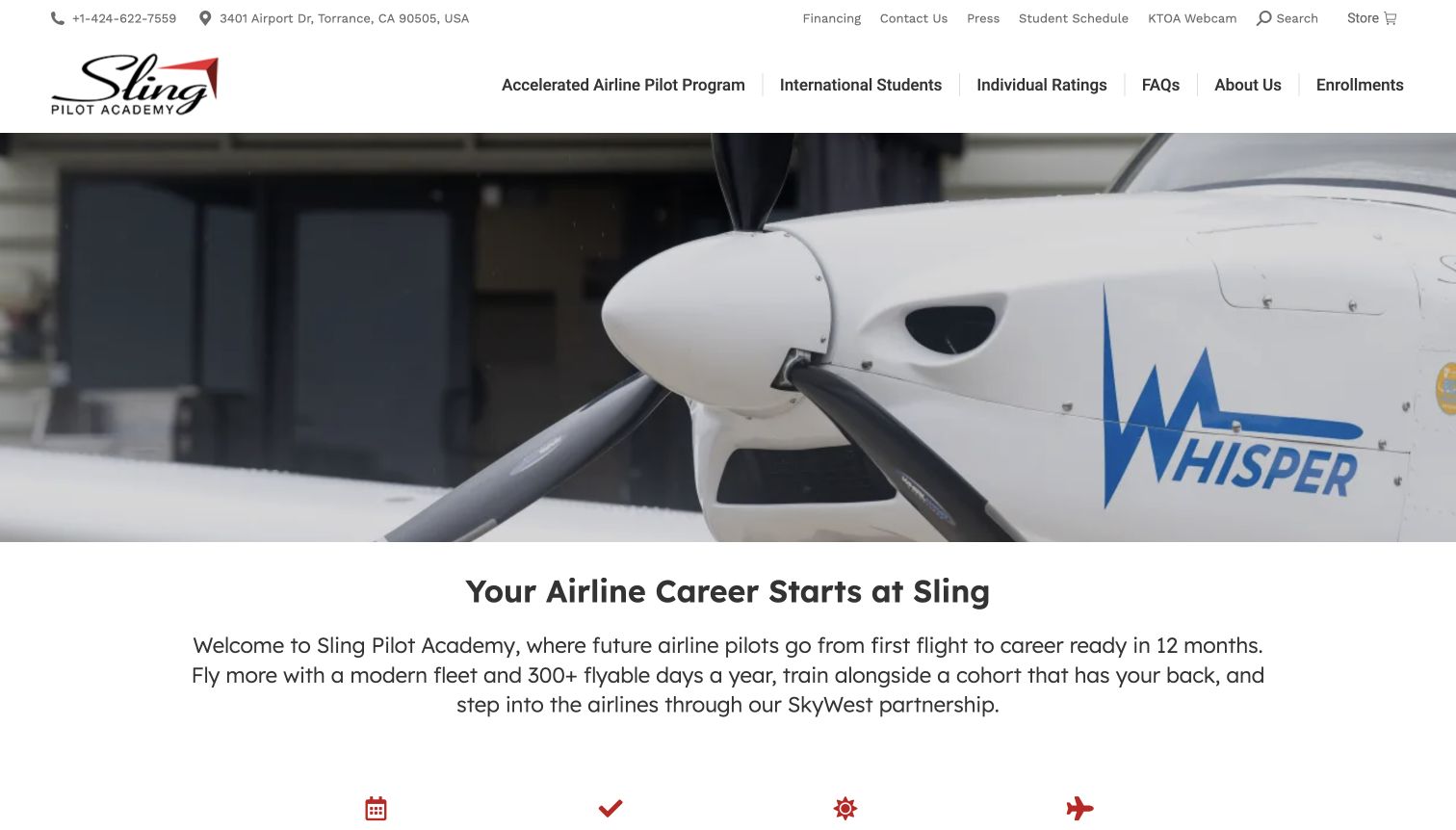
Sling Pilot Academy’s pictured homepage uses an aircraft close-up above a clear training introduction. The upper utility row includes a phone number, address, financing, contact and a student-schedule route, while the main navigation separates different training programmes. A WPForms implementation can learn from that separation between prospective students and existing users. Current public page resources identify WPForms, not the complete enrolment, scheduling or payment system. No application was submitted, and the screenshot cannot establish that a particular training outcome, timeline or partnership benefit applies to an individual applicant. Those remain separate questions for the provider.
What you can learn
Make the first enquiry explain what information is needed and what the conversation will cover. Keep existing-student access, formal applications and general questions distinct. A form’s confirmation should acknowledge the request rather than imply admission or a guaranteed outcome, and delivery needs authorized end-to-end testing.
Pros
Utility links distinguish contact and existing-student tasks.
Programme navigation supplies context before an enquiry.
Cons & considerations
Promotional training timelines need qualification outside the first impression.
WPForms detection does not verify admissions, scheduling or message delivery.
Platform source: WordPress.org Showcase. Current exact public-page source sample contains linked stylesheet matches wpforms. This is a scoped public resource association, not a tested form submission or complete backend inventory. Platform evidence is separate from the direct website screenshot and is not a complete current infrastructure audit.
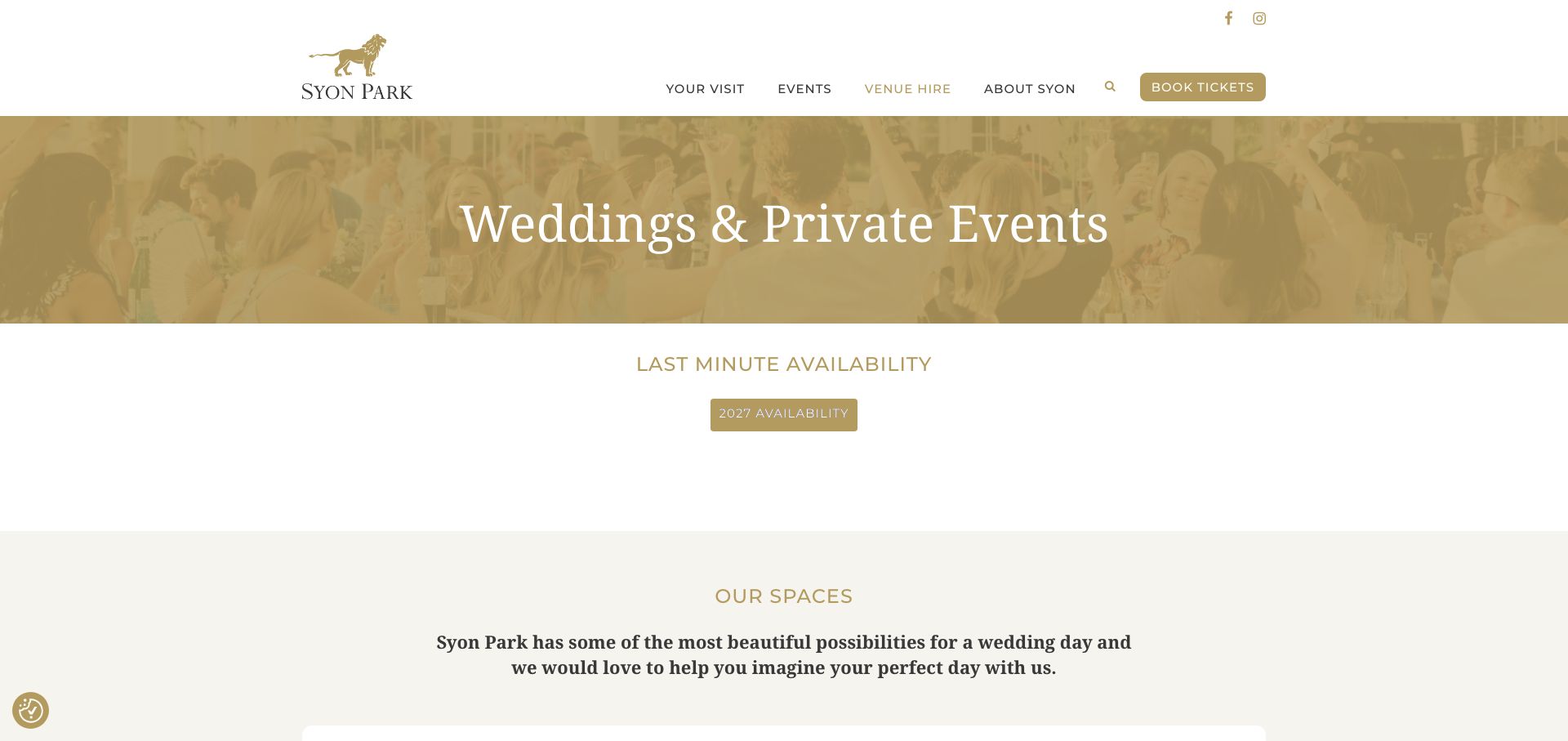
Syon Park’s pictured Weddings and Private Events page uses a gold-toned banner and restrained typography, followed by an availability heading and a year-specific action. The main navigation keeps venue hire separate from visiting and a Book Tickets button. For a WPForms brief, this is useful task separation: a private-event enquiry is not the same as buying an admission ticket. Current public resources identify WPForms on the named page, but this image does not establish its fields, the provider of the availability action or any confirmed event booking. The visible year label belongs to the original capture, not a current availability promise.
What you can learn
Use the initial event form to collect a proportionate outline and describe the subsequent conversation. Keep dates, guest numbers and event type understandable, but make clear that submission does not hold a date. Test notifications and routing separately from public ticketing or any private scheduling system.
Pros
Venue hire and ordinary visitor tickets are clearly separated.
A dedicated page gives event requests an identifiable context.
Cons & considerations
Year-specific availability actions can become stale without review.
A plugin reference does not establish date inventory or a confirmed reservation.
Platform source: WordPress.org Showcase. Current exact public-page source sample contains linked stylesheet matches wpforms. This is a scoped public resource association, not a tested form submission or complete backend inventory. Platform evidence is separate from the direct website screenshot and is not a complete current infrastructure audit.
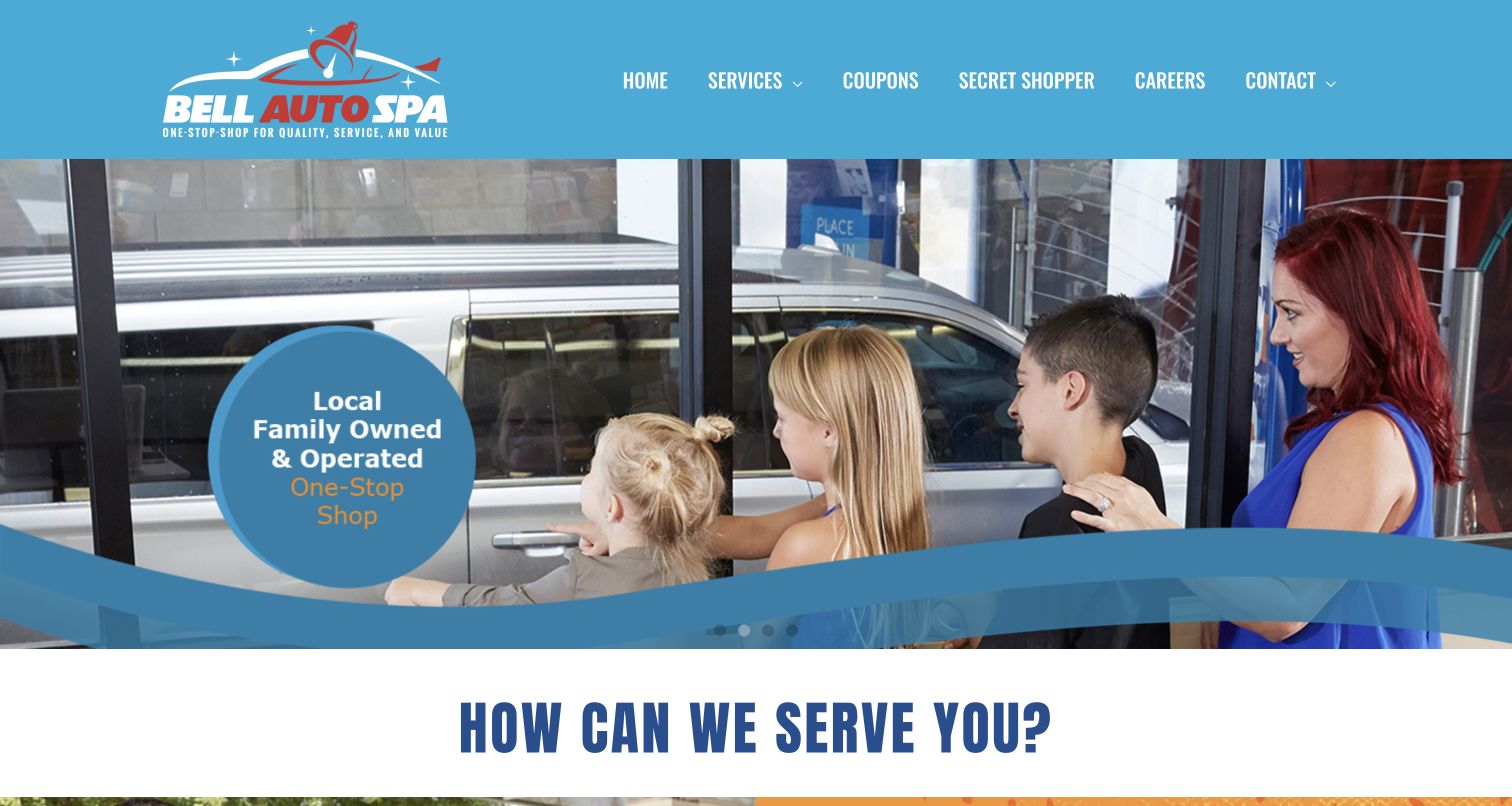
Bell Auto Spa places a bright blue header above a family-oriented photograph, with a round message panel and curved graphic band reinforcing the brand. Services, coupons, Secret Shopper, careers and contact appear as separate navigation choices. That variety matters to a WPForms project because feedback, employment and customer questions may require different recipients and information. Current public resources identify WPForms, but the screenshot does not show which destination uses it or whether any message reaches the intended team. The image illustrates a service environment; it does not substantiate the business’s quality claims or the plugin’s role in the visual design.
What you can learn
Name each form for its actual purpose and ask for details appropriate to that request. Separate feedback from hiring and general contact when staff responsibilities differ. Test the recipient, acknowledgement and failure handling for every published route rather than assuming that one successful test covers all forms on the website.
Pros
Distinct navigation labels identify several different request types.
A recognizable palette carries through header and image graphics.
Cons & considerations
A broad service message may need clearer practical detail below.
The WPForms reference cannot reveal which forms exist or where they deliver.
Platform source: WordPress.org Showcase. Current exact public-page source sample contains linked stylesheet matches wpforms. This is a scoped public resource association, not a tested form submission or complete backend inventory. Platform evidence is separate from the direct website screenshot and is not a complete current infrastructure audit.
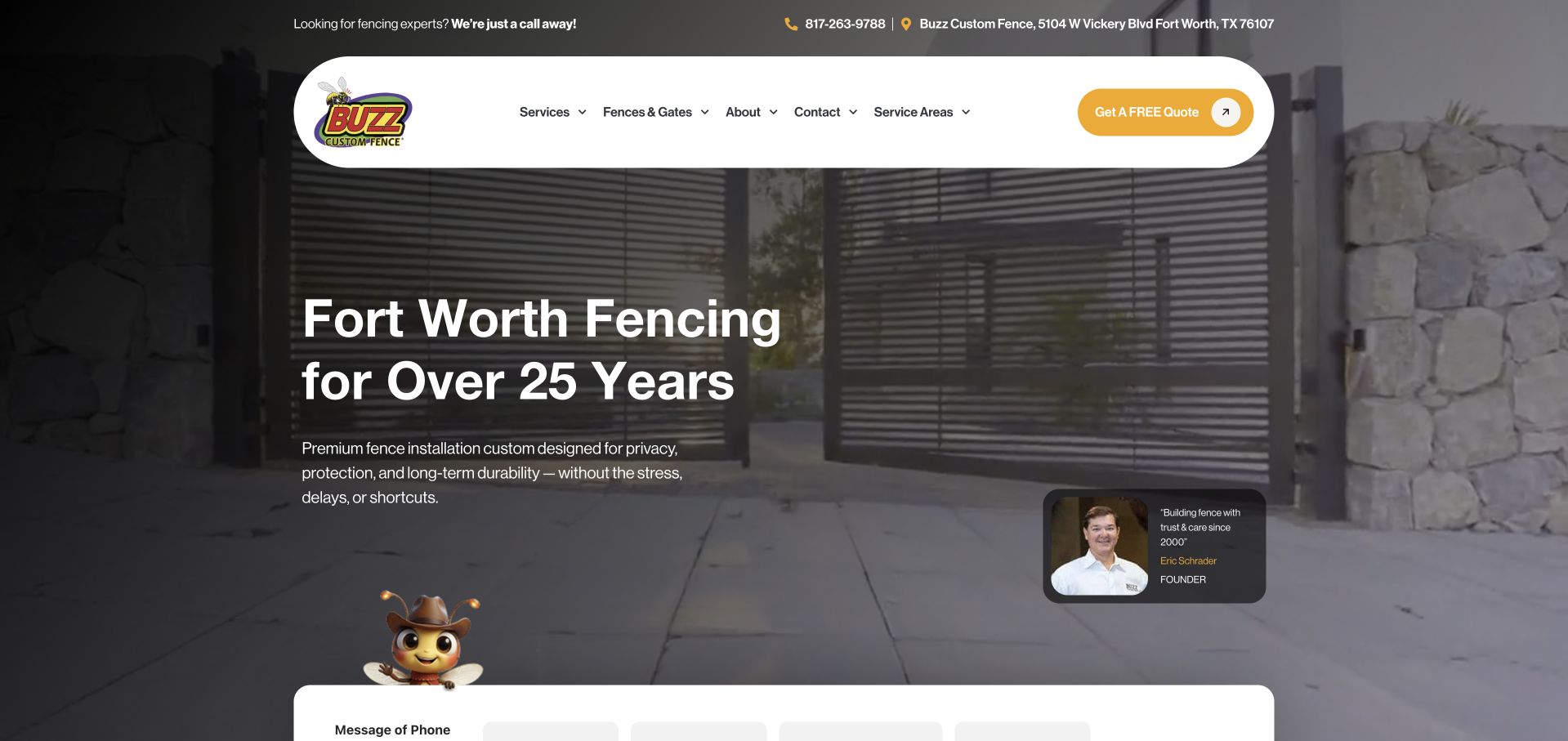
Buzz Custom Fence puts a rounded white navigation above a large gate image, with a yellow quotation action, service-area route and a small founder introduction. A white form-like panel begins at the bottom of the captured view. That is relevant context for a WPForms brief, but current resource detection does not by itself identify the pictured panel’s implementation or prove a completed estimate workflow. The page resources establish a scoped WPForms association. The photograph, founder attribution and service claims belong to the business presentation and should not become independent endorsements or proof that one plugin produced the entire layout.
What you can learn
Give a project enquiry enough service and location context to be useful without making visitors assemble a full specification immediately. Clearly explain whether the next step is a conversation, site visit or estimate review. Test validation and delivery separately, and do not promise an exact quote from incomplete information.
Pros
The quotation action is prominent within a clear navigation panel.
Service areas and product categories provide useful request context.
Cons & considerations
A large hero can postpone detailed scope and estimate conditions.
A detected plugin does not prove the visible panel’s behaviour or estimate accuracy.
Platform source: WordPress.org Showcase. Current exact public-page source sample contains linked stylesheet matches wpforms. This is a scoped public resource association, not a tested form submission or complete backend inventory. Platform evidence is separate from the direct website screenshot and is not a complete current infrastructure audit.
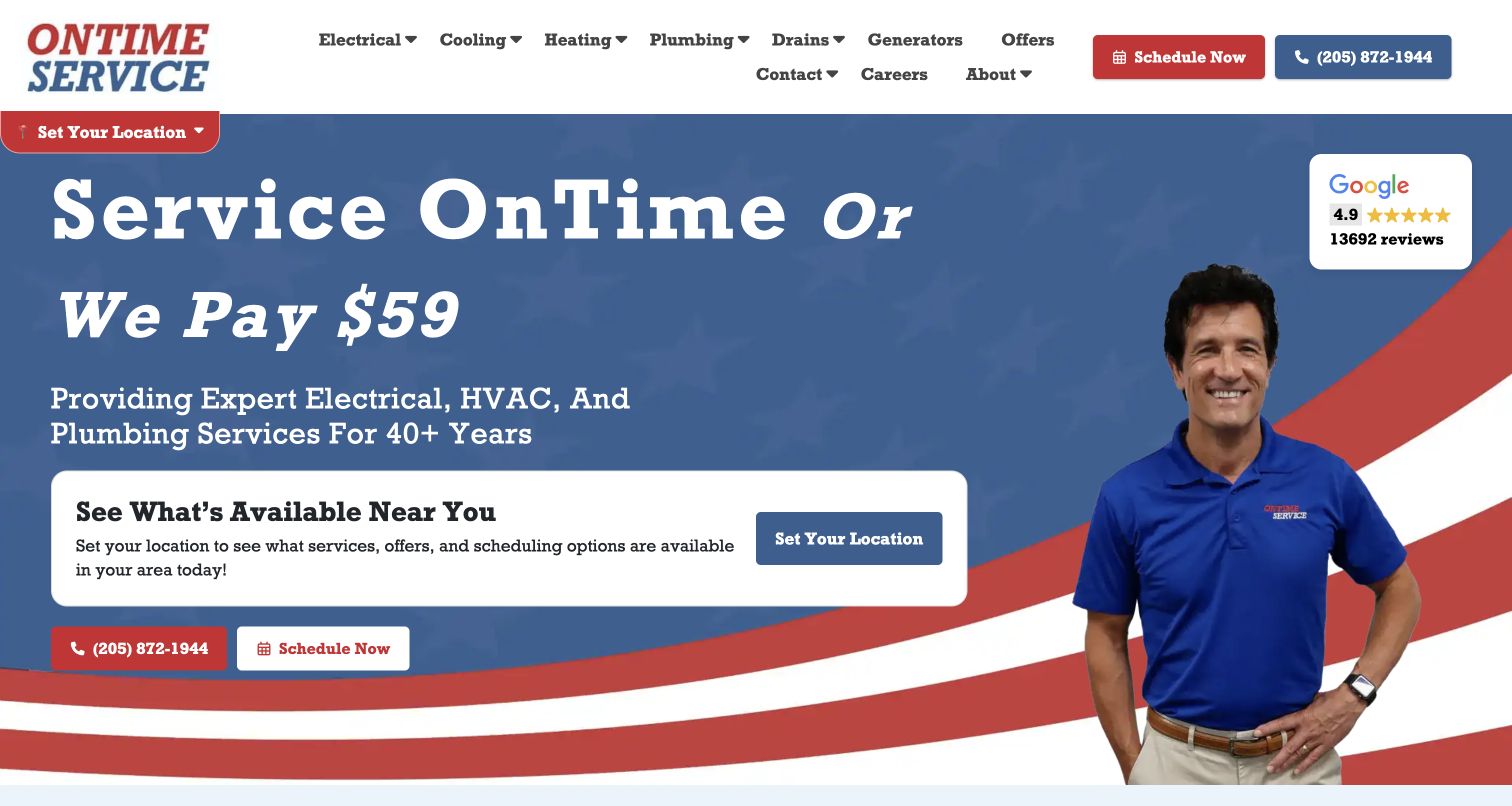
OnTime Service’s pictured homepage uses a blue-and-red composition, a staff portrait and a large scheduling proposition. A white location panel explains that services and scheduling depend on the visitor’s area, while phone and Schedule Now actions remain available. For a WPForms project, the useful issue is routing: the service area should be clear before an enquiry becomes an apparent appointment request. Current public resources identify WPForms, not the implementation of every location or scheduling control. The captured promotional guarantee remains the business’s own statement; neither the screenshot nor the plugin signal independently verifies its terms or performance.
What you can learn
Decide when location is needed to route a request and explain what a submitted form actually confirms. Keep a request separate from dispatch, availability and any guarantee conditions. Test authorized notifications for the relevant areas, and provide an alternative contact route when the business supports it rather than making one form the whole service operation.
Pros
A dedicated location panel explains why area selection matters.
Phone and scheduling actions offer distinct contact routes.
Cons & considerations
A large guarantee headline needs clearly accessible terms.
WPForms detection does not establish dispatch availability or guarantee fulfilment.
Platform source: WordPress.org Showcase. Current exact public-page source sample contains linked script matches wpforms. This is a scoped public resource association, not a tested form submission or complete backend inventory. Platform evidence is separate from the direct website screenshot and is not a complete current infrastructure audit.
Kegan has 15+ years of experience working with small businesses, Fortune 500 companies, and everything in between. No development job is too big or too small: he brings the same hands-on attention to a focused improvement, a complete website, or a custom application.
For WPForms projects, he can help with clear WordPress form requirements, understandable fields and confirmation states, appropriately scoped integrations, spam and consent handling, and practical submission-path testing. He works directly with clients on scope, design, implementation, testing, and handover, with an emphasis on clear communication and a system that remains practical to maintain after launch.
Show 3 other WPForms developersHide other WPForms developers
Start with the minimum information needed to understand a request and reply. Explain the purpose, provide readable labels and keep a supported alternative contact route. A short form can be appropriate without promising an instant quotation or replacing a conversation with a person.
Customer questions, recruitment, press and existing-client requests may need different recipients or systems. Decide whether separate forms or a clearly explained choice best serves the visitor. Routing should reflect actual responsibilities without exposing an internal department structure that outsiders cannot interpret.
Conditional fields, uploads, payments and integrations introduce separate requirements. Confirm current product availability and the actual operational process before adding them. Every dependency needs an acceptance test and a useful failure state; a competitor’s plugin reference does not establish that the same feature is enabled.
Plan a form workflow that remains useful after launch
Write the visitor’s task and the business response
Describe the initial request in one sentence before opening a form builder. Someone may be asking about a service area, a potential project, a product demonstration or an event. List what the responsible person needs to make a useful first reply. Then separate the later work: checking availability, preparing a price, assessing an application or creating an account. A form should not quietly make promises about those activities merely because the submit button is easy to label.
Draft the acknowledgement while deciding the questions. If it says that a booking is confirmed, there needs to be an actual reservation process behind it. If it only acknowledges a request, make that clear. Avoid invented turnaround commitments and identify any contact alternative the organization genuinely supports. This writing exercise often reveals unnecessary questions or several incompatible tasks being pushed into one general-purpose form.
Give every field a proportionate purpose
Ask why each value is needed at the initial stage and who will use it. Mark required fields deliberately rather than making everything compulsory. A person asking one question should not need to supply a complete project specification. Use persistent labels, understandable examples and concise help when a format matters. A placeholder can support a field, but it should not be the only explanation that disappears as soon as someone begins typing.
Also specify what the form should not collect. Credentials, confidential documents, family information and clinical records require more than an available text area. A general contact route is not automatically an appropriate intake system for sensitive material. The responsible organization should review permitted information, access and retention for its actual circumstances. A plugin feature list cannot make those choices or establish compliance for the website.
Map new enquiries and existing-user systems separately
Identify the supported routes already used by clients, members, students or customers. The public enquiry may be suitable for a general question while another system handles account access, private files or scheduling. Label those destinations distinctly so a visitor does not put sensitive information in the wrong place. Where several locations or teams share a website, agree who owns each request before building routing rules or publishing an apparently central contact form.
Keep an external-service handoff understandable. A date selector or appointment button may be entirely separate from WPForms even if the page also loads a plugin resource. Your implementation brief should document that boundary and test each component under the appropriate authorization. Matching colours can make two interfaces feel related, but visual consistency is not proof that they share accounts, inventory or operational responsibility.
Design the page around the request, not just the fields
Give someone enough service, location or product context to decide whether the form is relevant. Carry that context forward where appropriate without requiring the visitor to type everything again. A demonstration request may need a product choice; a simple business question may not. Keep decorative imagery from competing with field labels, help and errors. The next action should be recognizable without unsupported urgency or guarantees.
Review the real layout with realistic input on small screens. Long labels, select controls, errors and on-screen keyboards can expose problems that an empty desktop form hides. Check reading order and keyboard focus, and make errors specific enough for someone to correct a value without losing their work. A screenshot can demonstrate composition, but it cannot establish that these interactions have been tested or that every person can complete the form.
Assign notification and access responsibility
Name the person or team responsible for reviewing requests and maintaining recipients. Decide which information belongs in an email notification and what should stay in an appropriate controlled system. Avoid distributing unnecessary personal details to a long mailing list simply because adding recipients is convenient. A useful notification identifies the form and request clearly without inventing a status such as approved, booked or paid.
The official notification reference distinguishes recipient, sender and reply-to settings. Configure them for the actual domain and mail setup, then test the result with authorization. Keep submission, acknowledgement, delivered notification and any connected-system result as separate acceptance checks. A browser success state alone is insufficient evidence of delivery. These are requirements for the owner’s implementation, not findings about the private configuration of the example websites.
Start with the unwanted requests the business actually receives and the legitimate people it still needs to hear from. Choose a proportionate protection approach and document any external dependency. A filter or challenge should not become an unexplained dead end. Give staff a manageable way to investigate suspected mistakes, and avoid treating one keyword or a country as definitive evidence of bad intent.
WPForms documents several spam-protection and challenge options. Review the current instructions for the selected method and verify the actual configuration rather than assuming a visible logo means server-side checks work. Keep secrets in supported server-side settings, not public page copy. Test normal use, an intended rejection and a practical recovery route in an appropriate environment. Do not promise that a product will eliminate all abuse or remove the need for maintenance.
Specify uploads and integrations as their own requirements
If a file is genuinely needed, define its purpose, permitted types, size, access and retention before adding an upload field. A broad invitation to send anything can create work and risk the organization has not planned to manage. Explain what to do when a file cannot be provided through this route. Do not assume that upload support makes a general contact page a secure document exchange or that every notification recipient should receive an attachment.
Name each integration and its expected result. A CRM record, a marketing subscription and a payment have different acceptance criteria and failure cases. Confirm the current edition or add-on requirements rather than copying a vendor’s headline into the contract. Use authorized test data and verify the receiving system. Record what happens if that service is unavailable, and keep the initial request’s purpose separate from any optional marketing choice.
Keep an acceptance record and teach the handover
Build a small test matrix around real paths: a valid request, a missing required value, an invalid format and every relevant conditional branch. Check notifications and integrations separately, using an appropriate test environment for failure cases. Record actual results rather than a blanket claim that the form works. Include keyboard and small-screen use, and verify that the acknowledgement describes the real business process. Preserve untested limits instead of presenting a feature demonstration as release evidence.
Show the responsible person how to locate the form, update a recipient, identify a delivery problem and contact the right maintainer. Keep account ownership and configuration notes with the business. Recheck representative forms after relevant theme, plugin, cache or mail-service changes. A page can remain visually unchanged while its delivery fails, so maintenance needs a practical authorized route test rather than only a screenshot of a polished homepage.
A useful handover demonstration
Ask the actual team to carry out its routine job: publish a realistic update, correct a mistake, preview a narrow screen, and identify who owns an integration failure. For a library or frontend framework, also ask who maintains the content source and deployment. A polished screenshot does not answer those operational questions.
Beyond the screenshot
WPForms planning and handover checklist
Define the request and the person responsible for it.
Distinguish acknowledgement from a quote, approval or reservation.
Give every initial field a proportionate purpose.
Keep persistent labels and understandable required-field rules.
Separate existing-user systems from public enquiries.
Agree which information must not enter the general form.
Review the actual keyboard and small-screen interaction.
Test notification delivery separately from browser success.
Document upload limits and receiving-system dependencies.
Configure appropriate abuse protection and recovery.
Verify each authorized integration with test data.
Record untested limits and assign ongoing maintenance.
Test with real content, a keyboard, a small screen, slow or failed requests, and the people who will maintain the system. These are planning checks, not an accessibility, security, performance, or search-ranking certification.
Sources & editorial method
How this WPForms collection was reviewed
Examples are selected from genuine original direct captures and current positive public WPForms resource observations. Retained screenshots keep their original dates, URLs and pictured scope. We study the surrounding design without attributing the whole website or every visible action to the plugin. We do not submit competitor forms, verify private notification delivery, identify plan entitlements or claim conversion, accessibility, privacy or security outcomes.
Every image is an unmodified capture from the actual website, with its source and capture date. Some captures are reused from our shared catalog; their dates remain the original capture dates. None comes from a vendor gallery or a generated reconstruction. Moving imagery and live content can change.
Technology attribution uses public page assets or metadata, official platform documentation, or a cited first-party project case study. Documentary and framework-relationship evidence is identified where used; it is not a complete current backend inventory. A CMS image CDN alone does not establish a full CMS deployment. A library’s presence does not prove which individual controls use it, and a platform label does not establish AI authorship.
The composition notes, lessons, pros and tradeoffs are original editorial observations. We have not measured conversion, traffic, security, performance or accessibility conformance. Website owners retain their brands and imagery; these examples are not our client portfolio. Written, Edited and Curated are independent records, not dates advanced by a build. See our editorial standards or suggest a correction.
Questions worth asking
WPForms website development FAQs
Does a WPForms resource prove the pictured form uses WPForms?
Not necessarily. A site may load an asset globally or use several systems. The evidence supports a scoped public association with the named page, not a conclusion about every button, booking tool or private workflow.
Is WPForms a complete website builder?
No. It is a form-related WordPress component. The theme, imagery, navigation, content and operational process are separate parts of the website and should not be attributed to the plugin merely because its resources are present.
Does a success message prove the business received the request?
No. Test the submission, notification and any connected system separately on a site you control with authorization. Acknowledgement wording should match what is actually confirmed, not promise a reservation or approval without the required process.
Should every enquiry form be as short as possible?
It should be proportionate to its task. Remove unnecessary questions, but keep the information genuinely needed to understand and respond. Complex workflows need explicit planning, not extra fields added simply because the builder offers them.
Can this collection verify a site’s data safeguards?
No. A public resource signal and a screenshot do not establish access controls, retention, secure delivery or regulatory suitability. Those require review of the actual implementation and responsible organization’s processes.
Borrow how the page prepares someone to make contact. Then build a clearly labelled, tested request workflow for your own organization, with accountable people behind the interface.