Best MC4WP Websites of 2026 (20 Real-World Examples)
Real websites with Mailchimp for WordPress references, and practical lessons for clear, maintainable newsletter sign-up journeys.
MC4WP connects WordPress sign-up experiences with Mailchimp. It is a separate plugin from the Mailchimp service and is not a whole-site builder. These examples show how varied websites present their content while exposing a scoped MC4WP public reference.
A newsletter form is a promise about a future relationship. The visitor needs to understand who will write, what kind of information will arrive, and why it is worth sharing an email address. That explanation matters more than an ornate input field. An attractive website can still have an unclear subscription proposition, and detecting an integration does not establish that its audience settings, confirmation messages, or delivery are working correctly.
This collection reviews the visible design of actual pages and keeps the product evidence separate. A plugin-specific asset reference supports an association with the exact public page. It does not establish that every form uses MC4WP, that a particular person subscribed, that an account has a paid feature, or that messages reach an inbox. Product scope is based on official documentation; the examples are not private email-account audits.
Before the examples
What makes good MC4WP website development in 2026?
Explain the subscription before asking for an address
Give the visitor a concrete expectation about subject matter and publisher. Place that explanation close enough to the form that it is not lost in another section. A generic invitation to stay updated leaves people guessing whether they are requesting news, offers, event notices, or a sales follow-up.
MC4WP documents a connection to a Mailchimp account, while Mailchimp handles the mailing audience and delivery workflow. Identify ownership on both sides. A successful website integration does not prove that the sender identity, audience policy, or campaign process has been reviewed.
A useful sign-up journey includes validation, an already-known address, a connection failure, and any required confirmation step. Write messages that describe what actually happened. Avoid saying somebody is fully subscribed if the configured process still requires a separate action.
Compare how publications, visitor destinations, retailers, and service businesses make their purpose understandable. The cited pages have a dated MC4WP-specific public asset reference; that does not certify the configuration or success of the subscription workflow.
We start with five recognizable brands or organizations: Ukrainian Red Cross Society, Tennessee Aquarium, WOMAD UK, MEDRITE, SmartFlyer. Each attribution applies to the named website property, not every product or website belonging to its organization. This is a curated reading sequence, not a measured ranking.
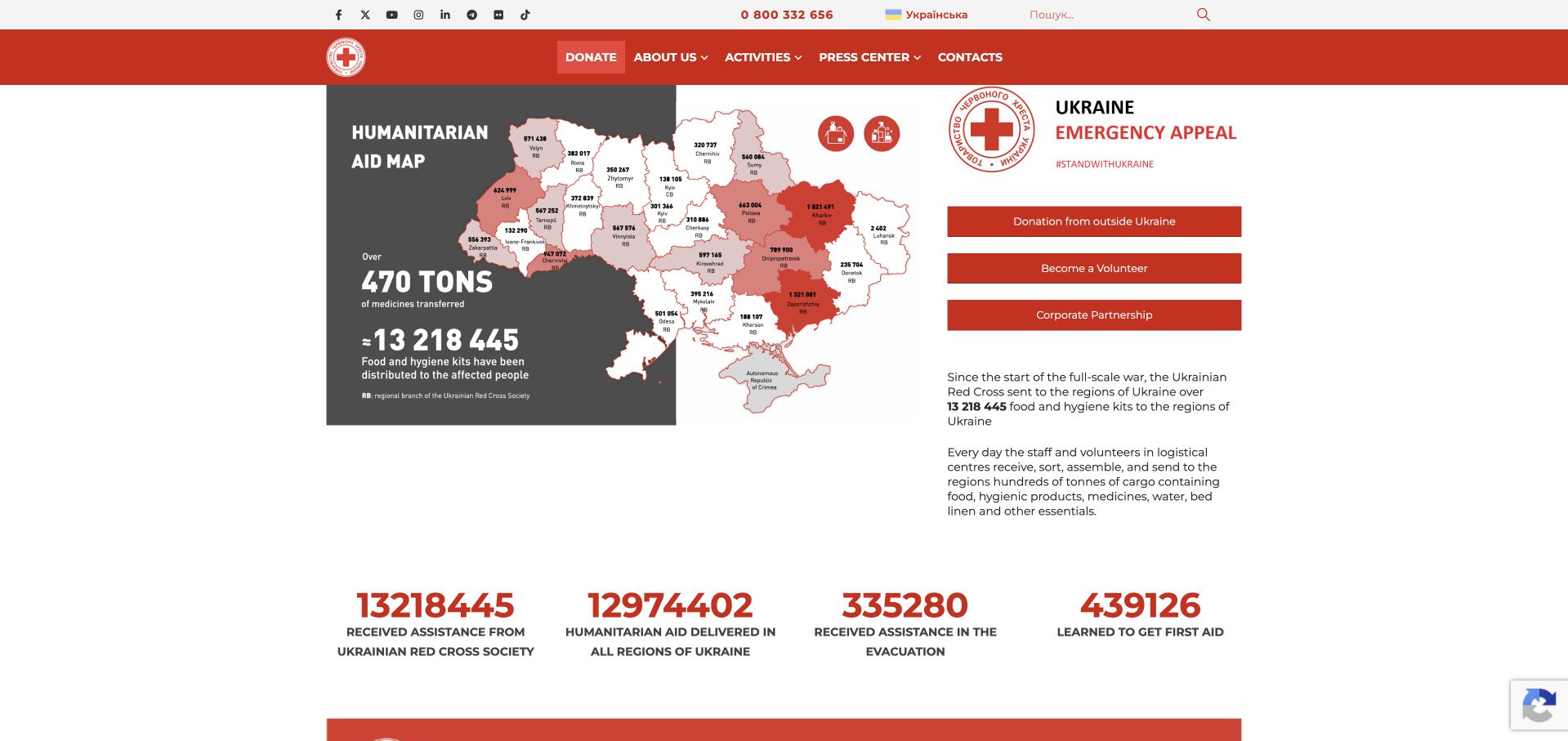
The Ukrainian Red Cross Society’s retained page places a humanitarian-aid map beside an emergency appeal and separate donation, volunteering and partnership actions. Red navigation and activity figures give the opening a practical rather than cinematic structure. Current evidence from the exact public page references an MC4WP forms asset. This supports a mailing-list component association, not an attribution of the donation process, volunteer registration or operational systems to that plugin. The useful design distinction is between learning about the organization, acting immediately and optionally receiving future communications.
What you can learn
Keep any update subscription clearly separate from requests for assistance, donations and volunteer applications. Explain the subject of future emails and collect only appropriate subscription information. Test confirmation and delivery through a separately authorized process rather than treating a public script reference as a completed signup.
Pros
Different participation actions are visibly named rather than combined into one ambiguous button.
The map supplies a geographic context for the organizational introduction.
Cons & considerations
If activity figures remain prominent, their periods and definitions need maintenance.
The asset reference does not establish subscriber handling or any successful communication.
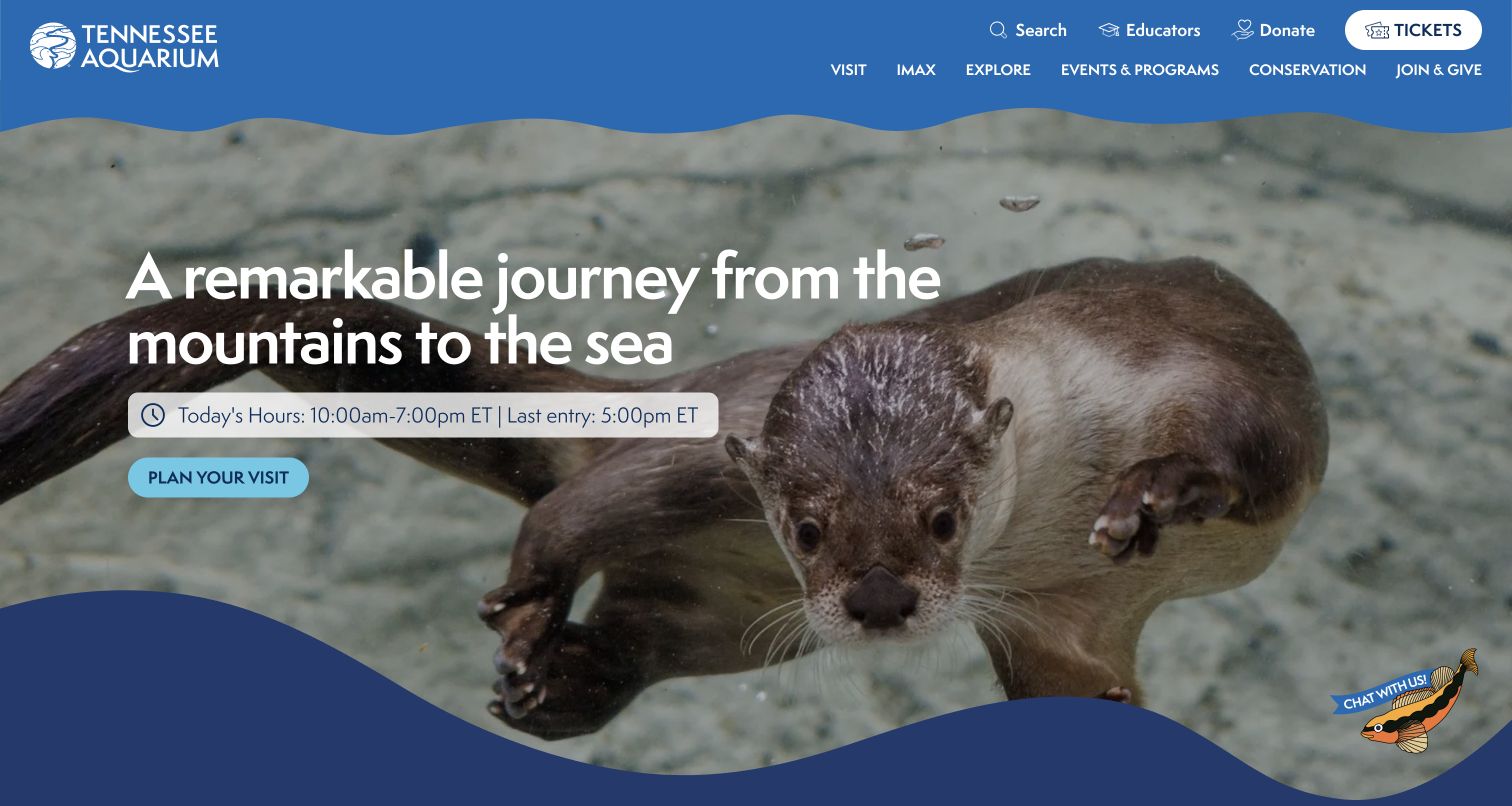
Tennessee Aquarium’s retained opening places an otter photograph beneath a blue navigation area with tickets, visit planning, IMAX and program routes. A readable hours-and-last-entry strip accompanies the large introduction, and the primary action invites planning a visit. The current exact page references MC4WP resources, establishing a mailing-list component association rather than the technology behind ticket sales or opening-hour data. No subscription was submitted. The useful pattern is a visitor’s immediate planning task remaining available independently of any longer-term audience relationship.
What you can learn
A newsletter for an attraction should explain whether it covers events, exhibitions or other updates without replacing current admission information. Keep signup optional and distinguish it from ticket checkout. Test labels, invalid-address feedback and confirmation separately, including the case where an email provider is unavailable.
Pros
Practical entry information is placed directly beside the introductory message.
Ticket and visit actions have recognizable positions outside a signup form.
Cons & considerations
If hours change, the visible strip needs a reliable editorial owner.
Observed mailing-list resources do not verify a connected audience or successful delivery.
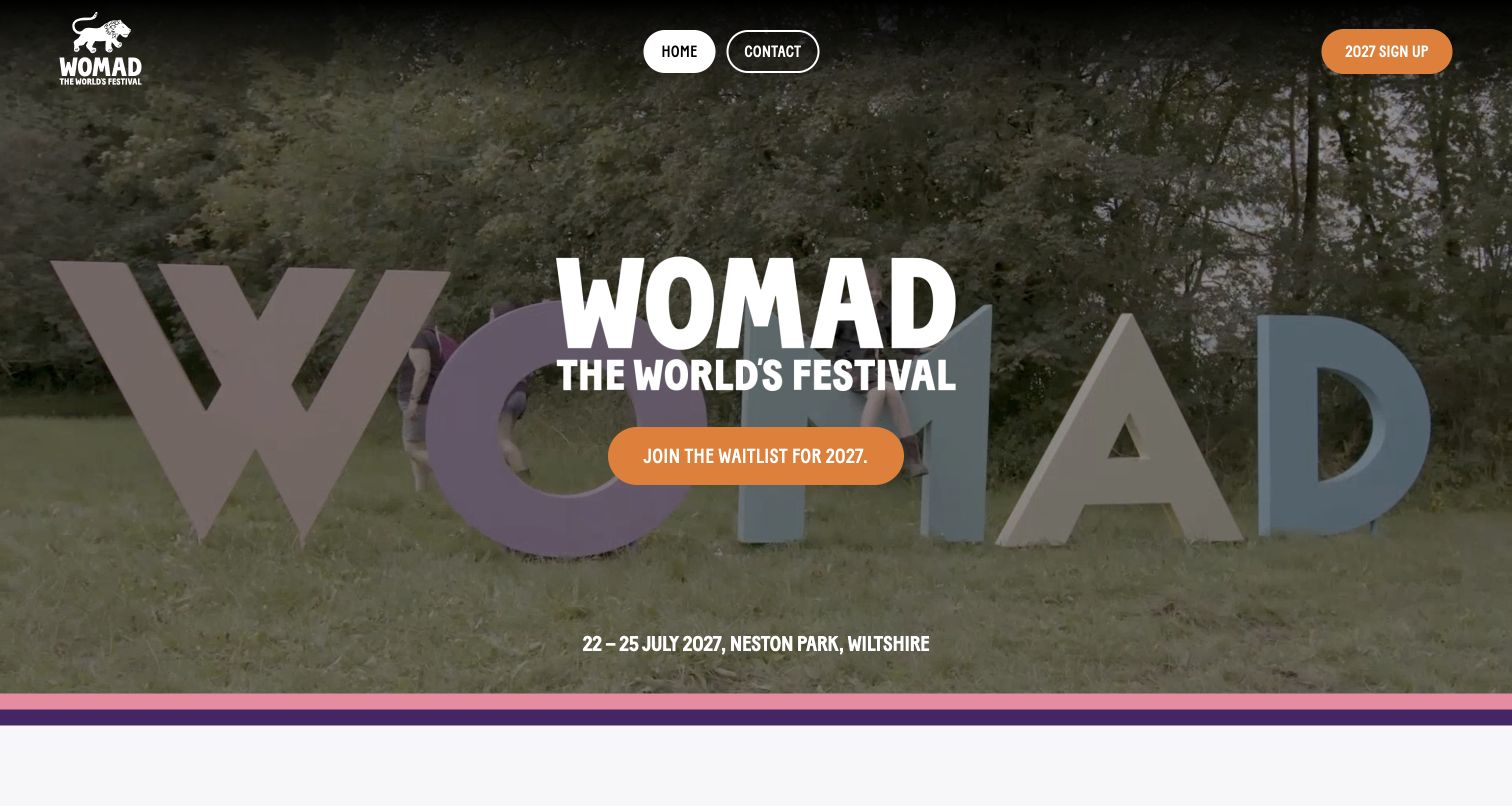
WOMAD’s retained homepage gives a large white identity and orange waitlist action substantial space over footage of its physical festival lettering. The forthcoming dates and venue remain at the bottom, while Home and Contact are separate controls above. Current page evidence references MC4WP assets. The association does not prove that the pictured waitlist is initialized by MC4WP or that joining it reserves a ticket. The opening is useful because it names the next step as a waitlist rather than disguising an update request as an immediate transaction.
What you can learn
Explain the specific status of an event signup before requesting an address. State what updates it concerns and distinguish an expression of interest from ticket availability or a booking. Review the real confirmation and error paths separately; a screenshot cannot establish how a list is managed.
Pros
The main action clearly identifies a waitlist rather than promising a purchase.
Dates and venue give the signup invitation an event-specific context.
Cons & considerations
If the event status changes, the action and confirmation wording need to change together.
The observed assets do not establish a successful signup or ticket entitlement.
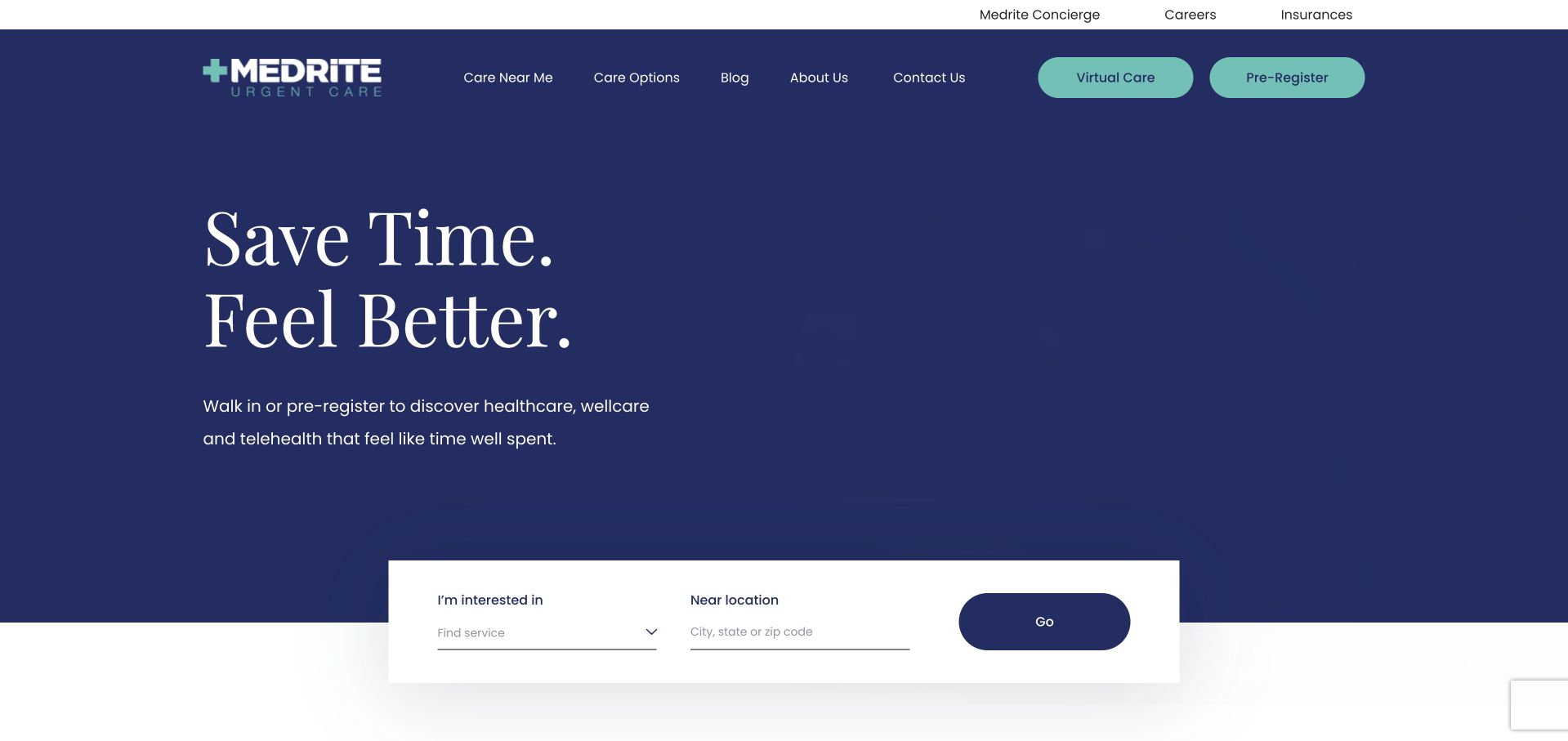
MEDRITE’s retained homepage uses a dark navy introduction, mint actions and a white search area separating service interest from location. Virtual care and preregistration have their own header actions. Current source evidence references MC4WP’s forms script. That identifies a mailing-list dependency, not the engine behind the search, preregistration or care workflow. No newsletter submission was tested. The useful design distinction is between the page’s immediate service-discovery tasks and any optional marketing subscription that may exist elsewhere in the site.
What you can learn
Keep a newsletter clearly separate from care-related inquiries and do not ask a marketing signup to collect sensitive service details. Explain what subscribing means, label fields and errors, and verify delivery through an authorized test. A plugin reference does not establish account configuration, consent handling or a completed subscription.
Pros
Service and geography are different inputs in the visible discovery interface.
The primary care-related actions remain outside any pictured marketing form.
Cons & considerations
A broad headline needs supporting service information for practical meaning.
The observed MC4WP asset does not identify a live form or prove how subscriber data is handled.
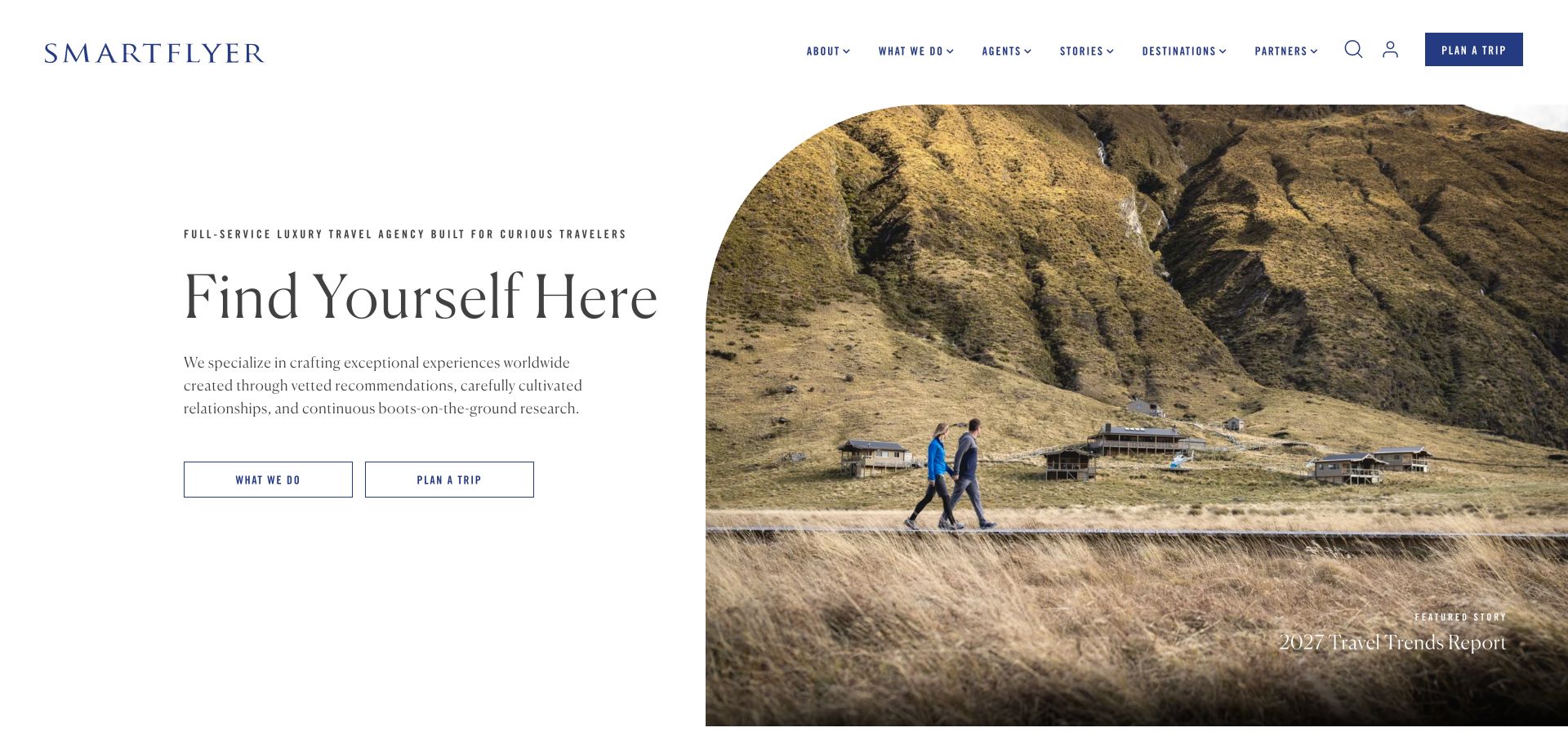
SmartFlyer’s retained opening separates editorial text and outlined actions on the left from a large rounded-top travel photograph on the right. A featured report sits within the image, while agents, stories, destinations and trip planning remain visible in the header. Current evidence references MC4WP on this exact page. That supports an association with a mailing-list component, not the trip-planning workflow, agent database or production of the hero. The visible arrangement is useful for distinguishing reading travel material from beginning a particular service engagement.
What you can learn
Give an editorial subscription a clear description and keep it separate from a trip brief. Readers should not have to supply travel dates, budgets or personal itinerary information just to receive updates. Test the actual signup response independently and preserve a straightforward route for people ready to contact an agent.
Pros
Editorial material and trip-planning actions occupy different, clearly labeled routes.
The generous text area explains the service without crowding the photograph.
Cons & considerations
If reports become subscription incentives, their access terms need to be explicit.
The MC4WP reference does not verify subscriber routing or any travel-service integration.
Bollinger Nail Salon uses a large beauty photograph, warm gold accents and a conspicuous central Book Now action. Services, locations, company information and contact remain in the header. Current page evidence references MC4WP’s form-theme stylesheet, but the saved frame does not show a newsletter form. The association therefore concerns an observable mailing-list asset, not the appointment system or the cause of the pictured layout. The useful lesson is how a service business can retain an obvious booking route while treating marketing signup as a separate task.
What you can learn
Place an optional newsletter where its purpose is clear and do not make it a prerequisite for viewing services or booking. State the type of updates, use readable labels and provide understandable feedback. Check the actual integration separately; a loaded stylesheet cannot establish a subscription, a connected account or successful email delivery.
Pros
The main booking action is visually distinct within the image-led opening.
Service and location navigation remains available before a visitor commits.
Cons & considerations
White header text needs contrast checks across the image or media states.
A form-theme reference alone does not establish that a newsletter is active or appropriately configured.
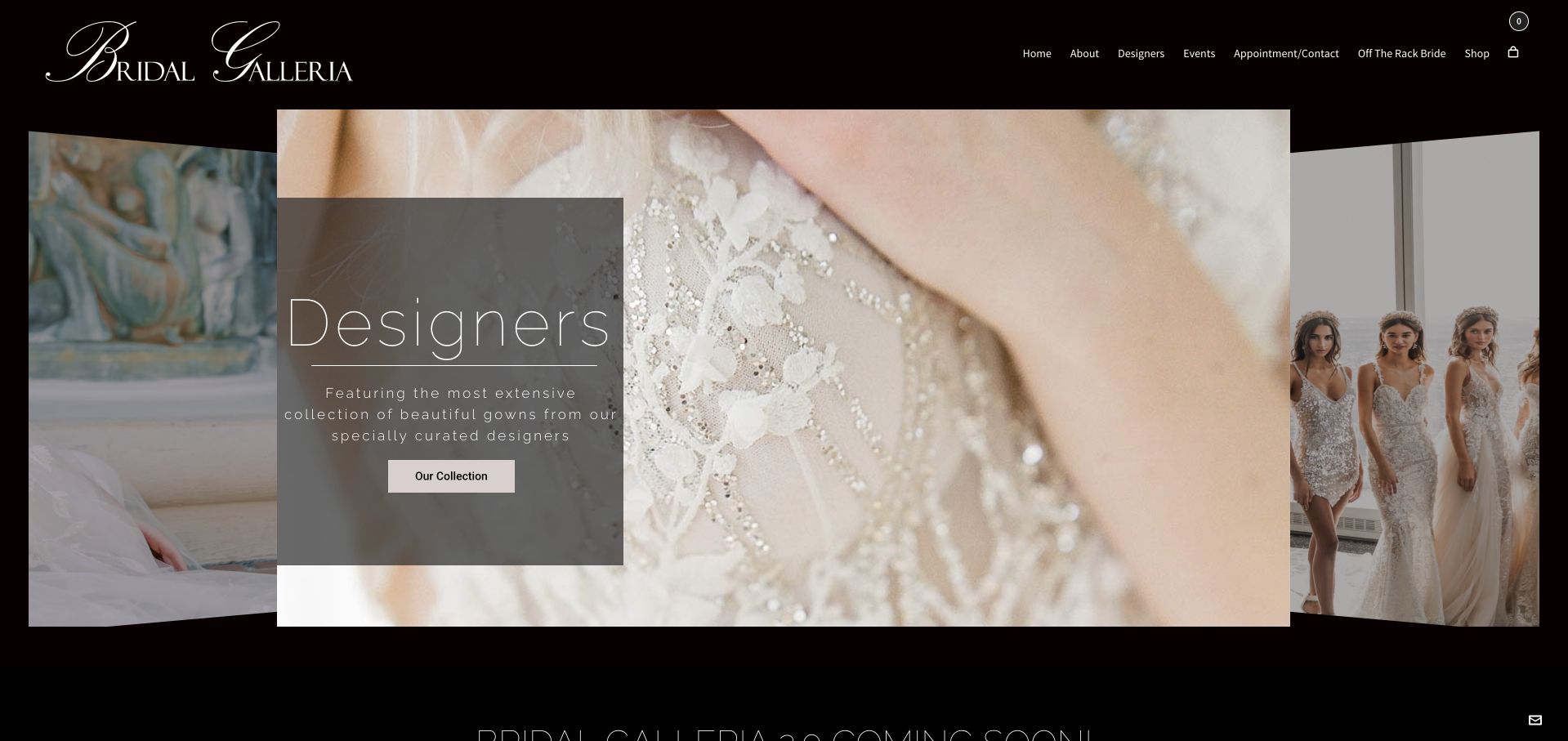
Bridal Galleria’s retained opening uses a black background and script wordmark around a dimensional arrangement of dress photographs. A translucent panel identifies designer browsing and provides a collection action. Appointments, designers, events and shop routes remain in the restrained header. Current source evidence references MC4WP resources on the exact page, but the frame contains no newsletter fields. The observation is a mailing-list association, not proof that MC4WP runs appointment scheduling, the image arrangement or online shopping. The visible collection route supports research before a visitor makes contact.
What you can learn
Keep boutique updates optional and explain whether they concern new collections or events. A marketing form should not masquerade as an appointment request or collect the full details needed for a fitting. Give each process its own confirmation, and verify the actual account connection and delivery separately.
Pros
The collection invitation provides a concrete destination beyond the decorative image arrangement.
Appointment and designer routes remain separately named.
Cons & considerations
If images move automatically, customers still need a complete, accessible designer directory.
A public MC4WP resource does not establish which signup is active or configured.
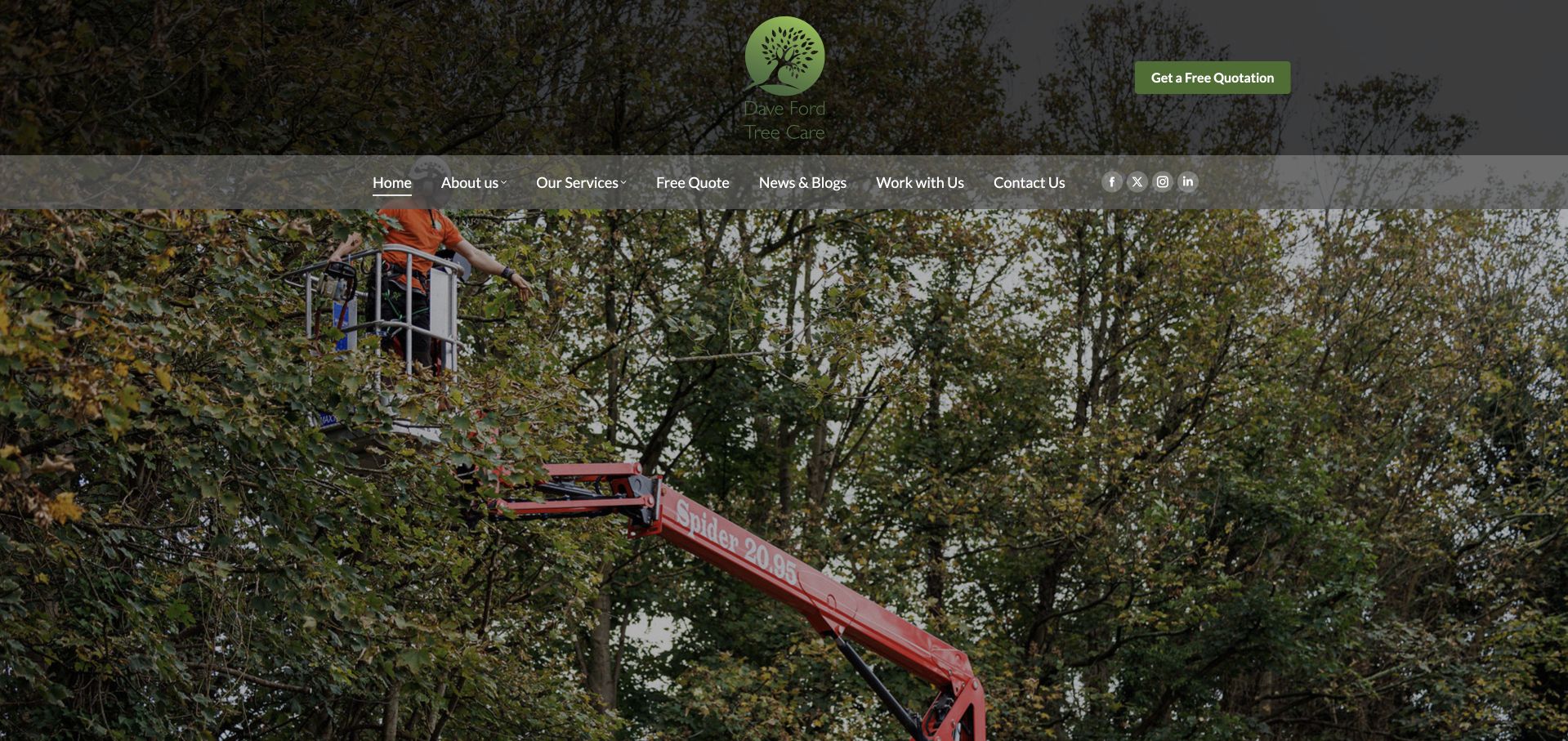
Dave Ford Tree Care’s retained homepage devotes much of the opening to access equipment working among mature trees. A centered tree mark and quotation action sit above navigation for services, news, recruitment and contact. There is little large explanatory text over the image. Current evidence references MC4WP assets on this exact page, which supports a mailing-list association rather than the quotation process or any operational assessment. The useful design distinction is the visible separation of general news from the actions needed to discuss a particular job.
What you can learn
If offering company updates, describe their scope and do not make subscription a prerequisite for requesting an assessment. Keep property details and job-specific documents in a separate inquiry process. Test signup feedback and email delivery independently rather than assuming a referenced plugin means that a mailing list works.
Pros
Quotation access remains easy to identify above the image-led introduction.
News and service navigation are distinct rather than combined into one destination.
Cons & considerations
If the image leads without explanation, service territory and scope need supporting text.
The mailing-list asset does not reveal subscriber settings or any completed inquiry.
D. C. Taylor’s retained page uses a black introductory panel, white service text and a red identity to establish a restrained commercial presentation. An overlapping red card leads toward further company information beside a roofing-crew photograph. Services, news, careers and contact remain ordinary navigation choices. Current page evidence references MC4WP resources. This identifies a mailing-list component association, not the system behind project inquiries, recruitment or the visual layout. The design is useful for keeping informational reading separate from the next step in discussing a specific roof.
What you can learn
Use an optional newsletter for a clearly described stream of company or service updates. Keep bids, building information and project documents out of a general subscription form, and retain a direct contact route. Test actual confirmations and delivery without treating a script reference as evidence of a functioning business workflow.
Pros
News, careers and contact have distinct labels in the permanent navigation.
The overlapping card connects the broad introduction with more concrete reading.
Cons & considerations
If service claims are prominent, supporting scope and qualifications need accessible destinations.
Observed mailing-list files do not prove account configuration or successful subscription.
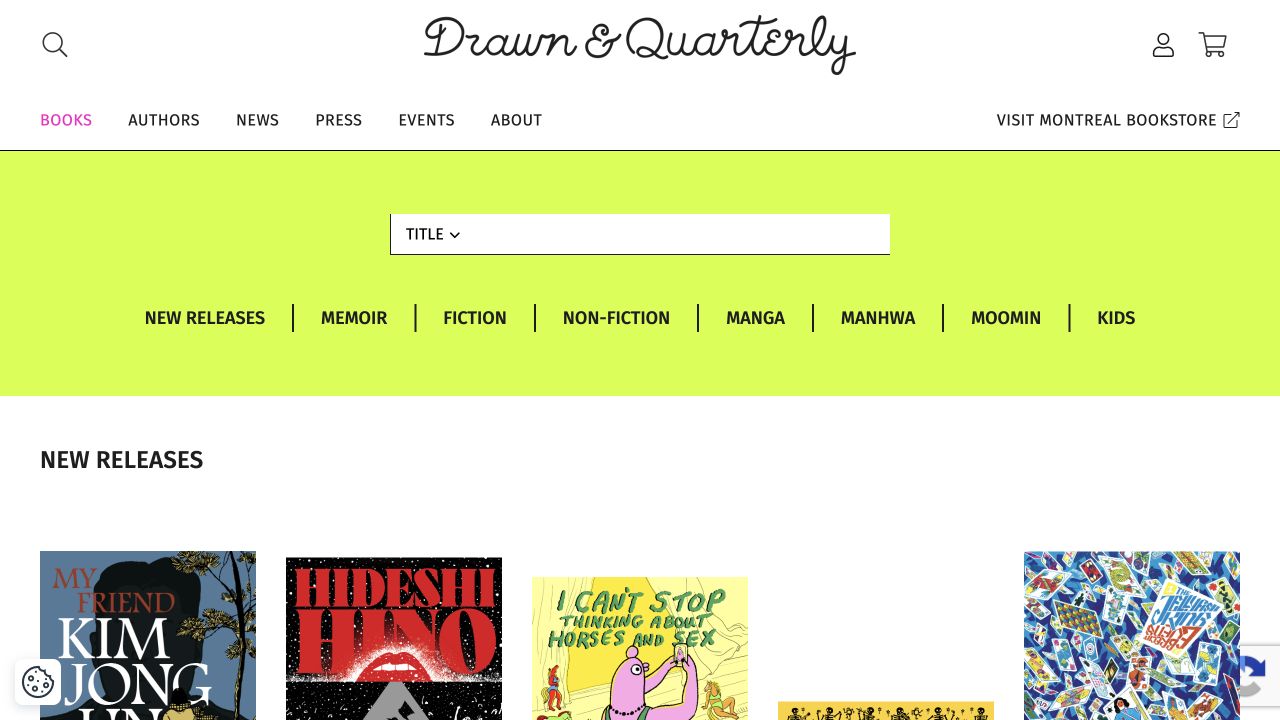
Drawn & Quarterly’s retained books page combines a handwritten-style masthead, a bright genre band and an orderly cover grid. Books, authors, news, press and events are separate routes, and the Montreal bookstore has its own labeled destination. Current evidence on the exact page references MC4WP resources. That supports a mailing-list component association, not the ordering system, genre controls or a particular subscriber experience. The pictured page remains a catalog view rather than a homepage, and its ordinary categories give readers a useful route without requiring signup.
What you can learn
Explain whether publisher updates concern new releases, events or another editorial subject, then keep subscription separate from purchases and bookstore inquiries. A reader should still reach author and edition information directly. Verify the actual signup, feedback and confirmation flow independently before attributing any functioning behavior to the referenced plugin.
Pros
Textual genres complement the visually varied book covers.
The bookstore destination is distinguished from the publishing catalog.
Cons & considerations
If updates cover several subjects, subscription wording should make the choice understandable.
Public resources do not establish subscriber preferences, purchase integrations or delivery success.
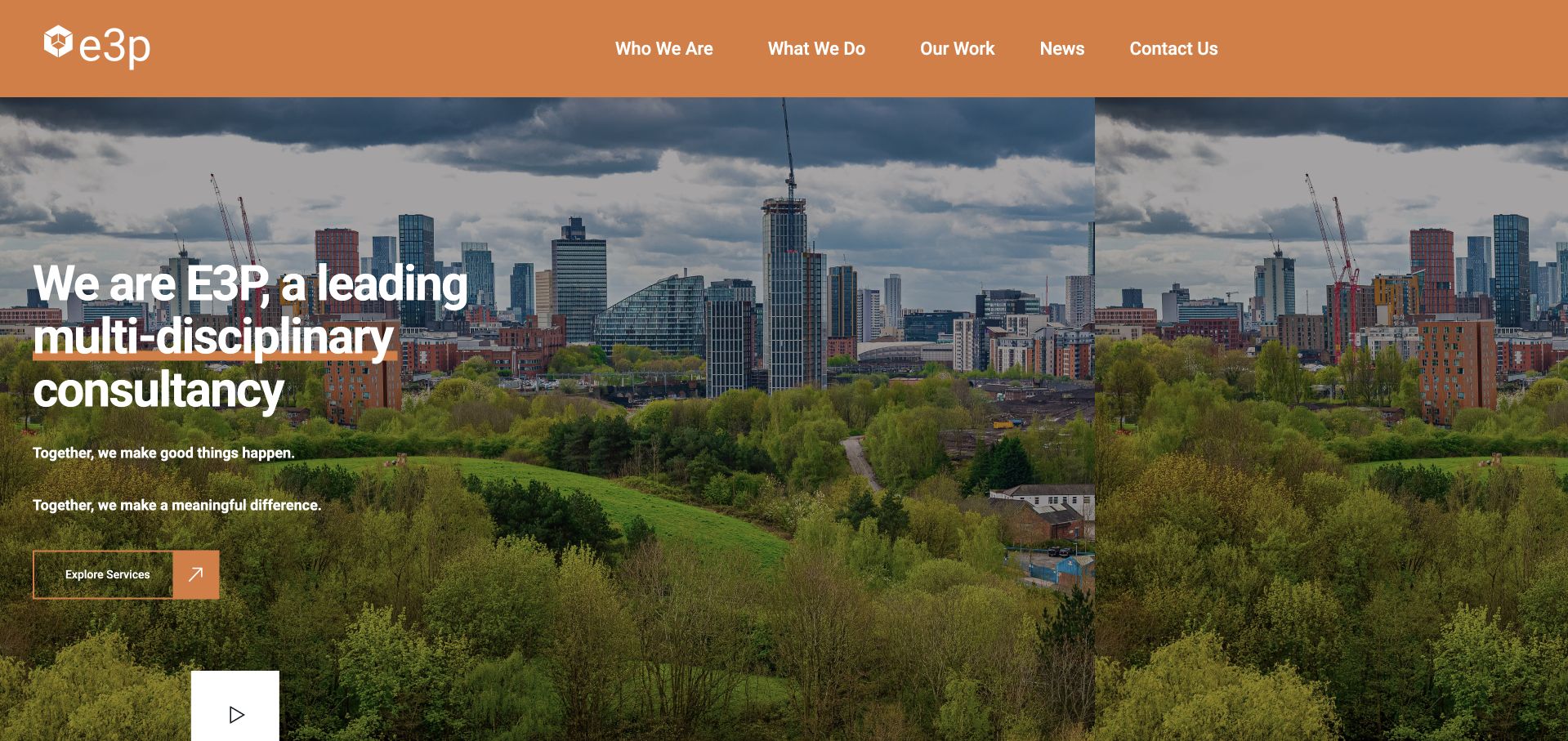
E3P’s retained homepage pairs an orange header with a broad city-and-green-space image. A multidisciplinary introduction and a single service-exploration action sit over the photograph, while work, news and contact have ordinary navigation labels. Current evidence references MC4WP’s forms script. This identifies a mailing-list component associated with the page, not a claim that it drives the service inquiry or creates the hero. No subscription or message delivery was tested. The useful pattern is a clear primary route into the consultancy’s work before optional editorial engagement.
What you can learn
Use a newsletter for an explicitly described stream of updates rather than as a substitute for a project-contact process. Keep technical documents and confidential inquiry details out of a marketing form. Check field labels, feedback and the actual account connection through a separate authorized test.
Pros
The service action provides a concrete next destination after the broad introduction.
News and contact remain distinct routes in the header.
Cons & considerations
A broad consultancy description needs deeper scope information for specific inquiries.
A script reference does not establish which signup renders or how its data is retained.
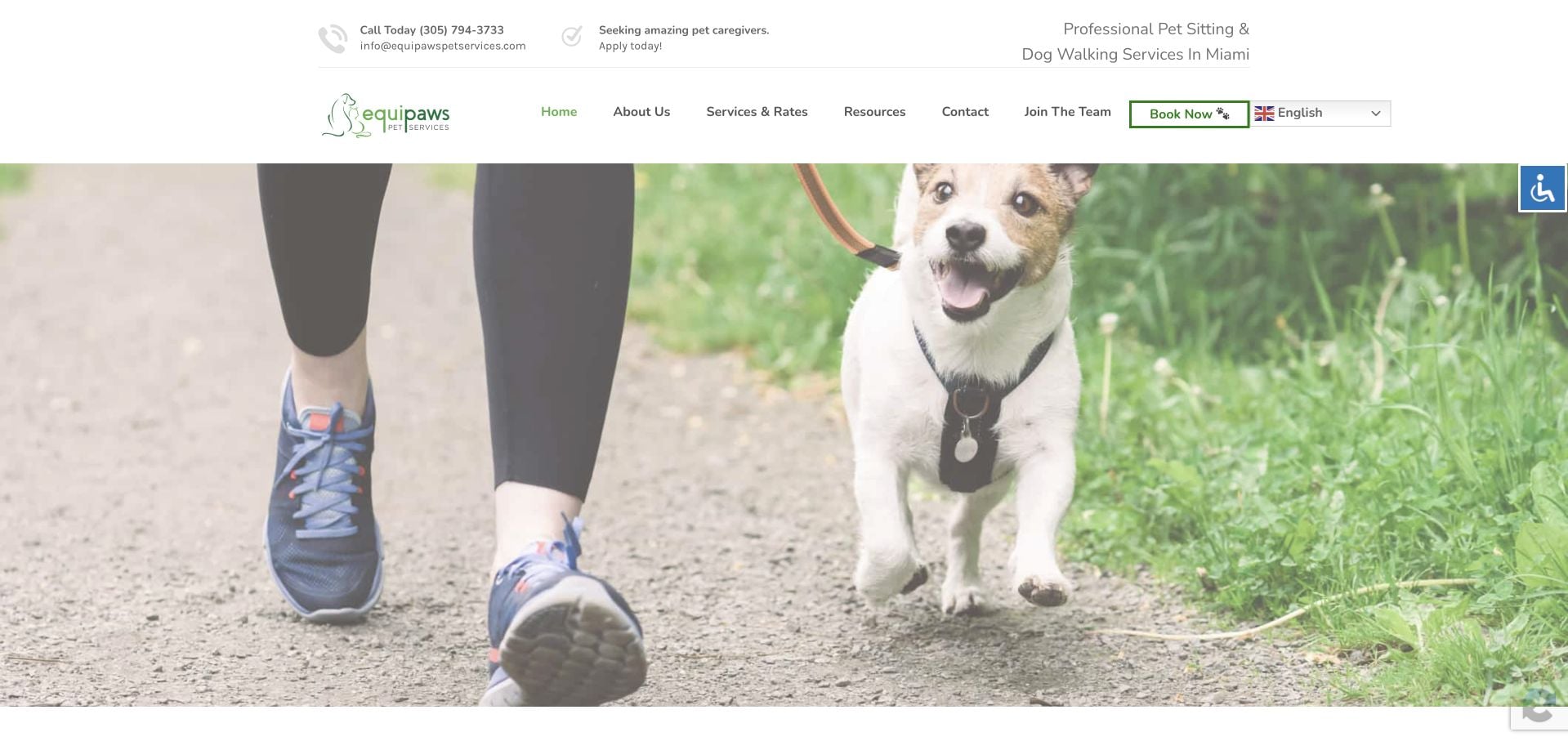
Equipaws’ retained opening places a white, green-accented header above a broad photograph of a dog being walked. Miami service context, Services & Rates, contact, recruitment and booking are visibly differentiated. The frame has no newsletter fields or large explanatory hero caption. Current source evidence references MC4WP on the exact page. This supports a mailing-list association, not the booking system, caregiver application process or management of a pet’s care plan. The useful layout question is how optional audience updates can remain secondary to practical service discovery.
What you can learn
Describe any newsletter’s purpose separately from booking and onboarding. Do not collect access instructions, detailed pet-care information or a full service brief merely to send marketing updates. Preserve clear labels and feedback, then test the real subscription and delivery path through an authorized process rather than inferring it from assets.
Pros
Service, booking and recruitment routes are visibly separated in the header.
The photograph gives the service a recognizable everyday context.
Cons & considerations
If photography leads without a caption, practical coverage and onboarding information need nearby support.
The MC4WP reference does not establish a connected audience or subscriber handling.
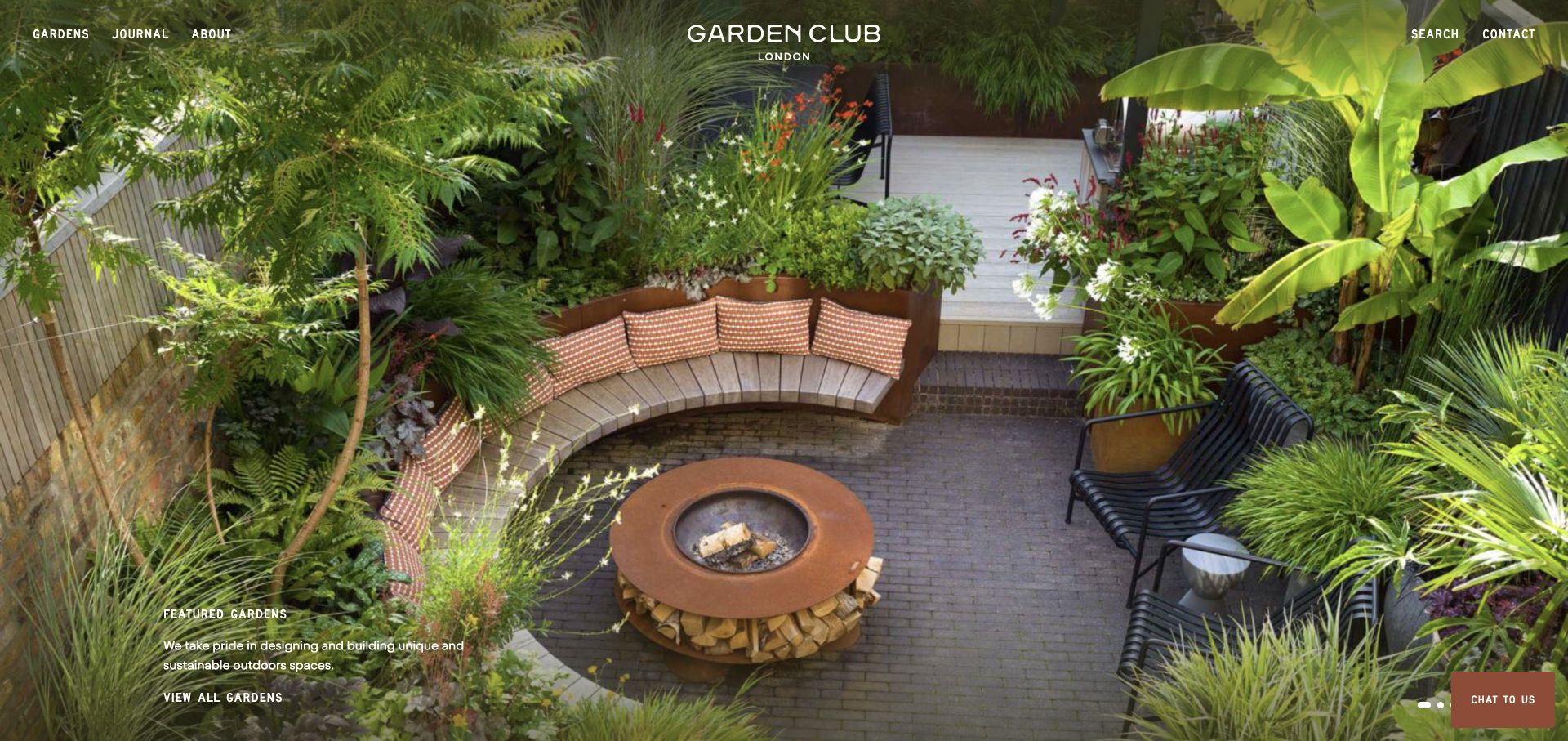
Garden Club London’s retained homepage shows a planted urban seating area with benches, paving and a central fire feature. A compact wordmark and short navigation labels preserve the project’s visual space, while a lower-left caption links to the garden collection. Journal and Contact are separate routes. Current evidence references MC4WP assets on this exact page, but the visible project photograph contains no subscription form. The association therefore concerns a mailing-list component, not the commissioning process, chat control or creation of the full-screen layout.
What you can learn
Place an optional project-update invitation where its editorial purpose is clear. Let visitors browse gardens and understand commissioning without subscribing, and keep detailed site addresses or project briefs in a separate inquiry. Verify the actual form’s labels, feedback and delivery rather than treating a plugin reference as a successful audience connection.
Pros
The portfolio action gives the image a clear next destination.
Journal and contact labels distinguish reading from a project conversation.
Cons & considerations
If captions sit over changing photographs, contrast needs checking beyond one frame.
The observed assets do not identify an active signup or how subscriber details are processed.
Kings Avenue’s retained opening uses a monochrome photograph of the studio in action, a gold monogram and two outlined actions for artist discovery and walk-in information. The composition distinguishes a planned artist-led project from a more immediate visit. Current exact-page evidence references MC4WP resources. This supports a mailing-list component association, not the appointment system, artist availability or any pictured action’s implementation. No subscription was submitted. The useful pattern is a clear service distinction that should remain independent of an optional marketing relationship.
What you can learn
A studio newsletter can describe the updates it offers without collecting the detailed design, health or booking information needed for a separate appointment process. Keep artist and location research available without signup. Test actual subscription feedback, confirmation and delivery independently, rather than attributing functioning behavior from a public asset name.
Pros
Artist discovery and walk-in information have different visible actions.
The studio photograph supplies context without relying solely on a finished tattoo close-up.
Cons & considerations
If several branches share updates, readers need clear location context.
Referenced mailing-list files do not establish current appointments, subscriber consent or successful delivery.
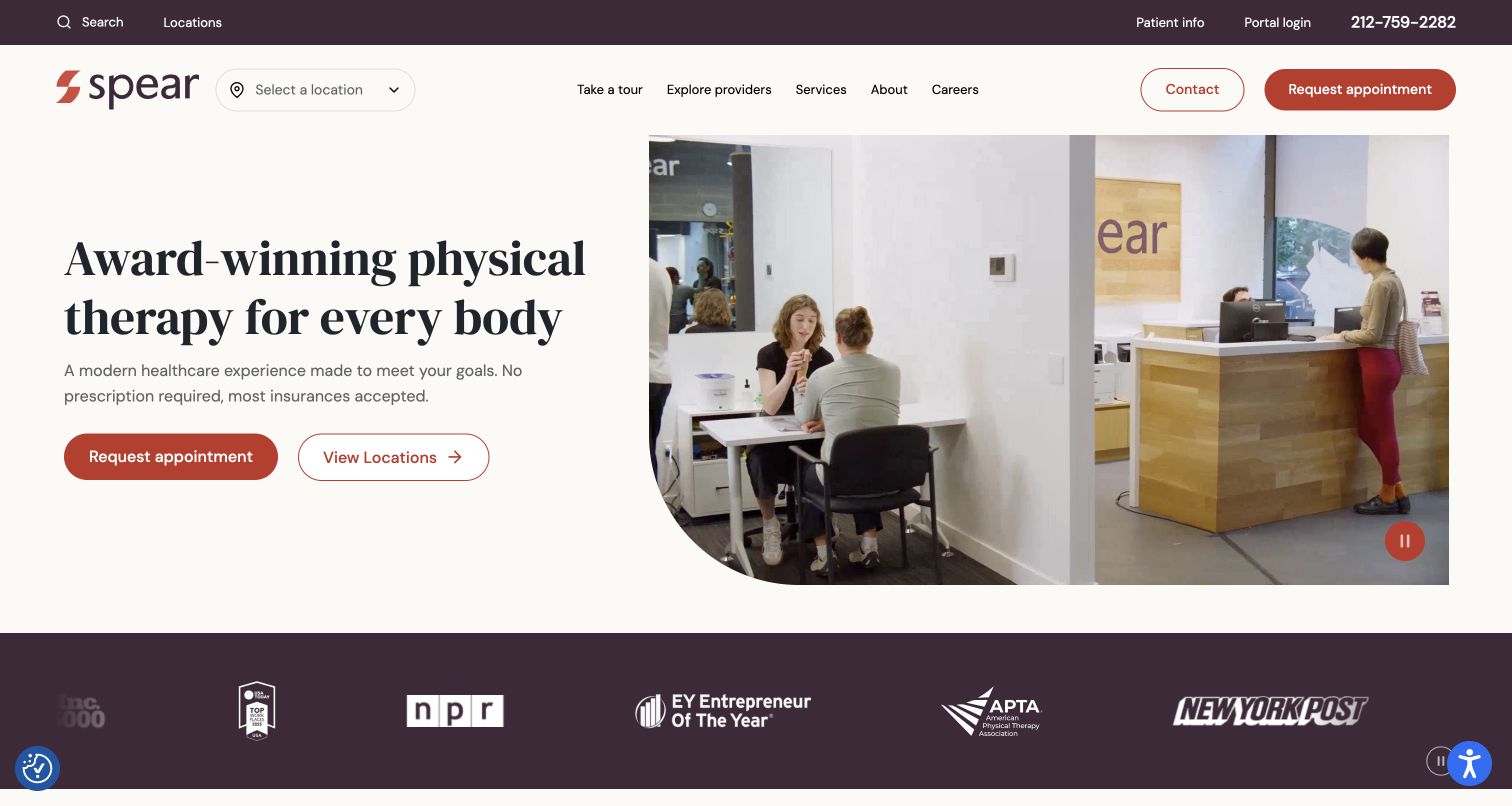
Spear’s retained homepage pairs a cream text panel with reception and treatment footage. Appointment and location actions are separate, a branch selector sits beside the logo, and ordinary patient-information and portal links remain in the utility row. A visible pause control accompanies the media. Current source evidence references MC4WP’s forms script, but this does not identify the appointment system, patient portal or a particular pictured component. No newsletter was submitted. The useful example is the clear separation of immediate service tasks from any optional marketing signup elsewhere in the site.
What you can learn
Keep a mailing-list invitation separate from appointments and existing-patient access. Describe the updates a subscriber can expect, collect only appropriate marketing information and provide readable feedback. Test the actual form and delivery independently; a loaded plugin asset does not establish account configuration, consent handling or successful subscription.
Pros
Appointment and location discovery have distinct visible actions.
The media includes a clearly pictured pause control.
Cons & considerations
Several access routes need careful priority on narrower screens.
The source association does not reveal a live signup form or how subscriber data is handled.
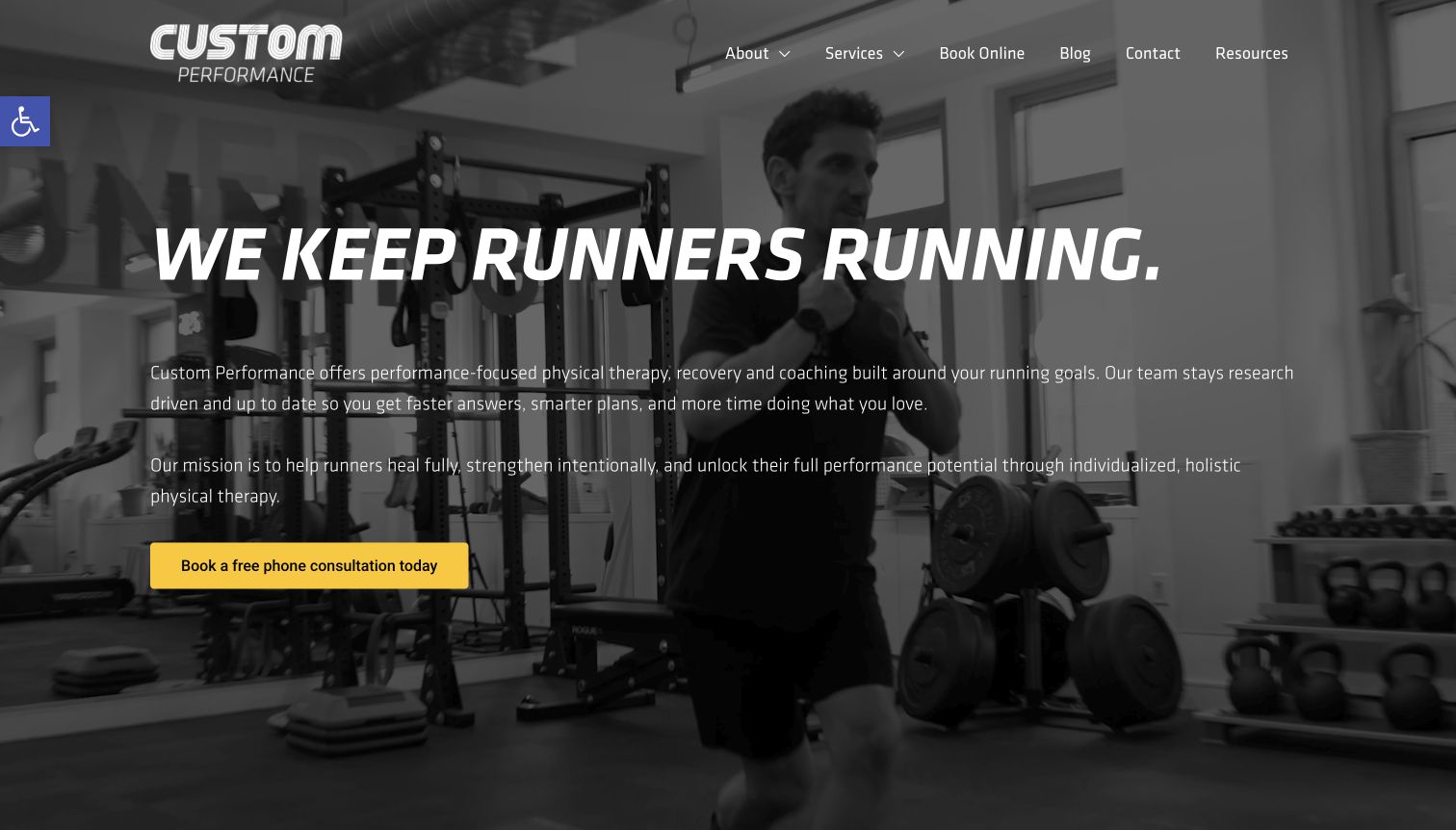
Custom Performance’s retained homepage states its running specialty over monochrome studio footage, with a yellow phone-consultation action below the copy. The header keeps services, booking, contact and resources visible. The original review records a signup modal dismissed normally before this unobstructed capture. Current evidence references an MC4WP form stylesheet, but that does not identify the booking system, establish that the dismissed modal used the plugin or prove a connected mailing list. The useful design question is how to prevent optional marketing acquisition from interrupting the page’s main service explanation.
What you can learn
Keep a newsletter invitation distinct from booking and consultation routes. Explain the updates a subscriber can expect, avoid collecting service-sensitive details and provide readable feedback. Validate the actual form and delivery separately; an asset association should not become a claim that a user successfully subscribed.
Pros
The specialty is explicit without requiring recognition of the pictured equipment.
One colored action provides a clear route beyond the introduction.
Cons & considerations
Long text over moving footage requires readability checks across frames.
An early marketing modal can interrupt service research even when it is dismissible.
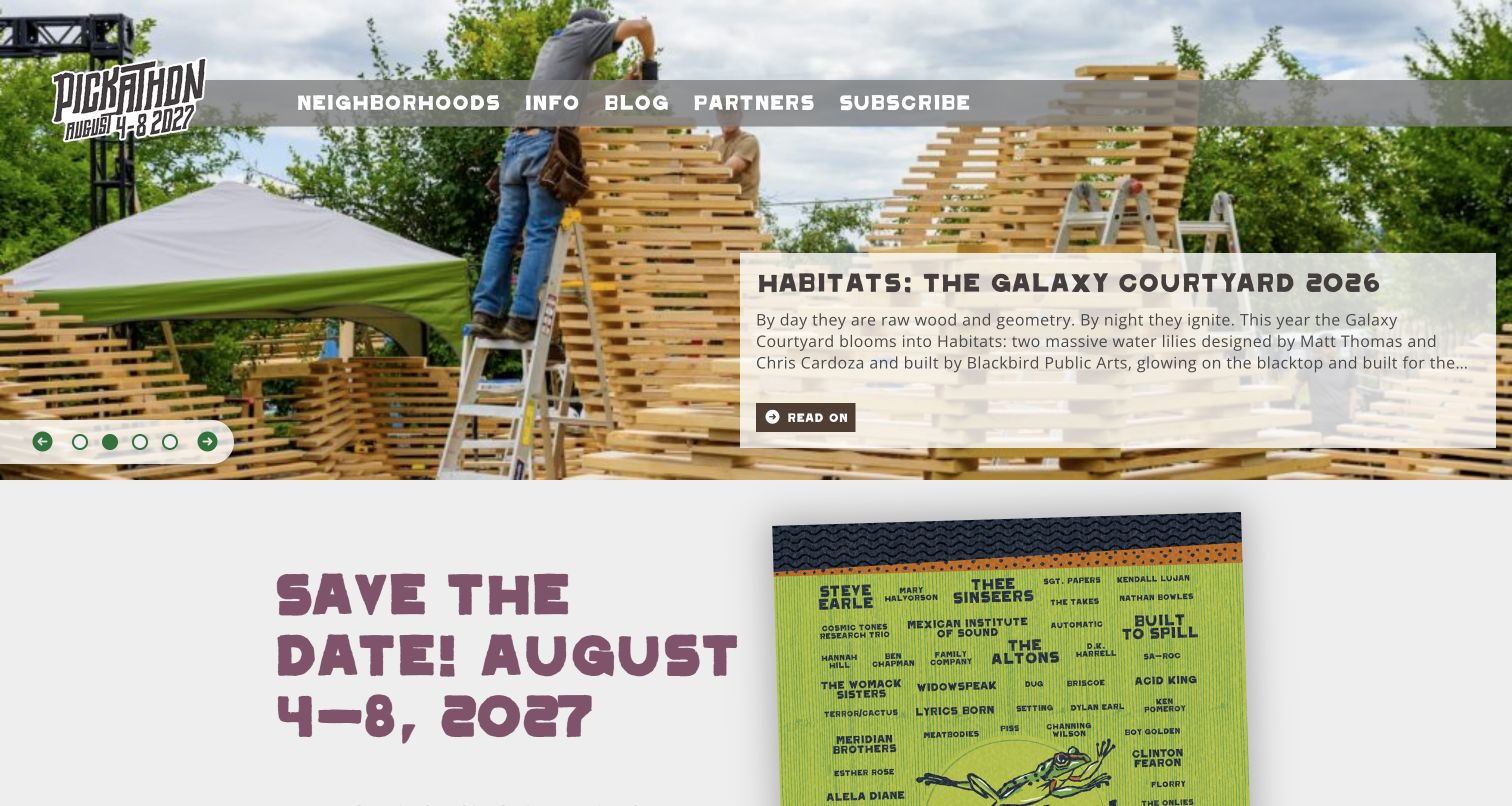
Pickathon’s retained homepage pairs construction photography with an editorial panel about one festival neighborhood. The header names Neighborhoods, Info, Blog, Partners and Subscribe, and a separate section below announces forthcoming dates. The physical setting is part of the story rather than anonymous decoration. Current source evidence references MC4WP on the exact page. That supports a mailing-list association, not proof that the visible Subscribe route initializes that plugin or that an address reaches an audience. The example is useful for relating a clear update invitation to an established stream of festival content.
What you can learn
Explain the subjects and event edition covered by a festival subscription, and keep ticket, travel and accommodation information accessible without joining. Maintain the signup’s timing language as seasons change. Verify the real form and its failure states independently; a component reference cannot establish confirmation or successful email delivery.
Pros
Subscribe is a plainly named navigation route rather than an unexplained icon.
Editorial place-making content gives readers a concrete reason to follow future stories.
Cons & considerations
If editions change, old dates and new subscription wording must remain distinguishable.
The MC4WP reference does not verify audience settings or ticket-related integrations.
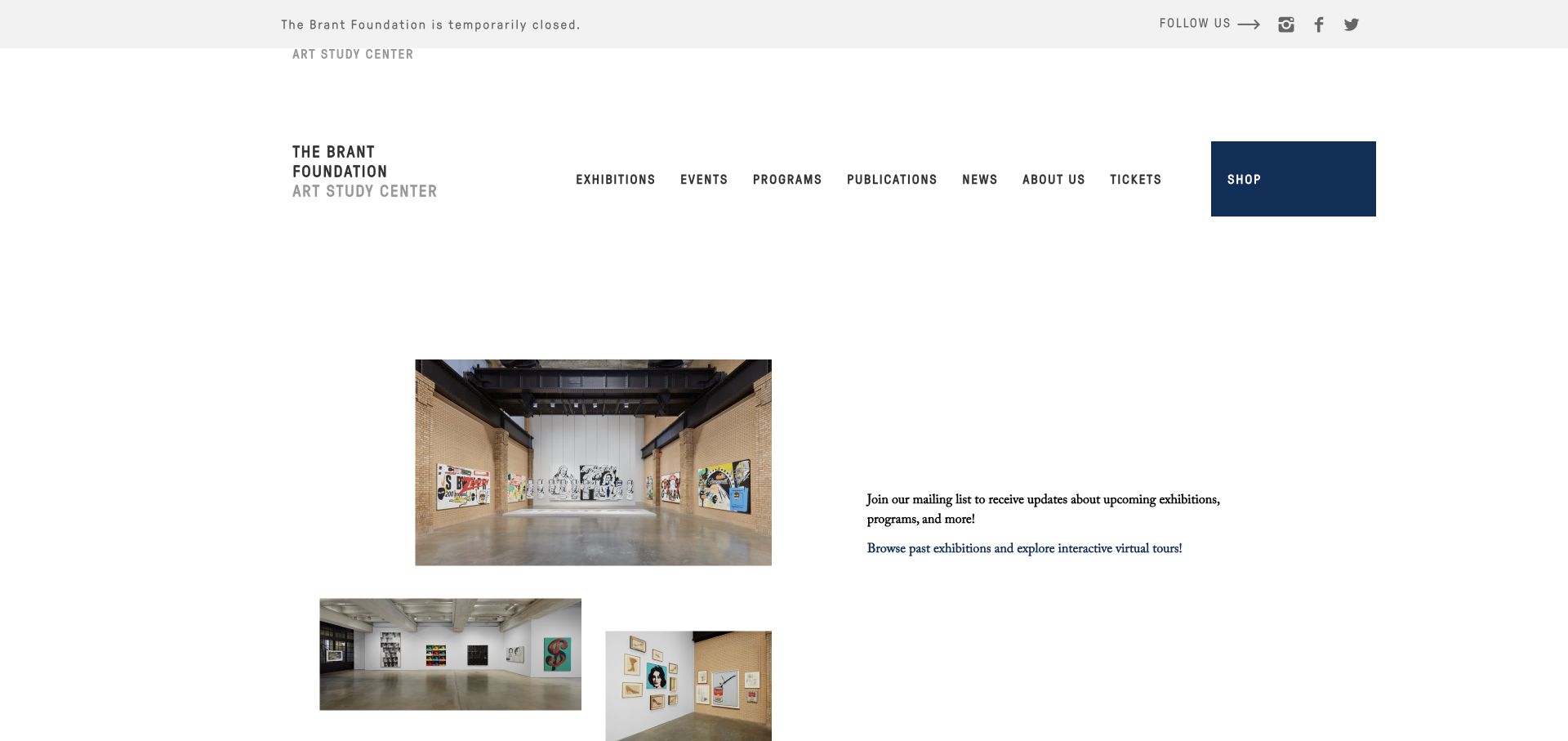
The Brant Foundation’s retained homepage explicitly announces a temporary closure while showing installation photographs and offering past exhibitions and virtual tours. A readable invitation asks visitors to join the mailing list for future exhibitions and programs. Current page evidence references MC4WP form scripts, including an Ajax-forms asset. Those references support the mailing-list association, but the frame does not show a completed subscription or establish the account’s delivery behavior. The useful design pattern is an optional update route that complements honest operational status rather than implying a visit is currently available.
What you can learn
Explain what subscribers will receive and keep archive access independent of signup. Make any form’s labels, errors and confirmation understandable, and verify the integration through a separate authorized test. An Ajax asset name does not prove that a particular form submits without a page reload or handles failures correctly.
Pros
Temporary closure is communicated clearly alongside genuine alternatives.
The mailing-list invitation describes the subject of future updates.
Cons & considerations
Ticket and visit destinations need consistent operational-status information.
Public form scripts do not verify a connected mailing list, consent record or successful delivery.
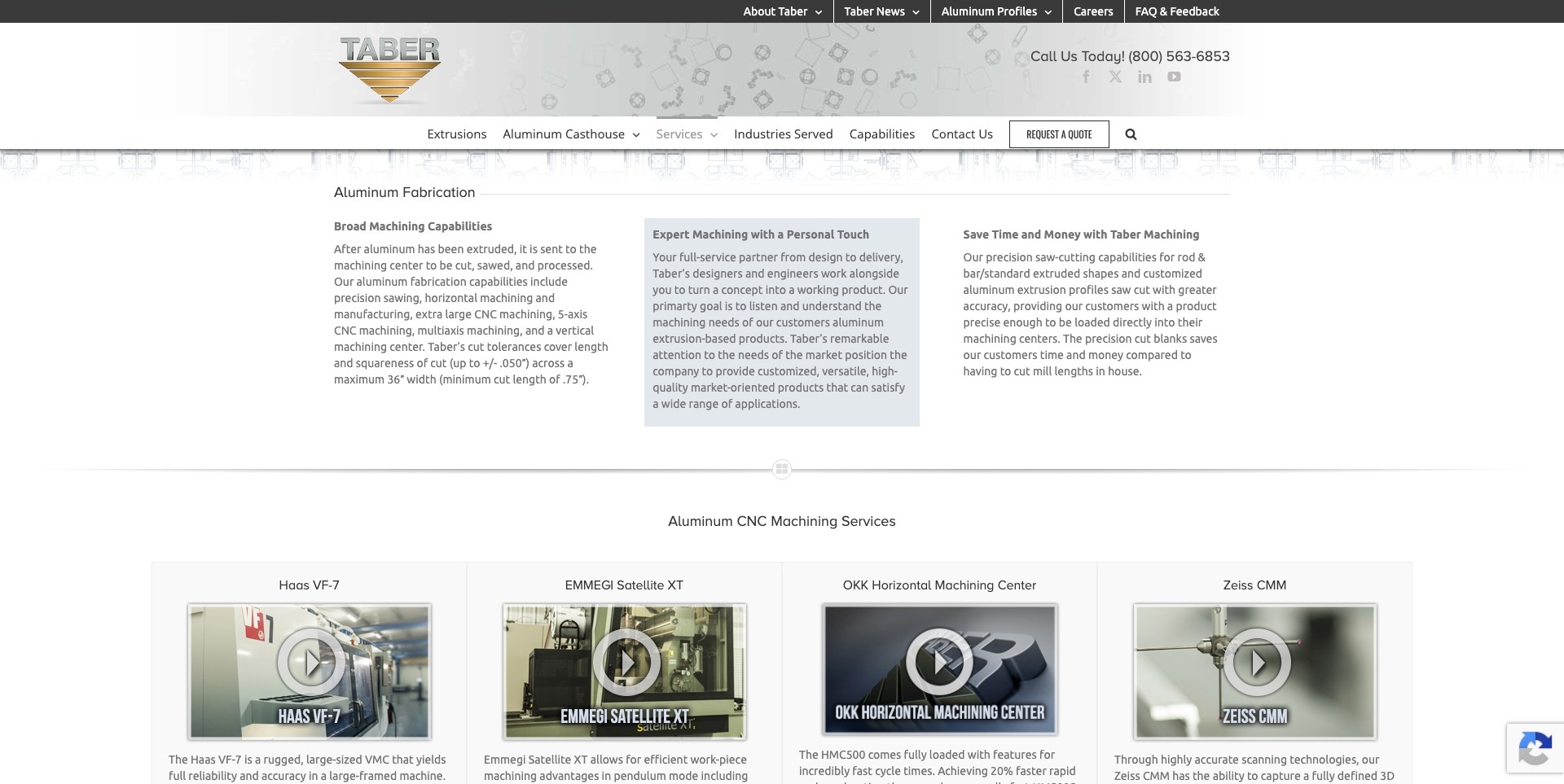
Taber’s retained fabrication page uses three explanatory columns above four named machining-media cards. A shaded middle panel creates hierarchy, while services, industries, capabilities and quotation access remain in the header. The exact current service page references MC4WP resources. This establishes a mailing-list component association, not the equipment-media implementation, engineering workflow or quotation system. The pictured page explains a capability rather than showing a newsletter form, making it a useful context for deciding where optional updates belong without interrupting technical research.
What you can learn
Keep newsletter signup separate from an engineering inquiry. An update form should explain its subject without collecting drawings, production requirements or other project documents. Link readers to maintained capability information, and verify actual subscription feedback and delivery through a separate authorized test rather than assuming the public dependency is configured.
Pros
Named media cards give the technical content a scannable structure before playback.
Quotation access remains distinct from the explanatory service content.
Cons & considerations
If equipment information changes, descriptions and linked media need coordinated maintenance.
Observed MC4WP assets do not demonstrate engineering feasibility, subscriber routing or delivery.
Western Extrusions’ retained service page shows a wide photograph of a yellow industrial robot above the literal Fabrication and Machining title. A white header preserves service, industry, division, contact and catalog routes, with telephone information in a narrow strip above. Current exact-page evidence references MC4WP resources. This supports a mailing-list association, not a claim that the plugin creates the machinery image, handles quotation requests or represents production systems. The page is useful for studying how an optional audience relationship can sit alongside clearly named technical information.
What you can learn
Describe the purpose of manufacturing updates and keep subscription independent of catalog access and a project conversation. A mailing form should not become a place for confidential part requirements or production files. Test actual labels, errors and confirmation separately; a referenced component does not establish a connected audience or successful email delivery.
Pros
The service title gives the industrial photograph an explicit subject.
Catalog and contact routes remain available in the shared header.
Cons & considerations
If the image dominates the opening, maintained process detail is still needed afterward.
The asset association cannot verify subscriber processing or any production capability.
Kegan has 15+ years of experience working with small businesses, Fortune 500 companies, and everything in between. No development job is too big or too small: he brings the same hands-on attention to a focused improvement, a complete website, or a custom application.
For MC4WP projects, he can help with clearly scoped WordPress mailing-list forms, field and feedback design, Mailchimp integration review, appropriate consent boundaries, spam handling, and end-to-end subscription testing. He works directly with clients on scope, design, implementation, testing, and handover, with an emphasis on clear communication and a system that remains practical to maintain after launch.
Show 3 other MC4WP developersHide other MC4WP developers
Choose the subscription journey before adding fields
Offer one clear editorial subscription
For a small publisher or business, a focused proposition and a short form can be easier to understand than several unexplained preferences. Decide what information is genuinely necessary at sign-up and what can wait until a later, voluntary interaction.
Add interests only when the publishing operation supports them
Preference fields are useful when somebody will actually create or route the corresponding content. Explain choices in terms the audience recognizes and document how they map to the sending system. Do not create a detailed form that the editorial team cannot maintain.
The plugin listing describes connections with other WordPress form systems. Review the exact supported integration and the visitor’s choice separately from the original form’s purpose. An inquiry, purchase, comment, and newsletter subscription are not automatically the same request.
Plan an email sign-up experience the whole team can operate
Write the promise and place it in context
Describe the subscription in a few ordinary sentences before designing the component. Name the publisher, typical topics, and the useful reason to subscribe. Avoid promising a precise frequency unless the editorial team can sustain it. Decide whether the form belongs beside an article, in a footer, on a dedicated subscription page, or in another relevant context. The placement should support the visitor’s current interest rather than interrupting every page with an identical demand. A destination website might offer event announcements, while a specialist retailer might offer new product information; those are different editorial promises.
Review the proposition with the person who will actually prepare the emails. Make sure the form and later welcome material tell the same story. Give existing subscribers an understandable route to manage preferences rather than repeatedly encouraging them to join again. Keep important supporting information available without forcing a subscription. A newsletter can extend a useful website, but it should not become an obstacle to understanding basic services, hours, or product information. Record the approved wording so that a later redesign does not accidentally turn a narrow editorial invitation into an ambiguous general marketing permission.
List each proposed field, its purpose, the corresponding destination field, and who uses it. Remove requests that do not support a genuine publishing or operational need. Check the difference between a required field and an optional preference. A name may help personalize correspondence, but asking for a telephone number or postal address requires a stronger explanation than making a form look substantial. Use labels that remain understandable after somebody starts typing; placeholders alone are a poor way to preserve essential instructions.
MC4WP’s form guide describes audience fields and keeping the plugin aware of changes in the connected audience. Treat that mapping as maintained configuration rather than a one-time setup detail. Document what happens when a field is renamed, an interest is retired, or a translated form is added. Keep internal tags and audience identifiers separate from the words visitors see. Use approved test data in the appropriate environment and confirm the destination mapping with the authorized account owner. Do not infer a business’s audience structure from a public competitor form or from the plugin filename in its page.
Write a small state table for the journey: untouched form, incomplete input, invalid address format, submission in progress, accepted request, existing address, provider failure, and any later confirmation. Describe what the person sees and what the organization can legitimately conclude at each stage. The website should not leave an empty screen or claim success merely because a button was pressed. Keep feedback associated with the form and readable without requiring somebody to identify a temporary color change.
Where the configured workflow requires an email confirmation, explain that next step clearly and distinguish it from final subscription. MC4WP’s troubleshooting documentation separates sending a sign-up attempt to Mailchimp from the provider’s subsequent confirmation delivery. Test those boundaries with authorized non-sensitive addresses rather than repeatedly submitting a real visitor’s information. Plan a useful route when an email does not arrive, without exposing account details in a public error. Keep diagnostic access with the maintainer and retain only the information appropriate for investigating the specific problem.
Expect public forms to attract automated and low-quality submissions. Decide how the team will recognize an unusual volume, where a maintainer will investigate, and which checks protect the actual endpoint. MC4WP documents built-in checks, confirmation-based sign-up, and additional protection options. Confirm the current supported integration before adding another service. A hidden field or a challenge is not a reason to stop reviewing outcomes, and no public technology reference proves a competitor’s spam controls are effective.
Have the responsible organization review its subscription choice, notices, data handling, and retention requirements for its circumstances. Do not treat a newsletter checkbox as interchangeable with agreement to a contract or an unrelated inquiry. Keep a person’s address and free-form input out of general analytics event payloads and public debugging output. Give staff an understandable way to handle a correction, a request to stop correspondence, or an accidental submission. A concise form can still be transparent; brevity should remove unnecessary friction rather than hide the nature of the relationship.
Keep accounts and integration credentials under business control
Record who owns the WordPress installation, the Mailchimp account, and the integration configuration. MC4WP’s connection documentation explains the account credential used by the plugin. Keep that credential out of page source, screenshots, shared design files, and ordinary correspondence. Access should follow the organization’s existing security process, with a clear owner for changes and incident response. A working form under an unknown contractor account is not a complete handover, even if the visible component looks polished.
Document dependencies without placing secrets in the document. Include the integration’s purpose, the authorized administrator, the expected audience destination, and where an operator checks a failure. Confirm any feature or account entitlement against current official information before promising it in a project scope. Test configuration changes in an appropriate environment and preserve a known working setup. If the integration becomes unavailable, the public form should provide an honest response rather than silently discarding a request or encouraging repeated submissions that nobody can later reconcile.
Have the actual publisher walk through adding the form to a normal page, revising the explanation, checking an accepted test request, and understanding any confirmation step. Demonstrate the distinction between viewing a dashboard and verifying an end-to-end result. Include a narrow screen, keyboard interaction, zoomed text, and a failure response in the acceptance session. If the website uses several form locations, test the intended destination for each one rather than assuming a single successful footer test covers the whole publication.
Agree who maintains the subscription promise after launch. A new campaign, changed editorial schedule, or revised audience model may require copy and configuration changes together. Keep a short change record and retire obsolete forms instead of leaving old versions hidden in forgotten templates. Review the welcome material and unsubscribe experience through the organization’s normal authorized process. The goal is not simply to collect more addresses; it is to establish an understandable relationship and a maintainable publishing routine. Any claim about growth, engagement, or revenue needs its own actual measurement, not the presence of a plugin.
Ask the actual team to carry out its routine job: publish a realistic update, correct a mistake, preview a narrow screen, and identify who owns an integration failure. For a library or frontend framework, also ask who maintains the content source and deployment. A polished screenshot does not answer those operational questions.
Beyond the screenshot
MC4WP subscription planning checklist
Name the publisher and explain the subscription’s value.
Choose a placement relevant to the surrounding content.
Justify each required field and optional preference.
Map visitor-facing fields to the intended audience destination.
Document validation, existing-address, failure, and confirmation states.
Distinguish an accepted attempt from confirmed delivery or subscription.
Review endpoint protection and unusual-volume handling.
Have the organization approve relevant notices and choices.
Keep integration credentials server-side and out of shared artifacts.
Record ownership of both WordPress and Mailchimp.
Test the complete journey with approved non-sensitive data.
Demonstrate edits, diagnosis, and ongoing editorial maintenance.
Test with real content, a keyboard, a small screen, slow or failed requests, and the people who will maintain the system. These are planning checks, not an accessibility, security, performance, or search-ranking certification.
Sources & editorial method
How this MC4WP collection was reviewed
Each exact cited page exposed an MC4WP or mailchimp-for-wp product-specific public asset reference during a dated check. This establishes a scoped page association, not an account audit, evidence of subscription completion, or proof that every form uses the plugin. Original captures retain their actual dates. Product explanations use official MC4WP documentation and its publisher-maintained listing; interface observations and planning advice are editorial work.
Every image is an unmodified capture from the actual website, with its source and capture date. Some captures are reused from our shared catalog; their dates remain the original capture dates. None comes from a vendor gallery or a generated reconstruction. Moving imagery and live content can change.
Technology attribution uses public page assets or metadata, official platform documentation, or a cited first-party project case study. Documentary and framework-relationship evidence is identified where used; it is not a complete current backend inventory. A CMS image CDN alone does not establish a full CMS deployment. A library’s presence does not prove which individual controls use it, and a platform label does not establish AI authorship.
The composition notes, lessons, pros and tradeoffs are original editorial observations. We have not measured conversion, traffic, security, performance or accessibility conformance. Website owners retain their brands and imagery; these examples are not our client portfolio. Written, Edited and Curated are independent records, not dates advanced by a build. See our editorial standards or suggest a correction.
Questions worth asking
MC4WP website development FAQs
Are MC4WP and Mailchimp the same product?
No. MC4WP is a WordPress integration plugin developed separately from the Mailchimp service. The connected sending account and its configuration are distinct responsibilities.
Does the reference prove every form uses MC4WP?
No. It shows a product-specific public reference on the exact page. Individual form behavior and private account configuration require separate authorized checks.
Is a success message proof that the confirmation email arrived?
No. The website’s acceptance and the sending provider’s later delivery are different stages. Test and describe the configured journey rather than collapsing them into one event.
Should a newsletter form collect lots of information?
Only collect information with an understood purpose. Begin with the publishing promise and necessary fields, then add preferences when the team can use and maintain them.
Does using the plugin guarantee a compliant or spam-free setup?
No. Configuration, protection, notices, choices, and operational practices need their own review. Product detection does not verify any of those outcomes.
Borrow a clear invitation and a useful placement. Then build the account ownership, feedback states, protection, and publishing routine that make your own subscription promise dependable.