Best Additive Manufacturing Websites of 2026 (12 Real-World Examples)
Additive manufacturing websites that connect processes, materials and equipment to an understandable production decision.
A convincing part photograph is useful, but a serious manufacturing website also helps people understand the process, the application and whether they need equipment, software, support or a finished component.
Additive manufacturing covers several different buying decisions. A visitor may be comparing printer processes, looking for a material, evaluating production software or trying to order one part. These examples show different ways to organize those decisions without making every reader begin with a large product catalog. Their strongest lessons concern the relationship between a technical capability and the practical next step.
The collection includes equipment manufacturers, software-and-service businesses and broader manufacturing platforms with an explicit additive offer. This is a review of public website communication and design. It is not a test of printers, materials, process performance, regulatory compliance or production economics. Customer stories and company claims remain attributed to their sources.
Before the examples
What makes good additive manufacturing website design in 2026?
Separate the main buying decisions
Distinguish purchasing a printer, sourcing a printed component, selecting a material and buying software or support. A shared technology does not mean that these visitors need the same information or contact route.
Explain process and application together
Use meaningful process and material labels alongside product names. Connect a capability to a specific application or part, while preserving limitations rather than suggesting every example transfers to every use case.
Show the complete workflow
Explain preparation, printing, post-processing, software and support where they are part of the offer. A printer photograph alone does not describe the equipment, skills or qualification a buyer may need.
Make comparison information maintainable
Keep model, process, material, compatibility and availability facts in consistent records. Campaigns and event promotions can change more often than the underlying product hierarchy.
The collection · 12 examples
12 additive manufacturing websites worth studying
All 12 distinct examples meet the saved original target. Additive Industries is the explicit Editors Choice for explaining the path from an application and business case to qualification and production support. This is a website communication choice, not an equipment or service-quality ranking.
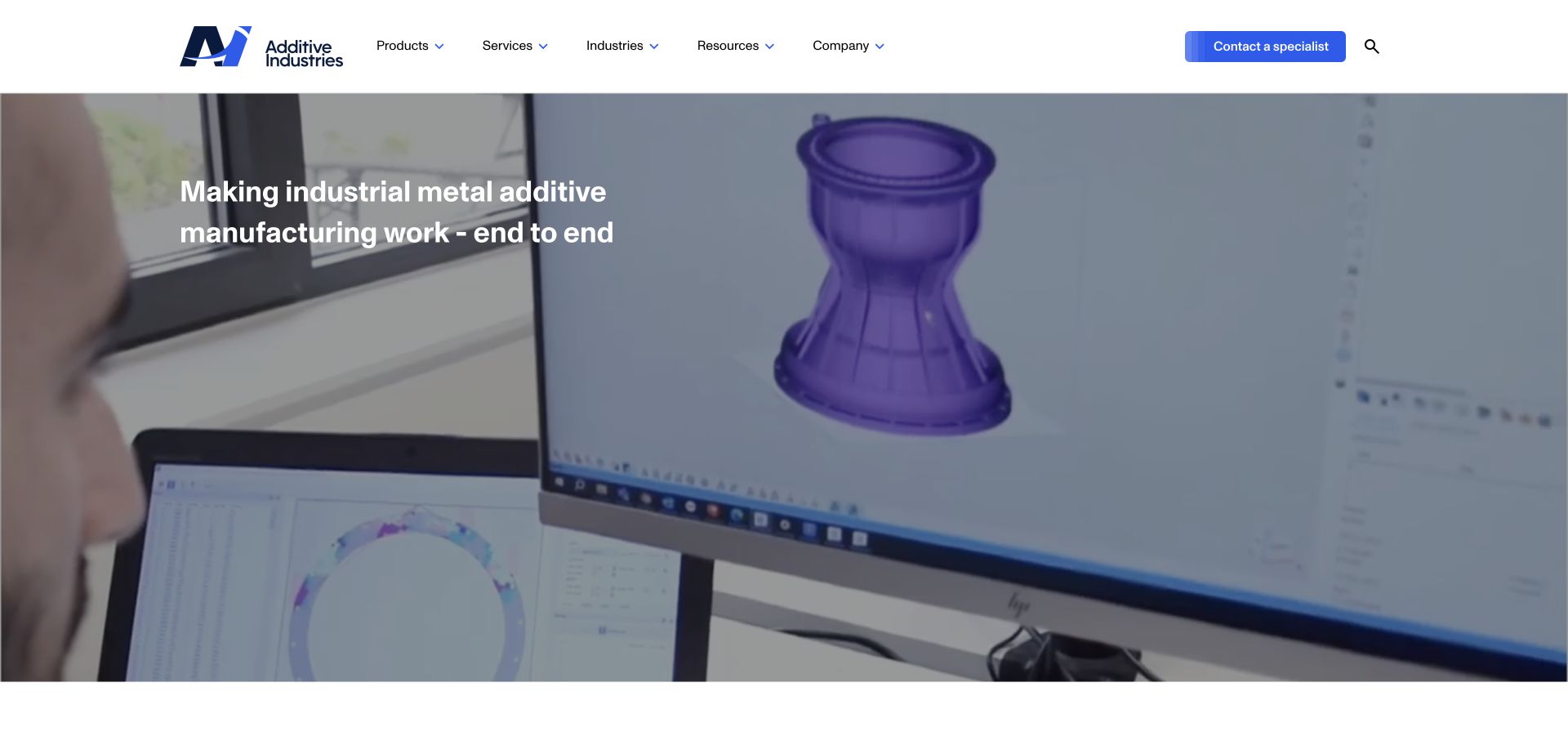
Additive Industries explains its role as an end-to-end production partner rather than presenting a printer in isolation. The homepage connects the MetalFab platform with use-case selection, a business case, qualification and production support. Customer stories and industry routes give the technical proposition context without making every visitor begin with a machine specification.
What you can learn
Explain the decisions around the equipment as well as the equipment itself. A structured route from application to production helps a buyer understand what support is actually on offer.
Pros
Products, services and industry applications have distinct navigation destinations.
A named production journey gives the specialist service proposition a concrete structure.
Cons & considerations
Long technical explanations need concise summaries for readers still establishing basic fit.
Production and economic claims still require application-specific evidence and cannot be verified from homepage design.
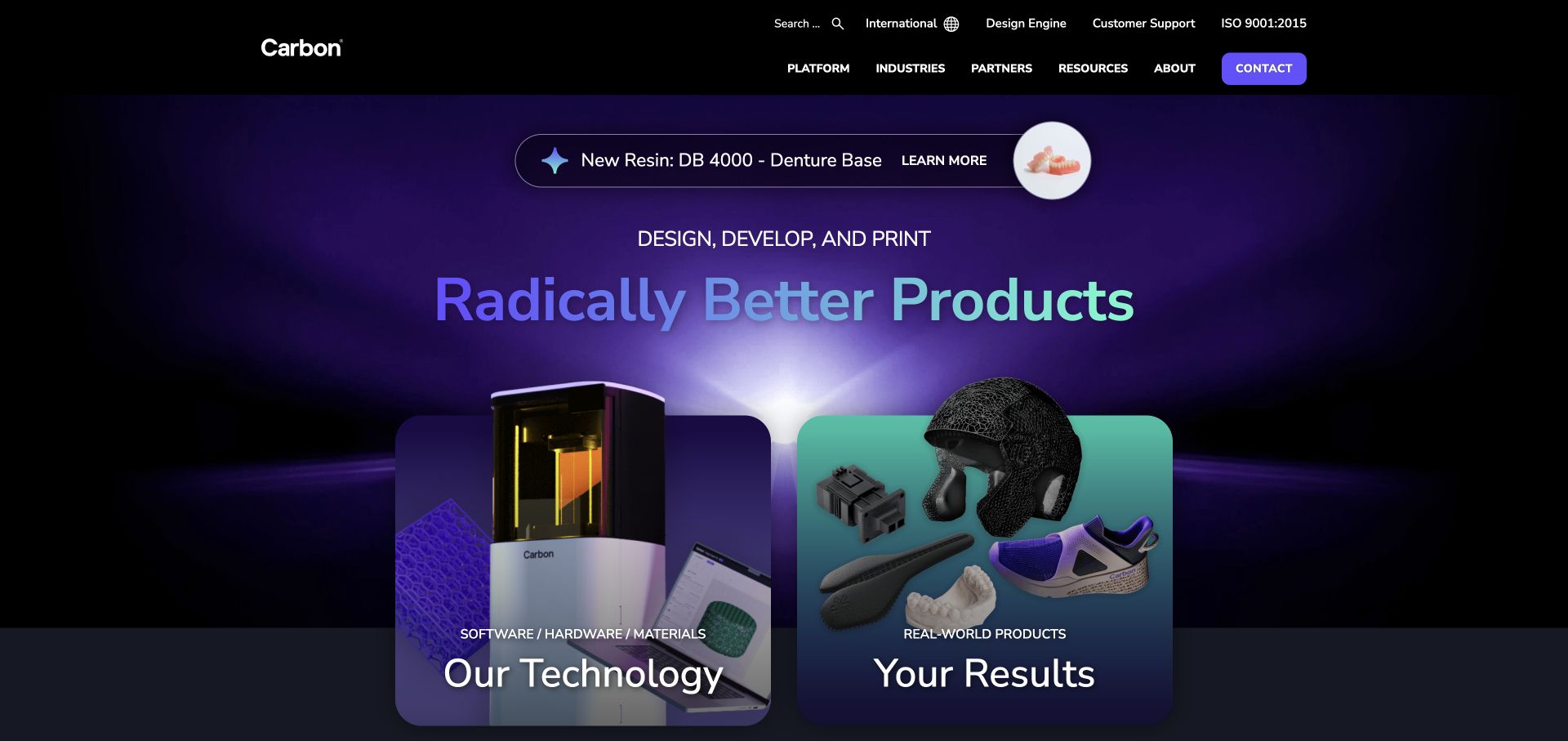
Carbon places software, hardware and materials beside a separate real-world-products story. Finished goods such as footwear, saddles and protective equipment lead into customer case studies rather than remaining decorative logos. The colorful visual system makes the page distinctive while the platform-versus-results distinction provides a useful starting point for different reader intentions.
What you can learn
Connect the enabling technology to a specific object and an explanatory case study. Keep the product result separate from the platform description so neither has to carry the entire argument.
Pros
The platform overview acknowledges that hardware, materials and software work together.
Finished-product case links make an abstract manufacturing capability tangible.
Cons & considerations
A highly animated product strip needs a usable pause and keyboard experience.
A visible customer product does not establish suitability for every material, geometry or production requirement.
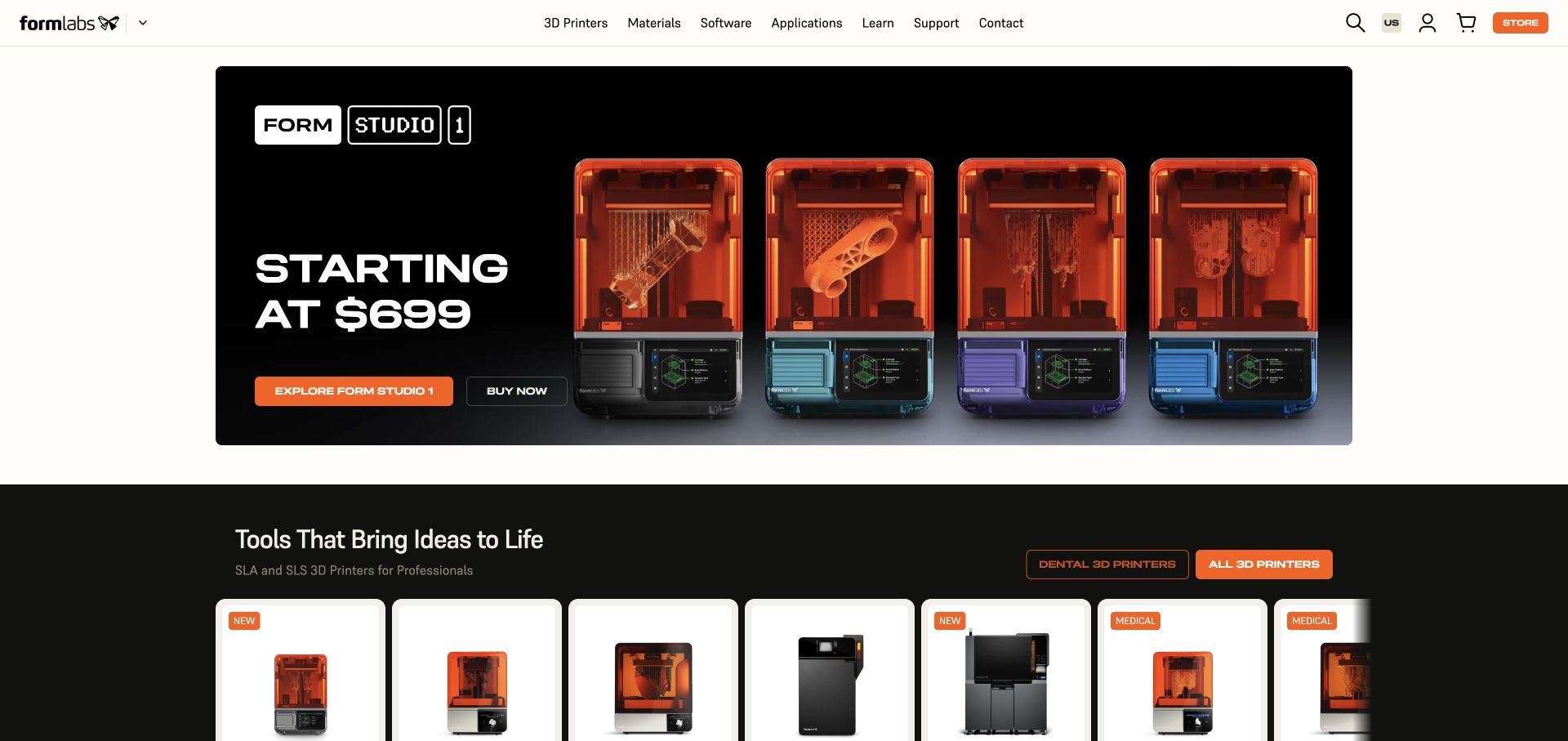
Formlabs combines a price-led product introduction with a catalog whose cards identify SLA, SLS, medical and dental contexts. Explore and buy actions are distinct, while materials, software, applications, learning and support have their own main-navigation routes. The layout gives both an exact-product shopper and someone comparing processes a plausible place to begin.
What you can learn
Carry process and application labels into product listings instead of expecting visitors to decode model names. Separate learning, comparison and purchase actions rather than treating every reader as ready to buy.
Pros
Process and application labels clarify important differences between similar-looking products.
Learning and support remain visible alongside the commercial catalog.
Cons & considerations
Prominent introductory prices need a clear explanation of included equipment and relevant operating costs.
A horizontal product catalog must remain navigable without hiding essential comparison information.
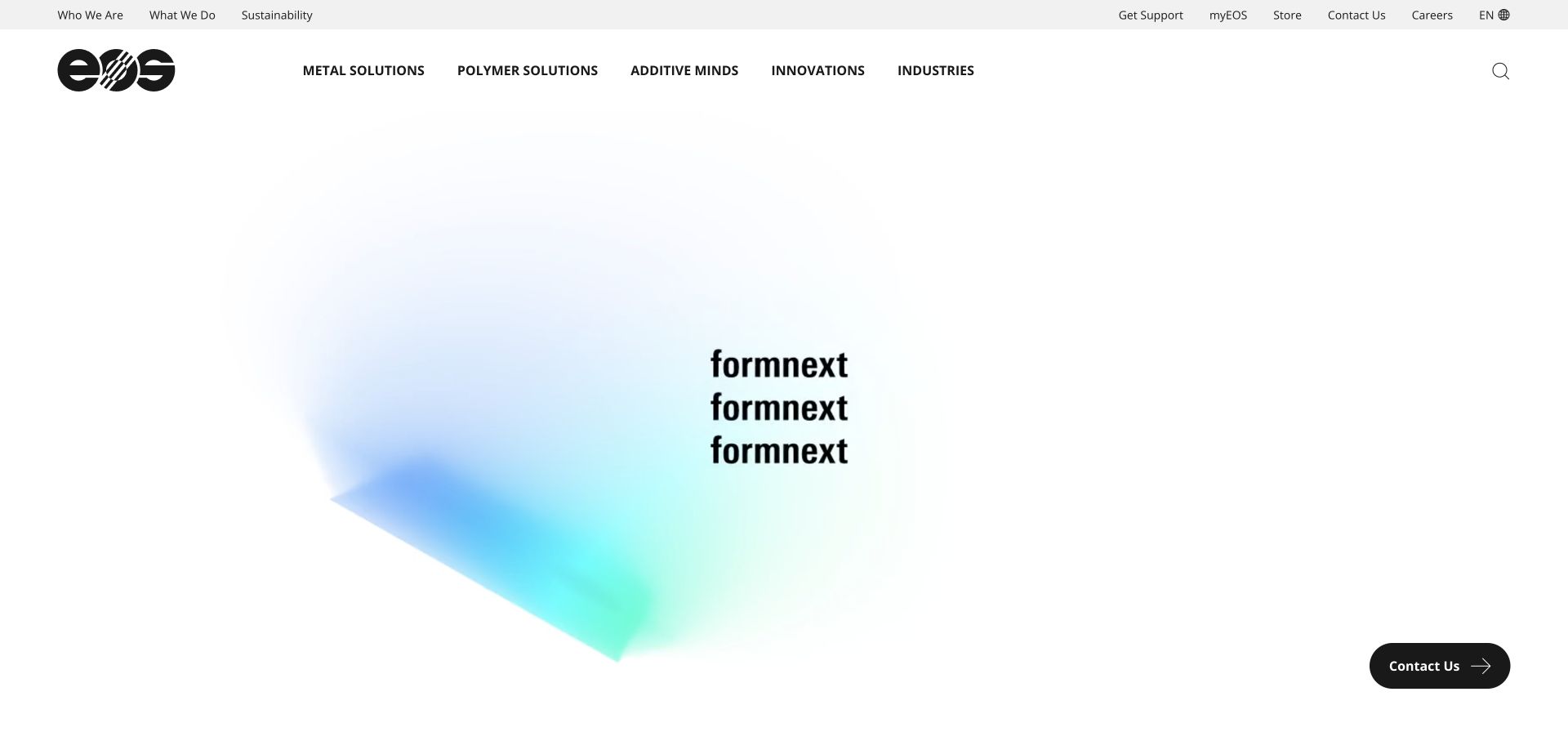
EOS divides the catalog into metal and polymer solutions before exposing detailed printer and material families. Additive Minds, industry routes, support and resource destinations sit beside the hardware structure. The reviewed homepage uses an event-led introduction, but the persistent navigation still offers a more durable route for readers researching a production system.
What you can learn
Let the first catalog division reflect a consequential customer decision. Keep stable product and material navigation available even when the homepage is temporarily centered on an event.
Pros
Metal and polymer categories give a large catalog an understandable first division.
Material, quality, support and training routes acknowledge the wider adoption workflow.
Cons & considerations
The depth of the menu can be demanding for readers who are unfamiliar with process terminology.
An event-based hero needs timely replacement so it does not become an obsolete entrance to the site.
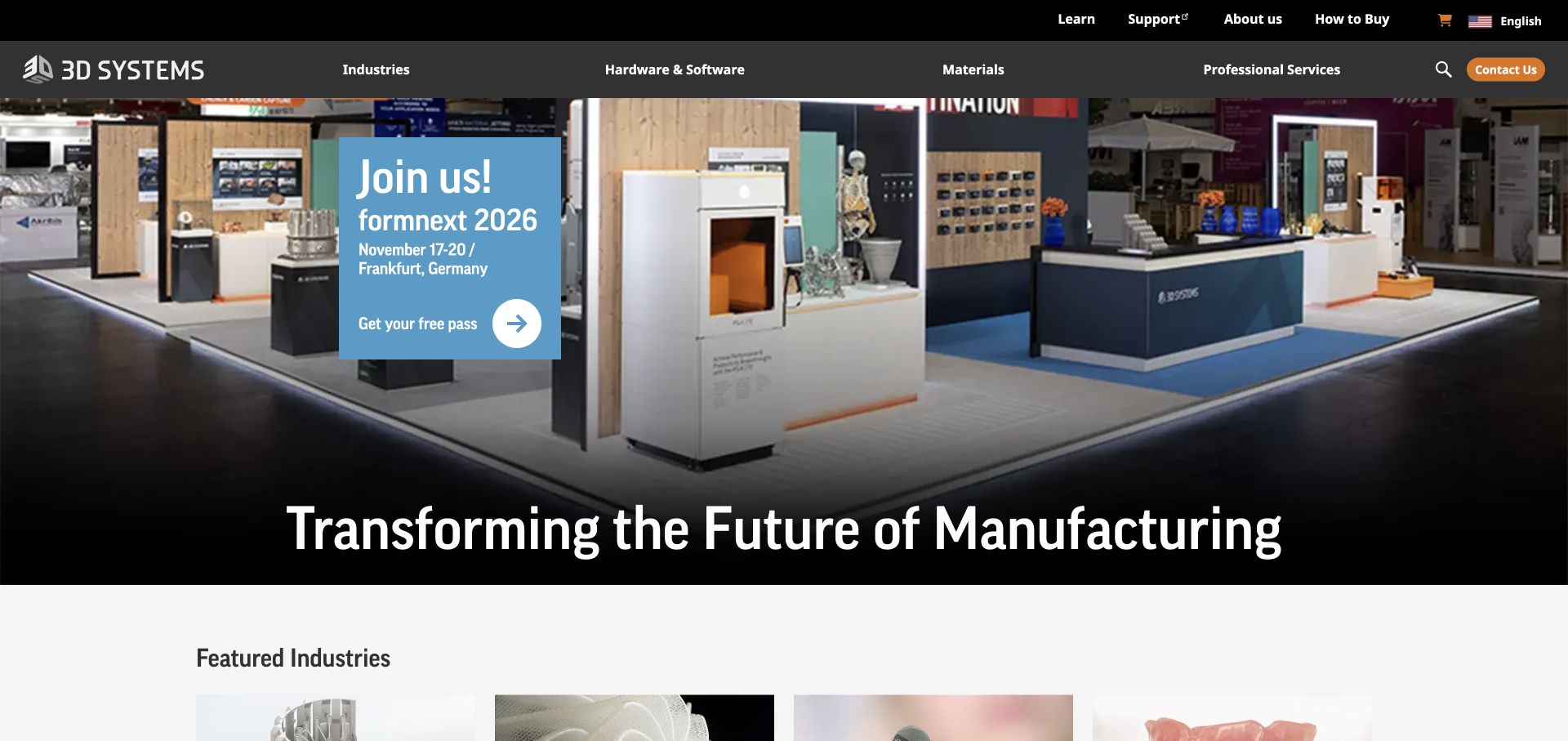
3D Systems places industry cards ahead of separate printer, material, software and service destinations. The reviewed entrance promotes a dated industry event, while the body offers aerospace, industrial manufacturing, medical and dental routes. Learning, support and buying information are visibly separated, helping the site serve existing users without making them follow a new-customer sales journey.
What you can learn
Separate the audience question from the product question. Industry examples establish context, while consistent hardware, materials, software and support categories help visitors investigate the actual offering.
Pros
Industry cards explain where the manufacturing capability is intended to apply.
Support, learning and how-to-buy destinations address different stages of the relationship.
Cons & considerations
A broad future-of-manufacturing statement needs the specific categories below it to become useful.
Regulated-market claims and application examples need appropriate qualification beyond their visual presentation.
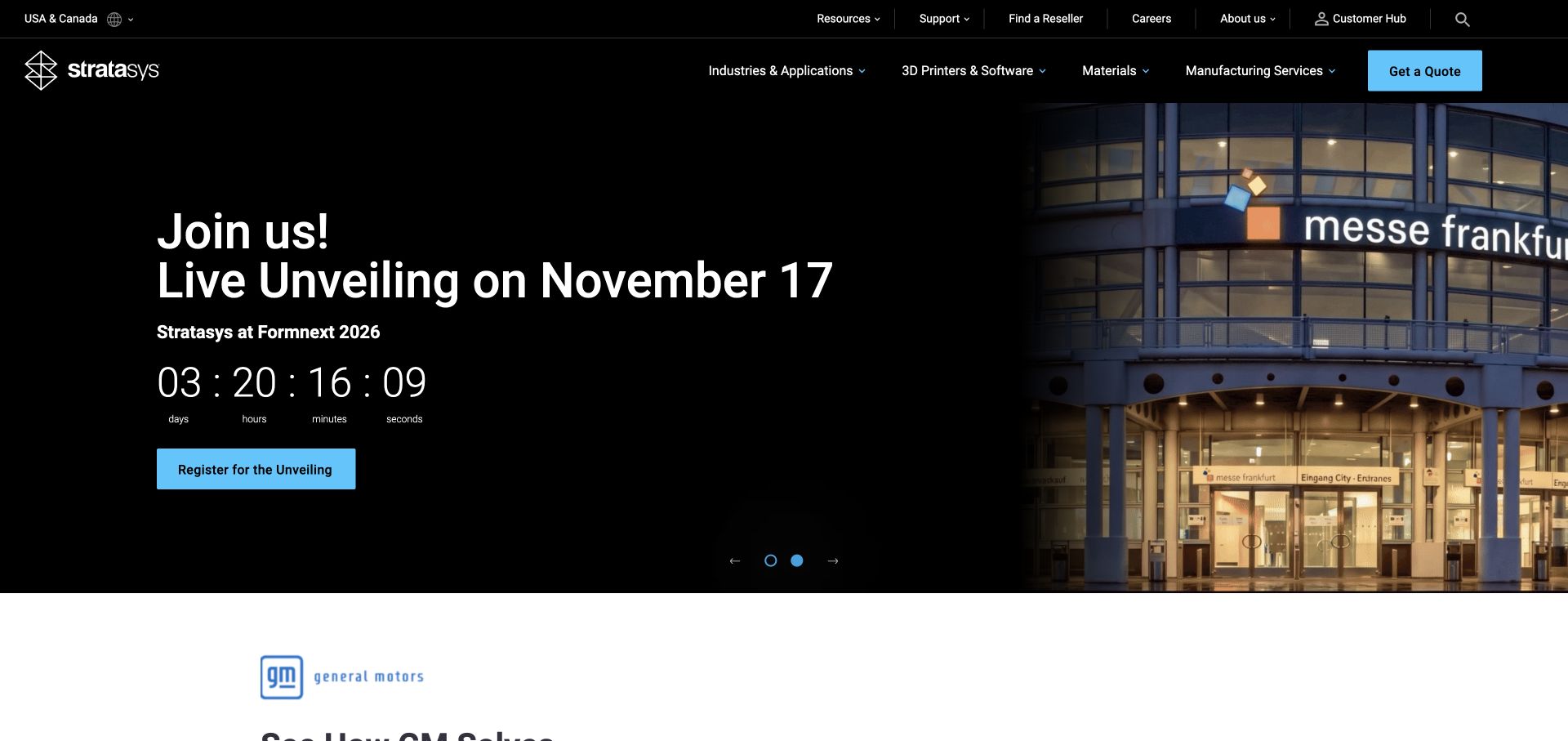
Stratasys gives industries and applications a primary-navigation role alongside printers, software and materials. A separate manufacturing-services route distinguishes buying a system from outsourcing work. The homepage’s dated event promotion leads into a customer tooling story and solution cards, providing several research paths beyond a single general quote action.
What you can learn
Make equipment ownership and outsourced manufacturing distinct choices. Support both with application-specific stories so the visitor can investigate an approach before deciding how to engage. A tooling story gives an application-focused buyer a more grounded starting point than a machine specification presented without any production context.
Pros
Manufacturing services are distinguished from printer and software categories.
Application stories connect the machinery to concrete production tasks.
Cons & considerations
A large event carousel can push evergreen product context below the first viewport.
Countdowns and campaign claims require active maintenance and an accessible nonanimated presentation.
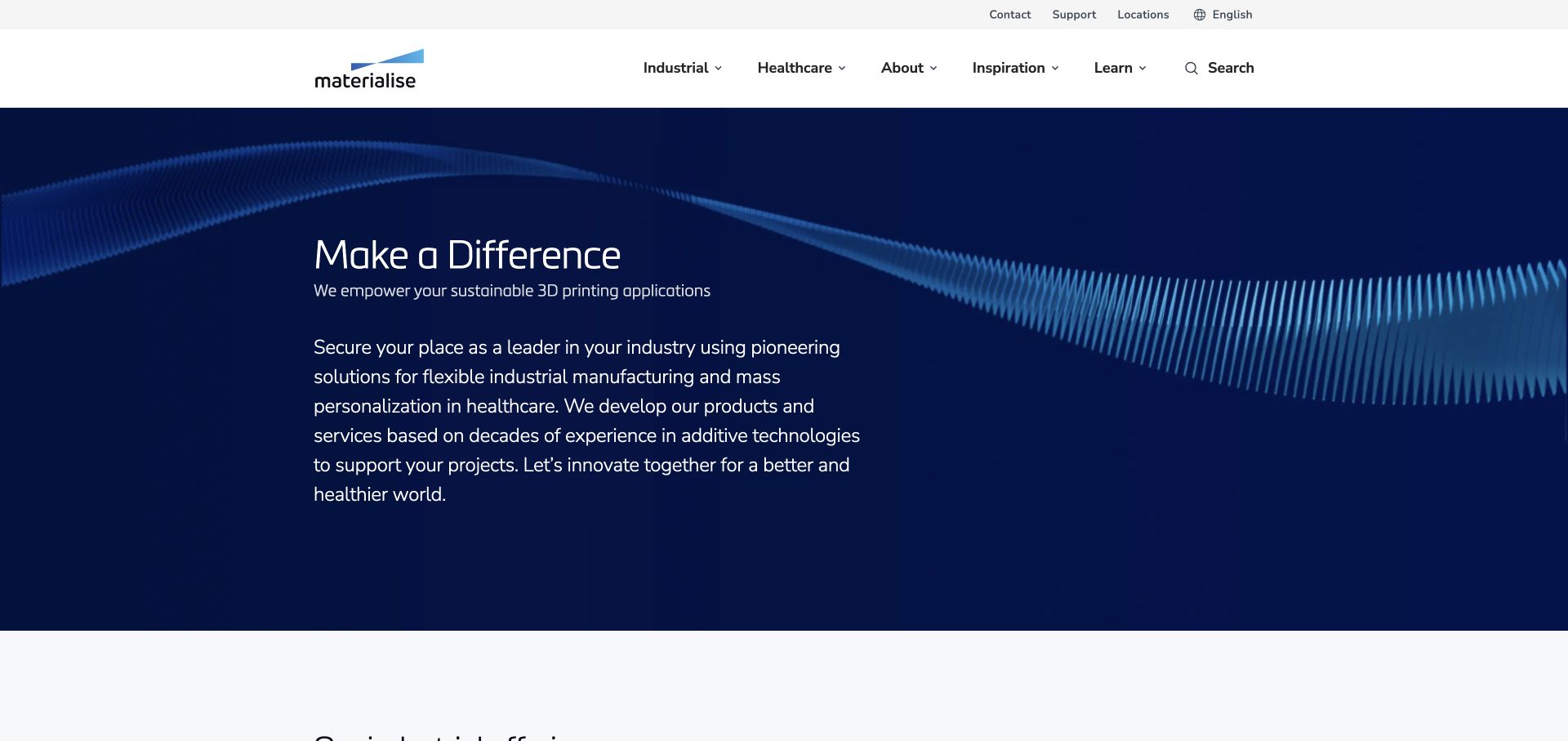
Materialise’s homepage separates industrial manufacturing from healthcare before introducing more specific audience routes. Industrial printing services and software are distinct, while healthcare professionals, device companies and academia receive different destinations. The restrained blue visual treatment lets the explanatory copy carry more of the introduction than a machine-led promotional image.
What you can learn
When one technology serves different professional contexts, make those contexts explicit early. A clear audience split prevents a broad company proposition from becoming an undifferentiated list of services. For a healthcare reader, an academic route and a device-company route signal different professional questions even when both ultimately concern additive manufacturing.
Pros
The industrial and healthcare split acknowledges materially different reader requirements.
The page distinguishes service delivery from software products.
Cons & considerations
A general make-a-difference headline depends on the supporting paragraph for specificity.
Healthcare benefit claims need appropriate clinical and regulatory context beyond a website-design review.
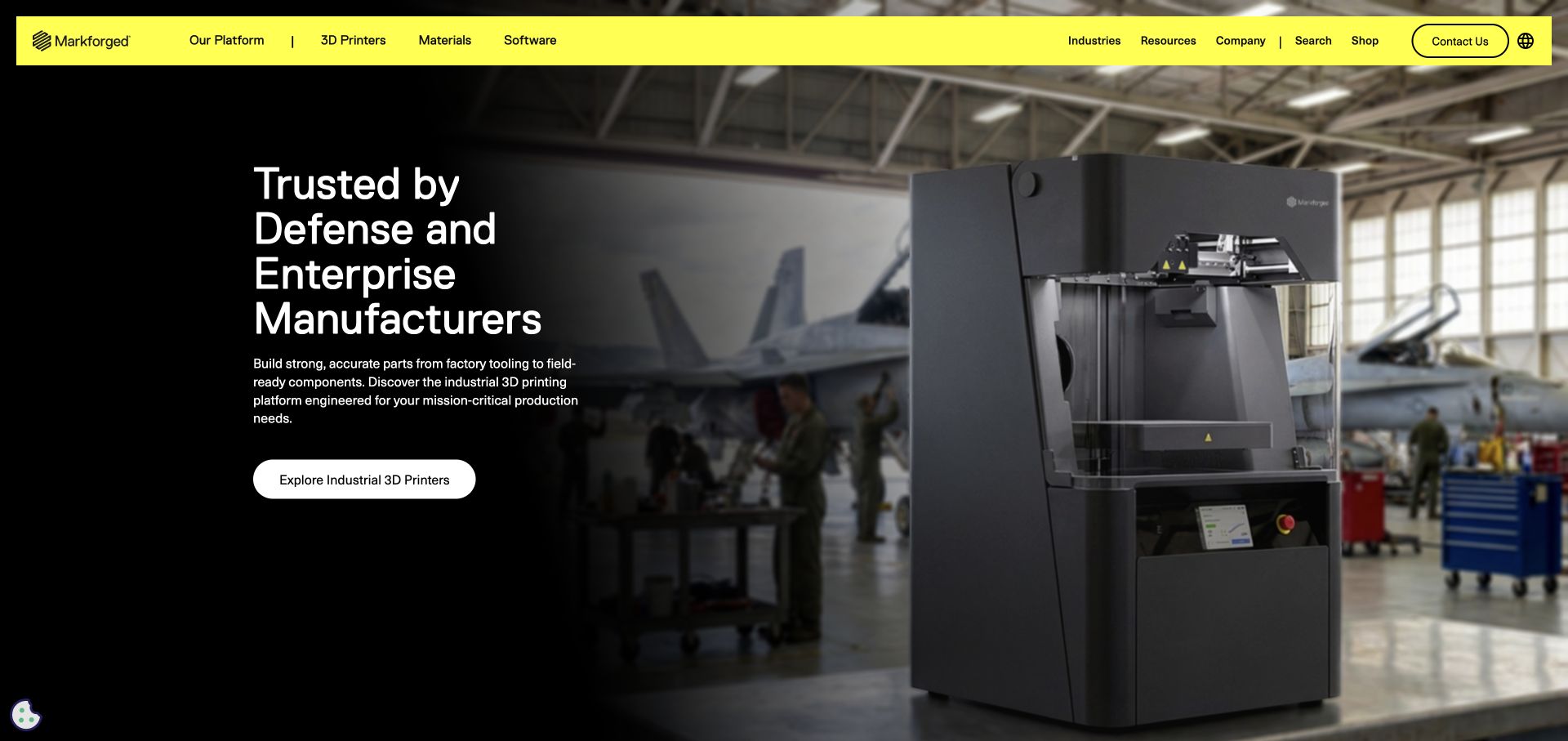
Markforged introduces its intended defense and enterprise manufacturing audience before linking to industrial printers. Platform, materials and software remain separate main-navigation categories, and factory-floor, tooling and security topics extend the story. The high-contrast yellow header makes the navigation visibly distinct from the large machine-and-workshop image.
What you can learn
State the intended production context early, then separate the platform into the decisions a buyer must investigate. Security, traceability and factory use deserve their own information paths rather than a generic assurance.
Pros
The introductory audience language is more specific than a universal printing claim.
Printer, material, software and application routes expose the components of the platform.
Cons & considerations
Mission-critical and security language needs detailed supporting documentation to become evaluable.
A strongly targeted defense entrance may need clear alternative paths for other suitable industrial users.
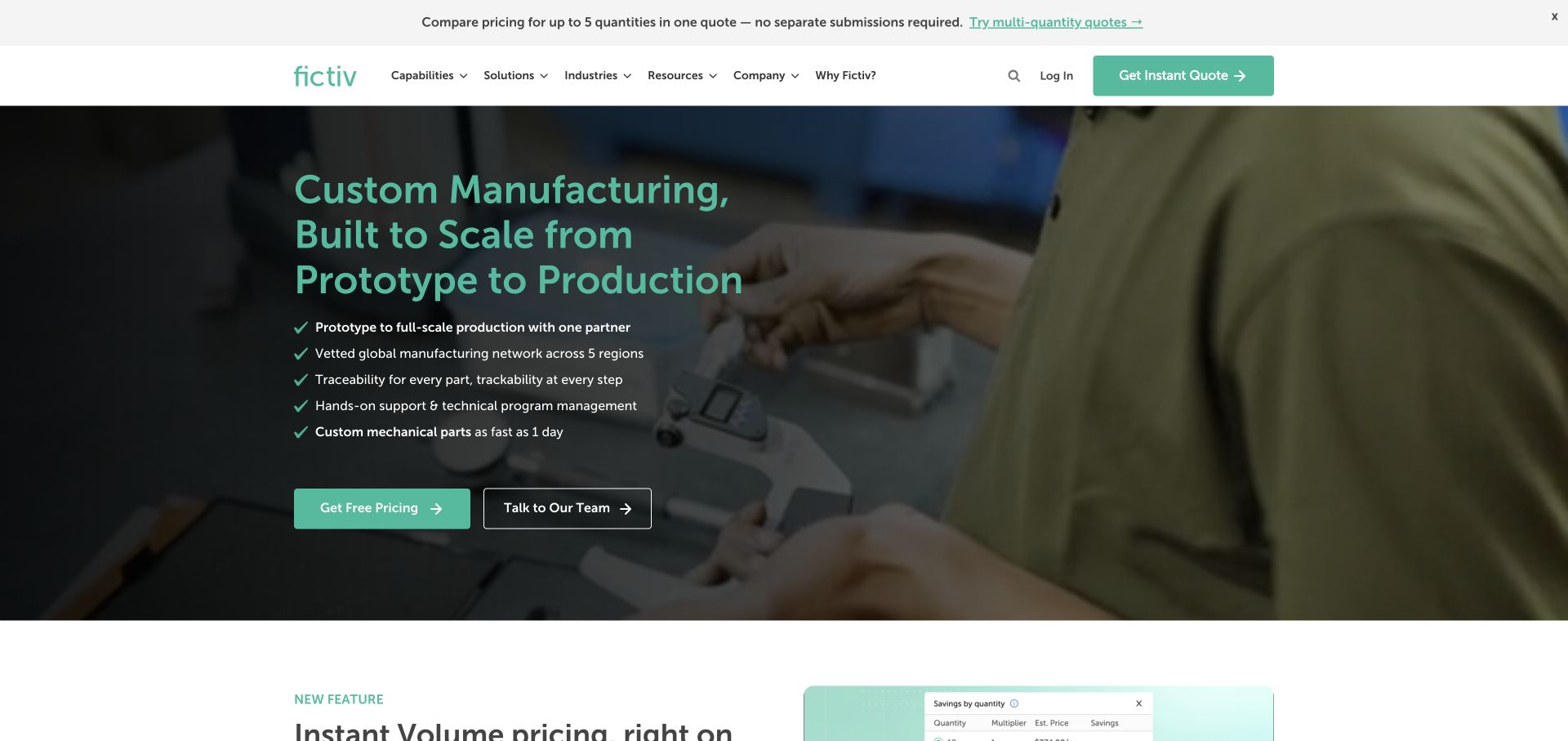
Fictiv introduces a broad custom-manufacturing service and gives visitors separate pricing and team-contact actions. Its capability cards explicitly include several 3D-printing processes alongside machining and molding. The quantity-tier comparison feature explains a practical buying task, making the digital-platform story more concrete than a generic promise of manufacturing speed.
What you can learn
Explain the task a digital quoting feature helps someone complete. Keep self-service and expert-led routes visible, particularly when a buyer may need help choosing between manufacturing processes. Naming FDM, SLS, SLA, PolyJet and MJF makes the inventory more useful when each onward route explains the relevant material and geometry requirements.
Pros
Pricing and human-support actions are visibly distinct.
Capability cards make additive manufacturing one explicit option within a broader service range.
Cons & considerations
A multi-process homepage requires a clear onward route into additive-specific requirements.
Speed and price claims depend on geometry, material, quantity and actual quote conditions.
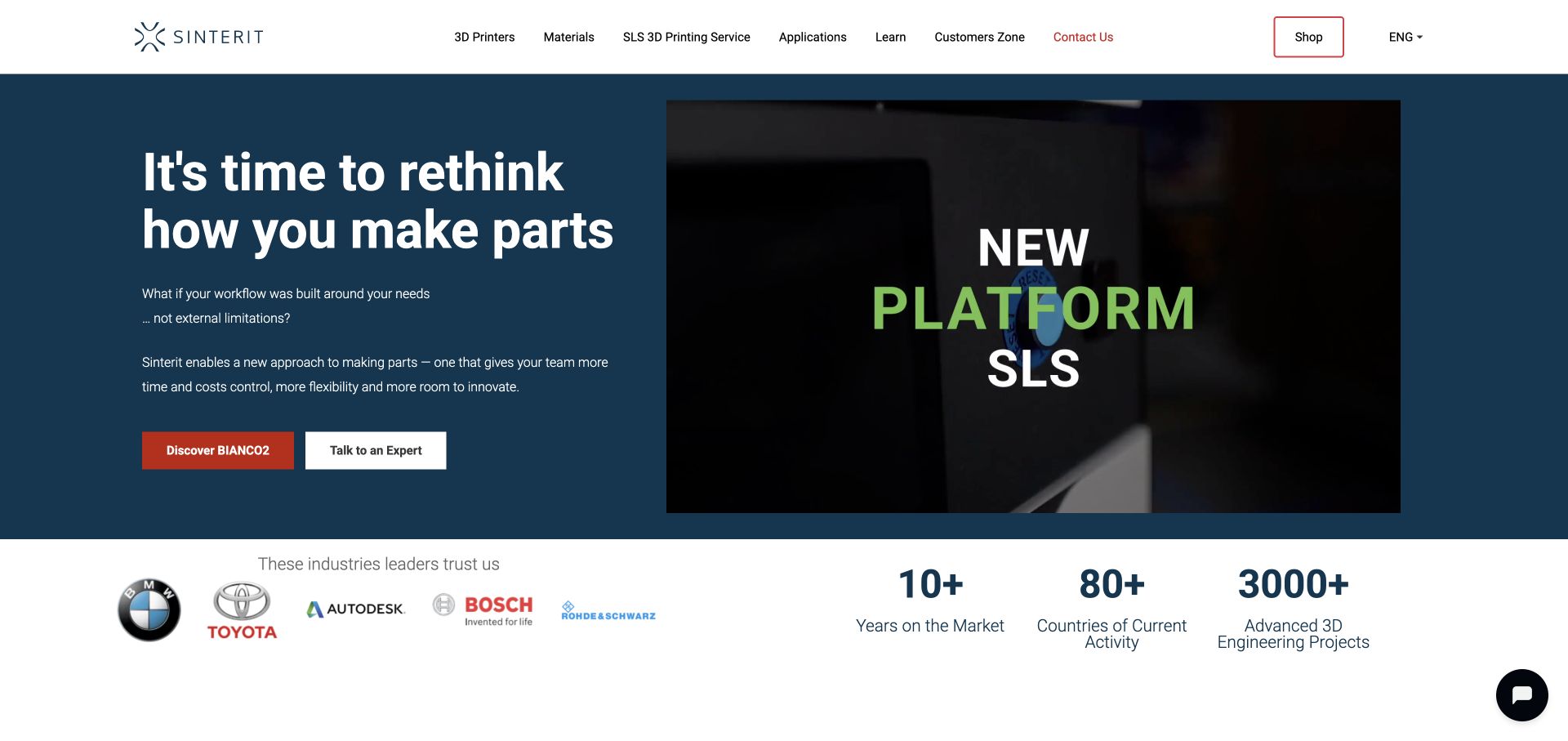
Sinterit links a named printer introduction to a separate expert-contact action and an outsourced SLS printing service. The page expands into compact systems, complete workflow sets and post-processing equipment rather than treating the printer as the whole installation. Product discovery and getting parts made remain distinct routes through the specialist offer.
What you can learn
Acknowledge that some visitors need equipment while others need a finished part. Present the surrounding workflow and support so a machine purchase is not mistaken for a complete production solution.
Pros
The SLS printing-service route is visible in the main navigation.
Workflow sets include post-processing context instead of showing only the printer.
Cons & considerations
A broad rethink-your-workflow headline needs the named SLS information nearby to establish specificity.
Comparative price and quality claims require evidence and clear conditions rather than repetition as neutral facts.
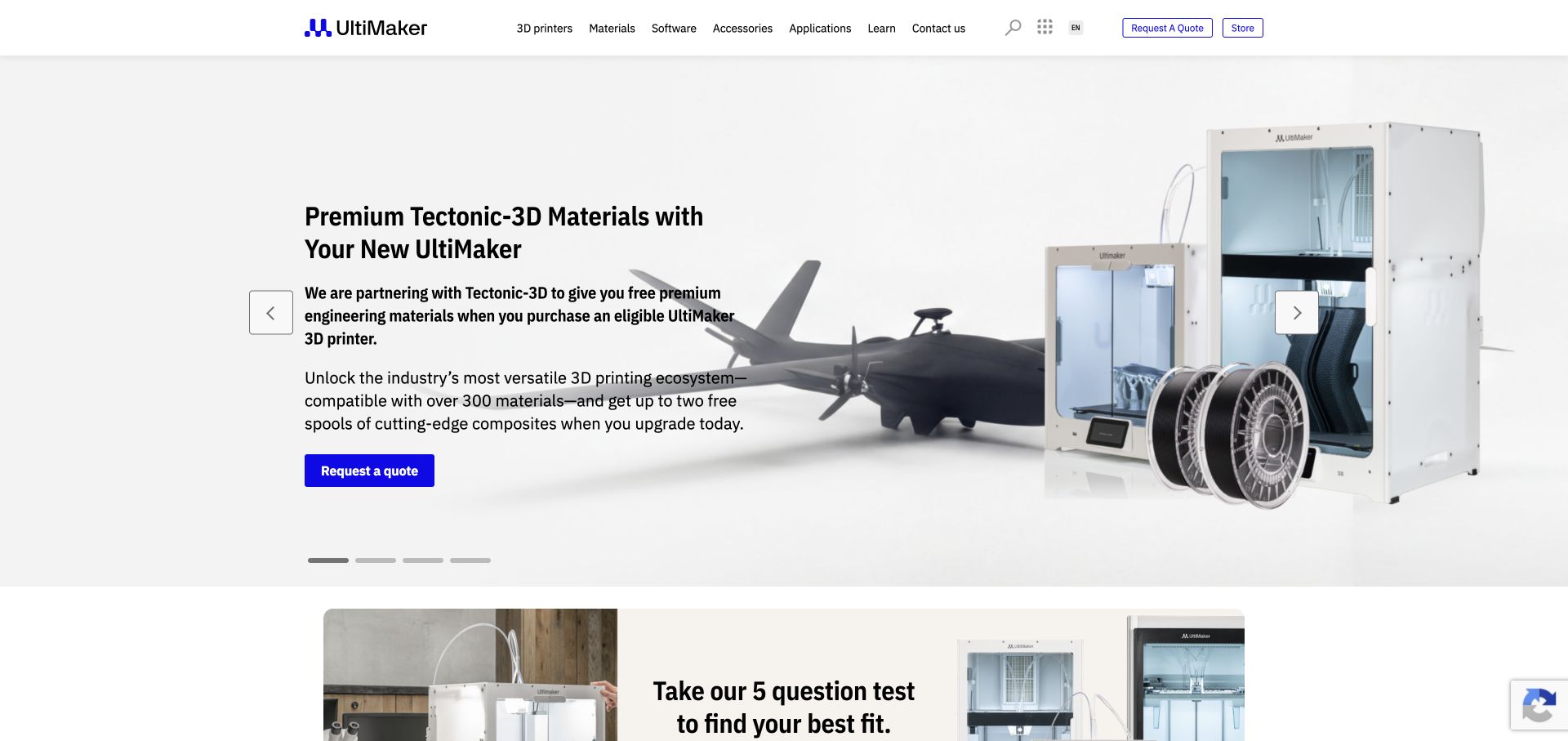
UltiMaker’s reviewed homepage combines printer-and-material promotions with a composites guide and a product-fit questionnaire. Navigation keeps printers, materials, software, accessories, applications and learning separate, while quote and store actions support different purchasing routes. The material-focused campaign connects the equipment to a practical capability rather than showing a model name alone.
What you can learn
Give a promoted material workflow a useful learning route as well as a purchase action. A comparison or fit tool should explain its assumptions and remain separate from a seasonal offer.
Pros
Materials and applications are first-class catalog destinations.
Learning content and a product-fit route support buyers who are not ready to request a quote.
Cons & considerations
Several rotating promotions can compete with the stable product proposition.
Free-material and compatibility offers need clear eligibility, duration and included-item details.
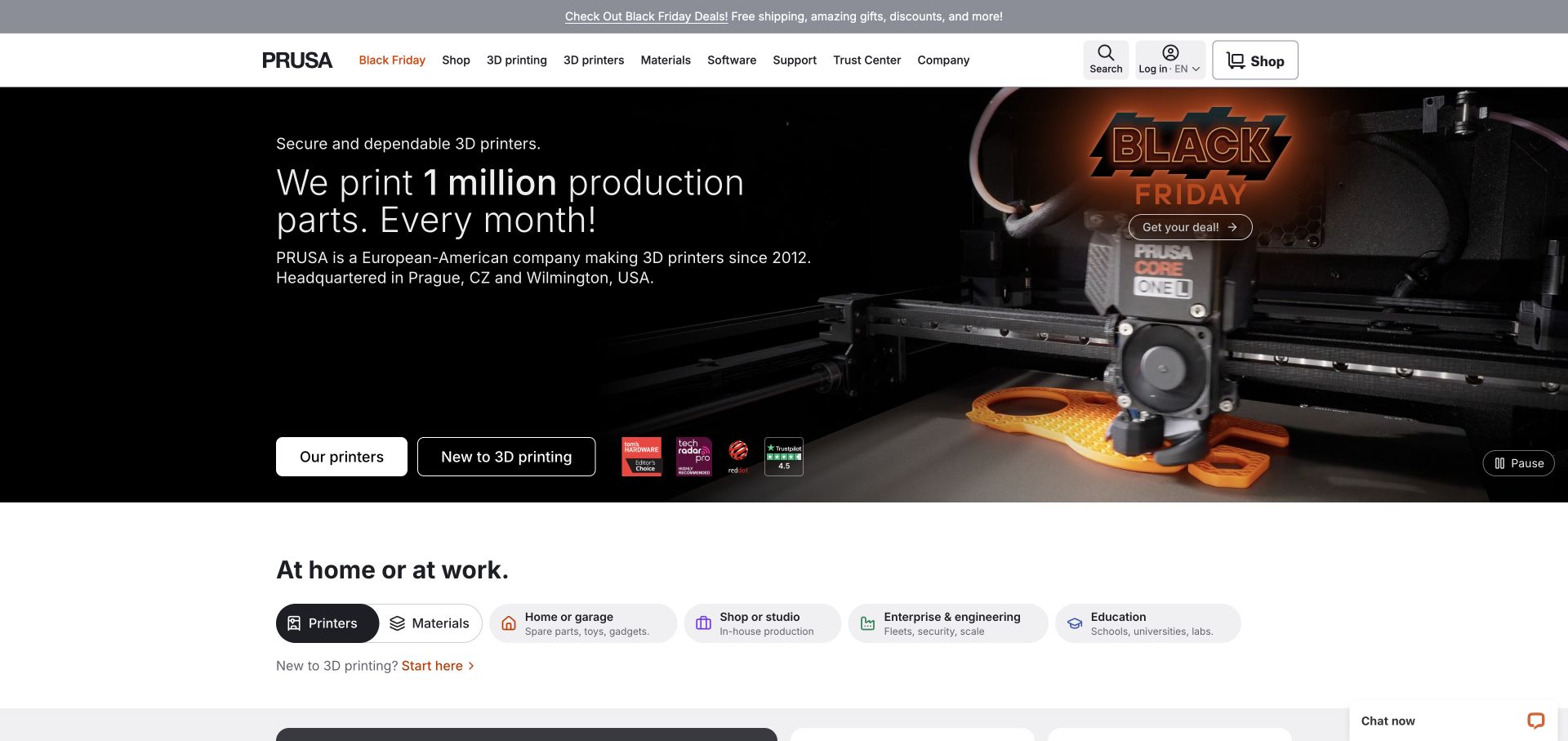
Prusa’s homepage pairs close-up printing footage with a visible pause control and two introductory choices: printers or a beginner explanation. Below that, audience filters distinguish home, business, enterprise and education contexts. Product cards separate learn-more from buy actions, letting a broad catalog serve different levels of readiness without requiring every visitor to enter the shop immediately.
What you can learn
Let visitors identify their use context and knowledge level before narrowing the catalog. Preserve a research route beside the purchase action so newcomers and experienced buyers can move at different speeds.
Pros
Beginner and product-shopping routes are both explicit near the entrance.
Audience filters acknowledge different operating contexts within one catalog.
Cons & considerations
Seasonal promotions can become visually prominent relative to the enduring product explanation.
Production-volume and award claims should retain their dates, source context and relevant definitions.
Kegan is a freelance web designer and developer with 15+ years of experience helping businesses turn complicated website requirements into clear, maintainable digital experiences. He works directly with clients from planning and design through development, launch, and ongoing support.
For additive manufacturing website design, his development approach focuses on process and material choices, application examples, engineering and qualification scope, and clearly defined design-review and production enquiry handoffs. The scope can be a targeted improvement or a complete custom build, with responsive layouts, thoughtful content structure, and integrations chosen around the people using and maintaining the site.
Show 3 other additive manufacturing website designersHide other additive manufacturing website designers
Plan an additive manufacturing website around the real production decision
Map the service and equipment journeys before the product pages
Start by separating the visitor tasks. Someone ordering a printed component needs a different path from a team considering an installed machine. Fictiv pairs self-service pricing with a team conversation, while Sinterit gives its print service a visible navigation destination. Neither decision needs to be hidden behind the same generic contact label.
For equipment, make printers, materials, software and support distinct but connected. Formlabs labels product cards by process and application, while EOS starts with a consequential metal-versus-polymer division. These structures reduce the amount of prior knowledge required to understand model names. Keep the same labels on listing, comparison and detail pages.
Describe what happens after a visitor chooses a route. Explain whether a quote requires a model, an application discussion or a regional reseller, without encouraging people to submit confidential design files through an unsuitable channel. Provide an appropriate way to ask about file handling and commercial terms before requesting sensitive production data.
Use applications to explain capability without erasing constraints
A recognizable object can make an unfamiliar process understandable. Carbon connects finished products to case studies, and Stratasys uses production-tooling stories to explain an application. The useful pattern is the connection between the object, the task and the supporting explanation. A row of logos without that relationship is a much weaker research aid.
Keep the qualification around the example. Material, geometry, finish, quantity, post-processing and intended environment can affect suitability. Present recorded conditions and link to relevant documentation rather than letting an attractive object imply universal performance. A customer story is evidence of a reported use, not proof that every prospective application will achieve the same outcome.
Separate regulated and nonregulated audience information where the requirements differ. Materialise distinguishes healthcare professionals, device companies and academia; 3D Systems provides industry-specific entrances. Clear labels help readers reach the appropriate context without turning the homepage into a technical or medical assurance that it cannot substantiate.
Present production as a workflow, not an isolated machine
Additive Industries makes use-case selection, a business case, qualification and production support part of the public story. That is a useful reminder that an equipment page should explain the surrounding engagement. Decide which stages the business supplies and which responsibilities remain with the customer or another partner.
Show the relationship between preparation, machine, material, finishing and quality work. Sinterit introduces workflow sets and post-processing; Carbon divides its platform into software, hardware and materials. Do not imply that every accessory is included in a headline price or that the photographed setup represents the minimum installation. Make included and optional elements explicit.
Maintain useful supporting information after the sale. A reader may return for a material record, software update, operating guide or support route. Keep these destinations separate from new-business conversion paths. A production platform is easier to understand when the website acknowledges the long relationship rather than repeatedly asking an existing user to request a quote.
Keep product information stable while campaigns change
Several reviewed homepages promote an industry event or seasonal product offer. These can be relevant at the observation date, but they need a defined end and a content owner. EOS, Stratasys and 3D Systems retain product and industry navigation around event-led entrances. The durable architecture should remain usable after the campaign is removed.
Treat comparison fields as structured product information. Process, material compatibility, build dimensions, relevant options and commercial availability should use consistent definitions. Keep prices and promotional inclusions qualified by the actual offer. Do not compare one bundled system with another bare printer without making the difference visible.
Plan accessible media and catalog interaction. Prusa exposes a pause control for its printing footage; horizontal product lists and rotating panels elsewhere illustrate the need for clear controls. Keep the core explanation and next step available when animation or optional media is unavailable, and make sure keyboard users can reach the same product information.
The editing job behind the design
Choose tools that support reliable technical and commercial records
Model printers, processes, materials, compatible accessories and application content explicitly. Reuse the same verified facts across listings, comparisons, product pages and relevant downloads.
Separate ordinary product browsing from quotation, design-file transfer and existing-customer support. Explain handoffs to another system and use an appropriate secure process for commercially sensitive files.
Visible website technology observations do not reveal a company’s production software, proprietary process or internal quality system. Preserve unknowns and keep supporting-library observations separate from claims about manufacturing capability.
Our WordPress website examples offer a separate look at publishing approaches. A visible platform label is evidence for that named page, not a guarantee that the same system will suit your requirements.
Before the public launch
Additive manufacturing website planning checklist
Distinguish equipment, printed-part, software and support inquiries.
Label product families by relevant process and use context.
Give materials clear, maintained identities and compatibility information.
Connect application imagery to an explanatory case study.
Qualify performance and economic claims by their actual conditions.
Explain preparation, printing and post-processing responsibilities.
State what a quoted system or promotional bundle includes.
Keep research and purchase actions distinct.
Provide appropriate information before requesting confidential model files.
Keep support accessible to existing users.
Retire dated event and seasonal campaigns promptly.
Make catalogs and motion controls usable with keyboard and reduced-motion preferences.
These checks are a project checklist, not a performance, legal, security, or accessibility certification. Test real journeys with the people responsible for the website before making claims about the result.
Sources & editorial method
How this collection was selected and reviewed
The original 12-example target was saved before research. All included public homepages were directly reviewed and captured. Optional cookies were declined or necessary-only preferences retained where offered, and normal notice-dismissal controls were used without editing source pages. Obstructed Carbon and transitional dimmed EOS originals are retained privately and excluded in favor of clean captures. The collection reviews information design, not independent product testing, process capability, safety, clinical outcomes or service quality. Additive Industries is an explicit editorial choice for its application-to-production explanation. Every accepted source received a bounded broad public technology-audit attempt; unavailable results remain unavailable.
Each example links to its actual source page. Screenshots are direct browser captures with their own capture dates; moving imagery, announcements and live designs can change. The notes describe observable design choices and conditional tradeoffs, not measured traffic, conversion results, service quality, or accessibility conformance.
Technology labels use public page metadata, asset evidence, or explicitly cited platform documentation. Platform documentation is not a complete current deployment audit. A component reference may be legacy or unused; it is not a complete backend inventory. Unknown stacks are omitted. These sites are editorial examples, not our client portfolio.
Written, Edited and Curated are separate editorial records, not timestamps advanced by a rebuild. Website designs and imagery belong to their owners. See our editorial standards or suggest a correction.
Questions worth asking
Additive Manufacturing website design questions
Should an additive manufacturing website lead with the printer or the application?
Choose the entrance around the intended reader. A buyer comparing installed systems may need process and product categories, while someone sourcing a component may need an application and service route. Keep both clear when both are genuinely offered.
How should a 3D-printing website organize materials?
Use maintained material records with consistent names and relevant process, compatibility and application information. Explain limitations and distinguish a documented property from a general promotional claim.
What belongs beside a 3D-printer price?
Explain what equipment, software, materials, services and accessories are included, along with relevant regional or promotional conditions. A starting price is not necessarily the complete operating or installation cost.
Do the examples prove manufacturing or medical performance?
No. These reviews assess public website design and communication. They do not test machines or verify process capability, regulatory compliance, clinical outcomes or production economics.
Why is Additive Industries the Editors Choice?
Its reviewed homepage connects a metal-manufacturing platform to use-case selection, business-case work, qualification and ongoing production support. The choice recognizes that information structure rather than product quality or business results.
Make the process understandable, connect it to a real application and explain the path into equipment or part production. A useful manufacturing website supports an informed decision rather than asking imagery or a headline price to do all the work.