Definitive guide · GitHub Actions website development
Best GitHub Actions Websites of 2026 (20 Real-World Examples)
Public project websites, source-defined automation, and a practical plan for reliable delivery
These 20 websites are connected to public repositories containing verified GitHub Actions workflow definitions. The collection begins with Microsoft Visual Studio Code, Google Angular, Meta React, Adobe Spectrum and Salesforce Lightning Web Components. The screenshots show public websites; the linked source files establish particular repository automations, not the complete deployment system of every pictured page.
GitHub Actions is not a visual website builder. A workflow can inspect a pull request, test a library, build a documentation variant, publish a package or maintain repository issues. Those are materially different activities. A site can have an attractive frontend and a complicated delivery process, or a very simple publishing setup behind an extensive product. The point of this collection is to study the public experience while keeping the development evidence precise.
The first five examples represent recognizable organizations through specific public projects, not five claims about entire corporate infrastructures. Later examples range from animation libraries and documentation tools to observability products. Each review has its own visual lesson. A workflow file demonstrates a configured process at the time it was checked; it is not proof of successful execution, current production traffic, security certification or the provenance of every artifact associated with a brand.
Before the examples
What makes good GitHub Actions website development in 2026?
Describe the change before choosing the automation
Start with a representative change: a documentation correction, a library release or a production application update. Identify who reviews it, which checks matter and what result is promoted. This prevents the workflow from becoming a collection of fashionable tools without a clear decision behind them. A useful pipeline should make the path from proposed change to accepted result easier to explain.
A contribution from an external repository is not equivalent to an approved production release. Decide which code is trusted, which identities can approve a change and which jobs need access to protected resources. Treat workflow definitions and action dependencies as code that deserves review. A convenient automation should not quietly become an unrestricted bridge between untrusted input and privileged infrastructure.
A green check is not the only useful output. Maintainers need to know which check failed, what artifact was produced and whether a retry could repeat an external action. Give jobs names that describe their purpose. Preserve relevant diagnostics without exposing credentials or personal information, and decide who owns the response when the automation itself becomes the source of a problem.
The collection · 20 examples
20 GitHub Actions website examples worth studying
Study the different public tasks in these pages: learning, installation, product evaluation and reference lookup. The associated source files are equally varied. Do not copy a workflow merely because the organization is famous; first establish whether its trust model and release task resemble yours.
We start with five recognizable brands or organizations: Microsoft Visual Studio Code, Google Angular, Meta React, Adobe Spectrum, Salesforce Lightning Web Components. Each attribution applies to the named website property, not every product or website belonging to its organization. This is a curated reading sequence, not a measured ranking.
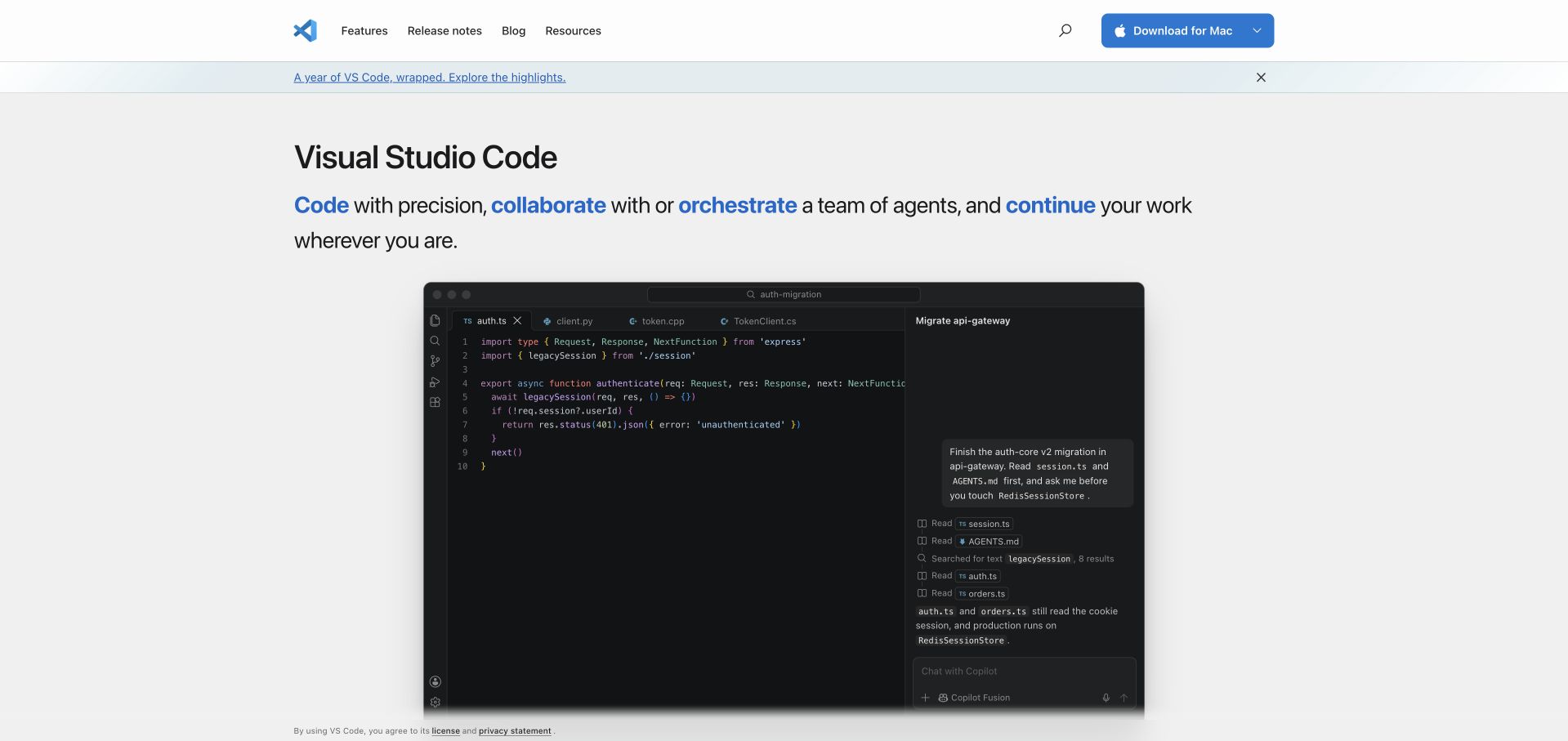
Visual Studio Code puts the editor itself below a compact product introduction rather than hiding it behind an abstract illustration. The page moves from precise editing into agent collaboration, orchestration and work across different surfaces. Download remains a practical header action, while feature explanations supply routes for readers who are not ready to install. The restrained light canvas gives the dark application demonstration a clear boundary.
What you can learn
Show a believable working surface before asking visitors to understand a large feature taxonomy. Here, the public Microsoft repository supplies the GitHub Actions association; that source describes a particular workflow definition, not a measurement of this homepage’s delivery process. Keep those engineering facts separate from the visible presentation.
Pros
The editor demonstration makes a complicated product tangible without requiring account creation.
A persistent download route complements explanatory links for different levels of readiness.
Cons & considerations
An extensive agent narrative can distract readers seeking traditional editing features immediately.
Dense application imagery needs a shorter alternative explanation on narrow screens and assistive devices.
Platform source: Official public repository workflow definition. The microsoft/vscode repository defines a CodeQL analysis workflow for specified push, pull-request and scheduled events. A public workflow definition proves configured repository automation only. It does not prove successful execution, that the workflow remains enabled, that its output reached production, the pictured homepage runtime, or company-wide infrastructure. Platform evidence is separate from the direct website screenshot and is not a complete current infrastructure audit.
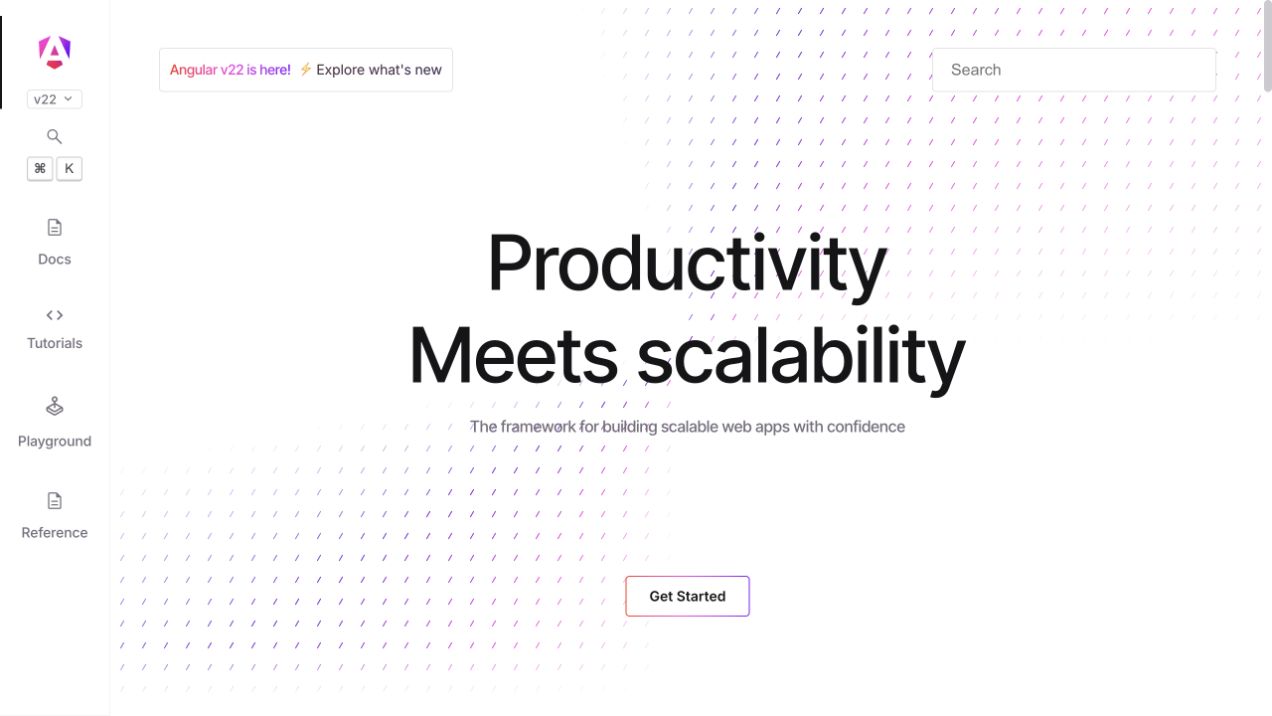
Angular combines a spacious productivity message with an immediately recognizable documentation rail. The opening is unusually calm for a framework with many features, and the later sections demonstrate signals, control flow and hydration with adjacent code. A version announcement gives returning developers a current entry point without making the whole homepage a release note. Getting started and the in-browser learning route remain distinct from reference-oriented navigation.
What you can learn
A framework homepage should help readers choose a learning depth, not force everyone into the same tutorial. Angular’s public repository defines a push-triggered GitHub Actions CI workflow with named checks. That definition supports a project-level association; it does not establish which workflow publishes angular.dev or whether a particular run succeeded.
Pros
The documentation rail provides orientation without crowding the primary framework proposition.
Real code-and-output examples connect a broad productivity claim to understandable interactions.
Cons & considerations
Animated decorative patterns should remain secondary to legible controls and reduced-motion preferences.
Newcomers may need unfamiliar performance terms explained before comparing the named capabilities.
Platform source: Official public repository workflow definition. The angular/angular repository defines a CI workflow with linting, dependency checks and other configured jobs for specified push events. A public workflow definition proves configured repository automation only. It does not prove successful execution, that the workflow remains enabled, that its output reached production, the pictured homepage runtime, or company-wide infrastructure. Platform evidence is separate from the direct website screenshot and is not a complete current infrastructure audit.
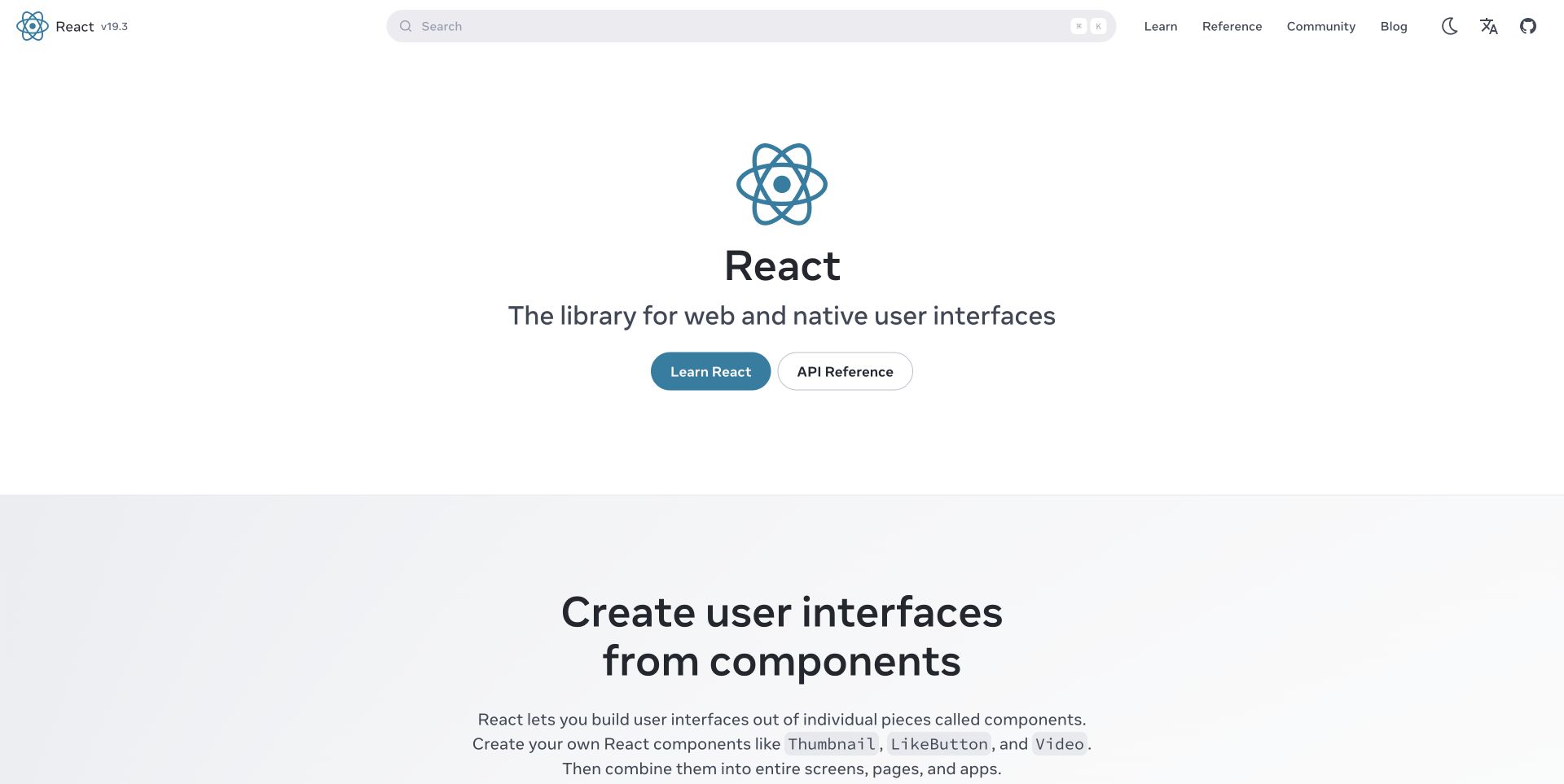
React starts with its name, a short interface-oriented description and two clear choices: learning or reference. The page then develops an argument through component composition rather than a wall of capability badges. Code examples and rendered interfaces appear together, while later sections explain incremental adoption and framework choices. The large amount of white space makes the material feel approachable even when the examples become more technical.
What you can learn
Let the teaching structure demonstrate the product’s central idea. React’s component examples do that before introducing a wider ecosystem. The cited public workflow concerns compiler prerelease publishing, a precise repository activity. It is not evidence that React’s marketing homepage, every Meta property or every React application uses that same release pipeline.
Pros
Learning and API-reference actions acknowledge two fundamentally different visitor tasks.
Paired code and interface examples explain abstraction through visible results instead of slogans.
Cons & considerations
The long introduction requires useful navigation for readers already familiar with component basics.
Framework recommendations need clear boundaries so a library is not mistaken for a complete hosting platform.
Platform source: Official public repository workflow definition. The React project repository defines a compiler prerelease workflow; the evidence is scoped to that package-release automation. A public workflow definition proves configured repository automation only. It does not prove successful execution, that the workflow remains enabled, that its output reached production, the pictured homepage runtime, or company-wide infrastructure. Platform evidence is separate from the direct website screenshot and is not a complete current infrastructure audit.
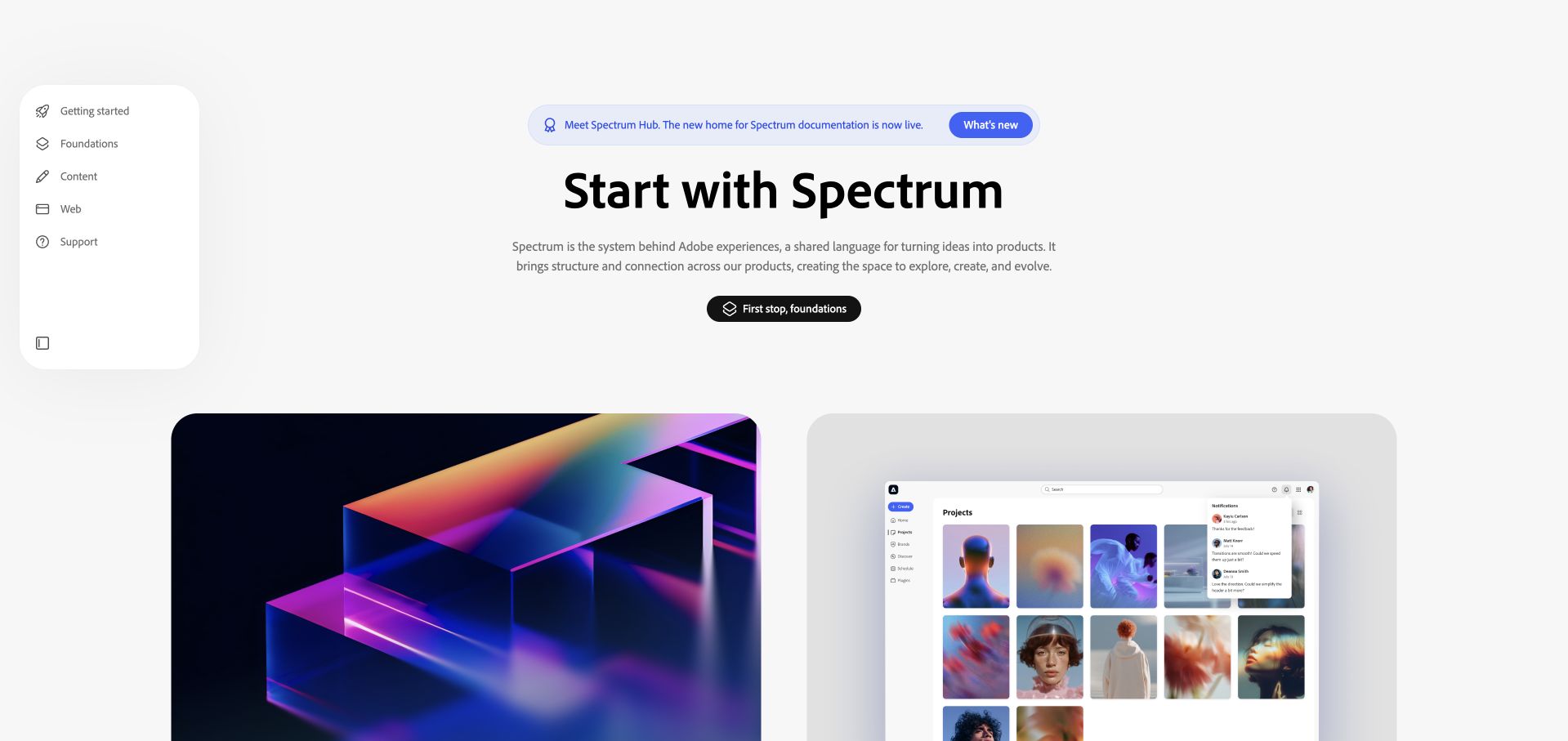
Adobe Spectrum presents foundations as the first stop, with a compact floating navigation panel beside a generous central introduction. Large visual tiles give the system an expressive identity without replacing the documentation path. Later copy distinguishes React and Web Components areas and explains how interactive component playgrounds relate to repositories. The result feels closer to a designed publication than a bare inventory of buttons and form controls.
What you can learn
Give a design system a coherent introduction before exposing every component variant. The source association here is Adobe’s Spectrum Web Components repository and its browser-performance workflow definition. That specific project evidence should not become a claim about the entire Adobe website, every Spectrum implementation or the stack rendering the pictured landing page.
Pros
Foundations receive a clear entry point before readers encounter implementation-specific choices.
Strong visual samples make the design language memorable while preserving readable explanatory copy.
Cons & considerations
A minimal introductory view can leave experienced maintainers looking for direct component access.
Platform-specific beta areas need clear status labels to avoid implying identical support across implementations.
Platform source: Official public repository workflow definition. Adobe’s spectrum-web-components repository defines browser-test automation, including a manual workflow trigger. A public workflow definition proves configured repository automation only. It does not prove successful execution, that the workflow remains enabled, that its output reached production, the pictured homepage runtime, or company-wide infrastructure. Platform evidence is separate from the direct website screenshot and is not a complete current infrastructure audit.
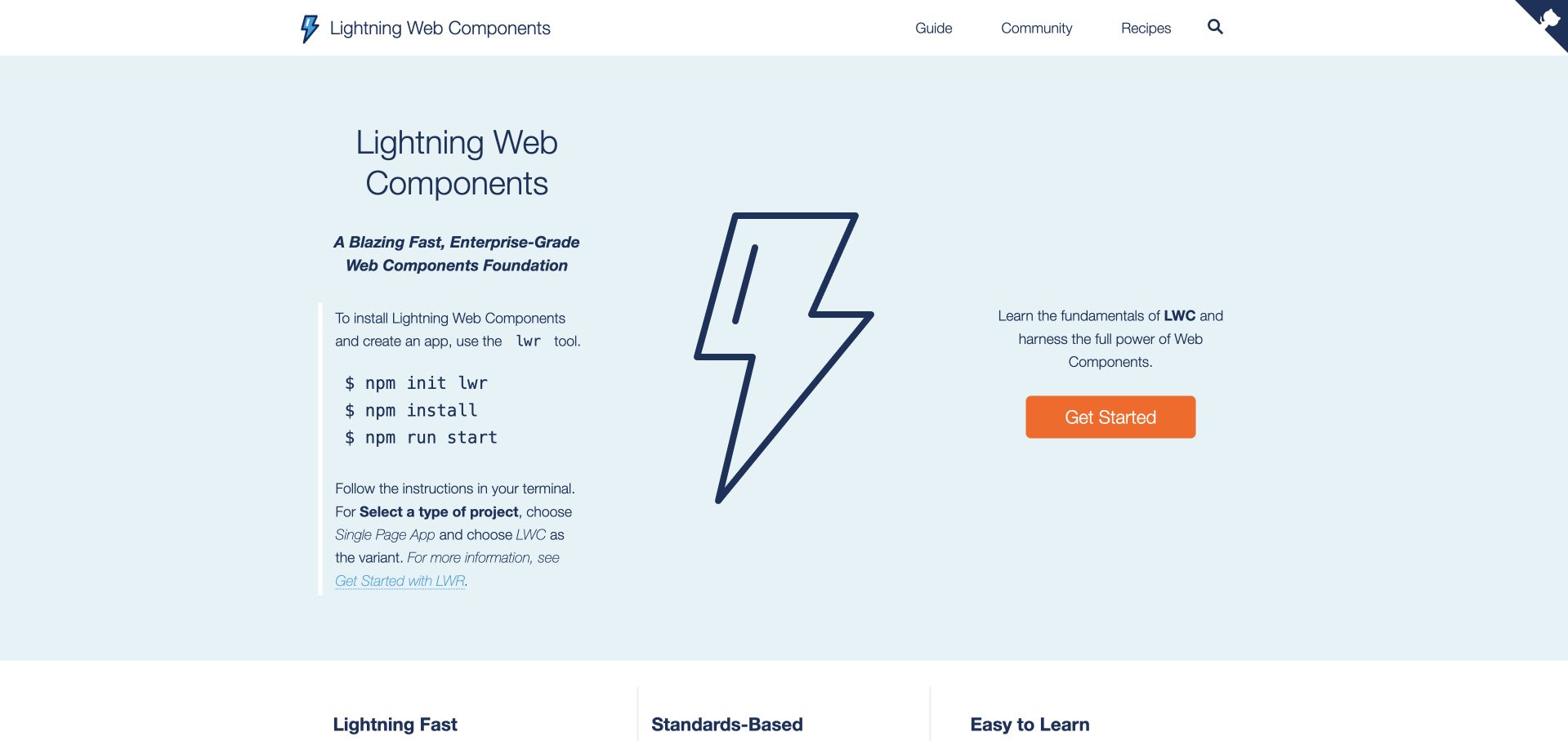
Lightning Web Components pairs a pale-blue hero and lightning-bolt illustration with short installation commands. The framework description is immediately followed by a get-started action rather than a lengthy corporate narrative. Three compact benefit columns explain runtime, standards and learning expectations, then the page expands into guidance and a playground. This is a useful example of an enterprise product keeping its first interaction relatively small and concrete.
What you can learn
Make the initial setup understandable without pretending the commands alone explain an entire deployment. Salesforce’s public LWC repository includes a named performance-benchmark release workflow. That is documentary evidence about the open-source project; it does not prove that the documentation homepage is hosted by GitHub Actions or describe every Salesforce development environment.
Pros
A short command sequence gives readers a concrete sense of what starting involves.
The standards-based explanation helps position the framework without requiring prior Salesforce platform knowledge.
Cons & considerations
A large illustration consumes room that could carry version or environment prerequisites.
Installation examples need maintained documentation links so visitors do not treat a landing-page snippet as exhaustive guidance.
Platform source: Official public repository workflow definition. Salesforce’s lwc repository defines benchmark-release automation for Lightning Web Components. A public workflow definition proves configured repository automation only. It does not prove successful execution, that the workflow remains enabled, that its output reached production, the pictured homepage runtime, or company-wide infrastructure. Platform evidence is separate from the direct website screenshot and is not a complete current infrastructure audit.
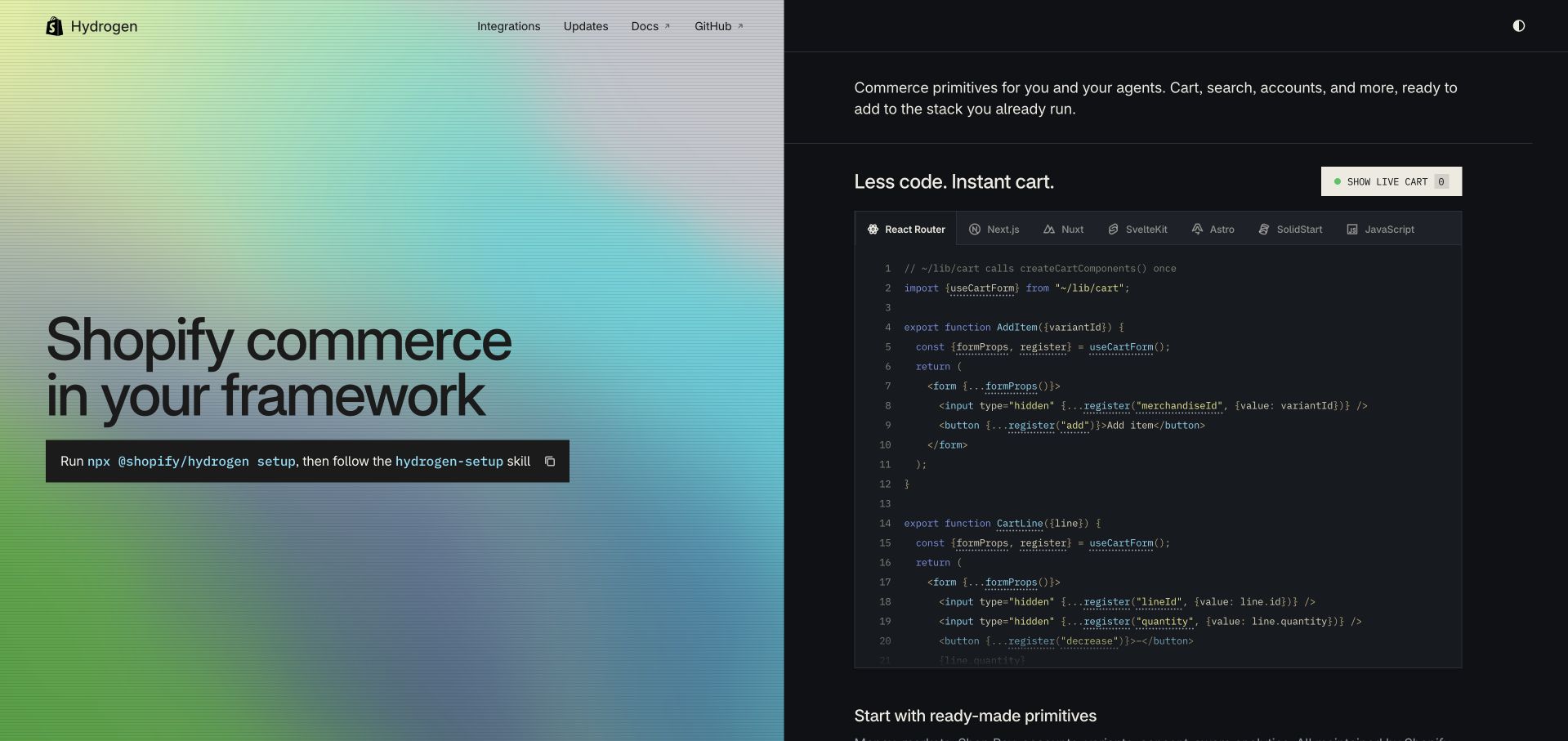
Hydrogen uses a sharp split composition: a colorful brand field on the left and a dark, code-focused area on the right. The copy emphasizes commerce primitives within a reader’s existing framework, while the demonstration exposes cart-related implementation details and framework choices. The setup command is visually prominent, and lower sections connect the technical proposition to shopping experiences and Oxygen hosting. It feels built for developers evaluating a real integration.
What you can learn
Place the central integration question inside the hero rather than postponing it to documentation. The Shopify Hydrogen repository defines a CI workflow covering formatting, types, tests and builds. This establishes a public project association with GitHub Actions, not a claim that every storefront using Hydrogen shares Shopify’s workflow or that the pictured page’s hosting has been independently verified.
Pros
The split layout separates product positioning from detailed implementation without requiring a tab change.
Framework choices acknowledge that commerce functionality may sit within an existing application architecture.
Cons & considerations
A code-heavy opening may need an alternative explanation for nontechnical commerce decision-makers.
A prominent setup command should not obscure account, checkout and operational responsibilities later in implementation.
Platform source: Official public repository workflow definition. Shopify’s hydrogen repository defines a CI workflow for the Hydrogen project. A public workflow definition proves configured repository automation only. It does not prove successful execution, that the workflow remains enabled, that its output reached production, the pictured homepage runtime, or company-wide infrastructure. Platform evidence is separate from the direct website screenshot and is not a complete current infrastructure audit.
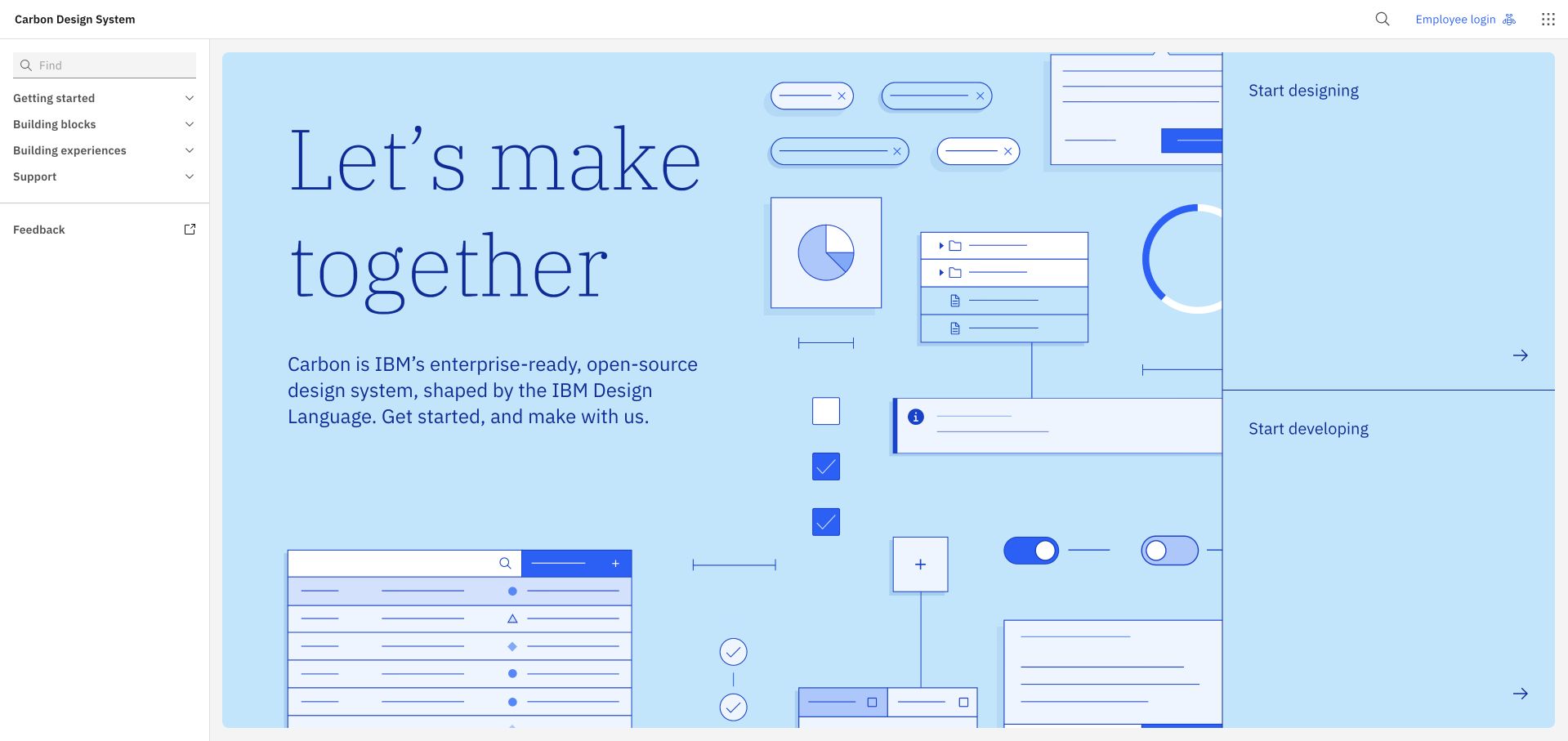
IBM Carbon makes its design language visible through a large pale-blue composition of interface fragments, shapes and typography. Separate designing and developing actions share the opening area, so neither discipline is treated as an afterthought. A quiet sidebar organizes foundations, components and patterns, while the main page extends into practical building blocks and experience guidance. The visual system feels distinctive without making the documentation itself theatrical.
What you can learn
When several disciplines share one system, let each recognize a legitimate starting task immediately. Carbon’s public repository includes a CI definition with formatting and dependency checks. It is evidence about that open-source codebase, not proof that every IBM page uses Carbon, or that a design-system screenshot reveals the infrastructure delivering it.
Pros
Parallel design and development actions reduce the need to infer which path fits a visitor.
Interface fragments communicate the character of the system before a component catalogue is opened.
Cons & considerations
A visually elaborate hero must preserve a useful reading order when the composition collapses.
Additional AI and experience guidance can broaden navigation beyond what a first-time component user needs.
Platform source: Official public repository workflow definition. IBM’s carbon repository defines CI automation for the Carbon design-system project. A public workflow definition proves configured repository automation only. It does not prove successful execution, that the workflow remains enabled, that its output reached production, the pictured homepage runtime, or company-wide infrastructure. Platform evidence is separate from the direct website screenshot and is not a complete current infrastructure audit.
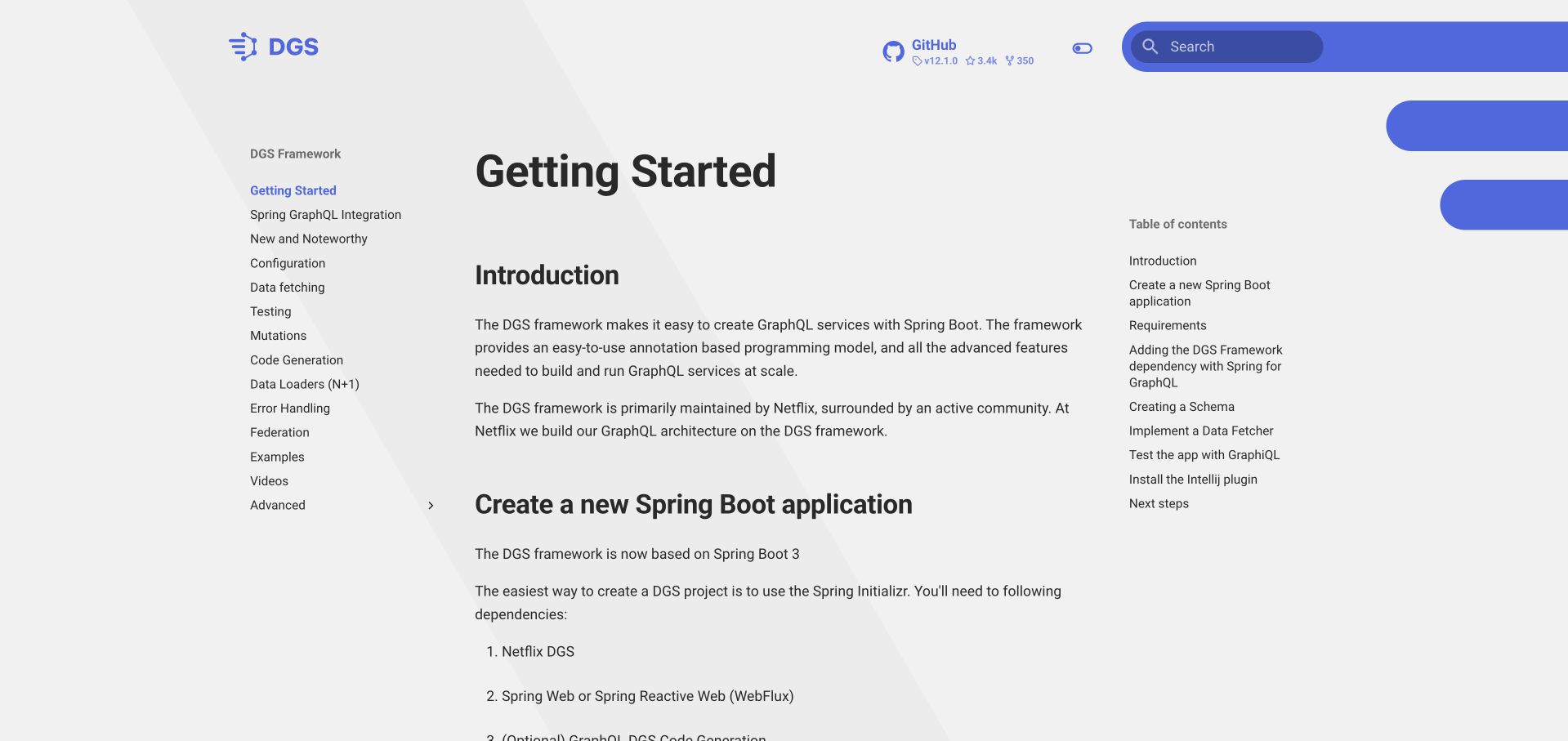
Netflix’s DGS documentation opens directly on getting started, with a left navigation tree and a compact table of contents on the right. The introduction states the GraphQL and Spring Boot relationship before moving into application creation, dependencies and schema work. The visual hierarchy is restrained: blue accents, clear headings and a readable central column carry most of the experience. It is practical documentation rather than a consumer-style product campaign.
What you can learn
For a backend framework, the best introduction may be an ordered first implementation rather than a separate marketing homepage. The DGS repository’s public CI file defines Java-oriented build work. That supports an association with the open-source framework’s development process, not a conclusion about Netflix’s entire streaming infrastructure or the documentation host’s current deployment configuration.
Pros
Three-column documentation structure gives both broad navigation and immediate within-page orientation.
Requirements appear near the setup sequence instead of being buried behind a promotional explanation.
Cons & considerations
New readers may need clearer distinctions between a framework introduction and an exhaustive production architecture.
Long navigation trees demand careful mobile behavior and a reliable search alternative as documentation grows.
Platform source: Official public repository workflow definition. Netflix’s dgs-framework repository defines CI automation for its DGS framework project. A public workflow definition proves configured repository automation only. It does not prove successful execution, that the workflow remains enabled, that its output reached production, the pictured homepage runtime, or company-wide infrastructure. Platform evidence is separate from the direct website screenshot and is not a complete current infrastructure audit.
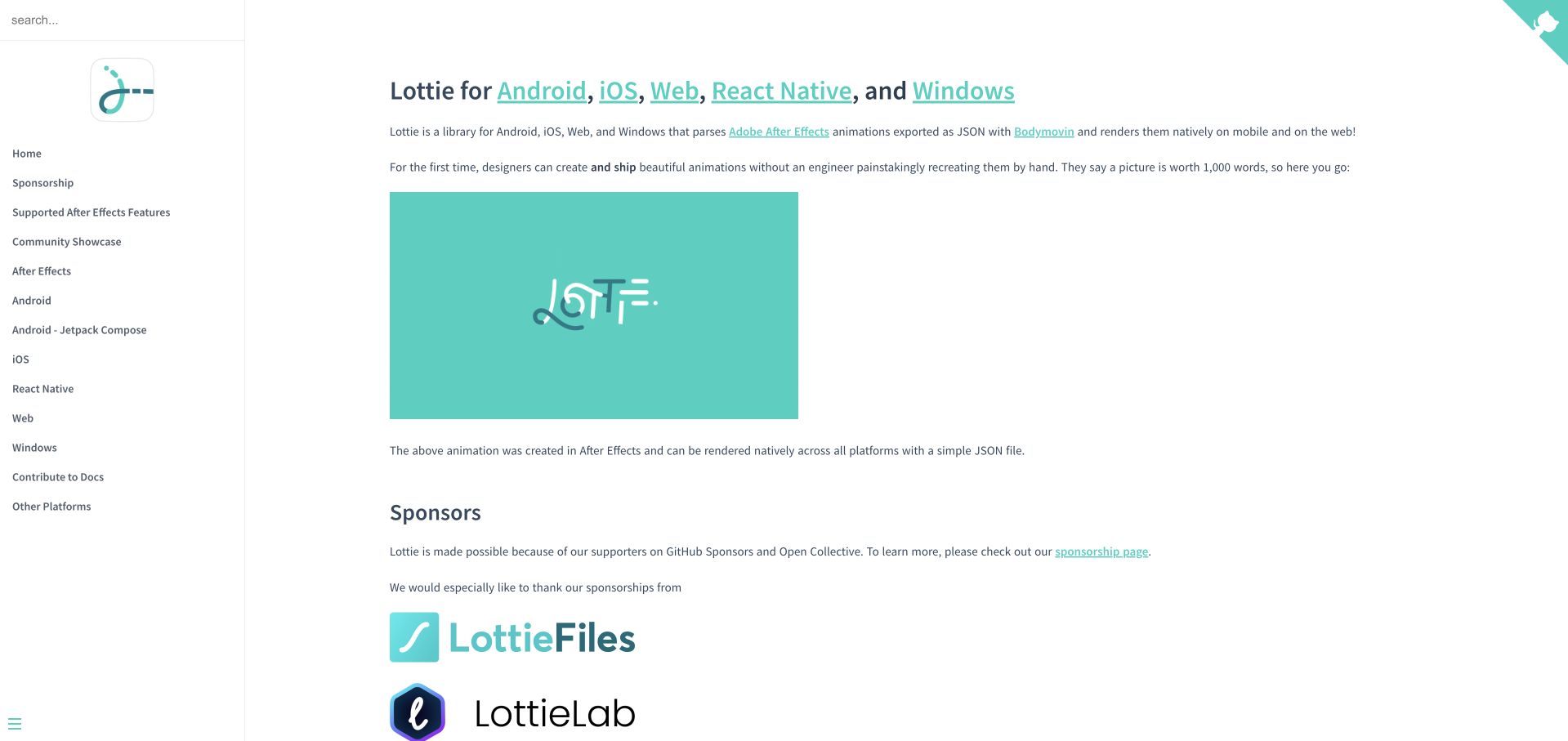
Lottie’s documentation uses a straightforward sidebar and a central explanation of supported platforms, followed by an animation example. Sponsor material, sample-app routes and platform-specific guidance sit below the introduction. The understated white layout gives the animated output room to prove the concept. Instead of presenting a fictional application dashboard, the page explains the relationship between animation authoring, exported data and the experience developers can render.
What you can learn
A visual library can establish relevance through one faithful example, then explain production constraints separately. The Airbnb-maintained Lottie Web repository includes a Node.js CI workflow for animation tests. This is specific repository evidence, not a promise that every supported platform, customer implementation or the documentation homepage uses an identical build configuration.
Pros
The animation example demonstrates the library’s purpose with little explanatory overhead.
Platform navigation makes cross-platform support discoverable without requiring a visitor to scan one enormous tutorial.
Cons & considerations
Motion needs accessible alternatives and should not become the only way to understand the demonstrated behavior.
Sponsorship and historical platform material benefit from clear separation from maintained implementation requirements.
Visible tech stack
Earlier / documented evidence
GitHub Actions
Platform source: Official public repository workflow definition. Airbnb’s lottie-web repository defines test-animation automation for the Lottie Web project. A public workflow definition proves configured repository automation only. It does not prove successful execution, that the workflow remains enabled, that its output reached production, the pictured homepage runtime, or company-wide infrastructure. Platform evidence is separate from the direct website screenshot and is not a complete current infrastructure audit.
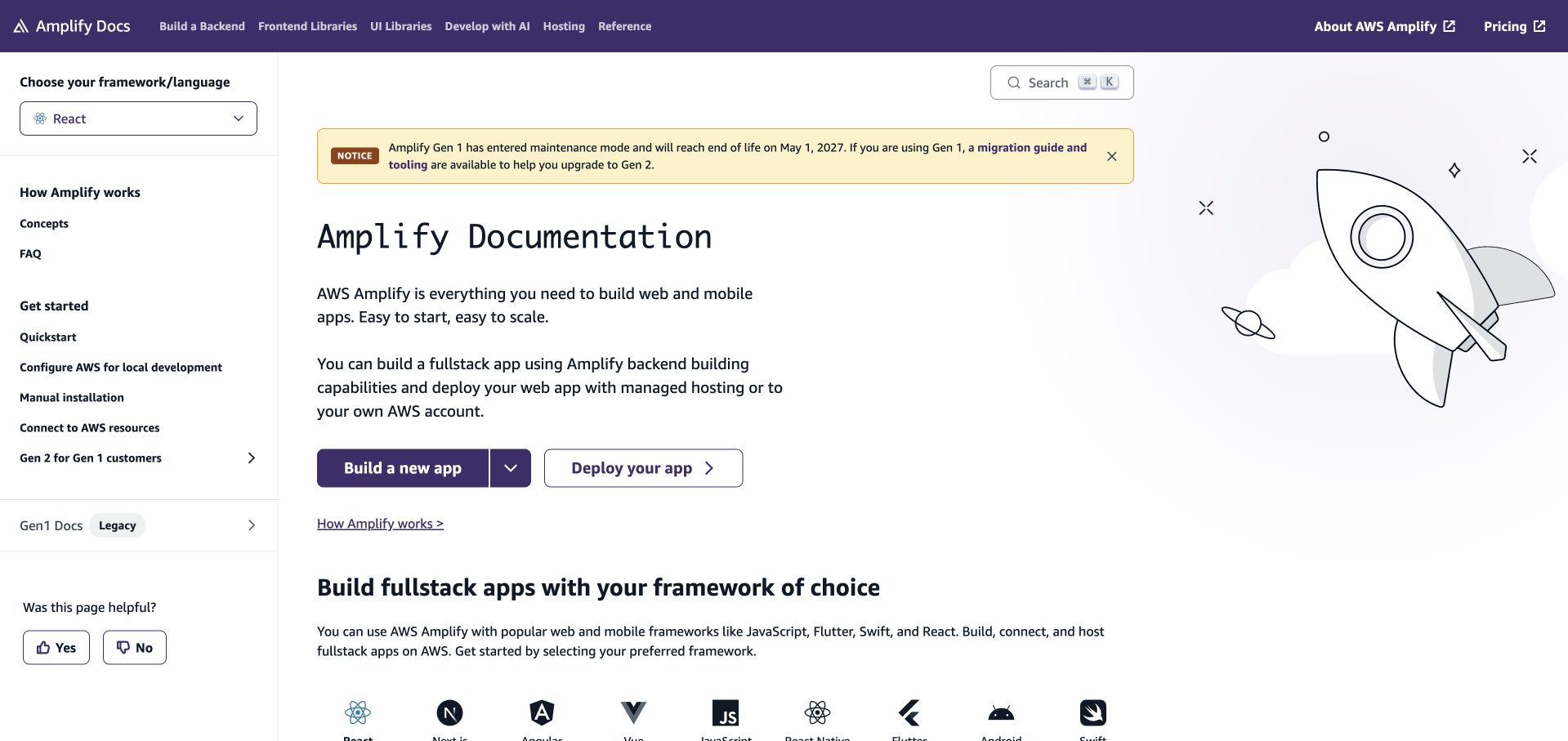
Amplify’s documentation leads with a broad app-building description, a prominent framework selector and separate build and deployment routes. A notice explains the Gen 1 maintenance transition, while the main content introduces Gen 2 capabilities and supported frontend ecosystems. The left navigation retains conceptual and pricing access alongside tutorials. This is a useful structure for a platform whose users may arrive with different frameworks and different existing infrastructure commitments.
What you can learn
When a platform changes generations, make the migration boundary visible before a reader follows a new tutorial. The Amplify JavaScript repository contains a GitHub Actions dependency-check workflow. That is a specific development association; it does not establish the hosting configuration of the documentation homepage or imply every Amplify application uses Actions.
Pros
Framework selection turns a wide product surface into a more relevant starting route.
The generation notice gives existing users essential context before they choose an implementation path.
Cons & considerations
Promotional panels can compete with documentation and should be dismissible without obscuring navigation.
Full-stack language needs precise explanations of which resources are managed and which responsibilities remain with the application team.
Platform source: Official public repository workflow definition. The aws-amplify/amplify-js repository defines a dependency-check workflow for the AWS Amplify JavaScript package. A public workflow definition proves configured repository automation only. It does not prove successful execution, that the workflow remains enabled, that its output reached production, the pictured homepage runtime, or company-wide infrastructure. Platform evidence is separate from the direct website screenshot and is not a complete current infrastructure audit.
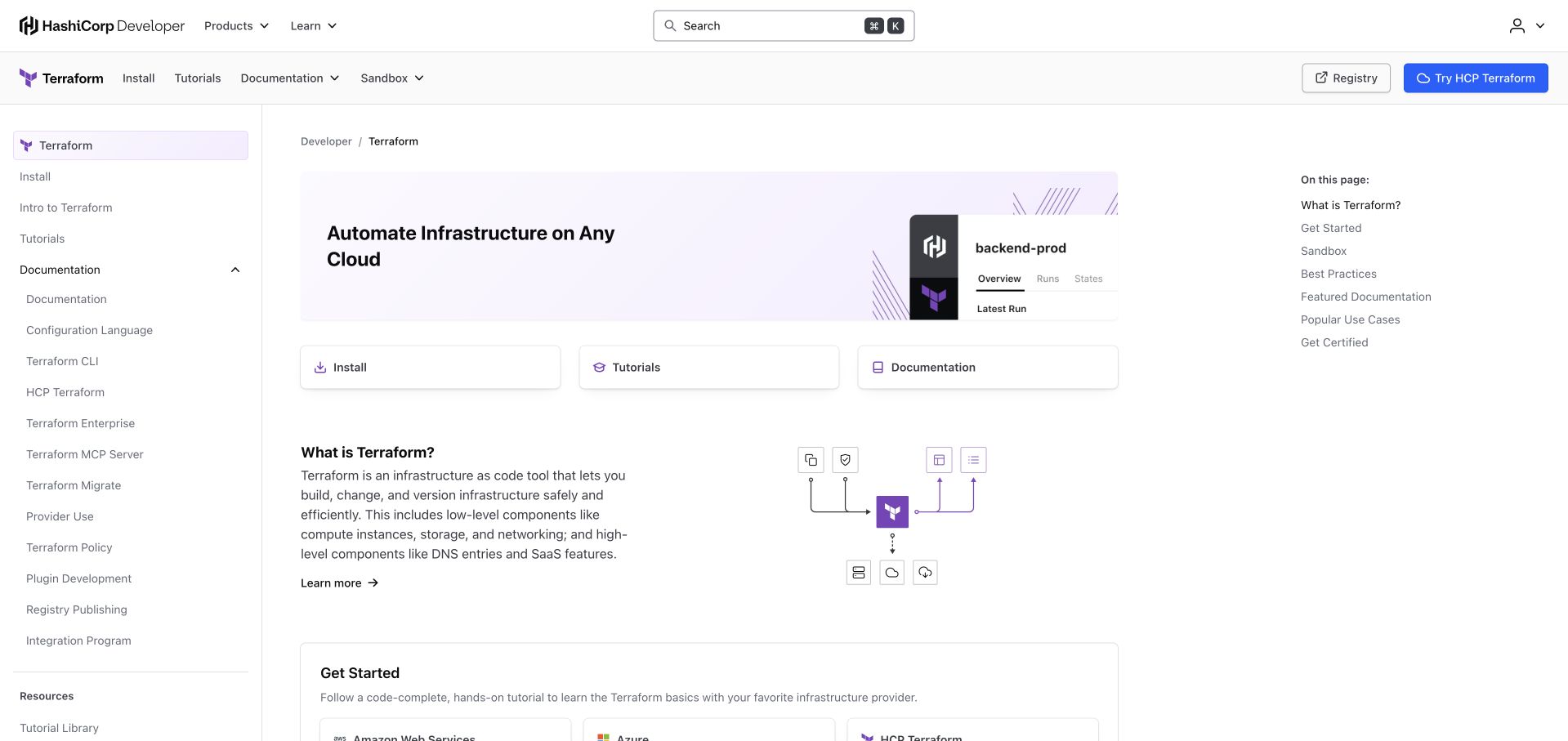
Terraform’s developer hub puts installation, tutorials and documentation directly under a concise infrastructure-automation headline. Provider-specific getting-started options follow the basic explanation, then sandbox and best-practice material broaden the path for more experienced readers. The familiar documentation sidebar and an additional within-page outline support navigation without turning the opening into a dense command reference. The page makes room for both conceptual understanding and immediate practical work.
What you can learn
Separate learning tasks by what someone is trying to accomplish, not only by the internal product hierarchy. HashiCorp’s public Terraform repository defines a callable CLI build workflow. That supplies project-level GitHub Actions evidence, not proof that this public documentation hub or a visitor’s own infrastructure is deployed by that workflow.
Pros
Installation, tutorials and reference are exposed as distinct actions with different expected outcomes.
Provider-specific routes make the learning material more relevant without hiding the shared Terraform concept.
Cons & considerations
Several navigation layers need deliberate responsive behavior to avoid squeezing the actual documentation column.
A browser sandbox can demonstrate syntax but should not imply that production permissions and state management are already solved.
Platform source: Official public repository workflow definition. HashiCorp’s terraform repository defines a Terraform CLI build workflow. A public workflow definition proves configured repository automation only. It does not prove successful execution, that the workflow remains enabled, that its output reached production, the pictured homepage runtime, or company-wide infrastructure. Platform evidence is separate from the direct website screenshot and is not a complete current infrastructure audit.
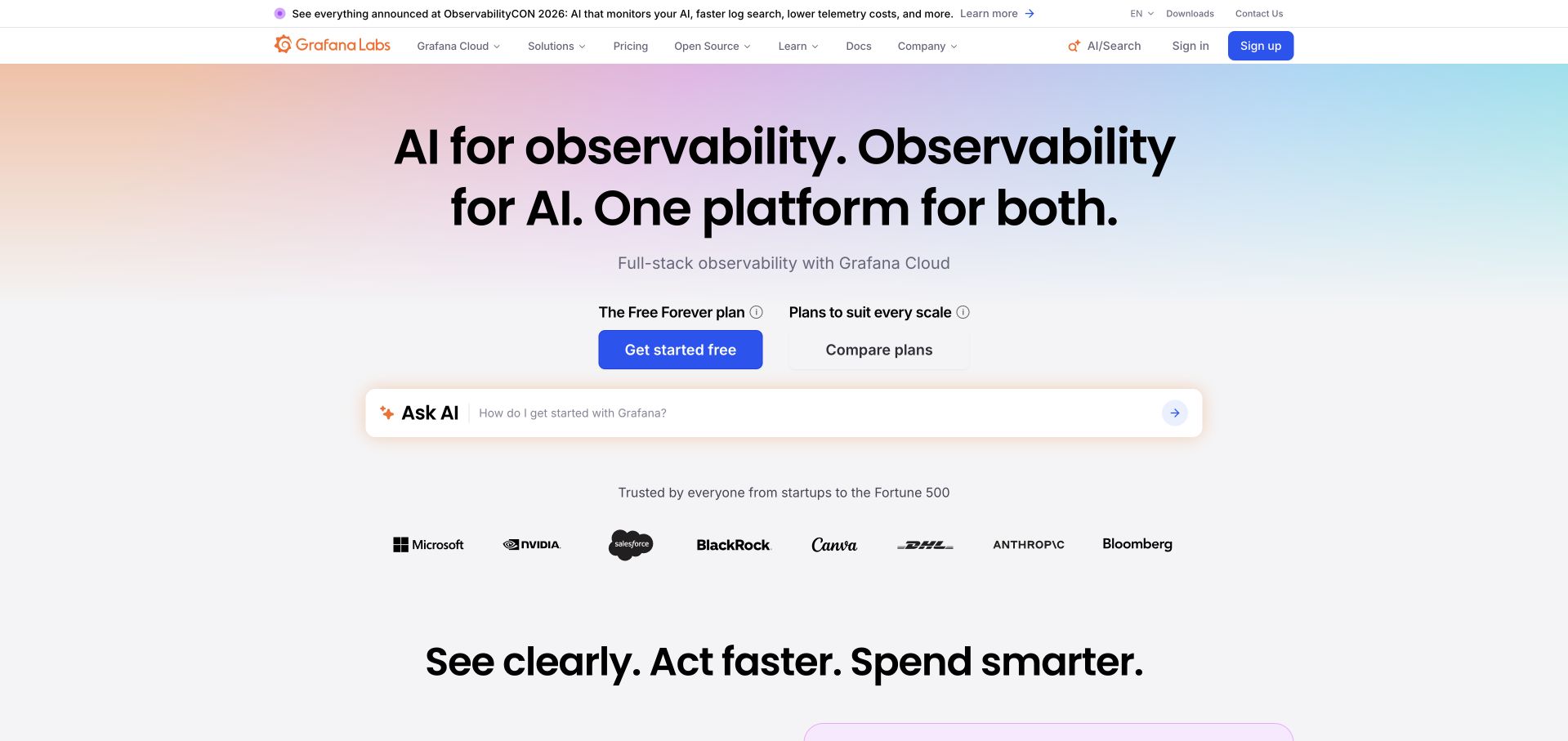
Grafana’s homepage uses a soft multicolor background behind a direct observability message, followed by free and comparison routes. A compact assistant-style input sits below the main actions, while customer logos and feature sections extend the proposition into cost, troubleshooting and integrated telemetry. The layout connects a wide technical platform to a few recognizable jobs instead of starting with an exhaustive inventory of data types.
What you can learn
Give visitors a clear entry decision before expanding into the platform’s many capabilities. Grafana’s public repository defines backend code-check workflows, which is a precise development-process association with GitHub Actions. It is not evidence that every Grafana Cloud workload, customer installation or the pictured marketing homepage is built and deployed through that same file.
Pros
A free-start route and a plan-comparison route acknowledge different levels of evaluation readiness.
The broad platform story is broken into operational tasks rather than an undifferentiated wall of features.
Cons & considerations
AI terminology across many sections can make the underlying monitoring proposition harder to distinguish.
An assistant-like field should explain its scope and preserve direct navigation for visitors who prefer not to interact with it.
Platform source: Official public repository workflow definition. Grafana’s grafana repository defines backend code-check automation. A public workflow definition proves configured repository automation only. It does not prove successful execution, that the workflow remains enabled, that its output reached production, the pictured homepage runtime, or company-wide infrastructure. Platform evidence is separate from the direct website screenshot and is not a complete current infrastructure audit.
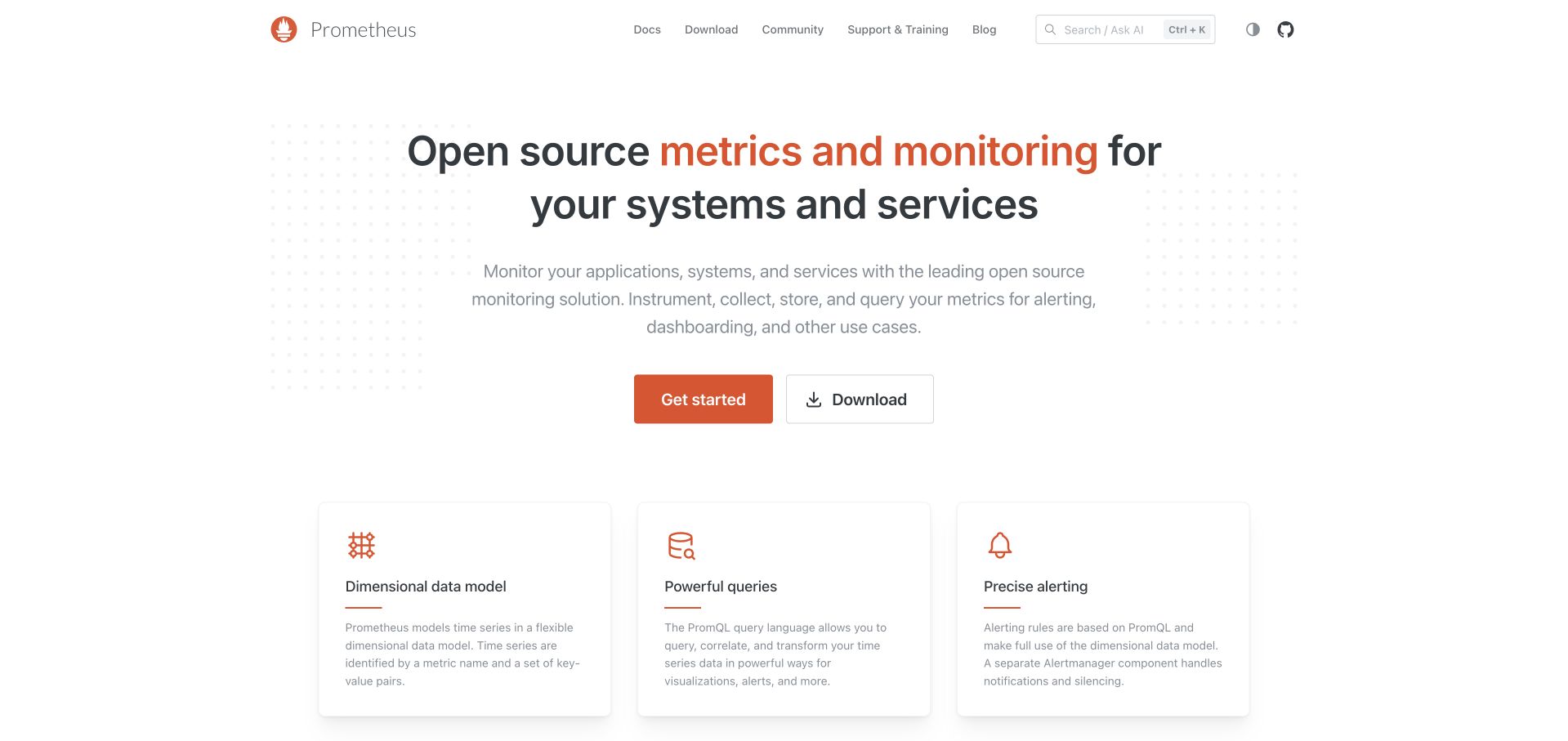
Prometheus presents its monitoring purpose in a wide, uncluttered hero with getting-started and download actions. A row of capability cards then explains the dimensional data model, query language and alerting before the page moves into its cloud-native and community context. Orange accents and a simple header retain a recognizable identity without turning a serious infrastructure product into a generic enterprise sales page.
What you can learn
A focused technical model is easier to understand when the first few features describe how it works rather than claiming universal transformation. Prometheus’s public CI workflow defines Go tests and related checks. That supports a repository-level Actions association, not a claim about the public website’s hosting or every organization running Prometheus in production.
Pros
The opening names the monitoring task and provides practical learning and download routes immediately.
Capability cards explain distinctive concepts in a format that is easy to scan and revisit.
Cons & considerations
Visitors new to metrics still need linked examples to understand how the concepts fit an actual service.
A download action should remain paired with clear operational and security guidance rather than implying installation completes the monitoring design.
Platform source: Official public repository workflow definition. The prometheus/prometheus repository defines CI automation for the Prometheus project. A public workflow definition proves configured repository automation only. It does not prove successful execution, that the workflow remains enabled, that its output reached production, the pictured homepage runtime, or company-wide infrastructure. Platform evidence is separate from the direct website screenshot and is not a complete current infrastructure audit.
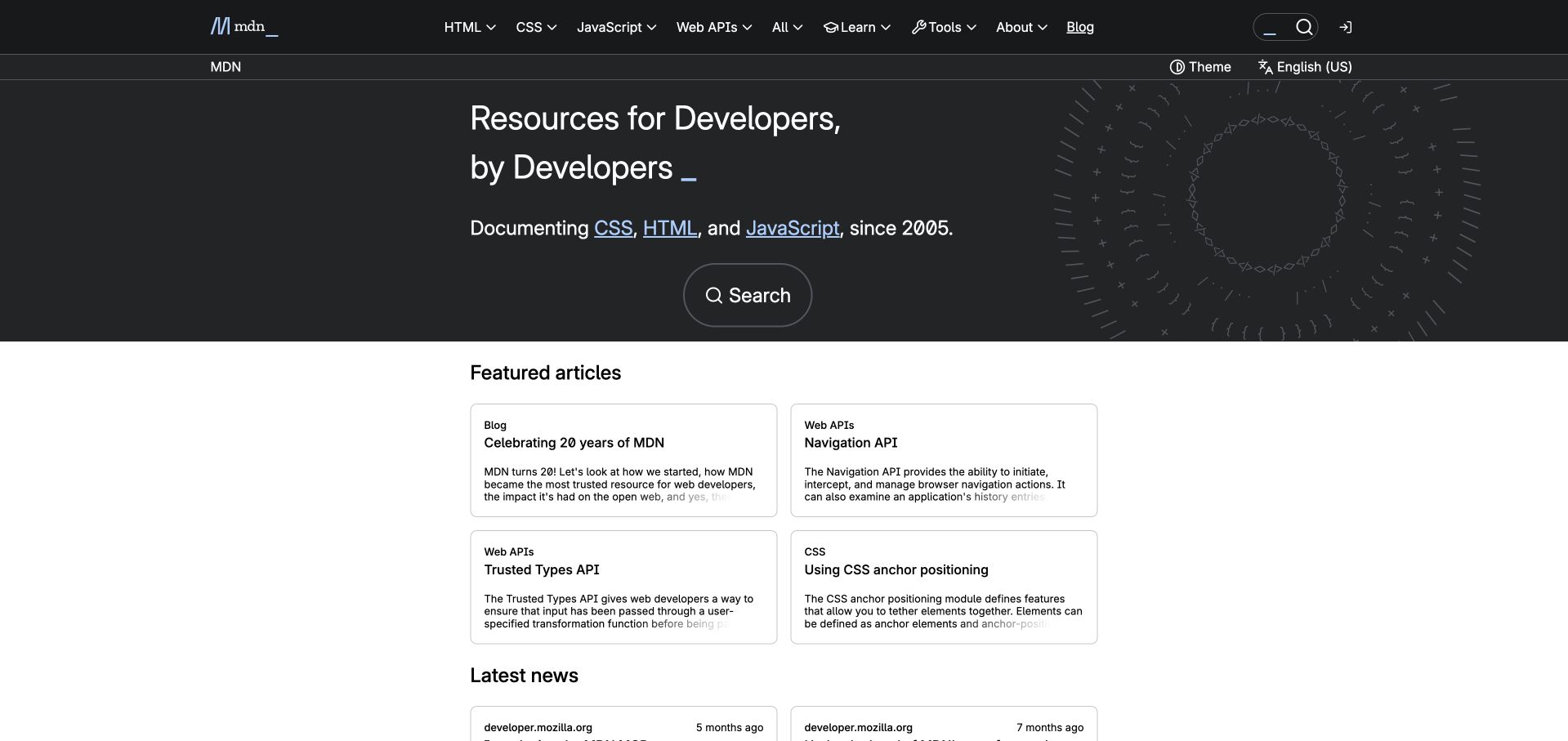
MDN combines a dark, patterned introduction with a direct search route and persistent subject navigation. Featured articles, current news and community contributions follow in separate sections, so a returning developer can look something up while a curious reader can explore. The design relies on typography and a few restrained borders rather than product screenshots. Its central strength is treating reference, learning and editorial discovery as related but different tasks.
What you can learn
A reference library should preserve a short path to a specific answer even when it has a substantial editorial programme. MDN’s public content repository defines a content-linting GitHub Actions workflow. That demonstrates a documented repository check, not the full publishing architecture of developer.mozilla.org or the delivery system behind every linked documentation page.
Pros
Search and recognizable web-language categories support readers who arrive with a precise question.
Editorial and contribution sections add depth without replacing the reference-oriented opening structure.
Cons & considerations
Decorative character patterns must not become distracting motion or redundant content for assistive technology.
A large library needs strong version, browser-support and maintenance context beyond an attractive homepage.
Platform source: Official public repository workflow definition. The mdn/content repository defines pull-request content-linting automation for MDN documentation. A public workflow definition proves configured repository automation only. It does not prove successful execution, that the workflow remains enabled, that its output reached production, the pictured homepage runtime, or company-wide infrastructure. Platform evidence is separate from the direct website screenshot and is not a complete current infrastructure audit.
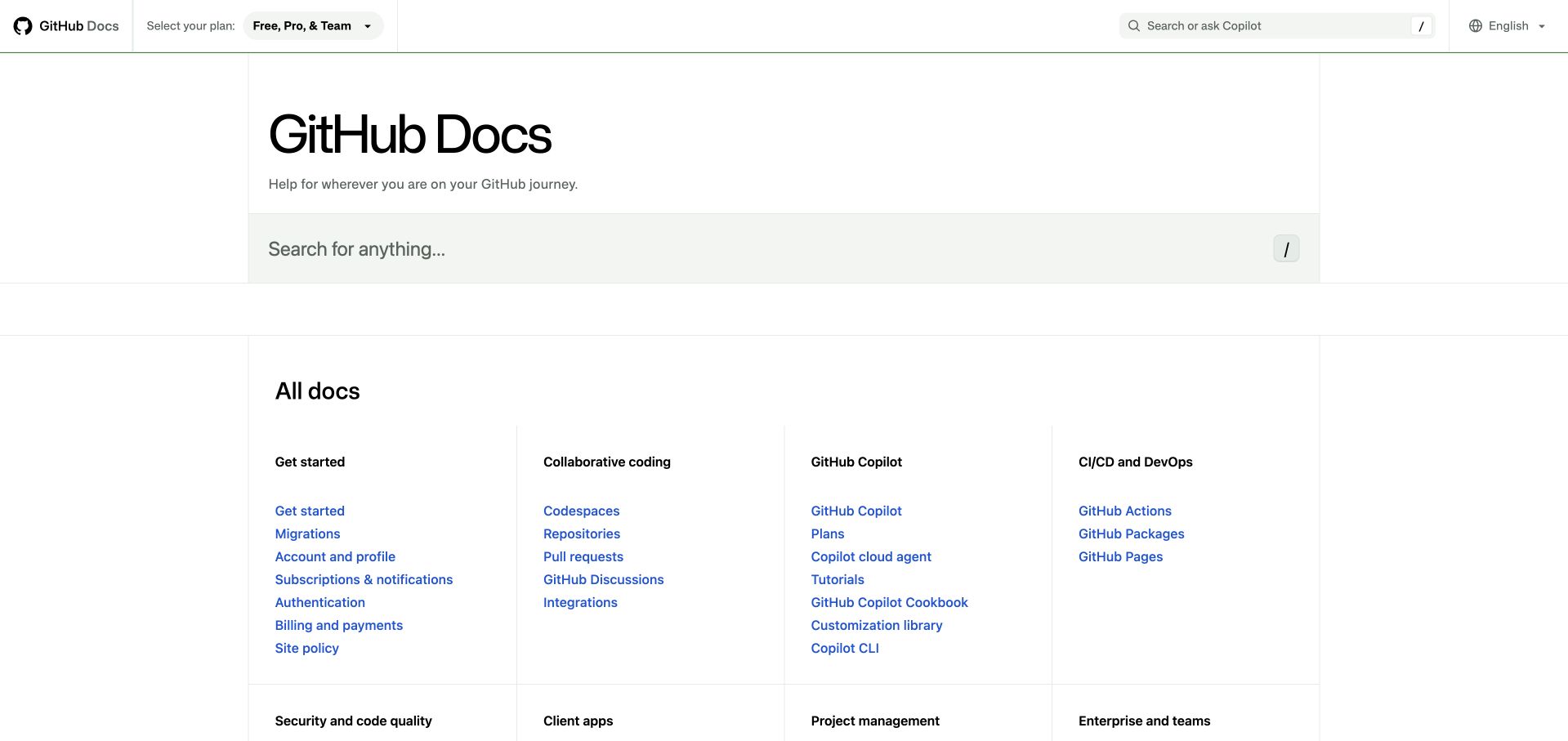
GitHub Docs opens with a large search field and a deliberately plain catalogue of documentation families. Getting started, collaboration, security, development APIs and enterprise administration are separated into readable groups instead of a carousel of featured content. The light background and compact links make the page feel like an index rather than a campaign. It is especially useful to study when a product has many distinct audiences and established task vocabulary.
What you can learn
A comprehensive documentation homepage does not need to make every link a large card. Grouping and labels can carry the hierarchy. GitHub’s public docs repository contains Actions workflow definitions for repository maintenance; the cited definition is not evidence of every publication step or a complete description of the infrastructure hosting the documentation service.
Pros
A prominent search action supports direct lookup before readers navigate the full catalogue.
Task families make a broad product’s documentation more legible without adding unnecessary imagery or promotional layers.
Cons & considerations
Dense indexes rely on clear typography and spacing to remain comfortable on smaller screens.
New users may need guided starting routes because accurate product terminology can still be unfamiliar before their first project.
Platform source: Official public repository workflow definition. The github/docs repository defines a non-English-content checking workflow. This is repository-maintenance evidence, not a claim about the full documentation deployment pipeline. A public workflow definition proves configured repository automation only. It does not prove successful execution, that the workflow remains enabled, that its output reached production, the pictured homepage runtime, or company-wide infrastructure. Platform evidence is separate from the direct website screenshot and is not a complete current infrastructure audit.
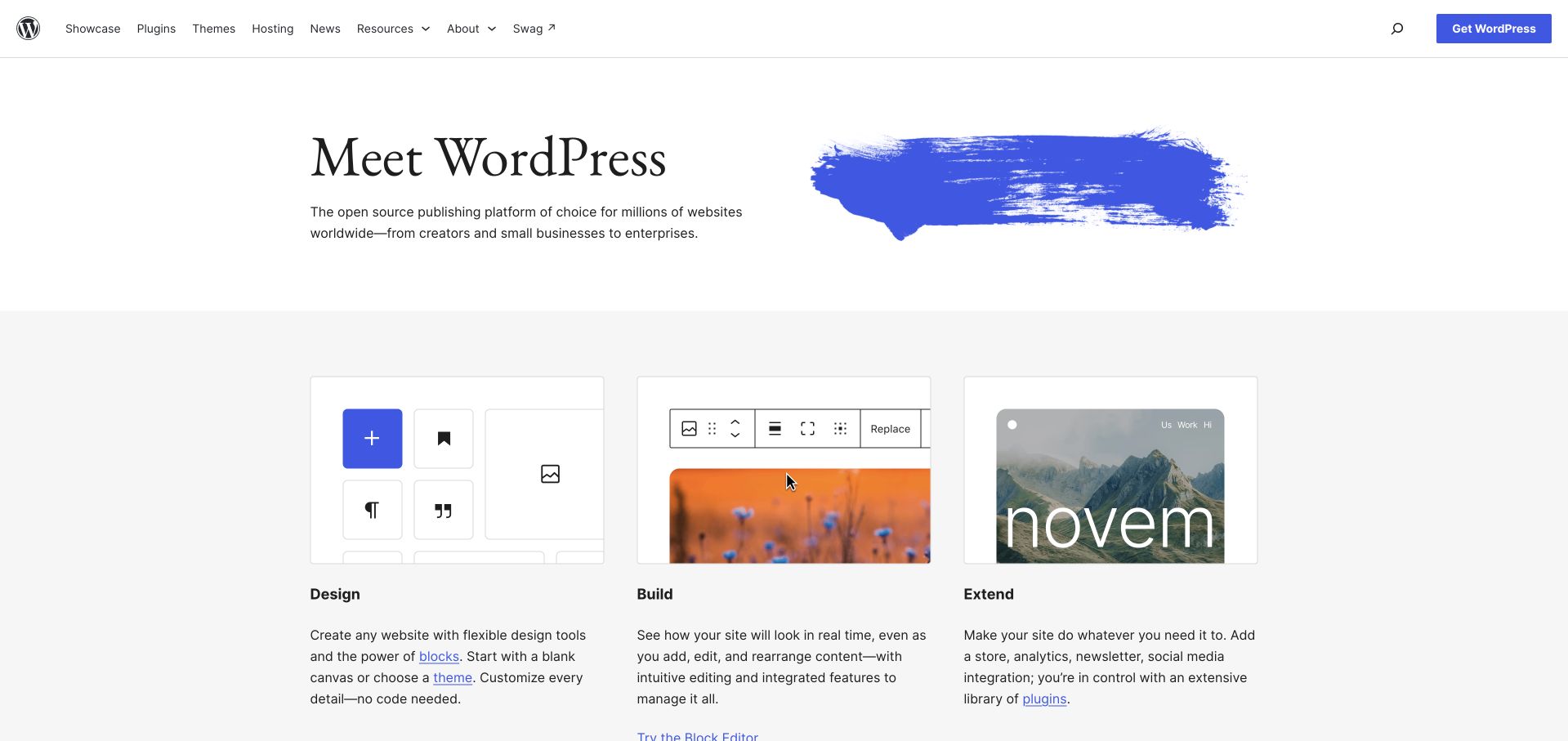
WordPress opens with a restrained statement of purpose and a distinctive painted-blue visual, then organizes the next section around design, building and extension. Interface imagery illustrates the block editor without requiring a visitor to enter an account. A current release section and a broader example gallery extend the page beyond first-time discovery. The navigation leaves download and support-oriented tasks accessible while the main content speaks to website owners as well as developers.
What you can learn
Explain a platform through the actions people expect to perform, then offer deeper technical routes. WordPress’s public development repository defines end-to-end testing in GitHub Actions. That evidence concerns WordPress project development, not a blanket claim about WordPress.org hosting or the build process of every WordPress-powered website.
Pros
Design, build and extend provide a memorable organizing structure for a broad publishing platform.
Editor imagery helps nontechnical visitors connect abstract flexibility to a visible authoring experience.
Cons & considerations
Release messaging can age quickly and needs independent maintenance from evergreen product explanations.
A broad ecosystem story should clarify which capabilities come from core, hosting choices or separately maintained plugins.
Platform source: Official public repository workflow definition. The WordPress/wordpress-develop repository defines end-to-end test automation for WordPress project development, not every WordPress website. A public workflow definition proves configured repository automation only. It does not prove successful execution, that the workflow remains enabled, that its output reached production, the pictured homepage runtime, or company-wide infrastructure. Platform evidence is separate from the direct website screenshot and is not a complete current infrastructure audit.
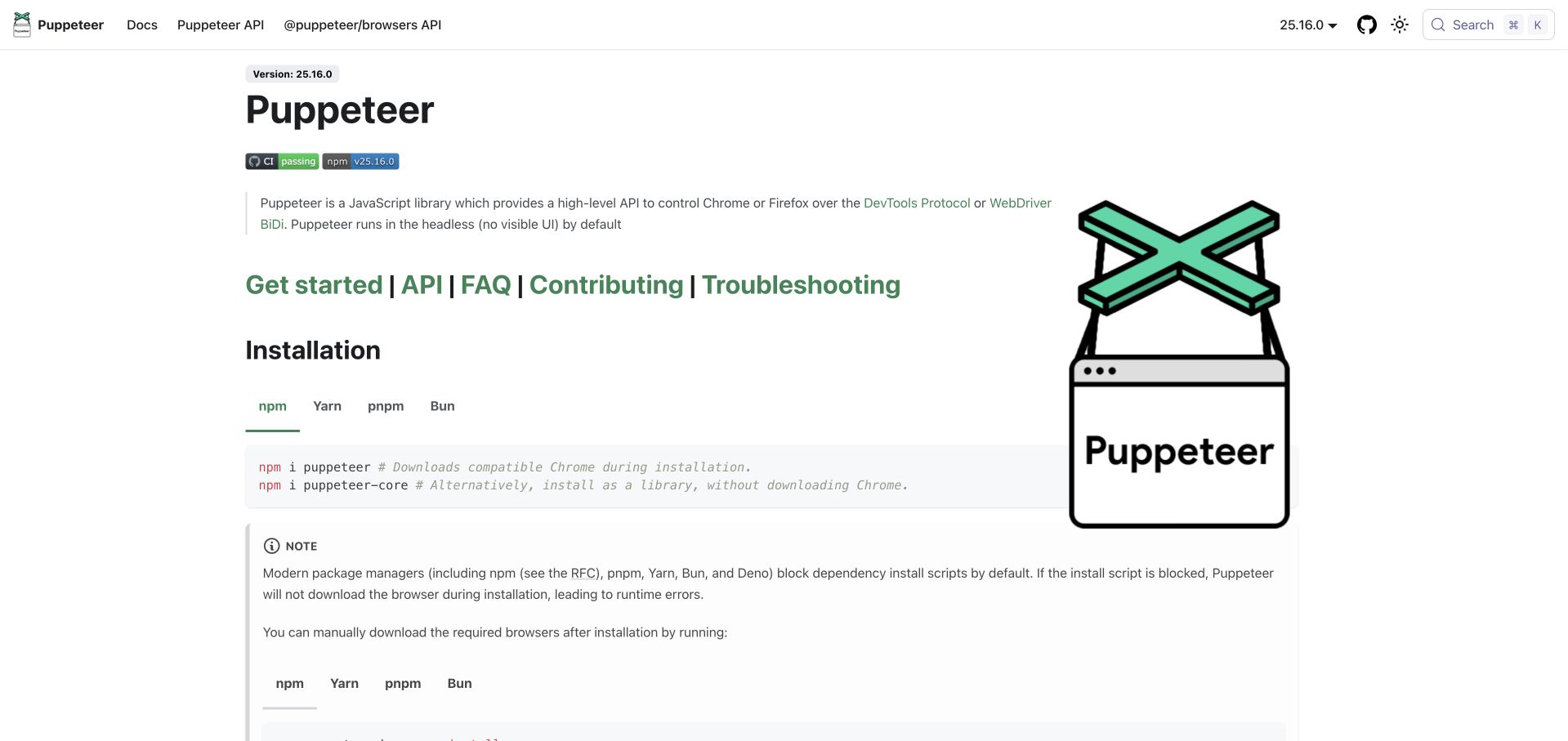
Puppeteer’s public documentation provides a practical entry point into browser automation rather than surrounding it with enterprise campaign material. The product name, a concise browser-control explanation and documentation navigation establish its purpose quickly. Setup and API routes give developers a way to move from evaluation into implementation. This kind of focused presentation is useful when the library’s value is best understood through a small working example rather than a broad list of industries.
What you can learn
Keep the library’s first task narrower than its full range of possibilities. The public Puppeteer repository defines a CI workflow with code inspection and other checks. This is evidence of a configured GitHub Actions workflow, not execution results, a guarantee about maintained examples or permission to run automation against third-party systems.
Pros
A documentation-led entry respects developers who need a concrete API or installation answer.
A narrowly defined library proposition avoids burying the first useful task beneath generalized platform claims.
Cons & considerations
Browser automation examples need explicit environment and version context to remain reproducible over time.
A simple setup path should still link to responsible-use, security and operational limits rather than implying every target site can be automated freely.
Platform source: Official public repository workflow definition. Google’s puppeteer/puppeteer repository defines CI automation for the Puppeteer project. A public workflow definition proves configured repository automation only. It does not prove successful execution, that the workflow remains enabled, that its output reached production, the pictured homepage runtime, or company-wide infrastructure. Platform evidence is separate from the direct website screenshot and is not a complete current infrastructure audit.
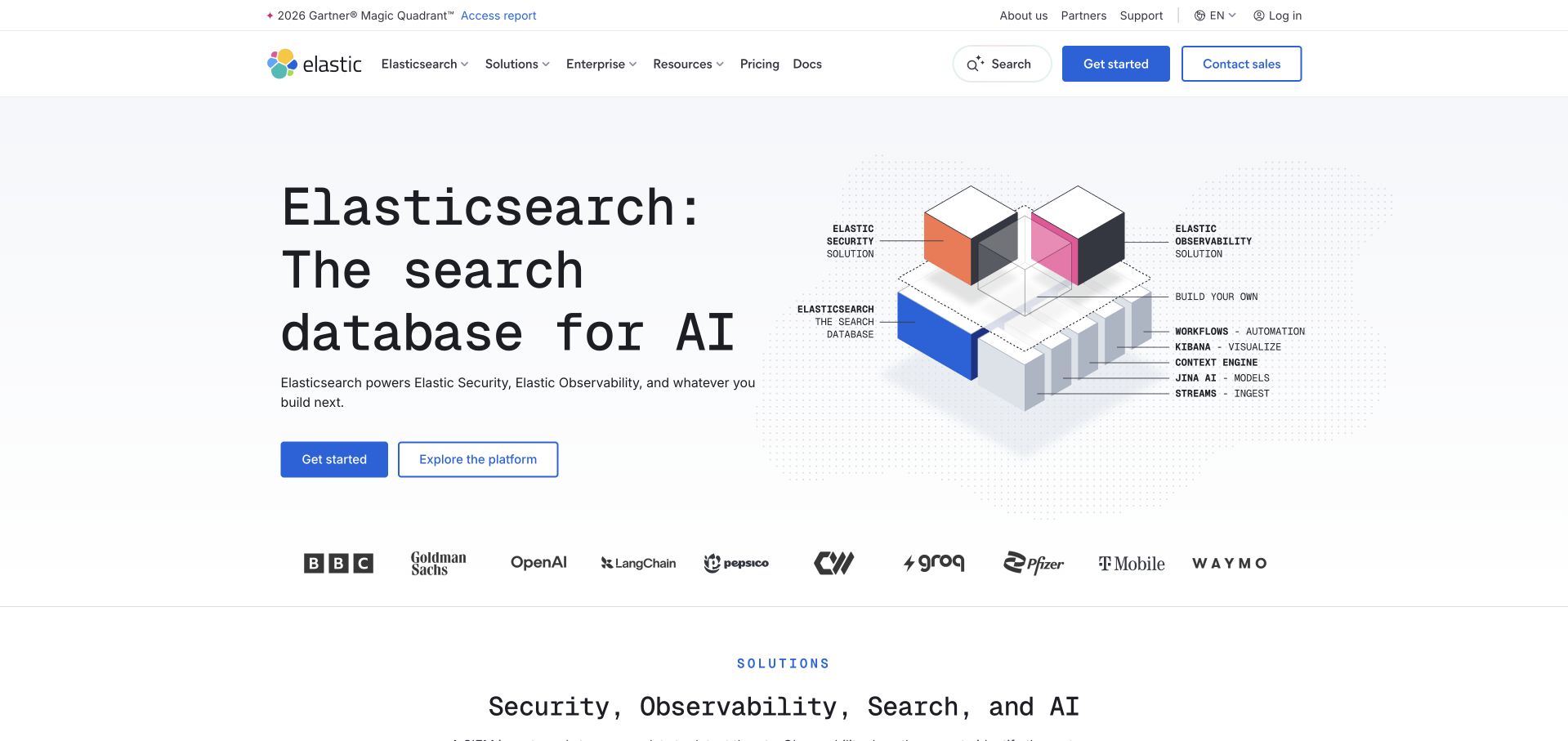
Elastic frames its homepage around a shared search-database foundation, then separates security, observability and search-oriented uses. A diagram-like hero visual supports the technical positioning without requiring visitors to read a full architecture paper. Starting and platform-exploration actions sit together, while lower sections connect the broad proposition to more specific operational problems. The page shows how one underlying technology can support several audiences without making them identical.
What you can learn
Name the common foundation, then provide genuine routes for the different jobs it supports. Elastic’s public Kibana repository defines an Actions workflow handling failed-test comments. That specific automation is the documentary association here; it does not establish the full Kibana release pipeline or the runtime technology of the pictured corporate homepage.
Pros
Distinct solution paths translate an abstract data-platform story into recognizable visitor tasks.
The technical illustration gives the hero a structural idea rather than relying only on a generic product mockup.
Cons & considerations
A very broad platform promise can make it difficult to identify the smallest appropriate starting product.
AI-first phrasing should not obscure practical deployment, data-governance and operating-cost questions during evaluation.
Platform source: Official public repository workflow definition. Elastic’s kibana repository defines automation for reporting failed-test comments. This is a particular maintenance workflow, not proof of the entire Kibana CI system. A public workflow definition proves configured repository automation only. It does not prove successful execution, that the workflow remains enabled, that its output reached production, the pictured homepage runtime, or company-wide infrastructure. Platform evidence is separate from the direct website screenshot and is not a complete current infrastructure audit.
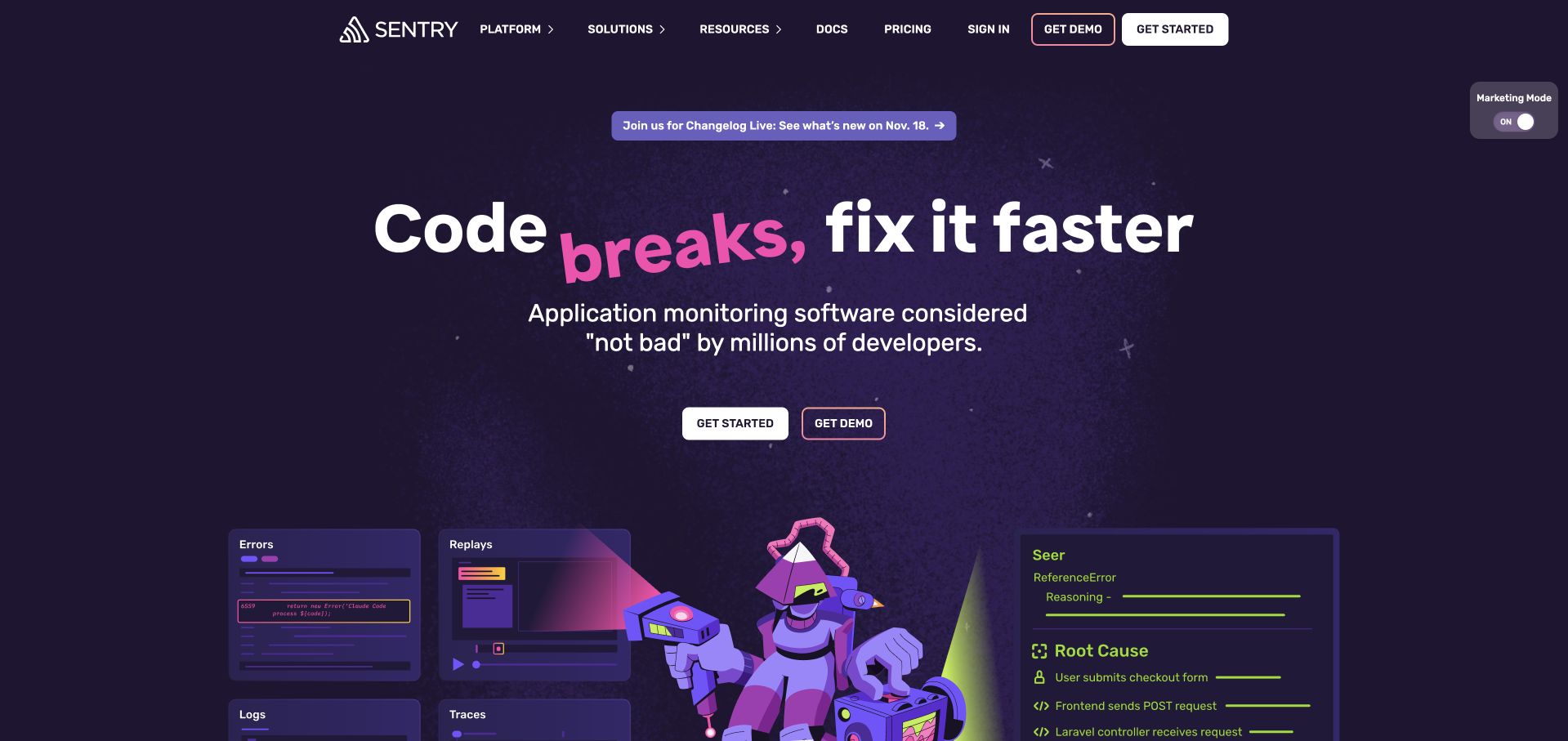
Sentry uses a dark-purple opening, a large problem-focused headline and a playful gradient accent to make application monitoring feel direct rather than bureaucratic. Starting and demo actions are immediately available, with recognizable customer names and illustrated feature surfaces below. The later sections emphasize connected debugging context and practical integration. The tone is memorable because it is tied to a specific developer frustration rather than pasted onto a generic software platform story.
What you can learn
An informal voice works best when the product job remains exceptionally clear. Sentry’s public repository includes a release workflow definition with manual and scheduled triggers. That establishes a particular GitHub Actions association, not a claim about every Sentry service, all customer deployments or the publishing process used for this marketing page.
Pros
The problem statement quickly distinguishes the product’s task from a vague promise of digital transformation.
A consistent visual voice links the headline, illustrations and product explanations into one recognizable experience.
Cons & considerations
Playful phrasing still needs clear technical definitions for readers comparing concrete monitoring requirements.
Extensive integration and AI messaging can compete with the straightforward error-debugging proposition if hierarchy weakens.
Platform source: Official public repository workflow definition. The getsentry/sentry repository defines a release workflow for the Sentry project. A public workflow definition proves configured repository automation only. It does not prove successful execution, that the workflow remains enabled, that its output reached production, the pictured homepage runtime, or company-wide infrastructure. Platform evidence is separate from the direct website screenshot and is not a complete current infrastructure audit.
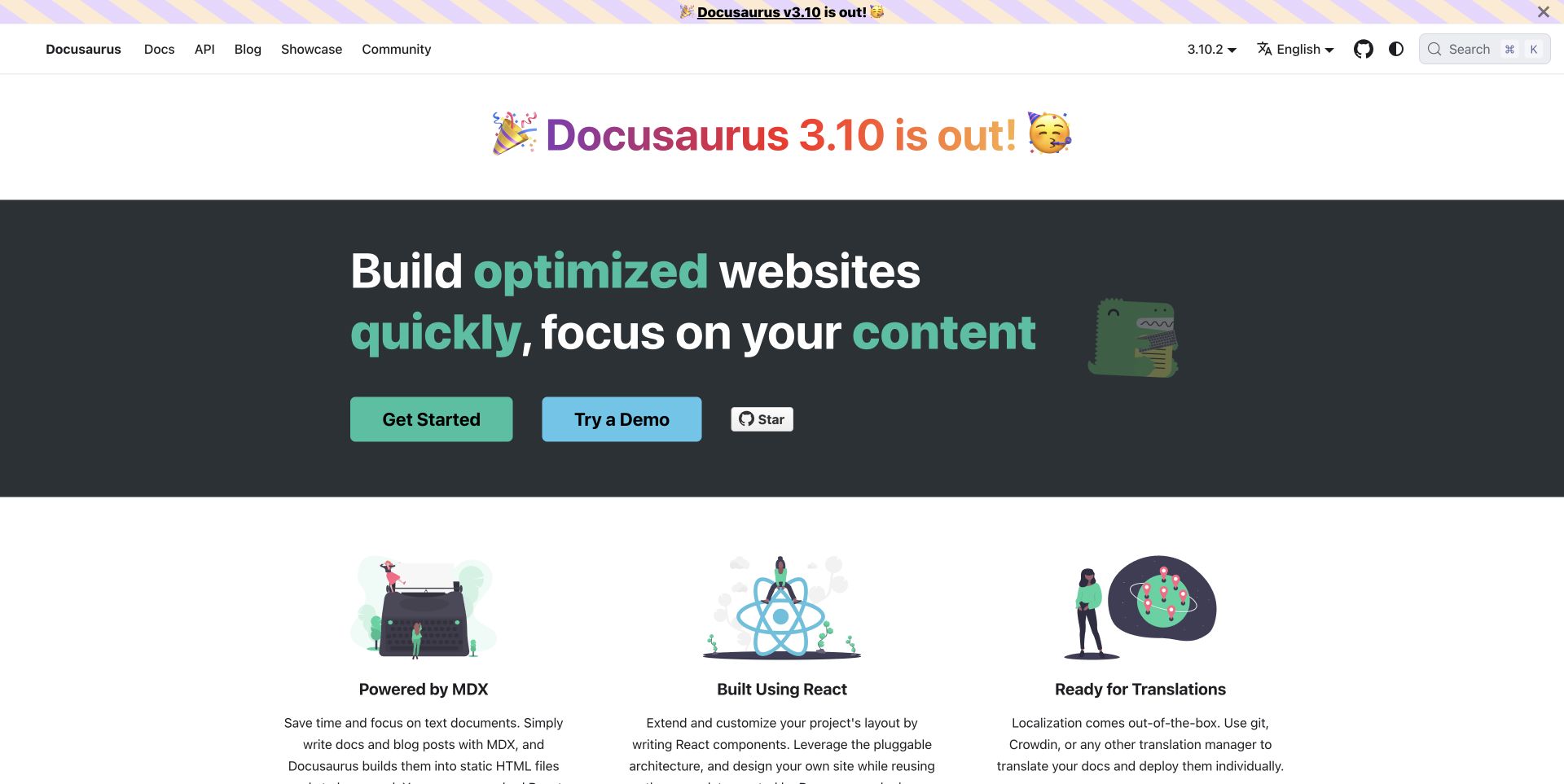
Docusaurus uses a dark hero with bright green emphasis and a friendly illustrated character, then offers getting started and a demo as parallel routes. Feature columns describe MDX, React, translations, versioning and search. A visible release announcement serves returning maintainers, while testimonials sit further down rather than replacing the explanation. The page is itself an approachable example of the documentation experience the project helps teams create.
What you can learn
Let a publishing tool’s own site illustrate its reading experience, but keep implementation evidence separate. The public Docusaurus repository defines an Actions workflow for a blog-only build. That supports a scoped project association; it does not prove that every generated Docusaurus site, every Meta property or this exact homepage follows that workflow.
Pros
The demo route gives evaluators a concrete alternative to committing immediately to installation.
Feature explanations align with real documentation-maintenance needs such as versions, translations and search.
Cons & considerations
A prominent release celebration should not obscure stable learning material or version-specific compatibility requirements.
Friendly branding cannot replace a clear migration and maintenance plan for teams moving a large existing documentation library.
Platform source: Official public repository workflow definition. Meta’s Docusaurus repository defines a blog-only build workflow for the Docusaurus project. A public workflow definition proves configured repository automation only. It does not prove successful execution, that the workflow remains enabled, that its output reached production, the pictured homepage runtime, or company-wide infrastructure. Platform evidence is separate from the direct website screenshot and is not a complete current infrastructure audit.
Kegan has 15+ years of experience working with small businesses, Fortune 500 companies, and everything in between. No development job is too big or too small: he brings the same hands-on attention to a focused improvement, a complete website, or a custom application.
For GitHub Actions projects, he can help with content architecture, custom functionality, system integrations, testing, and maintainable handover. He works directly with clients on scope, design, implementation, testing, and handover, with an emphasis on clear communication and a system that remains practical to maintain after launch.
Show 3 other GitHub Actions developersHide other GitHub Actions developers
Begin with a small set of reliable checks that reviewers actually understand. A content library may need link and formatting checks, while a software package needs tests appropriate to its behavior. State which checks are required and how an intentional exception is handled. An unstable gate that everyone ignores is not a meaningful quality control.
Build and promote a defined artifact
Separate the question of whether code passes checks from the question of what is released. Record the source revision and the artifact that has been verified. Avoid a handoff in which staging and production rebuild different dependency sets while everyone assumes they are identical. The release record should make the actual result traceable.
Small maintenance automations
Issue labeling, content checks and other repository tasks can be useful without becoming deployment workflows. Keep their permissions and failure impact proportionate to the job. A maintenance bot should not need broad production access merely because it lives in the same repository as the application. Review its input handling and owner just as deliberately.
From references to requirements
Write the release contract before expanding the workflow
Map events to permitted effects
List the events that can trigger work and the effects each is allowed to have. A pull request might run tests; a reviewed release might publish an artifact. Include manual and scheduled paths rather than treating them as exceptions. This simple map helps reviewers notice when an innocuous-looking change introduces a new publication or permission boundary.
Rehearse recovery without production pressure
Test a failed check, a canceled run and a release that needs reversal using nonproduction resources. Establish whether an operation is safe to retry and how duplicate effects are prevented. The useful question is not whether the happy path works once, but whether a maintainer can understand the state after something stops midway.
Make the handover a demonstration
Ask the future maintainer to change one workflow input, inspect a failure and identify the released artifact. Document where permissions are configured and who approves modifications. A concise runbook and a realistic rehearsal are more valuable than a large diagram that nobody can use when the next release fails.
A useful handover demonstration
Ask the actual team to carry out its routine job: publish a realistic update, correct a mistake, preview a narrow screen, and identify who owns an integration failure. For a library or frontend framework, also ask who maintains the content source and deployment. A polished screenshot does not answer those operational questions.
Beyond the screenshot
A GitHub Actions project checklist
Name the exact change being automated.
Identify reviewers and the release owner.
Map trigger events to permitted effects.
Separate untrusted contributions from privileged work.
Review action dependencies and their update policy.
Give each job only the permissions it needs.
Define a reproducible build input.
Record the source revision and promoted artifact.
Make failed checks understandable.
Test cancellation, retries and duplicate prevention.
Rehearse reversal with nonproduction resources.
Hand over a concise operational runbook.
Test with real content, a keyboard, a small screen, slow or failed requests, and the people who will maintain the system. These are planning checks, not an accessibility, security, performance, or search-ranking certification.
Sources & editorial method
How this GitHub Actions collection was reviewed
Public websites were independently reviewed and directly captured in Chrome or matched to an existing capture of the exact same page, preserving original capture dates. Public workflow directories and individual YAML definitions were read without executing repository code. The first five selections are explicit recognizable-brand projects. Source-defined automation is distinguished from execution history, homepage hosting and complete company infrastructure.
Every image is an unmodified capture from the actual website, with its source and capture date. Some captures are reused from our shared catalog; their dates remain the original capture dates. None comes from a vendor gallery or a generated reconstruction. Moving imagery and live content can change.
Technology attribution uses public page assets or metadata, official platform documentation, or a cited first-party project case study. Documentary and framework-relationship evidence is identified where used; it is not a complete current backend inventory. A CMS image CDN alone does not establish a full CMS deployment. A library’s presence does not prove which individual controls use it, and a platform label does not establish AI authorship.
The composition notes, lessons, pros and tradeoffs are original editorial observations. We have not measured conversion, traffic, security, performance or accessibility conformance. Website owners retain their brands and imagery; these examples are not our client portfolio. Written, Edited and Curated are independent records, not dates advanced by a build. See our editorial standards or suggest a correction.
Questions worth asking
GitHub Actions website development FAQs
Does a workflow file prove that the pictured website is deployed with Actions?
No. The file may test a related library, build a documentation variant or maintain repository issues. We identify the exact public project and workflow. The screenshot is a design reference; it is not a complete deployment audit.
Do these examples prove the workflows ran successfully?
No. This collection verifies source definitions, not execution history. Whether a workflow is enabled, whether an event has triggered it and whether its output reached production are separate questions that require additional evidence.
Should every project use a complex multi-stage workflow?
No. Start with the change, risk and maintainer needs. A small content site may need a simple validated publish path. Adding stages that nobody understands can create more failure points without improving the release decision.
Can an automation be safe just because it comes from a recognizable project?
No. Its trust model, credentials and inputs may differ from yours. Review the actual definition and official security guidance rather than treating a well-known organization as a substitute for understanding what the workflow can do.
What should a delivery handover include?
The owner should be able to identify the released artifact, diagnose a representative failure, understand permission boundaries and reverse a change. Include the source of configuration, a clear approval path and a tested recovery procedure rather than only a successful-run screenshot.
Borrow the clarity of the public experience and the discipline of a traceable release—not somebody else’s permissions or an unexplained workflow. The right starting point is a small delivery process your own maintainers can understand and recover.