Best ESLint Websites of 2026 (20 Real-World Examples)
Twenty public websites with documented ESLint development workflows, genuine dated screenshots and original design reviews.
ESLint helps teams identify selected problems and enforce conventions in source code. These twenty examples connect the tool to the development of an exact public website through that website's own repository, commands and configuration. The visual reviews examine navigation, hierarchy and useful interface patterns. They do not attribute good design to a linting tool: people still decide what to build, what to say and how the finished website should behave.
A website can have a well-organized lint configuration and still be confusing to use. Conversely, a polished screenshot cannot reveal whether its source was linted. This collection brings those two kinds of evidence together without confusing them. The retained captures show public interfaces at their recorded dates; separately dated repository observations establish configured ESLint workflows for authored website code or documentation markup.
GitHub Docs, Mozilla MDN, AWS Amplify Docs, React and Google's Puppeteer open the collection as recognizable developer brands. Each qualifies through the exact website's source, not a company logo or an unrelated library dependency. The collection then broadens to public-service information, open-source project pages and component documentation. Commands, file patterns and exclusions matter because a monorepo may lint its library while treating its website differently.
Before the examples
What makes good ESLint website development in 2026?
Define the website files that need rules
Identify the authored components, page logic and documentation markup before choosing lint rules. Different file types may need different parsers or plugins. Make the scope understandable to contributors, especially when a repository also contains a library, examples or generated files. A command that succeeds on one directory says little about files it never examines.
Start with the recurring mistakes and conventions that matter to the website. Give a rule a clear purpose and document deliberate exceptions. Avoid collecting rules solely to make the configuration look comprehensive. A useful check produces feedback someone can understand and act on without turning every small content edit into a debate about unrelated code style.
Keep source quality and visitor experience connected
Use lint feedback as one part of maintaining the website. Review navigation labels, keyboard behavior, content order, loading states and responsive layouts through the appropriate checks. A rule can catch a particular source pattern; it cannot determine whether a tutorial is understandable or whether the page solves a visitor's problem. Keep those responsibilities visible in the review process.
The collection · 20 examples
20 ESLint website examples worth studying
The following reviews pair genuine retained captures with website-specific ESLint source evidence. The associations concern configured development checks. They do not prove successful execution, an exact deployed commit or a browser-side ESLint runtime, and they do not describe every application associated with the featured brand.
We start with five recognizable brands or organizations: GitHub Docs, Mozilla MDN Web Docs, AWS Amplify, React documentation, Google Puppeteer. Each attribution applies to the named website property, not every product or website belonging to its organization. This is a curated reading sequence, not a measured ranking.
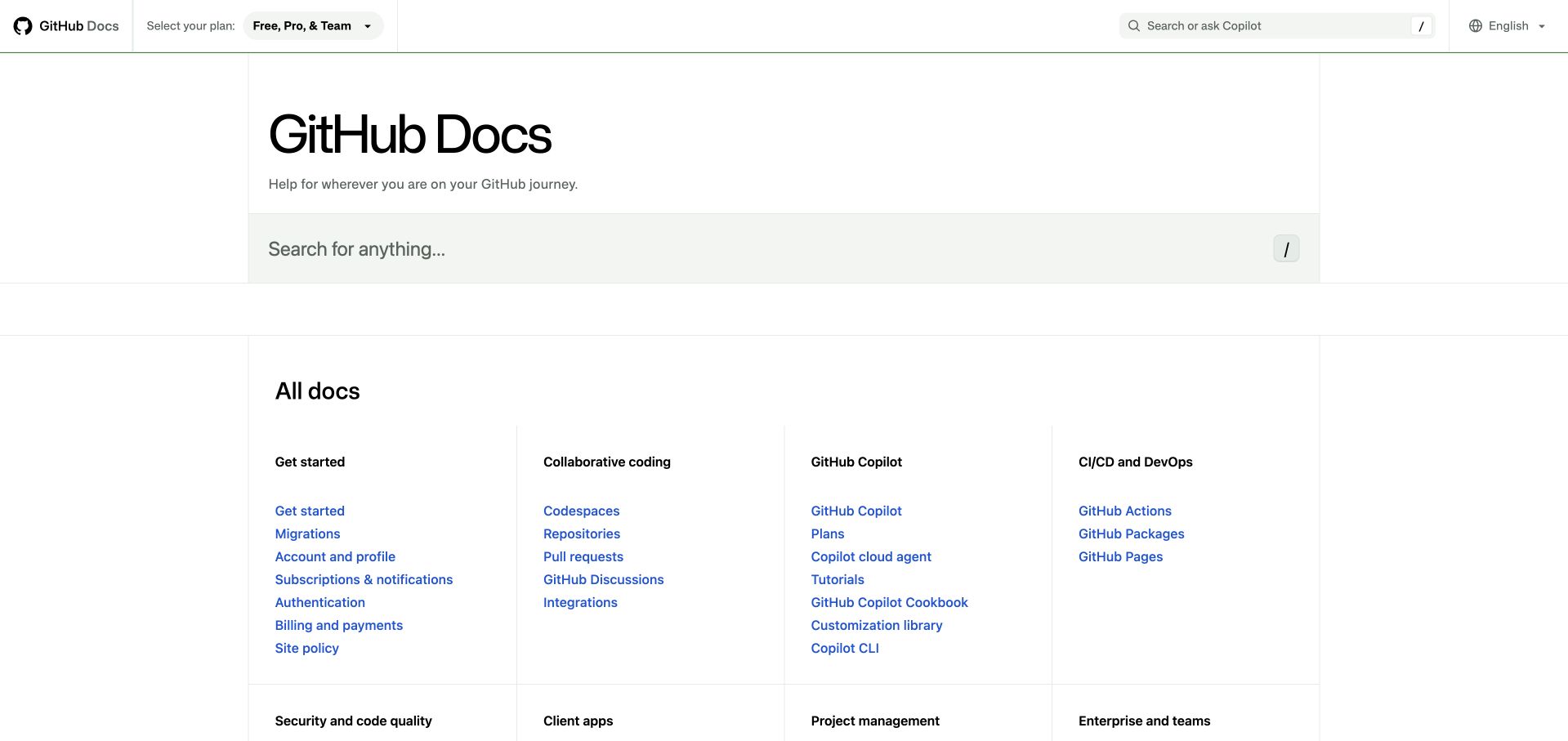
GitHub Docs gives visitors two useful ways into a large knowledge base. The search area offers a direct route, while the orderly columns below expose the site's vocabulary. Topic headings carry more weight than individual links, and fine rules separate groups without turning every destination into a competing card. Plan and language controls stay in the utility header. The website repository runs ESLint across its TypeScript source and configures rules for actual interface components. That provides a development association for this documentation property, independent of the earlier screenshot.
What you can learn
Use a small number of predictable interface patterns when many contributors maintain a documentation site. Lint rules can check agreed code conventions, while editorial review still needs to judge whether the topic labels and link groupings make sense to readers.
Pros
Search and browsing remain equally available without needing two separate landing pages.
Restrained colors make the blue destination links easy to distinguish from headings.
Cons & considerations
The spacious introduction pushes detailed destinations farther down the first screen.
Broad product categories can leave cross-product tasks difficult to place.
Platform source: First-party website lint command and configuration. Website TypeScript and TSX components; dedicated interface overrides in ESLint config; .next, temporary data and specific generated scripts excluded. Configured invocation: eslint '**/*.{ts,tsx}'. Documented website-development linting, observed independently of the retained screenshot. This does not prove a successful lint run, enabled CI, the exact deployed commit, browser-side ESLint execution, the private product runtime or company-wide adoption. Original screenshot and broad-audit dates remain unchanged. Platform evidence is separate from the direct website screenshot and is not a complete current infrastructure audit.
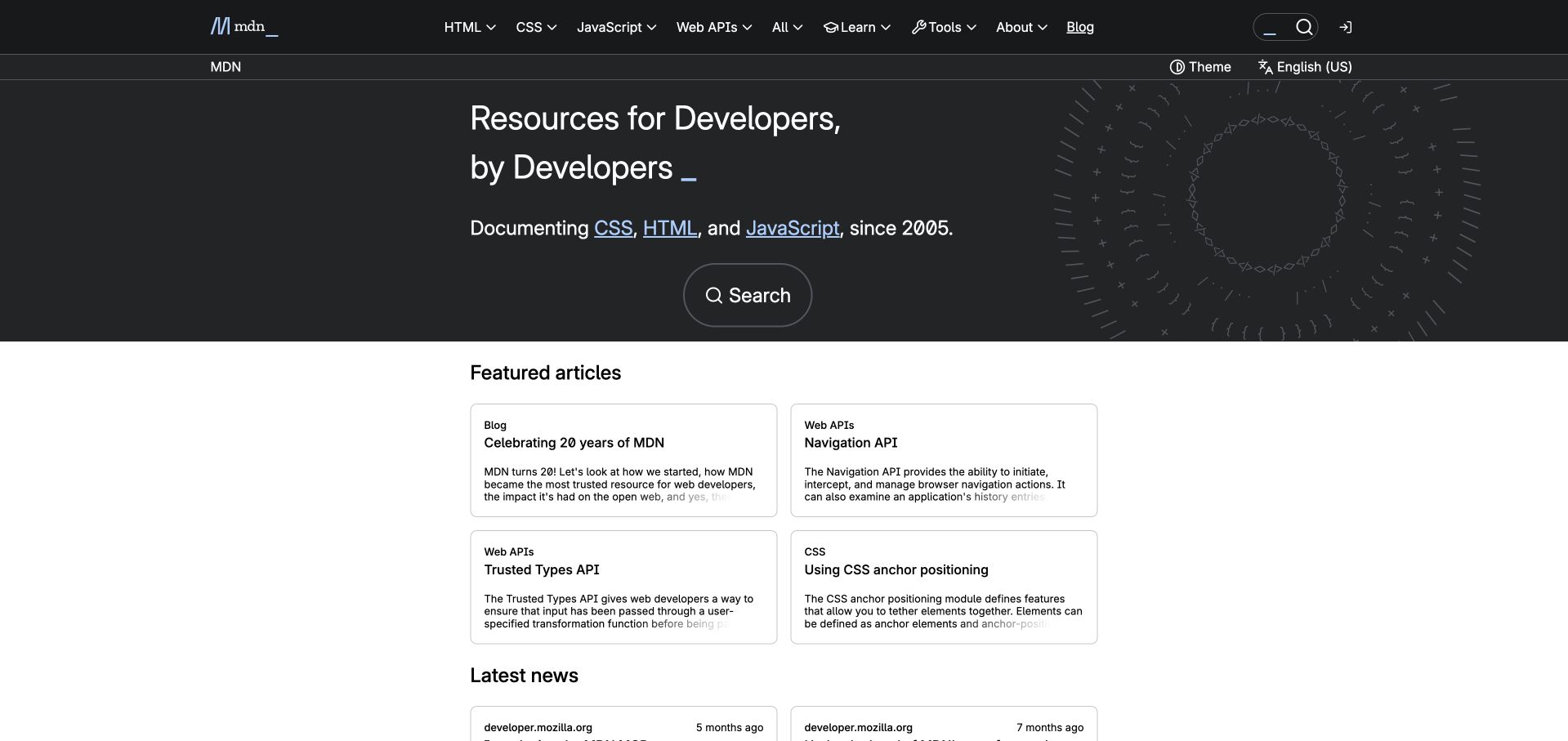
MDN balances a familiar reference identity with a compact selection of new reading. Its dark introduction groups the promise, core language links and search action, while the white article area gives individual subjects room to breathe. Small category labels explain the difference between a blog item and a technical API article. The current Fred frontend repository includes an explicit ESLint step in its test workflow and rules for frontend source. This evidence comes from Fred, rather than the superseded Yari frontend, and does not identify the commit shown in the retained capture.
What you can learn
Keep navigation to enduring reference material separate from the editorial choices that change frequently. Shared code checks can maintain component conventions across both areas, but the selection and wording of featured material require their own review.
Pros
The two background tones clearly distinguish orientation from recommended reading.
Compact category labels establish context before visitors commit to an article.
Cons & considerations
Dense cards can make several technical subjects appear equally demanding.
The prominent introductory block limits how many recommendations fit above the fold.
Platform source: First-party website lint command and configuration. Current Fred frontend workflow invokes ESLint; frontend JS/TS and Lit/Web Components configuration. Vendor and ignored build outputs excluded. Superseded Yari not used. Configured invocation: npx eslint .. Documented website-development linting, observed independently of the retained screenshot. This does not prove a successful lint run, enabled CI, the exact deployed commit, browser-side ESLint execution, the private product runtime or company-wide adoption. Original screenshot and broad-audit dates remain unchanged. Platform evidence is separate from the direct website screenshot and is not a complete current infrastructure audit.
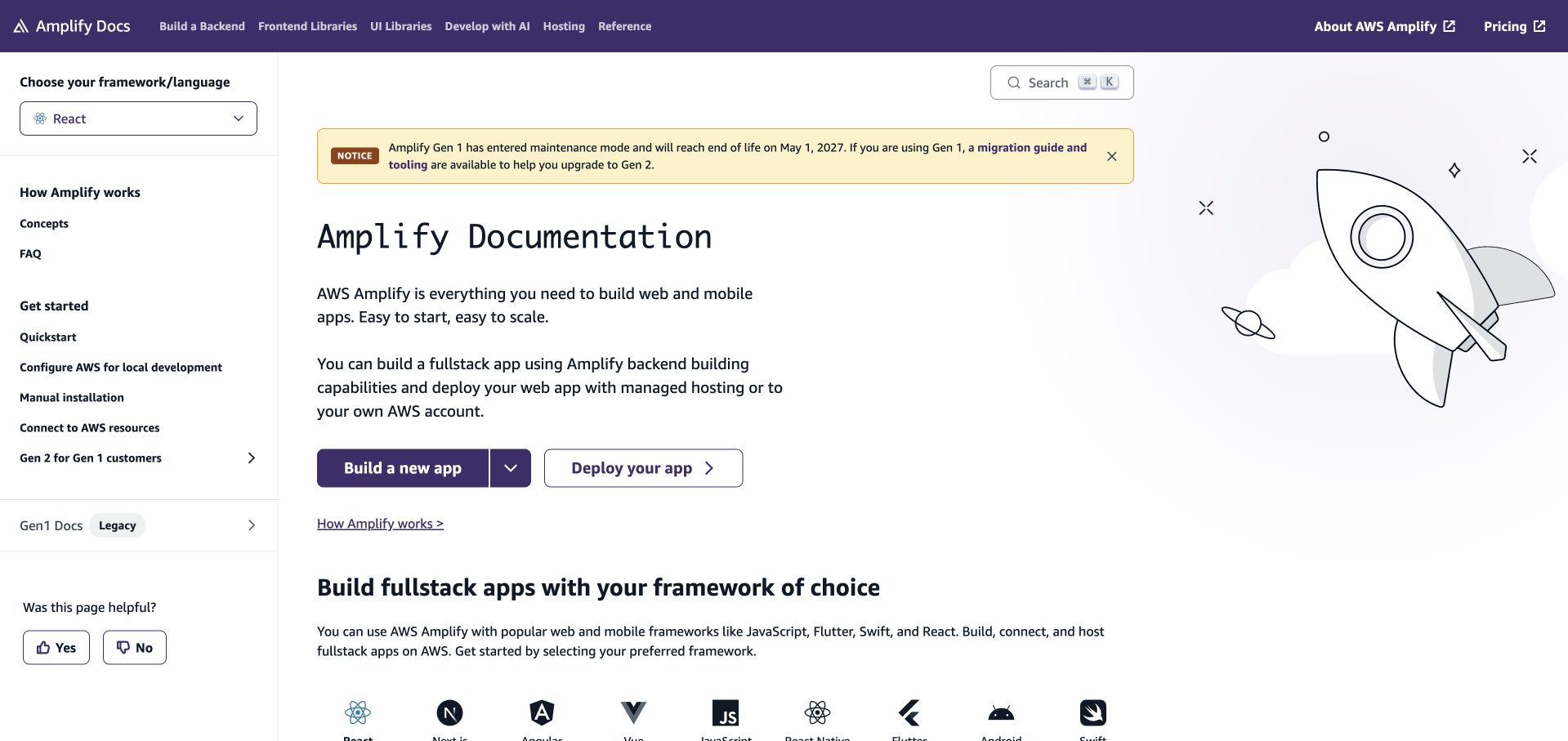
AWS Amplify Docs places an important choice in persistent navigation: the visitor's framework or language. The central content then explains the product and offers distinct build and deployment actions. A colored migration notice stays above the main title, where it can qualify the instructions before someone follows them. The illustration softens an otherwise dense technical screen. The documentation repository declares an ESLint-backed Next.js lint command and a website configuration with TypeScript and React rules. That documents the site's configured development tooling; it does not establish a successful lint run or the behavior of AWS services.
What you can learn
Make context that changes instructions visible before presenting the instructions themselves. A framework selector, version notice and clear task choice reduce ambiguity in the interface. Code rules should support the components implementing those choices without replacing checks of their actual behavior.
Pros
The framework control is easy to locate alongside the documentation hierarchy.
The migration notice explains a constraint before the principal actions.
Cons & considerations
Several competing navigation levels increase the amount a newcomer must scan.
Long notices can displace the main introduction on narrower screens.
Platform source: First-party website lint command and configuration. Declared website Next.js lint integration with TypeScript and React rules. No assertion of successful execution; retained command is evidence of configured tooling, not a recommendation for a new setup. Configured invocation: next lint --webpack. Documented website-development linting, observed independently of the retained screenshot. This does not prove a successful lint run, enabled CI, the exact deployed commit, browser-side ESLint execution, the private product runtime or company-wide adoption. Original screenshot and broad-audit dates remain unchanged. Platform evidence is separate from the direct website screenshot and is not a complete current infrastructure audit.
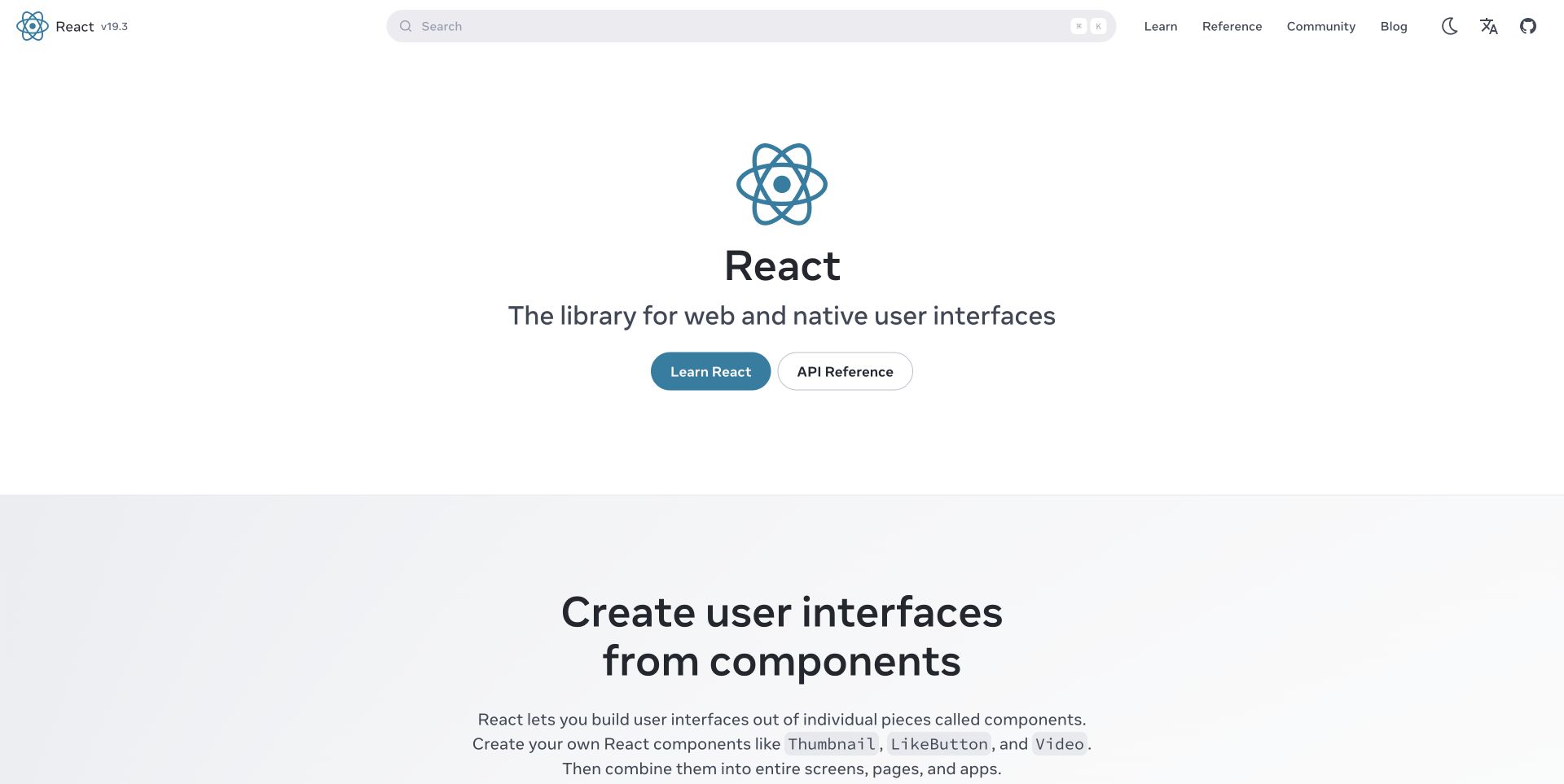
React's homepage reduces the initial decision to learning the library or consulting its API reference. A centered emblem and short description establish identity without requiring a large promotional illustration. Search occupies substantial space in the header, giving returning visitors a route that bypasses the introduction. Below the hero, a new background tone begins an explanation of components. The react.dev repository configures ESLint for website code and Markdown content, including local content rules. Its documented check commands concern this educational website and do not establish how applications built with React are maintained.
What you can learn
Separate conceptual learning from reference lookup before adding more homepage destinations. The distinction helps readers choose a depth appropriate to their task. For sites containing executable-looking examples, code and content checks should complement human review of the teaching sequence.
Pros
The two main actions express different reader intentions in familiar language.
A large search field remains visible without dominating the central introduction.
Cons & considerations
The generous hero leaves little concrete instructional content in the first view.
The brief positioning assumes visitors already understand the general role of a library.
Platform source: First-party website lint command and configuration. react.dev website and Markdown content checks; ci-check invokes lint. Local Markdown processors and deliberate example exclusions inspected. Configured invocation: next lint && eslint "src/content/**/*.md". Documented website-development linting, observed independently of the retained screenshot. This does not prove a successful lint run, enabled CI, the exact deployed commit, browser-side ESLint execution, the private product runtime or company-wide adoption. Original screenshot and broad-audit dates remain unchanged. Platform evidence is separate from the direct website screenshot and is not a complete current infrastructure audit.
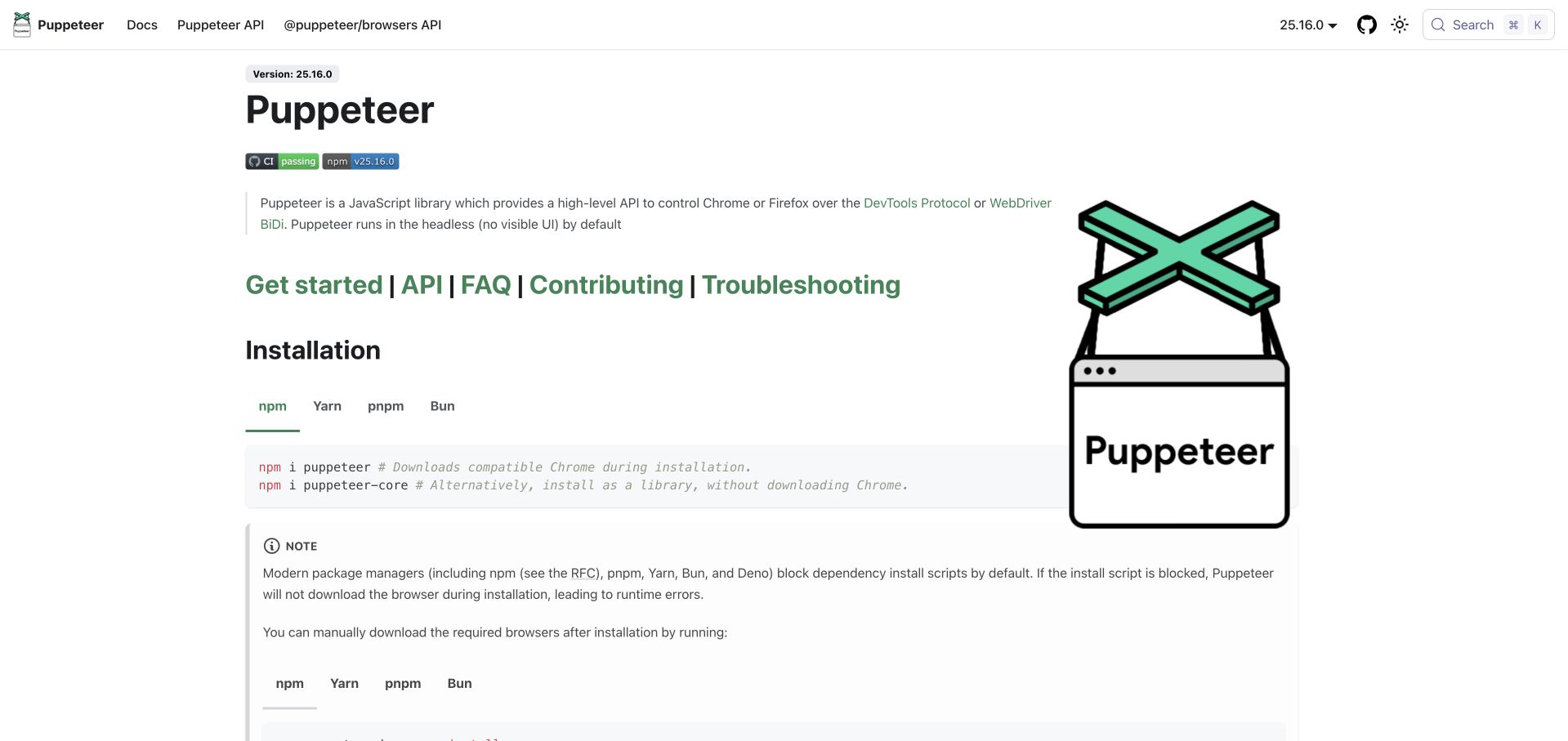
Puppeteer's landing page behaves like the first page of a manual. Version information, a concise description, prominent reference links and package-manager tabs quickly lead to an installation command. The large puppet illustration adds identity while the page retains an article-like reading order. A note beneath the command explains a practical setup complication. The project repository's ESLint command covers the authored website configuration and supporting source; its website configuration names pptr.dev. This is evidence about maintaining the public documentation, not a claim that ESLint performs browser automation or runs in the visitor's page.
What you can learn
Put the first useful action close to the product explanation, then place relevant exceptions directly beside it. Maintaining the code that renders commands and version controls matters, but a lint result cannot determine whether the instructions describe a complete installation experience.
Pros
Package-manager tabs keep alternatives together without repeating a long setup section.
The version label makes the documentation context explicit before installation.
Cons & considerations
The oversized illustration competes with practical content on the right.
The long setup note asks beginners to absorb package-manager caveats immediately.
Platform source: First-party website lint command and configuration. Root task includes authored website configuration and JS/TS tooling; ignores generated assets/build/node_modules, not the website directory. Exact config names pptr.dev. Configured invocation: wireit lint:eslint runs eslint --cache .. Documented website-development linting, observed independently of the retained screenshot. This does not prove a successful lint run, enabled CI, the exact deployed commit, browser-side ESLint execution, the private product runtime or company-wide adoption. Original screenshot and broad-audit dates remain unchanged. Platform evidence is separate from the direct website screenshot and is not a complete current infrastructure audit.
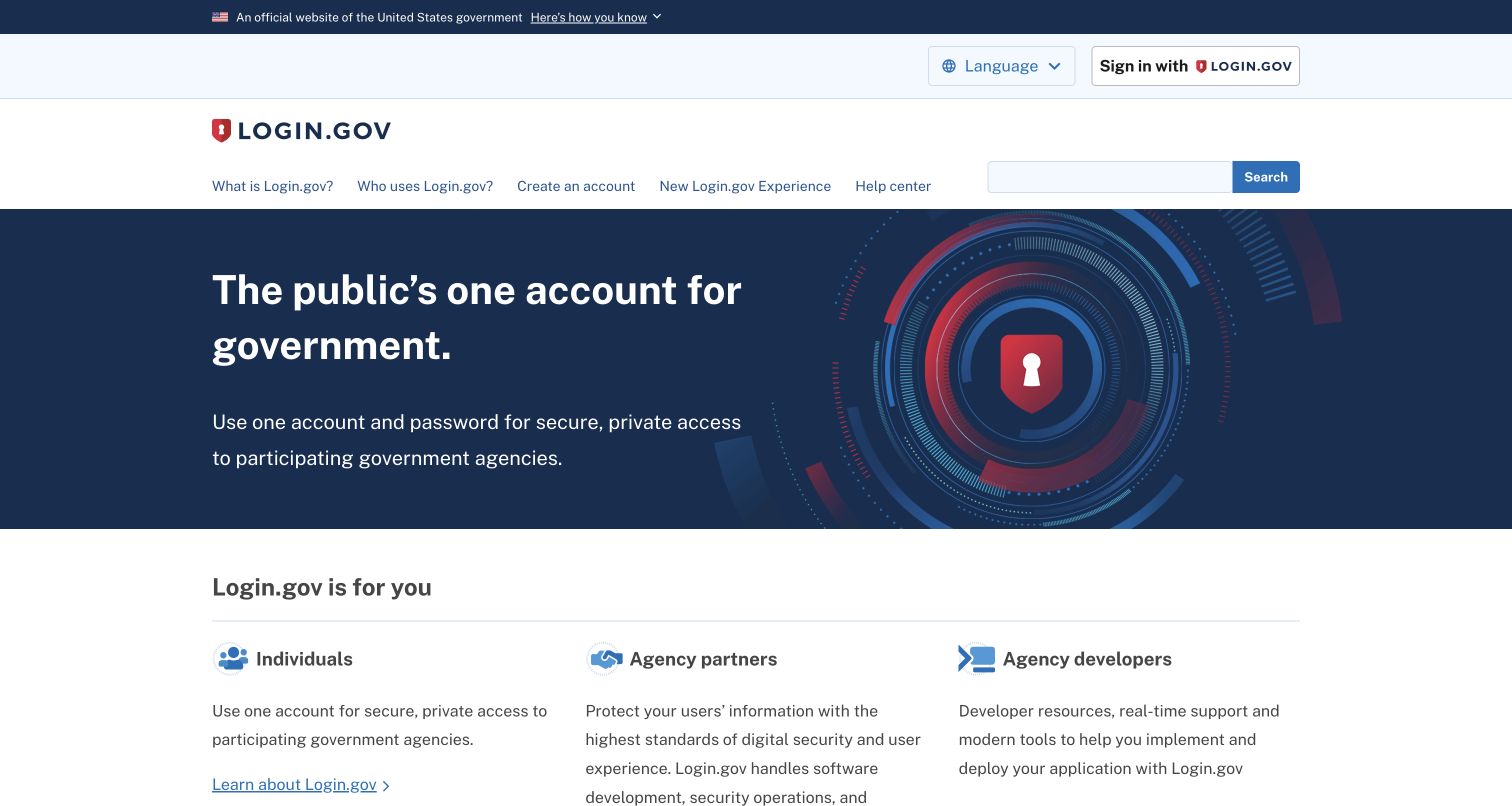
Login.gov establishes its public-service identity before explaining the account's purpose. The official-government strip, recognizable wordmark and restrained navy palette create a consistent frame. Below the main explanation, three columns distinguish individuals, agency partners and developers. That audience split is more useful than asking everyone to navigate one undifferentiated feature list. The identity-site repository includes a JavaScript lint command and ESLint configuration for the public information website. The evidence does not concern the private identity application, account security or any visitor's authentication flow, which were outside this review.
What you can learn
When one service has several audiences, state the common purpose first and then give each audience a clearly named route. Use code checks to support consistent implementation of shared navigation, while testing the public information and sign-in experiences according to their separate responsibilities.
Pros
Audience labels make different next steps understandable without technical knowledge.
The sign-in action stays distinct from explanatory navigation and search.
Cons & considerations
Multiple header rows consume substantial vertical space before the main message.
The abstract security illustration contributes less practical guidance than the audience links.
Platform source: First-party website lint command and configuration. Public identity-site website JavaScript; generated artifacts excluded. Authentication application and security claims are outside evidence scope. Configured invocation: eslint .. Documented website-development linting, observed independently of the retained screenshot. This does not prove a successful lint run, enabled CI, the exact deployed commit, browser-side ESLint execution, the private product runtime or company-wide adoption. Original screenshot and broad-audit dates remain unchanged. Platform evidence is separate from the direct website screenshot and is not a complete current infrastructure audit.
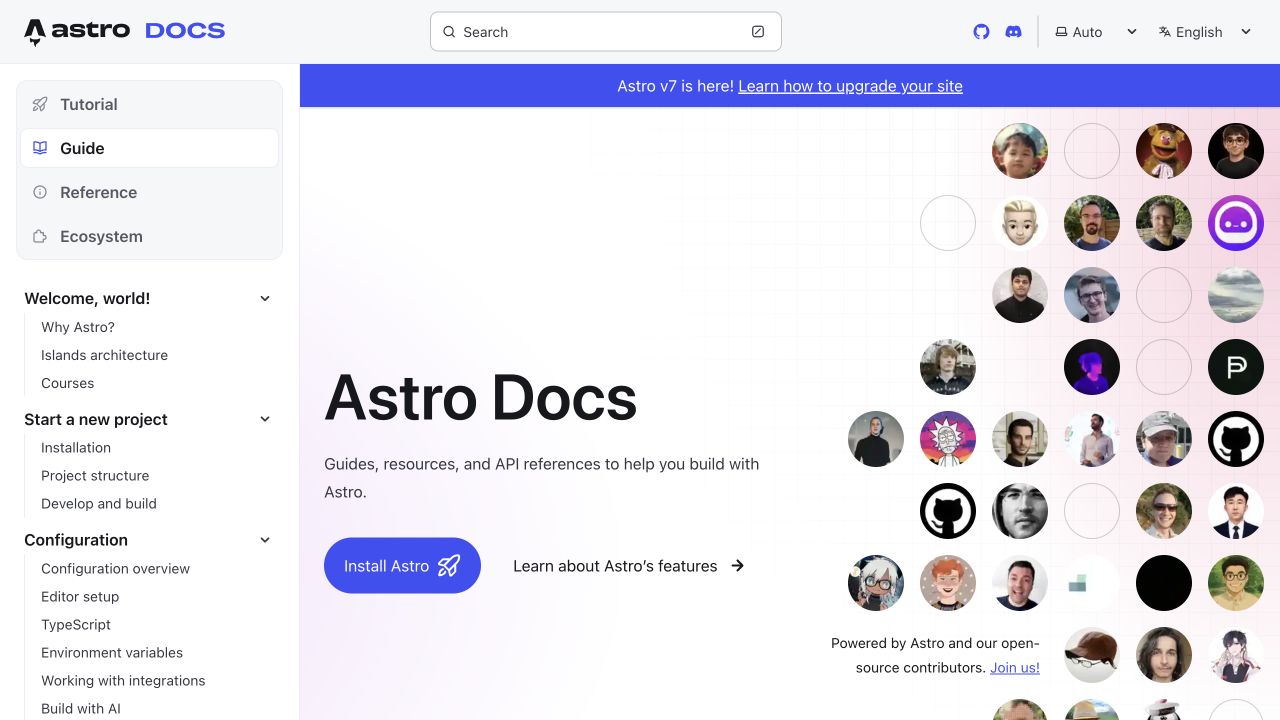
Astro Docs keeps the practical documentation tree visible while giving the landing content a more welcoming character. Tutorial, guide, reference and ecosystem are grouped as distinct reading modes. The installation action is visually stronger than the secondary features link, and contributor portraits communicate that people maintain the material. The source repository declares a dedicated ESLint command and invokes it from its CI workflow, with configuration for Astro and TypeScript source. Those files connect the tool to the documentation website; the screenshot alone would not reveal this development process.
What you can learn
A friendly opening can coexist with a rigorous information hierarchy when the two occupy different areas. Maintain the sidebar and reusable content components consistently, then review the tutorial sequence separately. Lint configuration helps enforce selected source rules but does not evaluate the learner's progress.
Pros
Distinct documentation modes make the sidebar's structure easier to understand.
The installation button provides a clear first action within a broad resource library.
Cons & considerations
The portrait grid occupies space that could hold an example or prerequisite.
A release banner adds another decision before a newcomer starts learning.
Platform source: First-party website lint command and configuration. Dedicated Astro Docs lint script is invoked by CI; authored Astro/TypeScript source remains included, generated .astro/dist and dependency files excluded. Configured invocation: lint:eslint runs eslint .. Documented website-development linting, observed independently of the retained screenshot. This does not prove a successful lint run, enabled CI, the exact deployed commit, browser-side ESLint execution, the private product runtime or company-wide adoption. Original screenshot and broad-audit dates remain unchanged. Platform evidence is separate from the direct website screenshot and is not a complete current infrastructure audit.
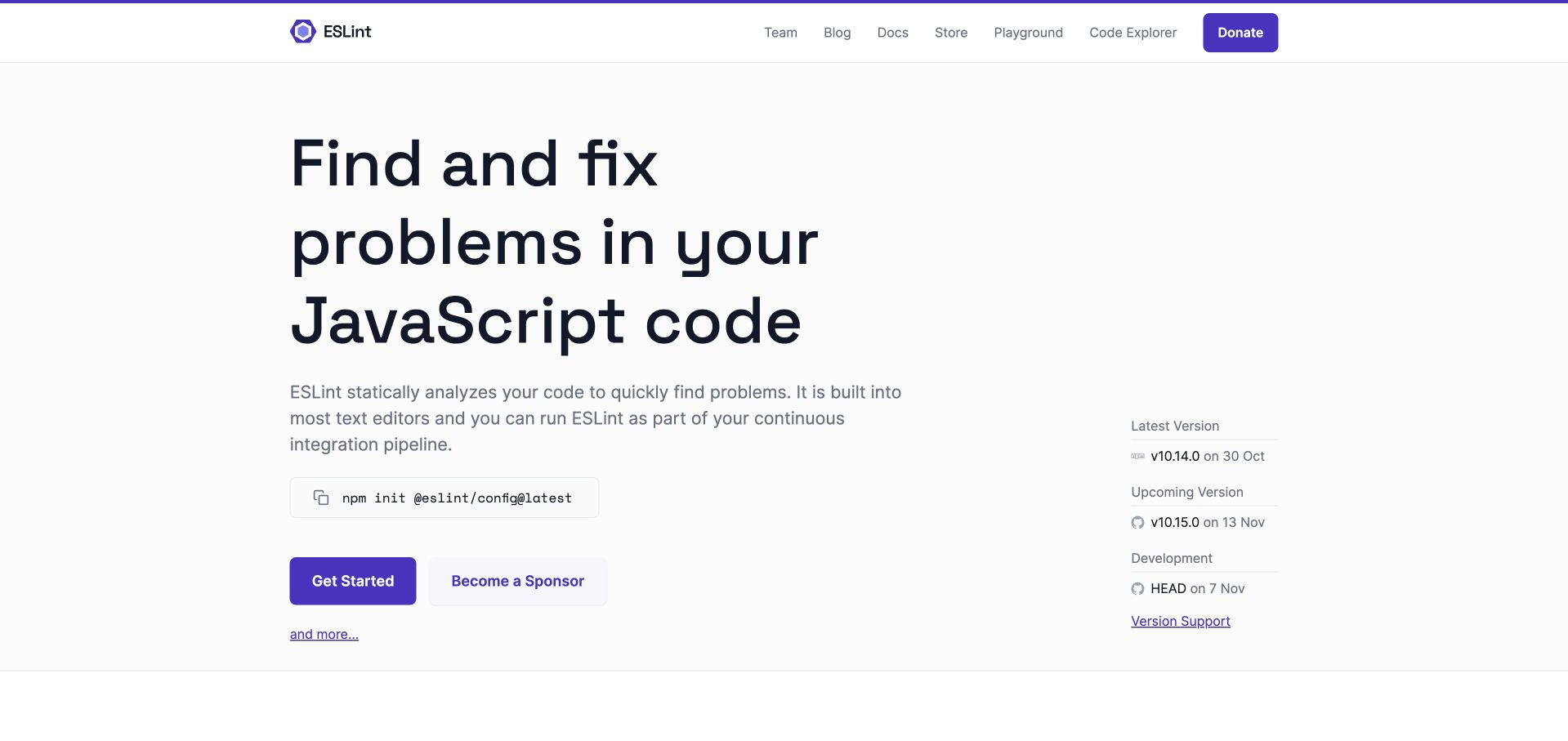
ESLint's own homepage uses a large, direct headline to explain the problem it addresses. A short paragraph describes the workflow, followed by a copyable setup command and a prominent getting-started action. Release information sits in a quieter column, useful to maintainers without interrupting the main reading sequence. Purple accents connect the logo, buttons and links. The eslint.org repository has an explicit JavaScript lint task and configuration for website code, including its playground. This makes the project website a direct example of using ESLint in its own development workflow.
What you can learn
Explain what a tool changes in the developer's day before presenting its configuration options. A short setup path can coexist with release details if their hierarchy is deliberate. The website's own lint setup should be read as maintenance evidence, not as proof that every page interaction is flawless.
Pros
The command turns a broad promise into a concrete next step.
The release column supports experienced users without overwhelming the introduction.
Cons & considerations
The very large headline delays supporting detail on the first screen.
Several secondary destinations still compete for attention in the top navigation.
Platform source: First-party website lint command and configuration. Public ESLint website source including playground and HTML-specific configurations; generated site/assets excluded. Configured invocation: lint:js runs eslint .. Documented website-development linting, observed independently of the retained screenshot. This does not prove a successful lint run, enabled CI, the exact deployed commit, browser-side ESLint execution, the private product runtime or company-wide adoption. Original screenshot and broad-audit dates remain unchanged. Platform evidence is separate from the direct website screenshot and is not a complete current infrastructure audit.
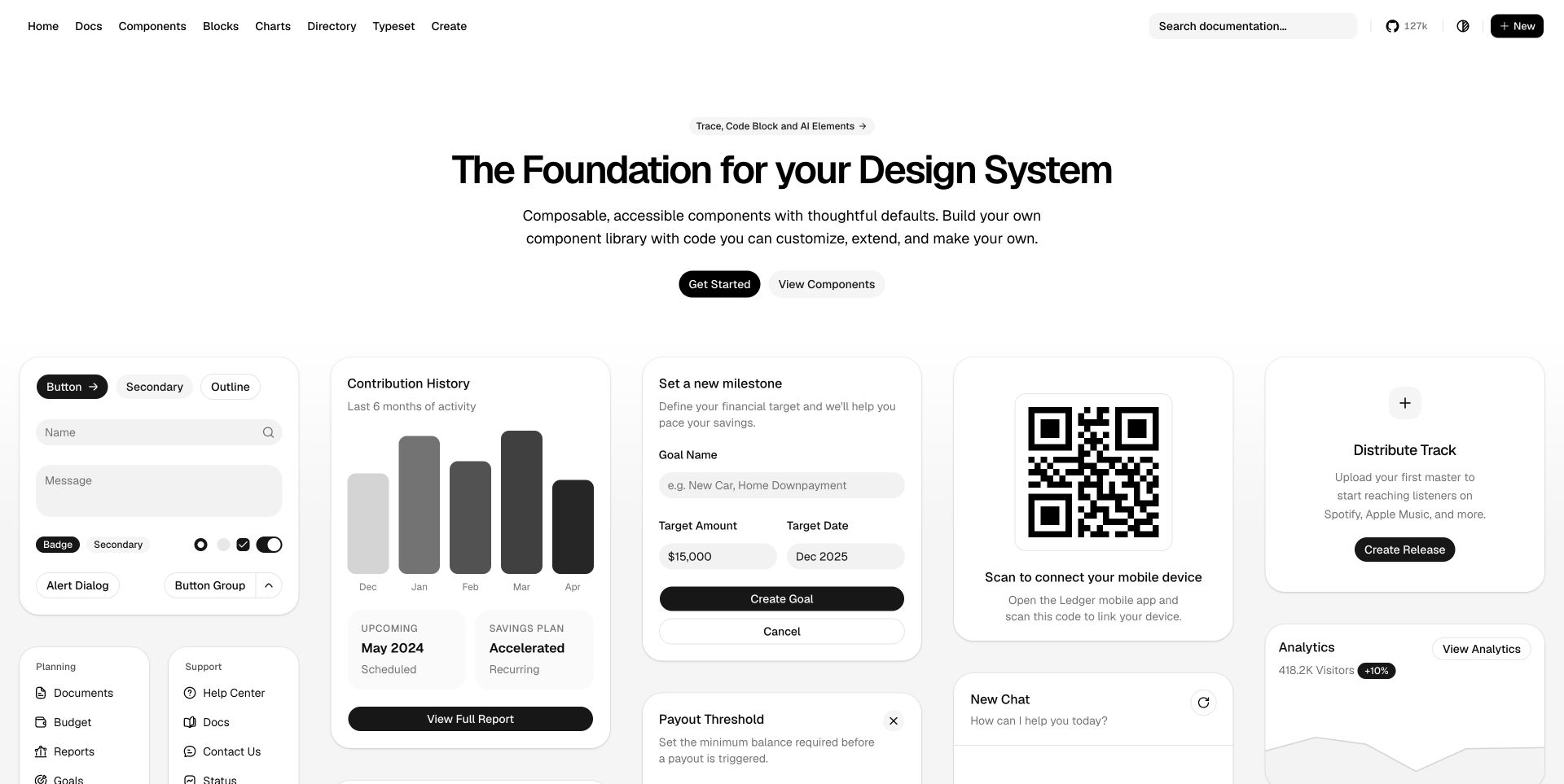
shadcn/ui gives its component promise a tangible form almost immediately. Beneath a concise introduction, cards show buttons, input fields, charts and task interfaces in a consistent monochrome treatment. The examples demonstrate relationships between controls rather than displaying isolated icons. Search and the components link provide routes into the underlying documentation. The public repository's apps/v4 website package invokes ESLint directly and supplies its own Next.js and TypeScript configuration. Generated component indexes are excluded explicitly, so the evidence concerns the authored website sources covered by that configuration.
What you can learn
Show how small controls combine into plausible tasks when selling a component system. The supporting code rules should clarify which authored files are checked and which generated files are excluded. A visually consistent gallery still needs separate keyboard, state and content testing.
Pros
Realistic interface groupings make the component system easier to evaluate visually.
The limited palette allows shape, spacing and hierarchy to carry the examples.
Cons & considerations
The abundance of cards can distract from choosing a first component.
Small gray text in dense demonstrations needs careful contrast and zoom review.
Platform source: First-party website lint command and configuration. Exact apps/v4 website package has its own lint invocation and Next.js/TypeScript config. Generated indexes/components and build outputs excluded. Configured invocation: eslint . --cache. Documented website-development linting, observed independently of the retained screenshot. This does not prove a successful lint run, enabled CI, the exact deployed commit, browser-side ESLint execution, the private product runtime or company-wide adoption. Original screenshot and broad-audit dates remain unchanged. Platform evidence is separate from the direct website screenshot and is not a complete current infrastructure audit.
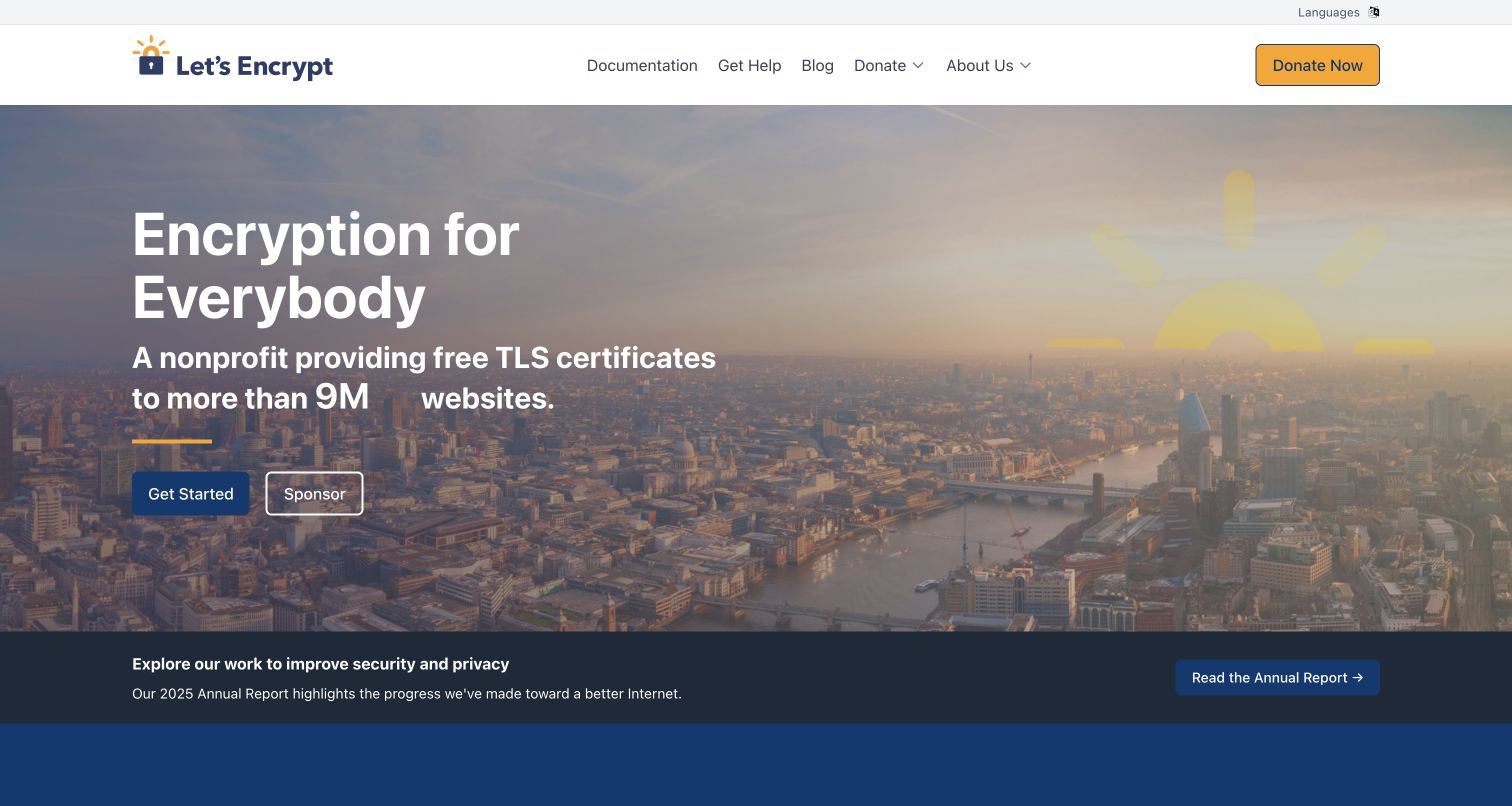
Let's Encrypt leads with an inclusive purpose rather than opening with certificate configuration. A city photograph suggests broad reach, while the lock-and-sun identity appears in both the header and hero treatment. Getting started and sponsorship are presented as distinct actions. A separate annual-report strip introduces organizational accountability below the main message. The first-party website repository explicitly lints its static and source JavaScript directories with ESLint. That is evidence for the public communications website's development process, separate from the certificate authority's issuance systems or security guarantees.
What you can learn
Translate a technical service into a clear public benefit, then distinguish using the service from supporting the organization. Shared navigation and interactive website elements can follow code rules, while technical instructions, fundraising claims and security statements require their own evidence and editorial review.
Pros
Adoption and sponsorship have clear, separately labeled routes from the hero.
The annual-report strip adds an institutional destination without displacing the main message.
Cons & considerations
The detailed background photograph can compete with white text at different crops.
The broad promise leaves setup requirements to the linked documentation.
Platform source: First-party website lint command and configuration. Public letsencrypt.org website authored JavaScript directories, not certificate authority issuance services. Configured invocation: eslint static/js src/js --ext .js. Documented website-development linting, observed independently of the retained screenshot. This does not prove a successful lint run, enabled CI, the exact deployed commit, browser-side ESLint execution, the private product runtime or company-wide adoption. Original screenshot and broad-audit dates remain unchanged. Platform evidence is separate from the direct website screenshot and is not a complete current infrastructure audit.
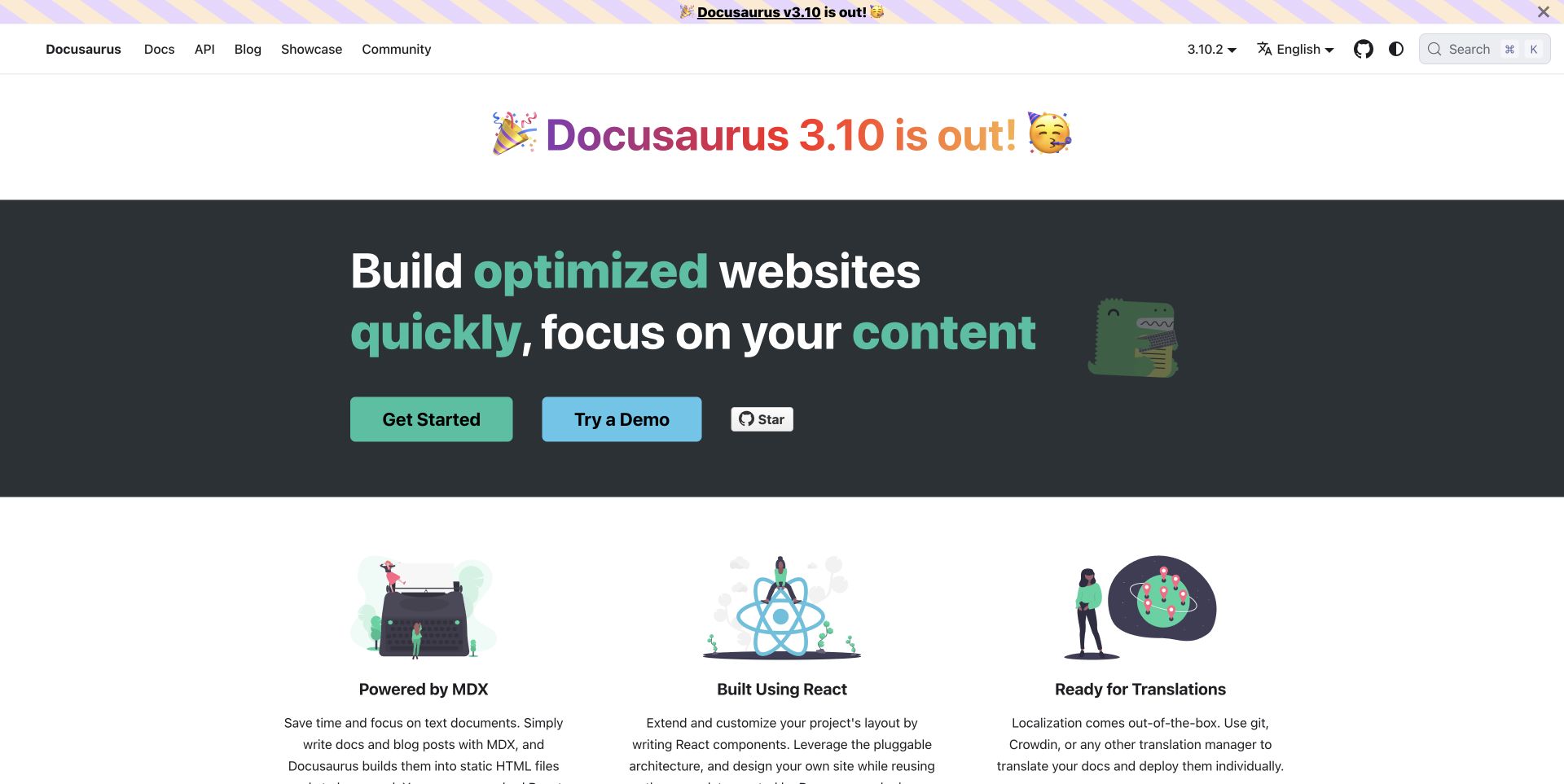
Docusaurus uses a dark hero and bright actions to establish the main task, then shifts to three illustrated capability columns. MDX, React and translations become concrete categories instead of disappearing inside a paragraph. The visible release announcement adds currency but also occupies a separate band above the hero. In the source repository, the ESLint command includes JavaScript and TypeScript files across the project, and its configuration keeps authored website source in scope while excluding generated website output. The association is specific to maintenance of the public Docusaurus website.
What you can learn
Organize a product's explanation around a few capabilities that readers can compare. Repeated capability components benefit from shared implementation conventions, but their usefulness depends on clear labels and credible descriptions. Review generated-file exclusions carefully so linting the framework is not mistaken for linting its website.
Pros
The three capability columns provide an easy transition from promise to explanation.
Getting started and trying a demo offer different levels of commitment.
Cons & considerations
The repeated release announcement competes with the evergreen product message.
The hero's large typography leaves relatively little room for a concrete example.
Platform source: First-party website lint command and configuration. Includes authored website JavaScript/TypeScript; website/build, generated .docusaurus, website/i18n and selected dogfooding fixtures excluded. Configured invocation: eslint --cache --report-unused-disable-directives "**/*.{js,jsx,ts,tsx,mjs}". Documented website-development linting, observed independently of the retained screenshot. This does not prove a successful lint run, enabled CI, the exact deployed commit, browser-side ESLint execution, the private product runtime or company-wide adoption. Original screenshot and broad-audit dates remain unchanged. Platform evidence is separate from the direct website screenshot and is not a complete current infrastructure audit.
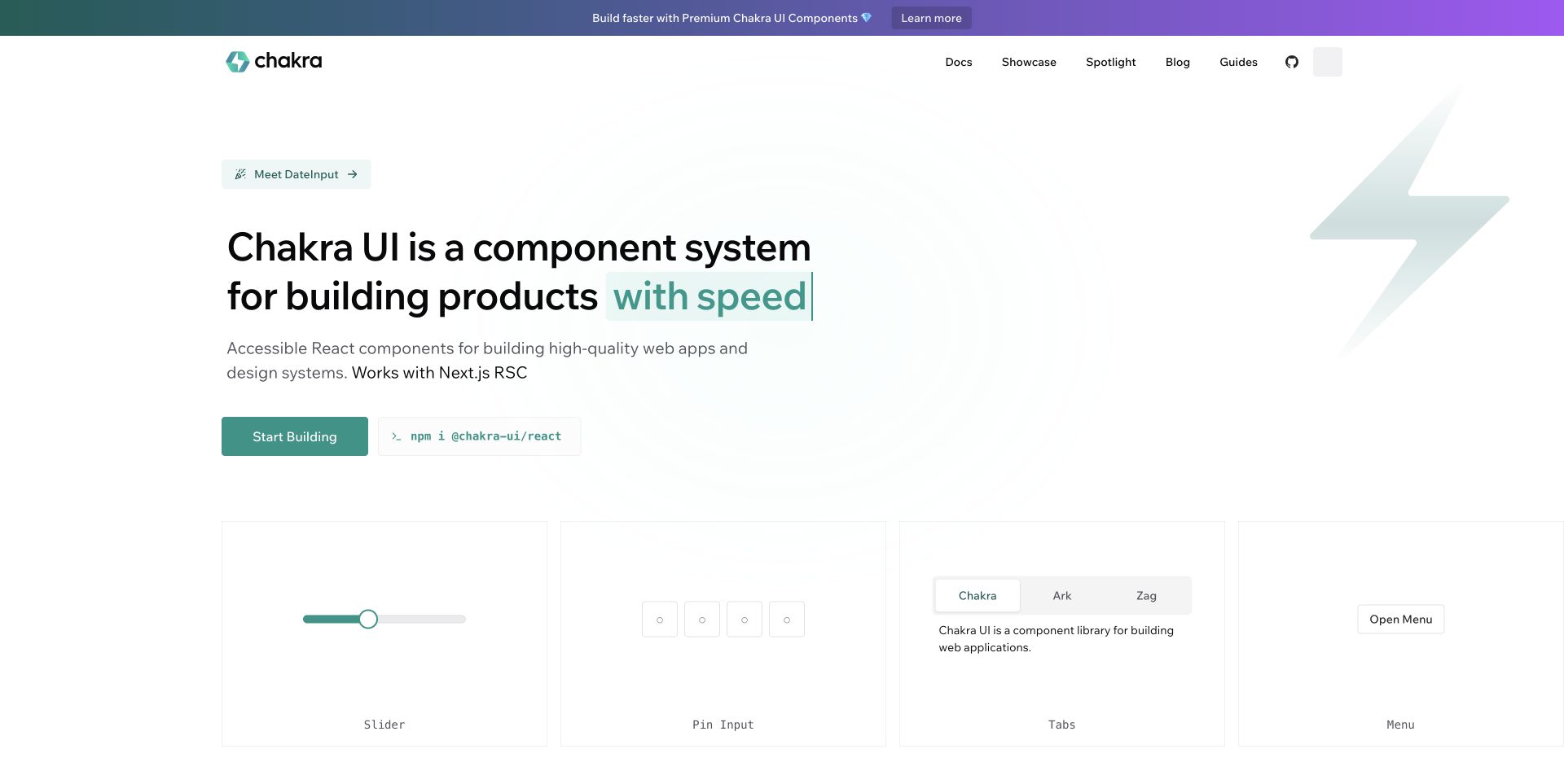
Chakra pairs a short description of its component system with an installation command and a primary building action. Teal highlights provide continuity from the logo to the headline and button. The row beneath the hero introduces a slider, pin input, tabs and menu, moving the explanation from abstract benefits toward recognizable controls. The repository identifies apps/www as the public website and gives that application an ESLint configuration plus a declared lint task. This establishes configured website development tooling, without asserting that the task has recently passed or that every demonstrated component meets a quality standard.
What you can learn
Connect the product promise to a small, coherent set of visible examples before expanding into a full catalog. Keep lint configuration close to the website application when a monorepo also contains library packages. Review interaction states separately from source conventions.
Pros
The install command is available beside the main action for experienced developers.
A limited example row gives visitors concrete controls without an overwhelming gallery.
Cons & considerations
The promotional strip introduces a commercial destination before the core explanation.
Sparse previews reveal little about validation, errors or difficult content states.
Platform source: First-party website lint command and configuration. Exact apps/www website package declares lint with a local Next.js ESLint config. Root library-only lint is not the qualifying evidence. Task execution not claimed. Configured invocation: next lint. Documented website-development linting, observed independently of the retained screenshot. This does not prove a successful lint run, enabled CI, the exact deployed commit, browser-side ESLint execution, the private product runtime or company-wide adoption. Original screenshot and broad-audit dates remain unchanged. Platform evidence is separate from the direct website screenshot and is not a complete current infrastructure audit.
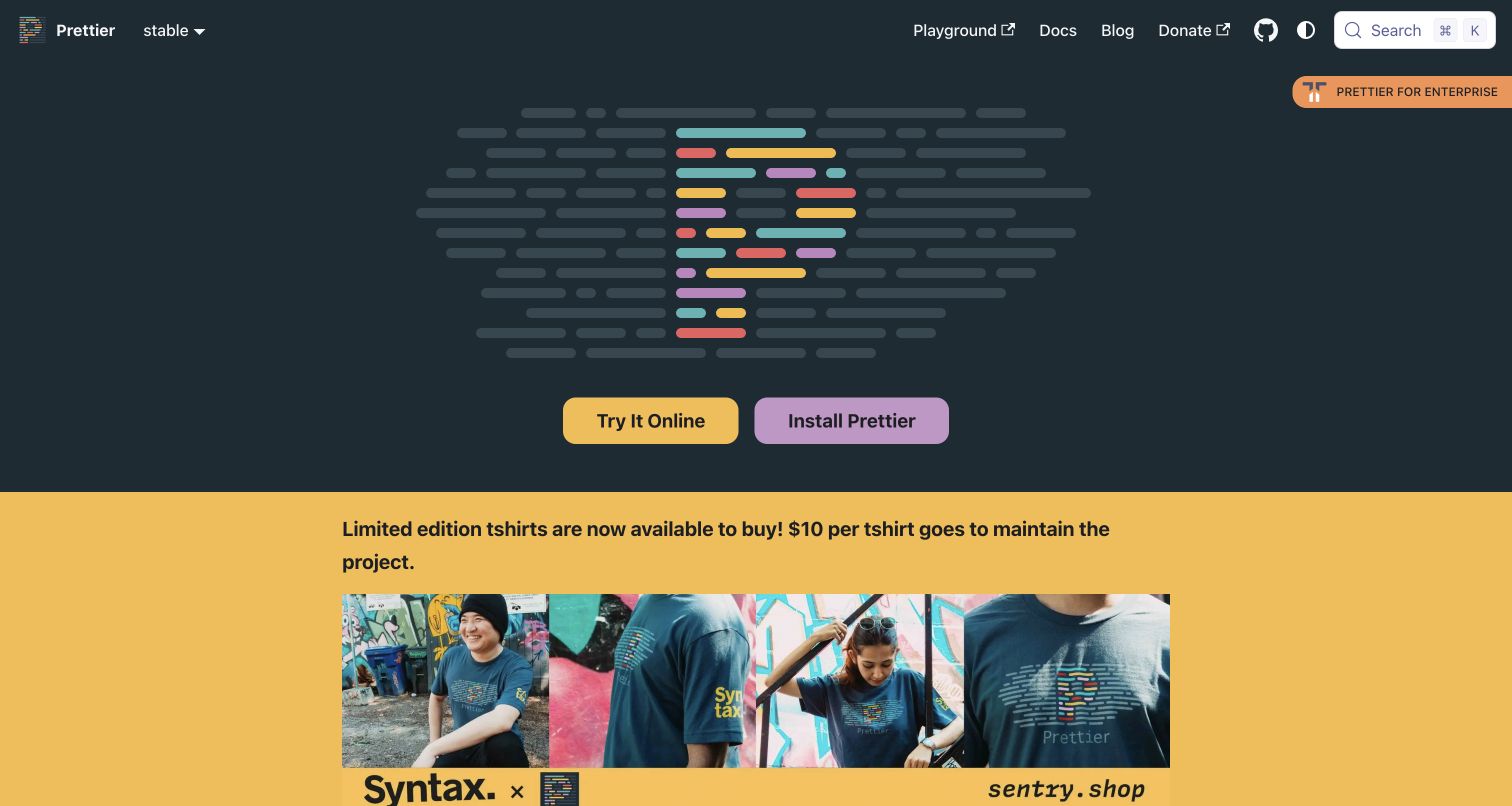
Prettier's homepage relies on a distinctive colored-code emblem and two practical actions. Trying the tool online and installing it are visually balanced, allowing visitors to choose between evaluation and adoption. The dark hero makes those actions stand out, while the bright merchandise section adds a separate community-support message. Prettier's repository also runs ESLint: its root task covers authored website code, and the configuration excludes generated website assets rather than the whole website directory. This is a useful reminder that formatting and linting can have distinct roles in one site's maintenance.
What you can learn
Give cautious visitors a way to experience a developer utility before requiring installation. Keep the evaluation route and the adoption route close together. In the underlying workflow, document the responsibilities of formatting and linting so contributors can understand what each check is intended to catch.
Pros
The two main actions make evaluation and installation equally easy to find.
The visual identity is memorable without needing a complicated product illustration.
Cons & considerations
The first screen gives little written explanation of the formatter's behavior.
The large merchandise section can interrupt a visitor looking for technical details.
Platform source: First-party website lint command and configuration. Authored public website JavaScript remains in root ESLint scope; generated website/build, static/lib, static/playground and .docusaurus excluded. Configured invocation: lint:eslint runs eslint .. Documented website-development linting, observed independently of the retained screenshot. This does not prove a successful lint run, enabled CI, the exact deployed commit, browser-side ESLint execution, the private product runtime or company-wide adoption. Original screenshot and broad-audit dates remain unchanged. Platform evidence is separate from the direct website screenshot and is not a complete current infrastructure audit.
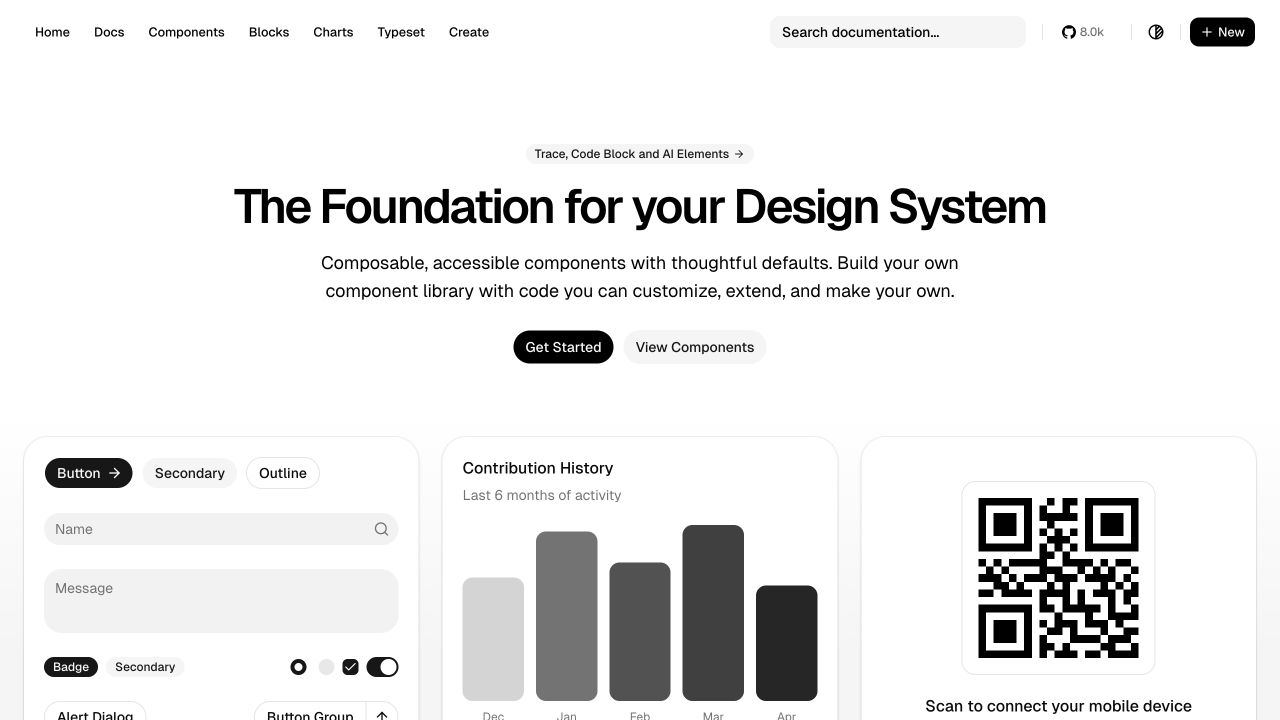
shadcn-svelte presents a clean gallery of controls, a contribution chart and a QR interaction beneath a centered design-system statement. The narrow color range emphasizes component anatomy and makes the primary starting action easy to find. Its resemblance to shadcn/ui is part of the context: the repository identifies this as a community Svelte port with its own public website. A root ESLint command uses a Svelte-aware configuration covering the authored documentation application, with explicit generated and demo exclusions. The two properties therefore share a visual vocabulary while remaining distinct source and capture records.
What you can learn
When adapting a recognizable interface system, make the implementation community and supported framework clear in the documentation. Preserve useful visual conventions while maintaining rules appropriate to the actual source language. Similar screenshots alone cannot establish shared tooling or common ownership.
Pros
The gallery communicates the available control patterns without a long feature list.
Consistent spacing and restrained color keep the individual demonstrations legible.
Cons & considerations
The generic hero wording does little to explain the Svelte-specific distinction.
Dense demonstration cards leave more complex behavior and error states undisclosed.
Platform source: First-party website lint command and configuration. Authored docs website covered by root Svelte-aware ESLint configuration. Build/.svelte-kit, playground and demo exclusions retained; documentation application not wholly excluded. Configured invocation: oxfmt --check && eslint . --no-config-lookup --config eslint.config.js. Documented website-development linting, observed independently of the retained screenshot. This does not prove a successful lint run, enabled CI, the exact deployed commit, browser-side ESLint execution, the private product runtime or company-wide adoption. Original screenshot and broad-audit dates remain unchanged. Platform evidence is separate from the direct website screenshot and is not a complete current infrastructure audit.
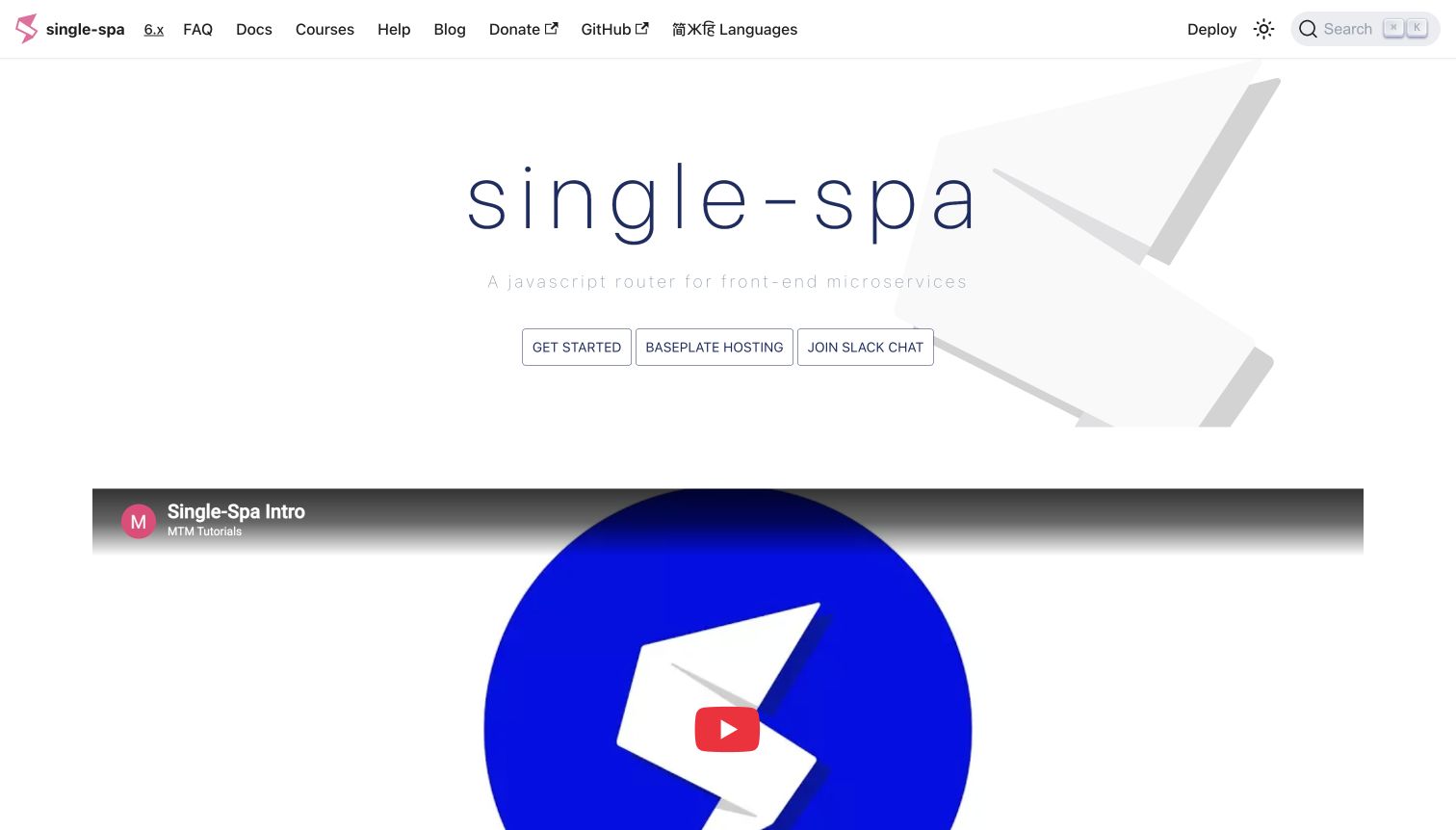
single-spa opens with an unusually airy hero, thin typography and an oversized geometric mark. Three outlined actions offer setup, hosting and community routes. The embedded introductory video below the hero provides another way to understand a concept that may be unfamiliar to visitors. The pale background mark adds identity without interrupting the video or navigation. The dedicated single-spa.js.org repository declares an ESLint command targeting the website's src directory and JavaScript or TypeScript component extensions. That is direct website-source evidence, rather than an inference from the separate single-spa library.
What you can learn
Provide both a concise written explanation and an optional guided introduction for concepts that need context. Keep the main action visually stronger than secondary commercial or community choices. Scope source checks to the website files actually being maintained and document the relationship to any separate library repository.
Pros
The video creates an alternative to reading a technical introduction.
Top navigation offers documentation, help and language options in one predictable row.
Cons & considerations
The faint descriptive line is difficult to distinguish against the light background.
Three similarly styled hero actions give newcomers limited guidance about priority.
Platform source: First-party website lint command and configuration. Dedicated website repository lints src components with browser/React rules. Not the separate single-spa library repository. Configured invocation: eslint src --ext .js,.jsx,.ts,.tsx --max-warnings 1. Documented website-development linting, observed independently of the retained screenshot. This does not prove a successful lint run, enabled CI, the exact deployed commit, browser-side ESLint execution, the private product runtime or company-wide adoption. Original screenshot and broad-audit dates remain unchanged. Platform evidence is separate from the direct website screenshot and is not a complete current infrastructure audit.
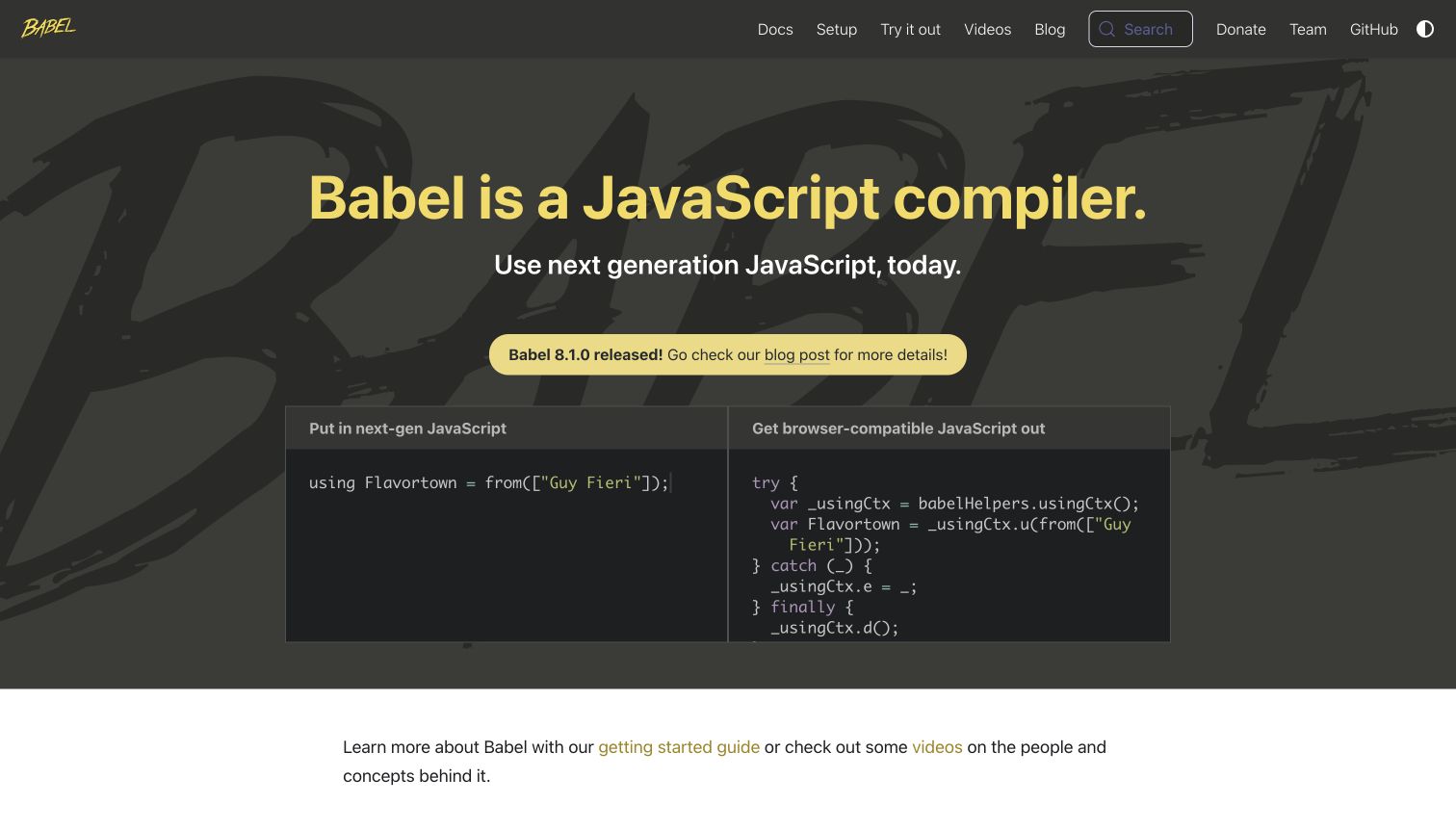
Babel makes its purpose visible by placing source and output code side by side. The headline names the tool's category, while the paired panels demonstrate what that category means in practice. Yellow accents tie the logo, title and release notice together against a dark background. A short line below the hero points toward setup and explanatory videos. The dedicated Babel website repository explicitly runs ESLint against its website and scripts directories. The source association therefore concerns the public documentation interface, rather than merely the compiler's separate codebase.
What you can learn
Show the transformation a tool performs when an abstract description would be less persuasive. Label the before and after states clearly, and make the example understandable without requiring a complete tutorial. Lint the interface code and still review whether the sample teaches the intended concept.
Pros
The two code panels communicate an input-to-output relationship immediately.
The release notice is prominent while remaining within the established color system.
Cons & considerations
A long transformed output can overwhelm readers who are new to compilation.
The decorative background lettering adds texture without helping explain the example.
Platform source: First-party website lint command and configuration. Dedicated babeljs.io main-branch website repository explicitly targets website and scripts; README maps main to this exact property, distinct from old version sites. Configured invocation: eslint website scripts && prettier --check '**/*.{js,ts,tsx}'. Documented website-development linting, observed independently of the retained screenshot. This does not prove a successful lint run, enabled CI, the exact deployed commit, browser-side ESLint execution, the private product runtime or company-wide adoption. Original screenshot and broad-audit dates remain unchanged. Platform evidence is separate from the direct website screenshot and is not a complete current infrastructure audit.
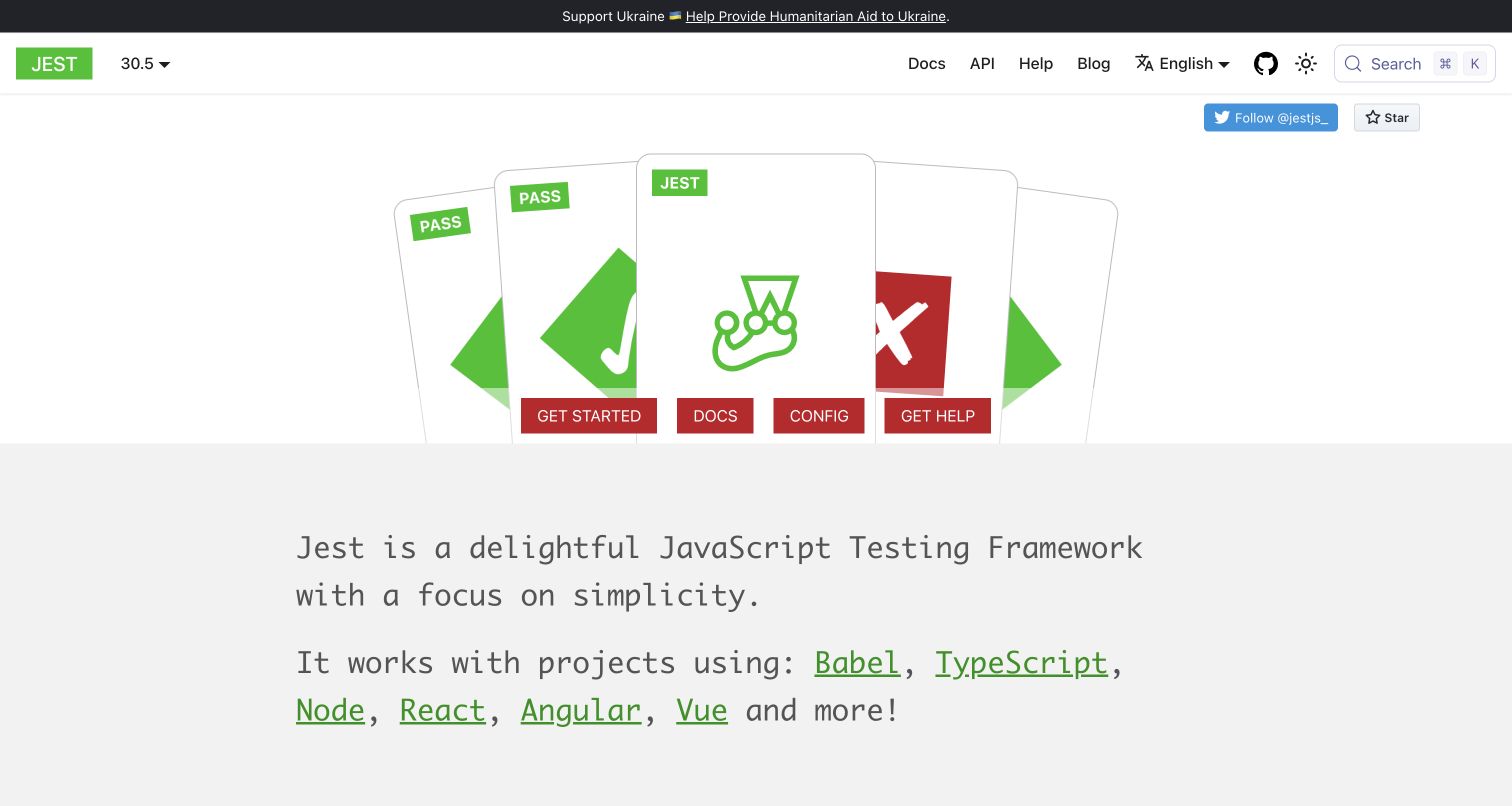
Jest's homepage uses overlapping cards, pass and fail symbols, and a small jester mark to convey testing before the explanatory paragraph appears. Red action buttons sit along the illustration's lower edge, while a broad gray section introduces the tool and its compatibility in larger text. The repository's ESLint configuration explicitly includes website JavaScript and documentation examples, with targeted exclusions for generated output and selected exceptional files. This is more specific than simply finding ESLint among Jest's dependencies: the public website source is part of the configured lint scope.
What you can learn
Use a memorable visual metaphor only when the surrounding navigation still makes the next step obvious. Explain the tool in ordinary language immediately afterward. In a mixed library-and-website repository, verify website file patterns and exceptions before describing linting as a website practice.
Pros
Pass and fail imagery expresses the project's purpose without a complex illustration.
Setup, documentation, configuration and help are available as direct actions.
Cons & considerations
Several equal-weight red buttons can make the first step ambiguous.
The illustration delays the main written explanation until the next visual section.
Platform source: First-party website lint command and configuration. Configuration explicitly targets website/src JS, website configuration and docs Markdown examples; website generated/static directories and documented exceptional examples excluded. Configured invocation: eslint . --cache --ext js,jsx,cjs,mjs,ts,tsx,md --concurrency auto. Documented website-development linting, observed independently of the retained screenshot. This does not prove a successful lint run, enabled CI, the exact deployed commit, browser-side ESLint execution, the private product runtime or company-wide adoption. Original screenshot and broad-audit dates remain unchanged. Platform evidence is separate from the direct website screenshot and is not a complete current infrastructure audit.
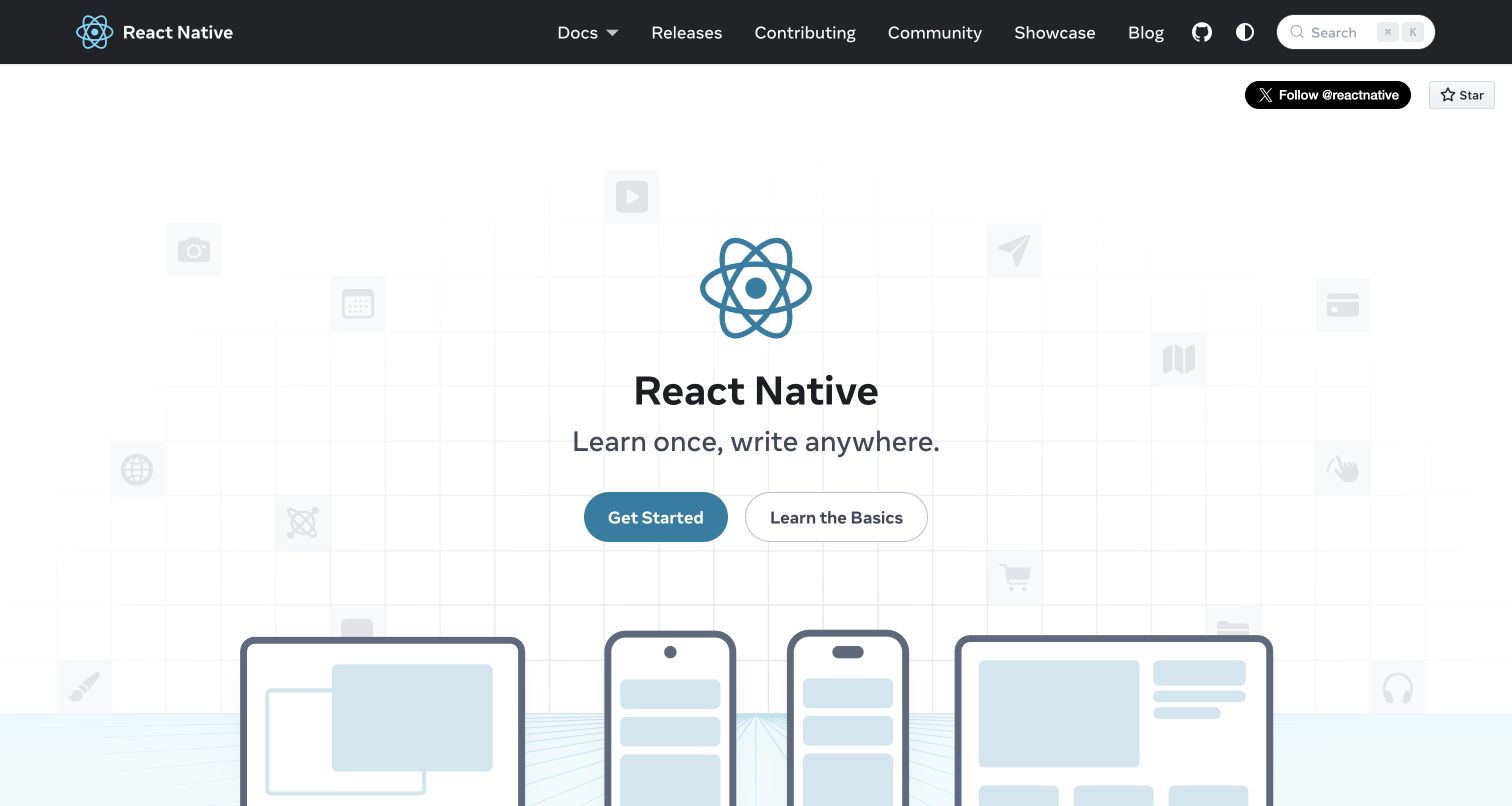
React Native's homepage introduces the project with its emblem, a compact statement and two learning actions. Faint application icons form a background grid, while device outlines begin to illustrate the range of screens below. The dark header creates a clear boundary between navigation and the spacious introduction. The website repository defines a dedicated lint:website command targeting website and docs, and the website package invokes that task. This directly connects ESLint to the public documentation site's development, without treating the mobile framework's own implementation as proof of the website's tooling.
What you can learn
Make the relationship between a framework and its intended outputs visible before introducing implementation detail. Keep setup and conceptual learning as separate paths. A dedicated website lint command also makes maintenance responsibility clearer when documentation shares a repository with supporting packages.
Pros
The two learning routes distinguish immediate setup from foundational reading.
Device imagery reinforces the central promise without requiring a dense feature table.
Cons & considerations
The expansive hero reveals little concrete code or product behavior initially.
Subtle background icons contribute visual texture but carry little explanatory value.
Platform source: First-party website lint command and configuration. Dedicated reactnative.dev repository exposes a website-specific lint command, invoked by its website package. Mobile framework repository not used as website proof. Configured invocation: lint:website runs eslint ./website ./docs. Documented website-development linting, observed independently of the retained screenshot. This does not prove a successful lint run, enabled CI, the exact deployed commit, browser-side ESLint execution, the private product runtime or company-wide adoption. Original screenshot and broad-audit dates remain unchanged. Platform evidence is separate from the direct website screenshot and is not a complete current infrastructure audit.
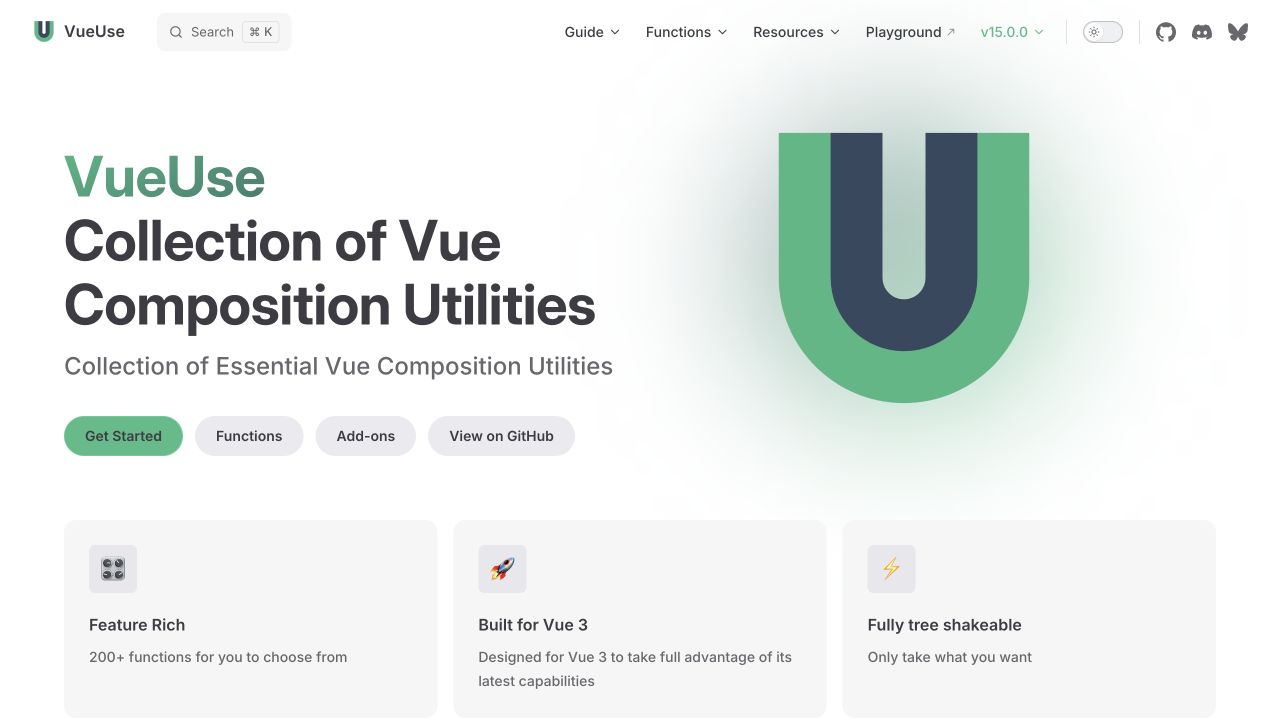
VueUse introduces its collection through a large descriptive title, a recognizable green emblem and a compact row of actions. Visitors can start learning, browse functions, inspect add-ons or move to the source repository. Three feature cards add supporting context without competing with the main explanation. The repository runs ESLint across its authored files and includes explicit configuration for the VitePress website and documentation examples. That connects linting to the public VueUse property, while the source exclusions keep generated and unrelated material outside selected checks.
What you can learn
A large collection needs both an introductory path and a direct catalog route. Name those actions in terms of what visitors want to do, then keep supporting claims brief. Website-aware lint configuration can maintain shared conventions across documentation components and examples without evaluating whether the catalog is easy to navigate.
Pros
The functions action provides a direct route for returning users with a specific need.
Three evenly sized feature cards support quick comparison of the main claims.
Cons & considerations
The subtitle largely repeats the headline instead of adding a concrete example.
Four neighboring actions can dilute the prominence of the initial learning route.
Platform source: First-party website lint command and configuration. Configuration explicitly covers packages/.vitepress Vue components and Markdown examples, not only library source. Generated/cache/types and playground exclusions retained. Configured invocation: eslint --cache .. Documented website-development linting, observed independently of the retained screenshot. This does not prove a successful lint run, enabled CI, the exact deployed commit, browser-side ESLint execution, the private product runtime or company-wide adoption. Original screenshot and broad-audit dates remain unchanged. Platform evidence is separate from the direct website screenshot and is not a complete current infrastructure audit.
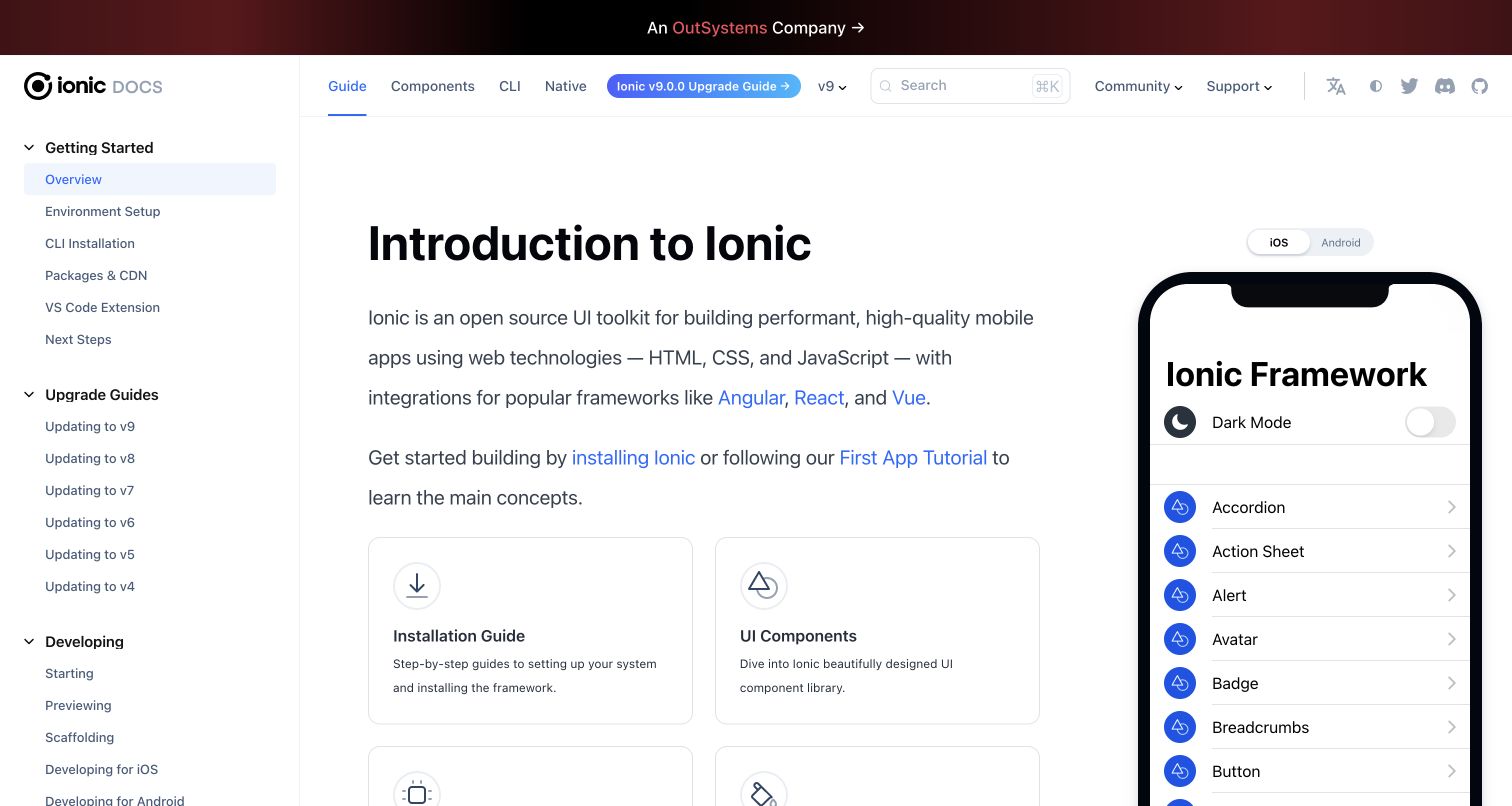
Ionic Docs combines a conventional documentation sidebar with a large phone preview. The introduction explains the toolkit, links to supported frameworks and offers installation or component browsing cards. The phone makes the reference tangible by displaying familiar controls such as an accordion, alert and avatar. Version and upgrade navigation stay above the article. The dedicated documentation repository runs ESLint against src, docs and versioned_docs. Its site configuration identifies ionicframework.com/docs, giving an exact public-property relationship rather than a claim about every application built with Ionic.
What you can learn
Place a representative interface beside conceptual documentation when visitors need to connect terminology with visible results. Keep version context and installation guidance easy to find. Checking source and documentation files can support consistency, while the preview's interaction and accessibility still need direct evaluation.
Pros
The device preview helps readers connect component names with an actual interface.
Installation and component cards provide distinct next steps after the introduction.
Cons & considerations
The wide sidebar and phone leave a relatively narrow central reading area.
Multiple navigation rows and version links increase the initial scanning burden.
Platform source: First-party website lint command and configuration. Exact documentation website: JS/JSX/TSX components and MDX markup rules; generated native/CLI docs and embedded code samples excluded. Includes only versions still configured for publication. Configured invocation: eslint src docs versioned_docs --cache. Documented website-development linting, observed independently of the retained screenshot. This does not prove a successful lint run, enabled CI, the exact deployed commit, browser-side ESLint execution, the private product runtime or company-wide adoption. Original screenshot and broad-audit dates remain unchanged. Platform evidence is separate from the direct website screenshot and is not a complete current infrastructure audit.
Kegan has 15+ years of experience working with small businesses, Fortune 500 companies, and everything in between. No development job is too big or too small: he brings the same hands-on attention to a focused improvement, a complete website, or a custom application.
For ESLint projects, he can help with responsive interfaces, reusable components, custom functionality, API connections, and performance-minded implementation. He works directly with clients on scope, design, implementation, testing, and handover, with an emphasis on clear communication and a system that remains practical to maintain after launch.
Show 3 other ESLint developersHide other ESLint developers
For a standalone website repository, expose a documented command that names the intended source directories or applies an understandable configuration. Keep setup instructions close to the source so a contributor can reproduce the check. Review which files are included whenever the website adds a new language, content format or generated directory.
When the website lives beside framework or library packages, identify the application directory and its lint configuration. A root command may cover the website, delegate to a website task or omit it entirely. Make that relationship explicit. The shadcn, Chakra, Jest and Docusaurus examples illustrate why an ESLint dependency in the root manifest is insufficient evidence by itself.
Review documentation markup and examples deliberately
Documentation can contain site components, Markdown or MDX markup, and code samples intended to teach an idea. Decide which of these should be checked and why. An intentionally incomplete sample may need a narrow exception; generated reference pages may need a separate source-of-truth workflow. Do not silently treat every fenced example as production application code.
Plan the checks around the website's maintenance needs
Map ownership and entrypoints
List the public website's source directories, content formats, generated outputs and build entrypoints. Record where the lint command runs and who maintains the configuration. This avoids a common ambiguity in mixed repositories: a tool may be actively used for the main software package while the documentation website follows a different process.
Inspect exclusions before trusting coverage
Read ignore patterns alongside the command and configuration. Generated output, vendor code and caches usually deserve different treatment from authored page components. Check that a broad exclusion has not accidentally removed the website itself. Record the reason for exceptional files so future maintainers can revisit it when the implementation changes.
Give contributors a reproducible local command and explain how it relates to automated checks. If editor integration is available, keep its configuration aligned with the project's documented workflow. Review automatic fixes before accepting them, and distinguish warnings that need judgment from errors intended to stop a change. A configured workflow is not evidence that it has run successfully.
Keep repository observations and visual captures separately dated. When a public website moves to a new implementation, revisit its source association instead of carrying an old configuration forward as current proof. MDN's current Fred frontend was used here after the older Yari implementation was identified as superseded. Earlier screenshots remain historical visual records.
A useful handover demonstration
Ask the actual team to carry out its routine job: publish a realistic update, correct a mistake, preview a narrow screen, and identify who owns an integration failure. For a library or frontend framework, also ask who maintains the content source and deployment. A polished screenshot does not answer those operational questions.
Beyond the screenshot
A practical ESLint website checklist
Identify the exact website application and its source directories.
Record the command contributors actually use to invoke linting.
Match parsers and plugins to the file types being checked.
Inspect generated-file, vendor and directory exclusions.
Check that monorepo commands include the website rather than only the library.
Explain deliberate exceptions for instructional examples and generated references.
Keep local commands, editor settings and automated checks understandable.
Review automatic fixes and configuration changes as code changes.
Use separate checks for accessibility, behavior, content and visual layout.
Keep capture dates, source observations and deployed-release evidence distinct.
Test with real content, a keyboard, a small screen, slow or failed requests, and the people who will maintain the system. These are planning checks, not an accessibility, security, performance, or search-ranking certification.
Sources & editorial method
How this ESLint collection was reviewed
This collection was researched and written on November 12, 2026. It contains twenty distinct public website properties and twenty original design reviews. Nineteen genuine earlier browser captures were recovered from original authoring records and inspected directly, preserving their image files, URLs, dimensions and actual dates. Single-SPA received a new direct capture on November 12 after its workshop notice was dismissed through the normal control; its older record remains in history. First-party website repositories supply the separately dated ESLint evidence, including commands, workflow declarations, relevant configurations and exclusions. Source snapshots are retained with their revision identifiers and observation records. Archived or superseded implementations were not used as current website proof. Twenty existing broad public-audit attempts are retained, including two partial results. No private account, purchase or form was tested. Configured tooling is not a successful execution report, a deployment receipt, an accessibility certification or a complete current runtime inventory. Industry links use only recorded associations with published guides; unresolved associations remain unclassified.
Every image is an unmodified capture from the actual website, with its source and capture date. Some captures are reused from our shared catalog; their dates remain the original capture dates. None comes from a vendor gallery or a generated reconstruction. Moving imagery and live content can change.
Technology attribution uses public page assets or metadata, official platform documentation, or a cited first-party project case study. Documentary and framework-relationship evidence is identified where used; it is not a complete current backend inventory. A CMS image CDN alone does not establish a full CMS deployment. A library’s presence does not prove which individual controls use it, and a platform label does not establish AI authorship.
The composition notes, lessons, pros and tradeoffs are original editorial observations. We have not measured conversion, traffic, security, performance or accessibility conformance. Website owners retain their brands and imagery; these examples are not our client portfolio. Written, Edited and Curated are independent records, not dates advanced by a build. See our editorial standards or suggest a correction.
Questions worth asking
ESLint website development FAQs
What does it mean for a website to use ESLint?
Here it means the website's own source repository declares an ESLint command or workflow covering authored website code or documentation markup. ESLint checks selected source patterns during development. The association does not mean the tool runs in a visitor's browser.
How were these examples verified?
Each example connects an exact public website to a first-party repository using website documentation or configuration. Its lint invocation and relevant file scope were inspected, including exclusions. A package dependency or a company logo alone did not qualify a website.
Does the repository evidence prove the checks passed?
No. A command or workflow definition documents configured tooling. It does not prove a recent successful execution, an enabled workflow or that a particular source revision reached production. Those would require separate execution and release evidence.
Are these screenshots from the source-check date?
Nineteen screenshots are genuine earlier captures retained with their original dates and provenance. Single-SPA received a new unobstructed capture on November 12. Repository observations have separate dates, and the collection does not assert that a screenshot depicts an exact inspected source revision.
Can ESLint guarantee accessibility or good design?
No. Some plugins check particular source patterns, but the finished website still requires appropriate evaluation of semantics, keyboard behavior, contrast, content and interaction. Passing configured rules is not a general quality or accessibility certification.
Should a new project copy one of these configurations exactly?
Treat the examples as references for scope and maintenance decisions. Their dependencies, integrations and exceptions serve different projects and may include legacy arrangements. Consult current official documentation and verify a configuration against the files and workflow of your own website.
Study how these websites organize information and help visitors choose a next step. Use their documented lint workflows as maintenance references, then choose source rules and separate experience checks that fit your own website.