Good media delivery preserves the meaning of an image while fitting the device, layout, and visitor task. These examples pair genuine website captures with recorded Cloudinary resource references and original reviews of the visual decisions a media pipeline needs to support.
A wide campaign photograph, a product card, a portrait, and a small customer logo are different assets with different requirements. Begin with those roles. Decide which subject must survive a crop, which details need readable text, and what should happen when media is slow, missing, or intentionally paused.
The collection covers retail, travel, software, sports, food, property, and services. The evidence establishes Cloudinary media delivery associations on named public pages. It does not identify their CMS, private DAM workflow, every transformation, or the source of every visible asset. Design lessons are separated from claims about the delivery service actually used by a particular image.
Before the examples
What makes good Cloudinary website development in 2026?
Define media roles before transformations
Create an inventory of hero images, cards, product details, portraits, logos, posters, and video. Give each role an aspect ratio, size range, focal point requirement, and fallback. Preserve meaningful text outside images when visitors need it to understand or operate the page.
Make transformations intentional
Cloudinary documents image transformation options for delivery URLs and SDKs. Use a small, documented set tied to actual components. Review the output rather than assuming a transformation name guarantees a good crop, readable product detail, or an appropriate file size.
Cloudinary’s responsive image guidance addresses adapting images to display requirements. Test the actual component at different widths and densities, then inspect delivered dimensions and formats. A responsive layout and a responsive media request are related decisions, but one does not automatically prove the other.
Heinz, GitLab’s public marketing site, Kendra Scott, TASCHEN, and FIBA open the collection. Each named property references Cloudinary delivery resources in the sampled page evidence. Reviews discuss visible design patterns without attributing every pictured asset to that reference.
We start with five recognizable brands or organizations: Heinz US, GitLab public marketing website, Kendra Scott, TASCHEN, FIBA Basketball. Each attribution applies to the named website property, not every product or website belonging to its organization. This is a curated reading sequence, not a measured ranking.
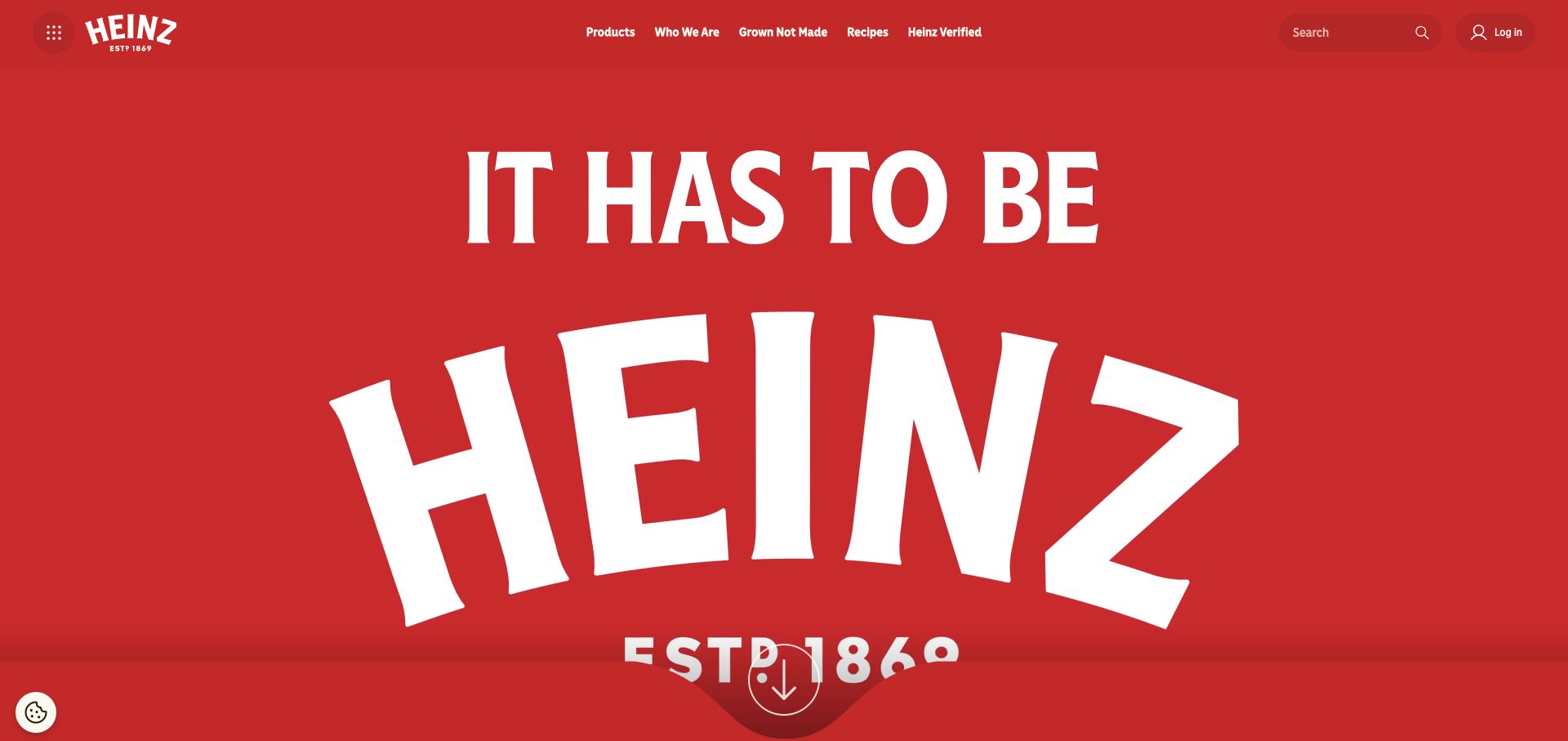
Heinz’s US homepage uses a saturated red field and an oversized white brand statement, with a compact product and recipe navigation above. The first view depends more on recognition and scale than on a dense interface. The sampled page references a Cloudinary resource, which supports a media delivery association only. It does not establish the CMS or attribute every visual element to Cloudinary. The useful planning lesson is to preserve the clarity of the brand composition when images or campaign media move between wide desktop layouts, narrow screens, and smaller promotional placements.
What you can learn
Define a small set of media roles and responsive crops before adding transformations. Keep important text in accessible page markup where possible, check that the brand remains recognizable at small sizes, and inspect actual delivered dimensions rather than assuming an attractive screenshot proves efficient delivery.
Pros
A disciplined color field and large identity create immediate brand recognition.
Compact navigation preserves access to products and recipes without cluttering the campaign.
Cons & considerations
Oversized campaign compositions can lose important context when cropped carelessly.
A Cloudinary URL does not establish the CMS or the performance of all assets.
Platform source: Exact public source-page evidence. The exact sampled page references a Cloudinary delivery resource. This is media-delivery evidence only; it does not establish the CMS, DAM workflow, use of every Cloudinary feature, or attribution of every visible image. Platform evidence is separate from the direct website screenshot and is not a complete current infrastructure audit.
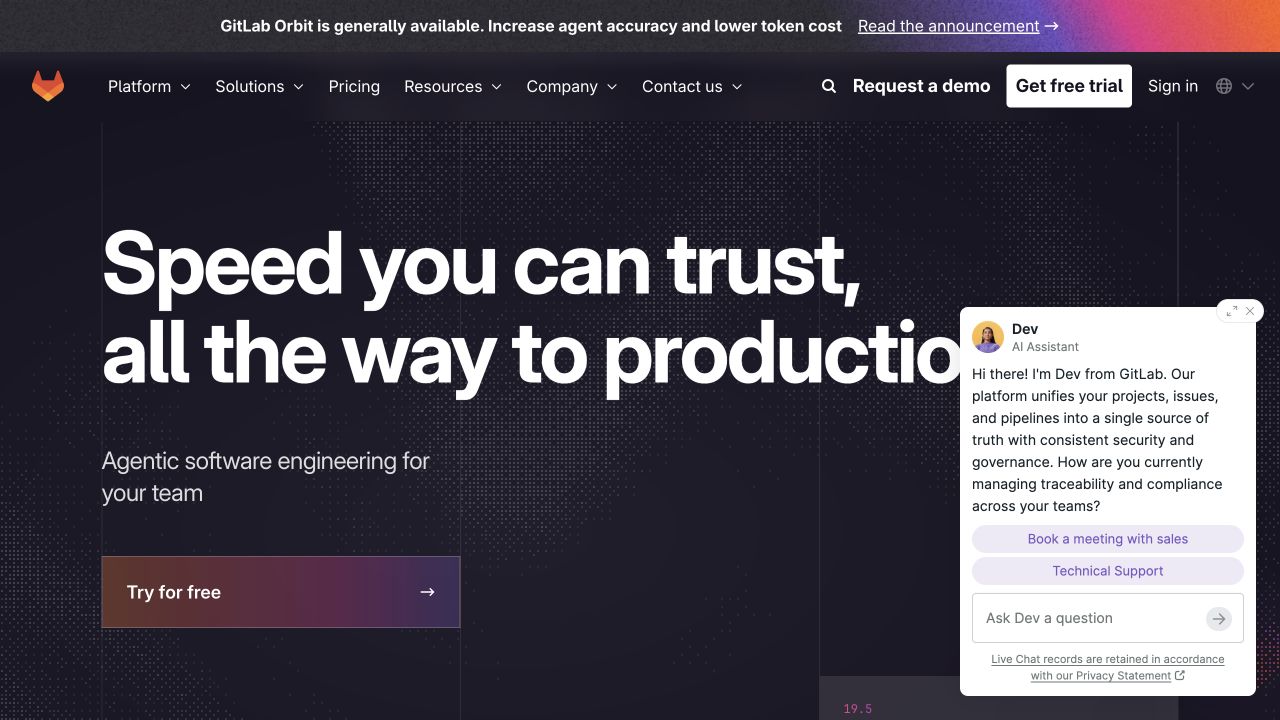
GitLab’s public marketing homepage uses a dark textured background, a large product promise, and a prominent free trial action. A conversation widget adds a separate layer of sales and support choices. A Cloudinary reference appears in the sampled page, but this is a media delivery association for the marketing property, not evidence about repositories, CI systems, or the application backend. The design offers a useful planning question: which visual assets help explain the product, and which simply add weight around an already clear heading and action?
What you can learn
Set separate delivery budgets for decorative backgrounds, product illustrations, and meaningful screenshots. Preserve readable technical details in responsive variants, defer nonessential media where appropriate, and test that widgets do not obstruct the main action or obscure visual content on narrow screens.
Pros
The large heading and trial action establish a clear hierarchy for a complex platform.
A restrained visual palette keeps the main message distinct from surrounding utilities.
Cons & considerations
Additional widgets can compete with the hero and change the available viewport.
A marketing media reference says nothing about the infrastructure of private repositories.
Platform source: Exact public source-page evidence. The exact sampled page references a Cloudinary delivery resource. This is media-delivery evidence only; it does not establish the CMS, DAM workflow, use of every Cloudinary feature, or attribution of every visible image. Platform evidence is separate from the direct website screenshot and is not a complete current infrastructure audit.
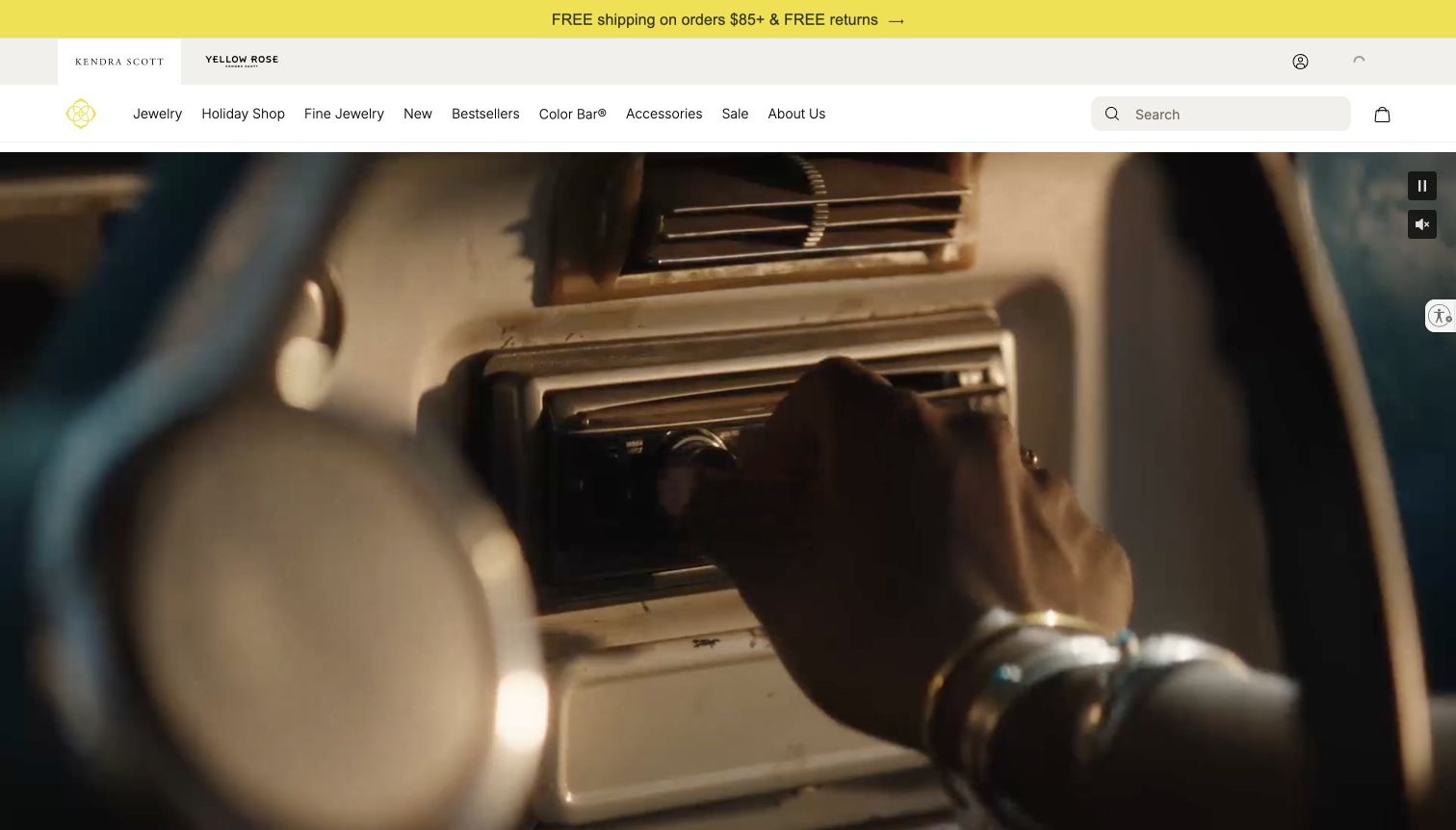
Kendra Scott’s captured first view shows a cinematic campaign scene below product categories and a prominent shipping message. Pause and sound controls sit over the media, making its moving nature visible even in a still capture. The page’s Cloudinary resource reference supports a delivery association but does not prove that this particular hero is served through that resource. The transferable lesson is to plan the full media experience: a useful poster frame, controls, a readable overlay, and a shopping route that still works when motion is unavailable or unwanted.
What you can learn
Treat video, poster, and product imagery as separate assets with explicit size and accessibility requirements. Test reduced motion and failed media states, keep commerce actions independent from playback, and verify actual formats and network behavior before making optimization or performance claims.
Pros
Visible playback controls acknowledge that visitors may want to stop or silence media.
Product categories remain available above the campaign rather than inside the video.
Cons & considerations
Cinematic media can delay useful shopping context if its delivery budget is uncontrolled.
A page level reference does not attribute every video or product image to Cloudinary.
Platform source: Exact public source-page evidence. The exact sampled page references a Cloudinary delivery resource. This is media-delivery evidence only; it does not establish the CMS, DAM workflow, use of every Cloudinary feature, or attribution of every visible image. Platform evidence is separate from the direct website screenshot and is not a complete current infrastructure audit.
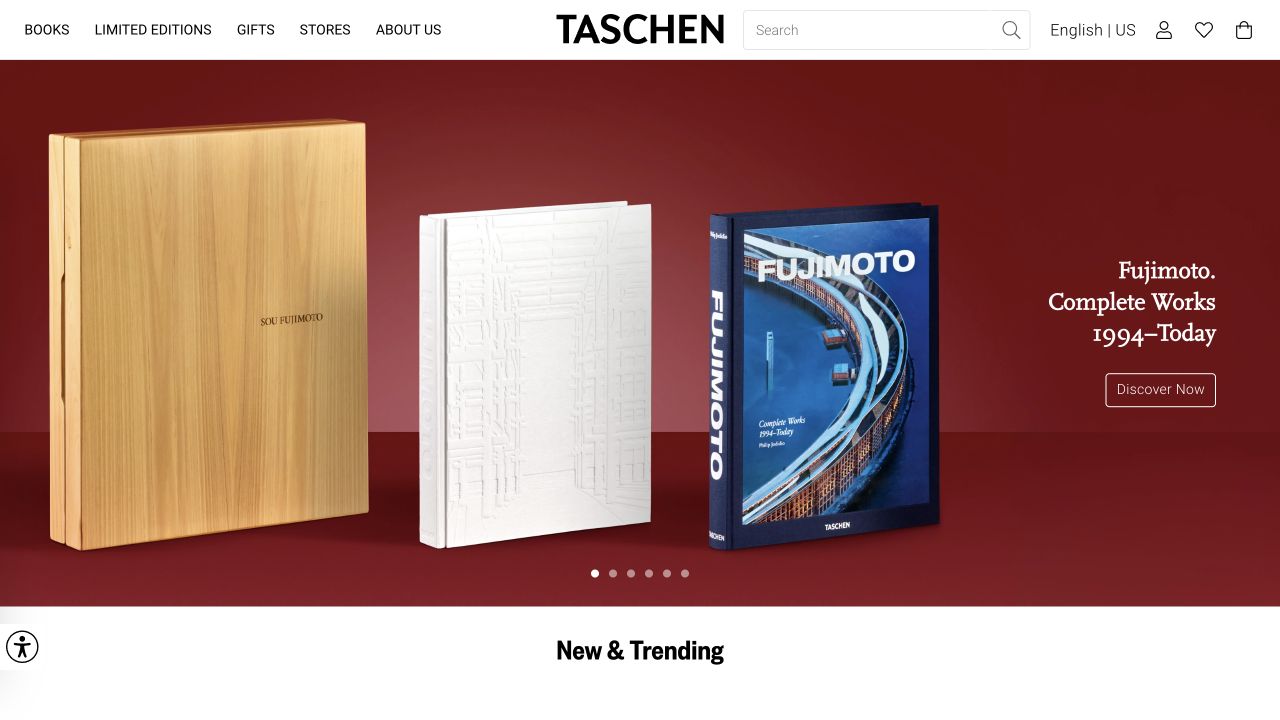
TASCHEN’s homepage places several editions of a book against a deep red background, with a concise title and discovery action to the side. The composition lets packaging, cover, and format communicate much of the product’s character. A Cloudinary delivery reference in the sampled page establishes a media association, not the commerce engine or the source of every displayed image. For a similar catalog, the practical challenge is to preserve readable covers and meaningful scale across devices without making each visitor download an unnecessarily large campaign image.
What you can learn
Create distinct hero, card, and detail image requirements instead of reusing one oversized file everywhere. Inspect crops for cut off covers or edition details, retain useful alternative text, and keep essential title and format information in page content rather than only inside imagery.
Pros
Multiple editions shown together make the physical product more understandable.
The restrained title and action let the book imagery retain visual priority.
Cons & considerations
A wide product arrangement can become illegible when reduced to a narrow card.
A media reference does not prove catalog data, stock, or checkout functionality.
Platform source: Exact public source-page evidence. The exact sampled page references a Cloudinary delivery resource. This is media-delivery evidence only; it does not establish the CMS, DAM workflow, use of every Cloudinary feature, or attribution of every visible image. Platform evidence is separate from the direct website screenshot and is not a complete current infrastructure audit.
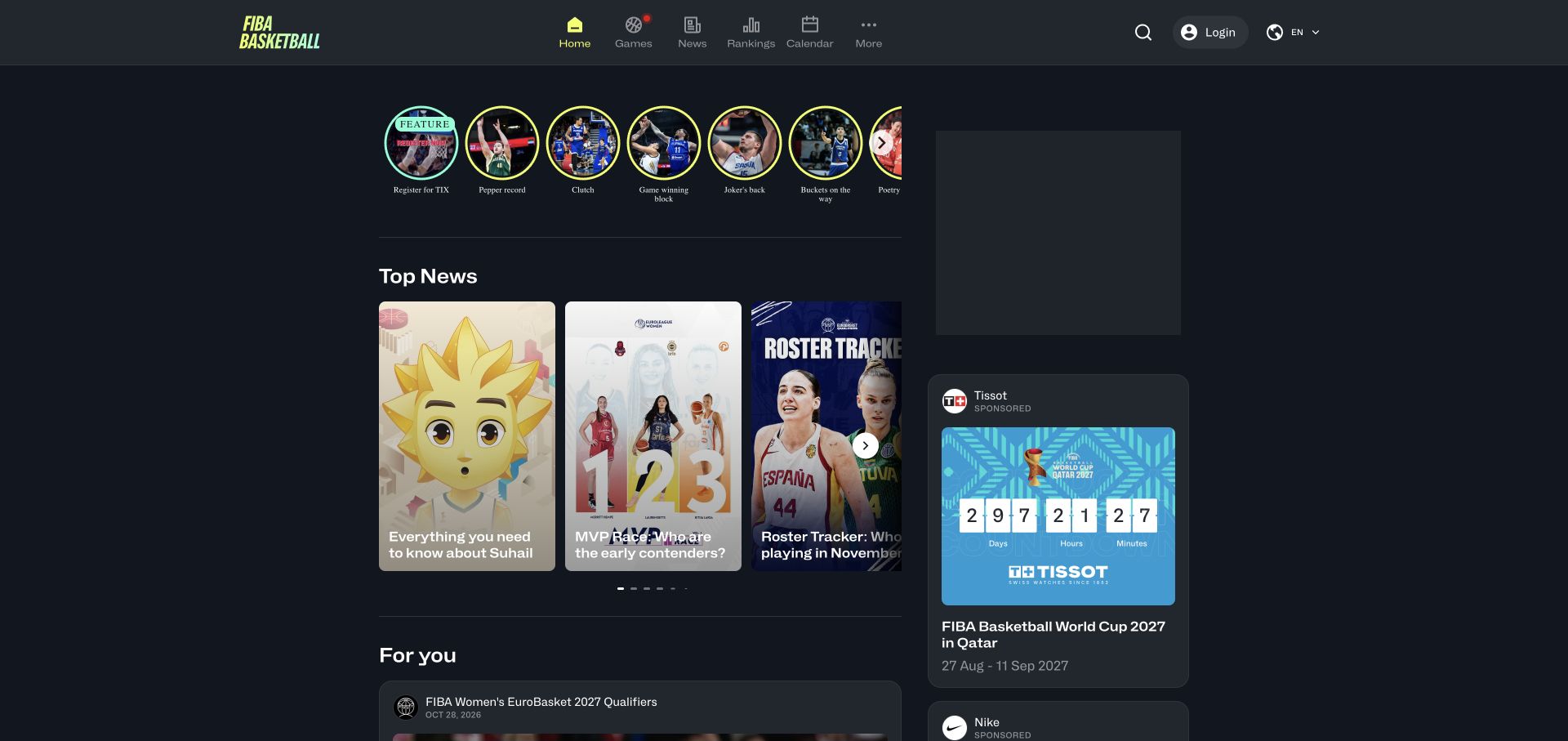
FIBA Basketball’s dark interface combines circular story entries, vertical news cards, event information, and navigation for games, rankings, and calendars. The page is denser than a single campaign homepage and asks imagery to work at several sizes. The sampled HTML references Cloudinary media delivery, without establishing the site’s CMS or the source of every card. The useful planning lesson is to define repeatable image roles. Player faces, team identities, event artwork, and editorial photographs have different cropping needs even when they occupy similar rectangular spaces in the interface.
What you can learn
Specify focal points and aspect ratios for each sports content type, then inspect cards at actual display sizes. Keep team, event, and date information in accessible text, and test fallback images so a missing asset does not remove the meaning of a result or story.
Pros
Repeated card patterns make several current sports topics easy to scan together.
Games, rankings, and calendar routes distinguish news from practical competition information.
Cons & considerations
Dense media grids can create substantial cumulative transfer and decoding costs.
Delivery references alone do not establish live score accuracy or editorial data systems.
Platform source: Exact public source-page evidence. The exact sampled page HTML references a Cloudinary media-delivery URL. This establishes a delivery association only; no CMS, DAM workflow, transformation execution, or ownership of every visible image is inferred. Platform evidence is separate from the direct website screenshot and is not a complete current infrastructure audit.
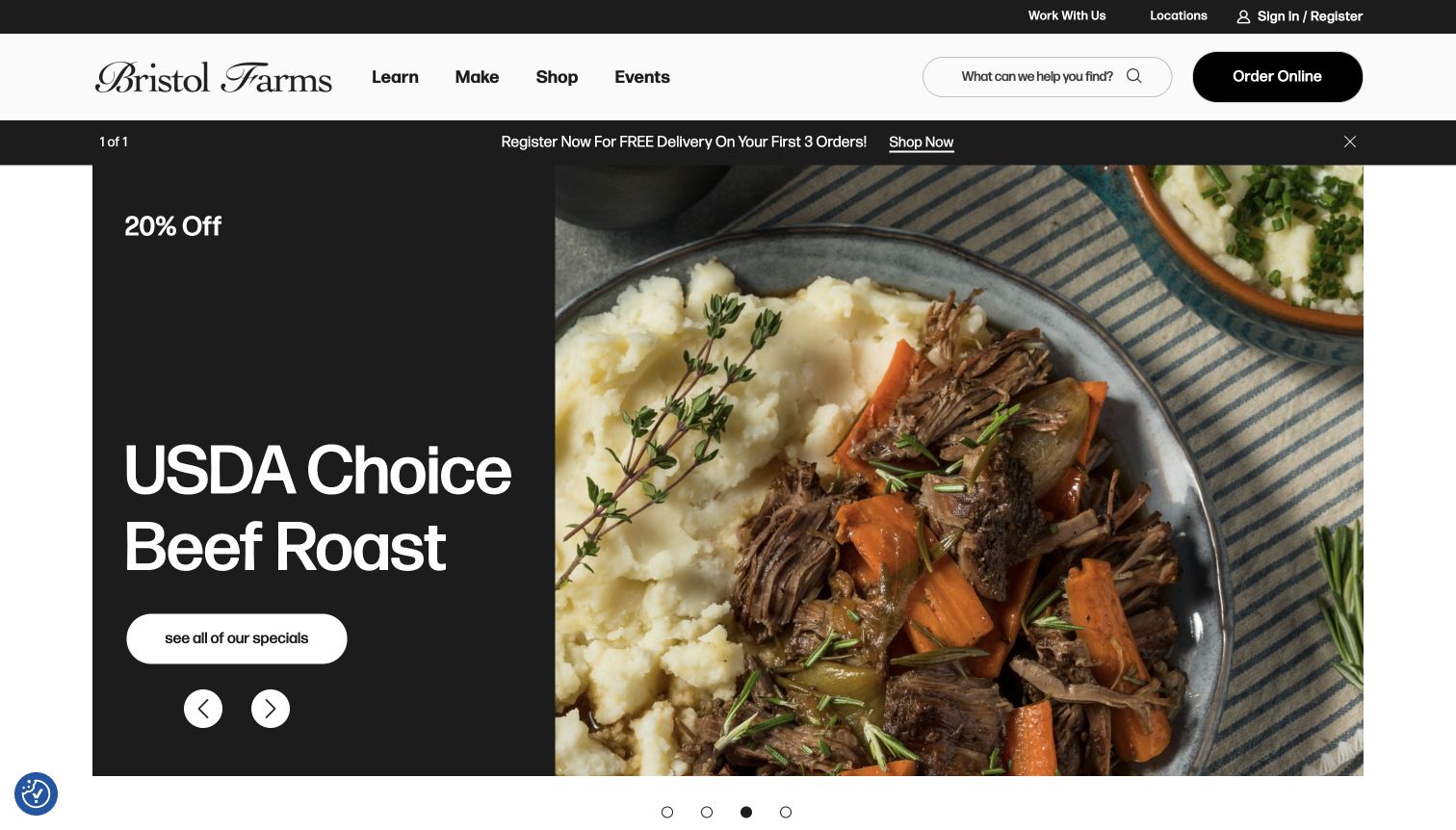
Bristol Farms places a closeup of a prepared meal beside a black panel containing an offer and a route to more specials. Search, locations, account access, and online ordering remain above the campaign. This is a useful Cloudinary planning example because the image has to create appetite while the text supplies the actual commercial meaning. The sampled resource reference supports a media delivery association only; it does not identify inventory, order fulfillment, or the source of every photograph. The visual system should remain useful as weekly promotions and product availability change.
What you can learn
Separate promotional copy from food photography so offers can be updated accessibly without rebuilding every asset. Define crops that preserve the dish, test the mobile split layout, and coordinate campaign image expiry with the landing page rather than leaving stale offers in circulation.
Pros
The split layout gives the food and the offer distinct, readable areas.
Search and ordering remain accessible for visitors with a practical shopping task.
Cons & considerations
Weekly promotional media needs close coordination with current offer details.
Cloudinary references cannot establish stock availability or delivery coverage.
Platform source: Exact public source-page evidence. The exact sampled page references a Cloudinary delivery resource. This is media-delivery evidence only; it does not establish the CMS, DAM workflow, use of every Cloudinary feature, or attribution of every visible image. Platform evidence is separate from the direct website screenshot and is not a complete current infrastructure audit.
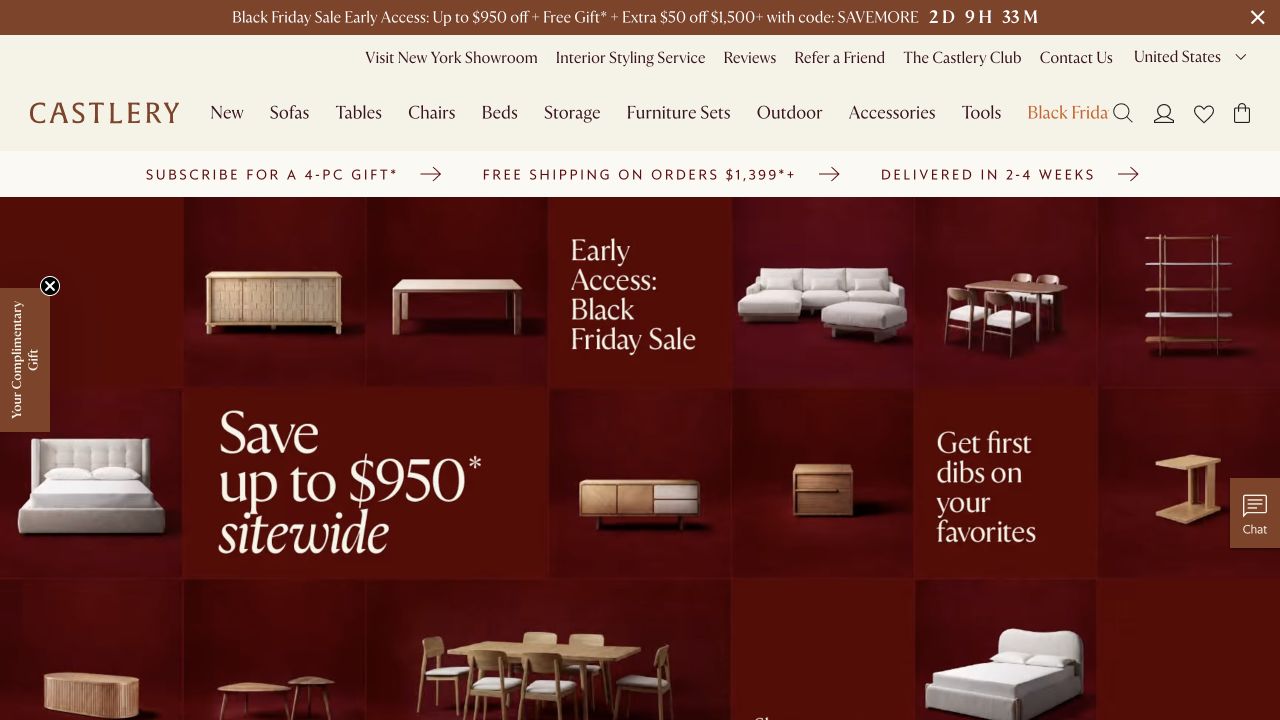
Castlery’s campaign arranges furniture products and sale messages into a red grid below several layers of shopping and promotional navigation. The composition gives a broad selection a coordinated seasonal identity. A sampled Cloudinary URL supports a media delivery association, but it does not establish the product platform or every transformation used. The useful design challenge is maintaining the relationship between item, scale, and message when the grid reflows. A sofa, small table, and text panel need different treatment if they are to remain understandable in a narrow viewport.
What you can learn
Define product card crops separately from campaign art, preserve meaningful object proportions, and keep price or offer text in accessible markup. Test the complete grid on mobile and inspect delivered dimensions so visual consistency does not depend on oversized images or unreadable embedded copy.
Pros
A coordinated campaign grid presents several product categories within one visual system.
Shopping navigation remains explicit despite the highly promotional first view.
Cons & considerations
Multiple offer strips and campaign panels can make the first screen feel crowded.
Media delivery evidence does not verify pricing, stock, or promotional eligibility.
Platform source: Exact public source-page evidence. The exact sampled page references a Cloudinary delivery resource. This is media-delivery evidence only; it does not establish the CMS, DAM workflow, use of every Cloudinary feature, or attribution of every visible image. Platform evidence is separate from the direct website screenshot and is not a complete current infrastructure audit.
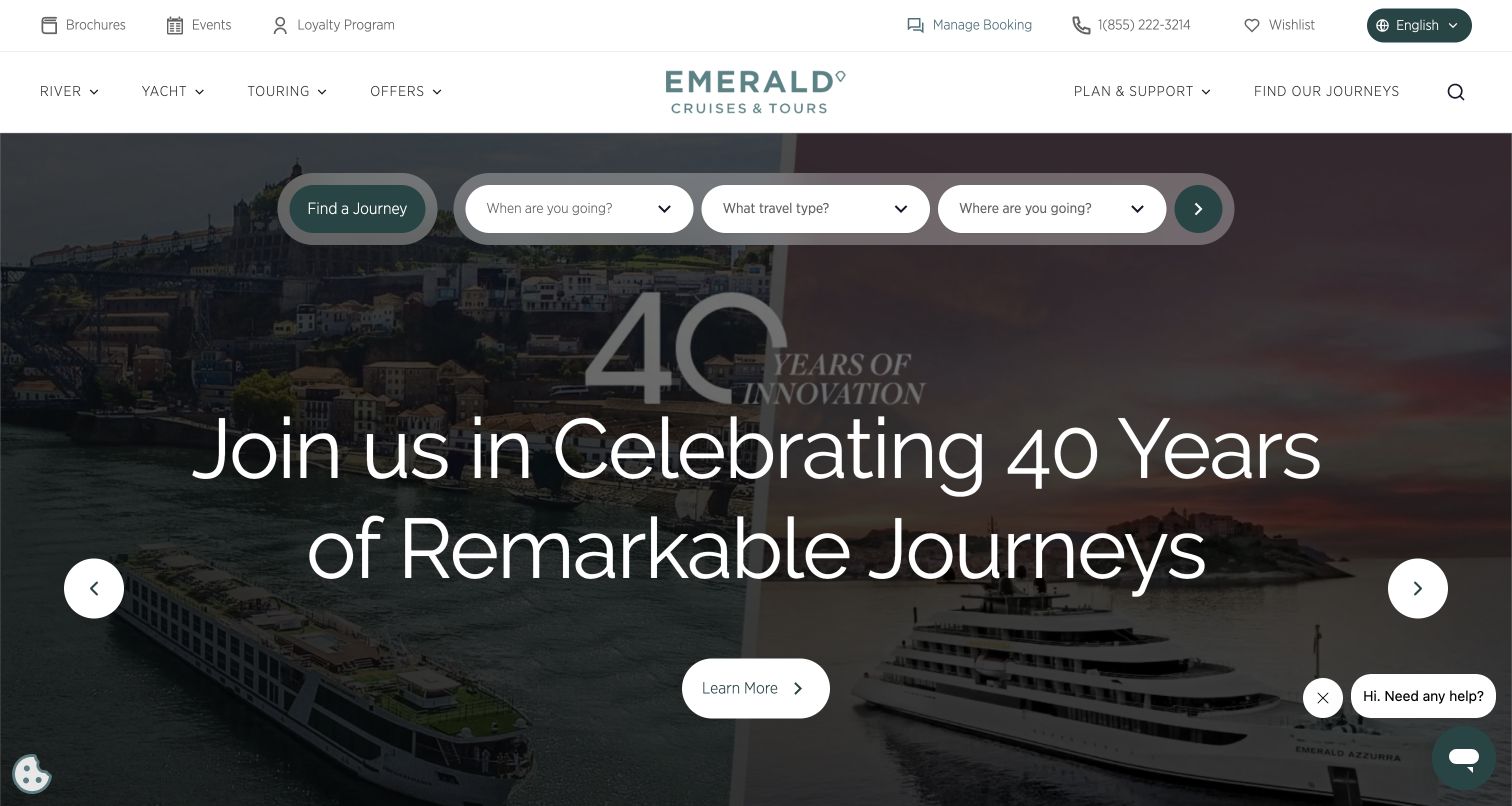
Emerald Cruises layers a journey search bar over a wide anniversary campaign, with timing, travel type, and destination choices above a large headline. The image creates a travel setting while the search controls provide the practical task. The sampled page references Cloudinary delivery, but this does not establish the booking engine or attribute the full campaign to one service. For a similar website, the important media lesson is to preserve readable controls and contextual imagery together, especially when the desktop composition becomes a narrow stack on a phone.
What you can learn
Choose crops that leave predictable space around the search interface and test contrast across every campaign image. Keep destination and date controls in accessible page components, provide a useful fallback when media fails, and verify actual image delivery separately from booking behavior.
Pros
The search fields give visitors a practical way to act on destination inspiration.
A clear headline establishes the purpose of the temporary anniversary campaign.
Cons & considerations
Large overlay text and search controls can compete on smaller viewports.
A Cloudinary reference does not establish itinerary availability or booking completion.
Platform source: Exact public source-page evidence. The exact sampled page references a Cloudinary delivery resource. This is media-delivery evidence only; it does not establish the CMS, DAM workflow, use of every Cloudinary feature, or attribution of every visible image. Platform evidence is separate from the direct website screenshot and is not a complete current infrastructure audit.
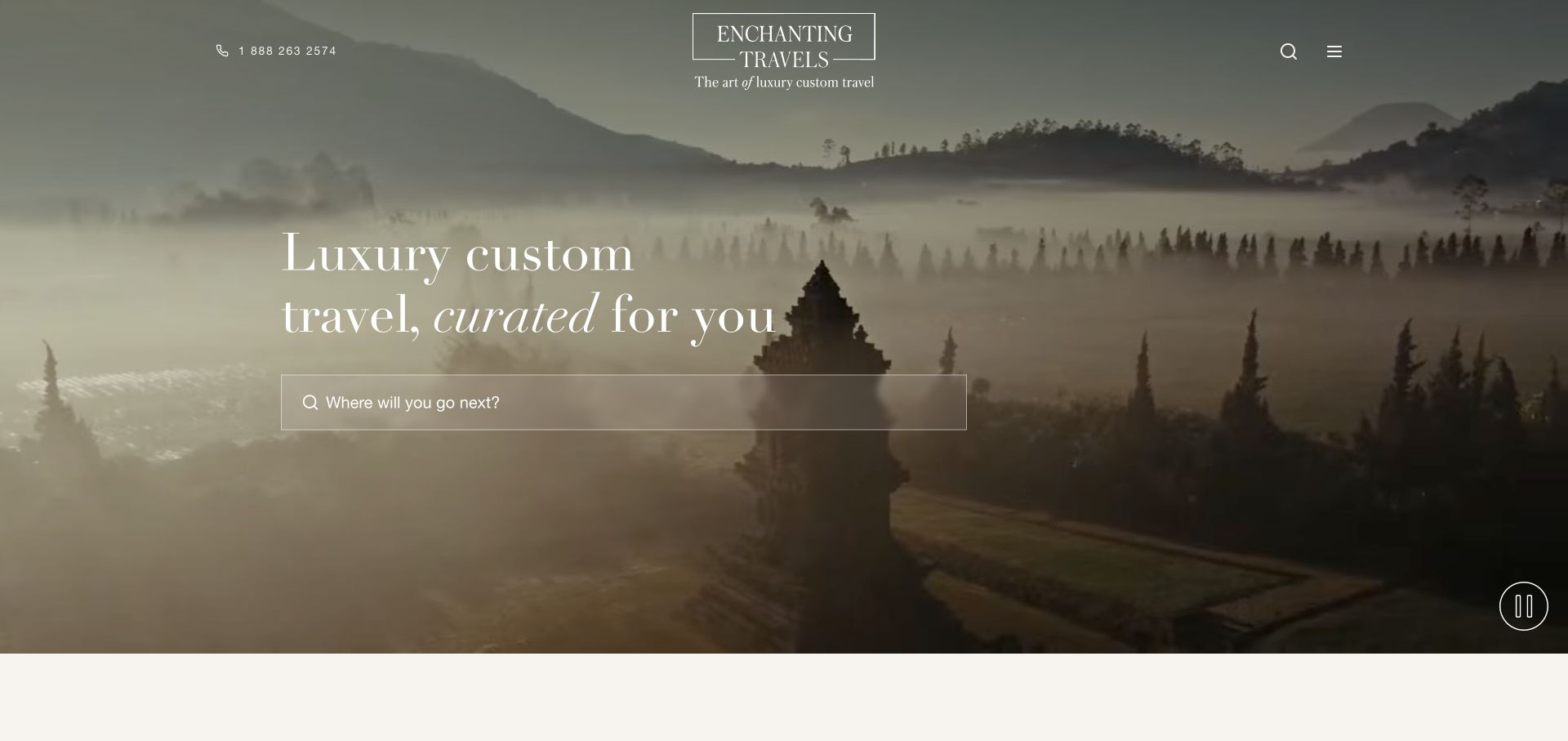
Enchanting Travels places a quiet destination photograph behind a large custom travel promise and a central destination search. The scene’s mist, landscape, and architectural focal point do much of the emotional work. A Cloudinary reference in the sampled page supports a media delivery association without identifying the CMS or all visual assets. The transferable challenge is not simply compressing a large photo. It is choosing responsive crops that retain the place and leave enough calm space for the search field and copy, so the page remains useful as well as atmospheric.
What you can learn
Set focal points with editorial intent, inspect alternate crops on real viewport widths, and keep search controls independent from the image. Use descriptive text for the destination context, provide a stable poster for moving media, and measure delivery rather than inferring it from visual polish.
Pros
The photograph gives the travel proposition a specific and memorable sense of place.
A central search route turns inspiration into a clear exploration task.
Cons & considerations
Atmospheric low contrast scenes can make overlay text difficult to read.
A resource reference does not prove custom itinerary or travel booking systems.
Platform source: Exact public source-page evidence. The exact sampled page references a Cloudinary delivery resource. This is media-delivery evidence only; it does not establish the CMS, DAM workflow, use of every Cloudinary feature, or attribution of every visible image. Platform evidence is separate from the direct website screenshot and is not a complete current infrastructure audit.
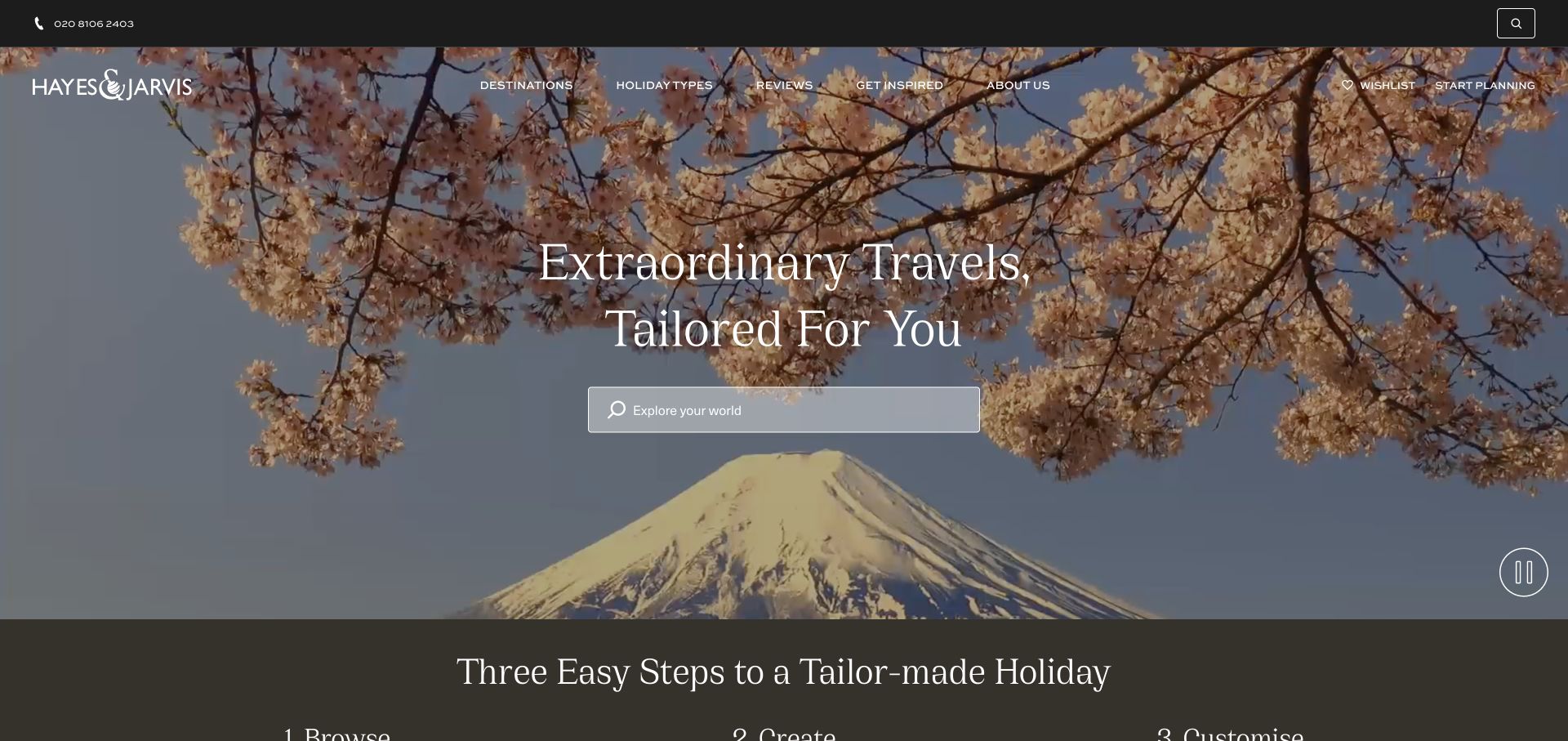
Hayes & Jarvis uses Mount Fuji and flowering branches as the setting for a centered travel message and search field. A slim navigation layer retains destinations, holiday types, reviews, and planning access. The composition is a useful Cloudinary example because the photograph has several important elements that can be lost through an automatic center crop. The sampled delivery reference supports a page association only, not the CMS or every media feature. A strong implementation would preserve the destination’s recognizable context while ensuring that the visitor can still read and operate the search interface.
What you can learn
Review hero crops manually at the breakpoints used by the design, especially when a landscape has important foreground and background subjects. Keep essential place names in text, support motion controls where relevant, and verify that media failure does not disable destination discovery.
Pros
Recognizable landscape imagery supports a concrete travel aspiration rather than a generic backdrop.
Destination and planning routes remain available above the large campaign image.
Cons & considerations
A single automatic crop may remove either the mountain or the framing blossoms.
Media association does not establish itinerary accuracy or reservation functionality.
Platform source: Exact public source-page evidence. The exact sampled page references a Cloudinary delivery resource. This is media-delivery evidence only; it does not establish the CMS, DAM workflow, use of every Cloudinary feature, or attribution of every visible image. Platform evidence is separate from the direct website screenshot and is not a complete current infrastructure audit.
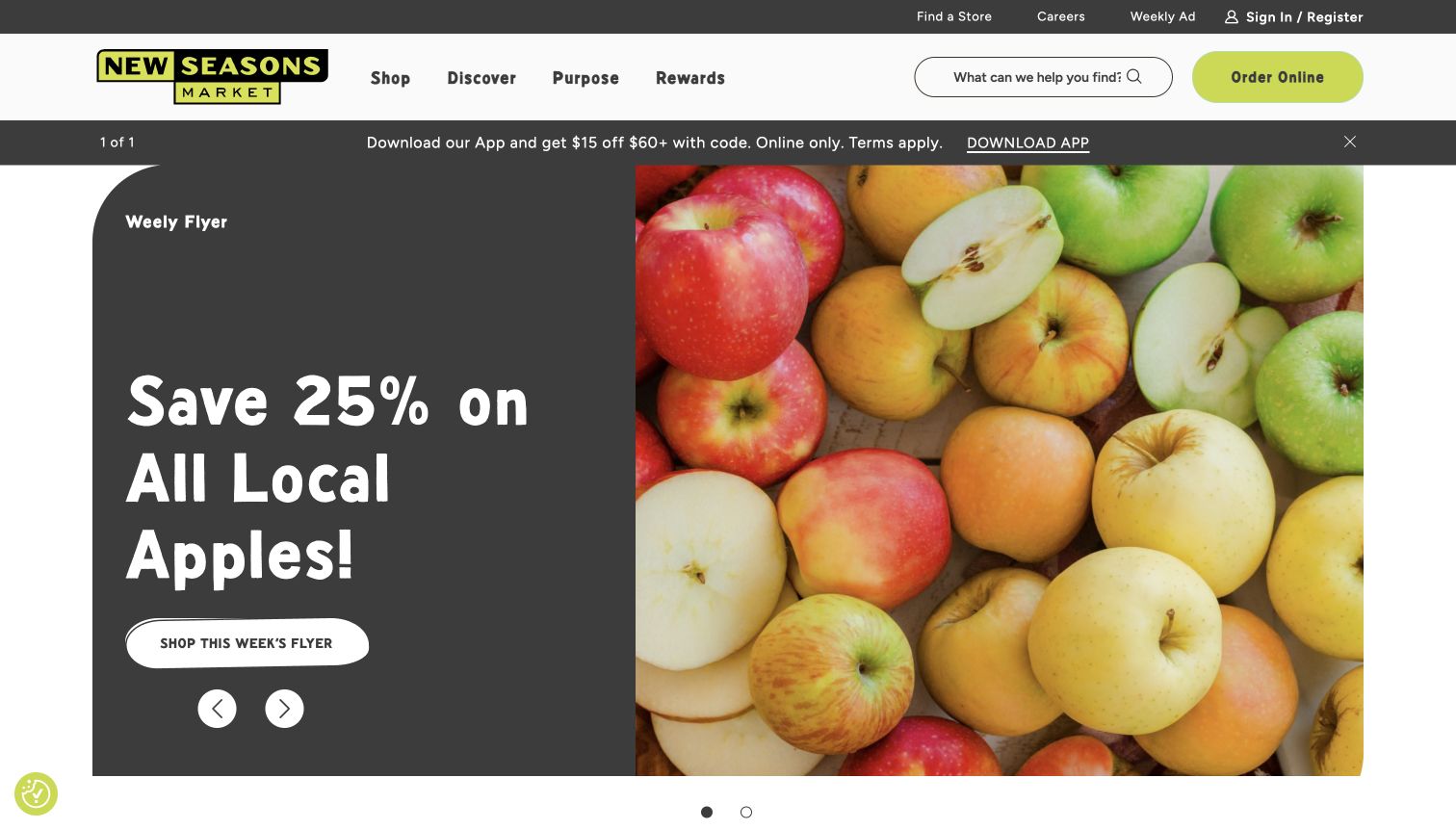
New Seasons Market’s homepage pairs a large apple photograph with a clear weekly offer and a flyer action. Store finding, search, account access, and online ordering appear in the surrounding navigation. The image supplies color and freshness while the text explains the offer. A Cloudinary resource reference supports a delivery association on this exact page, not evidence about inventory or online order systems. The useful planning lesson is to treat campaign media and offer content as coordinated records, so an attractive reusable image does not accidentally carry an outdated promotion forward.
What you can learn
Keep weekly offer text editable independently from the photograph and assign an expiry owner. Test flyer links and mobile crops, preserve useful product descriptions, and verify that cached campaign assets and page content change together when the next promotion begins.
Pros
The product photograph and offer panel communicate complementary information clearly.
Store and ordering routes support visitors whose needs extend beyond the featured special.
Cons & considerations
Short lived offers can become inconsistent across cached pages and campaign destinations.
A Cloudinary URL cannot verify local stock or eligibility for a promotion.
Platform source: Exact public source-page evidence. The exact sampled page references a Cloudinary delivery resource. This is media-delivery evidence only; it does not establish the CMS, DAM workflow, use of every Cloudinary feature, or attribution of every visible image. Platform evidence is separate from the direct website screenshot and is not a complete current infrastructure audit.
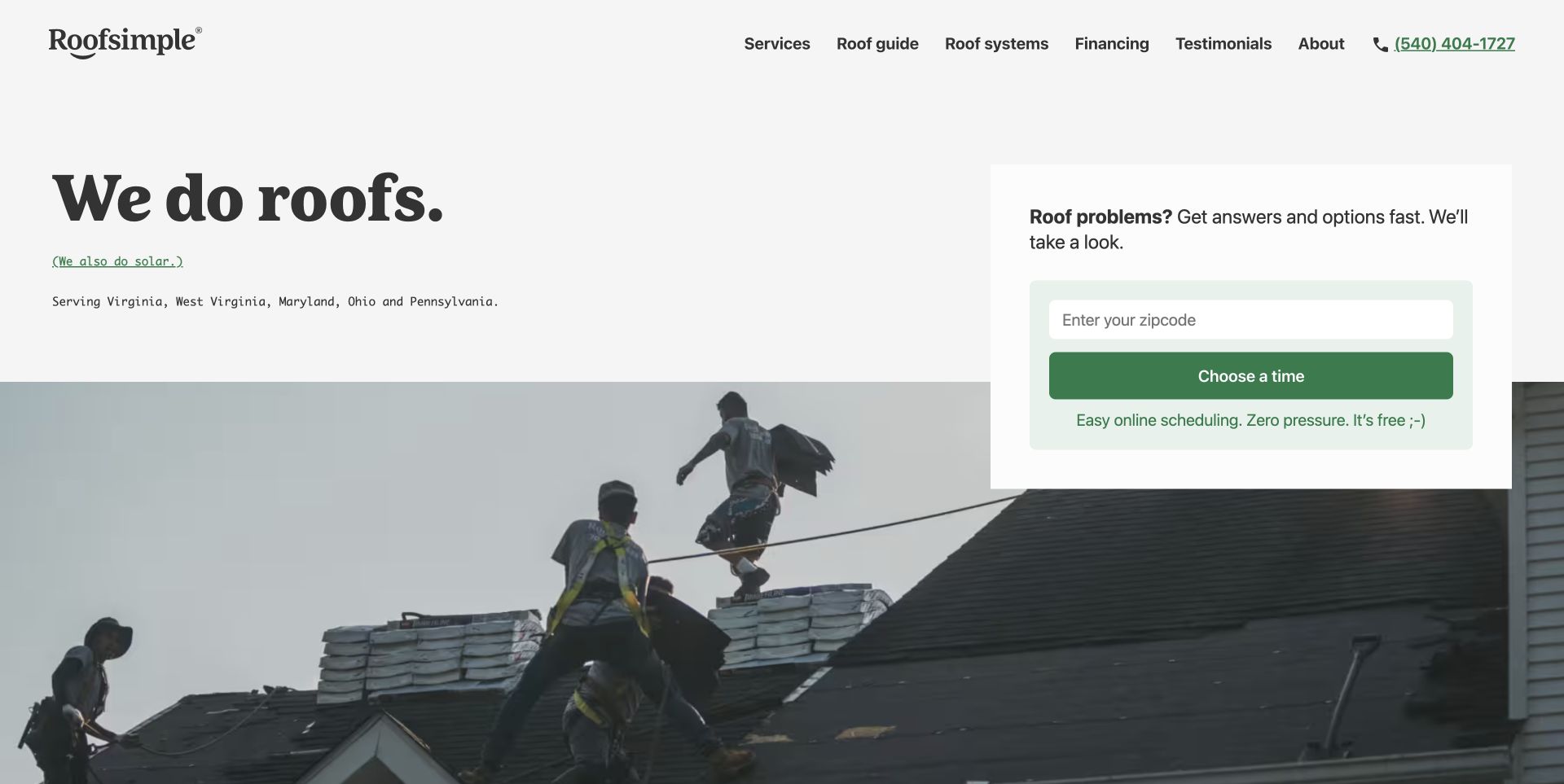
Roofsimple’s homepage places a plain service statement above a wide roofing scene, with a compact postal code and scheduling panel alongside it. The photograph shows actual work context while the interface keeps the next step practical. The sampled page references a Cloudinary media resource, which does not establish the scheduling provider or CMS. The useful media lesson is to select and crop project imagery for credibility and orientation. A photograph should help a homeowner understand the service, while the location and scheduling controls remain readable and independent from the image.
What you can learn
Choose project images with a clear subject and preserve that subject across responsive crops. Keep service area and appointment copy in accessible markup, avoid oversized decorative downloads, and test that the request panel still works when the media is unavailable or slow.
Pros
The direct service statement makes the company’s purpose immediately understandable.
A compact scheduling panel links the work imagery to a concrete visitor task.
Cons & considerations
A wide project photograph may lose important context when cropped tightly on mobile.
A media reference does not prove appointment availability or request delivery.
Platform source: Exact public source-page evidence. The exact sampled page references a Cloudinary delivery resource. This is media-delivery evidence only; it does not establish the CMS, DAM workflow, use of every Cloudinary feature, or attribution of every visible image. Platform evidence is separate from the direct website screenshot and is not a complete current infrastructure audit.
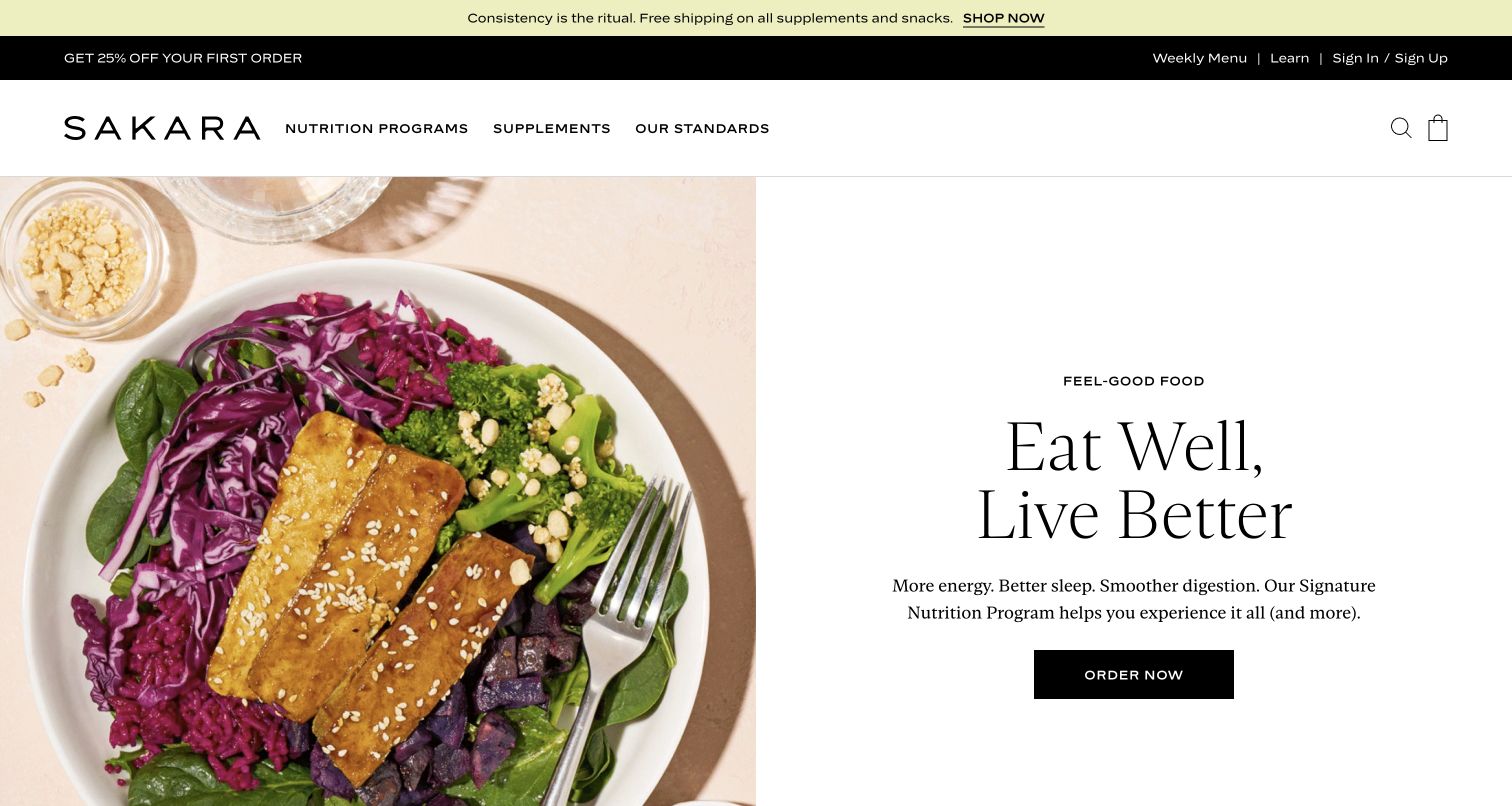
Sakara’s first view pairs a large plated meal photograph with a spacious white text area and a clear ordering action. The food provides texture and color, while the text carries the brand’s promise. A Cloudinary reference supports a media delivery association for the sampled page, not the ordering platform or the accuracy of nutrition related statements. The useful design lesson is to let the image support the offer without making it the only source of product information. Ingredients, suitability, and practical ordering details need accessible content beyond an appealing meal photograph.
What you can learn
Create responsive crops that preserve the dish and use product descriptions to supply essential context. Keep health or nutrition statements independently reviewable, test image alternatives and mobile ordering access, and inspect delivered formats and dimensions before claiming an optimization benefit.
Pros
The split composition gives food imagery and explanatory copy enough room to work together.
A clear ordering action establishes the next step without crowding the photograph.
Cons & considerations
An attractive meal image cannot communicate all ingredients or suitability information.
Media delivery evidence does not substantiate nutrition outcomes or commerce operations.
Platform source: Exact public source-page evidence. The exact sampled page references a Cloudinary delivery resource. This is media-delivery evidence only; it does not establish the CMS, DAM workflow, use of every Cloudinary feature, or attribution of every visible image. Platform evidence is separate from the direct website screenshot and is not a complete current infrastructure audit.
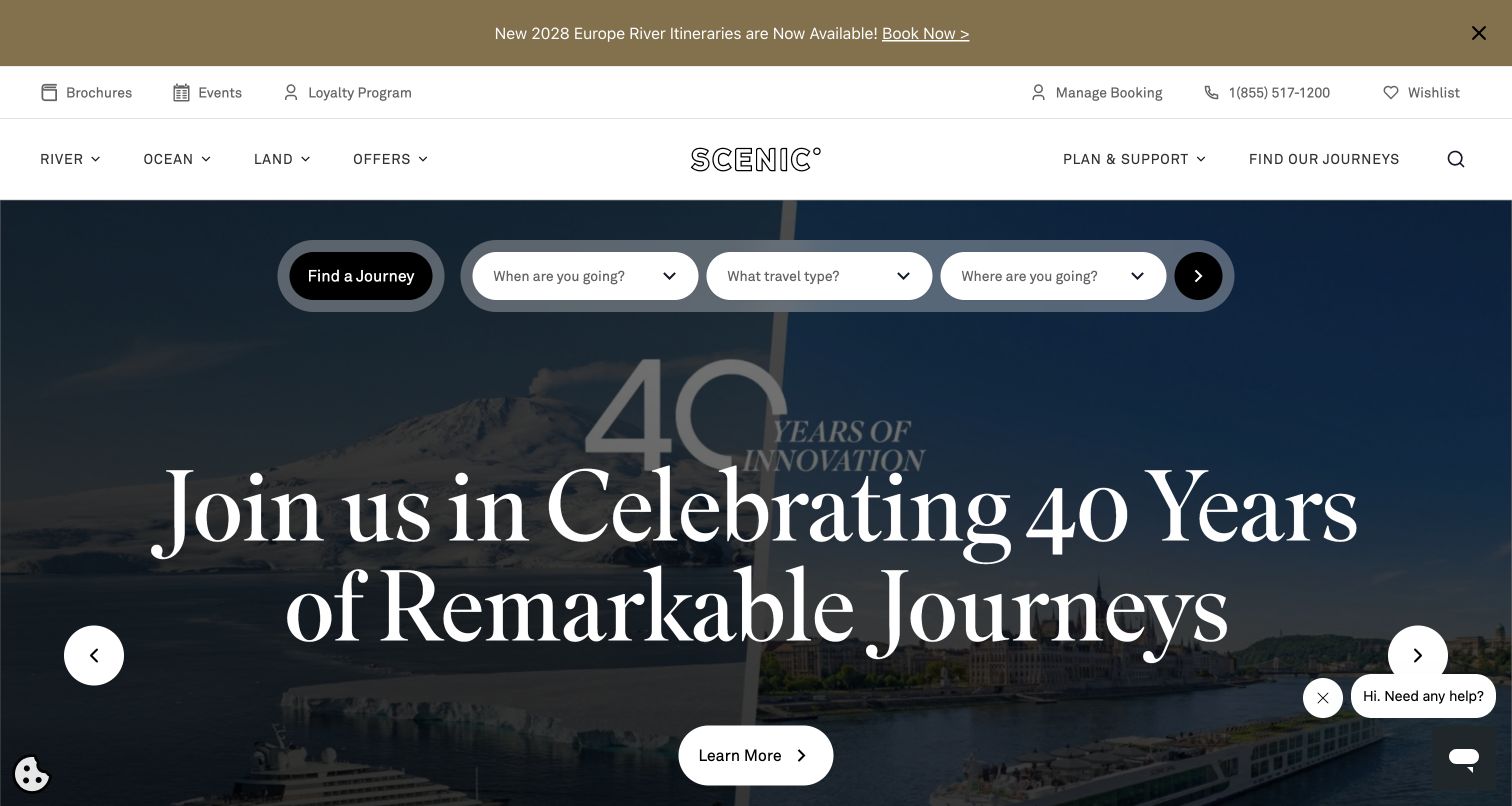
Scenic’s homepage places a journey finder over a darkened anniversary image, with a large central headline and a further information action. Practical navigation and booking management remain above the hero. The sampled Cloudinary resource supports a media delivery association for this specific Scenic property. It does not prove the booking engine, the CMS, or the infrastructure of related travel brands. The design lesson is to make reusable campaign structures retain the right brand, destination, and content context as imagery changes, rather than assuming a visually similar template guarantees operational consistency.
What you can learn
Define campaign assets with explicit brand and regional metadata, then review every localized variant. Test search readability and image crops across devices, keep booking controls independent from media, and validate destination links and dates separately from the visual asset delivery pipeline.
Pros
The journey finder provides a practical route within a large promotional composition.
Booking management is distinguished from new journey discovery in the utility navigation.
Cons & considerations
Shared campaign layouts can encourage accidental reuse of the wrong brand or regional asset.
Cloudinary references do not establish itinerary availability or booking system behavior.
Platform source: Exact public source-page evidence. The exact sampled page references a Cloudinary delivery resource. This is media-delivery evidence only; it does not establish the CMS, DAM workflow, use of every Cloudinary feature, or attribution of every visible image. Platform evidence is separate from the direct website screenshot and is not a complete current infrastructure audit.
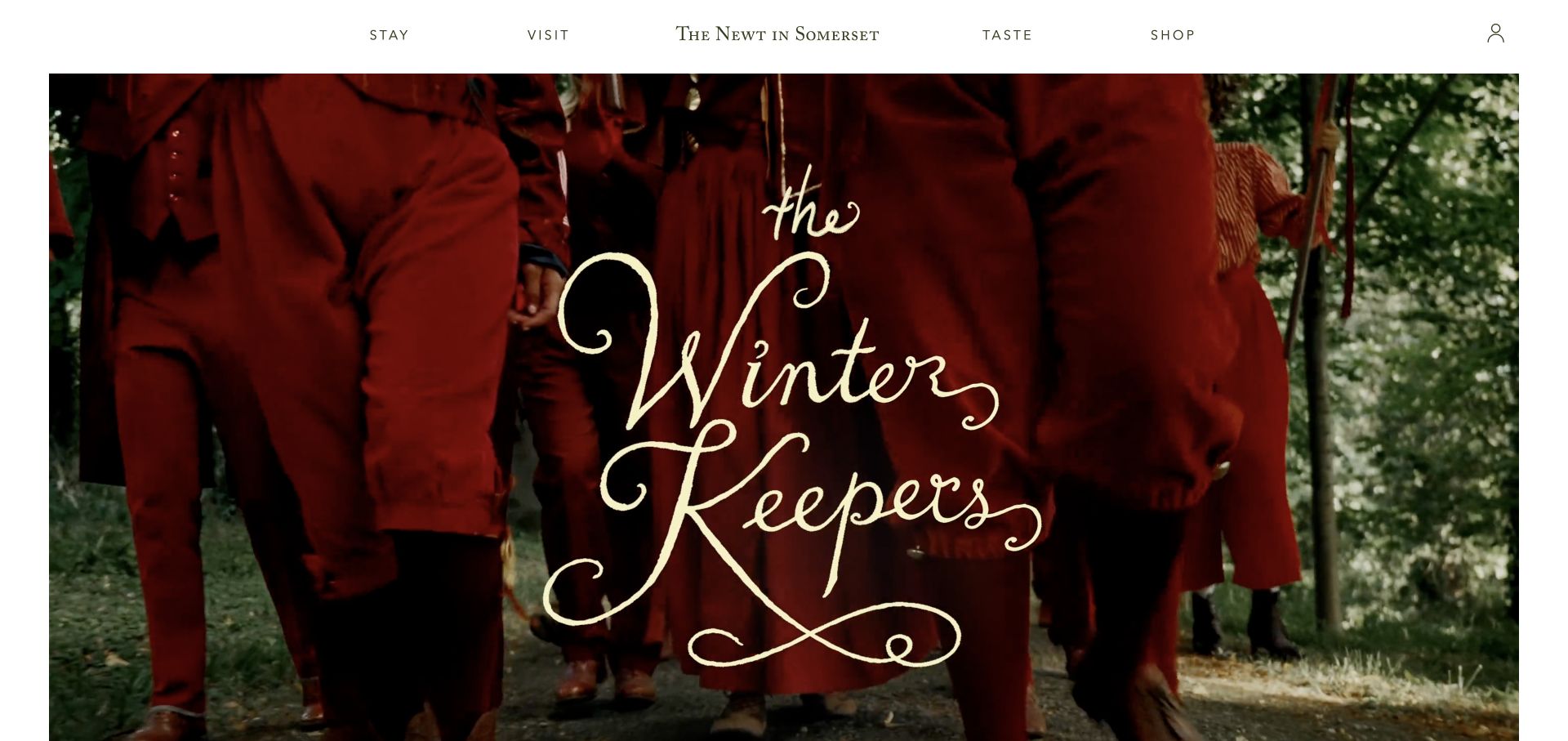
The Newt in Somerset’s seasonal image uses deep red clothing, a woodland setting, and decorative lettering to create a distinctive campaign mood. A spare header separates stay, visit, taste, and shop. The sampled page references Cloudinary delivery, but that evidence does not attribute every part of the hero or identify the CMS. The useful planning question is how to keep the campaign readable and reusable across placements. Decorative typography may belong in art direction, while essential dates, booking details, and descriptive information still need accessible text outside the image.
What you can learn
Maintain a clean source asset and create placement specific variants without losing the subject or lettering. Pair campaign art with readable page content, test narrow crops and contrast, and track seasonal expiry so imagery and practical booking information remain aligned.
Pros
The seasonal art direction creates a memorable identity beyond a generic destination photo.
A small set of experience links keeps the broader estate easy to navigate.
Cons & considerations
Decorative lettering can become illegible when an image is reduced or cropped.
A media reference does not verify reservations, retail availability, or membership operations.
Platform source: Exact public source-page evidence. The exact sampled page references a Cloudinary delivery resource. This is media-delivery evidence only; it does not establish the CMS, DAM workflow, use of every Cloudinary feature, or attribution of every visible image. Platform evidence is separate from the direct website screenshot and is not a complete current infrastructure audit.
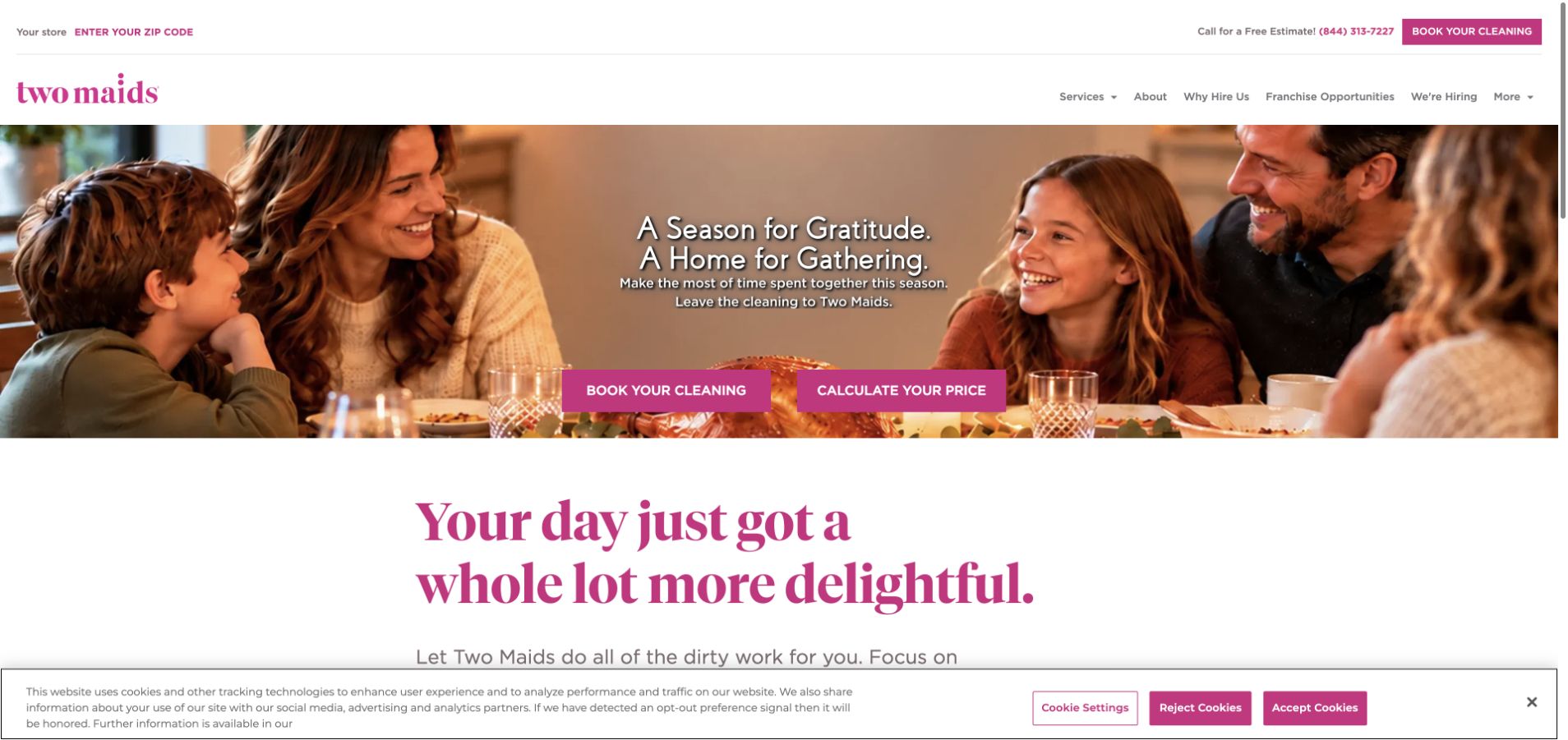
Two Maids uses a family gathering photograph, a seasonal message, and paired booking and price actions in the hero. A postal code route and telephone contact help connect the national brand to a local service. The sampled Cloudinary resource establishes a delivery association, not the quote engine or franchise management platform. For a similar website, the image’s job is to establish the benefit of the service while leaving practical controls clear. Media transformations should preserve faces, message space, and the relationship between campaign imagery and the next step.
What you can learn
Review family group crops manually and keep important promotional text in accessible markup. Test booking and quote controls at narrow widths, retain a useful fallback image, and coordinate seasonal asset changes with current service offers and local destination links.
Pros
The campaign relates cleaning to a recognizable household occasion rather than equipment alone.
Booking and pricing actions make the practical next steps easy to identify.
Cons & considerations
Group photographs can crop awkwardly when focal points are chosen automatically.
Media delivery evidence cannot establish local coverage or the accuracy of a quote.
Platform source: Exact public source-page evidence. The exact sampled page references a Cloudinary delivery resource. This is media-delivery evidence only; it does not establish the CMS, DAM workflow, use of every Cloudinary feature, or attribution of every visible image. Platform evidence is separate from the direct website screenshot and is not a complete current infrastructure audit.
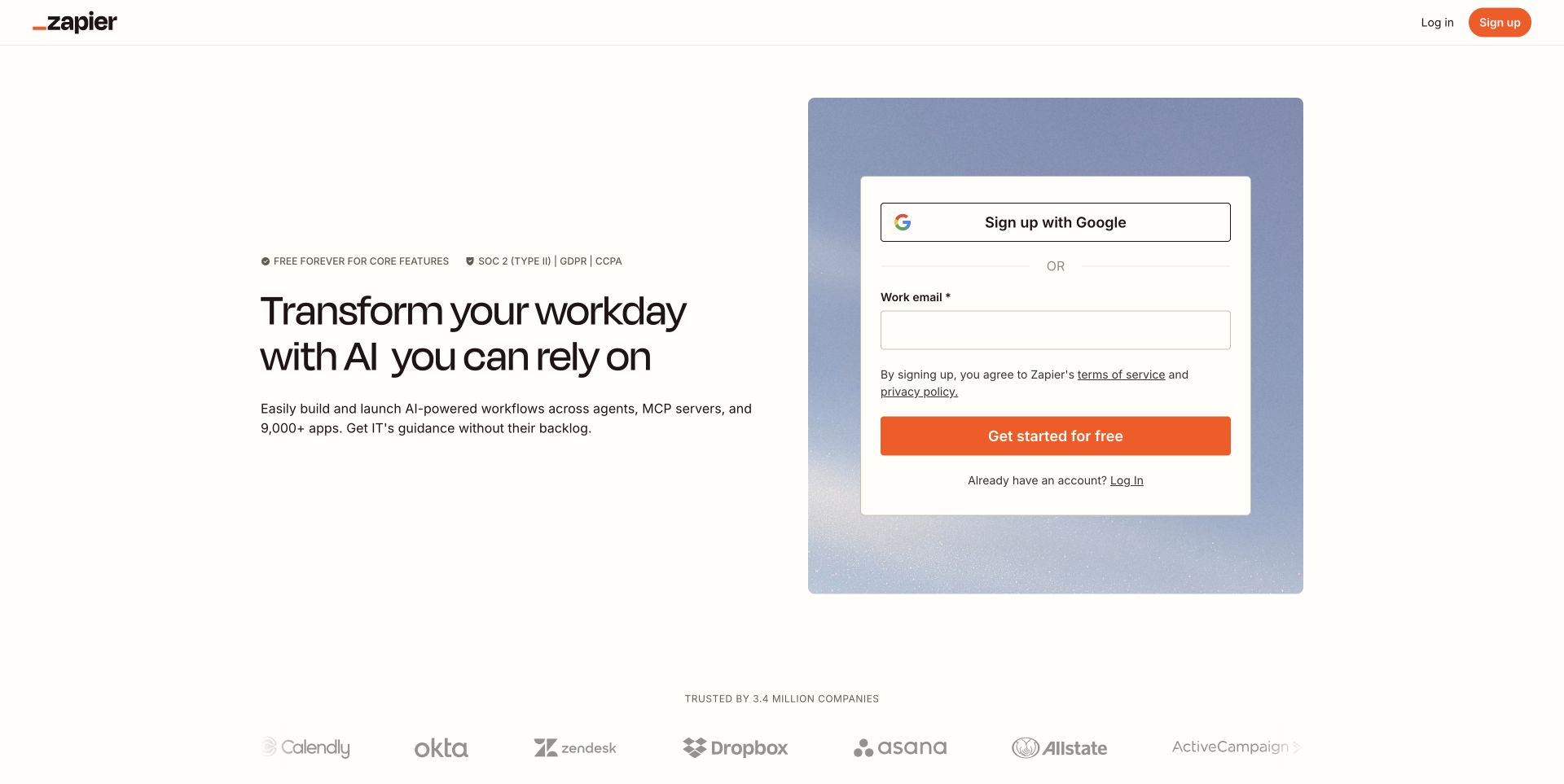
Zapier’s public signup landing page places a short product promise beside a boxed form, with recognizable customer logos below. The page uses generous whitespace and a restrained decorative background around the form. A Cloudinary reference in the sampled HTML supports a media delivery association for this landing page only. It does not establish the workflow engine, authentication provider, or internal application architecture. The useful lesson is that media can have a supporting role: customer marks and subtle illustration should remain sharp and efficient without competing with the labels and controls that complete the visitor’s task.
What you can learn
Give logos and decorative assets explicit size limits and useful fallback behavior. Keep form labels and terms in real text, verify that the signup remains usable without imagery, and avoid deriving application technology claims from a resource found on the marketing landing page.
Pros
The form and product promise occupy distinct, easy to understand areas.
Platform source: Exact public source-page evidence. The exact sampled page HTML references a Cloudinary media-delivery URL. This establishes a delivery association only; no CMS, DAM workflow, transformation execution, or ownership of every visible image is inferred. Platform evidence is separate from the direct website screenshot and is not a complete current infrastructure audit.
Ace & Tate’s US homepage pairs two large portraits, one in color and one in monochrome, beneath a narrow shopping navigation. The glasses remain central to both images, giving the collection a clear product focus without a traditional catalog grid. A Cloudinary resource reference supports a media delivery association, not the ecommerce engine or the source of every portrait. The practical lesson is to make cropping product aware. A face centered transformation can still cut off a frame, temple, or gesture that gives the campaign its meaning.
What you can learn
Review focal points around both the face and the eyewear, and create dedicated variants for portrait cards and wide campaigns. Preserve product names and collection links in text, test color and monochrome contrast with controls, and inspect actual output sizes on high density mobile screens.
Pros
The paired portraits show eyewear in a human context rather than as isolated merchandise.
A restrained collection action keeps attention on the campaign’s product focus.
Cons & considerations
Automatic face crops may not preserve the full product or intended gesture.
A media reference does not verify stock, prescriptions, or checkout functionality.
Platform source: Exact public source-page evidence. The exact sampled page HTML references a Cloudinary media-delivery URL. This establishes a delivery association only; no CMS, DAM workflow, transformation execution, or ownership of every visible image is inferred. Platform evidence is separate from the direct website screenshot and is not a complete current infrastructure audit.
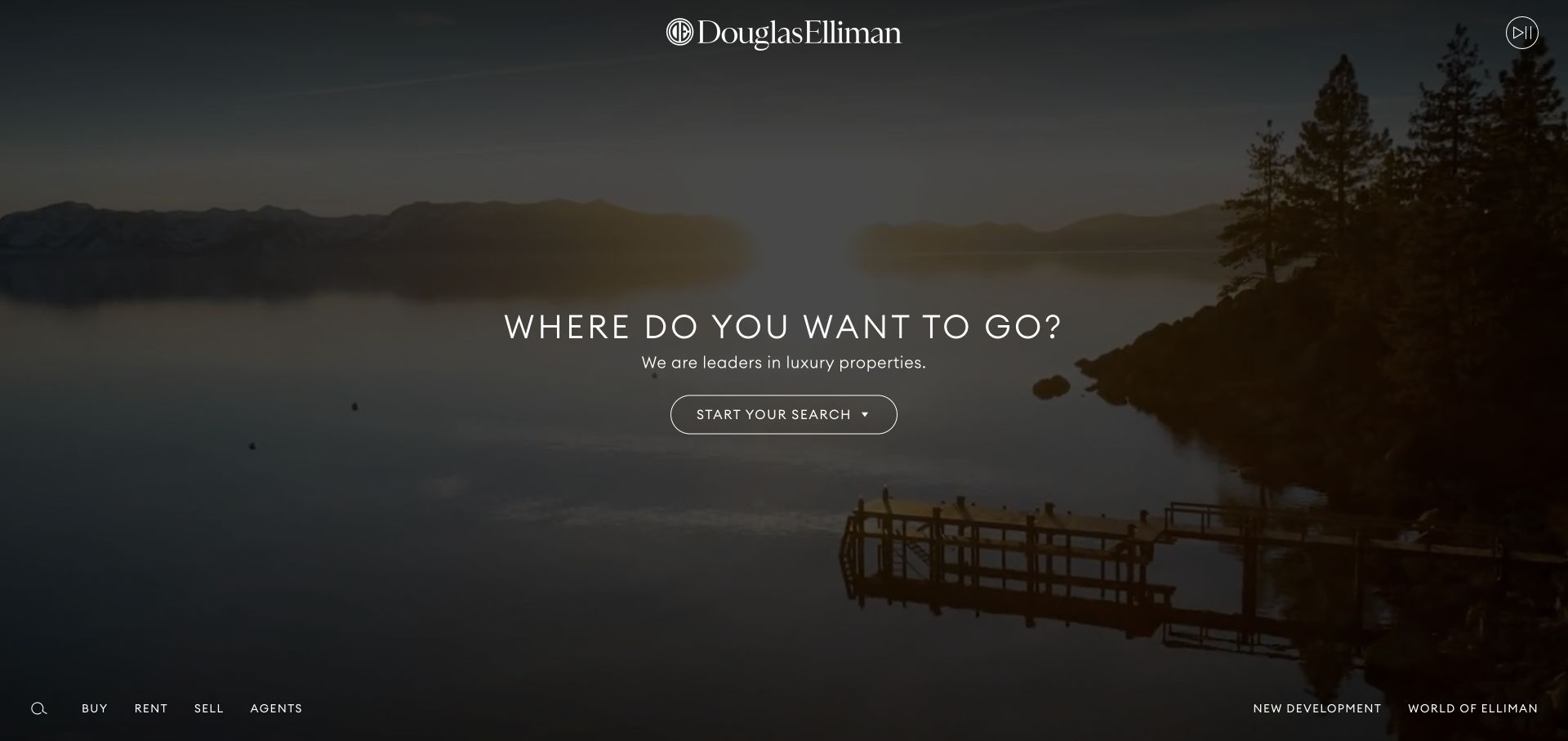
Douglas Elliman’s homepage uses a wide landscape and a short destination oriented question, with a centered search action and subdued navigation around the edges. The image establishes aspiration before a property search begins. A Cloudinary resource in the sampled page supports a media delivery association only; it does not establish listing feeds, search infrastructure, or the origin of every property image. The useful design lesson is to avoid letting cinematic scenery replace practical discovery. A visitor still needs a recognizable search route, geographic context, and an experience that remains usable when media is slow.
What you can learn
Choose responsive crops that preserve the landscape’s defining subject and keep search controls independent from the asset. Maintain useful text and fallback states, distinguish campaign photography from listing imagery, and verify listing freshness separately from image delivery or transformation settings.
Pros
A focused landscape gives the brand an immediate sense of place and aspiration.
The centered search action creates a clear transition into practical property exploration.
Cons & considerations
Dark atmospheric imagery can reduce the visibility of peripheral navigation.
Media association does not verify listing accuracy or availability of a property.
Platform source: Exact public source-page evidence. The exact sampled page HTML references a Cloudinary media-delivery URL. This establishes a delivery association only; no CMS, DAM workflow, transformation execution, or ownership of every visible image is inferred. Platform evidence is separate from the direct website screenshot and is not a complete current infrastructure audit.
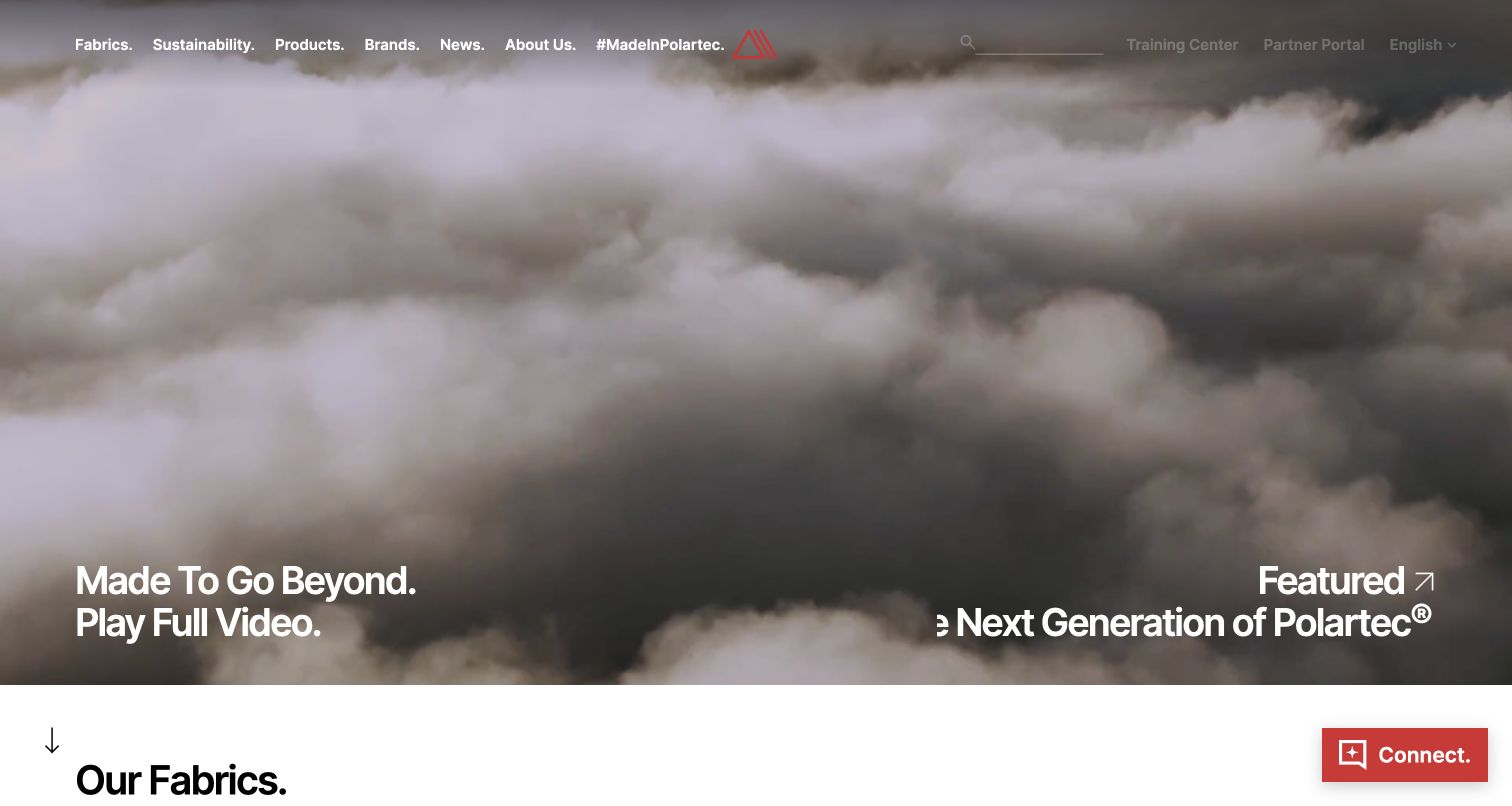
Polartec’s homepage uses a large moving landscape scene with a prominent invitation to play the full video. Product and fabric navigation sit above it, while the next section introduces the fabric range. The sampled HTML references Cloudinary delivery, but this does not establish that the hero uses a particular video feature or reveal the CMS. The transferable lesson is to connect brand motion with practical material discovery. Visitors who cannot or do not want to watch should still reach fabric information and understand the proposition without waiting for a cinematic introduction.
What you can learn
Create a useful poster frame and a text alternative to the campaign story, then test pause and reduced motion behavior. Keep material navigation available independently from playback, set an explicit video budget, and verify actual delivery formats before attributing performance benefits to the media service.
Pros
The campaign connects the material brand with a recognizable outdoor use context.
Fabric navigation and the following section provide a practical route beyond the video.
Cons & considerations
Large motion media can delay useful product information on constrained connections.
A Cloudinary reference does not establish specific video transformations or backend architecture.
Platform source: Exact public source-page evidence. The exact sampled page HTML references a Cloudinary media-delivery URL. This establishes a delivery association only; no CMS, DAM workflow, transformation execution, or ownership of every visible image is inferred. Platform evidence is separate from the direct website screenshot and is not a complete current infrastructure audit.
Define product card, gallery, and detail variants separately. Preserve scale, color context, and distinguishing features. Keep titles, prices, and essential specifications in page content, and test unavailable image states so a failed asset does not make an item impossible to understand.
Art direct editorial and campaign crops
Identify the subjects and empty areas that make the composition work. Review portrait and landscape variants manually when important context can be lost. Coordinate campaign text and image expiry so a reusable photograph does not carry stale information into a new placement.
Treat video as an optional layer
Provide a useful poster, visible controls, and a path to the essential content without playback. Test reduced motion and failure states. Set a delivery budget and inspect real behavior rather than assuming a cinematic first view proves optimized streaming.
From references to requirements
Plan the media workflow and its limits
Keep source assets organized
Record attribution, rights, original files, naming rules, and editorial owners. Separate the original from its delivery variants. Make it clear which images are approved for each brand, region, campaign, or channel so reuse does not erase context.
Test the output in the real interface
Inspect crops, readable details, layout shifts, text contrast, and fallbacks at actual display sizes. Include dense grids as well as the hero. Measure transfer and rendering behavior under repeatable conditions, and keep performance claims tied to those results.
Maintain the asset lifecycle
Document replacement, versioning, retirement, and broken reference checks. Coordinate media changes with content updates and cached pages. Decide how old campaign and article URLs remain useful when the original promotional asset is no longer appropriate.
A useful handover demonstration
Ask the actual team to carry out its routine job: publish a realistic update, correct a mistake, preview a narrow screen, and identify who owns an integration failure. For a library or frontend framework, also ask who maintains the content source and deployment. A polished screenshot does not answer those operational questions.
Beyond the screenshot
Cloudinary media planning checklist
List the image and video roles used by actual components.
Define aspect ratios, focal points, and output size ranges.
Preserve essential information in accessible page text.
Review crops at desktop, mobile, and dense card sizes.
Provide alternative text, posters, controls, and missing media states.
Inspect delivered dimensions and formats before claiming optimization.
Record rights, attribution, owners, and original source assets.
Coordinate campaign expiry, asset replacement, and broken reference checks.
Test with real content, a keyboard, a small screen, slow or failed requests, and the people who will maintain the system. These are planning checks, not an accessibility, security, performance, or search-ranking certification.
Sources & editorial method
How this Cloudinary collection was reviewed
Each example combines a genuine direct browser capture with an exact-source Cloudinary resource observation retained at its original date. Evidence may be a linked media resource or a delivery URL referenced in page data. It supports media delivery association only. No private asset library was accessed, and no CMS, hidden backend, or use of every Cloudinary feature was inferred.
Every image is an unmodified capture from the actual website, with its source and capture date. Some captures are reused from our shared catalog; their dates remain the original capture dates. None comes from a vendor gallery or a generated reconstruction. Moving imagery and live content can change.
Technology attribution uses public page assets or metadata, official platform documentation, or a cited first-party project case study. Documentary and framework-relationship evidence is identified where used; it is not a complete current backend inventory. A CMS image CDN alone does not establish a full CMS deployment. A library’s presence does not prove which individual controls use it, and a platform label does not establish AI authorship.
The composition notes, lessons, pros and tradeoffs are original editorial observations. We have not measured conversion, traffic, security, performance or accessibility conformance. Website owners retain their brands and imagery; these examples are not our client portfolio. Written, Edited and Curated are independent records, not dates advanced by a build. See our editorial standards or suggest a correction.
Questions worth asking
Cloudinary website development FAQs
Does a Cloudinary URL identify a website’s CMS?
No. A delivery resource identifies a media association. Many content and application systems can reference the same media service, so CMS and backend claims require independent evidence.
Can these examples show every Cloudinary feature a site uses?
No. Public resource references do not reveal the full asset workflow or private configuration. The collection discusses visible design needs and keeps feature recommendations separate from evidence about an example.
Is automatic cropping always sufficient?
No. Faces, products, lettering, and landscapes can have different focal requirements. Review important compositions at actual display sizes and provide explicit variants when a general crop loses meaning.
How should media performance be evaluated?
Measure representative pages under consistent conditions, including delivered dimensions, formats, transfer, and rendering behavior. A polished screenshot or recognizable delivery URL is not a performance benchmark.
Build a small set of media rules around real components, inspect the delivered results, and preserve the content’s meaning in every size and fallback state.