Best WorkOS Websites of 2026 (20 Real-World Examples)
Twenty public entrances to products with documented WorkOS authentication, provisioning or API-authorization relationships, from Webflow and Netlify to specialist software services.
WorkOS is part of the access story behind a product. The useful design question is how a person moves from a public promise into the right account, organization and set of permissions.
A search box, a deployment illustration, a video composer and an employer account button seem like unrelated website patterns. Each, however, opens a path toward a product that may serve both individuals and organizations. The first screen should make the task understandable. The later access journey must recognize the organization, explain any required sign-in method and avoid leaving users stranded between an invitation and a usable account. These examples are useful because they show different ways of framing that first step.
The WorkOS evidence here comes from primary customer stories, product documentation, engineering accounts and a product-owned subprocessor listing. The exact relationship varies: enterprise SSO, directory provisioning, AuthKit customer accounts or OAuth for a remote MCP service. Current public screenshots illustrate presentation, not a complete backend inspection. Earlier cases remain qualified, planned features are not described as deployed, and a documented vendor relationship does not prove every current login route. No account, identity-provider configuration, form submission or private workspace was accessed during this review.
Before the examples
What makes good WorkOS website development in 2026?
Treat signing in and belonging to an organization as separate questions
The product needs to know both who the person is and which organization they are trying to enter. WorkOS documents organization and domain policies that can affect eligible authentication methods and membership. That makes the surrounding interface important: an invitation, an organization selector and an SSO prompt each need to carry the correct context. Map the intended result for an existing member, a contractor and someone who belongs to several teams. The public page can keep its opening simple while the access journey explains these distinctions at the moment they matter.
Provisioning is an ongoing lifecycle, not another name for login
Directory Sync communicates changes to users and groups from a customer's directory. Your implementation still needs a deliberate response to creation, updates and removal. Decide what a changed department, a disabled account or a removed membership means inside the product. Tactic's documented location and department use gives those attributes a practical context. Mobile Locker's documentation illustrates the opposite boundary: a product can support SSO without having deployed Directory Sync. Make the distinction explicit in requirements and customer explanations rather than treating one successful sign-in as evidence that the whole lifecycle is handled.
Design the administrator's setup journey as part of the product
WorkOS Admin Portal provides hosted setup interfaces for tasks such as domain verification, SSO and directory connections. The product still needs to decide who can start that setup, which organization it belongs to and where the administrator returns afterward. Describe the expected starting state and the useful completion state in the implementation brief. A customer should be able to distinguish an unfinished configuration from a failed login. Keep any temporary setup link out of public content, routine analytics and screenshots intended for sharing.
The first five properties provide recognizable reference points, followed by specialized examples with different audiences and access needs. Read the screenshots for design decisions and the evidence notes for the precise WorkOS relationship. The order is editorial and does not represent measured reliability, market share or an authentication award.
We start with five recognizable brands or organizations: Webflow, Netlify, Perplexity, Synthesia, Copy.ai. Each attribution applies to the named website property, not every product or website belonging to its organization. This is a curated reading sequence, not a measured ranking.
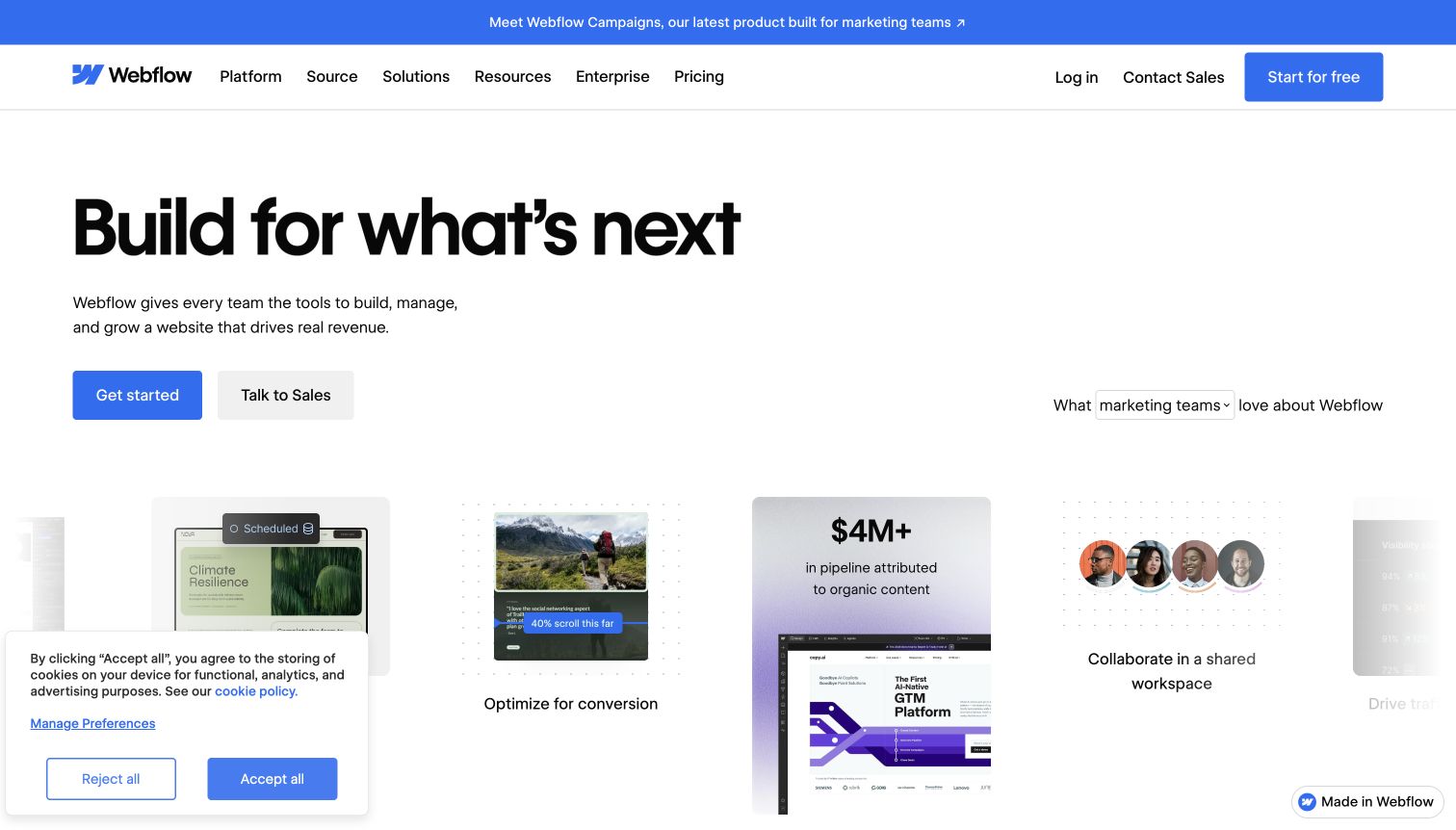
Webflow's opening gives the visitor a very large creative promise, then makes the next decision concrete with distinct starting and sales routes. The bright announcement strip, blue controls and generous white space establish a hierarchy before the deeper product material appears. Role-oriented content and customer stories broaden the audience without placing enterprise configuration inside the hero. WorkOS's customer case documents Webflow's enterprise SSO, Directory Sync and Admin Portal relationship. That evidence concerns access to the platform; the pictured marketing page does not establish its own authentication implementation.
What you can learn
Borrow the separation between trying the product and evaluating it for an organization. A creation tool can keep its first action inviting while giving administrators a clear route to the requirements that will determine a larger rollout.
Pros
Starting and sales actions accommodate different levels of commitment without a long introductory form.
Role and customer-story sections give the broad platform promise more specific contexts farther down.
Cons & considerations
The expansive opening asks visitors to explore before understanding a precise workflow or result.
A visible cookie panel occupies part of the lower opening and competes with supporting content.
Platform source: Official WorkOS customer case. Primary source reviewed 2026-11-11. The official customer case describes enterprise customer SSO, Directory Sync and Admin Portal for Webflow. Fine-grained authorization is discussed as exploration, not established deployment. This does not identify the pictured marketing page’s runtime. Platform evidence is separate from the direct website screenshot and is not a complete current infrastructure audit.
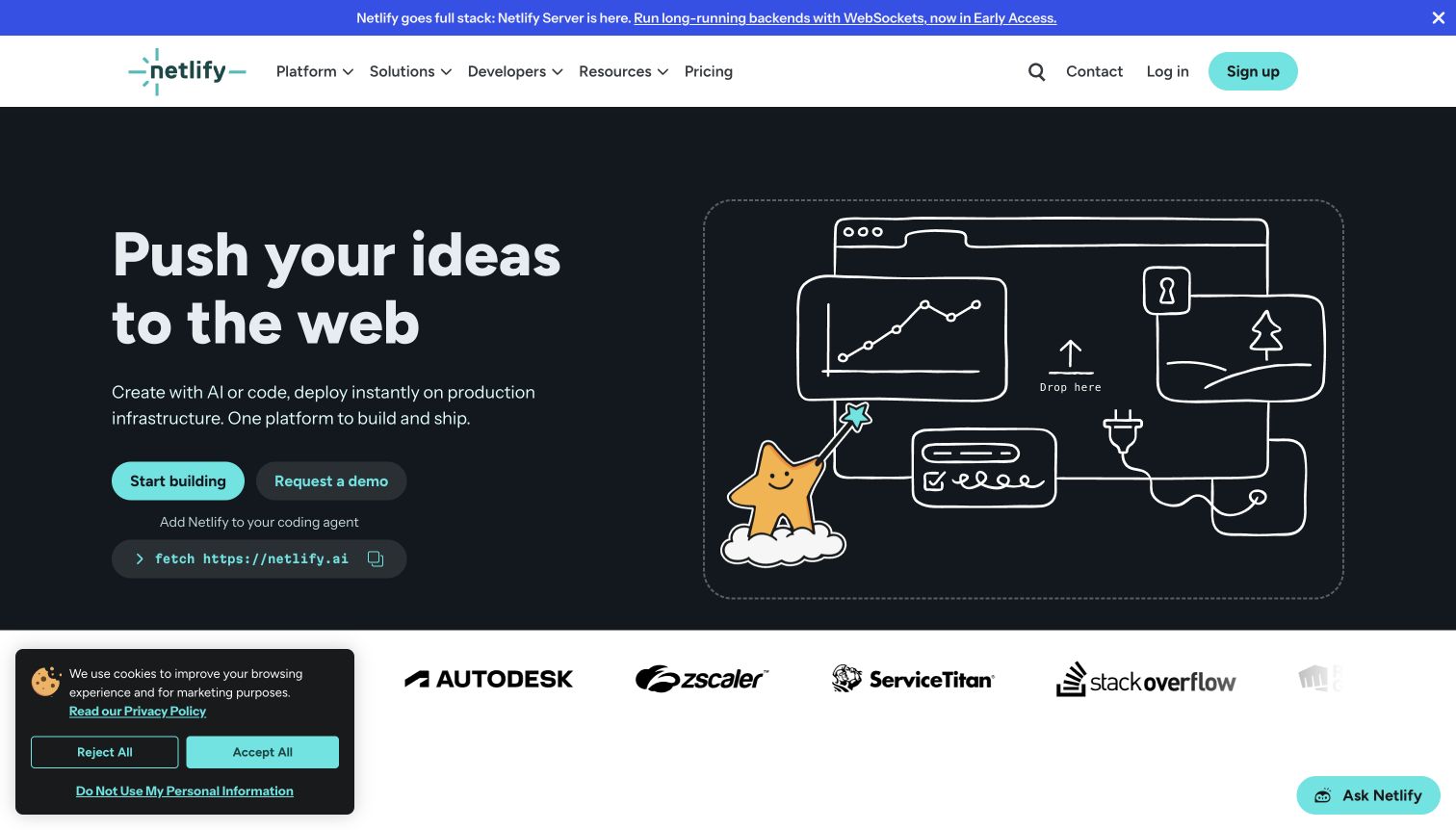
Netlify's dark opening pairs a short invitation to publish with a hand-drawn browser illustration, a file-drop motif and clear starting and demonstration buttons. The visual language turns an infrastructure service into a recognizable developer activity. Additional command and workflow material supplies a more technical route after that first impression. The WorkOS customer story describes organization-level SSO and SCIM for Netlify customers, including team permissions. It does not imply that websites deployed by those customers inherit WorkOS authentication. That distinction matters when studying a hosting platform's public presentation.
What you can learn
Show a familiar unit of work before asking visitors to interpret a platform diagram. Then distinguish the person shipping a project from the administrator responsible for granting, reviewing and removing team access across the organization.
Pros
The file and browser imagery makes an otherwise abstract deployment proposition easier to approach.
Separate start and demonstration routes serve practical experimentation and organizational evaluation in parallel.
Cons & considerations
Several technical entry methods can increase choice before a newcomer understands their preferred workflow.
Enterprise access requirements need a deeper route; the illustrated opening primarily sells individual creation.
Platform source: Official WorkOS customer case. Primary source reviewed 2026-11-11. The official customer case describes organization-level SSO and SCIM for Netlify platform customers and their team permissions. This does not establish authentication on websites hosted by those customers or the marketing page’s runtime. Platform evidence is separate from the direct website screenshot and is not a complete current infrastructure audit.
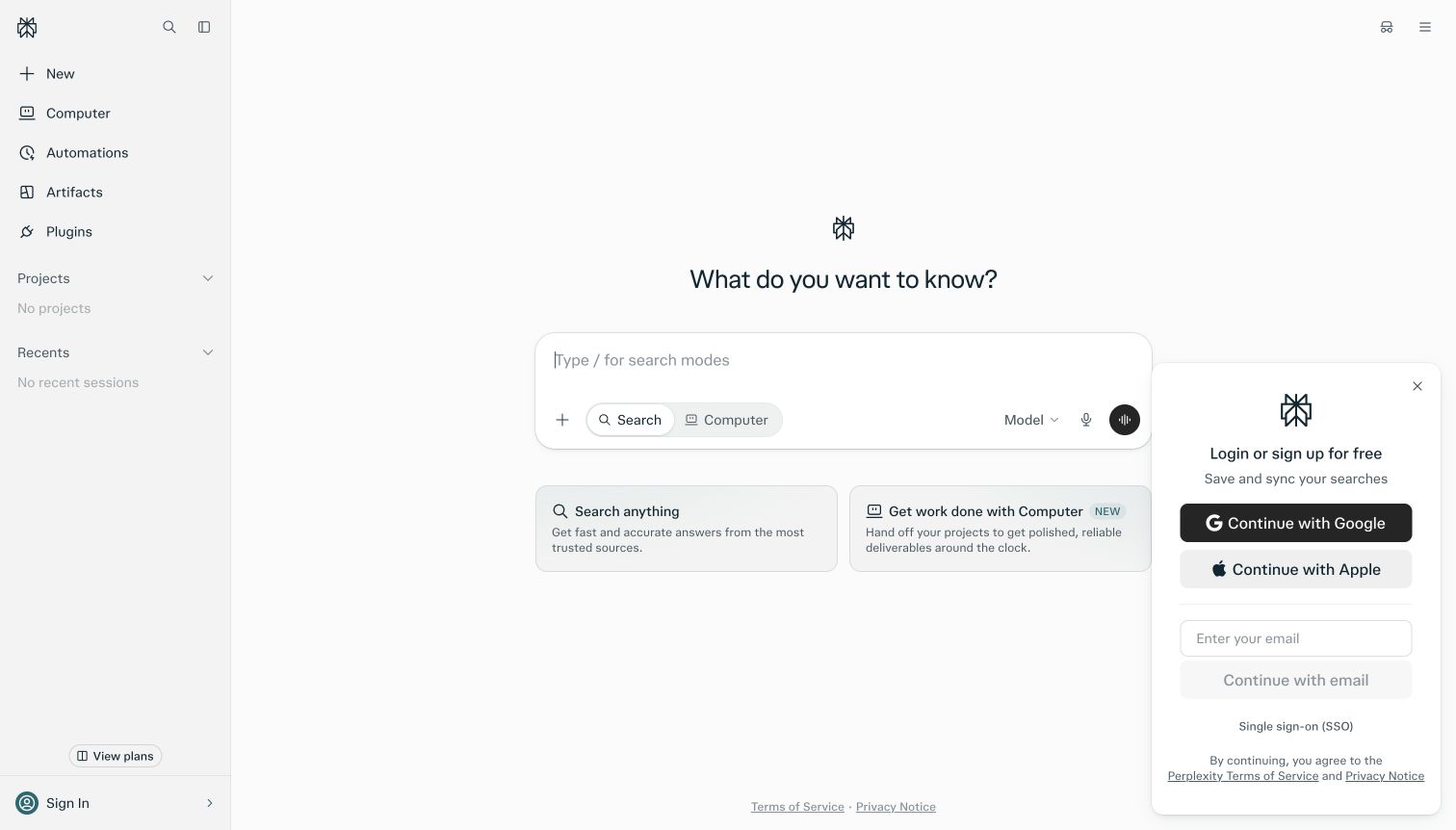
Perplexity presents a signed-out search interface instead of a conventional marketing hero. A central question field, persistent task navigation and two explanatory cards make the service legible through its controls. The separate sign-in panel exposes familiar providers alongside an SSO option without replacing the central task. No query or account action was performed for this review. WorkOS's startup page quotes Perplexity's business leadership about Enterprise Pro SSO and Admin Portal onboarding. This is evidence for that organizational offering, not a claim that every consumer sign-in method uses WorkOS.
What you can learn
An immediate product surface can explain the service efficiently, but authentication should still communicate which audience a route serves. Keep the organizational path discoverable without implying that visitors must join a company account to understand the public experience.
Pros
The main task is visible immediately, with almost no translation from marketing promise to interface.
The SSO option sits beside other sign-in choices rather than inside unrelated promotional content.
Cons & considerations
The sidebar introduces several additional product modes around an otherwise simple initial search task.
The signed-out view cannot demonstrate organization selection, membership errors or the eventual enterprise login flow.
Platform source: Product-owned documentation or attributed primary evidence. Primary source reviewed 2026-11-11. The WorkOS startups page quotes Perplexity CBO Dmitry Shevelenko about Enterprise Pro SSO and Admin Portal onboarding. Scope is Enterprise Pro customer access, not every consumer login method or the public search page’s complete runtime. Platform evidence is separate from the direct website screenshot and is not a complete current infrastructure audit.
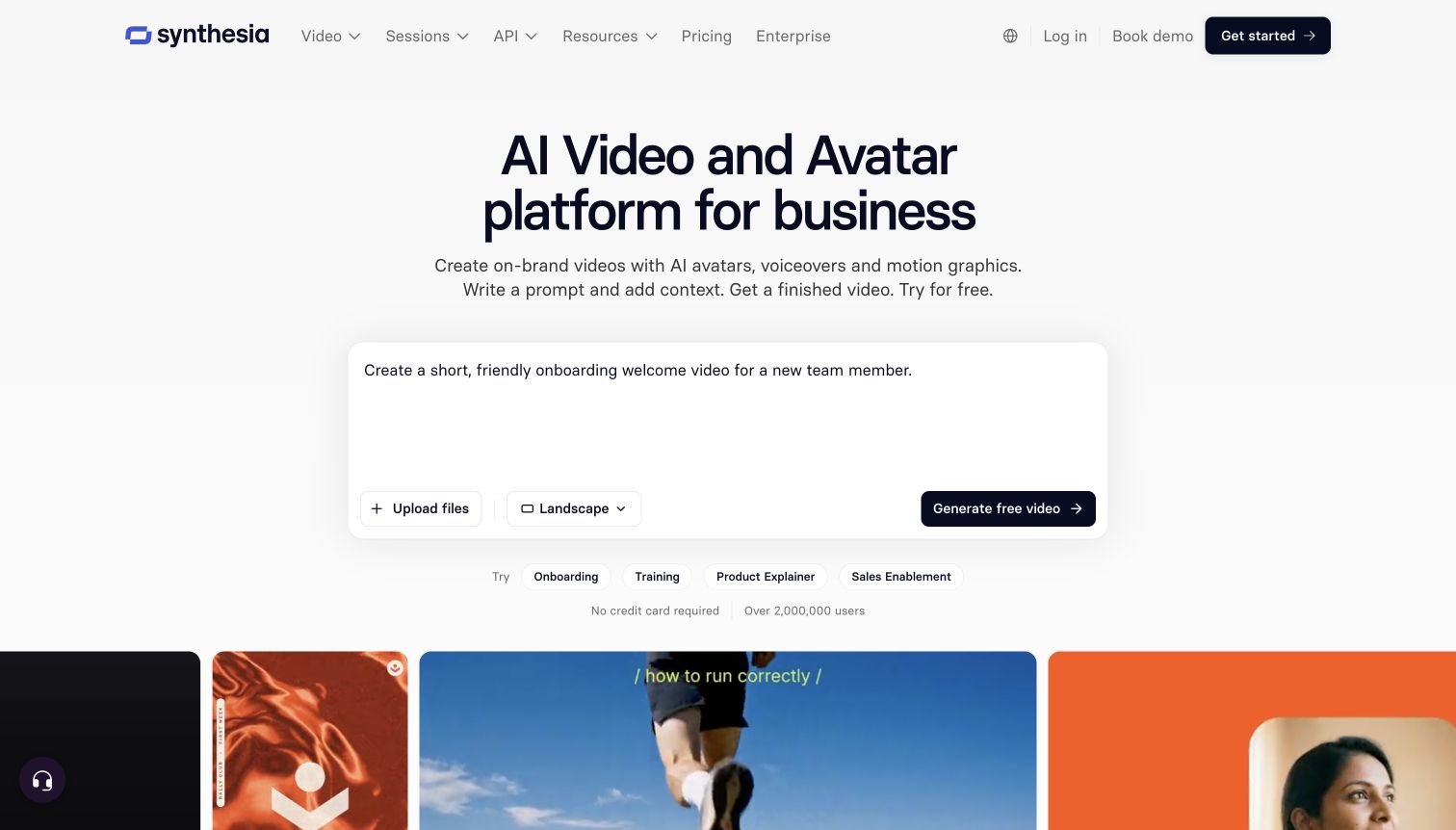
Synthesia places a prompt-style composer at the center of its public opening. Example text, format controls and suggested uses make the abstract promise of AI video feel like a task a visitor could describe. A row of video examples supplies visual context beneath the white, restrained hero. These are public demonstration controls; no content was submitted. Synthesia's own help documentation names WorkOS for customer SSO on its Enterprise plan. That relationship concerns access to the service and should not be confused with the video-generation technology or the marketing page's rendering stack.
What you can learn
Use a carefully framed demonstration to teach the input your product expects. Keep the path from experimentation to an enterprise account explicit, especially when a visitor's ability to create content will depend on an organization's access policy.
Pros
Suggested tasks reduce the effort of imagining what a useful first video might contain.
Video previews connect the input metaphor with tangible output without requiring an immediate account action.
Cons & considerations
The inviting composer can leave plan restrictions and organizational access requirements outside the first impression.
Several controls appear before visitors have necessarily learned which generation options their account will include.
Platform source: Product-owned documentation or attributed primary evidence. Primary source reviewed 2026-11-11. Product-owned help documentation identifies WorkOS for Enterprise-plan customer SSO and the authorization flow. This is access to the Synthesia service, not the video-generation engine or marketing page’s runtime. Platform evidence is separate from the direct website screenshot and is not a complete current infrastructure audit.
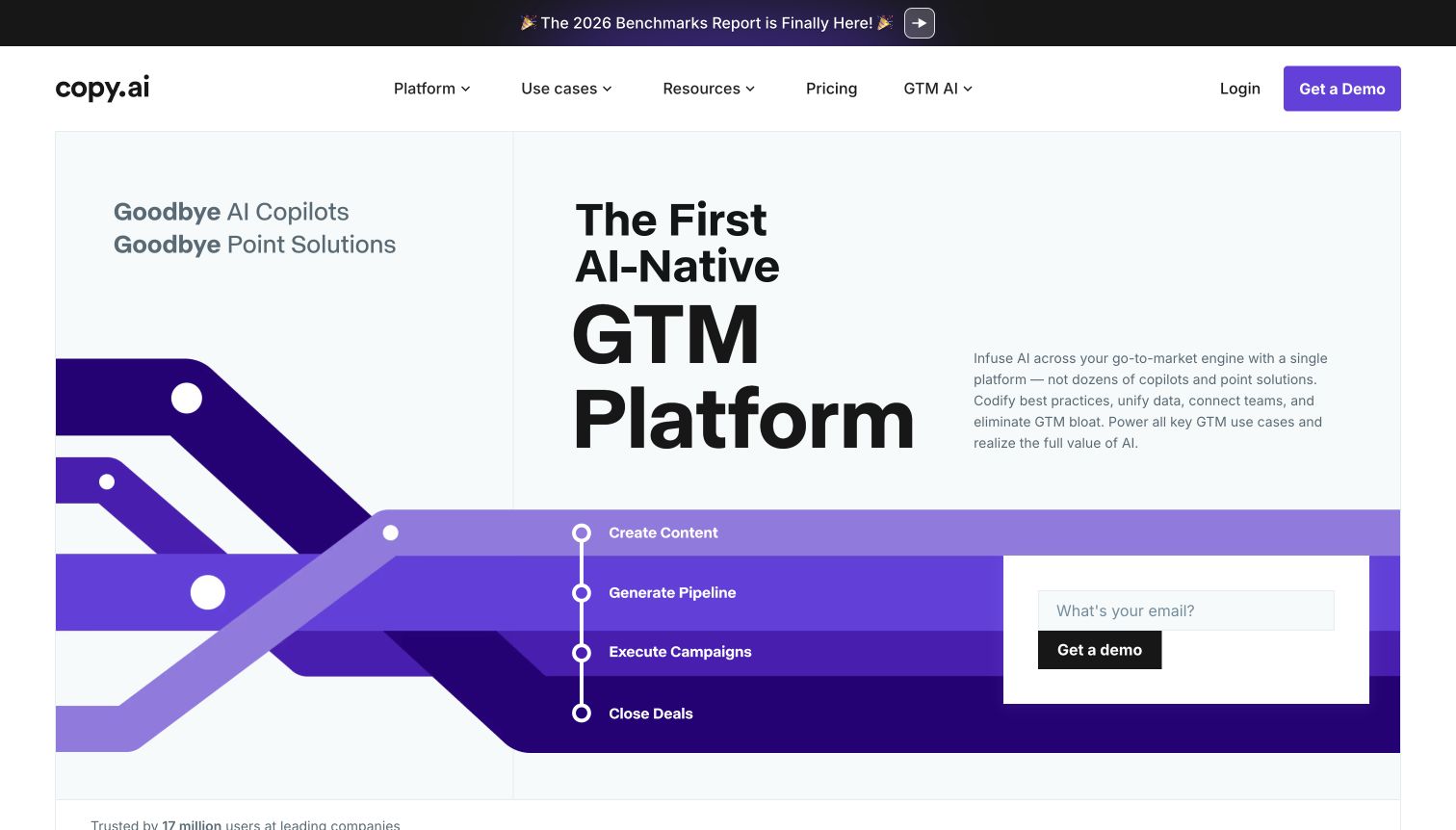
Copy.ai frames its service around go-to-market work rather than a single writing box. A tall headline, branching purple graphic and sequence of business activities connect the offer to a larger operating process. The embedded demonstration request and navigation provide a clear next step for buyers who need to discuss a team deployment. The WorkOS case describes customer SSO, SCIM, AuthKit and User Management, including a migration from an earlier login provider. It supplies a specific product relationship, while the captured homepage remains evidence of presentation rather than a complete backend inventory.
What you can learn
When a product spans several departments, make the shared process visible before listing every feature. Give individual evaluators and organizational buyers enough context to decide whether they should explore a workflow or begin an access and deployment discussion.
Pros
The branching visual links several business activities instead of presenting them as unrelated feature cards.
The demonstration route makes a next step available without forcing visitors to search through navigation.
Cons & considerations
Dense terminology asks newcomers to understand the platform category before seeing a narrow working example.
The request form competes with the large graphic for attention within the initial presentation.
Platform source: Official WorkOS customer case. Primary source reviewed 2026-11-11. The official customer case describes Copy.ai customer SSO, SCIM, AuthKit and User Management, including migration from magic.link. This is a documented product-account relationship, not a complete current marketing-page runtime inventory. Platform evidence is separate from the direct website screenshot and is not a complete current infrastructure audit.
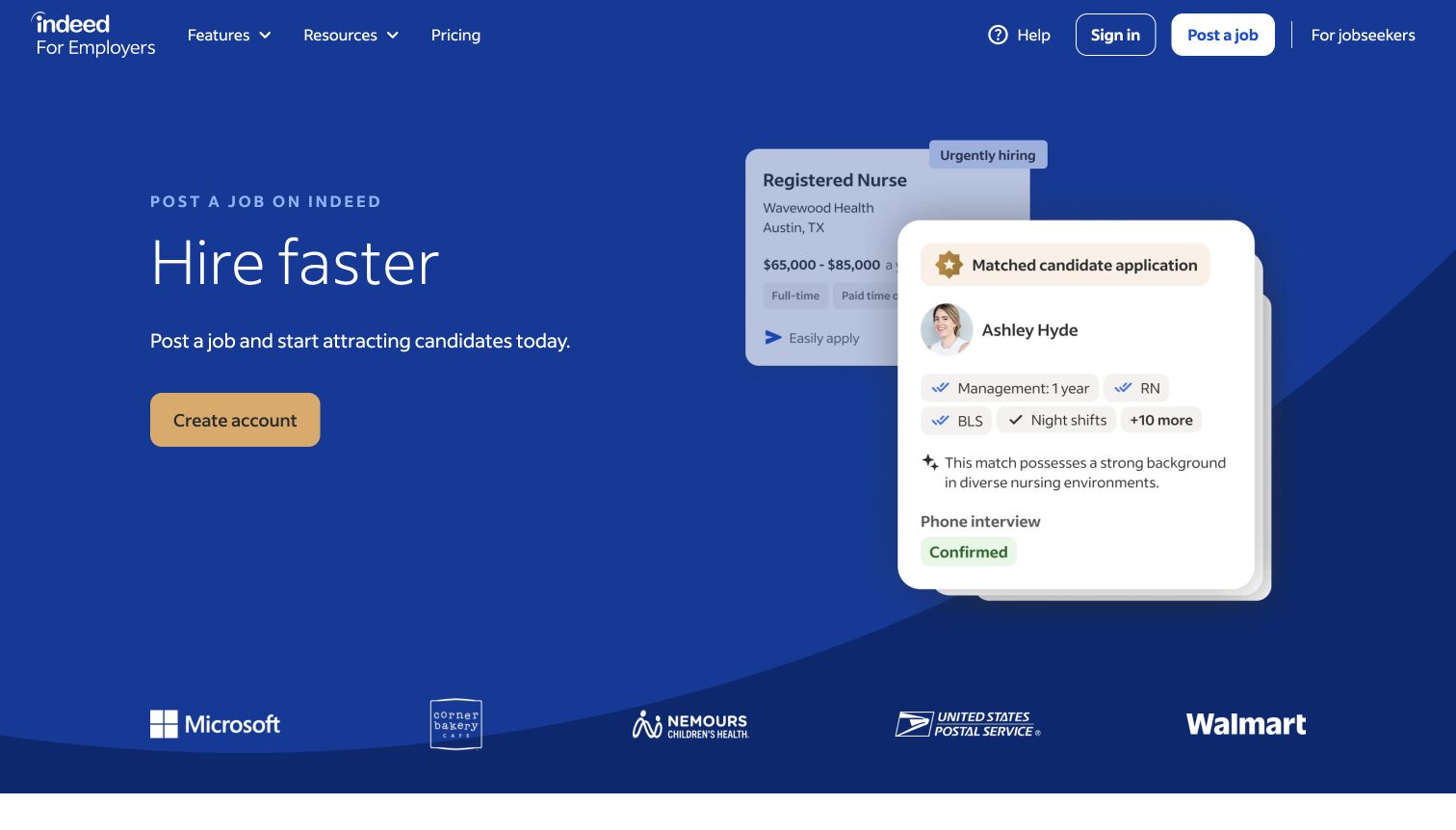
Indeed for Employers uses a blue hiring headline, a contrasting account button and an illustrated candidate card to identify its audience immediately. The public page then explains the progression from creating an account to posting and attracting applicants. The job-seeker route stays distinguishable from this employer journey. WorkOS's customer case describes enterprise employer SSO and administrative onboarding. It discusses SCIM as a later plan, so this review does not describe it as deployed. Nor does the employer evidence establish how ordinary job seekers authenticate across Indeed's wider service.
What you can learn
When one brand serves both sides of a marketplace, label the audience before presenting authentication choices. An employer account can involve organizational ownership and permissions that do not belong in a job seeker's simpler entrance to the same brand.
Pros
Audience-specific language and the candidate illustration quickly explain the purpose of this destination.
The visible sequence of hiring steps makes account creation part of a larger practical task.
Cons & considerations
The promotional opening cannot show the administrative differences between a small employer and an enterprise.
Account creation precedes many operational details, so cautious buyers need the deeper explanatory sections.
Visible tech stack
Earlier / documented evidence
WorkOS
Platform source: Official WorkOS customer case. Primary source reviewed 2026-11-11. The official case identifies enterprise employer SSO and Admin Portal onboarding. SCIM is described as a later plan, not confirmed deployment. The association does not cover every job-seeker login or every system across Indeed. Platform evidence is separate from the direct website screenshot and is not a complete current infrastructure audit.
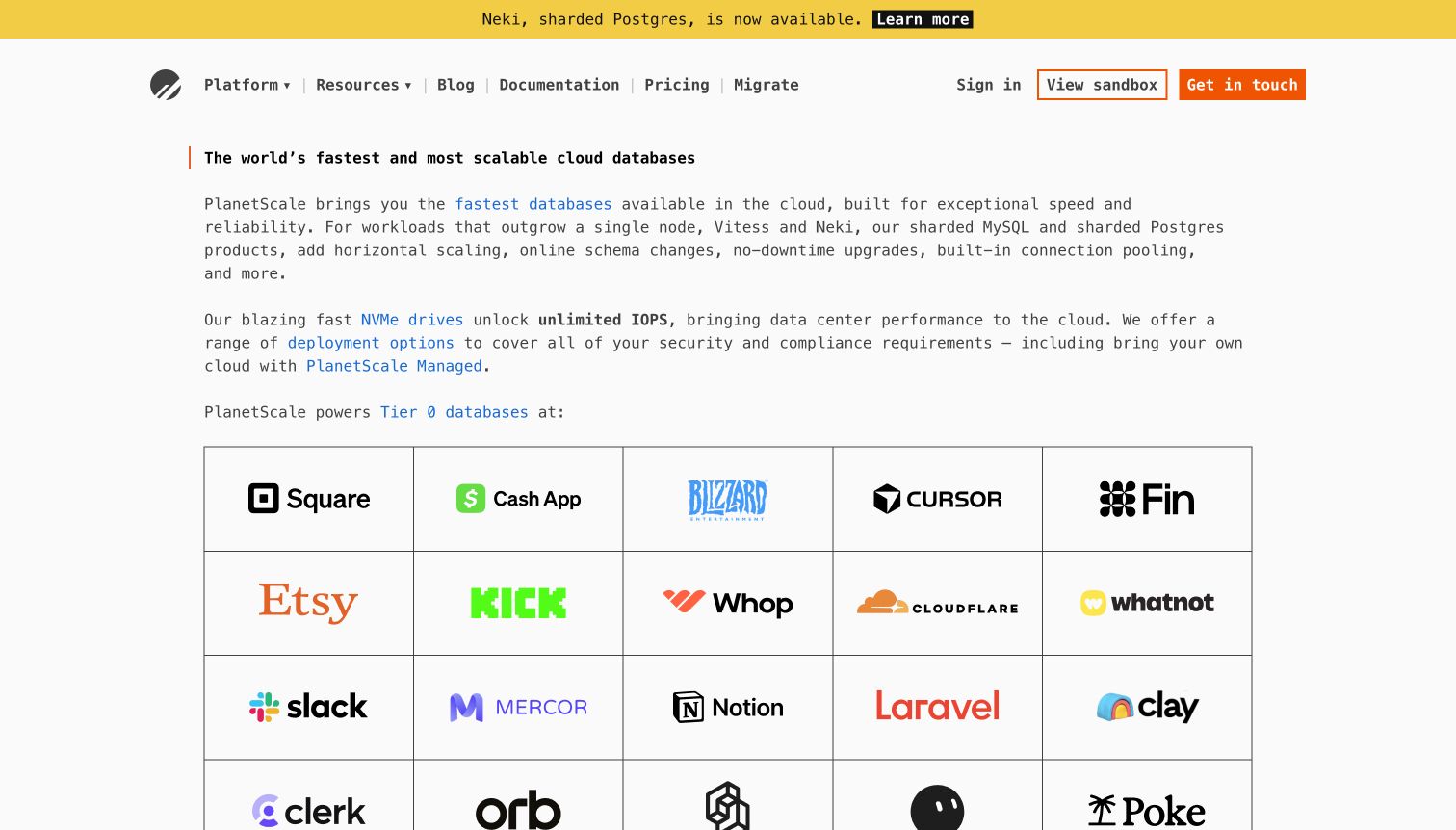
PlanetScale's opening relies on unusually direct, text-led positioning. Short paragraphs and linked technical terms introduce its database offer before a broad customer-logo field and supporting navigation. A restrained type palette and sparse controls keep the focus on the proposition rather than an oversized dashboard mockup. WorkOS's customer case documents SSO and SCIM alongside the platform's existing Rails authentication approach. That is a relationship with account access and lifecycle management, not evidence that WorkOS runs the database engine or supplies the homepage's visual presentation.
What you can learn
Technical confidence can come from choosing precise words and useful links rather than adding more diagrams. Pair that economy with clear routes for the different people evaluating a service: an engineer testing it and an administrator reviewing organization access.
Pros
Linked technical terms give experienced visitors several purposeful routes into more detailed product information.
The quiet layout leaves the database proposition readable before supporting customer proof expands the page.
Cons & considerations
Readers outside the target technical audience receive little visual explanation of the product's working model.
The opening's brevity leaves team administration and access lifecycle details for a deeper investigation.
Platform source: Official WorkOS customer case. Primary source reviewed 2026-11-11. The official case describes customer SSO and SCIM alongside the PlanetScale platform’s existing Devise/Rails authentication. This is account access and lifecycle evidence, not the database engine or marketing-page implementation. Platform evidence is separate from the direct website screenshot and is not a complete current infrastructure audit.
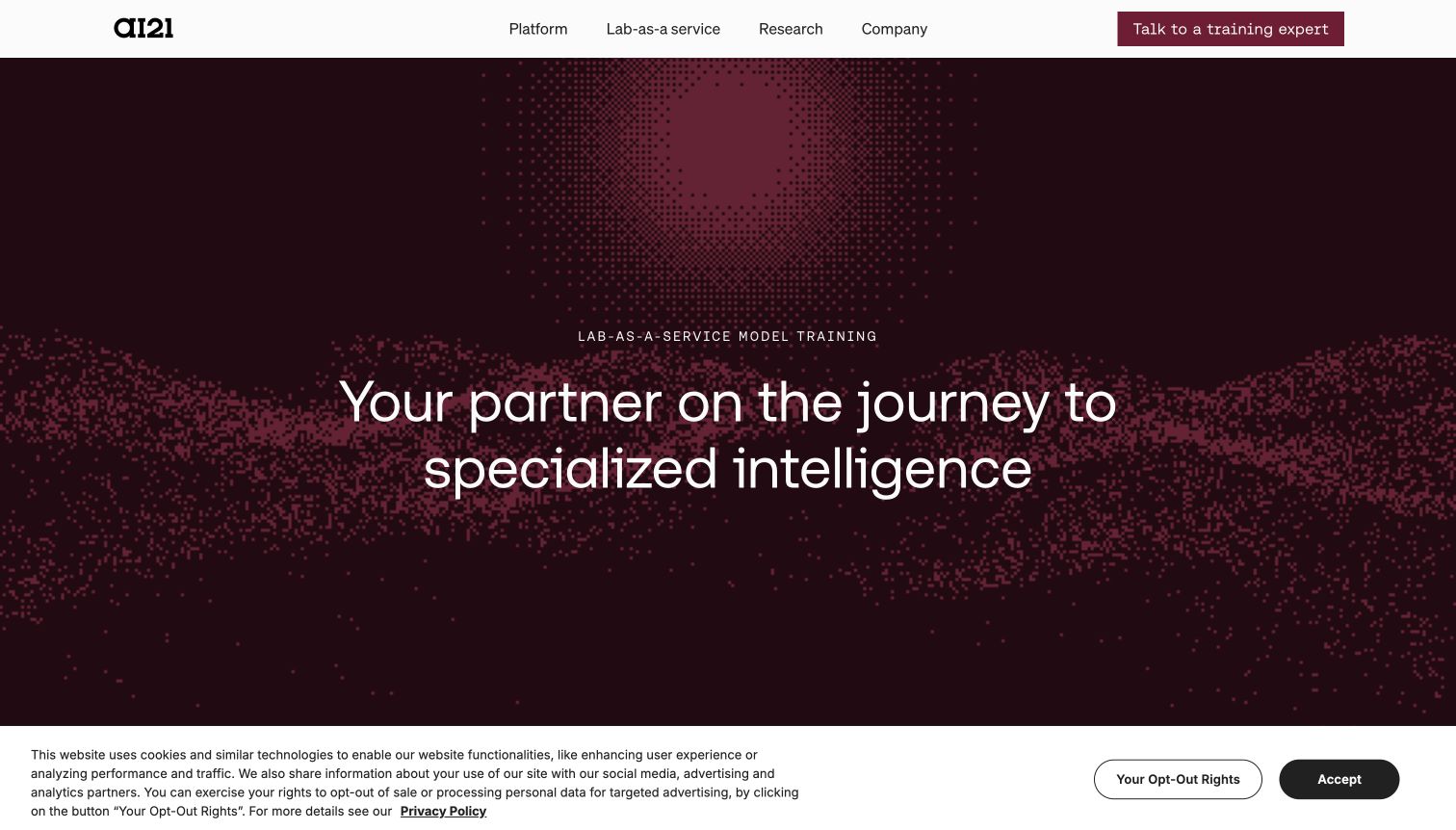
AI21's current page uses a burgundy particle landscape, a focused headline and a conversation-oriented action to present specialized intelligence work. Navigation and subsequent content describe model training, evaluation and serving around a business's own needs. This is a markedly different entrance from a consumer prompt application. The WorkOS case documents enterprise SSO added alongside Firebase for AI21's customer platform. That earlier platform evidence is retained with its scope; it does not prove that every part of today's lab-as-a-service offer or its pictured marketing page uses the same authentication arrangement.
What you can learn
When a product's positioning evolves, preserve the difference between what the current page communicates and what an earlier technical case actually establishes. For the design itself, explain the engagement and the next conversation before overwhelming buyers with implementation vocabulary.
Pros
The tightly focused opening distinguishes tailored model work from a general-purpose consumer AI interface.
A clear expert-contact action matches an offer that appears to require organizational planning and discussion.
Cons & considerations
Abstract visual treatment supplies atmosphere but offers little evidence of the eventual working interface.
Buyers seeking immediate hands-on evaluation must explore beyond a hero centered on specialist engagement.
Visible tech stack
Earlier / documented evidence
WorkOS
Platform source: Official WorkOS customer case. Primary source reviewed 2026-11-11. The earlier official customer case describes enterprise SSO added alongside Firebase for AI21’s platform. The current public site presents lab-as-a-service/model work; the case does not independently establish every current service’s authentication or homepage runtime. Platform evidence is separate from the direct website screenshot and is not a complete current infrastructure audit.
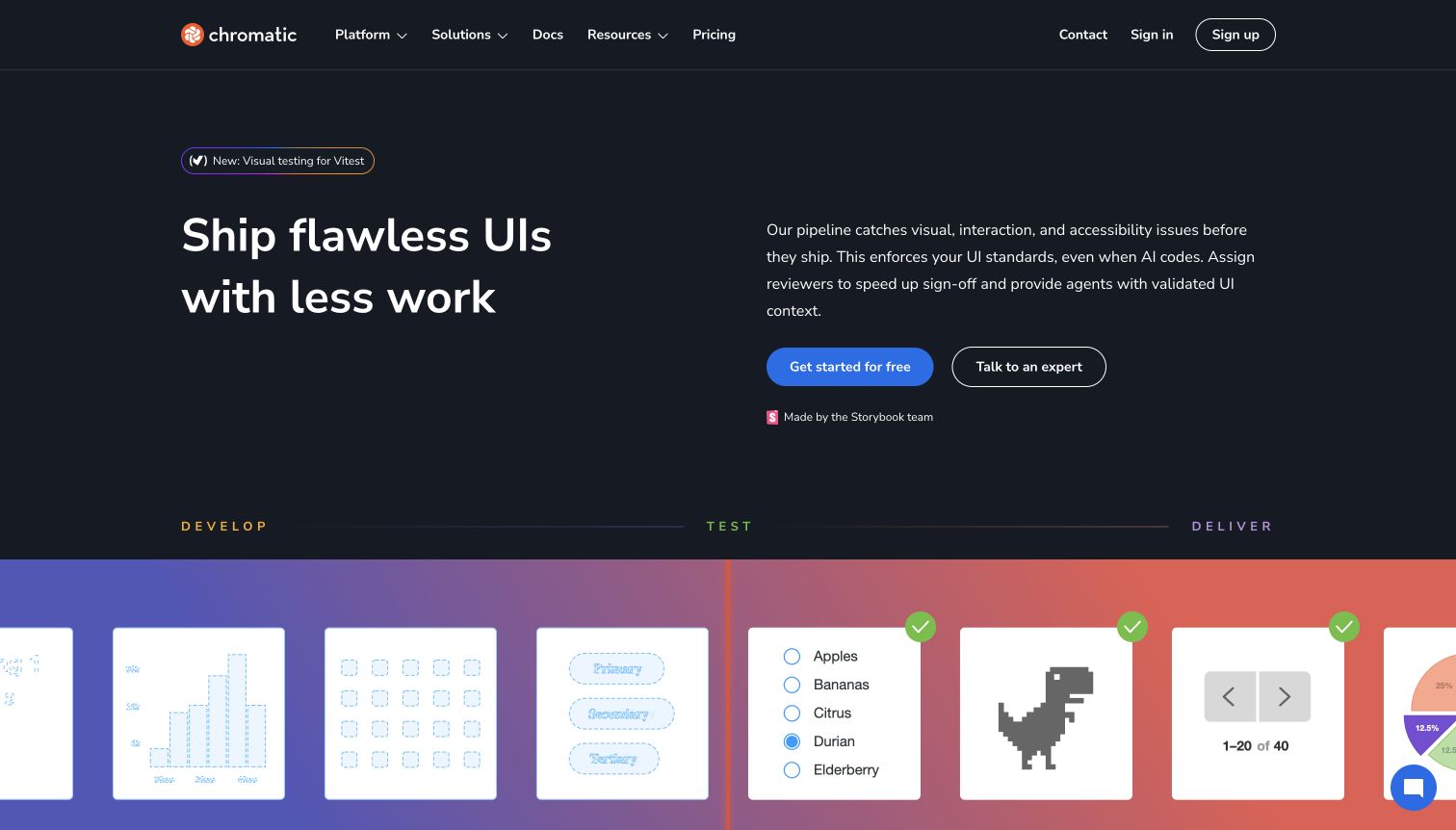
Chromatic's dark opening connects visual, interaction and accessibility testing through a development-to-delivery illustration. Small interface fragments and colored stages make several capabilities feel like parts of one review process. A strong start button sits beside an expert route, while documentation and pricing remain readily available. Its WorkOS customer story describes enterprise SSO, SCIM and Admin Portal after a Passport.js integration. The case concerns access to Chromatic's customer platform. The screenshot cannot establish how any customer's own interface is authenticated or whether every Chromatic login uses the same route.
What you can learn
A multi-person product benefits from showing the handoffs between activities. Name who starts the work, who reviews it and who can administer the organization, so the access model can support the collaboration story that the public page promises.
Pros
The staged illustration connects separate test types into a workflow that visitors can follow visually.
Developer and assisted-evaluation actions remain distinct without splitting the page into competing audience sections.
Cons & considerations
Several testing categories arrive together and may require prior knowledge to interpret their practical differences.
The opening cannot demonstrate permissions for reviewers, developers and administrators inside a real organization.
Platform source: Official WorkOS customer case. Primary source reviewed 2026-11-11. The official case describes customer enterprise SSO, SCIM and Admin Portal following a Passport.js integration. It does not establish AuthKit for all logins, customer-site authentication or the marketing-page runtime. Platform evidence is separate from the direct website screenshot and is not a complete current infrastructure audit.
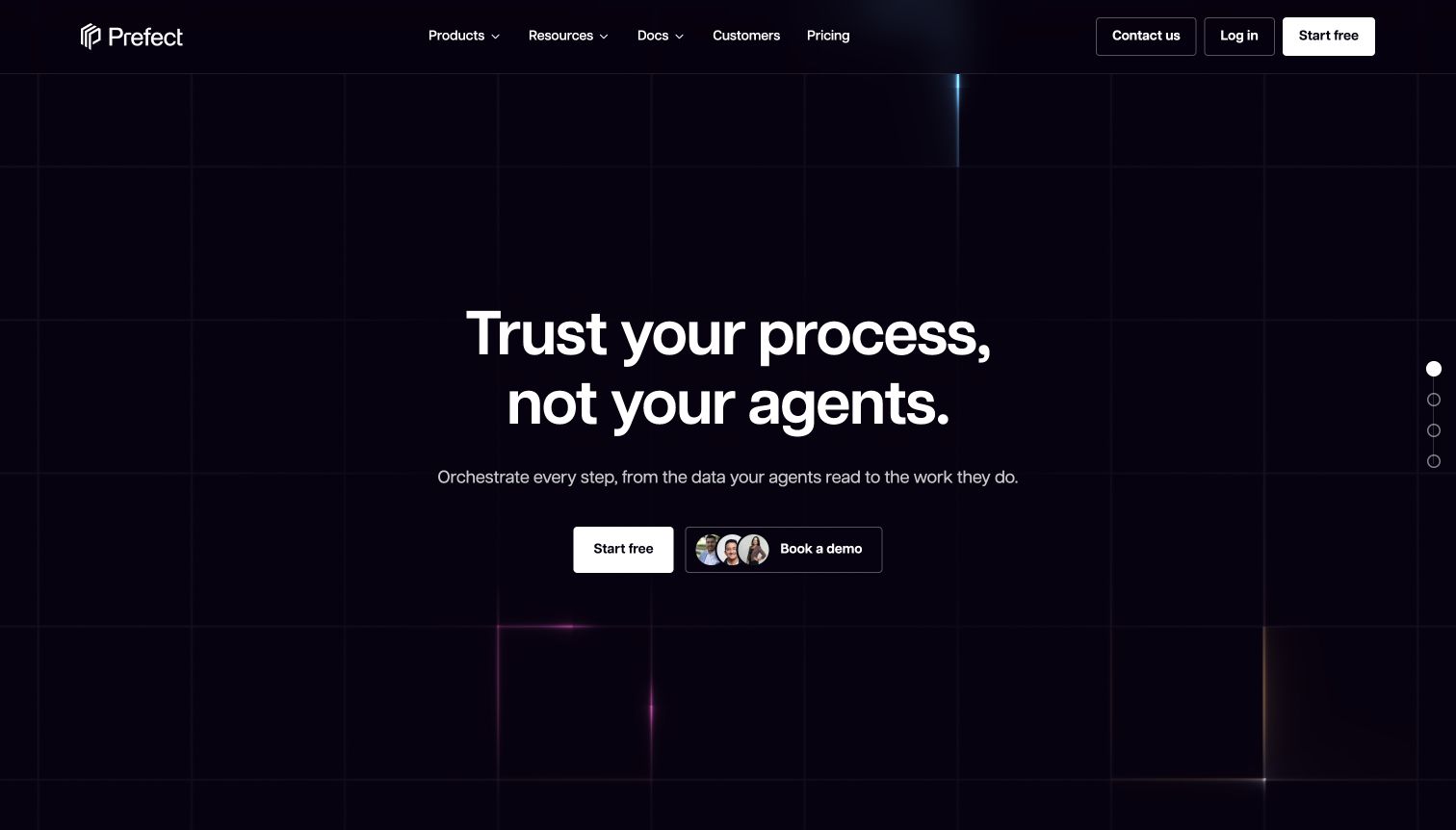
Prefect introduces orchestration with a dark grid, fine colored lines and a statement about dependable processes. The supporting text narrows the promise to data and workflow execution, while free-start and demonstration routes serve different evaluation styles. Further sections introduce the wider product family instead of forcing all of it into the initial view. The WorkOS case describes customer SSO, SCIM and self-service enterprise setup for Prefect. Those access capabilities are distinct from scheduling or running workflows, and the public page alone cannot verify current authentication.
What you can learn
Use the first screen to establish the problem and the immediate choice, then let the technical architecture unfold. For a collaborative infrastructure service, evaluate organization onboarding and removal separately from the execution features that dominate the marketing story.
Pros
The restrained visual system keeps a complex infrastructure proposition readable at the point of entry.
Free exploration and a human demonstration are presented as clear alternatives for different buying situations.
Cons & considerations
The broad promise requires additional reading before visitors can judge an exact deployment or integration fit.
Several related products later expand the decision beyond the simple choice presented in the hero.
Platform source: Official WorkOS customer case. Primary source reviewed 2026-11-11. The official customer case identifies SSO, SCIM and self-service enterprise setup for the Prefect customer platform. This does not identify the orchestration engine or every current marketing-page component. Platform evidence is separate from the direct website screenshot and is not a complete current infrastructure audit.
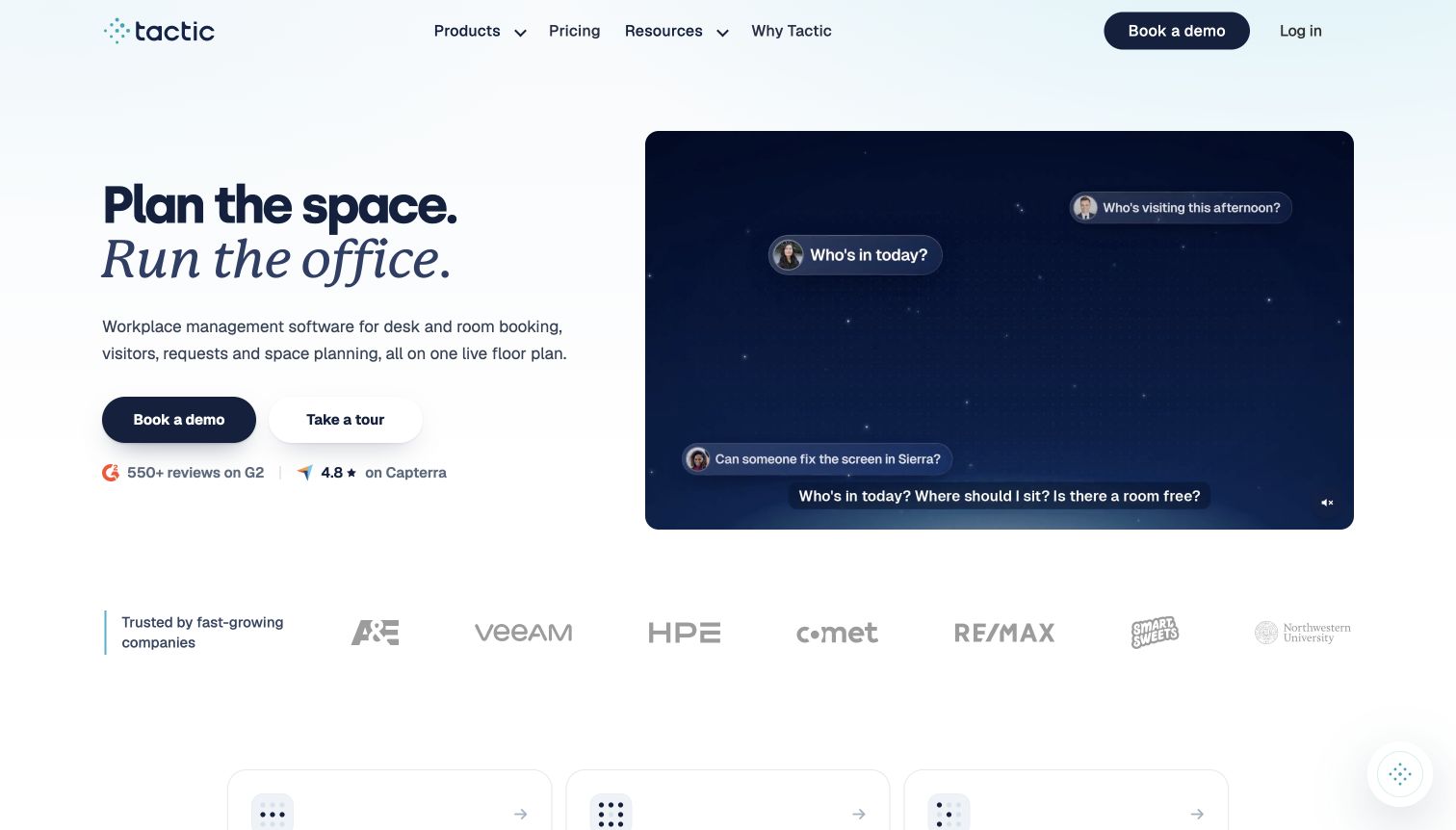
Tactic pairs an airy blue background with a large workplace headline and a plain description of booking, visitors, requests and floor plans. A demonstration panel and clearly separated tour and demo routes give office teams different ways to investigate the product. Numbered feature sections make the breadth easier to scan. WorkOS's customer story describes SSO and Directory Sync, including department and office-location attributes used by the workspace service. This is customer-facing organizational provisioning evidence, not a claim inferred from Tactic's own employee login or from a logo on the page.
What you can learn
Translate enterprise infrastructure into the everyday task it supports. A location or department attribute becomes meaningful when it determines which workspace an employee can book, but the public explanation should still distinguish business rules from the identity provider supplying the data.
Pros
Familiar workplace activities explain the product category without requiring authentication or directory-management vocabulary.
Numbered feature sections and separate evaluation routes help visitors explore a fairly broad operational suite.
Cons & considerations
The wide feature list can make it harder to identify the minimum setup for one office.
Public promotional material does not show how conflicting location or department information is resolved.
Platform source: Official WorkOS customer case. Primary source reviewed 2026-11-11. The official customer case identifies customer SSO and Directory Sync, including department and office-location attributes used by Tactic’s workspace service. This is customer-platform evidence, not only internal staff use. Platform evidence is separate from the direct website screenshot and is not a complete current infrastructure audit.
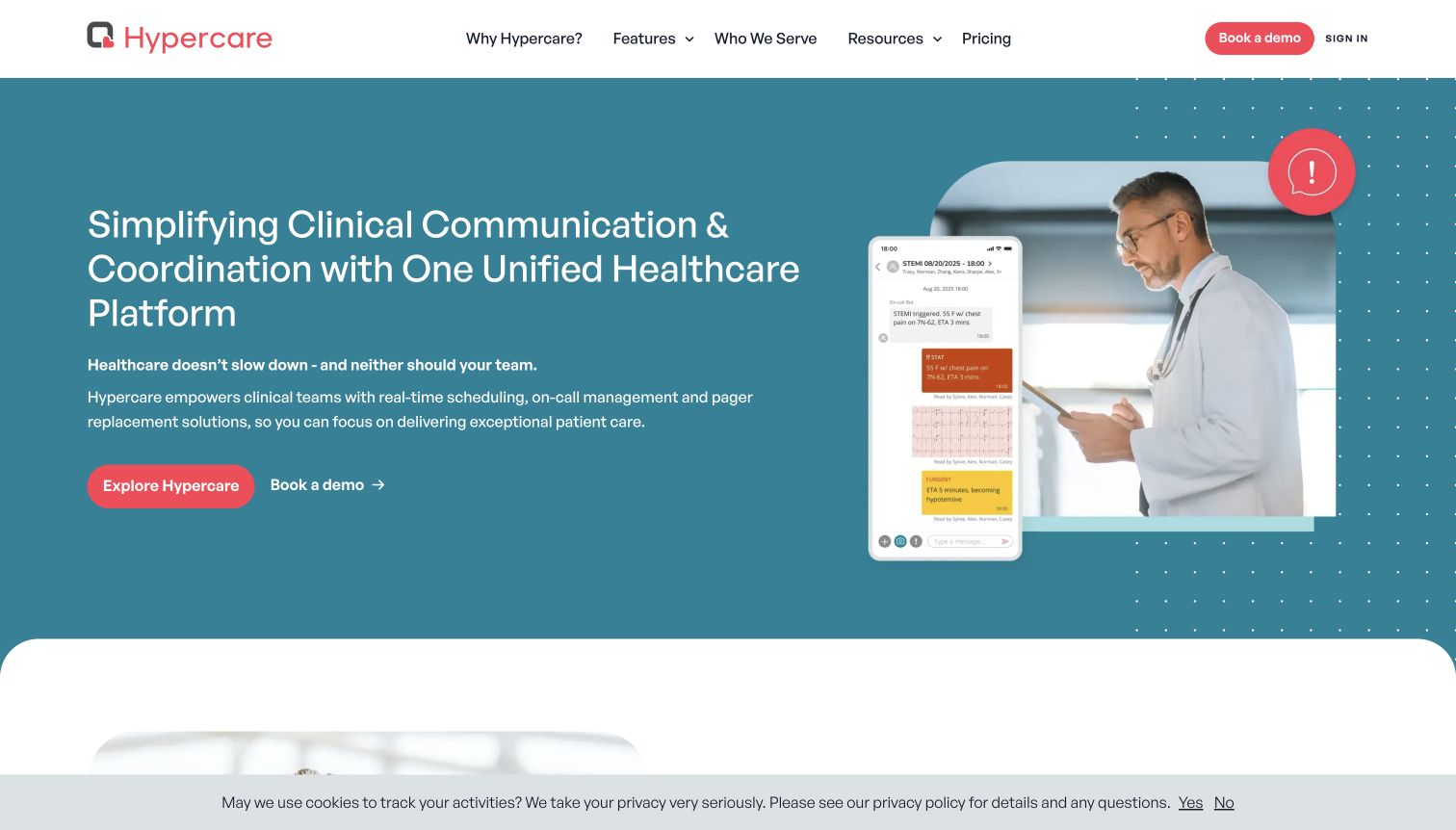
Hypercare's teal opening combines an explicit clinical-communication headline with a clinician photograph and a promotional phone interface. Coral actions separate product exploration from a demonstration request. Subsequent material introduces scheduling, paging and team coordination as connected activities. The WorkOS case documents customer-organization SSO and provisioning for this software service after an earlier authentication integration. Nothing in this review verifies clinical effectiveness, regulatory compliance or a private clinical system. The visible interface is public promotional material, and the access relationship does not establish the marketing page's complete runtime.
What you can learn
For specialized software, identify the people and coordination problem before introducing the infrastructure. Keep account access, organizational membership and operational responsibilities distinct, so a persuasive human-centered presentation does not conceal who controls access when staff roles change.
Pros
The paired human and phone imagery gives a concrete context to an otherwise broad coordination promise.
Exploration and demonstration actions support both early product learning and a more structured organizational evaluation.
Cons & considerations
Several connected capabilities require further reading to understand the starting configuration for a particular team.
A public promotional screen cannot reveal real account restrictions, operational reliability or sensitive-workflow behavior.
Platform source: Official WorkOS customer case. Primary source reviewed 2026-11-11. The official customer case identifies healthcare customer-organization SSO and provisioning after an Auth0 integration. No private clinical system was inspected; this is not a finding about clinical effectiveness, compliance or the homepage’s backend. Platform evidence is separate from the direct website screenshot and is not a complete current infrastructure audit.
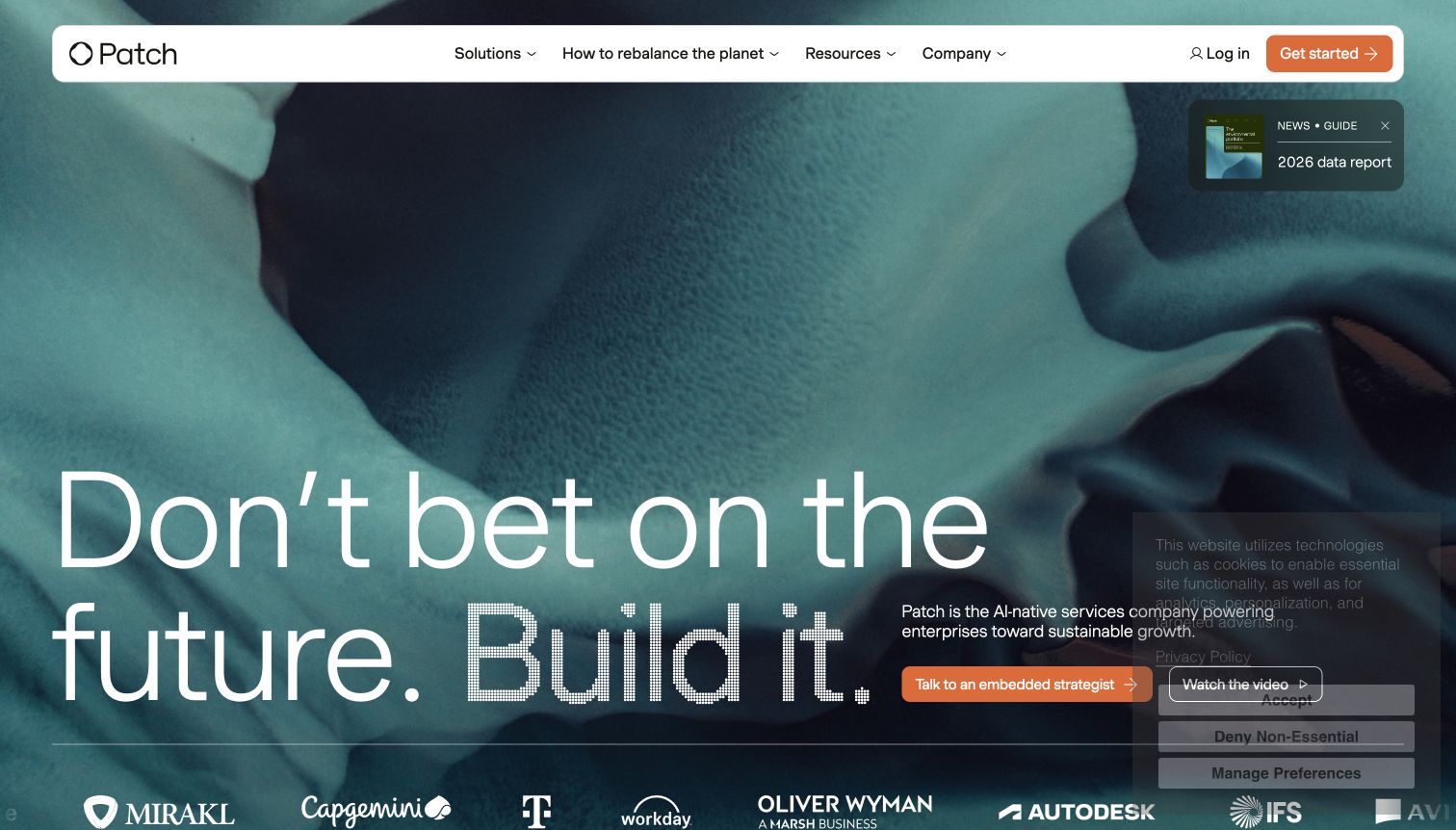
Patch's current opening uses a textured teal field, large typography and an orange strategist-contact action. The broad proposition is followed by material about environmental procurement, diligence, purchasing and management. A separate login route remains available for existing users. WorkOS's earlier customer case describes enterprise SSO for Patch's carbon-removal platform, including customer identity providers. That historical platform relationship is qualified here: it does not establish that every current service or marketing-page runtime has the same implementation. The page and the case answer different research questions.
What you can learn
Give a broad strategic promise a clear path toward the underlying work. When a service's positioning changes, maintain a careful evidence trail so older technical associations support only the product and period actually described, rather than every new claim on the homepage.
Pros
The spacious composition makes the principal message and consultation action easy to distinguish immediately.
Deeper procurement stages give the abstract opening a more concrete operational sequence to investigate.
Cons & considerations
The initial strategic language delays an explanation of the exact service a new visitor would receive.
The public opening provides little direct evidence of the customer platform behind the separate login.
Platform source: Official WorkOS customer case. Primary source reviewed 2026-11-11. The earlier official case describes enterprise customer SSO for Patch’s carbon-removal platform, including Google and Azure identity providers. It does not establish all current AI-oriented services or the current marketing-page runtime. Platform evidence is separate from the direct website screenshot and is not a complete current infrastructure audit.
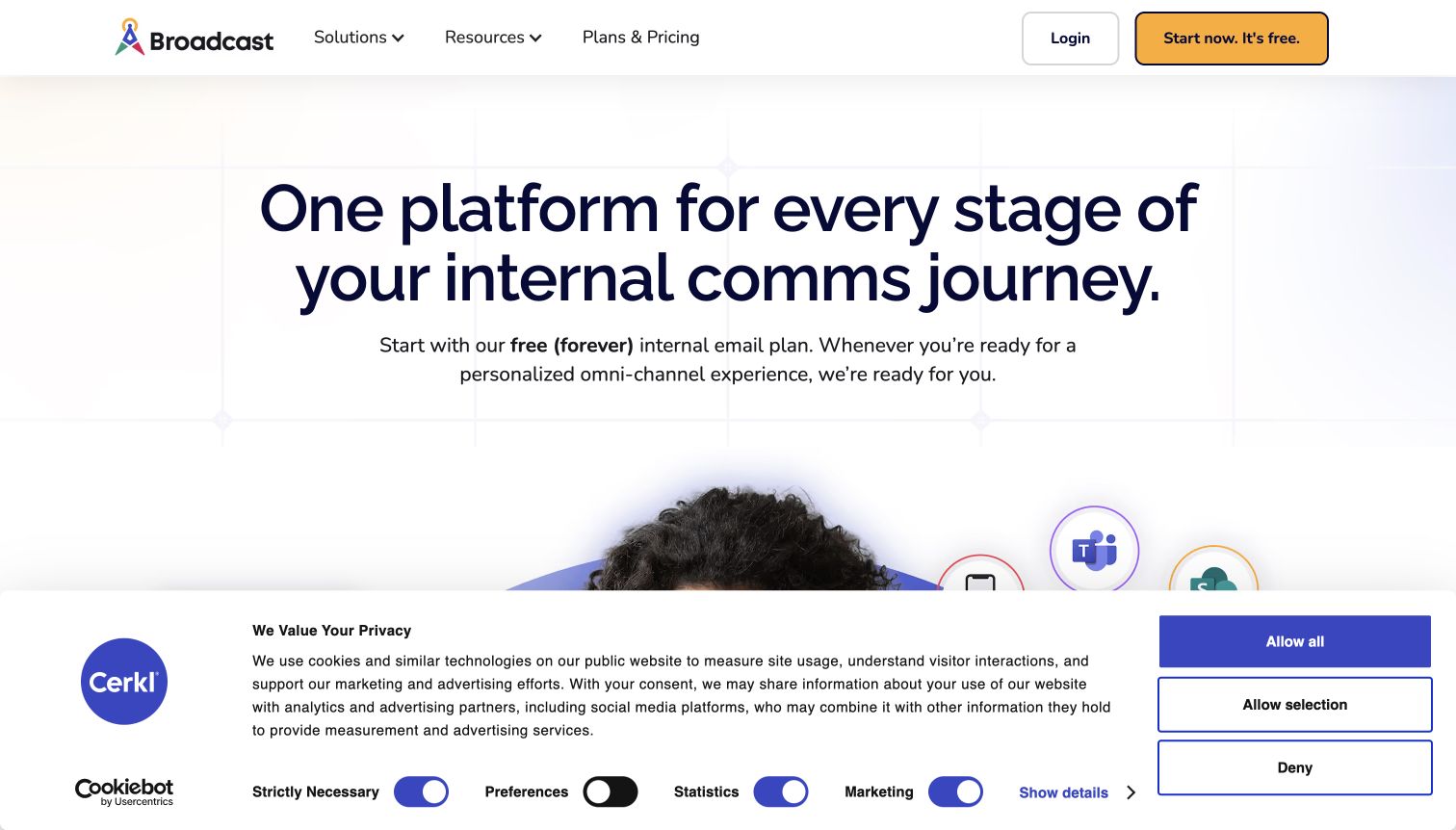
Cerkl's Broadcast page introduces its communications offer with a centered headline, a prominent free-plan message and clear account actions. The page then separates primarily email needs from email plus other channels, making a large product category easier to navigate. The WorkOS case describes SSO supplied to Cerkl's customer organizations within its communications software. It is not evidence merely about Cerkl employees signing into their own workplace tools. The captured public page illustrates how the service is explained; it does not reveal the private organization setup or confirm every current authentication method.
What you can learn
A useful early branch should describe a customer's need in ordinary language. Keep that choice separate from the administrative decisions about who can configure the organization, which identity provider governs access and which communication channels each role may operate.
Pros
The email-versus-multichannel distinction gives visitors an understandable way to narrow a broad software offer.
Plan and account routes remain prominent enough for an interested visitor to continue without hunting.
Cons & considerations
A large cookie panel covers some supporting content in the captured opening and adds visual competition.
The free-plan emphasis leaves organization-level access requirements to subsequent product and plan investigation.
Platform source: Official WorkOS customer case. Primary source reviewed 2026-11-11. The official customer case describes customer-organization SSO within Cerkl’s communications SaaS. The evidence concerns customers of the service, not merely Cerkl’s own employees or every current marketing-page component. Platform evidence is separate from the direct website screenshot and is not a complete current infrastructure audit.
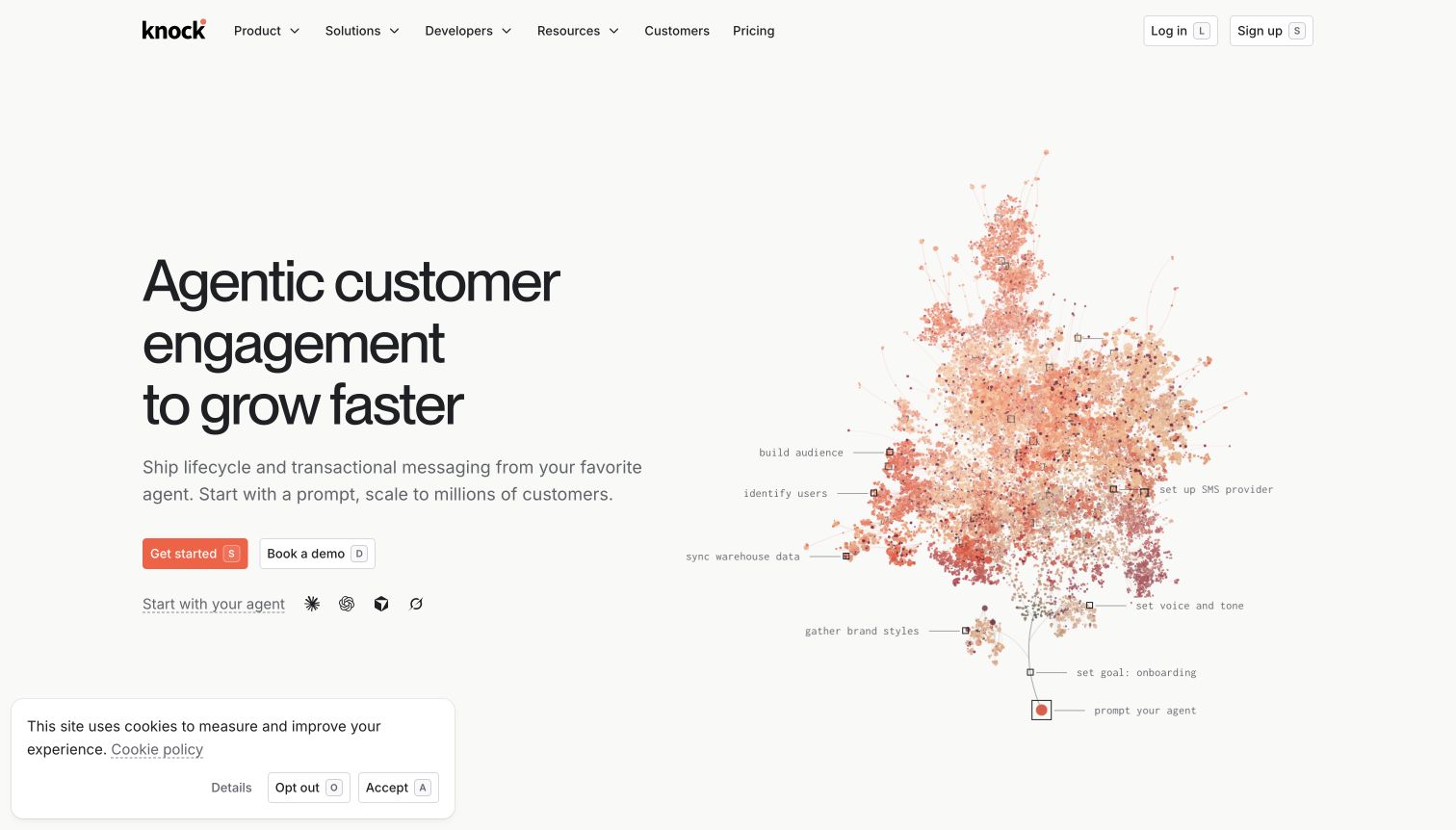
Knock's warm opening pairs a direct customer-engagement proposition with a branching diagram of brand, audience, approval, sending and analysis. The graphic provides structure without pretending to be a complete working interface. Start, demonstration and developer-oriented routes accommodate different evaluation needs. Knock's own October 2022 engineering article describes implementing customer admin setup and end-user SSO through WorkOS. It is an earlier documented integration, not a fresh inspection of the current login backend. In particular, the identity system should not be confused with the notification and engagement capabilities the homepage markets.
What you can learn
Let the diagram explain the sequence of decisions rather than merely decorate a broad claim. Then make ownership explicit: content approval, message delivery and organization access can involve different roles even when the marketing presentation places them in one continuous workflow.
Pros
The branching illustration turns an expansive engagement proposition into a sequence of recognizable activities.
Multiple evaluation routes support practical developers and buyers who need a more guided product explanation.
Cons & considerations
Abstract workflow labels require more exploration before visitors see the exact controls available to them.
A historical integration article cannot verify every authentication route in the product's current presentation.
Platform source: Product-owned documentation or attributed primary evidence. Primary source reviewed 2026-11-11; published 2022-10-27. Knock’s product-owned engineering article dated October 27, 2022 describes customer admin configuration and end-user SSO with WorkOS. This is historical implementation evidence, not verification of every current login or notification-delivery mechanism. Platform evidence is separate from the direct website screenshot and is not a complete current infrastructure audit.
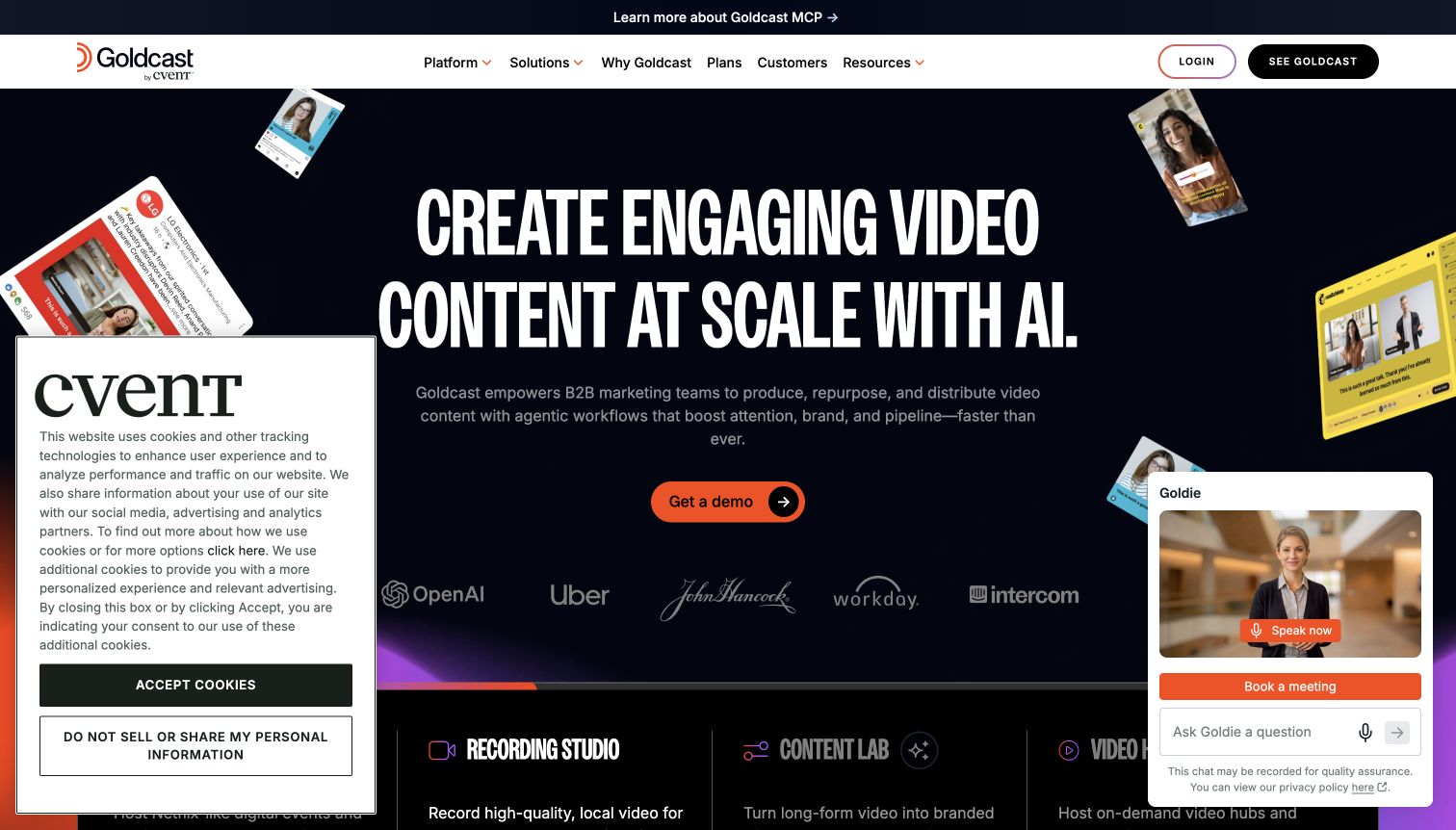
Goldcast's opening uses condensed display type, dark backgrounds and cropped video imagery to make its category unmistakable. An orange demonstration action sits near a product structure covering events, recording, content reuse and video hubs. The Goldcast by Cvent identity is visible in the header. Its own help documentation identifies WorkOS SSO for Goldcast Studio clients. That administrative scope is important: the documentation does not establish that every attendee at a public event uses WorkOS authentication. No event registration, chat interaction or account setup was performed during the source review.
What you can learn
When one product serves administrators, content creators and public attendees, name the relevant surface before describing its authentication. A visually unified brand can still have several distinct access models, and the documentation should make those boundaries easy to understand.
Pros
Strong video imagery and typography communicate the product category without a lengthy introductory explanation.
The named product families give visitors a useful structure for exploring a broad media workflow.
Cons & considerations
Cookie and chat panels add competing elements around an already energetic opening composition.
A demonstration-led entrance leaves hands-on evaluation and detailed administrative requirements to later steps.
Platform source: Product-owned documentation or attributed primary evidence. Primary source reviewed 2026-11-11. Product-owned help documentation identifies WorkOS client SSO for Goldcast Studio administration. It does not establish authentication for every public event attendee or the marketing-page runtime. No tokenized setup link was opened. Platform evidence is separate from the direct website screenshot and is not a complete current infrastructure audit.
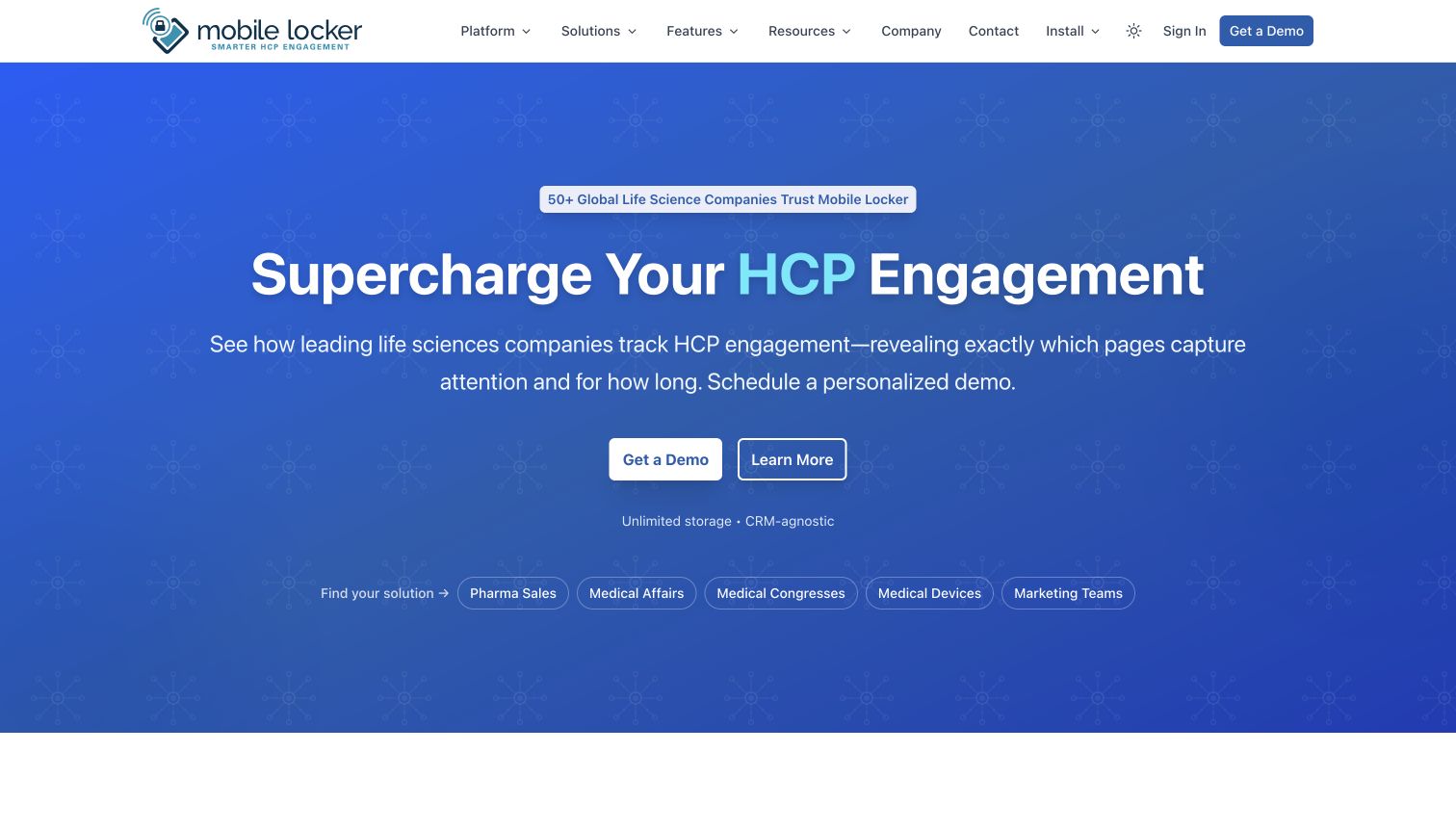
Mobile Locker's blue opening addresses healthcare-professional engagement and supports that promise with a concise description of software and analytics. Demonstration and learning routes precede navigation organized around pharmaceutical, medical-affairs, congress and related teams. The page is a software-service presentation, not a healthcare provider's appointment site. Its own documentation identifies WorkOS SSO for web and native clients, while explicitly describing Directory Sync as optional and not enabled for customers in that account. This review therefore distinguishes documented sign-in from provisioning that the source does not establish as deployed.
What you can learn
Audience language can make specialized software easier to approach, but it should not blur the account lifecycle. Explain separately how an invited person signs in, how their account is created and how organizational access is removed when their responsibilities change.
Pros
The named team categories help specialist buyers recognize a relevant route without interpreting generic personas.
The concise opening gives demonstration and further learning clear positions before the broader feature navigation.
Cons & considerations
The hero offers limited interface detail, so visitors must explore to judge the daily working experience.
SSO alone does not explain account creation; the product documentation is necessary to understand that boundary.
Platform source: Product-owned documentation or attributed primary evidence. Primary source reviewed 2026-11-11. Product-owned documentation identifies WorkOS SSO for the Mobile Locker web app and native clients. It explicitly describes Directory Sync as optional and not enabled for customers; sign-in does not by itself establish account provisioning or role mapping. Platform evidence is separate from the direct website screenshot and is not a complete current infrastructure audit.
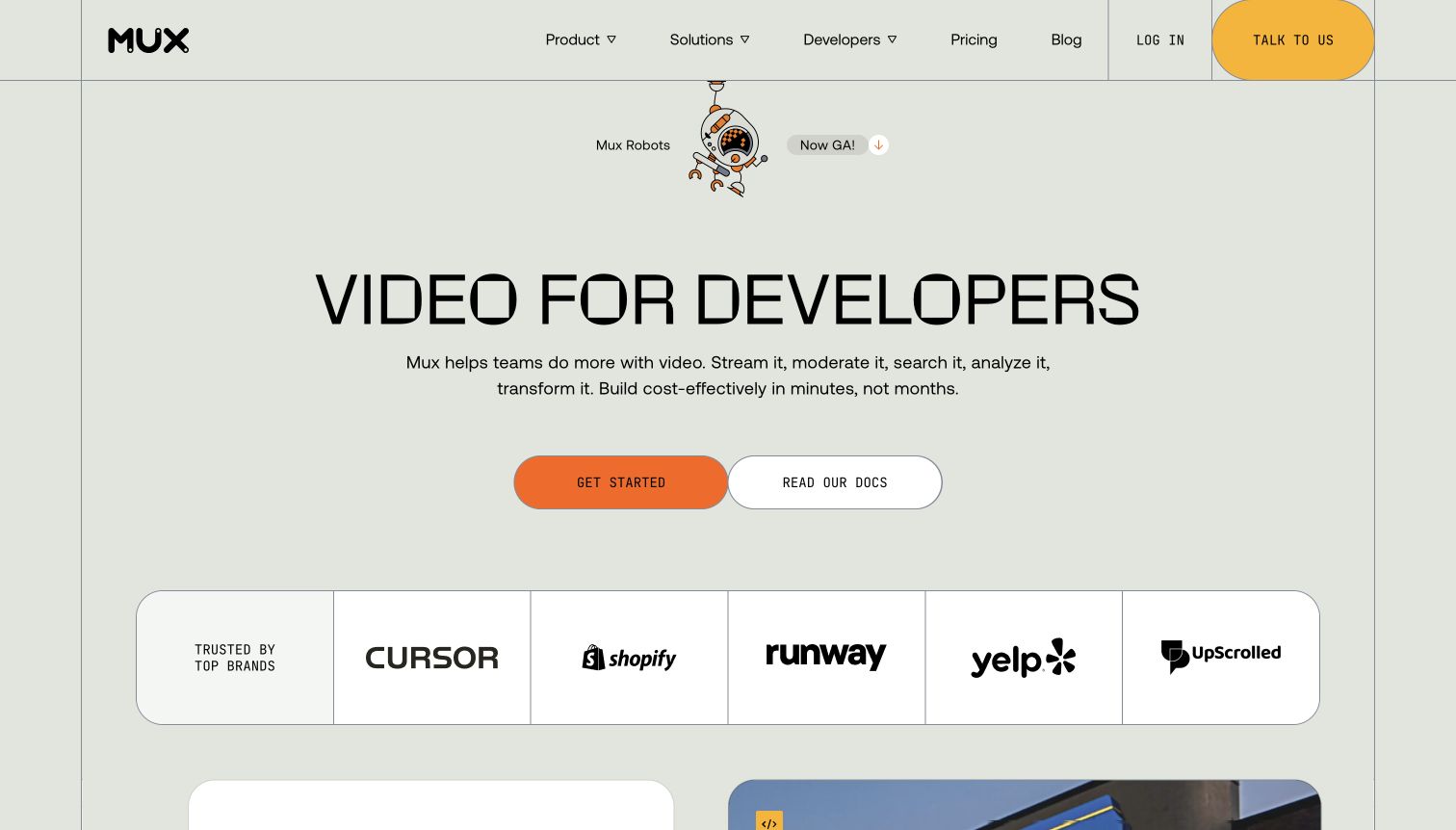
Mux's cream background, thin grid lines and video typography give its proposition an editorial feel. Starting and documentation buttons sit beside playful technical imagery, while deeper code and product sections support the promise. Mux's August 2025 engineering article identifies WorkOS OAuth handling for its remote MCP service at mcp.mux.com. That connection differs from ordinary dashboard authentication. The captured homepage is the public entrance to the video platform; it is not a screenshot of an authorized MCP session or proof of the homepage's own authentication backend.
What you can learn
Document the particular interface where identity applies. A developer platform can expose a website, dashboard, API and agent connection, each with different access requirements. A clear public story should help users locate the right documentation without suggesting that these surfaces are interchangeable.
Pros
The restrained grid and prominent documentation route balance a playful identity with practical developer needs.
Code and product material provide further ways to evaluate the offer beyond the initial visual proposition.
Cons & considerations
The opening necessarily compresses a broad API platform into a message that needs deeper technical reading.
An MCP authorization relationship does not establish how ordinary dashboard sessions or other APIs authenticate.
Platform source: Product-owned documentation or attributed primary evidence. Primary source reviewed 2026-11-11; published 2025-08-22. Mux’s August 22, 2025 engineering article identifies WorkOS OAuth for its customer-facing remote MCP service at mcp.mux.com and distinguishes ordinary dashboard authentication. The homepage capture is the public platform entrance, not an authorized MCP session or marketing-page backend inspection. Platform evidence is separate from the direct website screenshot and is not a complete current infrastructure audit.
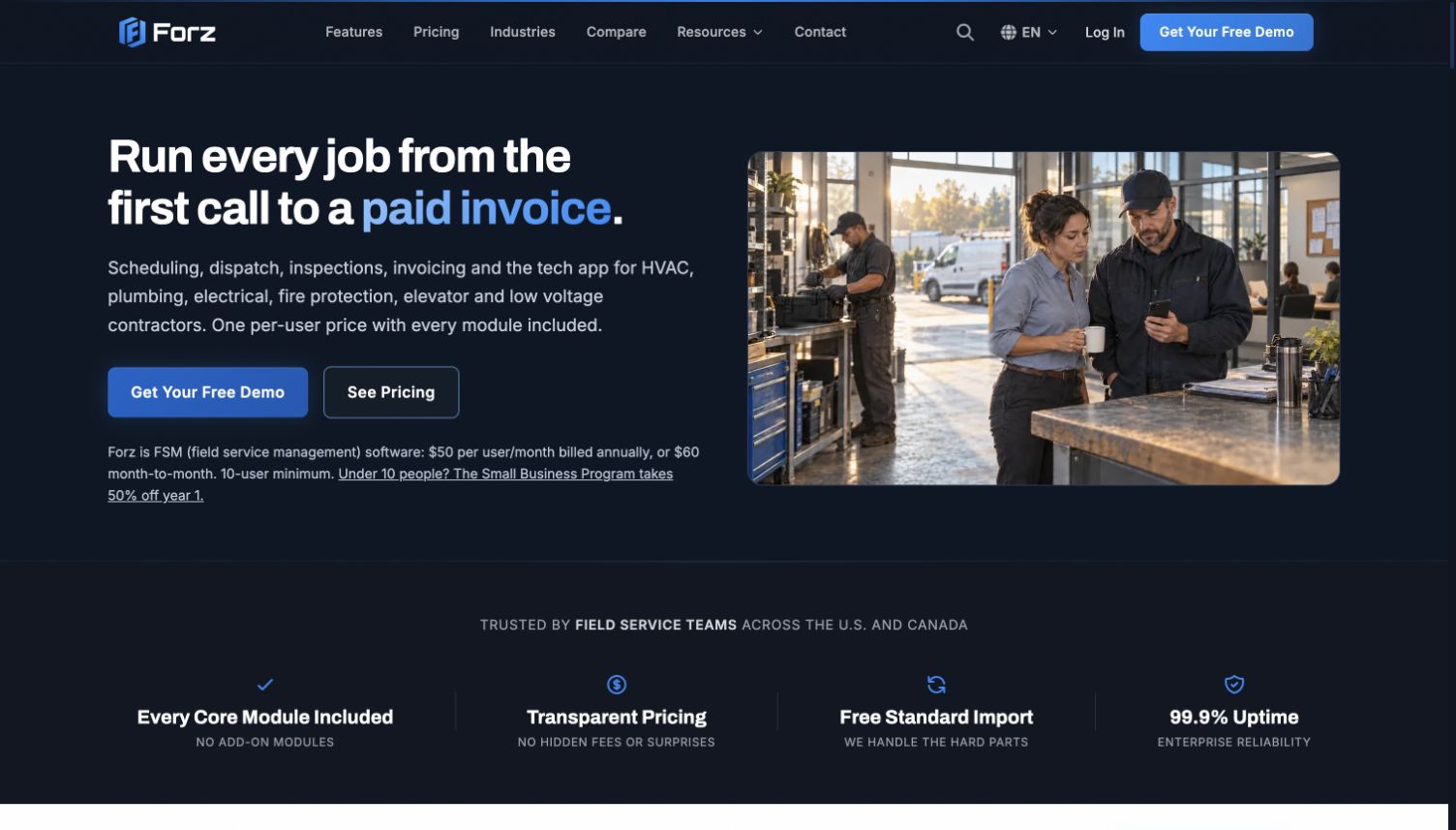
Forz introduces its software through a sequence from the first customer call to a paid invoice. A dark header, contractor imagery and clear product actions connect the offer to practical field-service work. Visible trade categories and a structured module presentation make the intended users and breadth explicit. The product-owned integrations page identifies WorkOS for authentication and SSO. That evidence concerns the software service; the pictured marketing page does not expose its account implementation. Forz is reviewed here as software for trades, not as a contractor offering those trades directly.
What you can learn
Use the customer's operating sequence to explain why the product's modules belong together. Then treat access as its own requirement: office staff, technicians and administrators may need different abilities even when they share the same subscription and public product promise.
Pros
The call-to-invoice sequence gives the product breadth a practical beginning and end for prospective buyers.
Named trades and visible module organization help visitors judge fit before requesting a detailed conversation.
Cons & considerations
A broad all-in-one presentation still requires careful evaluation of each role's everyday workflow and permissions.
The public page cannot demonstrate account recovery, organizational boundaries or sign-in errors.
Platform source: Product-owned documentation or attributed primary evidence. Primary source reviewed 2026-11-11. The product-owned integrations page identifies WorkOS authentication and SSO for the Forz service. Supplementary help-page indexed text describes AuthKit, but full help retrieval was inaccessible; no broader detail is inferred. The capture does not establish the marketing-page runtime. Platform evidence is separate from the direct website screenshot and is not a complete current infrastructure audit.
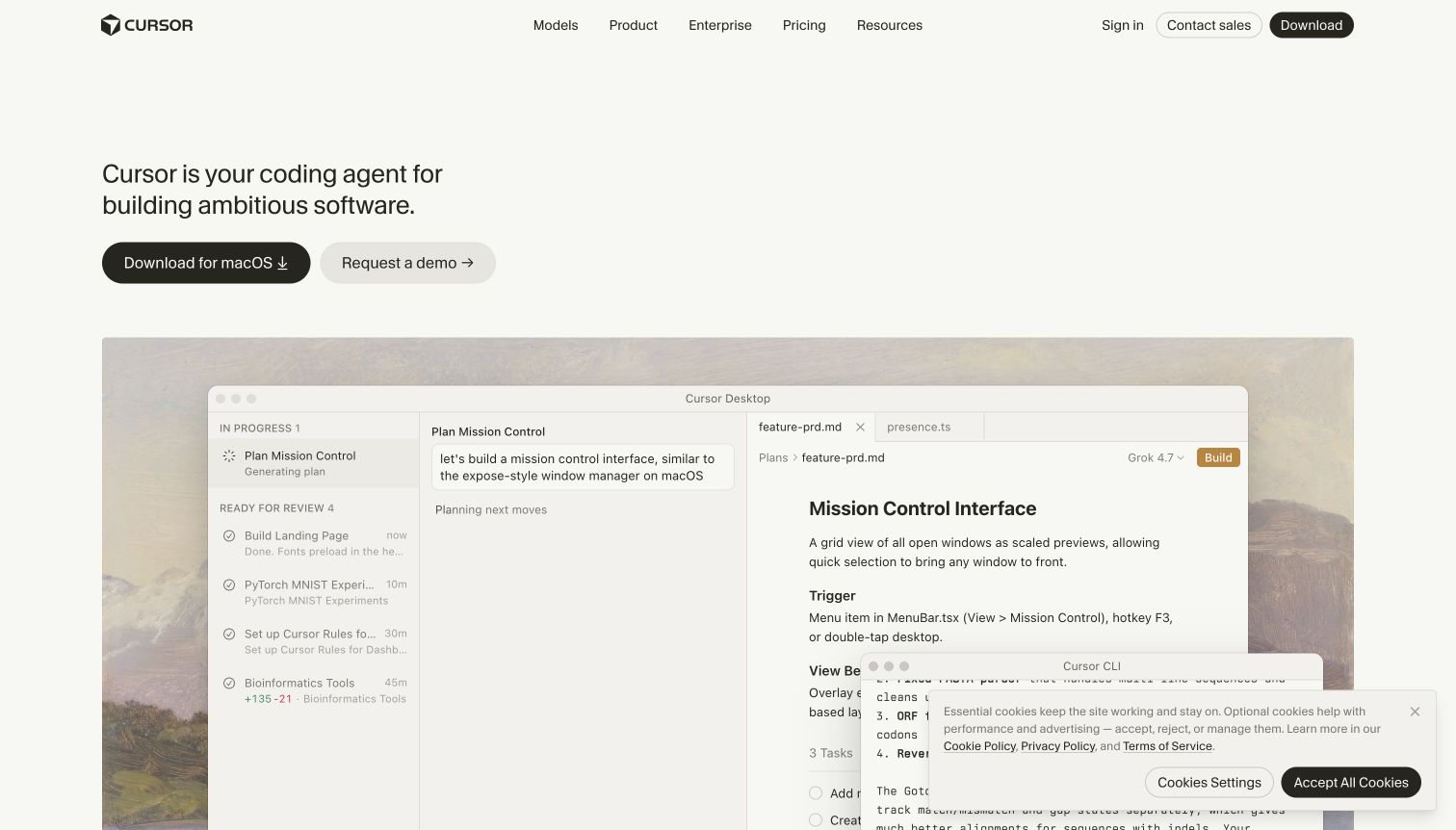
Cursor's cream opening uses restrained navigation, a coding-agent proposition and separate download and demonstration actions. A large public editor-style demonstration gives the visitor working context; it is promotional content, not a private workspace inspected for this review. Cursor's own subprocessor listing names WorkOS for enterprise authentication and SSO/SCIM, and a WorkOS page attributes AuthKit account testimony to Cursor's cofounder. These sources support a qualified product relationship. They do not establish every current login flow, particularly during the documented authentication-domain transition, or the homepage runtime.
What you can learn
A credible product demonstration can make an ambitious claim easier to evaluate. Keep authentication evidence equally specific: distinguish the vendor relationship, the public interface being shown and the current sign-in endpoint, rather than treating a familiar brand as proof that all three remain unchanged.
Pros
The subdued visual hierarchy directs attention toward the product demonstration and two clear evaluation actions.
Product, enterprise and pricing routes give different buyers a structured way to continue their investigation.
Cons & considerations
The demonstration shows selected capabilities rather than the limits or failure states of a real account.
A documented authentication-domain transition means earlier implementation testimony needs explicit limits on current-flow claims.
Platform source: Product-owned documentation or attributed primary evidence. Primary source reviewed 2026-11-11. Cursor’s product-owned subprocessor listing expressly identifies WorkOS as its enterprise authentication and SSO/SCIM provider. A separate WorkOS AuthKit page attributes customer-account testimony to Cursor cofounder Arvid Lunnemark. These support a qualified relationship, not every current login route, especially during the separately documented authentication-domain transition, or the marketing-page runtime. Platform evidence is separate from the direct website screenshot and is not a complete current infrastructure audit.
Kegan has 15+ years of experience working with small businesses, Fortune 500 companies, and everything in between. No development job is too big or too small: he brings the same hands-on attention to a focused improvement, a complete website, or a custom application.
For WorkOS projects, he can help with responsive interfaces, reusable components, custom functionality, API connections, and performance-minded implementation. He works directly with clients on scope, design, implementation, testing, and handover, with an emphasis on clear communication and a system that remains practical to maintain after launch.
Show 3 other WorkOS developersHide other WorkOS developers
Choose the access problem before choosing the integration
Add an enterprise entrance to an existing product
Begin by inventorying the current account system and the customer requirement that prompted the change. An established product may need organization SSO without replacing every consumer or developer login. Several customer cases in this collection describe that narrower starting point. Write down how existing users will be linked, how an administrator selects the organization and which paths should continue to work. Make the product boundary visible in both documentation and interface labels, particularly when the same brand serves several audiences.
Plan a broader customer-account migration
A move involving AuthKit or User Management affects more than the appearance of a login screen. Inventory existing identities, invitations, sessions and recovery paths before designing the cutover. Copy.ai's documented migration is useful as a scoped example, not a universal prescription for another service. Agree on which users move first, what support can see when something fails and how the team will reconcile identities rather than accidentally create duplicate accounts. Keep the migration evidence separate from a claim about every present-day route.
Authorize a specific developer or agent connection
Mux demonstrates why a public website, a dashboard and a remote MCP service should be documented as separate surfaces. Its engineering account identifies WorkOS OAuth for the MCP connection, while distinguishing ordinary dashboard authentication. For a similar project, describe the protected service, the permitted actions and the user decision that grants access. Show how a person can understand and withdraw that access. A familiar sign-in brand is not sufficient explanation of what a connected tool may do.
List the public entry points, account types, organization memberships and roles. Include existing users, new invitations, contractors and people with more than one organization. For each entry, name the intended destination after sign-in and the person responsible for resolving a mismatch. A marketing page may promise a simple start, but the map should reveal where a user needs an administrator's help rather than another attempt at the same login.
Specify failure and recovery states before styling the happy path
Include an expired invitation, an unavailable identity provider, an unrecognized organization and an account whose access has been removed. Write useful messages that explain the next safe action without exposing another organization's information. Decide which details belong in support diagnostics and which must remain private. Review the states with both product and operational owners. A visually polished login is incomplete if the team has no clear response to the first account that cannot enter.
Hand over observable behavior and a maintenance owner
Document how to recognize successful onboarding, a configuration that is still pending and a lifecycle update that has not reached its intended result. Demonstrate the behavior with authorized test accounts in the project's own environment. Keep a record of the integration version, callback destinations and who reviews changes in the provider's documentation. When an authentication domain changes, as Cursor's public help material describes, reconcile current guidance before presenting an old endpoint as the active implementation.
A useful handover demonstration
Ask the actual team to carry out its routine job: publish a realistic update, correct a mistake, preview a narrow screen, and identify who owns an integration failure. For a library or frontend framework, also ask who maintains the content source and deployment. A polished screenshot does not answer those operational questions.
Beyond the screenshot
WorkOS website and product planning checklist
Name the specific product surface that needs authentication or authorization.
Separate public website, customer dashboard, native client and API-service requirements.
Document existing account identities before planning any migration.
Map organizations, memberships and administrator responsibilities explicitly.
Describe the intended routes for new users, invitations and existing members.
Identify which users require SSO and which methods remain appropriate for others.
Treat provisioning, role changes and removal as distinct lifecycle events.
Define useful outcomes for expired invitations and unavailable identity providers.
Scope administrative setup to the correct organization and authorized person.
Keep credentials, session details and temporary setup links out of public material.
Test the agreed access states with authorized non-production accounts.
Assign an owner for support, provider changes and ongoing evidence review.
Test with real content, a keyboard, a small screen, slow or failed requests, and the people who will maintain the system. These are planning checks, not an accessibility, security, performance, or search-ranking certification.
Sources & editorial method
How this WorkOS collection was reviewed
We reviewed 20 distinct public properties and captured their actual public pages directly on November 11, 2026. The opening brands are explicitly selected and supported by primary product or customer evidence. Named WorkOS associations are scoped to the documented customer-facing product, enterprise account system or MCP service; a marketing-page screenshot does not establish that page's complete runtime. Known case publication dates are retained, undated cases are not assigned invented dates, and current source reads remain separate from earlier technical history. Each source has a broad public stack-audit attempt or a retained exact-page audit record with its original date. Access checks and partial or unavailable results remain explicit. We did not log in, change accounts, submit forms, run prompts or bypass source restrictions. Reviews describe observed design choices and tradeoffs, without claiming measured conversion improvements. Industry links use published collection membership or reviewed exact-page evidence only.
Every image is an unmodified capture from the actual website, with its source and capture date. Some captures are reused from our shared catalog; their dates remain the original capture dates. None comes from a vendor gallery or a generated reconstruction. Moving imagery and live content can change.
Technology attribution uses public page assets or metadata, official platform documentation, or a cited first-party project case study. Documentary and framework-relationship evidence is identified where used; it is not a complete current backend inventory. A CMS image CDN alone does not establish a full CMS deployment. A library’s presence does not prove which individual controls use it, and a platform label does not establish AI authorship.
The composition notes, lessons, pros and tradeoffs are original editorial observations. We have not measured conversion, traffic, security, performance or accessibility conformance. Website owners retain their brands and imagery; these examples are not our client portfolio. Written, Edited and Curated are independent records, not dates advanced by a build. See our editorial standards or suggest a correction.
Questions worth asking
WorkOS website development FAQs
Are all 20 pictured pages themselves built with WorkOS?
No such claim is made. WorkOS commonly supplies an access or identity layer for the product behind a public website. Each example identifies the documented relationship, such as enterprise SSO, directory provisioning, customer accounts or MCP OAuth. The screenshot shows the reviewed public presentation; it does not reveal every component of its current backend.
Is WorkOS SSO the same thing as Directory Sync?
They address different parts of access. SSO allows a user to authenticate through an organization's identity provider. Directory Sync concerns the lifecycle of users and groups, including updates and removal. A product may implement one without the other. The examples retain that distinction, including cases where a source describes provisioning as planned or not enabled.
Why include a marketing homepage when the evidence concerns a product account?
The public page is the starting point through which a buyer or user learns about that product. It is useful for design comparison when the association is explicitly qualified and supported by a primary source. We do not present the page as a private account screenshot or infer its architecture from the vendor relationship.
Do historical customer stories prove the current login implementation?
They establish what the source documented for its stated scope and period. They do not independently verify every present-day flow. Known publication dates, current source-read dates and current capture dates are kept distinct. Changed positioning or an authentication-domain transition requires additional qualification rather than silently refreshing an older claim.
What can a team borrow from these website examples?
Study how each page identifies its audience, explains the product and separates immediate exploration from organizational evaluation. Then design the account journey around your actual users, organizations and permission model. A prominent start button, product demonstration or SSO option is only one part of that journey; invitation, error and removal states also need deliberate design.
How were Industry links and technology stacks handled?
Industry links come from ready published collection membership or a reviewed exact-page association. A software product is not classified as one of its customers' industries merely because it serves that audience. Broad stack attempts are recorded separately from the WorkOS evidence. Unavailable or partial scans do not justify guesses about an unobserved backend.
Start by identifying the product task, the organization boundary and the people responsible for access. Then use these public examples to make the entrance understandable, while the implementation plan accounts for the full customer lifecycle.