Best Three.js Websites of 2026 (20 Real-World Examples)
Three.js public experiences, creative studios, and browser-3D tools with feature-level evidence
Twenty public properties show browser 3D used for scientific exploration, interactive storytelling, creative portfolios, games, and authoring tools. The official Three.js showcase associates each named property; editions, historical stories, presentation layers, and product demonstrations are kept distinct from corporate-wide technology claims.
Three.js helps build and display three-dimensional scenes in the browser. That does not make it a content-management system, commerce backend, identity service, or proof that every component of a featured website is 3D. This collection studies the visible experience and uses the official project showcase as documentary evidence for each exact public property.
NASA Eyes on the Solar System, Shopify’s Winter 2026 edition, Google’s Interland, SBS’s The Boat, and The Fabulous Cartier Journey open the guide. Each is a named experience or edition, not an attribution of its owner’s entire website. The Boat is a historical interactive story. Public product demonstrations and creative-studio sites elsewhere in the collection likewise establish a particular browser presentation or documented implementation association, not private infrastructure details.
Before the examples
What makes good Three.js website development in 2026?
Give the scene a job
A spatial scene should help explain scale, create a meaningful route through a story, demonstrate a product, or support a playable interaction. State that job before allocating a large visual and performance budget to decorative motion.
A 3D world can coexist with clear text, conventional links, sound controls, and a predictable return route. Essential information should remain available without requiring precise steering, discovery of hidden hotspots, or completion of a game.
Design for loading and capability limits
Models, textures, shaders, and audio arrive at different times. Provide meaningful progress and failure states, sensible quality levels, reduced motion where appropriate, and a useful alternative when the device cannot deliver the intended experience.
The collection · 20 examples
20 Three.js website examples worth studying
The following properties have genuine direct browser captures and original reviews. The official Three.js showcase supplies exact-property documentary associations; visible scenes and product descriptions determine the review scope. A showcase listing is not a private runtime audit, and a brand-owned feature is not evidence about every brand-owned system.
We start with five recognizable brands or organizations: NASA Eyes on the Solar System, Shopify Editions — Winter 2026, Google Be Internet Awesome — Interland, SBS — The Boat, historical interactive story, The Fabulous Cartier Journey. Each attribution applies to the named website property, not every product or website belonging to its organization. This is a curated reading sequence, not a measured ranking.
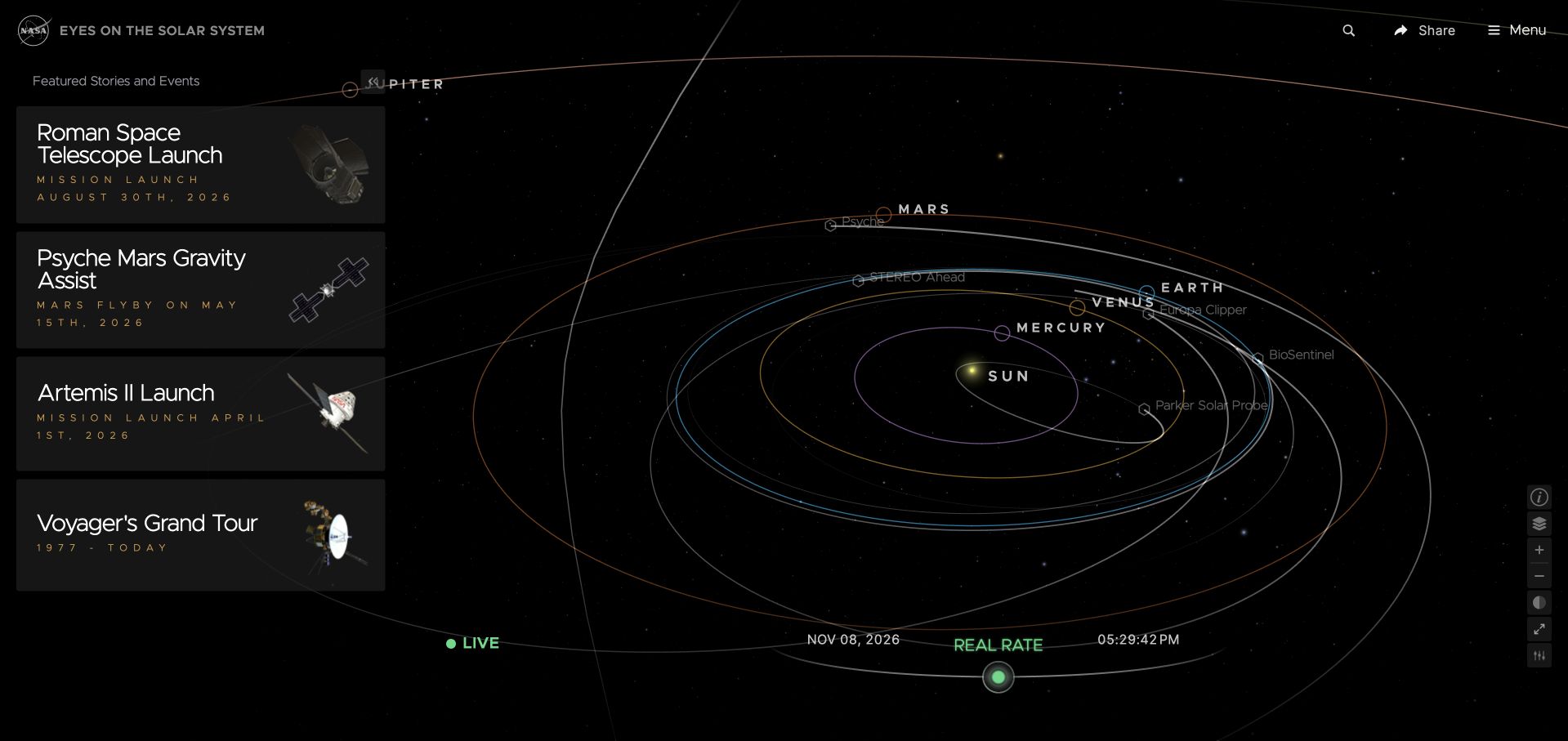
NASA Eyes on the Solar System centers a rendered orbital scene within a dark scientific interface. A compact navigation area and featured mission cards give the visitor recognizable routes into a much larger collection of objects and perspectives. Labels and interface panels supply context around the scene rather than replacing it. The official Three.js showcase names this exact solar-system application; that association does not extend to every NASA website, mission-control system, or private scientific workflow.
What you can learn
A spatial explorer needs an information architecture as well as a camera. Define object identities, meaningful viewpoints, annotations, and return routes so a visitor can connect an impressive overview to a particular mission or question without becoming lost in the surrounding scene.
Pros
Featured missions provide concrete destinations for visitors who might otherwise face an unfamiliar and apparently limitless spatial environment.
The dark scene and surrounding controls establish separate areas for exploration and supporting interface information without abandoning a coherent visual identity.
Cons & considerations
Dense labels and distant objects need deliberate selection and readable alternatives, not precision pointing alone.
An orbital scene needs clear explanations of scale, time, and representation; appearance alone cannot establish scientific accuracy.
Platform source: Official Three.js exact-property showcase. The official Three.js showcase links the exact public property https://eyes.nasa.gov/apps/solar-system/. This is a documentary association with the named experience, edition, product demonstration, or public presentation layer, not a complete current runtime inventory or an organization-wide stack claim. Platform evidence is separate from the direct website screenshot and is not a complete current infrastructure audit.
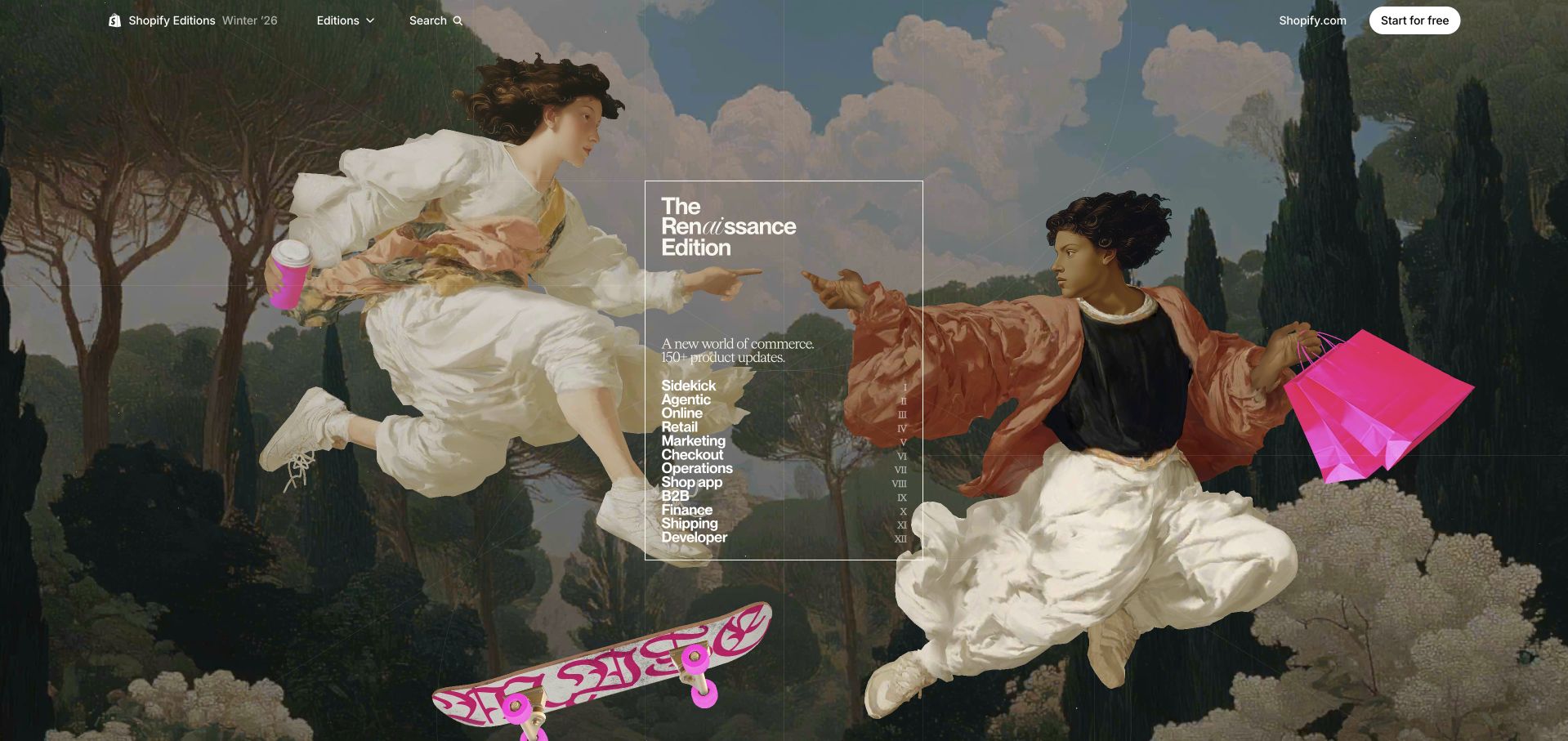
Shopify’s Winter 2026 edition uses an elaborate illustrated world to frame a large group of product updates. Historical-looking architecture and figures supply a distinctive launch identity, while visible navigation and update groupings keep the experience connected to practical product information. The official Three.js showcase associates this exact Winter 2026 edition. It does not establish the implementation of Shopify storefronts, merchant accounts, checkout, other editions, or the company’s entire marketing estate.
What you can learn
A richly themed release page still needs a durable announcement model. Keep product names, categories, links, and availability statements separate from scene assets so visitors can locate a particular update and editors can maintain its meaning after the temporary launch theme has aged.
Pros
The edition has a coherent visual setting that distinguishes a particular release from a generic stream of product announcements.
Conventional navigation and grouped updates give task-oriented readers a route that does not depend solely on exploring the illustration.
Cons & considerations
A dense illustrative scene can compete with the actual release details unless hierarchy and readable text remain carefully controlled.
Edition-specific presentation should not obscure availability qualifications or become an unsupported claim about the current implementation of other Shopify properties.
Platform source: Official Three.js exact-property showcase. The official Three.js showcase links the exact public property https://www.shopify.com/editions/winter2026. This is a documentary association with the named experience, edition, product demonstration, or public presentation layer, not a complete current runtime inventory or an organization-wide stack claim. Platform evidence is separate from the direct website screenshot and is not a complete current infrastructure audit.
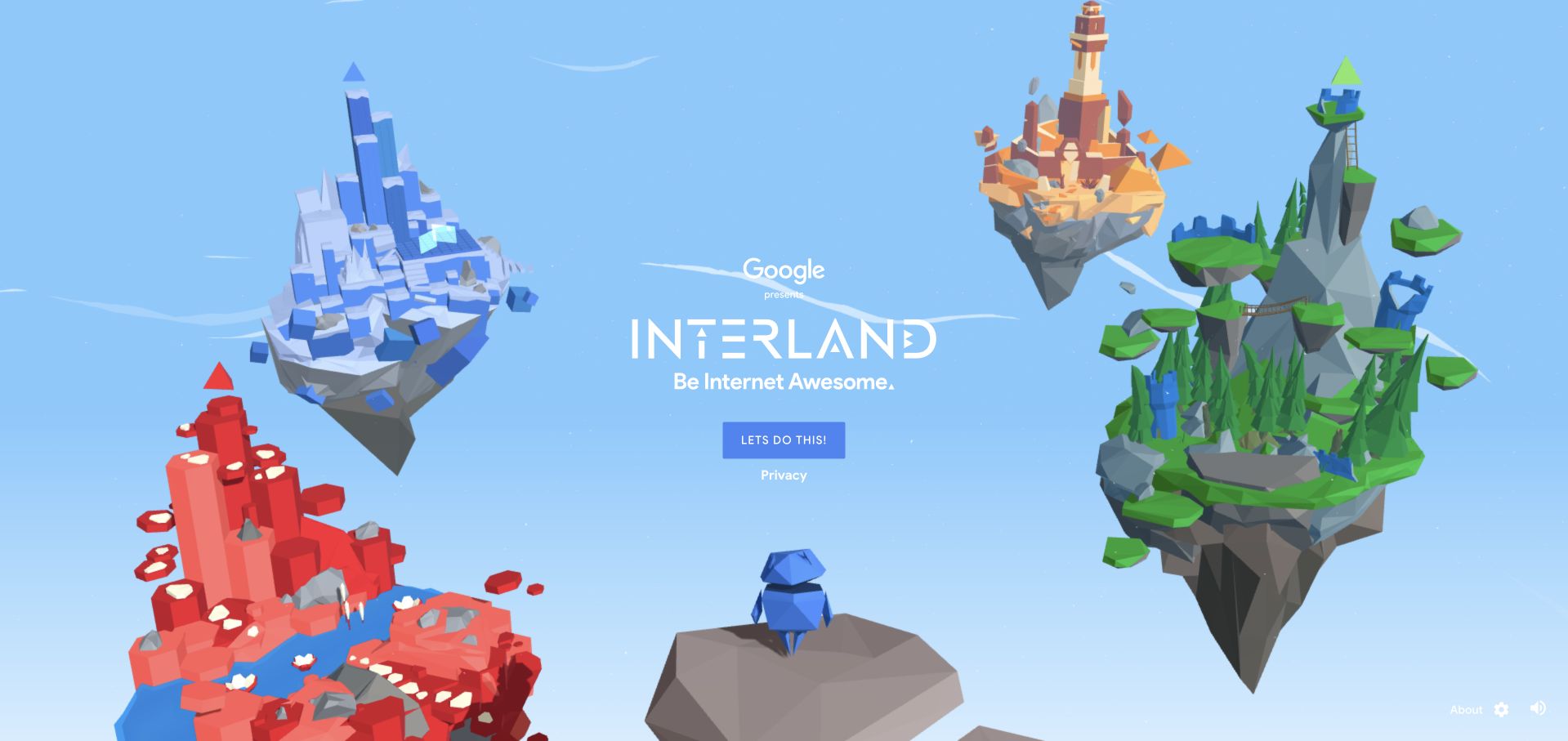
Interland’s public opening presents a bright collection of floating low-poly islands against an open blue environment. The friendly geometry and large game-oriented presentation establish a learning experience rather than an ordinary information archive. Navigation and a clear beginning route frame the scene. The official Three.js showcase names this specific Be Internet Awesome experience; the association does not describe Google Search, unrelated Google learning products, account infrastructure, or every page in the surrounding educational programme.
What you can learn
Use spatial divisions to make learning activities distinguishable before a player begins. Each world should have a readable purpose and a predictable return route, with essential instructions available outside the scene so visual discovery does not become an unnecessary barrier to understanding the lesson.
Pros
Distinct island forms provide visual anchors for separate activities without requiring a dense menu to dominate the opening.
A clear starting route communicates the playful character before a visitor navigates a detailed interface.
Cons & considerations
3D environments need keyboard, motion, and alternative-learning plans so the scene is not the only route to content.
An appealing game is not evidence of learning effectiveness without an appropriately designed evaluation beyond visual review.
Platform source: Official Three.js exact-property showcase. The official Three.js showcase links the exact public property https://beinternetawesome.withgoogle.com/interland. This is a documentary association with the named experience, edition, product demonstration, or public presentation layer, not a complete current runtime inventory or an organization-wide stack claim. Platform evidence is separate from the direct website screenshot and is not a complete current infrastructure audit.
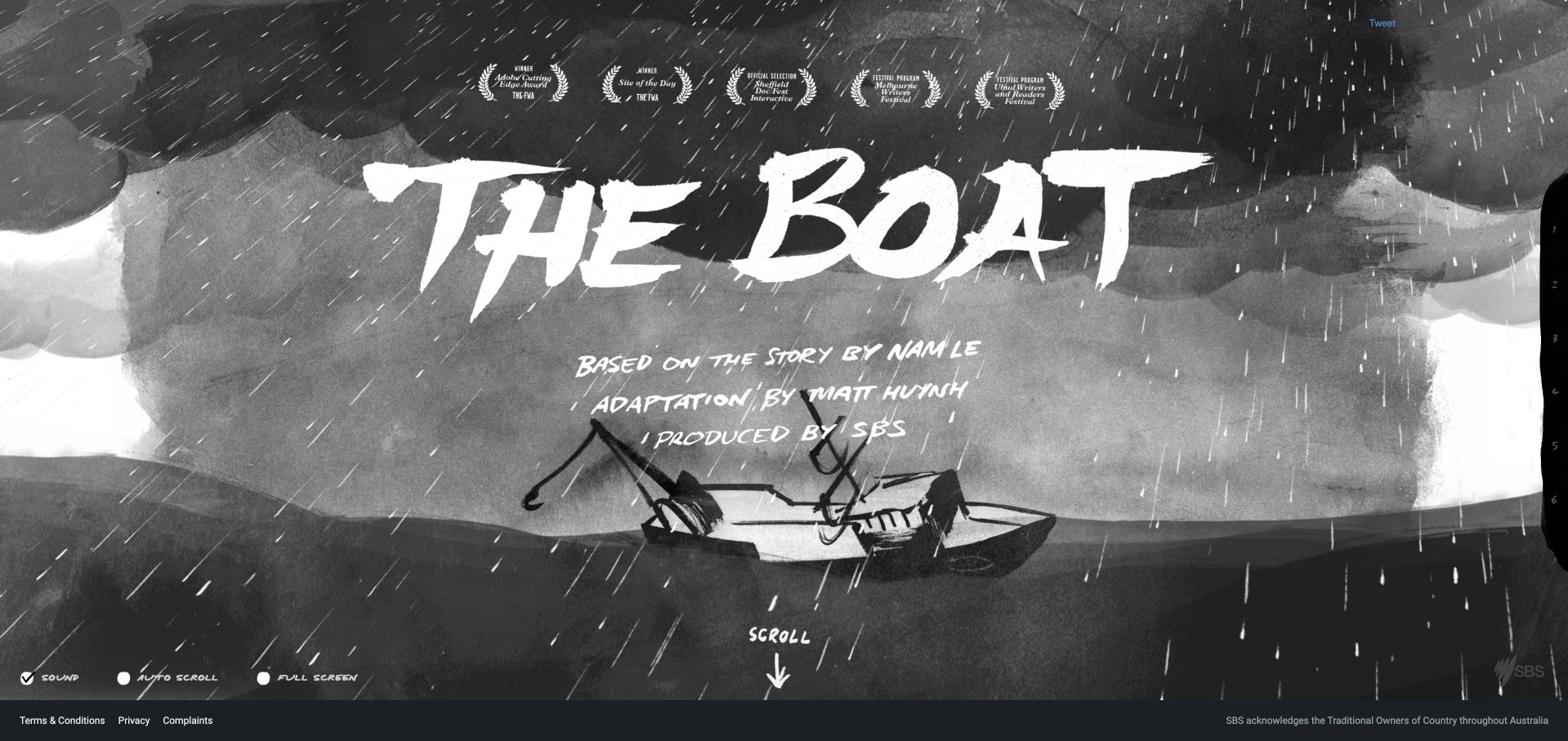
The Boat introduces its title, literary source, illustrator, and SBS identity through a dark illustrated scene. A direct start action gives way to an atmospheric title composition rather than a busy publication homepage. The experience is a historical interactive adaptation, and its attribution is part of the reading context. The official Three.js showcase names this exact SBS feature; that does not establish the technology of SBS news, streaming, accounts, or its broader publishing system.
What you can learn
Let a narrative scene establish tone while preserving authorship and a clear reading route. Plan how text, illustration, motion, and sound cooperate, with a useful pause and nonaudio understanding of the story rather than assuming every reader can follow the intended cinematic presentation.
Pros
Title and creator attribution keep the literary work and its adaptation visible within the experience.
The restrained initial action makes beginning clearer than a screen filled with competing cards or unrelated publication navigation.
Cons & considerations
Motion and sound need reader control and equivalent meaning for people who cannot or prefer not to use them.
Historical stories can depend on older assets and browser behavior; availability alone does not establish active maintenance or long-term preservation.
Platform source: Official Three.js exact-property showcase. The official Three.js showcase links the exact public property https://www.sbs.com.au/storyline/. This is a documentary association with the named experience, edition, product demonstration, or public presentation layer, not a complete current runtime inventory or an organization-wide stack claim. Platform evidence is separate from the direct website screenshot and is not a complete current infrastructure audit.
The Fabulous Cartier Journey opens with a dreamlike cloud-filled setting and an introduction to an airship journey beneath recognizable Cartier navigation. A concise introduction and journey action establish a campaign experience rather than a normal product listing. The reviewed public state followed a technical-cookies-only choice; no account, purchase, or personal information was involved. The official Three.js showcase associates this named journey, not Cartier’s entire commerce site, product catalogue, checkout, client records, or every regional website edition.
What you can learn
Give an immersive campaign an explicit boundary within the larger brand website. Keep ordinary navigation and privacy choices understandable, and define how someone enters and leaves the narrative without confusing atmospheric exploration with a shopping or account-management task.
Pros
The airship instructions give the journey a recognizable spatial premise before a visitor starts the narrative interaction.
The familiar brand header remains available around the campaign, connecting an unusual presentation to ordinary site navigation.
Cons & considerations
A soft cloud scene needs careful text contrast and a stable readable state while assets and entrance animation settle.
Campaign polish does not establish product availability, purchasing terms, or the implementation of connected commerce and account services.
Platform source: Official Three.js exact-property showcase. The official Three.js showcase links the exact public property https://www.cartier.com/thefabulouscartierjourney. This is a documentary association with the named experience, edition, product demonstration, or public presentation layer, not a complete current runtime inventory or an organization-wide stack claim. Platform evidence is separate from the direct website screenshot and is not a complete current infrastructure audit.
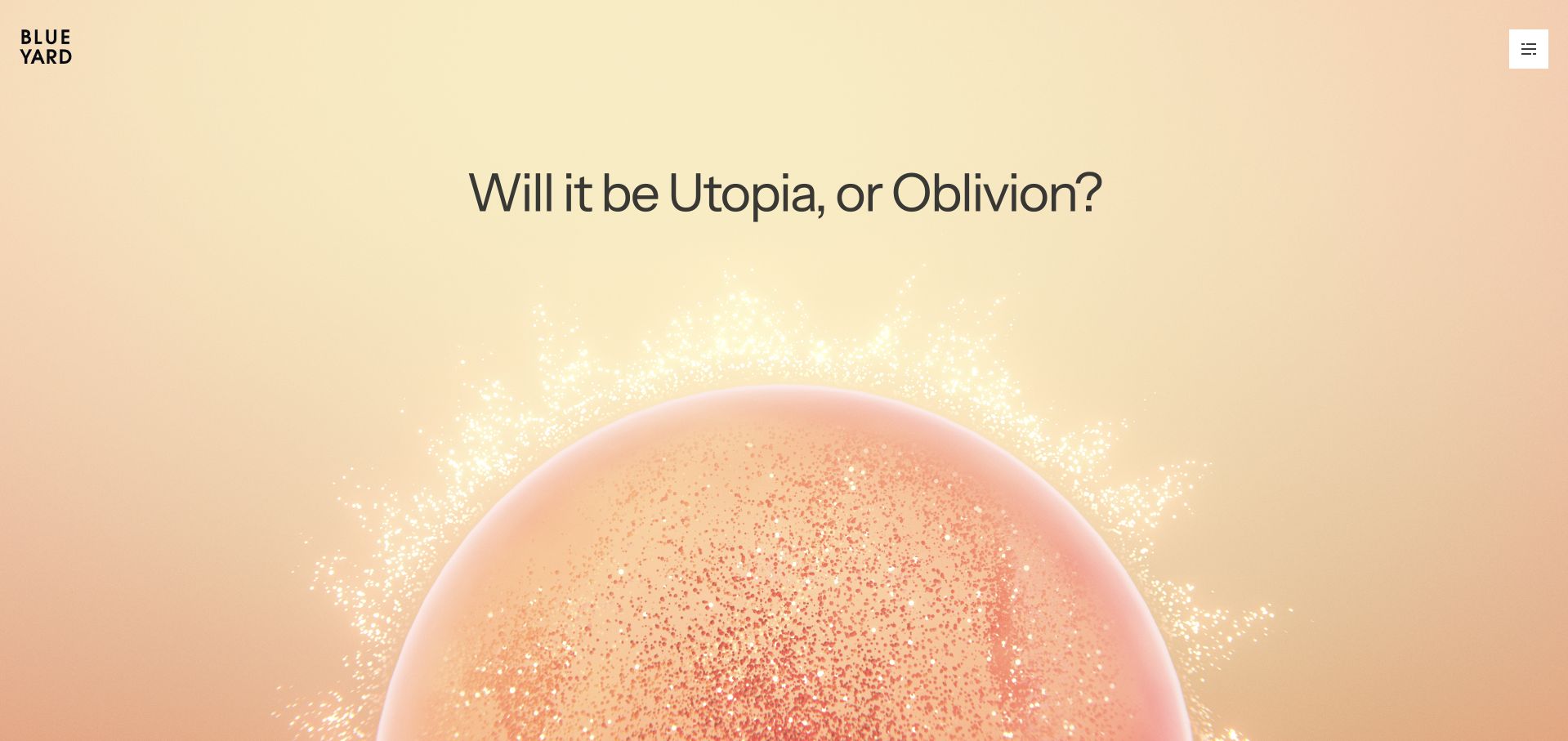
BlueYard’s opening places its Utopia / Oblivion framing against a dramatic particle-like planetary form. Large typography and sparse navigation give the scene room without filling the screen with application controls. The resulting composition communicates a particular editorial attitude before a visitor reaches detailed organizational material. The official Three.js showcase names this public property. That is a documentary association with the website’s presentation, not evidence about private investment processes, portfolio-company technology, or every linked service.
What you can learn
A conceptual 3D scene works best when the surrounding language gives it an understandable role. Keep the organization’s actual information and navigation in readable document content, and let the visual layer support the proposition without becoming the sole source of essential meaning.
Pros
The scene and short conceptual framing share the opening, giving the graphic a more specific role than unrelated decorative particles.
Sparse conventional navigation leaves a recognizable route beyond the visual introduction without requiring discovery of hidden objects.
Cons & considerations
Abstract spatial imagery can remain ambiguous for visitors seeking concrete facts and needs a clear route to those details.
Visual ambition and brand confidence cannot substantiate investment outcomes, technical capability, or private operational quality.
Platform source: Official Three.js exact-property showcase. The official Three.js showcase links the exact public property https://blueyard.com. This is a documentary association with the named experience, edition, product demonstration, or public presentation layer, not a complete current runtime inventory or an organization-wide stack claim. Platform evidence is separate from the direct website screenshot and is not a complete current infrastructure audit.
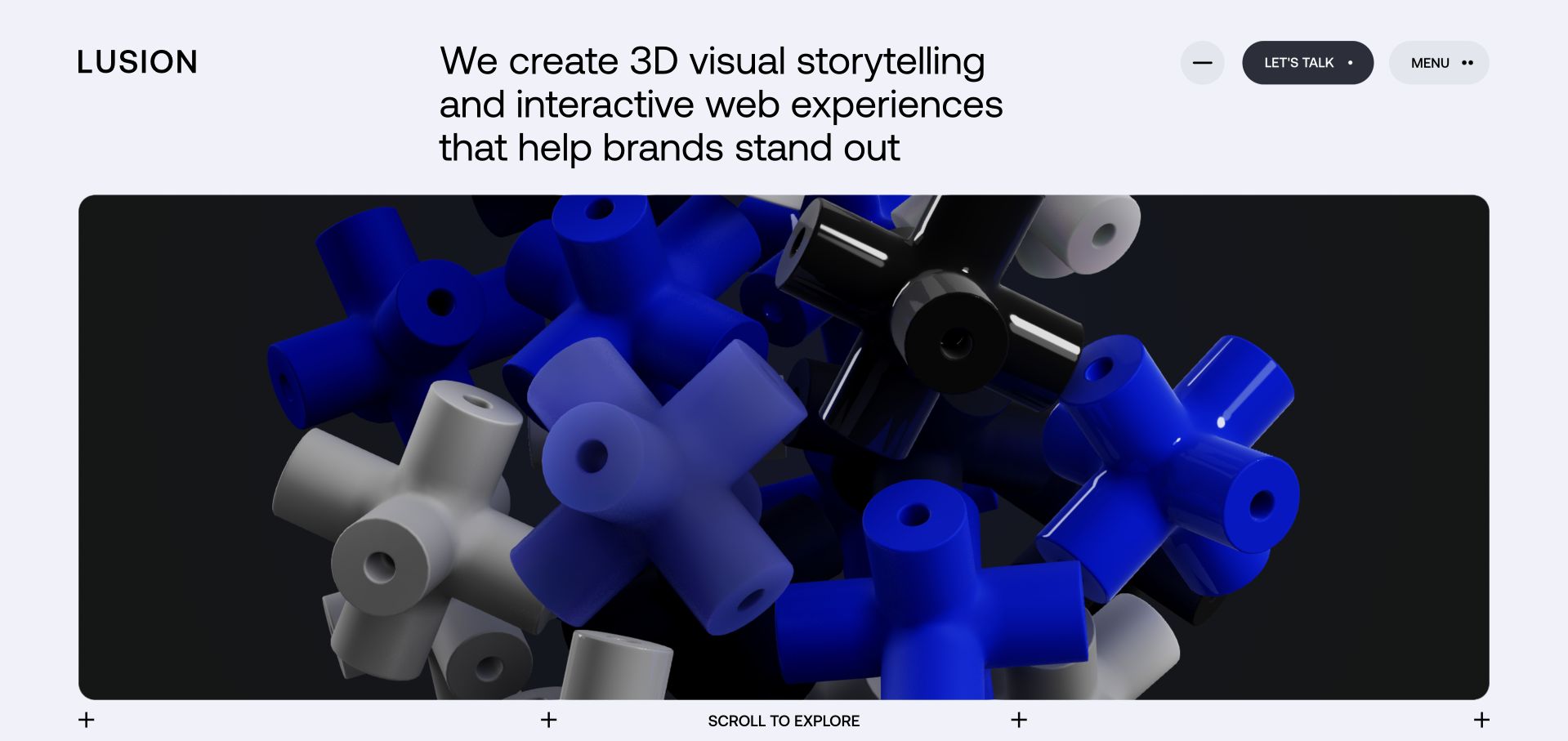
Lusion’s homepage pairs an unusually direct statement about 3D storytelling with a large rounded scene of interlocking blue, black, and pale geometric forms. Contact and menu actions remain conventional, and a scroll cue connects the opening to later project material. The official Three.js showcase names this studio property. The association concerns its documented public presentation; it does not identify every client project’s stack or establish how the studio’s private production workflows are implemented.
What you can learn
A creative studio can demonstrate its medium without making its basic offer obscure. Put a readable service proposition beside the visual work, retain straightforward contact and project routes, and separate evidence of a particular implementation from broader claims about client outcomes or internal capability.
Pros
The service statement explains the studio before visitors need to interpret an abstract geometric scene.
Conventional menu and contact controls remain distinct from the visual field, preserving familiar routes into practical information.
Cons & considerations
Animated forms can dominate the opening and need restrained motion and performance behavior on less capable devices.
A studio homepage is one public artifact; it cannot independently verify the quality, results, or technical architecture of every client engagement.
Platform source: Official Three.js exact-property showcase. The official Three.js showcase links the exact public property http://lusion.co. This is a documentary association with the named experience, edition, product demonstration, or public presentation layer, not a complete current runtime inventory or an organization-wide stack claim. Platform evidence is separate from the direct website screenshot and is not a complete current infrastructure audit.
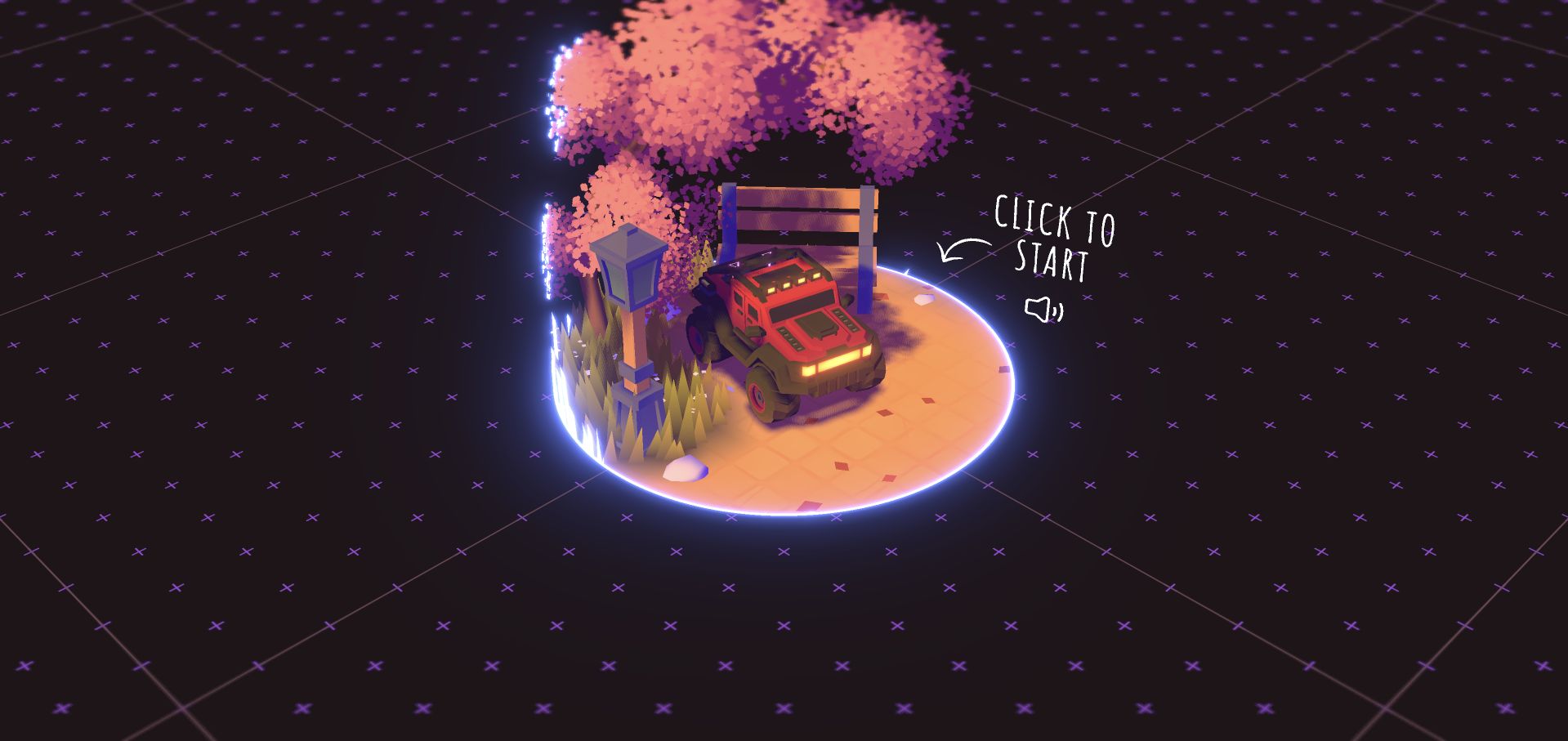
Bruno Simon’s public entry displays a warmly lit miniature landscape with a small vehicle, tree, and glowing boundary. A handwritten Click to Start cue and sound icon introduce the experience through the scene rather than a conventional portfolio grid. The reviewed capture is this fully rendered gateway, not an assertion that every later activity was completed. The official Three.js showcase names this exact portfolio property; no private workspace or unrelated project implementation was inspected.
What you can learn
An unconventional portfolio should teach its first action unmistakably and preserve a useful alternative route to essential professional information. Distinguish an intentional ready screen from loading, and make sound, navigation, and input expectations understandable before asking a visitor to explore a spatial world.
Pros
The miniature vehicle and landscape establish a distinctive visual identity before a visitor encounters a project archive.
The start cue sits beside the focal object, connecting the first action to the scene rather than distant navigation.
Cons & considerations
A canvas-first gateway needs keyboard and nonspatial routes so visitors can reach information without precise pointing.
The opening cannot establish discoverability or usability of the full portfolio; later journeys require their own scoped testing.
Platform source: Official Three.js exact-property showcase. The official Three.js showcase links the exact public property https://bruno-simon.com. This is a documentary association with the named experience, edition, product demonstration, or public presentation layer, not a complete current runtime inventory or an organization-wide stack claim. Platform evidence is separate from the direct website screenshot and is not a complete current infrastructure audit.
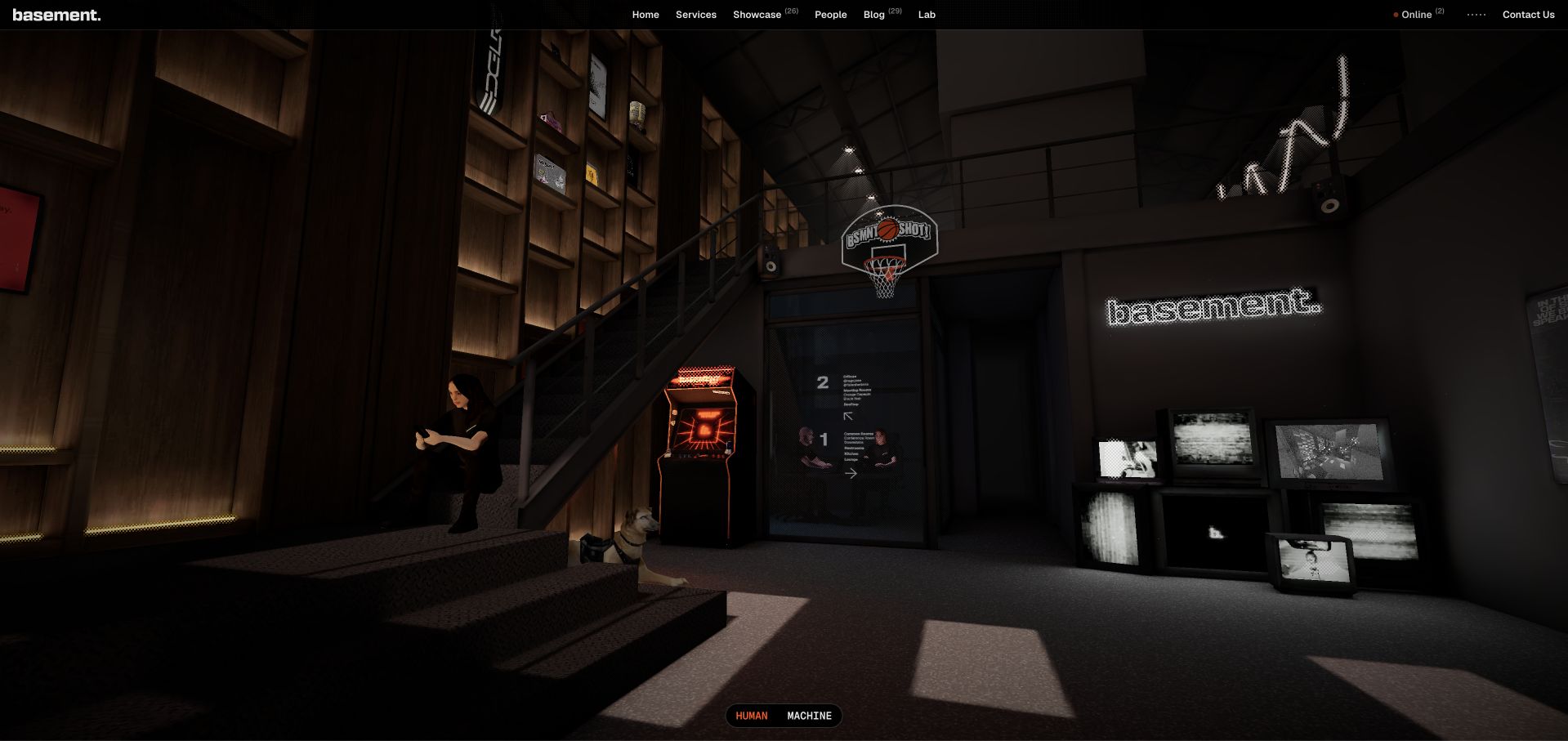
Basement’s opening renders a detailed interior with stairs, an arcade cabinet, a basketball hoop, screens, and prominent studio signage. A slim conventional header keeps services, showcase, people, blog, lab, and contact routes available above the environment. The scene communicates a studio identity through a recognizable place rather than an isolated abstract object. Its official Three.js showcase association concerns this public property, not the stacks of linked client brands or private studio tools.
What you can learn
A spatial environment can carry personality while conventional navigation carries essential tasks. Define which objects are decorative and which are actionable, and ensure that visitors can reach projects, services, and contact information without needing to discover the rules of the rendered world first.
Pros
Text navigation gives visitors a practical route through the site even when they are uninterested in exploring the scene.
The environment uses recognizable objects and signage, producing a coherent sense of place rather than a collection of disconnected visual effects.
Cons & considerations
A dark interior needs readable overlays and contrast so small scene details do not carry essential information alone.
Client logos and an elaborate homepage cannot verify every client implementation, business result, or private production practice.
Platform source: Official Three.js exact-property showcase. The official Three.js showcase links the exact public property https://basement.studio/. This is a documentary association with the named experience, edition, product demonstration, or public presentation layer, not a complete current runtime inventory or an organization-wide stack claim. Platform evidence is separate from the direct website screenshot and is not a complete current infrastructure audit.
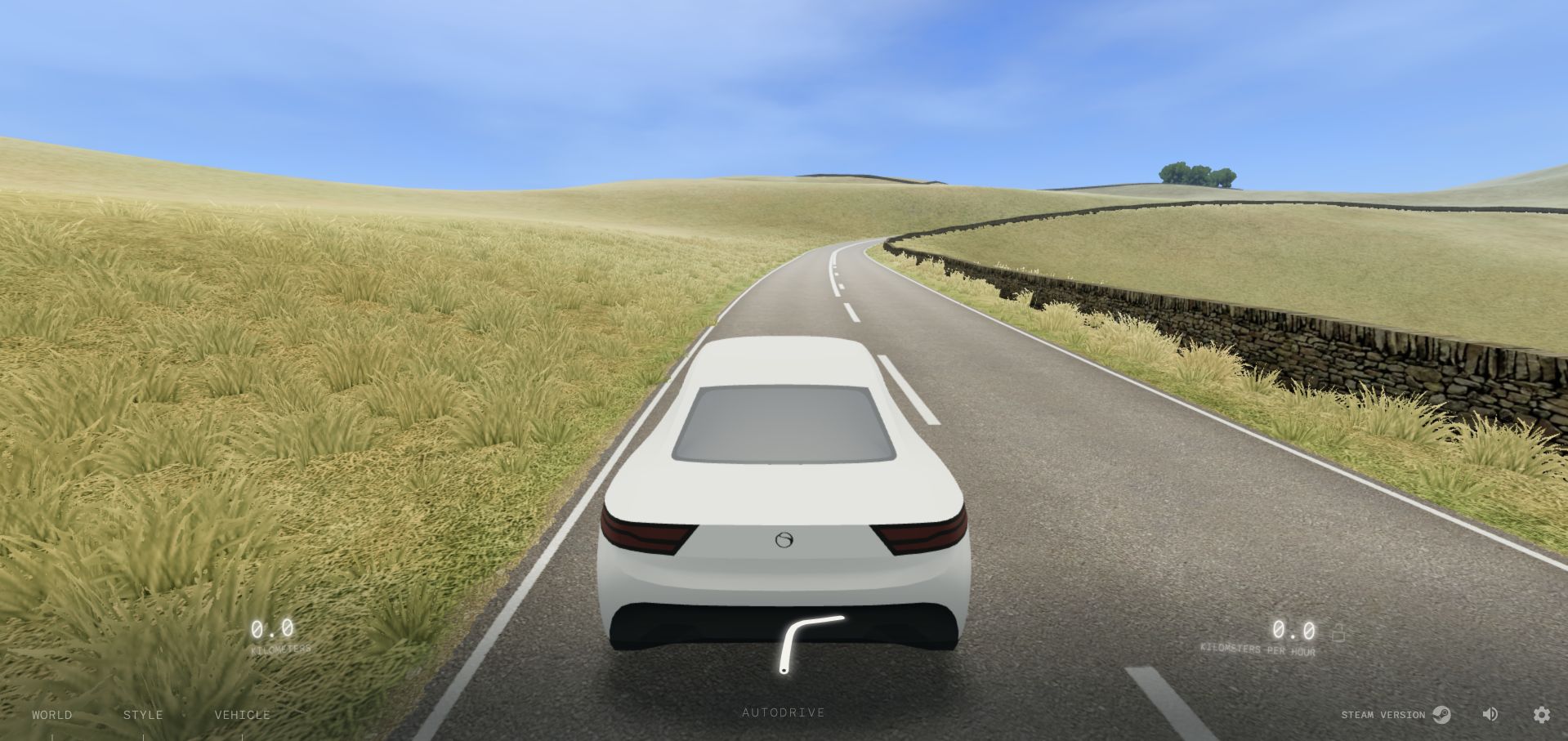
Slow Roads moves from a clear beginning screen into a fully rendered country road with a vehicle, grass, stone walls, and distant hills. Speed, distance, world, style, vehicle, and autodrive controls sit around the edges rather than replacing the landscape with a dense dashboard. The official Three.js showcase names this browser experience. This review concerns the public scene, not the separate Steam product, a real driving simulator’s accuracy, or any private account behavior.
What you can learn
A landscape-centered experience benefits from a deliberately small interface hierarchy. Keep critical status and controls discoverable, explain the input model, and make scene generation and quality choices predictable so the atmosphere remains enjoyable without concealing how to pause, change settings, or recover.
Pros
The sparse overlay preserves an uninterrupted view of the road and environment, matching the quiet driving premise.
World, style, and vehicle are separate controls, exposing meaningful scene choices without displaying every setting.
Cons & considerations
Loading needs honest feedback and a stable recovery path when assets or device capability do not meet expectations.
Browser driving and rendered scenery are not real-world driving instruction, validated vehicle physics, or evidence about a separate product edition.
Visible tech stack
Earlier / documented evidence
Three.js
Platform source: Official Three.js exact-property showcase. The official Three.js showcase links the exact public property http://slowroads.io. This is a documentary association with the named experience, edition, product demonstration, or public presentation layer, not a complete current runtime inventory or an organization-wide stack claim. Platform evidence is separate from the direct website screenshot and is not a complete current infrastructure audit.
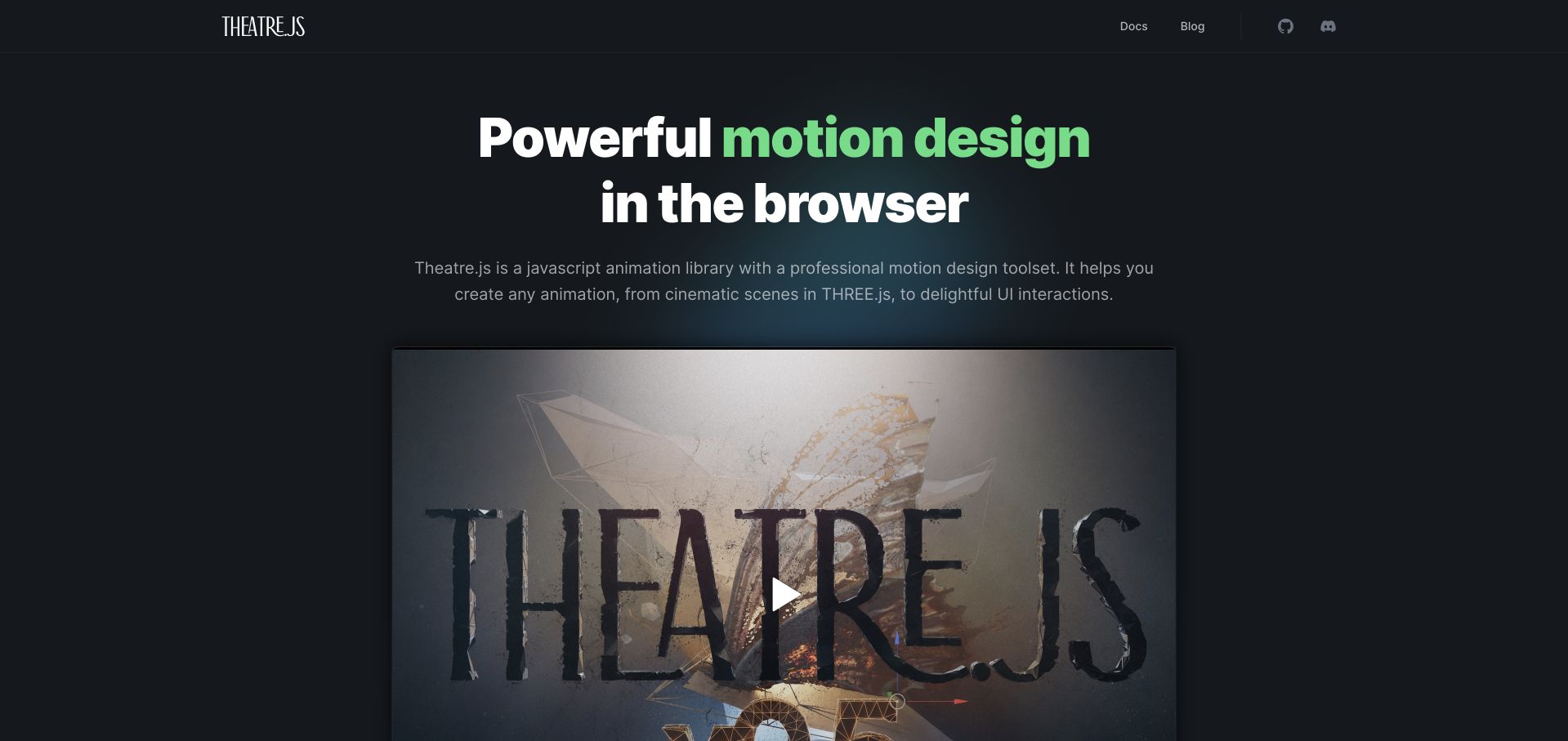
Theatre.js uses a dark page, a large green-accented headline, and a framed demonstration poster to introduce browser motion design. Its explanation explicitly distinguishes cinematic Three.js scenes from ordinary interface animation, with documentation and source links in a restrained header. The official Three.js showcase names this public product property. The reviewed opening is a product explanation and media preview, not proof that its entire layout, every animation target, or private authoring workflow uses Three.js.
What you can learn
Explain the boundary between an animation tool and its rendering targets. A public demonstration should connect the editing workflow to a visible result while keeping installation, integration, and the developer’s remaining responsibilities available in straightforward documentation.
Pros
The headline and short explanation establish the tool’s purpose before a visitor starts a demonstration or reads detailed documentation.
Documentation and source routes remain easy to identify around the more cinematic product presentation.
Cons & considerations
A video poster communicates appearance but cannot by itself demonstrate editing behavior, responsiveness, or the accessibility of the actual authoring interface.
A tool that changes animation properties still needs explicit integration rules; a Three.js example does not establish identical behavior across every possible renderer.
Platform source: Official Three.js exact-property showcase. The official Three.js showcase links the exact public property https://www.theatrejs.com/. This is a documentary association with the named experience, edition, product demonstration, or public presentation layer, not a complete current runtime inventory or an organization-wide stack claim. Platform evidence is separate from the direct website screenshot and is not a complete current infrastructure audit.
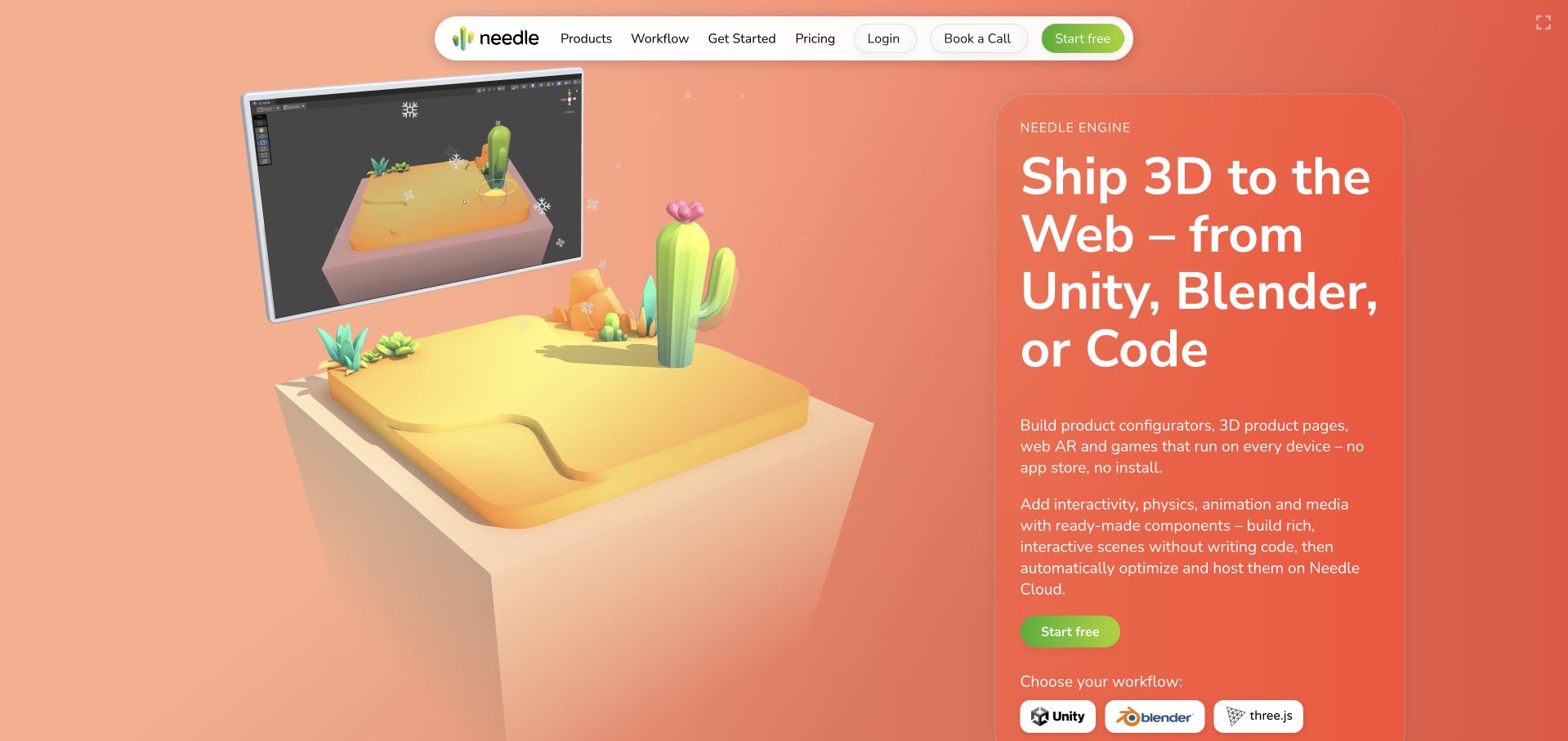
Needle’s homepage places a bright low-poly cactus scene beside its publishing proposition, with a miniature authoring-window view above the same landscape. A rounded navigation bar separates products, workflow, documentation, pricing, and account routes. Unity, Blender, and Three.js workflow links make the integration choices visible. The official Three.js showcase names this public property; that does not verify every exported scene, private editor session, device-support claim, or the architecture of Needle’s account and hosting services.
What you can learn
When a product bridges authoring and delivery, show the relationship between source scene and browser result. Keep workflow choices explicit and let the documentation explain export, optimization, interaction, and ownership rather than asking a polished demonstration to substantiate every technical claim.
Pros
The paired editor view and rendered landscape make the authoring-to-browser relationship understandable without requiring an account or installation.
Named workflow routes acknowledge that Unity, Blender, and code-based users may need different starting instructions.
Cons & considerations
Performance and device-support promises need representative testing; the public homepage cannot verify them across every possible scene.
A vivid scene must not crowd out readable integration requirements or make account access appear necessary for understanding basic product information.
Platform source: Official Three.js exact-property showcase. The official Three.js showcase links the exact public property https://needle.tools/. This is a documentary association with the named experience, edition, product demonstration, or public presentation layer, not a complete current runtime inventory or an organization-wide stack claim. Platform evidence is separate from the direct website screenshot and is not a complete current infrastructure audit.
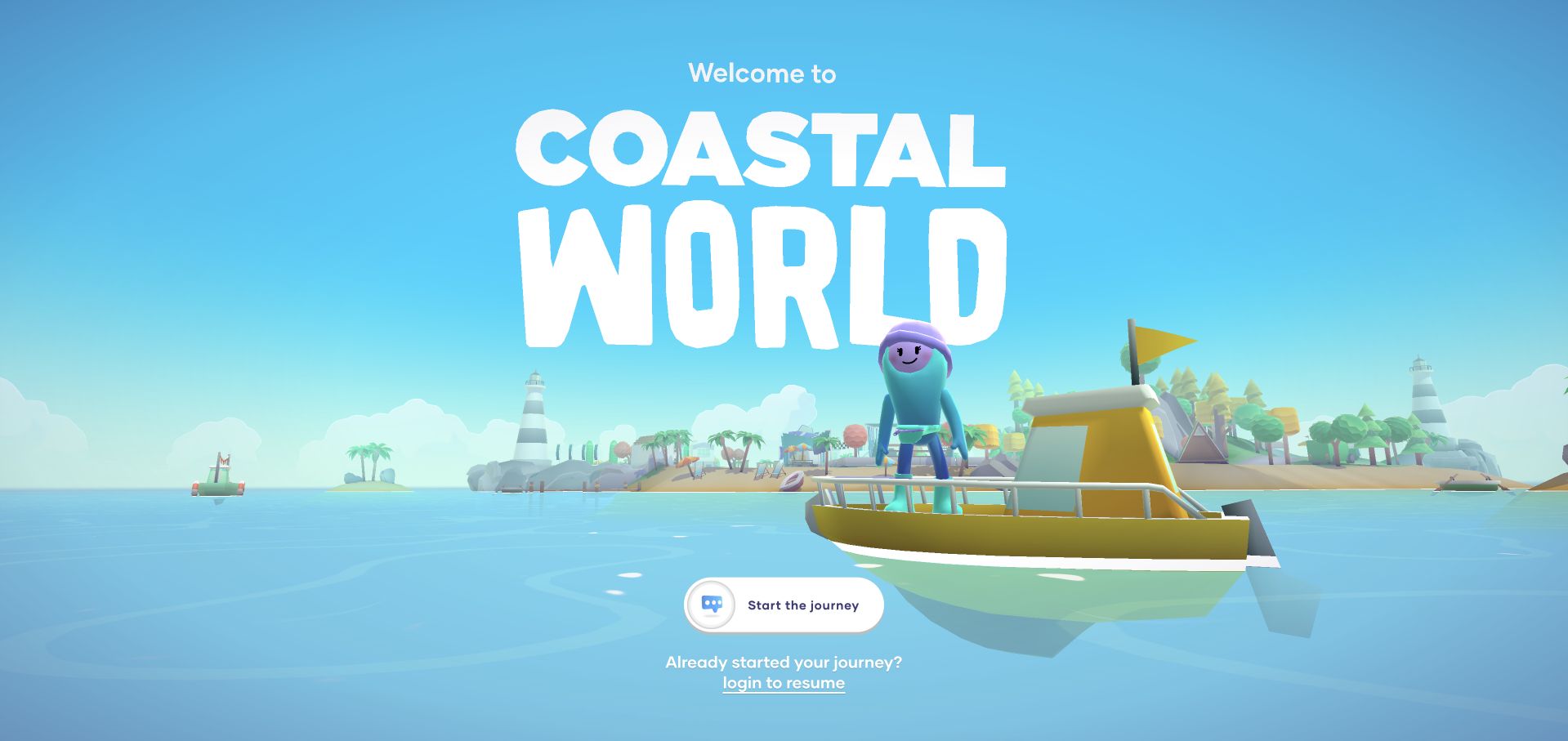
Coastal World’s fully rendered entrance shows a colorful island, a small boat, and a friendly character beneath a very large welcome title. Start the journey and login to resume are visually separate routes. The surrounding public interface identifies the sponsoring bank and provides privacy and terms links. The official Three.js showcase associates this exact experience, not a bank’s transaction systems. No account, financial action, profile entry, or offer was opened during review.
What you can learn
A playful branded world needs especially clear boundaries around identity and consequential services. Distinguish public exploration from saved progress and account activity, preserve sponsor and privacy information, and avoid letting friendly characters imply endorsement of products that require their own factual and regulatory context.
Pros
The starting action is separate from the returning-user login route, making two different journeys visible before exploration begins.
The island and boat create a coherent spatial premise rather than a disconnected collection of campaign graphics.
Cons & considerations
A game-like treatment of a financial brand needs clear separation between entertainment, advertising, and any real-world product information.
The opening cannot establish account security, financial suitability, or the terms of advertised services; none should be inferred from visual polish.
Visible tech stack
Earlier / documented evidence
Three.js
Platform source: Official Three.js exact-property showcase. The official Three.js showcase links the exact public property https://coastalworld.merci-michel.com/. This is a documentary association with the named experience, edition, product demonstration, or public presentation layer, not a complete current runtime inventory or an organization-wide stack claim. Platform evidence is separate from the direct website screenshot and is not a complete current infrastructure audit.
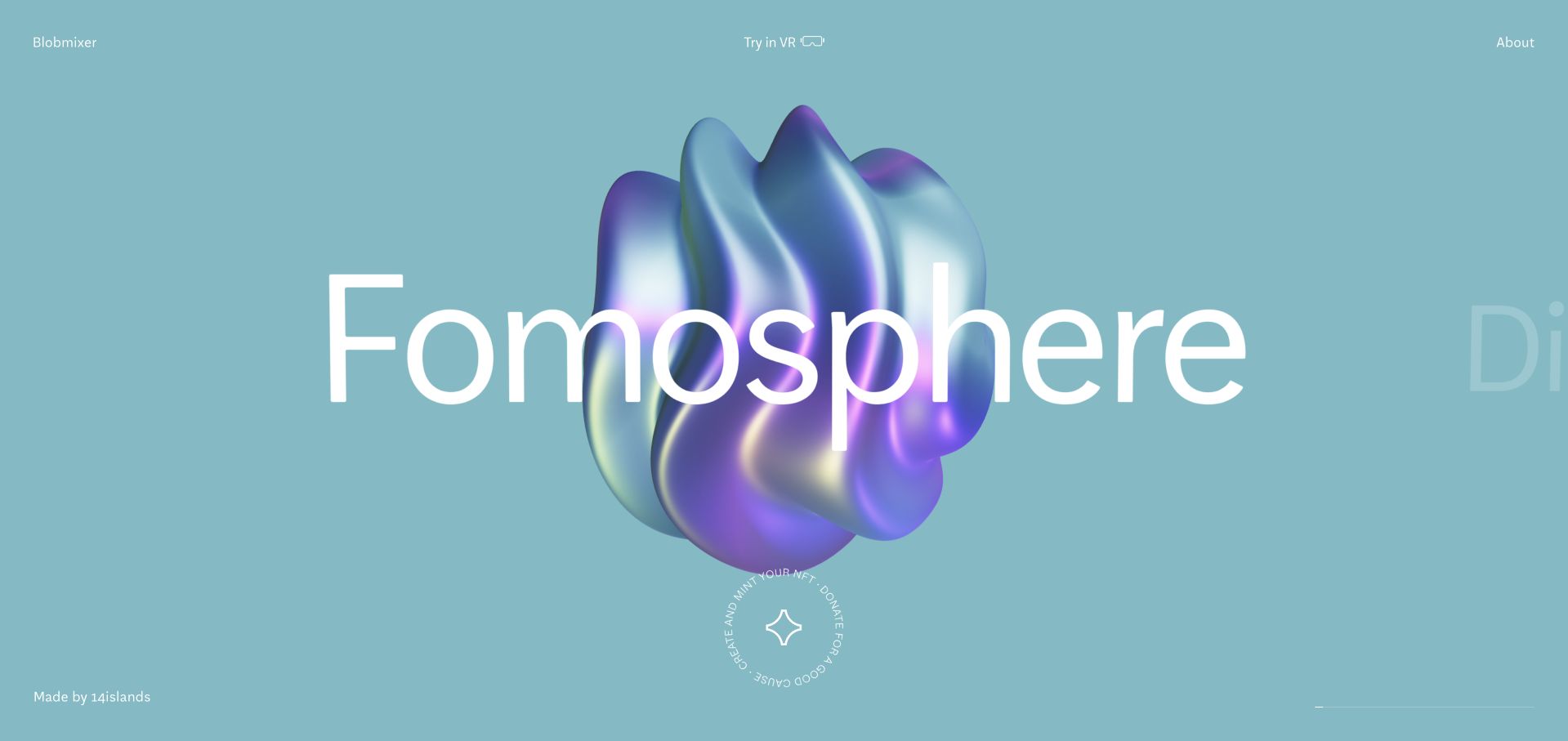
Blobmixer presents a large iridescent, folded object against a pale blue field, with its name stretched across the center. Previous and next controls, an About route, creator attribution, and a remix link surround the scene without turning it into a dense editor. The official Three.js showcase names this exact 14islands property. This review concerns the public object presentation, not a tested editing session, headset experience, token transaction, or the studio’s entire website implementation.
What you can learn
A focused creative tool can begin with one well-composed result before exposing detailed controls. Make browsing, remixing, background information, and optional immersive modes distinct, and retain a useful ordinary-screen experience without requiring an account, specialist hardware, or any purchase.
Pros
The single object makes shape, lighting, and material the subject of the opening rather than competing interface decoration.
Creator attribution and an About route provide context alongside the object, while the remix action signals a separate creative workflow.
Cons & considerations
Overlapping title text can obscure the object and needs a readable alternative when names become long or the viewport narrows.
Optional VR or transaction-related prompts should remain separate from basic viewing; the public scene does not verify those additional workflows.
Platform source: Official Three.js exact-property showcase. The official Three.js showcase links the exact public property https://blobmixer.14islands.com/. This is a documentary association with the named experience, edition, product demonstration, or public presentation layer, not a complete current runtime inventory or an organization-wide stack claim. Platform evidence is separate from the direct website screenshot and is not a complete current infrastructure audit.
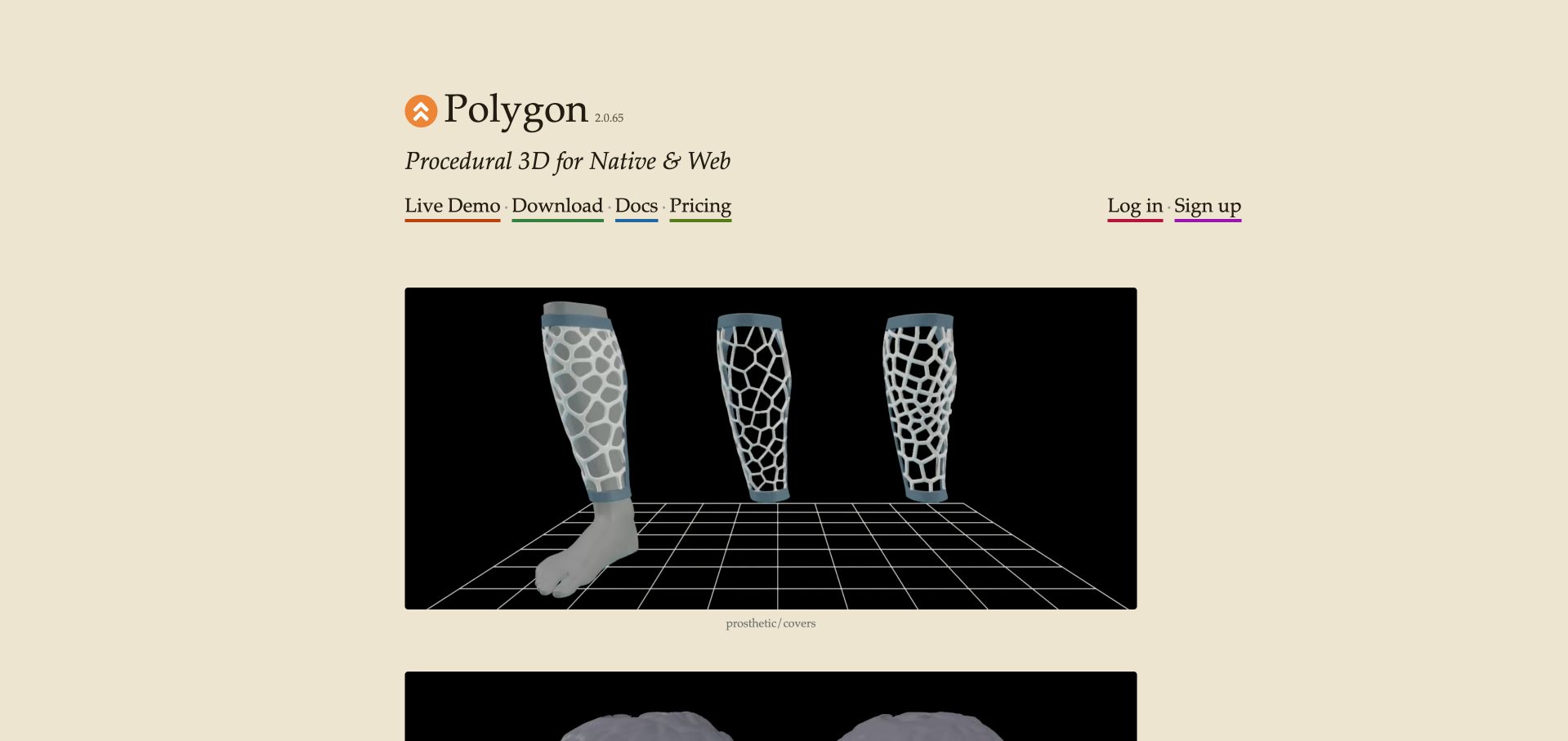
Polygon’s public page uses a warm paper-colored background, serif typography, a visible release number, and underlined routes to a live demo, downloads, documentation, and pricing. A large example shows several patterned prosthetic-cover forms, with other scan and engineering previews below. The official Three.js showcase associates this named property. The current page describes procedural 3D for native and web; the review does not attribute every native output or private editor component to Three.js.
What you can learn
Show what a technical creative tool produces before asking someone to evaluate an unfamiliar authoring model. Pair concrete examples with clear version and documentation context, while distinguishing public previews from an actual tested editor, download, or deployment workflow.
Pros
The visible release number gives the public presentation useful product context instead of treating the tool as an unspecified evergreen concept.
Named output examples connect procedural geometry to recognizable practical forms rather than relying entirely on abstract visual effects.
Cons & considerations
A restrained page still needs clear distinctions between interactive demos, recorded previews, and static illustrations of possible output.
A public example cannot establish engineering suitability, manufacturing accuracy, or the capabilities of every native and web export path.
Platform source: Official Three.js exact-property showcase. The official Three.js showcase links the exact public property https://polygonjs.com/. This is a documentary association with the named experience, edition, product demonstration, or public presentation layer, not a complete current runtime inventory or an organization-wide stack claim. Platform evidence is separate from the direct website screenshot and is not a complete current infrastructure audit.
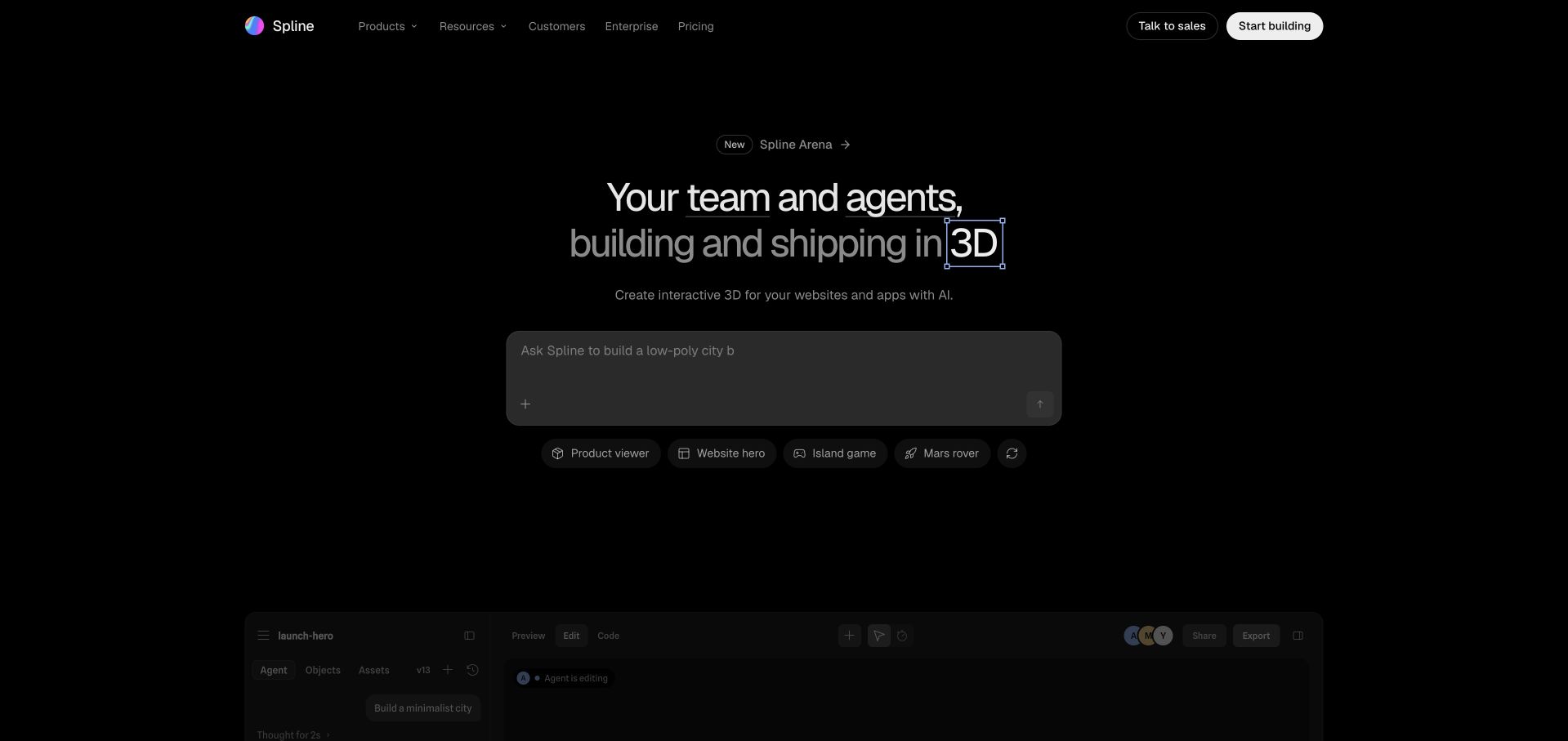
Spline’s current public opening uses a dark interface, a concise team-and-agents proposition, a prompt area, and several example idea buttons. Below, a staged editor demonstration shows a scene and an adjacent agent conversation; later content explains planning, connecting, editing, and shipping. The official Three.js showcase names Spline’s public property. That documentary association is not proof that every current product feature, AI service, native export, or private account workflow uses the same renderer.
What you can learn
Separate a public product demonstration from an actual editable workspace. Explain what a prompt changes, where those changes become inspectable, and how a scene is delivered, while keeping documentation and conventional product navigation available without submitting user content.
Pros
The demonstration pairs scene output with the described editing conversation, giving the workflow more context than an isolated finished render.
Product, resource, customer, and pricing routes remain in a familiar header around the more novel agent-oriented introduction.
Cons & considerations
A prompt-centered opening needs clear privacy and capability explanations before visitors send their own project information or assets.
A staged demonstration cannot establish generation reliability, export performance, or the accessibility of a private editing session.
Platform source: Official Three.js exact-property showcase. The official Three.js showcase links the exact public property https://spline.design/. This is a documentary association with the named experience, edition, product demonstration, or public presentation layer, not a complete current runtime inventory or an organization-wide stack claim. Platform evidence is separate from the direct website screenshot and is not a complete current infrastructure audit.
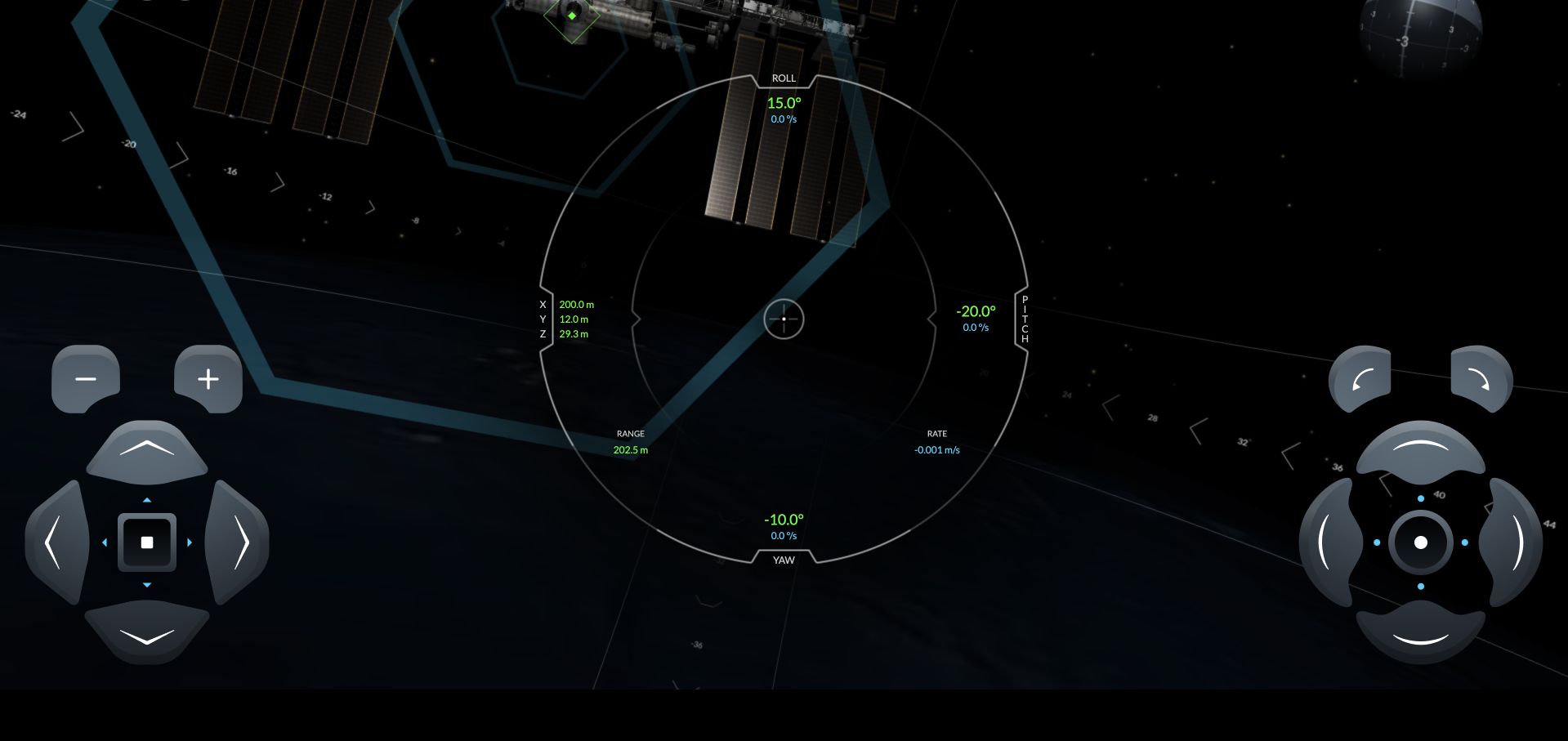
SpaceX’s docking simulator introduces its purpose and success condition before revealing the space-station scene. Large control groups occupy the lower corners, while roll, pitch, yaw, range, rate, and relative-position values surround a central targeting ring. The official Three.js showcase names this exact public simulator. This is a review of its browser presentation, not a claim about operational spacecraft software, validated astronaut training, the accuracy of its physics, or other SpaceX websites.
What you can learn
A simulator needs a visible relationship between input, orientation, position, and progress. Separate control groups by their function, retain the current numerical state, and teach the required tolerance before the user begins so the task has an understandable goal rather than unexplained movement.
Pros
The introductory success condition gives the later numerical indicators a purpose before the visitor enters the spatial task.
Separate control groups and central status values preserve a consistent visual relationship between actions and the represented position.
Cons & considerations
Many simultaneous numerical indicators can overwhelm a novice unless instructions and a recoverable starting state remain easy to reach.
A public simulator’s resemblance to real controls does not establish operational fidelity, training suitability, or the technology of actual spacecraft systems.
Platform source: Official Three.js exact-property showcase. The official Three.js showcase links the exact public property https://iss-sim.spacex.com/. This is a documentary association with the named experience, edition, product demonstration, or public presentation layer, not a complete current runtime inventory or an organization-wide stack claim. Platform evidence is separate from the direct website screenshot and is not a complete current infrastructure audit.
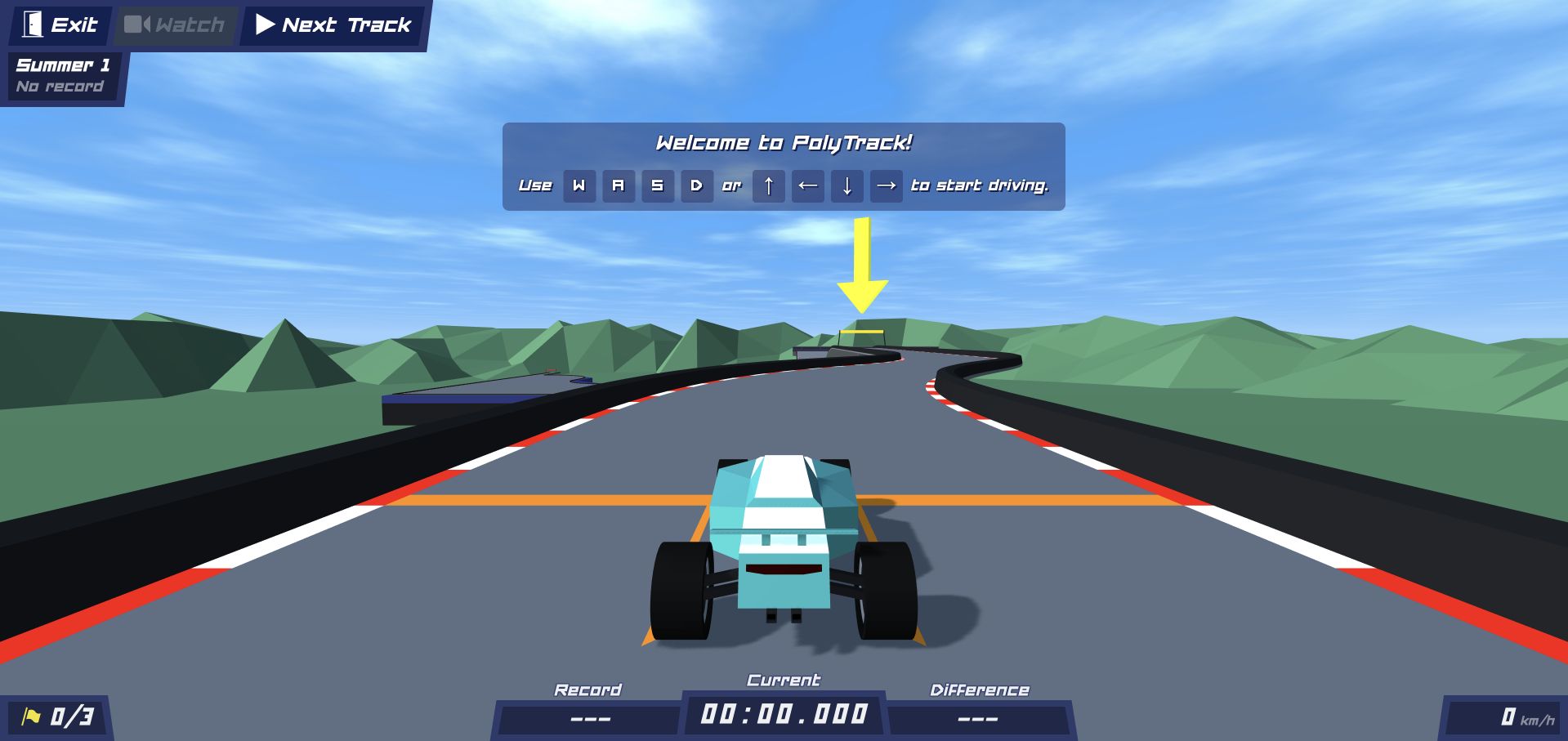
PolyTrack’s public page loads an embedded low-poly racing environment with a vehicle already on the starting road. A large welcome overlay explains the keyboard controls, while track name, exit, next-track, timing, checkpoints, and speed remain visible around the scene. The official Three.js showcase names this exact Kodub property. The review concerns the ready public browser state, not a completed race, leaderboard integrity, private profile behavior, or other distributions of the game.
What you can learn
Teach the first action inside a stable playable state rather than requiring a separate instructions page. Keep the current track, progress, exit, and reset-related routes visible, and distinguish a legitimate not-yet-started time from missing or still-loading data.
Pros
The keyboard instruction appears directly above the vehicle and road, connecting the required gesture to the scene where it will take effect.
Track identity, timing, checkpoint count, and speed occupy distinct interface areas, leaving the center available for driving.
Cons & considerations
An embedded game needs careful keyboard-focus and escape behavior so controls do not trap a visitor inside an unexpected input context.
The initial track view cannot establish multiplayer fairness, record accuracy, or the usability of every later course and editor feature.
Platform source: Official Three.js exact-property showcase. The official Three.js showcase links the exact public property https://www.kodub.com/apps/polytrack. This is a documentary association with the named experience, edition, product demonstration, or public presentation layer, not a complete current runtime inventory or an organization-wide stack claim. Platform evidence is separate from the direct website screenshot and is not a complete current infrastructure audit.
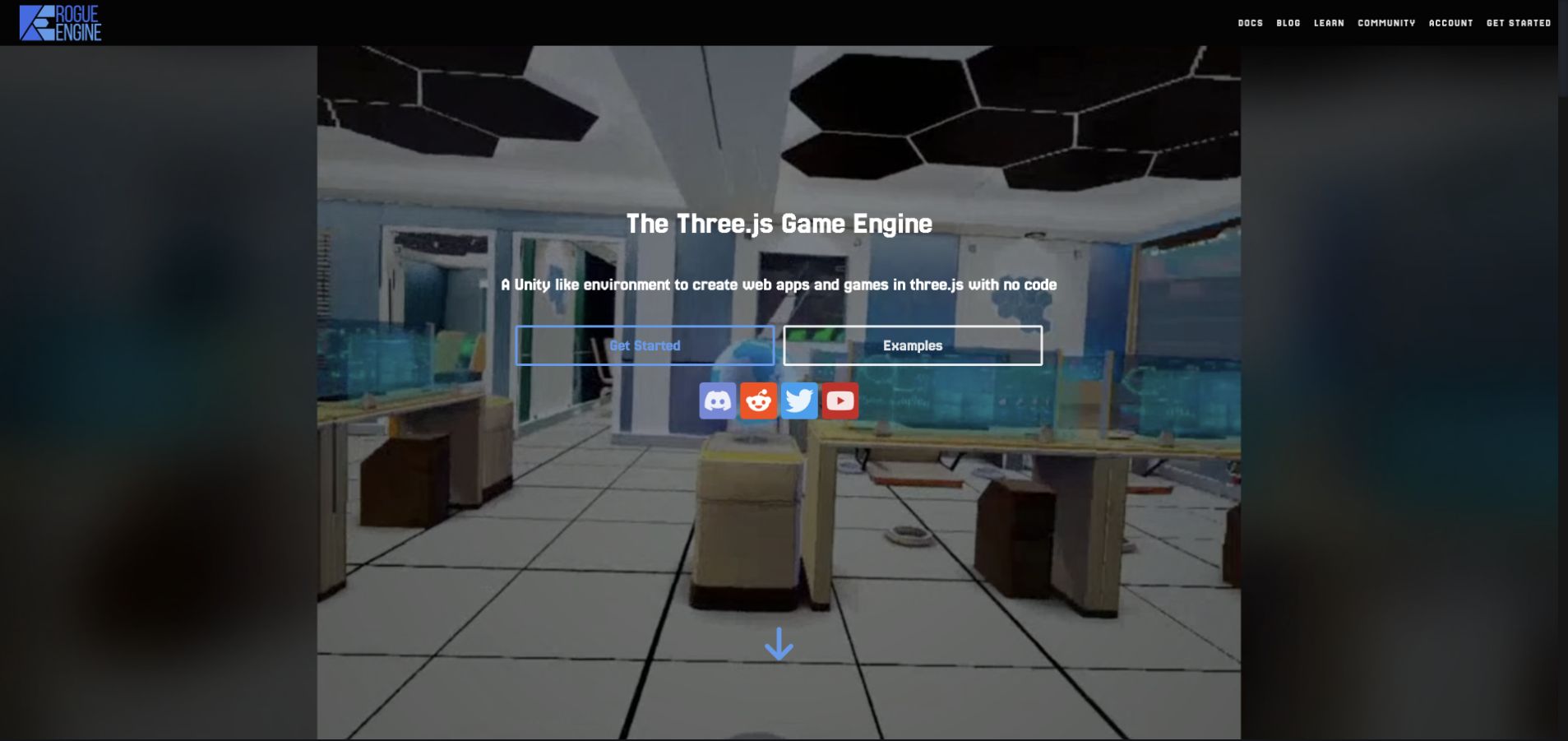
Rogue Engine’s homepage states its Three.js game-engine focus directly over an environmental preview. A conventional header separates documentation, blog, learning, community, account, and getting-started routes, while prominent Examples and Get Started actions provide different next steps. The property is listed in the official Three.js showcase and explicitly describes its Three.js relationship. Only the public product presentation was reviewed; no installation, private project, account, hosting action, or editor capability was tested.
What you can learn
A tool can use a familiar editor metaphor while still explaining its specific integration boundary. Distinguish public examples, learning material, installation, accounts, and deployment so prospective users can evaluate the workflow without confusing a marketing preview with a fully inspected development environment.
Pros
The tool names its underlying Three.js relationship in the main proposition instead of leaving developers to infer it from a visual scene.
Examples and getting-started routes are separate, accommodating both output-first exploration and readers ready for setup instructions.
Cons & considerations
Background media needs strong contrast and a stable alternative so the technical proposition remains readable while the scene changes.
Claims about no-code workflows, platforms, or deployment need practical evaluation; an attractive public preview does not independently verify them.
Platform source: Official Three.js exact-property showcase. The official Three.js showcase links the exact public property https://rogueengine.io/. This is a documentary association with the named experience, edition, product demonstration, or public presentation layer, not a complete current runtime inventory or an organization-wide stack claim. Platform evidence is separate from the direct website screenshot and is not a complete current infrastructure audit.
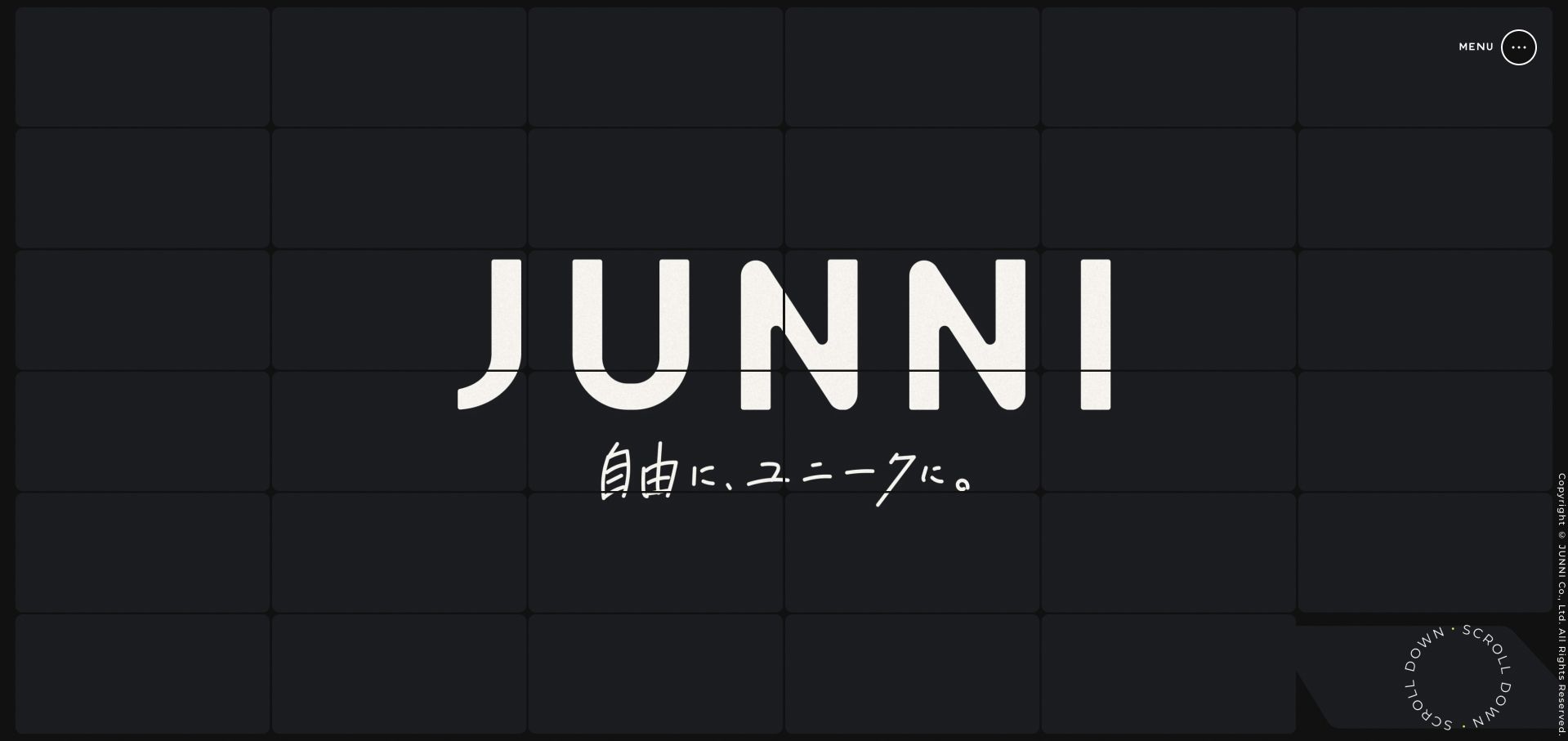
Junni’s opening gives its large wordmark and handwritten Japanese tagline a dark tiled field, with a compact circular menu and scroll cue at the edges. The document beneath contains project links, service descriptions, studio background, and recruitment routes rather than leaving the company’s information solely inside the canvas. The official Three.js showcase names this exact studio property. That association does not establish the architecture of client projects, all described services, or private studio applications.
What you can learn
A canvas-led identity should still belong to a readable document. Keep project and service information in meaningful linked content, make the navigation discoverable, and ensure the visual field supports the studio’s character without requiring visitors to manipulate it to learn what the organization does.
Pros
The wordmark and restrained palette create a focal point without competing promotional panels.
Project, service, and recruitment content exists in the page structure, giving the visual opening practical destinations beyond the scene.
Cons & considerations
A small edge-positioned menu and scroll cue need careful focus, target size, and contrast checks across different devices.
A studio presentation cannot independently substantiate the quality, security, or implementation stack of every advertised service or linked client project.
Platform source: Official Three.js exact-property showcase. The official Three.js showcase links the exact public property https://junni.co.jp/. This is a documentary association with the named experience, edition, product demonstration, or public presentation layer, not a complete current runtime inventory or an organization-wide stack claim. Platform evidence is separate from the direct website screenshot and is not a complete current infrastructure audit.
Kegan has 15+ years of experience working with small businesses, Fortune 500 companies, and everything in between. No development job is too big or too small: he brings the same hands-on attention to a focused improvement, a complete website, or a custom application.
For Three.js projects, he can help with responsive interfaces, reusable components, custom functionality, API connections, and performance-minded implementation. He works directly with clients on scope, design, implementation, testing, and handover, with an emphasis on clear communication and a system that remains practical to maintain after launch.
Show 3 other Three.js developersHide other Three.js developers
Choose a 3D approach that supports the content and its authors
Build a focused interactive experience
A scientific explorer, learning game, or narrated story can justify a dedicated scene and interaction model. Keep controls legible and define how a visitor begins, pauses, returns, and reaches supporting information without losing context.
Add a bounded 3D layer to an ordinary website
A creative studio or product page may use a scene to establish visual character while retaining conventional navigation and readable content. Separate the scene lifecycle from the document so a failed asset does not remove essential contact or product information.
Use an authoring or scene-delivery tool deliberately
Visual editors and publishing tools can change who creates scenes and how assets reach the browser. Evaluate export formats, ownership, accessibility, performance budgets, dependency boundaries, and maintenance rather than treating an attractive editor demo as proof of production suitability.
From references to requirements
Plan scene, content, performance, and fallback as one experience
Define the scene and interaction contract
List important objects, camera states, gestures, annotations, and transitions. Decide what is decorative and what carries essential meaning. Maintain a conventional route to information that should not depend on navigating a spatial world.
Budget assets and test real loading states
Set limits for models, textures, media, and simultaneous effects. Test a cold visit and a constrained device. Capture the fully rendered scene for editorial work, but also design honest progress, retry, unsupported-device, and unavailable-asset states.
Keep sound, motion, and input under control
Offer clear sound controls and do not make audio the sole source of meaning. Plan reduced motion, keyboard or alternative input, readable overlays, focus behavior, and predictable pause or reset actions for the actual interaction model.
Document integration and lifecycle ownership
Name the exact edition, story, product demonstration, or presentation layer. Keep commerce, identity, analytics, content publishing, and hosting responsibilities separate. Assign asset, dependency, editorial, and archival maintenance rather than assuming a finished visual remains self-maintaining.
A useful handover demonstration
Ask the actual team to carry out its routine job: publish a realistic update, correct a mistake, preview a narrow screen, and identify who owns an integration failure. For a library or frontend framework, also ask who maintains the content source and deployment. A polished screenshot does not answer those operational questions.
Beyond the screenshot
Three.js experience project checklist
Write the purpose of the spatial scene.
Identify essential information outside the canvas.
Define camera states and meaningful interactions.
Keep start, pause, sound, and return controls clear.
Explain unfamiliar gestures before requiring them.
Budget model, texture, shader, and media costs.
Provide honest loading and unavailable-asset states.
Test cold loads and realistic device capability.
Plan keyboard, reduced-motion, and nonvisual alternatives.
Check readable overlays and focus behavior.
Document the exact feature and its integration boundaries.
Assign long-term asset, dependency, and archival ownership.
Test with real content, a keyboard, a small screen, slow or failed requests, and the people who will maintain the system. These are planning checks, not an accessibility, security, performance, or search-ranking certification.
Sources & editorial method
How this Three.js collection was reviewed
Twenty distinct public properties have direct browser screenshots and original feature-specific reviews. New captures were made on November 8 Pacific time, with UTC timestamps potentially on November 9. Each named property is associated with Three.js through the official project showcase; the review does not infer a complete technology stack from a rendered canvas. Recognizable brand-owned experiences open the collection, with Shopify’s exact Winter 2026 edition, the historical SBS story, and other scope boundaries retained. Scenes were checked after visible content settled; unavailable, error, and security-gated candidates were excluded rather than published. No account, private editor workspace, purchase, upload, or organizational backend was inspected. A separate broad technology audit remains the publisher’s responsibility.
Every image is an unmodified capture from the actual website, with its source and capture date. Some captures are reused from our shared catalog; their dates remain the original capture dates. None comes from a vendor gallery or a generated reconstruction. Moving imagery and live content can change.
Technology attribution uses public page assets or metadata, official platform documentation, or a cited first-party project case study. Documentary and framework-relationship evidence is identified where used; it is not a complete current backend inventory. A CMS image CDN alone does not establish a full CMS deployment. A library’s presence does not prove which individual controls use it, and a platform label does not establish AI authorship.
The composition notes, lessons, pros and tradeoffs are original editorial observations. We have not measured conversion, traffic, security, performance or accessibility conformance. Website owners retain their brands and imagery; these examples are not our client portfolio. Written, Edited and Curated are independent records, not dates advanced by a build. See our editorial standards or suggest a correction.
Questions worth asking
Three.js website development FAQs
Does a Three.js showcase listing identify a whole company’s stack?
No. It associates the named public property or experience. A company can use different technologies for commerce, content, accounts, other campaigns, and internal tools. This guide keeps feature and edition boundaries explicit.
Is a 3D homepage appropriate for every website?
No. It needs to serve the visitor’s actual task and justify its loading, input, accessibility, and maintenance costs. Many experiences benefit from a bounded visual layer while essential information remains in an ordinary readable document.
Do product demonstrations prove that an editor is suitable for a project?
No. A public demo reveals part of the authoring or presentation approach. A project still needs evaluation of exports, asset ownership, performance, accessibility, integrations, and the team’s ability to maintain the resulting experience.
Why preserve historical or edition-specific labels?
An interactive story or launch edition is a particular artifact. Its date, purpose, and implementation scope should not silently become a claim about a brand’s current corporate homepage, all product pages, or ongoing maintenance.
The strongest browser-3D work gives spatial presentation a clear purpose and preserves an understandable route through the experience. Borrow that discipline alongside the visual ambition, with explicit evidence and realistic maintenance responsibilities.