Explore 20 web products with documented OpenAI features, from writing and design to search and support. Their public entry pages show how they introduce the task and the next step; the linked documentation establishes the scoped API or upstream OpenAI service relationship.
These 20 examples span writing, design, search, app building, and customer support. Their documented OpenAI features belong to particular customer-facing products. A public entry-page screenshot is a design reference; it does not expose the private application or prove that the visible marketing frontend calls an AI model.
Begin with a concrete outcome such as rewriting a selected paragraph, answering a question from approved documents, or suggesting a next step. Describe the information the system needs and what a person should do when the output is incomplete. A broad invitation to ask anything often hides the decisions that make a focused feature useful.
Before the examples
What makes good OpenAI API website development in 2026?
Put a recognizable task ahead of the model name
Explain what the visitor can accomplish in familiar language. A writing assistant can start with a selected passage and an editing goal; a search assistant can ask which collection to use. Keep the original input accessible while the result is being revised. Model names may help advanced users compare options, but they should not be the only explanation of the product.
Distinguish generation from a completed action
Generated text, a proposed action, and a saved change are different states. Label them separately and show where a result will go. OpenAI's function-calling flow returns a tool request to application code, which then performs the operation and supplies the result. Plan the permissions, validation, and confirmation behavior at that application boundary.
Show when a request has started, whether the response is still being produced, and whether an interruption left a partial result. Streaming can present output incrementally while generation continues. Give the interface distinct completed and failed states, preserve the user's original work, and make retry behavior understandable.
Compare the public entry pages for how they explain a bounded AI feature and the next step into the product. Keep the visible design observations separate from the attributed evidence of the underlying OpenAI integration.
We start with five recognizable brands or organizations: Canva Magic Write, Figma / FigJam AI, Notion AI, Wix AI Website Builder, Airtable AI. Each attribution applies to the named website property, not every product or website belonging to its organization. This is a curated reading sequence, not a measured ranking.
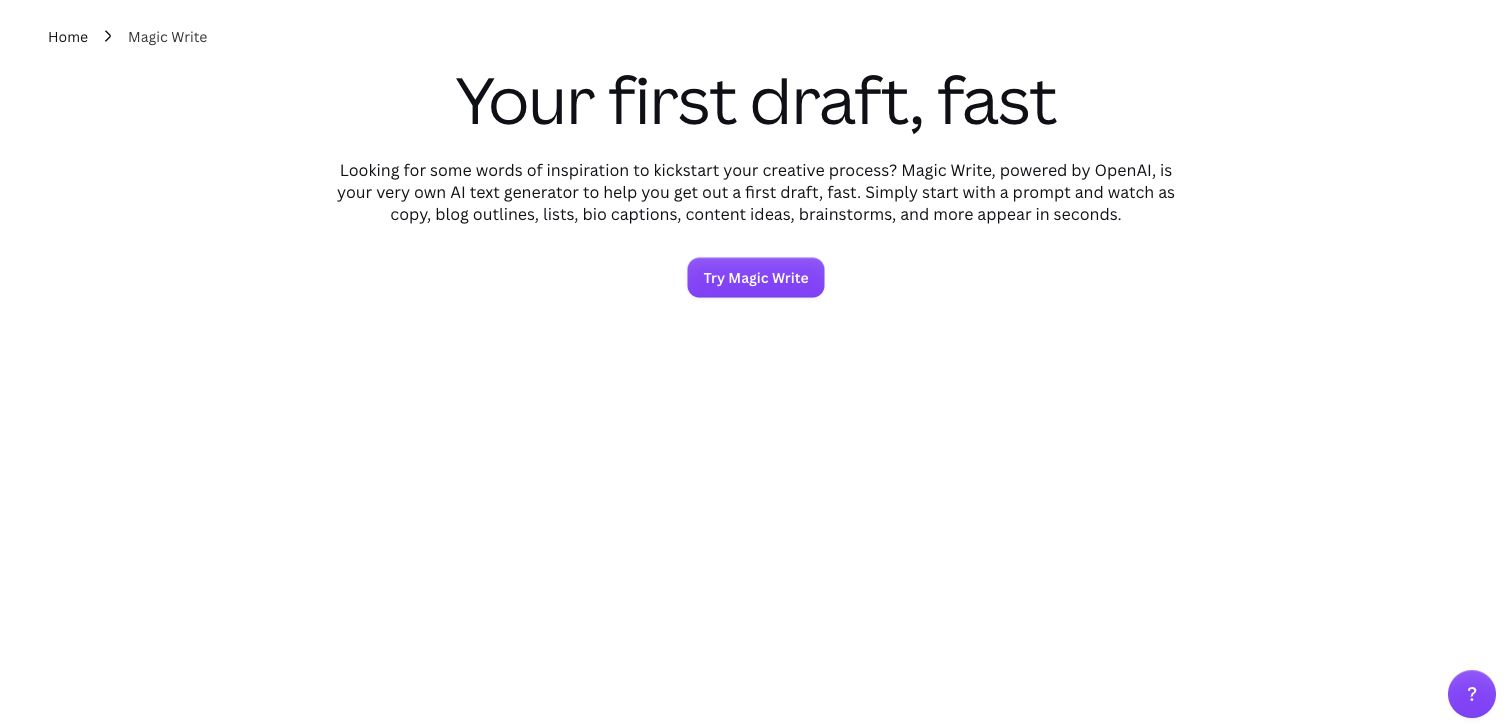
Canva gives Magic Write a dedicated page with a large first-draft promise, a concise explanation, and one purple action. The white background and generous space make this feel like an approachable writing utility rather than a technical model catalog. A breadcrumb keeps the feature connected to the wider Canva offering. The visible copy names OpenAI, and the official customer story specifically documents Magic Write using its API. That evidence concerns the writing feature; the captured public introduction does not demonstrate a generated answer or reveal the marketing frontend’s implementation. The relatively empty lower portion of this frame makes the promise clearer than the actual editing process.
What you can learn
Introduce an assistant through a small job that visitors already recognize. Then show how an initial draft becomes editable work, including the original prompt and the controls for refining a result.
Pros
A single contrasting action makes the next step easy to identify.
Feature-specific copy avoids asking visitors to decode a general AI platform.
Cons & considerations
The first view provides little concrete evidence of the revision workflow.
Earlier cited evidence retained; no current scan result. References may be embedded or legacy—not a complete backend inventory.
Platform source: Official product or provider documentation. Canva’s current Magic Write page names OpenAI, and OpenAI’s customer case explicitly documents Magic Write using its API for writing tasks. Scope: the customer-facing writing feature, not the pictured marketing frontend or every Canva tool. Platform evidence is separate from the direct website screenshot and is not a complete current infrastructure audit.
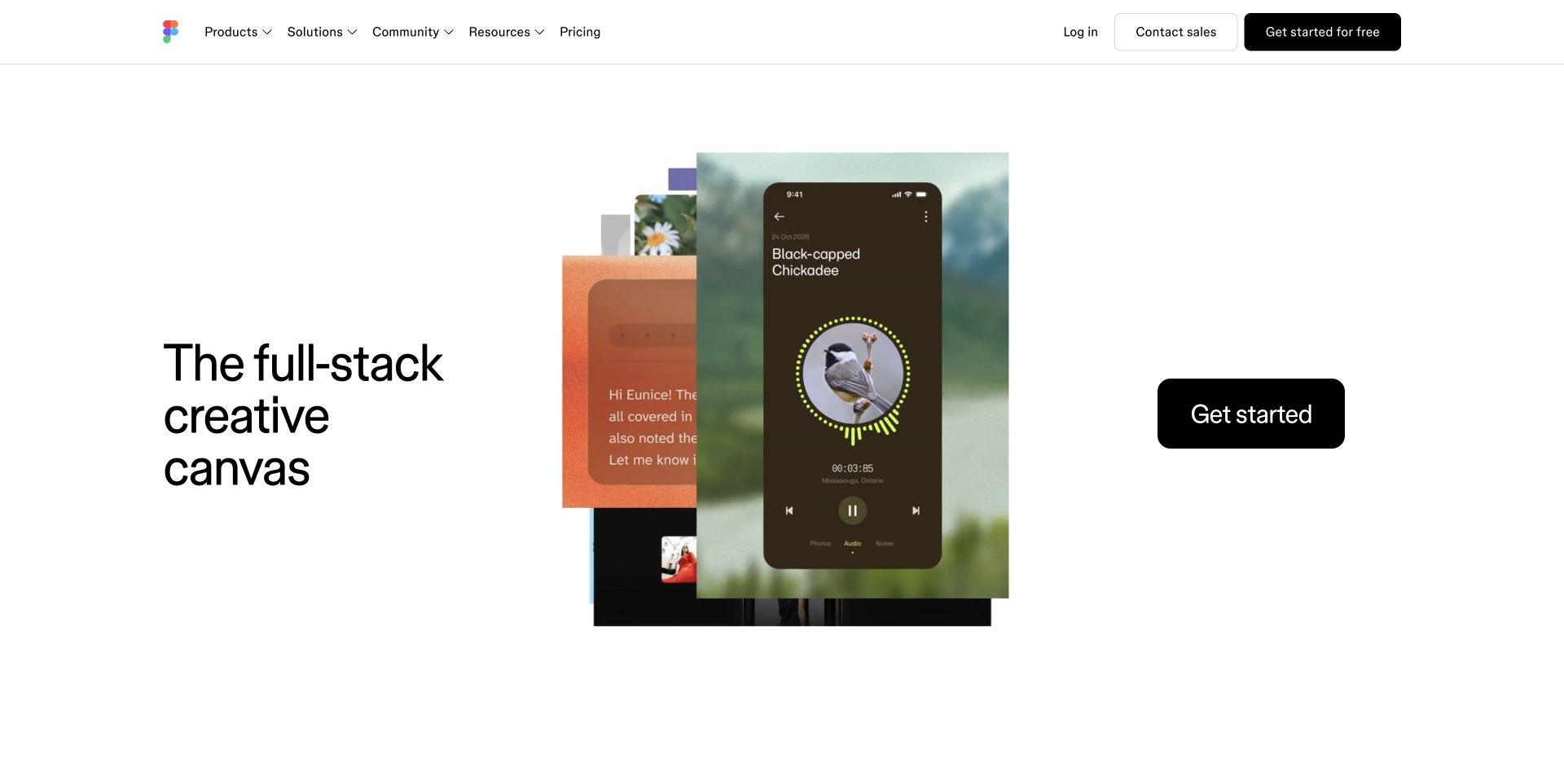
Figma’s preserved homepage capture divides the hero into a large statement on the left, a layered montage in the center, and an unusually prominent black action on the right. The overlapping mobile interface, photography, and colored panels imply a broad creative workspace without forcing visitors through a product diagram. A thin navigation row and substantial white space keep that composition readable. The exact OpenAI relationship in this collection is narrower: Figma’s current help documentation says FigJam AI sends user inputs to the OpenAI API. Neither the pictured montage nor the general creative-canvas promise establishes which models power Figma’s other products. This is an entry-page design review, not a test of a FigJam board.
What you can learn
Use a broad brand composition to establish creative possibility, but give individual AI features their own task explanation and provider evidence. A compelling portfolio image should lead into a specific workflow.
Pros
The three-part composition creates a memorable path across the hero.
The dark action remains conspicuous against the restrained surrounding palette.
Cons & considerations
The montage offers atmosphere before a concrete explanation of AI behavior.
Visitors seeking FigJam specifically must navigate beyond the broad platform introduction.
Public source checked November 3, 2026. References may be embedded or legacy—not a complete backend inventory.
Platform source: Official product or provider documentation. Figma’s current FigJam AI help says AI inputs are sent to OpenAI and explicitly describes requests to the OpenAI API for generated board content. Scope: documented FigJam AI operations. The Figma homepage capture does not establish the provider behind Figma Make or other products. Platform evidence is separate from the direct website screenshot and is not a complete current infrastructure audit.
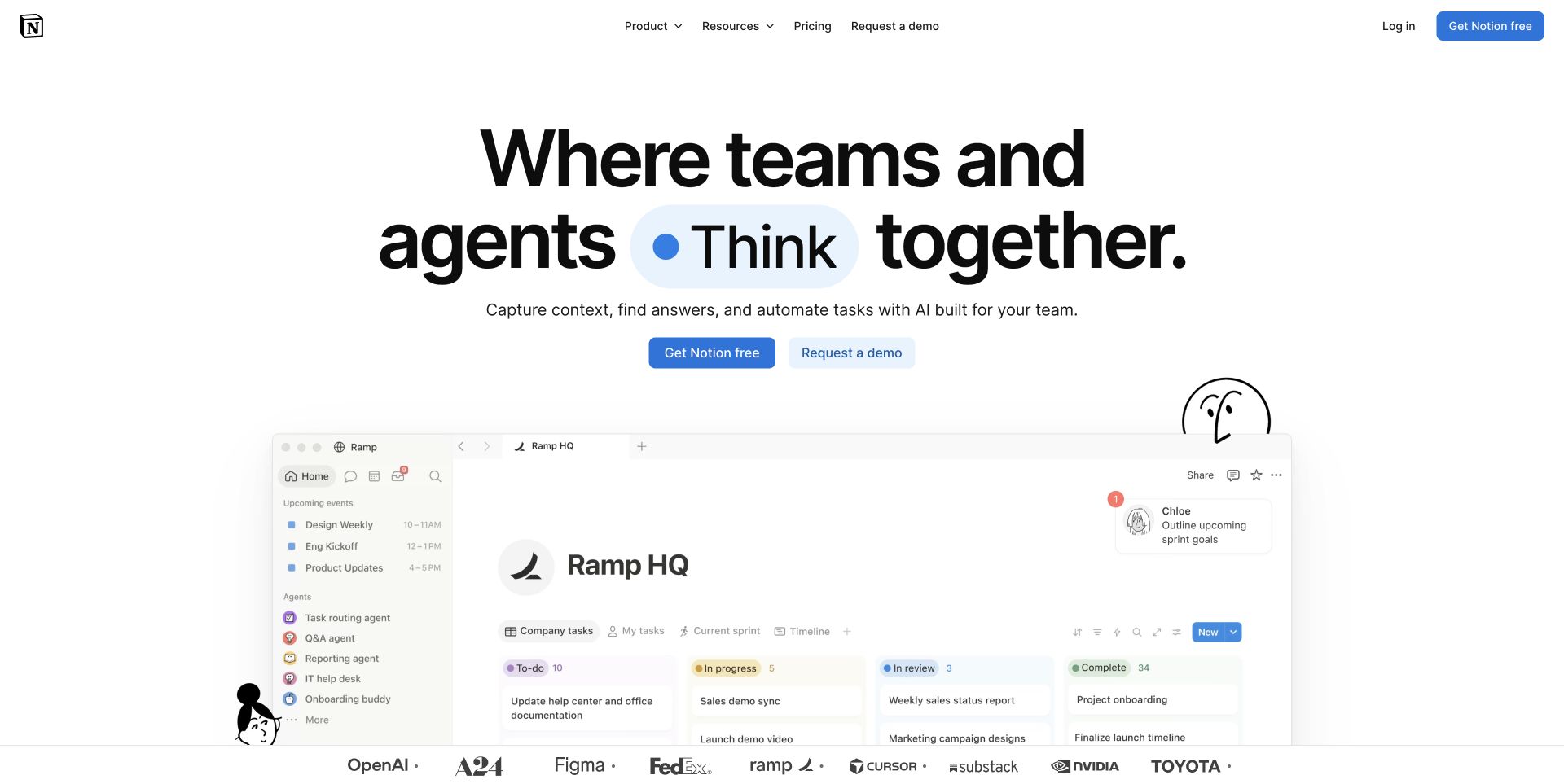
Notion’s captured homepage places an enormous team-and-agent headline above a recognizable workspace preview. A blue accent inside the headline carries through to the free-signup button, while a quieter demo action serves buyers who need a conversation first. The preview shows navigation, task columns, and agent entries together, making the promise feel connected to everyday collaboration. Small illustrated characters soften an otherwise highly structured interface. Notion’s own documentation identifies OpenAI among its AI providers, and its customer story explicitly describes OpenAI APIs behind Notion AI. The homepage illustration does not show a live generation, nor does it establish the provider used by every agent. This preserved capture keeps its original November 2 date.
What you can learn
Place AI inside the information structure people already use. Show how tasks, documents, and assistant actions relate, while leaving enough room to explain permissions and the provenance of generated answers.
Pros
The product preview gives the abstract collaboration promise a concrete setting.
Free signup and a sales demo offer clear routes for different buyers.
Cons & considerations
The large headline pushes much of the workspace below the first view.
The agent imagery does not explain access limits or answer verification.
Public source checked November 3, 2026. References may be embedded or legacy—not a complete backend inventory.
Platform source: Official product or provider documentation. Notion’s own customer story explicitly describes Notion AI as powered by OpenAI APIs; current AI safety help lists OpenAI among providers serving Notion AI customers. Scope: documented Notion AI capabilities within a multi-provider product, not the homepage frontend or every agent. Platform evidence is separate from the direct website screenshot and is not a complete current infrastructure audit.
Wix centers its AI website-builder page on the journey from a prompt to a business website. A large black headline sits over a soft blue and purple background, followed by concise copy and a pale green creation button. The no-card reassurance lowers the perceived effort of trying the workflow. Partial site previews at the bottom suggest the variety of finished outcomes without crowding the main message. The page also mentions both an assistant and hands-on editing, which is useful for visitors who want help without surrendering control. OpenAI’s Wix case documents API use for content, image processing, and translation within Wix products. It does not establish that every generated customer site runs an OpenAI integration.
What you can learn
Explain what the builder produces and how a person can adjust it. Preview a realistic result, then make the transition from a generated draft to manual editing unmistakable.
Pros
The hero connects a simple input with a recognizable business outcome.
A focused creation action and reassurance reduce uncertainty about getting started.
Cons & considerations
The first view reveals little about the questions the builder will ask.
Preview fragments communicate variety more effectively than the editing experience.
Visible tech stack
Earlier / documented evidence
OpenAI API
Earlier cited evidence retained; no current scan result. References may be embedded or legacy—not a complete backend inventory.
Platform source: Official product or provider documentation. OpenAI’s May 2025 Wix case documents API use for content generation, image understanding, and translation in Wix’s customer-facing creation products. The current public builder page is the visual entry point. Scope does not extend to every Wix feature, current Aria model routing, or API execution on generated customer websites. Platform evidence is separate from the direct website screenshot and is not a complete current infrastructure audit.
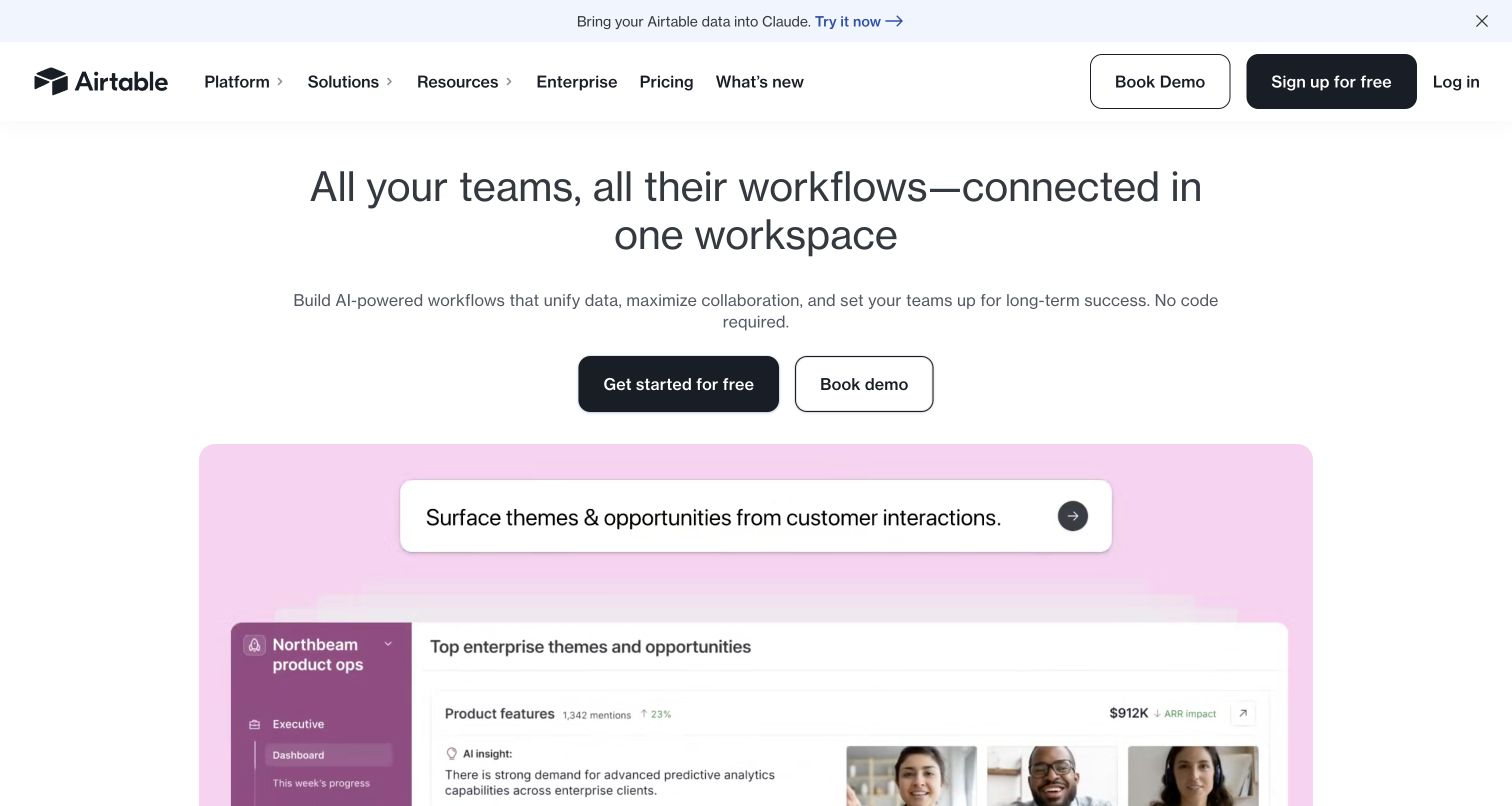
Airtable’s homepage centers a team-workflow message above free-start and demo buttons, then introduces a large pastel product demonstration. In the captured frame, a plain-language request sits above a workspace showing customer themes and opportunities. That pairing gives a concrete business setting to an otherwise broad collaboration promise. A separate promotional strip mentions Claude, making the multi-provider context visible. Airtable’s current subprocessor list identifies OpenAI specifically for customer data processing within AI features, while admin help documents the Omni provider choice. Together these establish an available OpenAI service configuration, without claiming that the pictured demonstration or every Airtable request uses that provider.
What you can learn
Connect a natural-language request to the records and decisions it changes. Show enough of the underlying workspace to explain the result, and document provider and permission choices separately from the marketing animation.
Pros
The request and workspace preview make the business task tangible.
Free-start and demo routes accommodate individuals and larger buying teams.
Cons & considerations
The broad hero message precedes the details of any particular AI workflow.
A partial animated demonstration does not establish actual execution or data access.
Public source checked November 3, 2026. References may be embedded or legacy—not a complete backend inventory.
Platform source: Official product or provider documentation. Airtable’s October 30, 2026 subprocessor list names OpenAI LLC specifically for in-product AI processing of customer data. Admin documentation identifies OpenAI as an enabled provider option for Omni. Scope: available OpenAI-backed Airtable AI configurations, not all Omni requests, the pictured demonstration, or an observed direct API endpoint. Platform evidence is separate from the direct website screenshot and is not a complete current infrastructure audit.
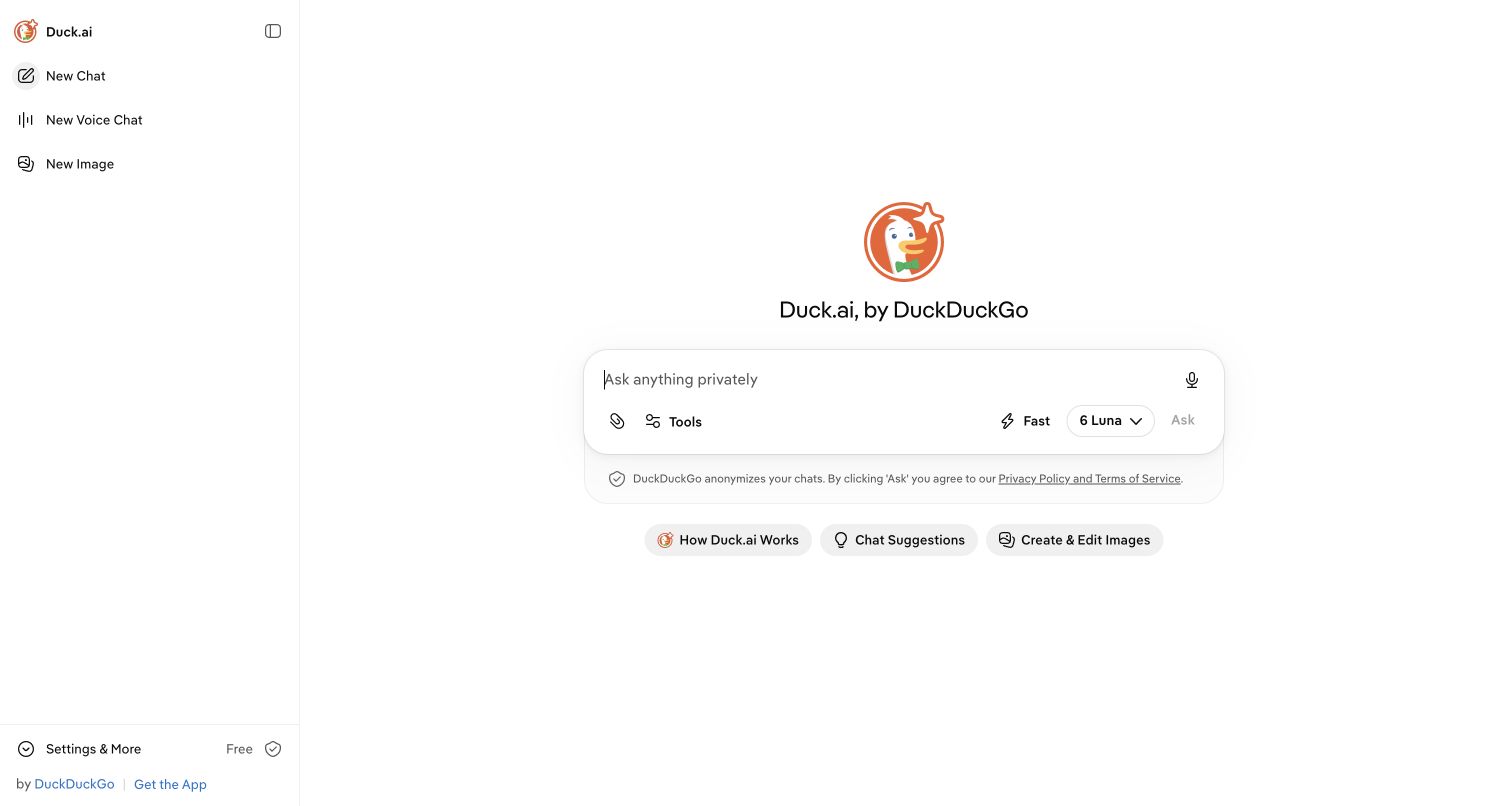
Duck.ai opens with a mostly empty white canvas and a centered composer, giving the visitor one obvious place to begin. A compact left rail separates chat, voice, and image routes. Within the composer, attachment, tools, reasoning, and model controls are grouped near the input rather than spread across the screen. The selected model label is visible, and a short privacy statement sits immediately below the action area. Suggested tasks provide a lighter starting point for people who do not yet have a prompt. DuckDuckGo’s current documentation names proprietary OpenAI models alongside other providers. Its separately hosted open-weight models are a different relationship and are not counted as OpenAI API evidence. No message was submitted during this inspection.
What you can learn
Put provider choice and privacy context near the point where users supply information. Keep advanced options reachable without allowing them to overwhelm the empty state or obscure the primary task.
Pros
The generous empty state makes the composer the clear focal point.
Task suggestions and a visible model control support different experience levels.
Cons & considerations
Several compact icons require interpretation before their behavior is clear.
The first view cannot demonstrate citation quality, recovery, or answer accuracy.
Public source checked November 3, 2026. References may be embedded or legacy—not a complete backend inventory.
Platform source: Official product or provider documentation. DuckDuckGo’s current Duck.ai help lists proprietary OpenAI GPT choices alongside other providers; its provider privacy documentation describes OpenAI processing. The inspected public chat entry showed an OpenAI model option. Scope excludes gpt-oss models served by a different host and does not assign OpenAI to DuckDuckGo search generally. Platform evidence is separate from the direct website screenshot and is not a complete current infrastructure audit.
Fin’s homepage uses oversized black serif type on a cream field, balanced by a large orange sculptural form. The strong typography gives the customer-experience promise priority over a product screenshot. Demo and trial actions sit together beneath the copy, allowing both sales-led evaluation and direct exploration. This is a polished brand introduction, although the decorative object says little about a support agent’s decisions. Current Fin documentation lists OpenAI among several model providers, and OpenAI’s case describes specific Fin capabilities. Fin also promotes its own models, so neither the hero nor the evidence supports describing every Fin interaction as OpenAI-powered.
What you can learn
Pair a confident outcome statement with concrete evaluation paths. For a support agent, follow the brand introduction with examples of escalation, source checking, and the boundary between a proposed answer and an action.
Pros
The typographic hierarchy makes the core service promise difficult to miss.
Trial and demo choices accommodate both independent and enterprise evaluation.
Cons & considerations
Decorative imagery occupies space that could show an actual support workflow.
The broad promise needs qualification about failure handling and human escalation.
Visible tech stack
Earlier / documented evidence
OpenAI API
Earlier cited evidence retained; no current scan result. References may be embedded or legacy—not a complete backend inventory.
Platform source: Official product or provider documentation. Fin’s current trust page identifies OpenAI among multiple providers used by its customer-service agent. OpenAI’s customer case documents particular Fin Tasks and Fin Voice integrations, including the Realtime API. Fin also uses its own models. Scope is these documented product capabilities, not all Fin responses or the marketing frontend. Platform evidence is separate from the direct website screenshot and is not a complete current infrastructure audit.
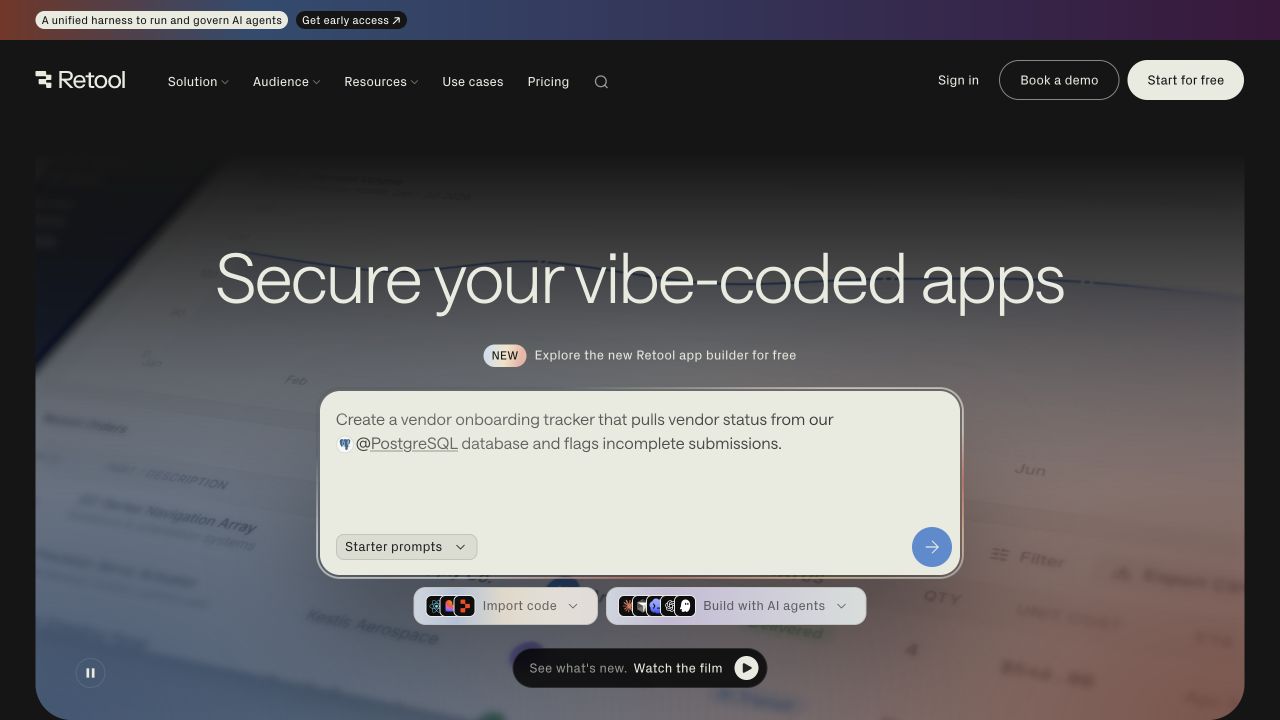
Retool’s preserved homepage capture places a large sample request inside a pale composer over a dark, moving background. The example describes a vendor tracker connected to a PostgreSQL database, making the task more tangible than an empty invitation to build anything. Starter prompts, import-code choices, and agent-building controls offer multiple ways into the workflow. A security-oriented headline frames the product for teams that need more than a quick prototype. Retool’s current model documentation explicitly describes API requests and Retool-managed OpenAI credentials among its supported providers. That relationship concerns configured AI features within the product; the promotional prompt is not a live database connection or evidence of one provider behind every builder action. The screenshot retains its November 3 capture date.
What you can learn
Give builders a realistic starting request with a named data source and business outcome. Show the alternative routes for existing code and guided creation without implying that setup and governance disappear.
Pros
The sample task demonstrates useful specificity before users type anything.
Separate import and agent controls recognize different starting points.
Cons & considerations
The animated background competes with smaller explanatory text.
Several build routes appear before their permissions and setup requirements are explained.
Public source checked November 3, 2026. References may be embedded or legacy—not a complete backend inventory.
Platform source: Official product or provider documentation. Retool’s current models documentation describes API requests to LLM providers and Retool-managed OpenAI credentials. Scope: configurable customer-facing AI resources/features in Retool, alongside other providers. The sample build request shown on the homepage is promotional and was not executed. Platform evidence is separate from the direct website screenshot and is not a complete current infrastructure audit.
Descript’s dark plum hero contrasts a very large cream serif headline with a small red product label and an orange free-start button. A rounded white navigation bar sits above the composition, keeping product exploration visually distinct from the promotional message. The copy allows either manual or AI-assisted editing, which presents automation as one working mode rather than the only route. OpenAI’s current customer case identifies API use in Descript’s Underlord editing agent and related media workflows. Descript also offers a browser editor, but this captured landing page does not verify a completed edit or the model used for every media task.
What you can learn
Use tone and typography to reduce the intimidation of a complex editor, then introduce the actual work surface early. Explain where an assistant helps and where the creator can take direct control.
Pros
Strong color contrast establishes a clear hierarchy across headline and action.
Manual and assisted editing are presented as compatible ways of working.
Cons & considerations
The oversized headline leaves only a fragment of the editor visible.
The broad creative promise does not explain review, undo, or export behavior.
Public source checked November 3, 2026. References may be embedded or legacy—not a complete backend inventory.
Platform source: Official product or provider documentation. OpenAI’s March 2026 API customer case documents GPT in Descript’s Underlord editing agent and OpenAI reasoning in its translation/dubbing pipeline. Descript documents a browser editor. Scope: these shipped creative-product capabilities, not every editing function or the public landing page frontend. Platform evidence is separate from the direct website screenshot and is not a complete current infrastructure audit.
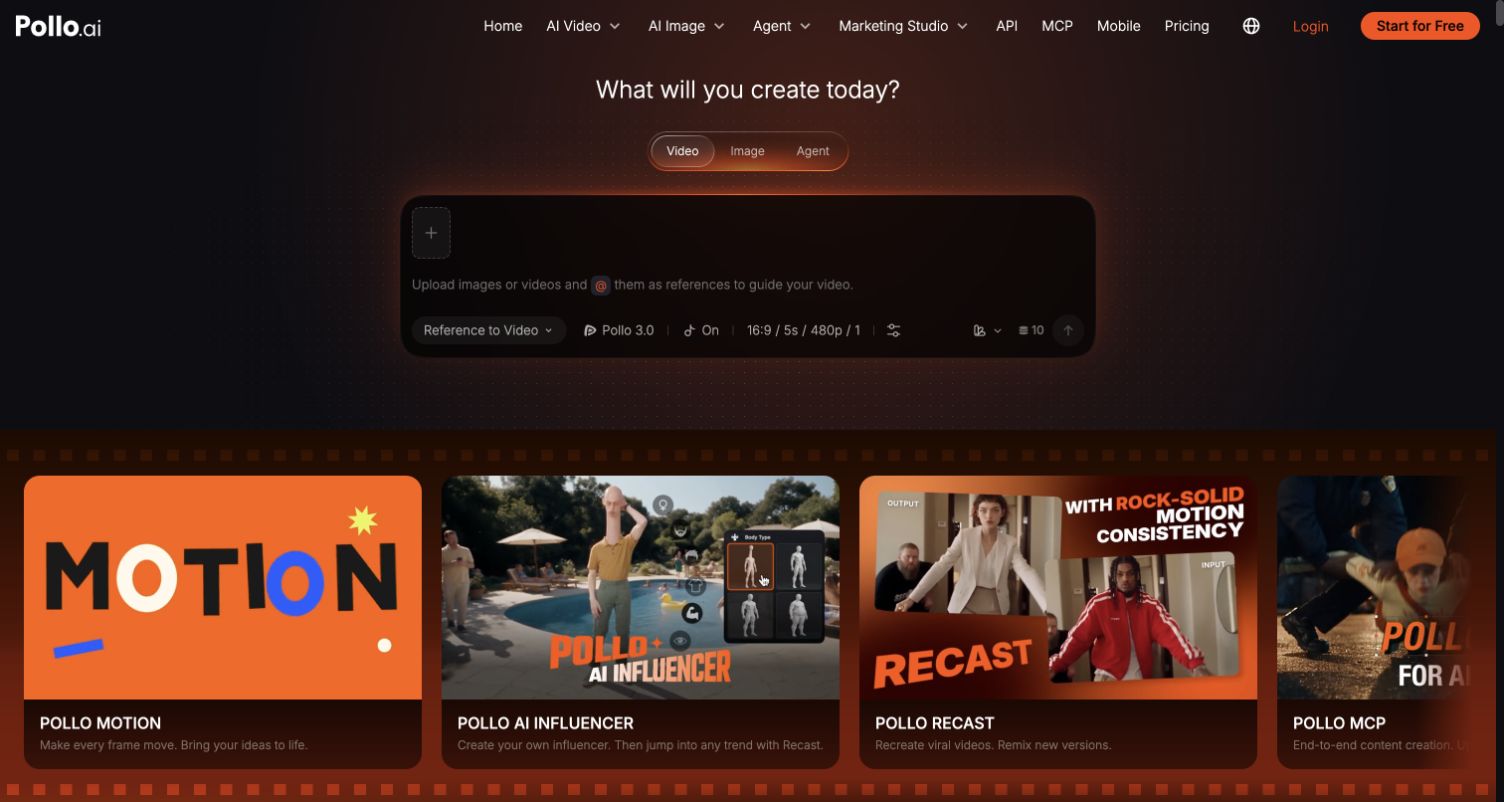
Pollo AI puts a dark creation interface near the top of its public page rather than relying entirely on a marketing headline. Video, image, and agent modes sit above a large empty composer, while upload and model controls surround the starting area. Large visual cards below introduce specialized workflows such as motion and recasting. The breadth makes the product feel immediately usable, but it also presents many choices before the visitor has chosen an outcome. OpenAI’s current Pollo case documents API use for planning and image-related capabilities. Pollo visibly offers multiple providers, so the captured model controls and promotional cards cannot be treated as proof that all generation runs through OpenAI.
What you can learn
Make the output mode explicit before asking for a prompt. When many models and creative tools coexist, guide users from the desired result to the appropriate controls instead of requiring provider knowledge first.
Pros
The composer makes the point of entry concrete and easy to locate.
Visual workflow cards communicate possibilities beyond a generic chat box.
Cons & considerations
The dense navigation and model choices increase the initial decision load.
Promotional examples do not reveal processing time, failure states, or revision limits.
Visible tech stack
Earlier / documented evidence
OpenAI API
Earlier cited evidence retained; no current scan result. References may be embedded or legacy—not a complete backend inventory.
Platform source: Official product or provider documentation. OpenAI’s October 2026 API customer case describes OpenAI models in Pollo’s routing, narrative planning, image generation, and Photo to Video Ads workflows. The current product also offers other model providers. Scope is the documented creative workflows, not every generated video or every model menu item. Platform evidence is separate from the direct website screenshot and is not a complete current infrastructure audit.
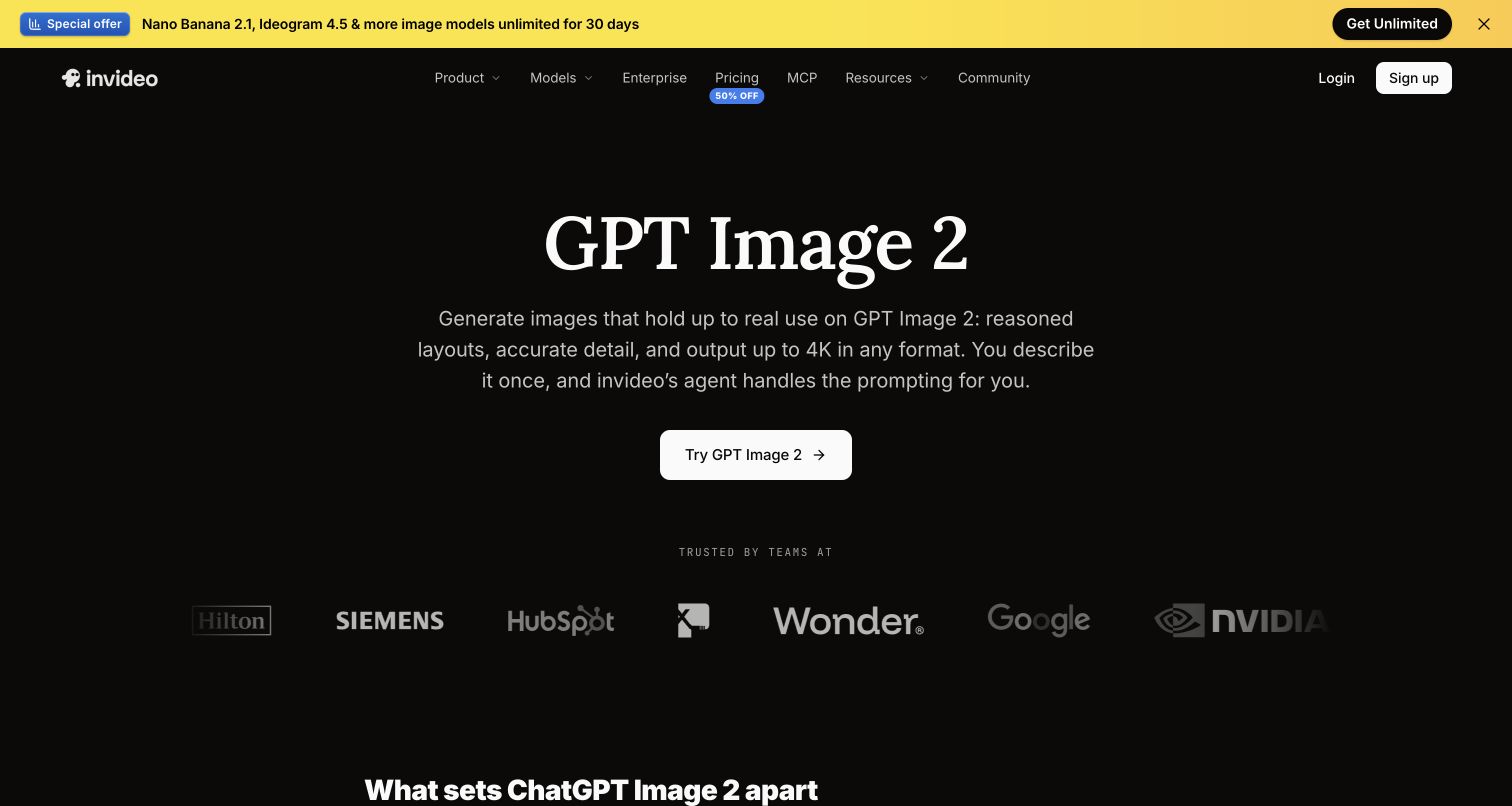
Invideo’s GPT Image page is deliberately restrained: a black background, a large white serif model title, centered explanatory copy, and a white trial button. A yellow announcement bar supplies the strongest color above the otherwise monochrome composition. Naming the model directly helps visitors arriving with a specific capability in mind. The page itself identifies the OpenAI image model and links into Invideo’s application; OpenAI’s image-generation announcement provides additional context for the integration. This is evidence of an offered image-generation feature, not proof that the whole video product uses one provider. The capture does not include a generated image or an evaluated output.
What you can learn
A model-specific page should connect the technical name to a practical creative task. Show the application handoff clearly, then add an output example and the editing choices that distinguish the product.
Pros
The narrow hierarchy makes the model and primary action easy to scan.
The focused product URL supports a precise feature-level evidence trail.
Cons & considerations
The first view relies on explanation rather than a visible generated result.
Customer logos establish familiarity without demonstrating this particular feature’s quality.
Visible tech stack
Earlier / documented evidence
OpenAI API
Earlier cited evidence retained; no current scan result. References may be embedded or legacy—not a complete backend inventory.
Platform source: Official product or provider documentation. Invideo’s current GPT Image product page identifies an OpenAI image-generation capability and links into its web creation application. OpenAI’s image-generation API announcement independently names Invideo among integrations. Scope: the offered OpenAI image feature; no inference is made about all video generation or the marketing frontend. Platform evidence is separate from the direct website screenshot and is not a complete current infrastructure audit.
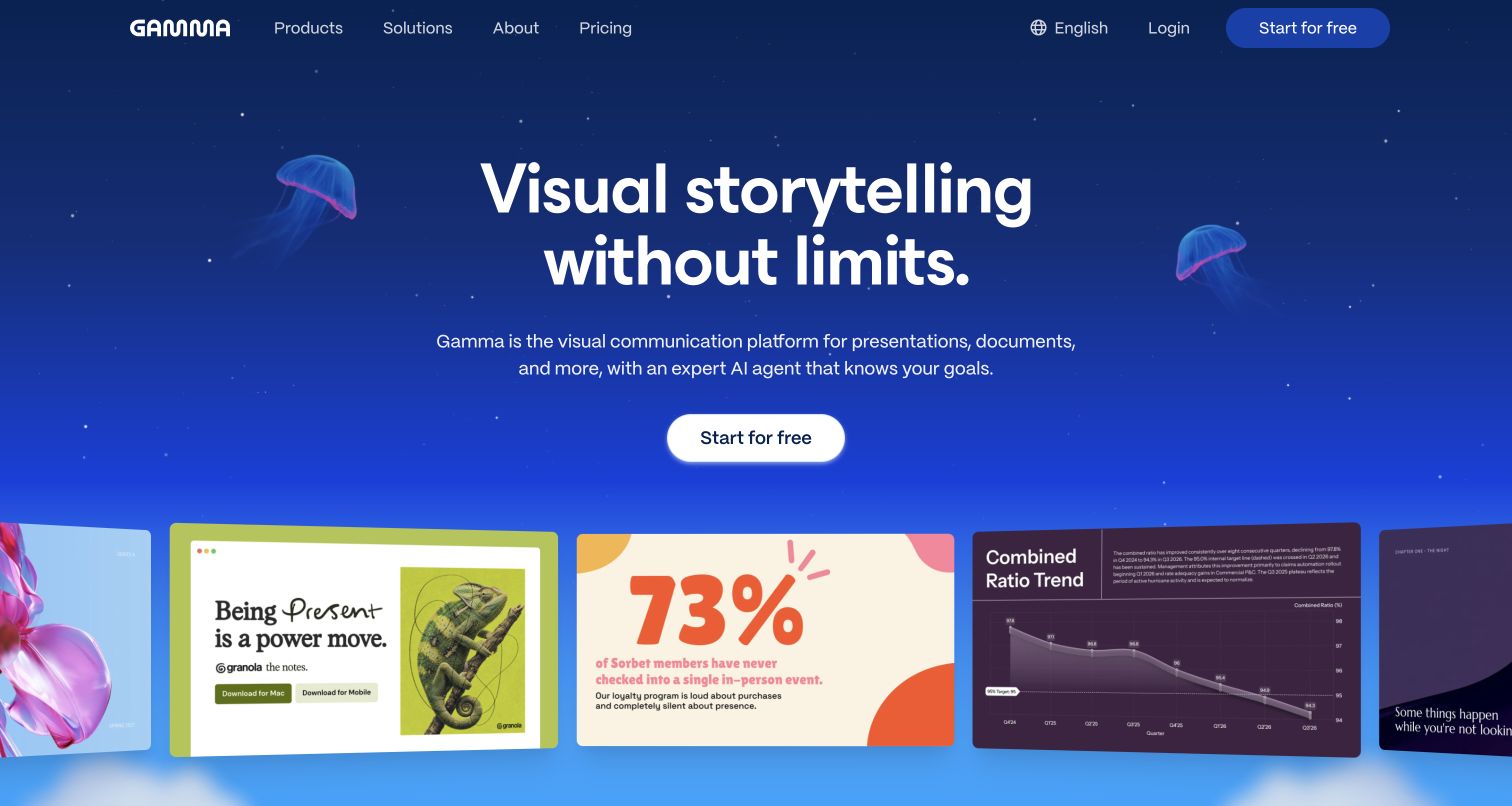
Gamma surrounds its white headline with a deep blue atmospheric background and small floating jellyfish. Along the bottom, a moving gallery exposes dramatically different slide treatments, from bold typography to a chart and a colorful statistic. These examples communicate stylistic range more quickly than a long list of formatting controls. The tradeoff is that the editing process remains outside the opening view. Gamma’s current help describes selectable OpenAI image models in its editor, while its own product announcement documents the integration. The pictured templates do not identify which model, if any, created an individual asset, and the evidence does not make every Gamma workflow an OpenAI feature.
What you can learn
Show finished artifacts when visual range is a major part of the value proposition. Follow them with the smallest editing sequence that explains how people can revise structure, imagery, and presentation details.
Pros
Varied example cards make the range of possible outputs immediately visible.
A single central action keeps the atmospheric hero easy to navigate.
Cons & considerations
The moving gallery can distract from reading the product explanation.
Finished examples reveal less about editing control and source material requirements.
Visible tech stack
Earlier / documented evidence
OpenAI API
Earlier cited evidence retained; no current scan result. References may be embedded or legacy—not a complete backend inventory.
Platform source: Official product or provider documentation. Gamma’s current editor help lists GPT Image options in the Visuals menu, and its May 2025 announcement documents integrating OpenAI’s image model into Gamma. Its API model reference separately lists OpenAI options. Scope: selectable image generation in the editor; no claim that the pictured templates were generated with OpenAI. Platform evidence is separate from the direct website screenshot and is not a complete current infrastructure audit.
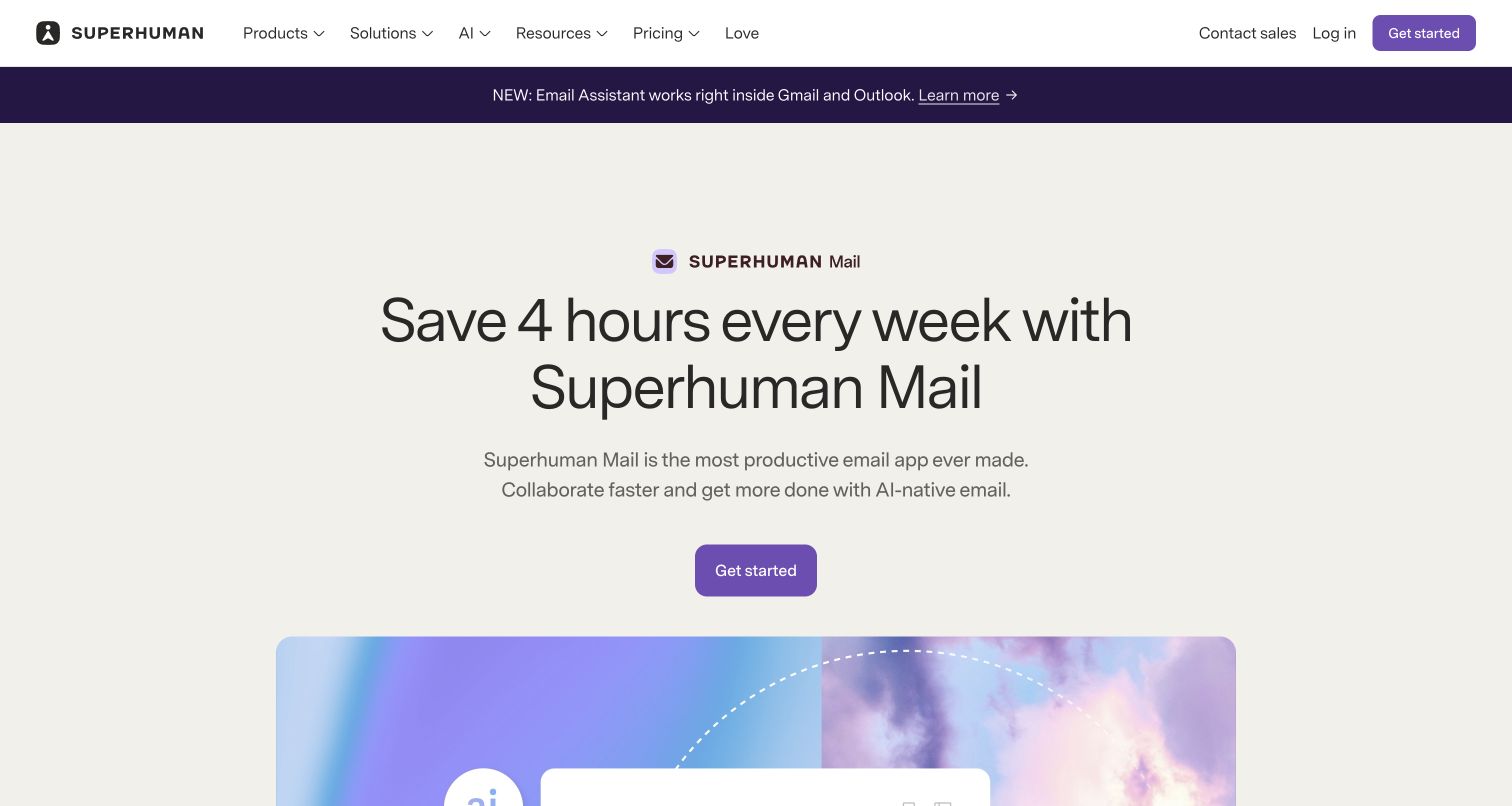
Superhuman Mail’s public page uses a quiet cream background, centered typography, and a purple action to focus attention on time saved in email. A separate announcement strip introduces an assistant for Gmail and Outlook without replacing the main Mail proposition. The product mark above the headline helps distinguish Mail from the wider Superhuman platform. OpenAI’s case explicitly documents API-backed writing, rewriting, summaries, and replies in Superhuman AI; current platform documentation continues to list OpenAI as a provider. The homepage’s numerical productivity claim is promotional rather than a result measured in this review. Its newer features may use additional providers.
What you can learn
Anchor an assistant in a recurring problem people already understand. Keep product identity explicit when several related tools share a brand, and separate measurable customer outcomes from untested marketing promises.
Pros
The Mail identity and restrained composition clarify which product is being offered.
A focused signup route follows a familiar productivity problem.
Cons & considerations
The numerical headline needs supporting context beyond the opening view.
The additional assistant announcement introduces a second product path before the first is demonstrated.
Public source checked November 3, 2026. References may be embedded or legacy—not a complete backend inventory.
Platform source: Official product or provider documentation. OpenAI’s customer case explicitly documents API-backed writing, rewriting, summaries, and replies in Superhuman AI. The current Superhuman Mail page still describes these product functions, and current platform subprocessors list OpenAI among generative providers. Scope is documented Mail AI capabilities; this does not establish a provider for every newly added feature. Platform evidence is separate from the direct website screenshot and is not a complete current infrastructure audit.
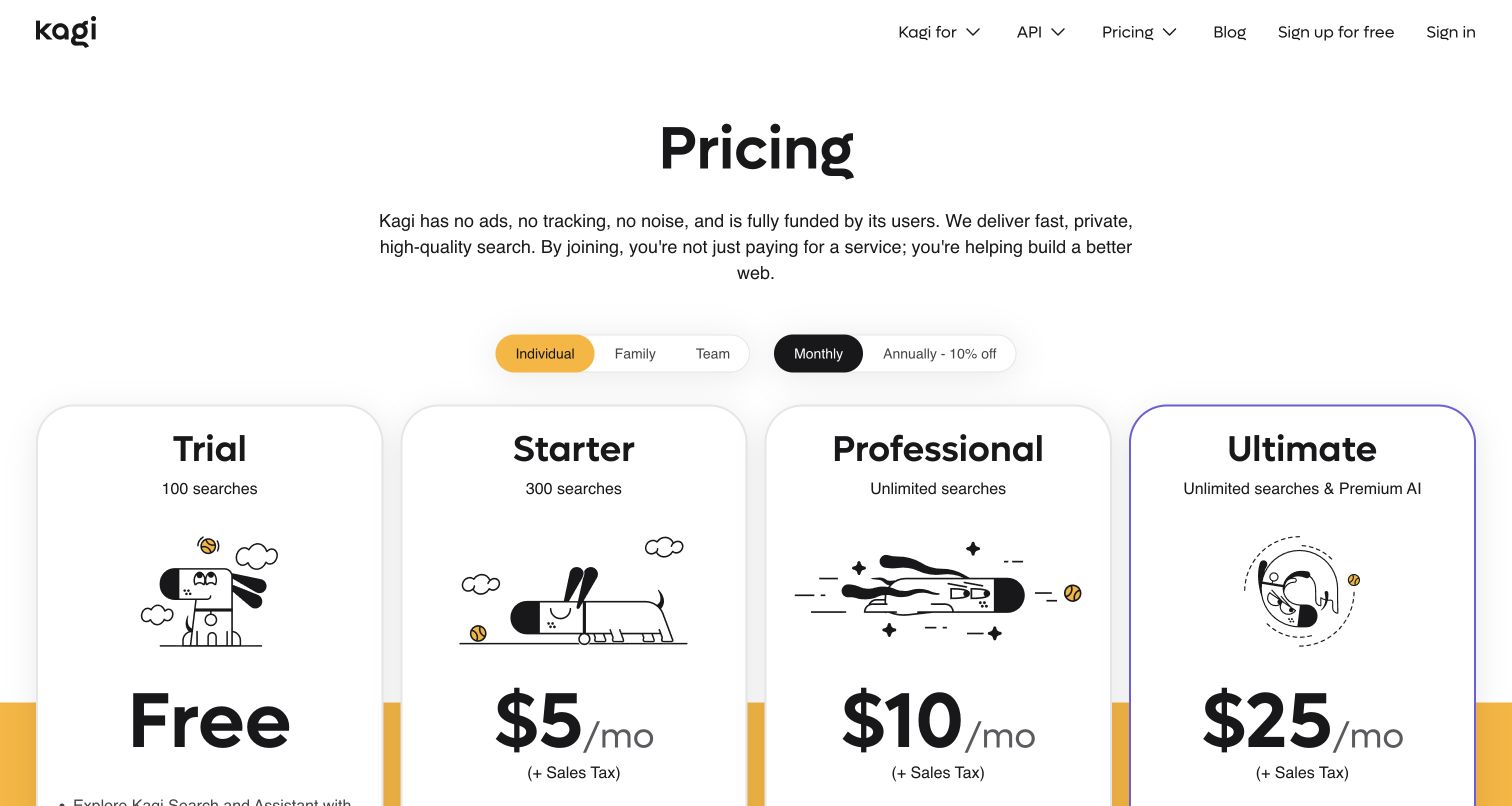
Kagi’s public pricing page opens with a plain explanation of its user-funded model, then places four large plan cards beneath audience and billing-period switches. The Ultimate card receives a purple outline, while prices remain the strongest elements in the lower half of the frame. Assistant access is explained within the plan details rather than as an unrelated add-on. This public page is used because the direct Assistant entry redirected to sign-in during inspection. Kagi’s separate model privacy documentation explicitly identifies OpenAI-served API options alongside other providers. The pricing capture therefore illustrates access and purchasing context, not a logged-in conversation or the provider behind every search result.
What you can learn
When AI access depends on a plan, make that boundary understandable before signup. Separate audience, billing cadence, and capability differences so users can compare like with like without decoding a dense feature matrix.
Pros
Consistent cards and prominent plan names support quick side-by-side comparison.
Audience and billing choices are separated into two compact control groups.
Cons & considerations
Large illustrations and prices push capability details below the initial viewport.
Visitors must consult deeper documentation to compare individual assistant providers.
Visible tech stack
Referenced on the public page
Cloudflare Turnstile
Earlier / documented evidence
OpenAI API
Public source checked November 3, 2026. References may be embedded or legacy—not a complete backend inventory.
Platform source: Official product or provider documentation. Kagi’s current LLM privacy documentation explicitly describes Assistant API requests and maps proprietary OpenAI GPT models to OpenAI. Scope: selectable Assistant models, with other providers documented separately. The captured public pricing page shows access context because the direct Assistant entry redirects to sign-in; it is not a conversation capture. Platform evidence is separate from the direct website screenshot and is not a complete current infrastructure audit.
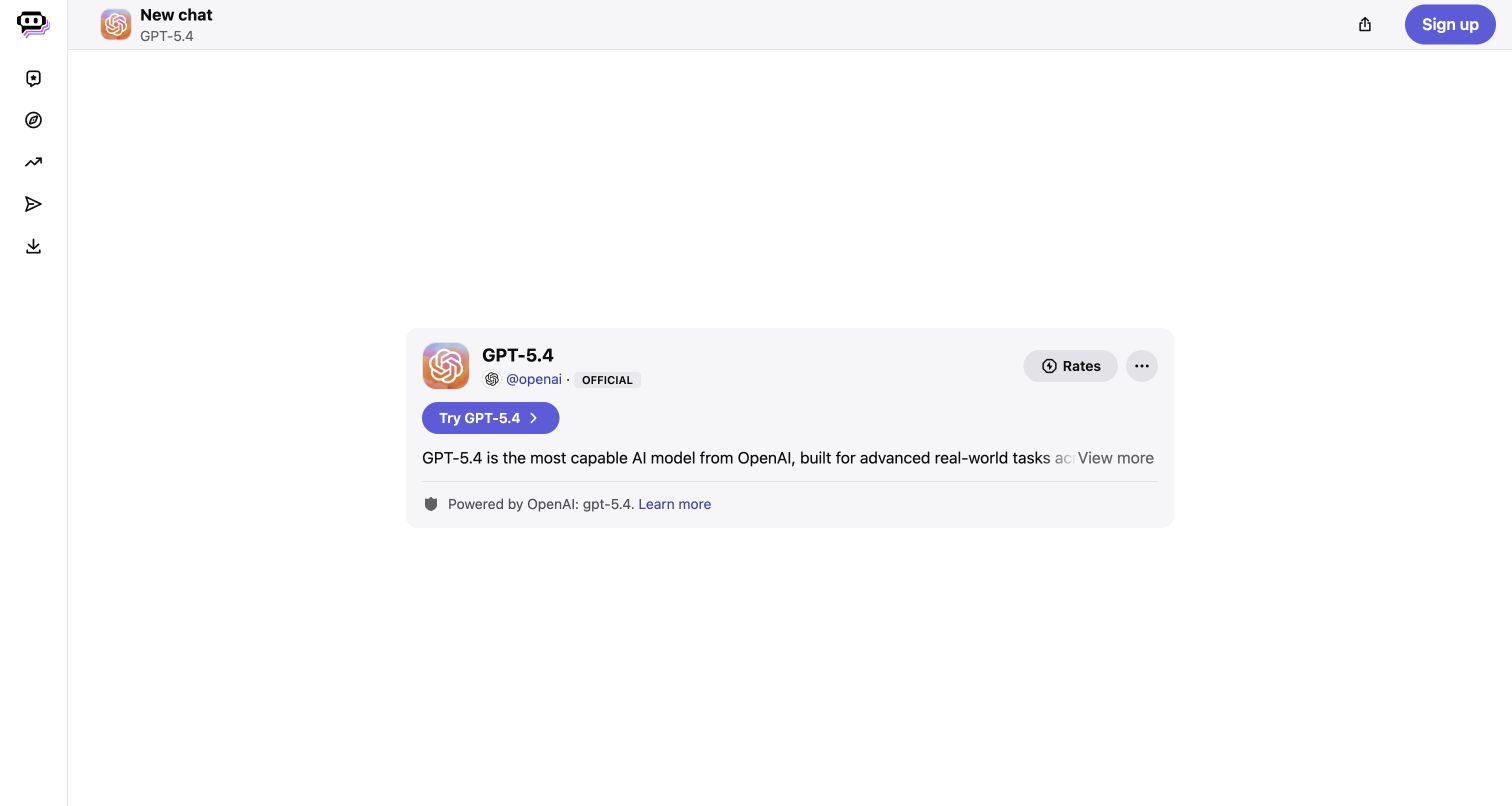
Poe’s public GPT-5.4 page is unusually spare, with a compact navigation rail and a single pale card in a large white canvas. The card groups the model name, an official OpenAI account label, a trial action, and a provider attribution into one place. The description truncates into a more-details control, preserving compactness at the cost of immediate context. Poe’s privacy center separately documents sending chats to providers including OpenAI for responses, establishing a service relationship beyond the model label. This evidence concerns the official bot, not Poe’s own developer API. No conversation was started, and the page’s promotional superlatives are not an independent assessment of capability.
What you can learn
For a marketplace or model directory, make identity, provider, and access conditions visible together. Keep claims about performance separate from attribution, and let users inspect the cost before beginning a conversation.
Pros
The official account and provider line make the specific model relationship legible.
A compact card keeps the primary action close to the identity details.
Cons & considerations
Extensive empty space leaves little explanation of possible tasks or examples.
The truncated description hides useful context behind an additional interaction.
Visible tech stack
Earlier / documented evidence
OpenAI API
Earlier cited evidence retained; no current scan result. References may be embedded or legacy—not a complete backend inventory.
Platform source: Official product or provider documentation. Poe’s April 2026 privacy center explicitly says chat contents go to model providers including OpenAI to produce responses. The official GPT-5.4 bot page identifies OpenAI as its provider. Scope: that hosted bot; this is documented upstream service processing, not a claim about Poe’s own API or an observed private endpoint. Platform evidence is separate from the direct website screenshot and is not a complete current infrastructure audit.
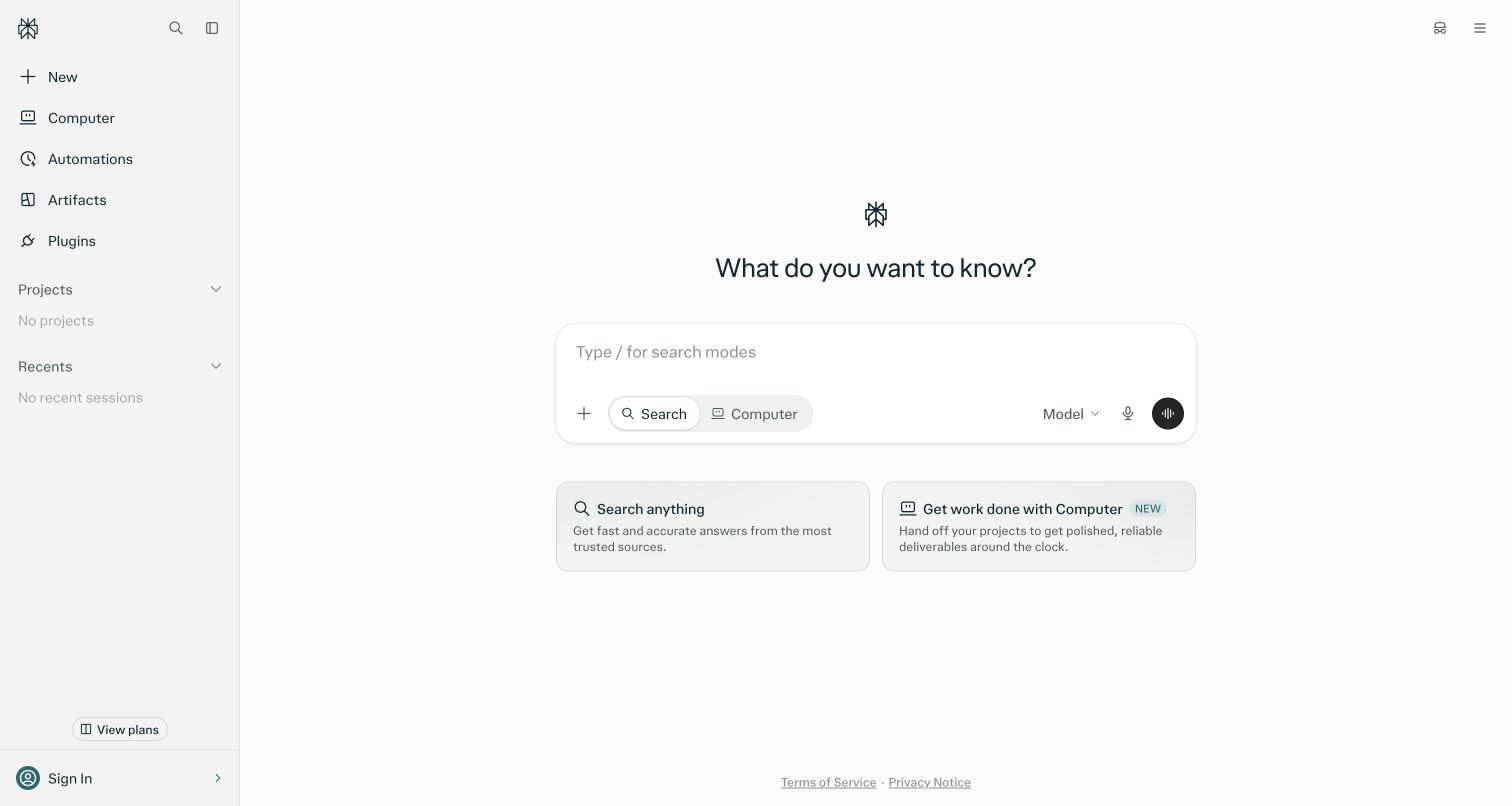
Perplexity’s public interface centers a question above a wide rounded composer. Search and Computer appear as adjacent modes inside the input area, while model, attachment, and voice controls remain close to where a request begins. Two explanatory cards below distinguish finding information from handing off work. The sidebar exposes projects and recent sessions, both empty in this signed-out view, suggesting how activity will be organized. Current documentation lists OpenAI choices for Enterprise Search and separately identifies agreements with OpenAI as an upstream provider. That combination supports a configured service relationship, not a claim about the default anonymous request, Computer, or Perplexity’s separate developer API.
What you can learn
Use the empty state to explain the difference between asking for information and asking for an action. Keep the selected mode obvious, especially when both routes share the same composer.
Pros
The input area unifies related controls without scattering them across the page.
Two supporting cards explain the main task choices in ordinary language.
Cons & considerations
Advanced sidebar destinations can compete with the simple first-search task.
The opening view cannot show source quality, model routing, or recovery behavior.
Visible tech stack
Earlier / documented evidence
OpenAI API
Earlier cited evidence retained; no current scan result. References may be embedded or legacy—not a complete backend inventory.
Platform source: Official product or provider documentation. Perplexity’s current Search model table identifies OpenAI options for Enterprise Pro and Max. Its enterprise data documentation explicitly identifies service agreements with upstream providers including OpenAI. Scope: available OpenAI-backed Enterprise Search configurations; neither the signed-out capture nor these sources identifies the provider of a default request or an exact upstream endpoint. Platform evidence is separate from the direct website screenshot and is not a complete current infrastructure audit.
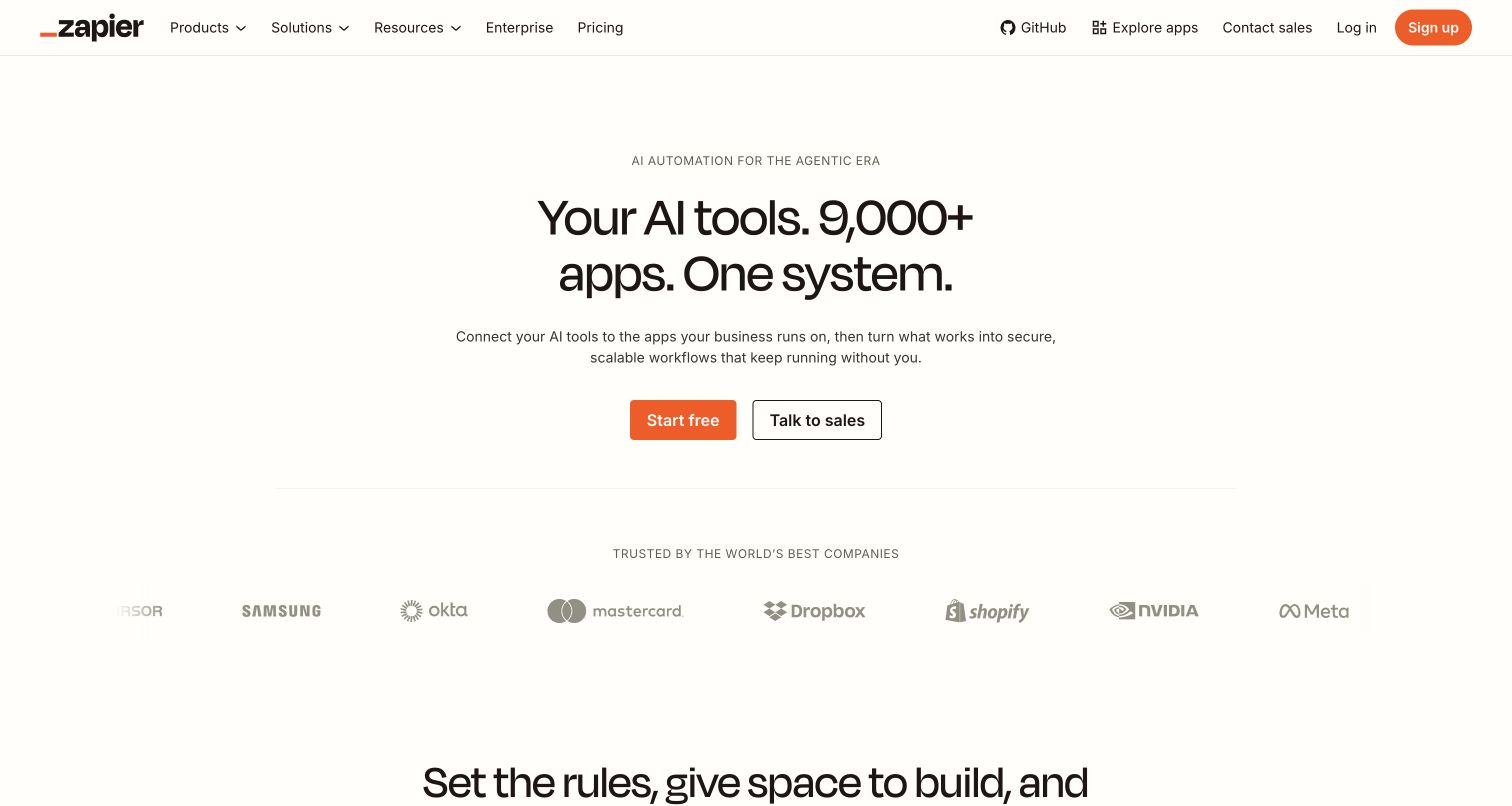
Zapier’s AI landing page uses a warm white background and a compact centered hero. The headline connects AI tools with a broad application ecosystem, while a short paragraph turns that breadth into the promise of ongoing workflows. An orange free-start button and an outlined sales option create a clear pair of next steps. The product documentation for AI by Zapier identifies proprietary OpenAI models within selectable tiers and permits configured provider credentials. That is the scoped integration reviewed here; a ChatGPT connector or a customer logo alone would not establish it. The landing page presents several AI routes, so it should not be read as one provider behind every automation.
What you can learn
Describe the durable workflow surrounding an AI step: the applications it connects, the rules it follows, and the people who oversee it. Offer distinct paths for experimentation and organization-wide evaluation.
Pros
The short hierarchy makes a complicated integration proposition easy to scan.
Self-service and sales actions are differentiated without a crowded button row.
Cons & considerations
The broad ecosystem claim leaves a specific working example below the fold.
Provider and plan differences require documentation beyond the introductory page.
Public source checked November 3, 2026. References may be embedded or legacy—not a complete backend inventory.
Platform source: Official product or provider documentation. Zapier’s current AI by Zapier tier documentation lists proprietary OpenAI models by provider and describes configured API credentials. Scope: supported OpenAI model options in customer-built AI by Zapier workflow steps. This is separate from a ChatGPT connector, employee use, or a claim about every automation. Platform evidence is separate from the direct website screenshot and is not a complete current infrastructure audit.
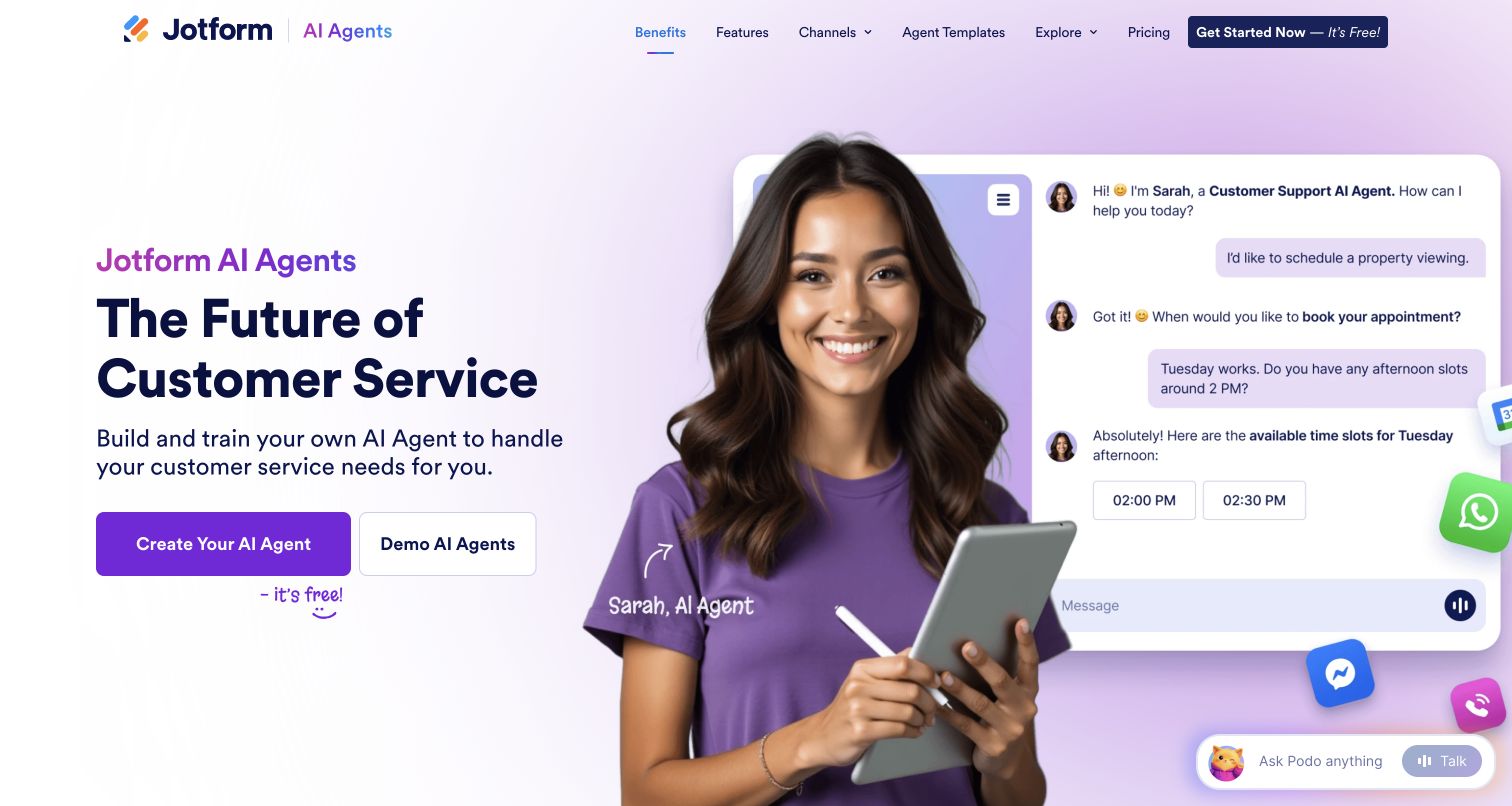
Jotform AI Agents uses a purple gradient and a large illustrated persona beside a sample appointment conversation. The left column names the product and gives creation and demonstration equal prominence, while the right-hand chat shows a customer selecting a viewing time. The example is specific enough to communicate the intended customer-service role without requiring visitors to understand model terminology. Jotform’s current security page explicitly states that AI Agents use OpenAI models through the API Platform, while also noting some Google model use. The pictured conversation is a promotional example, not a booking performed during this review, and it does not prove an actual calendar action.
What you can learn
Demonstrate an agent with a bounded customer task and a visible choice. Keep the distinction between answering a question, offering a slot, and confirming a real transaction clear throughout the eventual product.
Pros
A concrete appointment example gives the broad agent concept a familiar purpose.
Creation and demonstration actions support both confident and cautious visitors.
Cons & considerations
The oversized persona competes with the functional details of the conversation.
The cheerful example leaves escalation and unsuccessful booking behavior unexplained.
Visible tech stack
Earlier / documented evidence
OpenAI API
Public source checked November 3, 2026. References may be embedded or legacy—not a complete backend inventory.
Platform source: Official product or provider documentation. Jotform’s current AI Agents security page explicitly says its customer-facing agents use OpenAI models through the OpenAI API Platform. It also notes limited use of Google models. Scope: documented AI Agents processing, not every Jotform form, customer website, or the promotional appointment conversation. Platform evidence is separate from the direct website screenshot and is not a complete current infrastructure audit.
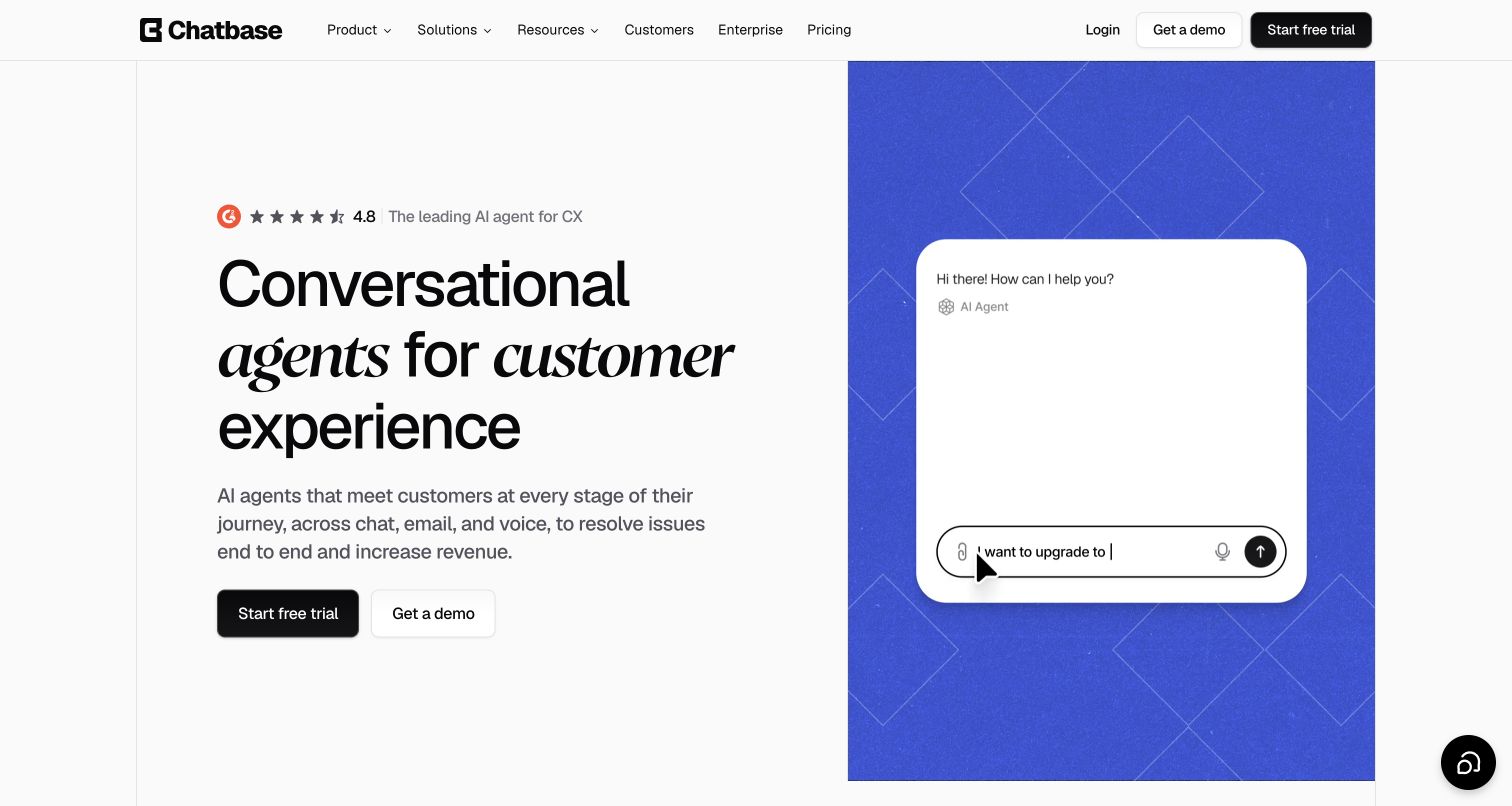
Chatbase divides its opening view between a white editorial column and a saturated blue demonstration panel. The headline mixes plain and italic serif lettering, giving the proposition a distinct voice without adding more color. Trial and demo actions sit below the explanation of chat, email, and voice support. On the right, a rounded conversation preview shows a customer request being typed, making the agent’s role easier to imagine. Chatbase’s deployment guide explicitly identifies OpenAI API use, and current model documentation confirms configurable OpenAI options. The page also demonstrates another provider farther down, so neither every agent nor the pictured preview should be assigned to OpenAI.
What you can learn
Pair the service promise with a concise interaction preview, then explain configuration and testing before deployment. Provider choice is one part of the agent setup, alongside instructions, knowledge, and the handoff to people.
Pros
The split layout balances readable positioning with a concrete conversational example.
Trial and demo actions remain close to the main value explanation.
Cons & considerations
The animated preview shows a happy path rather than resolution or escalation.
The first view leaves model selection and operational limits to deeper pages.
Public source checked November 3, 2026. References may be embedded or legacy—not a complete backend inventory.
Platform source: Official product or provider documentation. Chatbase’s own deployment guide explicitly says it uses the OpenAI API and describes customer agents available within Chatbase or embedded on websites. Current model documentation corroborates configurable proprietary OpenAI options alongside other providers. Scope: agents configured for OpenAI, not every agent or the homepage preview. Platform evidence is separate from the direct website screenshot and is not a complete current infrastructure audit.
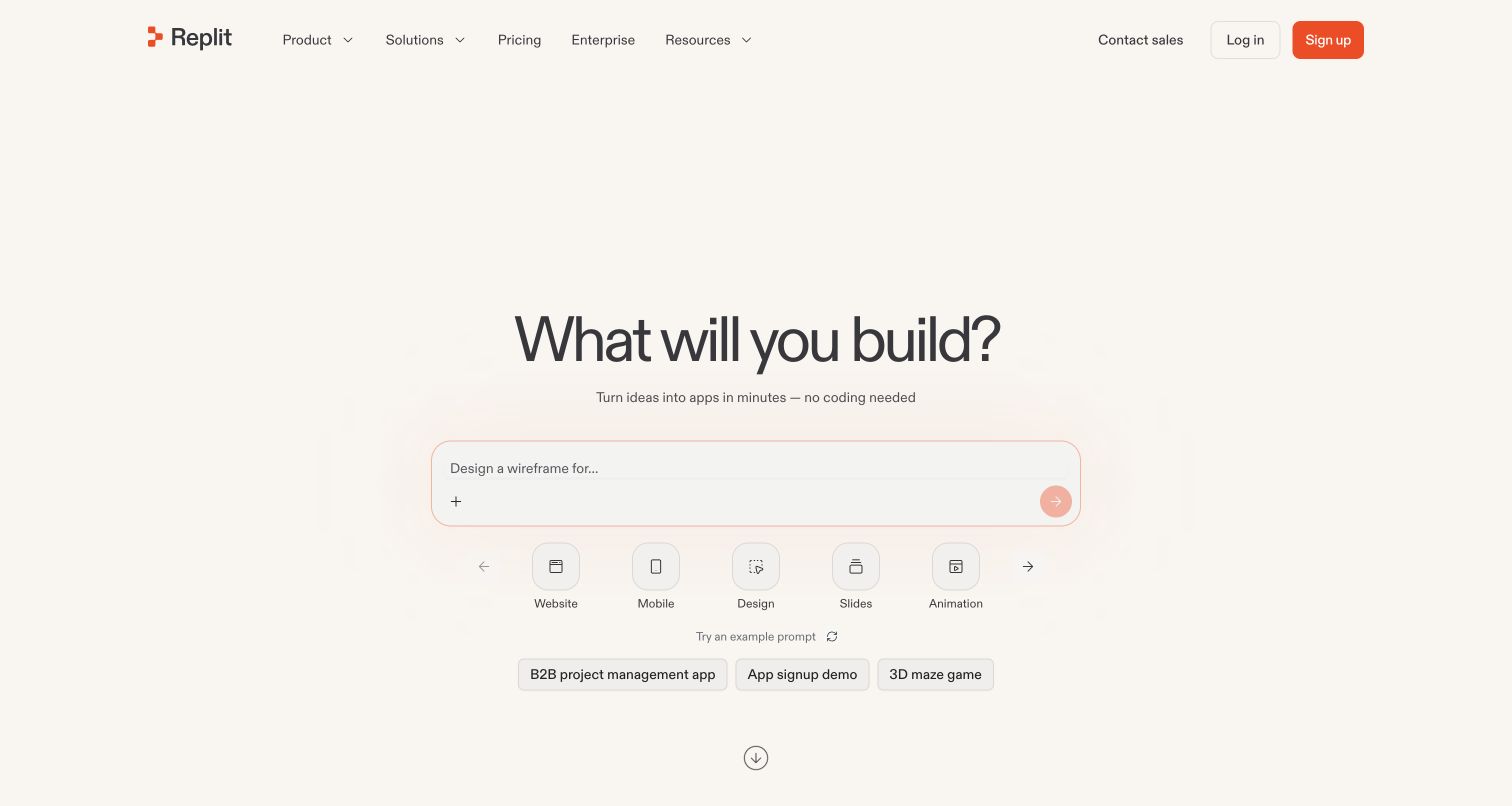
Replit’s homepage centers a large build question over a wide prompt box on a warm, nearly empty background. Website, Mobile, Design, Slides, and Animation appear as separate choices beneath the composer, followed by three starter prompts. This sequence moves from possibility to format to example without requiring a dense feature explanation. Orange accents connect the signup button with the composer action, while the restrained header keeps enterprise routes available. Replit’s documentation explicitly describes managed OpenAI API access for configured customer apps. That integration is the scope here; it does not identify the model behind Replit Agent or show that every generated app uses OpenAI. This preserved screenshot was captured on November 4, and no build was submitted.
What you can learn
Give a broad creation prompt supporting structure: a choice of output, a realistic example, and a clear next step. Explain provider configuration and operating costs when the builder reaches those decisions.
Pros
Artifact choices make the open-ended prompt easier to approach.
Starter examples offer concrete projects without crowding the composer.
Cons & considerations
The large empty field postpones evidence of finished work.
The initial promise leaves integration permissions and maintenance responsibilities unexplained.
Visible tech stack
Earlier / documented evidence
OpenAI API
Earlier cited evidence retained; no current scan result. References may be embedded or legacy—not a complete backend inventory.
Platform source: Official product or provider documentation. Replit’s current AI Integrations documentation explicitly describes managed OpenAI credentials and API calls from configured customer apps to the provider. It also documents bringing an OpenAI key. Scope: the customer-facing OpenAI integration and its configured app capability, not the model powering Replit Agent, every generated app, or the homepage frontend. Platform evidence is separate from the direct website screenshot and is not a complete current infrastructure audit.
A short, well-framed task is easier to evaluate than an open-ended assistant. Specify the desired output and the context the product can supply automatically. The Responses API supports direct model requests, while the surrounding application still owns the interface, stored data, and release process.
Add retrieval when the answer depends on your material
Identify which documents, products, or records the user is allowed to consult. Decide how the interface will show supporting material and how it will explain missing information. Do not let a fluent answer stand in for a document that the system never retrieved. Test outdated and conflicting records as well as clean examples.
Add tools when the user needs something changed
List the actions the product may perform and the information required for each. Distinguish reversible edits from operations with consequences outside the workspace. Use actual application results when reporting completion, and make it possible to inspect what changed. A tool description alone is not a completed integration.
Collect realistic inputs, expected outcomes, and examples of unacceptable behavior. Include ambiguous requests, missing context, long content, and the tasks users find hardest. Compare model or prompt changes against those same cases. OpenAI's evaluation documentation describes test data and explicit criteria for deciding whether a result satisfies the task.
Measure the requests required to finish a task, including revisions, retrieval, and retries. Compare response time and total cost alongside quality. Define a useful fallback when a provider is unavailable or the user reaches a usage limit. A cheaper individual request can still produce an expensive workflow if it repeatedly fails.
Give behavior changes a release owner
Version the instructions, model configuration, and supporting content with the feature. Record why a change was made and how to return to the previous behavior. Current OpenAI guidance recommends keeping production prompt builders in application code so normal review, tests, and deployments can manage changes.
Ask the actual team to carry out its routine job: publish a realistic update, correct a mistake, preview a narrow screen, and identify who owns an integration failure. For a library or frontend framework, also ask who maintains the content source and deployment. A polished screenshot does not answer those operational questions.
Beyond the screenshot
A launch checklist for an AI product feature
State the task, intended audience, and limits in language the user can understand.
Check the empty, waiting, partial, completed, failed, and canceled states.
Keep original inputs available during editing and retries.
Verify which information the feature can access for each user.
Separate proposed tool actions from confirmed application results.
Run representative cases before changing instructions or model configuration.
Measure task completion, response time, usage, and failure recovery together.
Assign ownership for provider changes, support issues, and rollback.
Test with real content, a keyboard, a small screen, slow or failed requests, and the people who will maintain the system. These are planning checks, not an accessibility, security, performance, or search-ranking certification.
Sources & editorial method
How this OpenAI API collection was reviewed
Technology evidence must identify the particular customer-facing feature and its official source. Public entry pages may illustrate product communication, while the scoped API or upstream OpenAI service relationship is attributed separately. Internal employee use, model-generated marketing copy, an OpenAI-compatible endpoint, or a ChatGPT app listing alone does not establish an OpenAI API integration. We inspected 20 distinct public pages and rechecked primary product or provider documentation on November 4, 2026 UTC for this November 3 editorial batch. Sixteen screenshots were captured for this collection on November 4; Replit reuses a verified November 4 capture from the same evening batch, and three other captures retain their November 2 or 3 dates. The Kagi image shows its public plan comparison because Assistant redirects to sign-in. Screenshots demonstrate visible design, while integration claims retain their product-specific limits. Replit is included for its managed OpenAI integration available to customer-created apps, not as evidence about the model behind Agent. No private workflow, generated result, or transaction was tested.
Every image is an unmodified capture from the actual website, with its source and capture date. Some captures are reused from our shared catalog; their dates remain the original capture dates. None comes from a vendor gallery or a generated reconstruction. Moving imagery and live content can change.
Technology attribution uses public page assets or metadata, official platform documentation, or a cited first-party project case study. Documentary and framework-relationship evidence is identified where used; it is not a complete current backend inventory. A CMS image CDN alone does not establish a full CMS deployment. A library’s presence does not prove which individual controls use it, and a platform label does not establish AI authorship.
The composition notes, lessons, pros and tradeoffs are original editorial observations. We have not measured conversion, traffic, security, performance or accessibility conformance. Website owners retain their brands and imagery; these examples are not our client portfolio. Written, Edited and Curated are independent records, not dates advanced by a build. See our editorial standards or suggest a correction.
Questions worth asking
OpenAI API website development FAQs
Does an OpenAI integration mean the whole website is built with AI?
No. A service may use OpenAI for one feature while its interface, content system, payments, and infrastructure use other technologies. Name the documented feature instead of assigning the model provider to the whole company or frontend.
Is an OpenAI-compatible API the same as the OpenAI API?
No. Compatibility can describe a request format supported by another provider. Confirm who serves the model and which endpoint or documented integration the product actually uses.
Can a screenshot prove which AI model a product uses?
Usually it cannot. A screenshot can support observations about the visible interface. A provider label may help, but the integration claim still needs clear, current documentation scoped to the reviewed product.
Should I choose a model from a famous customer's example?
Use the example to identify a workflow worth testing. Your context, output requirements, traffic, and budget may differ. Evaluate the task with representative inputs and compare the complete experience before deciding.