Definitive guide · WebAssembly website development
Best WebAssembly Websites of 2026 (20 Real-World Examples)
Twenty real public websites and browser applications with scoped WebAssembly evidence, genuine captures and original interface reviews.
WebAssembly appears in very different parts of the web: a documentation search box, a globe, an image codec, a database shell or a complete creative application. These examples show how a powerful browser capability becomes useful through clear controls, representative starting content and honest feedback.
WebAssembly, commonly shortened to Wasm, is a portable binary compilation target. On the web it works alongside JavaScript and browser APIs, allowing projects to bring existing language runtimes, processing libraries and substantial applications into a browser environment. It does not prescribe a visual style or replace the need to design navigation, loading states, accessible controls and understandable results.
The collection opens with Microsoft Visual Studio Code, Google Earth, Internet Archive, Lichess and Godot: five distinct recognizable organizations or projects. Each attribution has a specific boundary. Microsoft's example is search on the VS Code website; the Archive example is an actual preserved Flash item; Godot is its public web editor. The remaining examples include established public tools and official project playgrounds. Their status as a demo does not turn them into invented websites, but their documentation and limitations remain relevant.
Before the examples
What makes good WebAssembly website development in 2026?
Make the useful task visible first
Most visitors arrive to edit an image, examine a position, search documentation or run a query. The runtime explains how part of that task works; it need not become the main interface. Google Earth foregrounds the globe, while Photopea names the first document choices. Start with the user's object and desired result, then decide where technical detail helps. Developer consoles can expose versions and execution context because their audience has a different immediate need.
Provide a representative starting example
A blank editor asks visitors to do preparation before they can understand the product. Ruff supplies code with useful diagnostics, Graphite offers artwork with real layers, and Squoosh includes a photograph for comparison. Choose an example that reveals the central interaction without requiring private data. Keep its origin clear, and avoid suggesting that one successful sample proves compatibility or performance across every possible input.
Show preparation and execution as separate states
Loading an application, loading its data and completing an operation are different events. The ffmpeg.wasm playground makes its assets, file system, command arguments and output visible as separate stages. That distinction helps people understand why a page can be ready while a media operation has not started. Plan useful progress and failure messages for each stage instead of relying on a single indefinite spinner.
Scope claims to the actual component
A Wasm module can support one feature inside a larger HTML and JavaScript website. Microsoft's documented website search is a useful example of this narrower role. At the other end, a browser application can expose much of a substantial native tool. Describe the component supported by the evidence, and keep server architecture, sibling properties and native applications outside that attribution unless they have their own sources.
Each example below pairs an actual public property with a direct screenshot and a specific technology association. Study the relationship between the interface and its task. A rendered canvas, loaded console or visible result is evidence of the reviewed state; it is not a comprehensive performance, accessibility or compatibility test.
We start with five recognizable brands or organizations: Microsoft Visual Studio Code, Google Earth, Internet Archive — Loituma Flash preservation, Lichess Analysis, Godot Web Editor. Each attribution applies to the named website property, not every product or website belonging to its organization. This is a curated reading sequence, not a measured ranking.
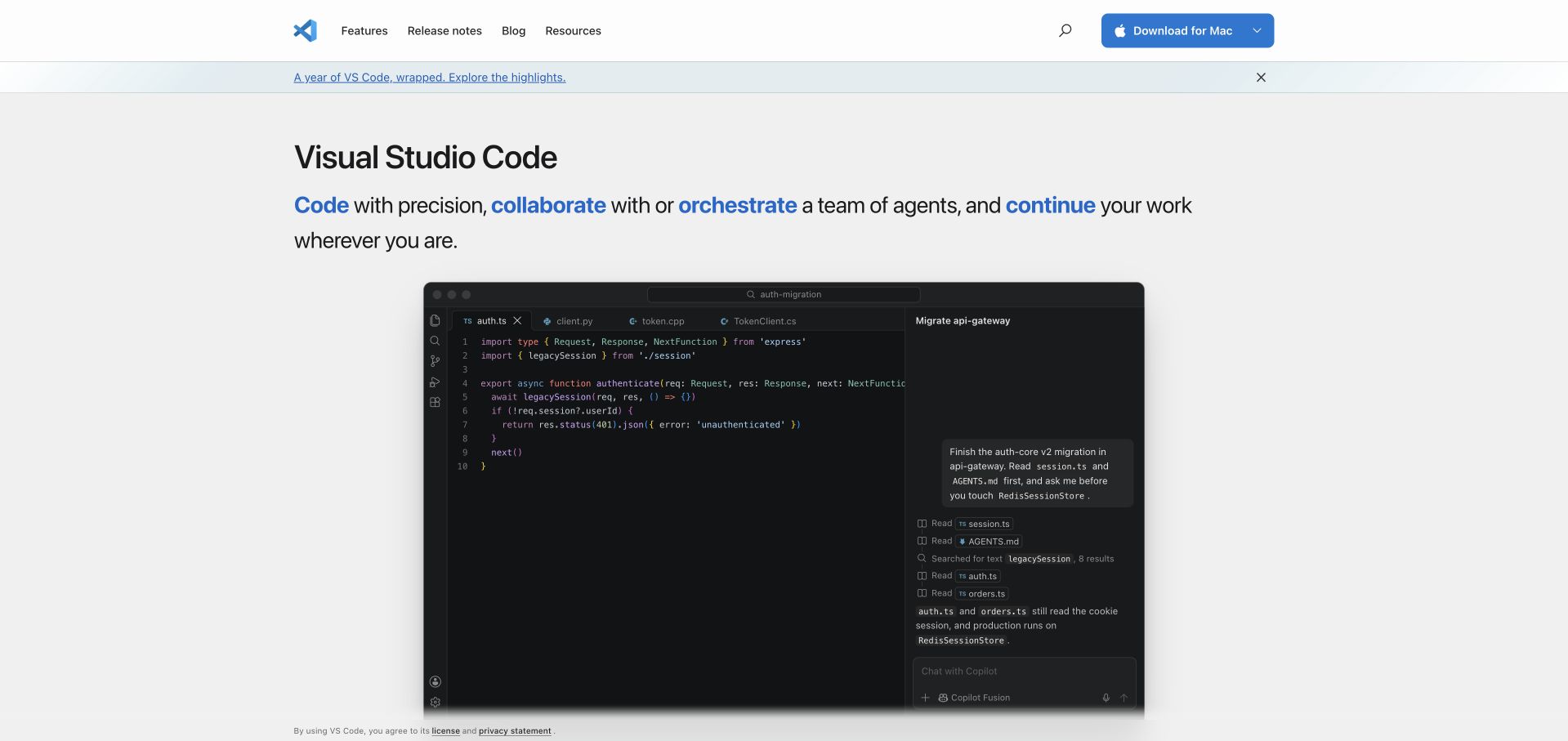
Microsoft's Visual Studio Code homepage gives the product demonstration most of the space. A restrained header separates features, release notes, blog and resources, while a blue download button remains easy to find. The large editor image makes an abstract development tool concrete without requiring an installation. WebAssembly has a narrower role here than the hero might suggest: Microsoft's docfind article describes the search system on this website, which downloads a browser search module. That evidence concerns finding documentation on code.visualstudio.com, rather than proving that the desktop editor or every visible website component runs through Wasm.
What you can learn
Place a specialist computation behind a familiar task. Visitors can benefit from local search without learning the runtime vocabulary; the surrounding navigation should still offer useful routes when a search query is unnecessary.
Pros
The product image communicates the working environment before the visitor downloads anything.
A compact header gives documentation and the main download action distinct roles.
Cons & considerations
The large demonstration image leaves limited supporting detail in the first viewport.
The retained homepage capture does not show search results or measure search responsiveness.
Platform source: Official public repository workflow definition. The microsoft/vscode repository defines a CodeQL analysis workflow for specified push, pull-request and scheduled events. A public workflow definition proves configured repository automation only. It does not prove successful execution, that the workflow remains enabled, that its output reached production, the pictured homepage runtime, or company-wide infrastructure. Platform evidence is separate from the direct website screenshot and is not a complete current infrastructure audit.
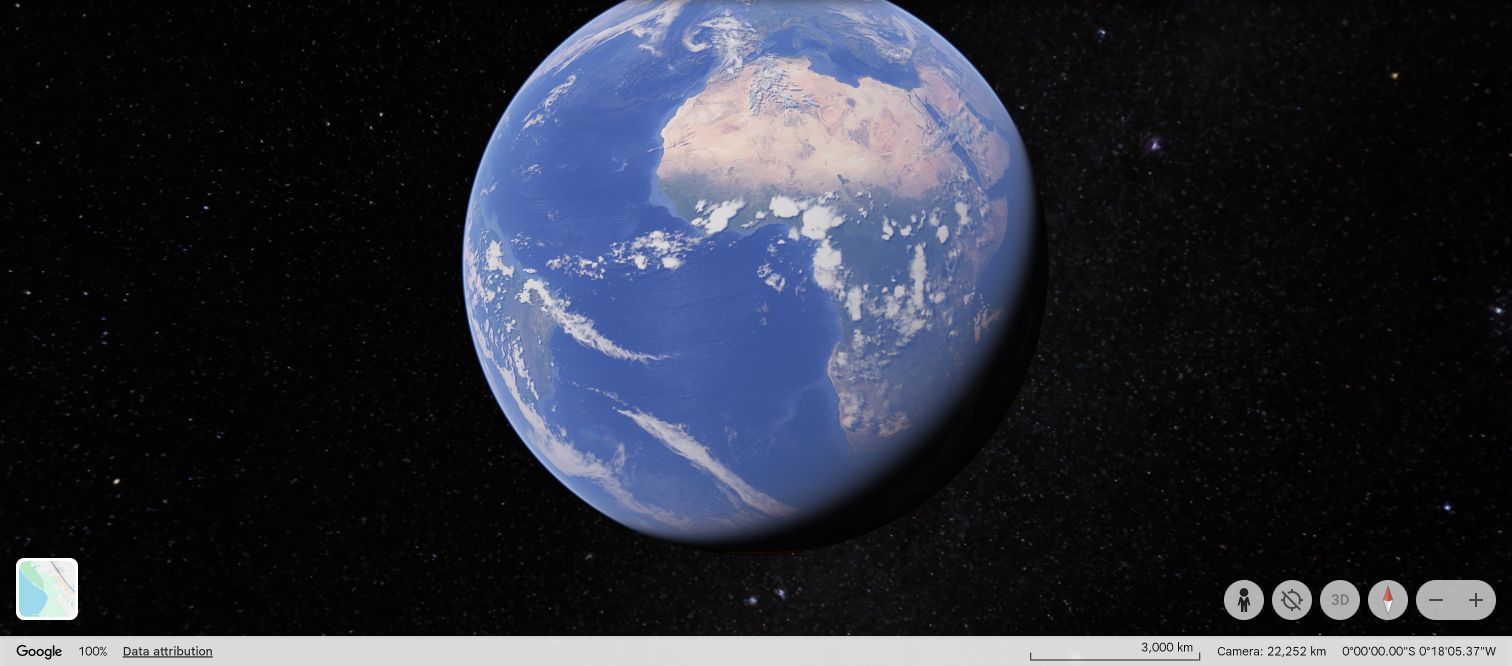
Google Earth opens around the globe itself, allowing geographic imagery to carry the experience instead of placing a promotional page in front of it. The reviewed view centers the visible Earth against a black background, with map attribution and a small cluster of navigation controls around its edges. The scale of the planet gives the interface an immediate focus, while the sparse chrome leaves room for exploration. Google's engineering account documents the web application's C++ engine moving to WebAssembly. This is historical implementation evidence for Earth on the web, paired with a current public globe capture, rather than a fresh performance benchmark.
What you can learn
When the content is navigable, make its controls secondary but discoverable. Keep orientation, attribution and recovery actions visible so an immersive canvas remains understandable after a visitor changes the view.
Pros
The globe establishes the purpose of the application without introductory prose.
Peripheral controls preserve a large, uninterrupted area for spatial exploration.
Cons & considerations
Unlabeled map icons require familiarity or further interaction to understand.
A still globe view cannot establish imagery completeness or navigation performance.
Platform source: Official project documentation or exact application explanation. Google documents the Earth web application's C++ engine migration to WebAssembly in historical engineering documentation. Historical Google engineering documentation supports the Earth web engine association; the current screenshot shows the public globe, not a new module fingerprint or speed measurement. Platform evidence is separate from the direct website screenshot and is not a complete current infrastructure audit.
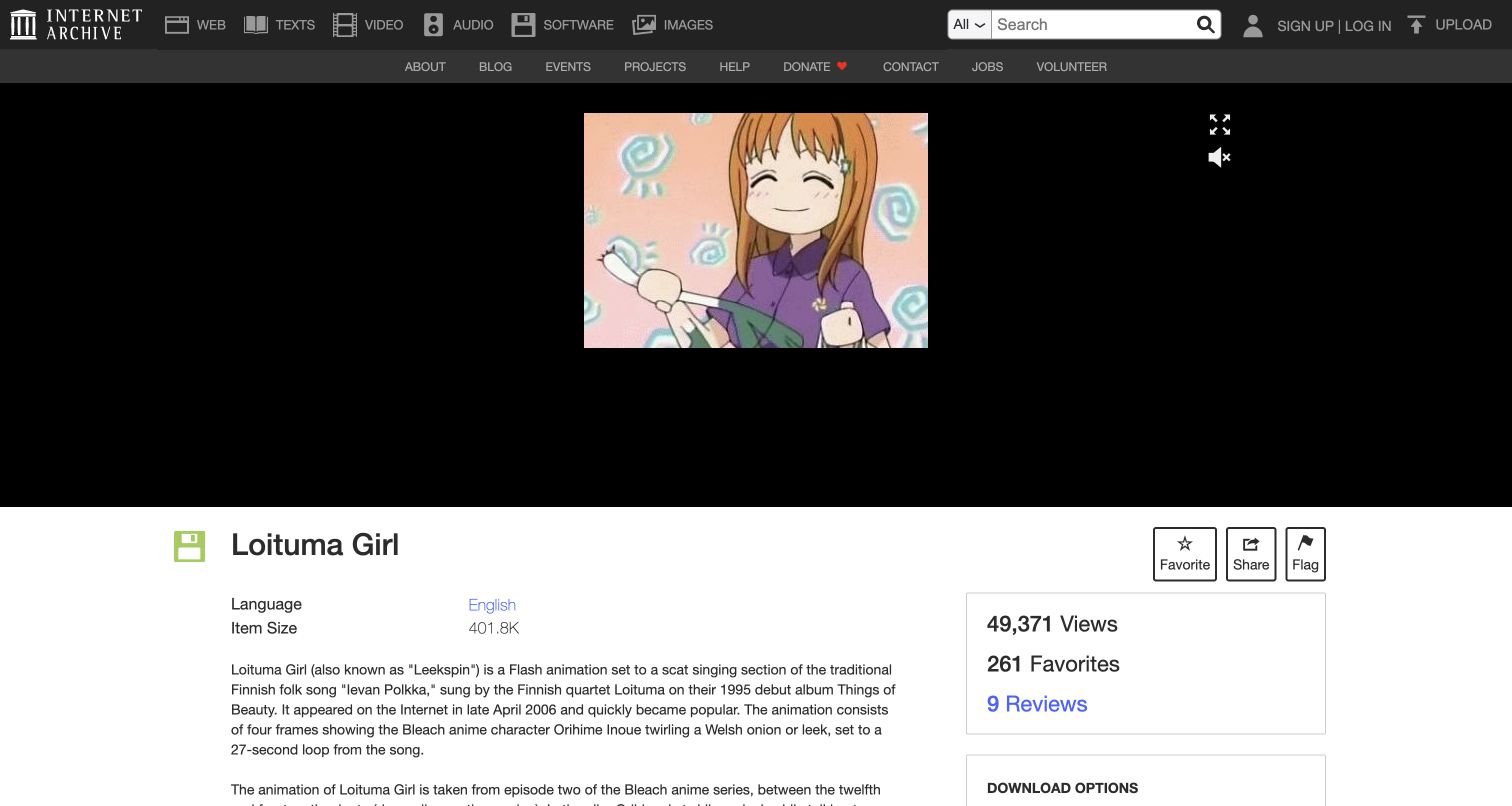
The Internet Archive's Loituma item brings an old Flash animation into an ordinary browser page. The actual animation was launched for review, with the Archive's surrounding identity and item context still visible. That combination matters: the player gives visitors the work, while the record explains what they are viewing and where it belongs. The Archive's official preservation announcement describes its use of Ruffle's WebAssembly emulator and identifies this work among its examples. The attribution is therefore specific to this preserved Flash item and its playback mechanism, rather than a claim that every Archive collection or service uses the same runtime.
What you can learn
Preserve context alongside execution. An embedded historical work becomes more useful when its title, provenance and descriptive page remain available, instead of sending visitors into an unexplained standalone player.
Pros
A working player makes the preserved animation directly accessible in the page.
The surrounding archive record supports discovery and interpretation of the work.
Cons & considerations
Legacy animation controls offer less consistency than modern media interfaces.
Successful playback of one item does not establish compatibility across the archive.
Platform source: Official project documentation or exact application explanation. Internet Archive documents its Ruffle WebAssembly Flash emulator and links the flash_loituma item as an example. The November 19, 2020 official post identifies Ruffle/Wasm preservation and the Loituma work. Current capture shows actual playback; no claim extends to other Archive items or infrastructure. Platform evidence is separate from the direct website screenshot and is not a complete current infrastructure audit.
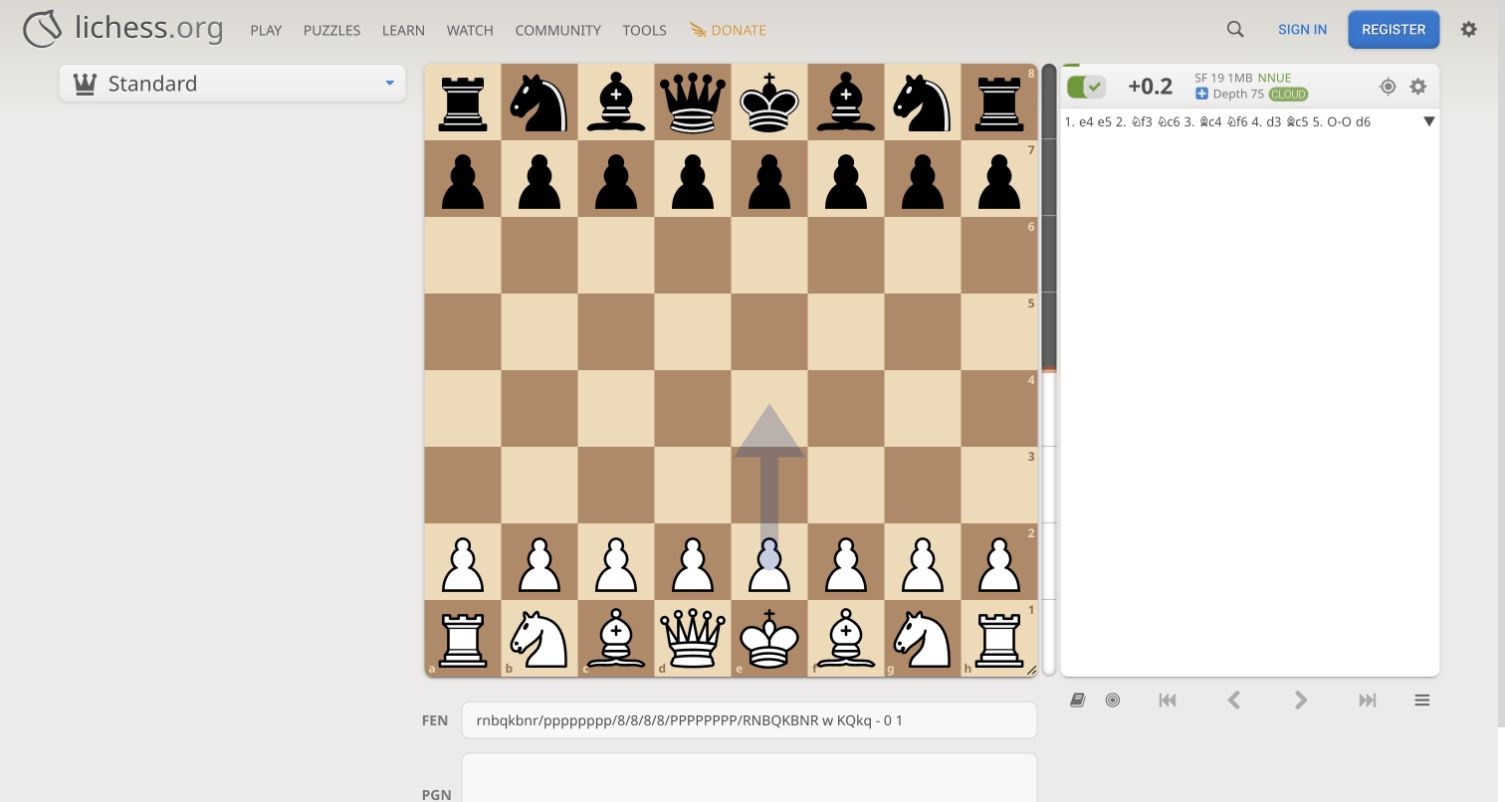
Lichess's public analysis page treats the chessboard as the main workspace, with move information and engine controls close enough to support repeated comparison. The clean board and familiar pieces make the initial position immediately readable. During review, enabling the analysis control revealed a Stockfish label and a cached cloud evaluation; that displayed value was not treated as proof of fresh local calculation. The separate primary evidence is Lichess's source listing and engineering documentation for its browser Stockfish implementation, including WebAssembly. The example is scoped to the public analysis application, where local engine capabilities and available cloud results can coexist.
What you can learn
Keep the subject, its history and the calculation controls together. When results may come from different execution paths, label their origin so an efficient interface does not imply a stronger computation claim than it can support.
Pros
The board retains visual priority while analysis information remains nearby.
A public starting position allows exploration without creating an account.
Cons & considerations
Chess notation and engine settings assume considerable domain knowledge.
The captured cloud evaluation is not a measurement of browser engine speed.
Platform source: Official project documentation or exact application explanation. Lichess identifies its browser Stockfish WebAssembly implementation; analysis interface is public without account creation. The source listing identifies Stockfish web as C++/Wasm/JavaScript. The captured displayed evaluation was explicitly marked CLOUD and is not proof of newly executed local analysis. Platform evidence is separate from the direct website screenshot and is not a complete current infrastructure audit.
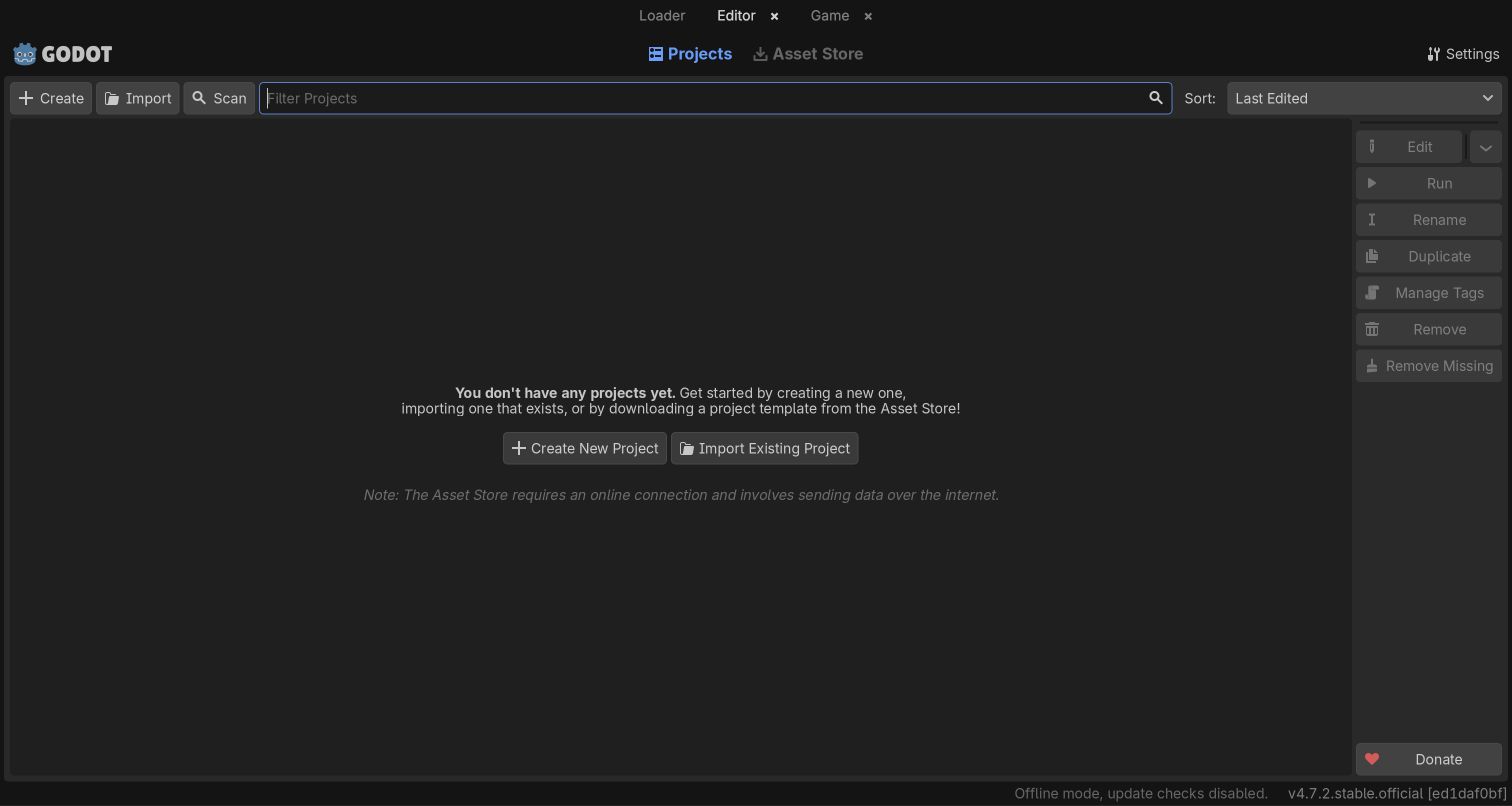
Godot's web editor reaches a recognizable project manager after its initial loading and informational notice. The reviewed state contains the application's real project controls and an empty project list, making the starting point clear without inventing a finished game. Its restrained dark interface feels like a tool rather than a landing page, and the available project actions explain the next stage of work. Godot's own documentation identifies the browser editor and its WebAssembly build. It also limits the intended use to learning and experimentation, so the browser edition should not be presented as an unrestricted replacement for a native production workflow.
What you can learn
An honest empty state can explain a complex application's entry points. Make the first useful action clear, and communicate platform limitations before users invest substantial effort in a project.
Pros
The loaded project manager exposes real application controls before account creation.
A familiar desktop structure helps existing Godot users recognize their starting point.
Cons & considerations
The empty project list offers little immediate visual demonstration of game creation.
The official browser-editor limitations remain relevant beyond this successful initial load.
Platform source: Official project documentation or exact application explanation. Official documentation identifies the web editor and WebAssembly build and describes its role in education and experimentation. Official browser-editor documentation and web-build instructions support the Wasm association. The actual loaded project manager was reviewed, not a completed game; official education/experimentation limitations remain. Platform evidence is separate from the direct website screenshot and is not a complete current infrastructure audit.
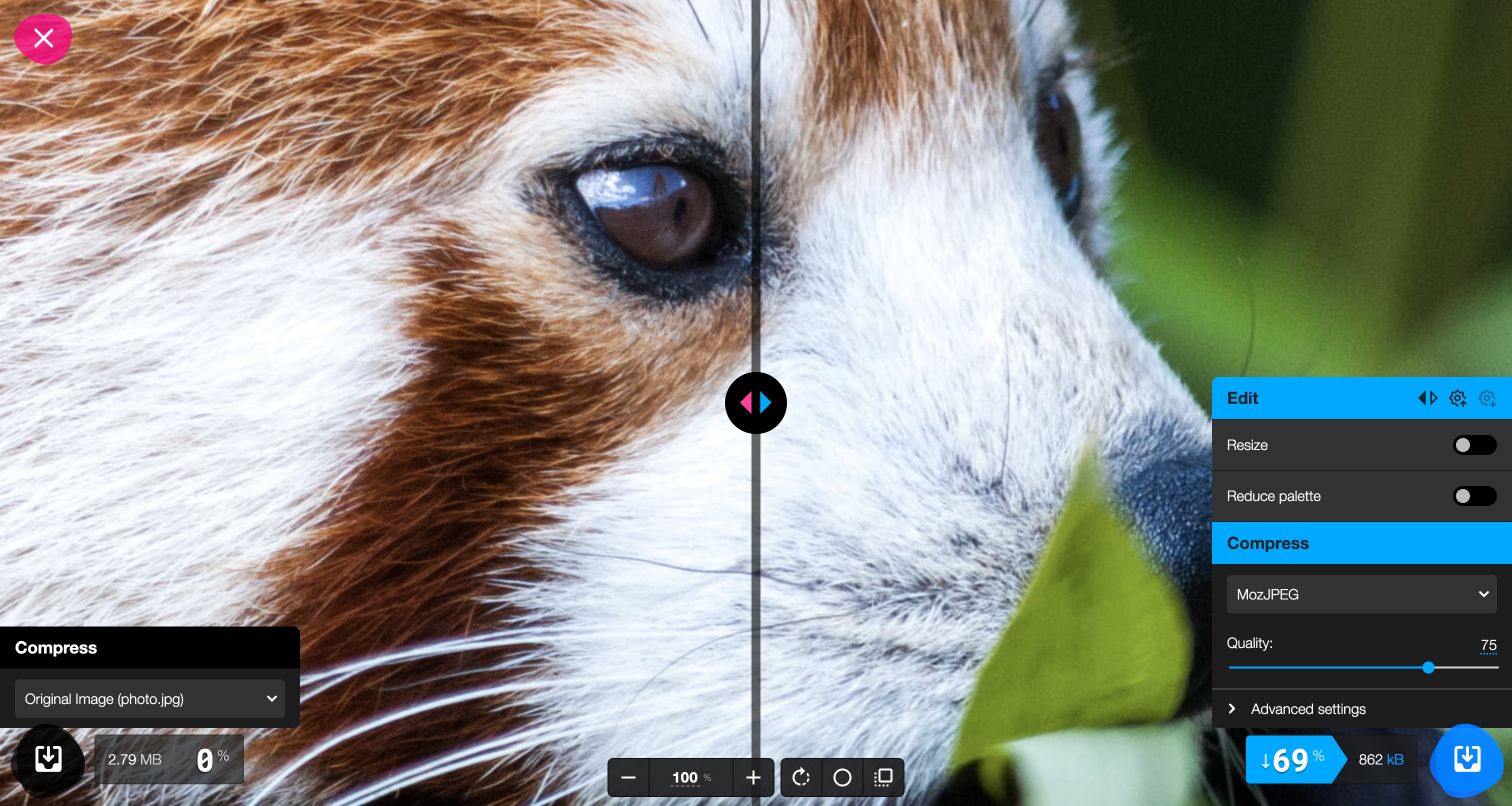
Squoosh puts the image at the center of a compact compression workspace. Its bundled red-panda photograph supplied a useful public example without requiring a personal upload. A comparison divider lets the visitor examine the original and processed versions, while the format, quality control and output size sit beside the image. The reviewed sample showed a smaller result using the selected settings, but that single case is not a general compression benchmark. The official project's repository links this application and distributes WebAssembly codec binaries. The relevant scope is browser image processing within Squoosh, rather than Google's broader product portfolio.
What you can learn
Let users evaluate a tradeoff in the same place they change it. Pair technical settings with a visible result and clear size information so the interface supports judgment rather than asking visitors to trust a preset.
Pros
A built-in photograph makes the core comparison available without file preparation.
The divider and output statistics connect visual quality with a concrete consequence.
Cons & considerations
Codec names and advanced controls can be unfamiliar to occasional users.
One sample and quality setting cannot predict results for every image type.
Platform source: Official project documentation or exact application explanation. Official Squoosh repository documents browser image compression and distributes codec WASM binaries; scope is the linked Squoosh application. The official application repository and codec binary identify browser image-processing components. The selected red-panda sample and visible output size are not a general codec benchmark. Platform evidence is separate from the direct website screenshot and is not a complete current infrastructure audit.
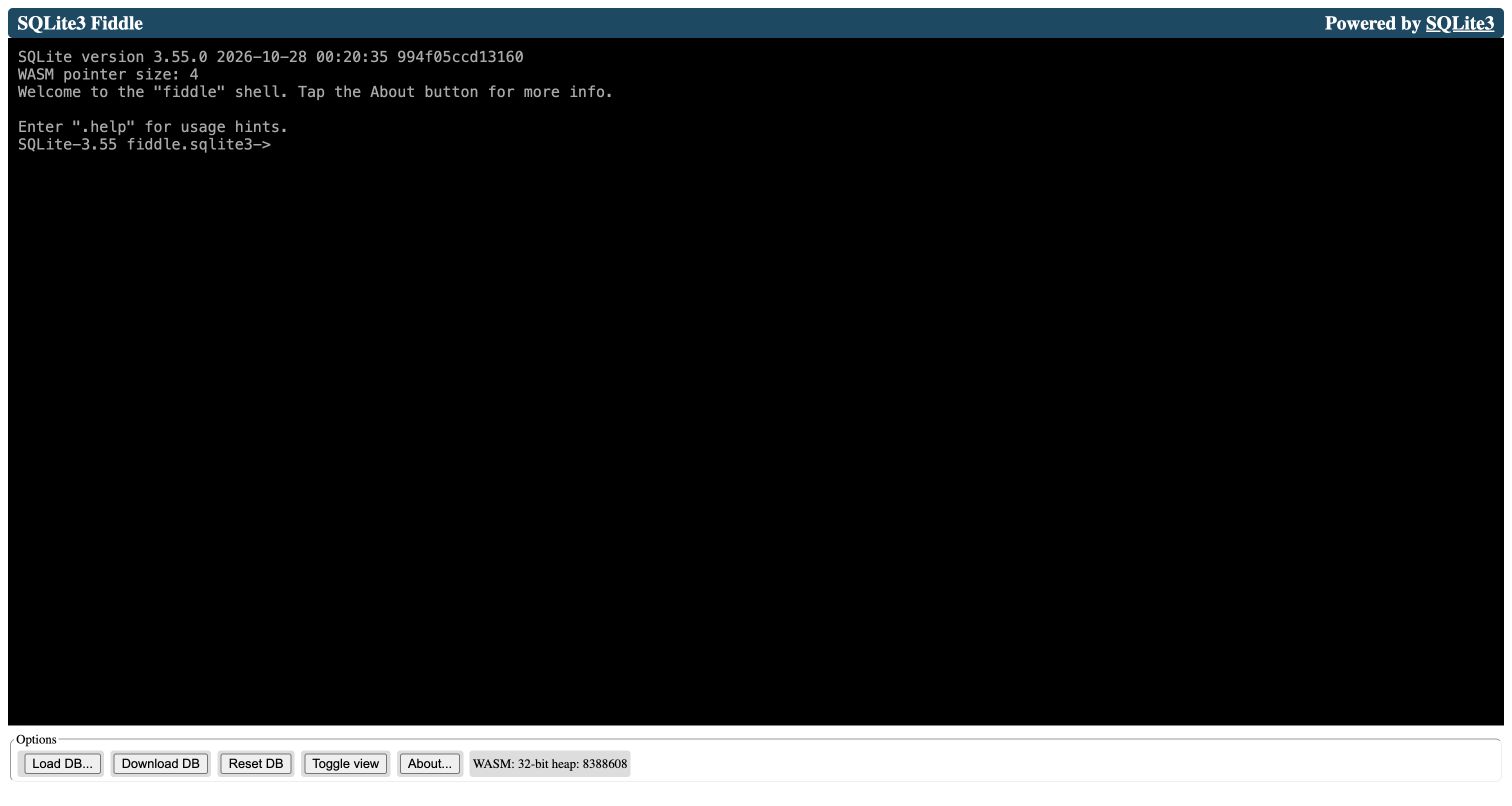
SQLite Fiddle emphasizes a terminal-like working surface rather than decorative onboarding. The loaded interface presents the SQLite shell, its version banner and browser-build details in a dark, compact environment. Those details make the runtime visible to a technical audience, while the surrounding controls provide routes for working with queries and data. The application's own About explanation identifies it as a JavaScript wrapper around a WebAssembly build of the SQLite command-line shell. No database was uploaded during this review. The captured initial state therefore demonstrates the actual browser tool and its available interface, without claiming a tested dataset or measured query performance.
What you can learn
A specialist tool can stay visually spare when its audience already understands the task. Use precise labels and an informative starting state to reduce uncertainty, while keeping data import and destructive actions distinguishable.
Pros
The shell exposes a recognizable SQL environment with little surrounding distraction.
Visible runtime information helps technical visitors understand the browser edition.
Cons & considerations
The terminal presentation gives newcomers limited guidance on their first query.
The review does not establish compatibility or speed for a real database workload.
Platform source: Official project documentation or exact application explanation. The exact public application's About panel documents a WebAssembly build of the SQLite CLI shell. Official project documentation supports the specifically named public application or component. Appearance alone is not runtime evidence; no company-wide, hidden-backend, performance or compatibility conclusion is made. Platform evidence is separate from the direct website screenshot and is not a complete current infrastructure audit.
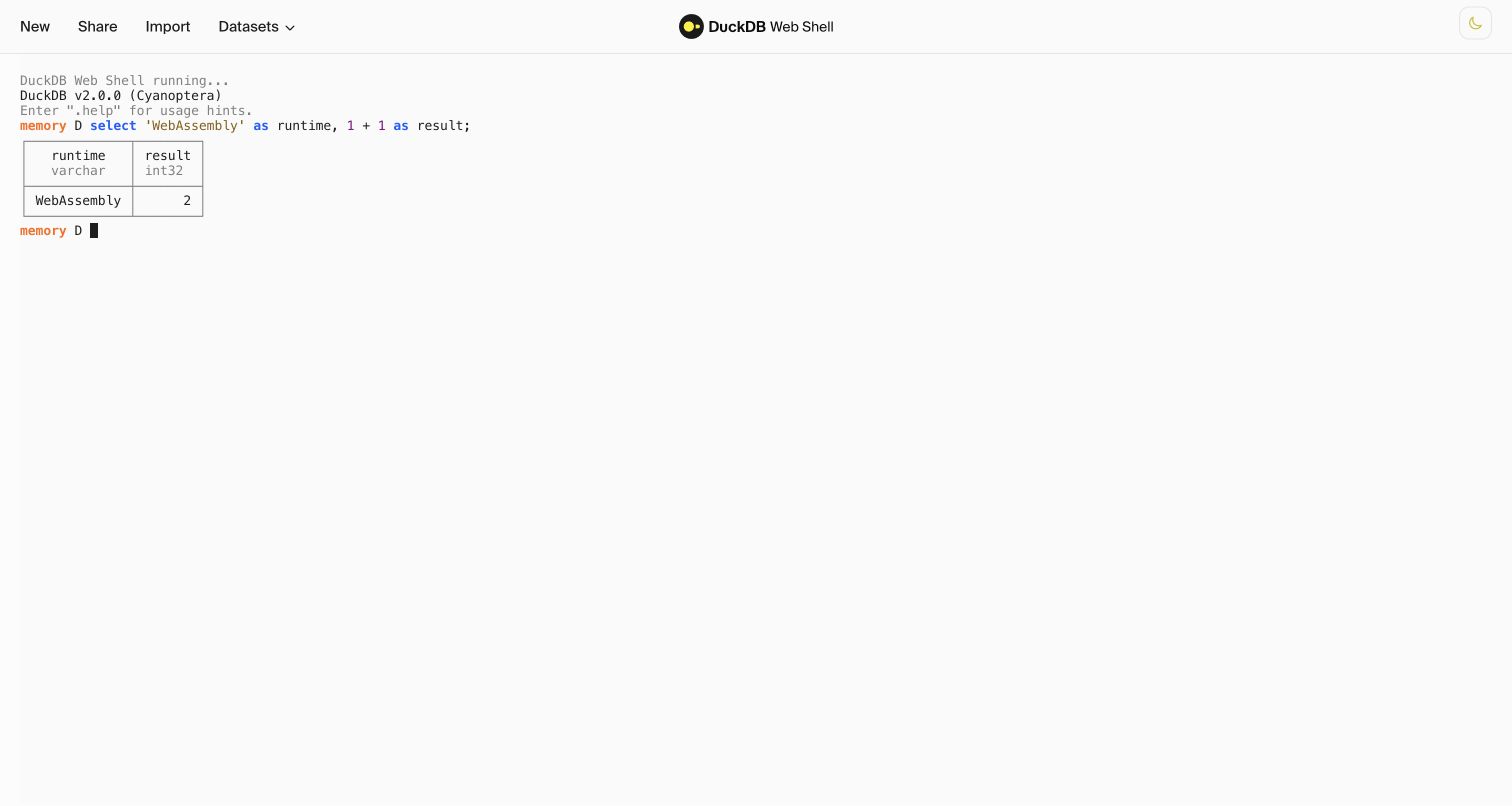
DuckDB's web shell offers a white terminal surface with the database prompt and result table sharing the same space. A harmless query selecting a text literal and a simple arithmetic expression returned two columns during review, demonstrating how little interface is required to make a SQL experiment understandable. The literal word WebAssembly in that result is sample content, not the technology evidence. The actual attribution comes from DuckDB's official browser-port announcement, which names this shell, and its Wasm documentation. This example concerns the public browser SQL application, with no claim about the hidden architecture of other DuckDB websites or services.
What you can learn
A small successful interaction can orient an expert faster than a large tutorial. Keep input and output close, and provide documentation for the limitations that a simple example cannot reveal.
Pros
The prompt and compact table make the query-to-result relationship easy to inspect.
A useful first interaction requires neither an account nor an uploaded dataset.
Cons & considerations
The console assumes the visitor can already express a question in SQL.
The trivial reviewed query says nothing about large-data memory or execution costs.
Platform source: Official project documentation or exact application explanation. Official DuckDB article identifies shell.duckdb.org as its WebAssembly browser SQL engine. Official project documentation supports the specifically named public application or component. Appearance alone is not runtime evidence; no company-wide, hidden-backend, performance or compatibility conclusion is made. Platform evidence is separate from the direct website screenshot and is not a complete current infrastructure audit.
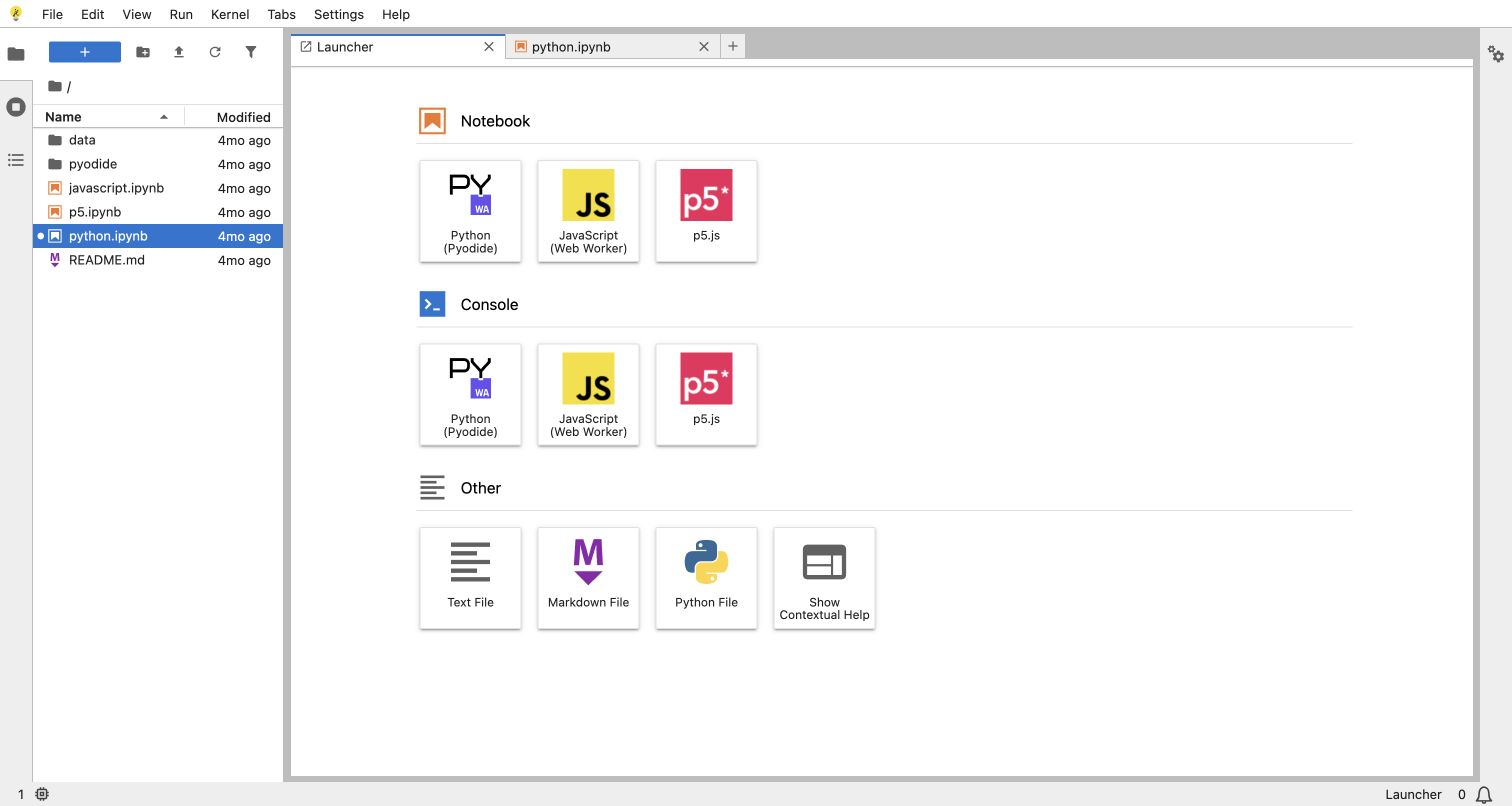
The JupyterLite demo retains the familiar relationship between a file browser, document tabs and a launcher. Python, JavaScript and p5 options appear as distinct starting points, so the application introduces several workflows without reducing them to a single unexplained Run button. The captured launcher is the working public deployment; a bundled notebook was also inspected without executing or editing its cells. JupyterLite's documentation identifies this demo and explains its Python kernels running through WebAssembly. That qualification matters because the visible environment offers multiple kernels, and the evidence does not make every Jupyter installation or every language option a Wasm application.
What you can learn
Reuse an established workspace vocabulary when it helps people transfer existing skills. Make the available execution choices explicit, and keep example documents close to the launcher so exploration has a clear starting point.
Pros
The launcher groups notebook and console choices into recognizable visual cards.
File navigation and document tabs make the environment feel coherent after opening content.
Cons & considerations
Multiple kernels can obscure which capabilities or packages each option supports.
The reviewed notebook contained a missing image, so the clean launcher was captured.
Visible tech stack
Referenced on the public page
GitHub Pages
Earlier / documented evidence
WebAssembly
Platform source: Official project documentation or exact application explanation. Official documentation names the demo deployment and documents Python kernels running through WebAssembly. Does not imply every Jupyter installation uses Wasm. The exact demo deployment is identified by official documentation. Wasm attribution applies to its documented Python kernels, not every kernel or every Jupyter installation. Platform evidence is separate from the direct website screenshot and is not a complete current infrastructure audit.
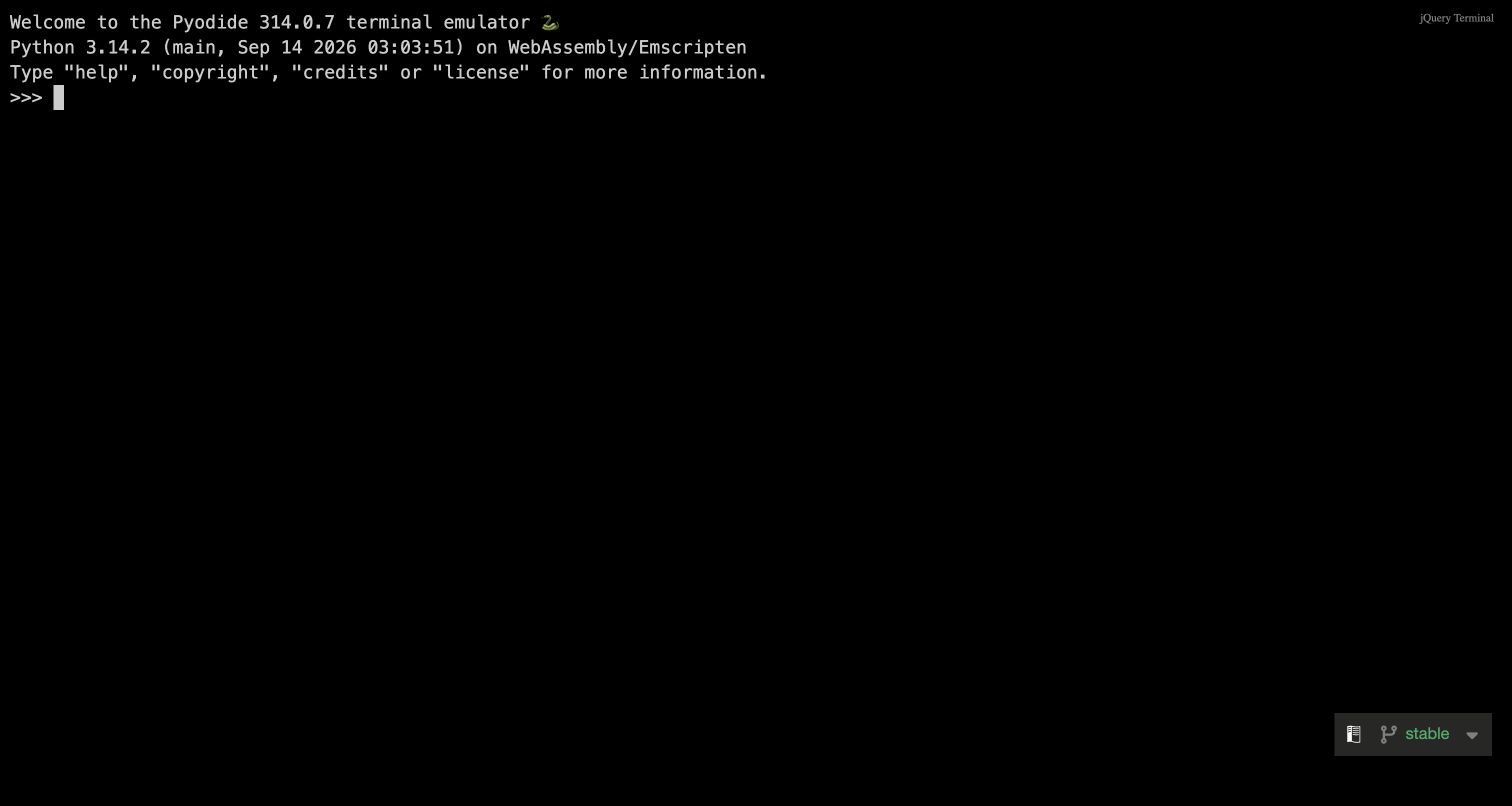
Pyodide's public console gives nearly the entire page to a black terminal and a short initialization banner. The loaded banner names Python and the WebAssembly/Emscripten environment, followed by a prompt ready for interaction. That directness suits visitors who already know what a Python console is and want to explore the browser port. The official Pyodide site describes CPython compiled to WebAssembly and links the live console, providing an explicit connection between the runtime and this exact property. No code or local files were supplied during review, so the example concerns the initialized console rather than any claimed package compatibility or completed computation.
What you can learn
Expose technical context where it helps the intended audience act. A concise version banner and an unmistakable prompt can be sufficient onboarding, provided deeper documentation is available for capabilities that the opening screen cannot explain.
Pros
The uncluttered terminal makes the primary interaction immediately recognizable to Python users.
The runtime banner gives useful context without requiring a separate product tour.
Cons & considerations
The opening screen offers little help for visitors unfamiliar with interactive Python.
Successful initialization does not establish support for an arbitrary native Python package.
Platform source: Official project documentation or exact application explanation. Official Pyodide site describes CPython compiled to WebAssembly and links its live REPL. Official project documentation supports the specifically named public application or component. Appearance alone is not runtime evidence; no company-wide, hidden-backend, performance or compatibility conclusion is made. Platform evidence is separate from the direct website screenshot and is not a complete current infrastructure audit.
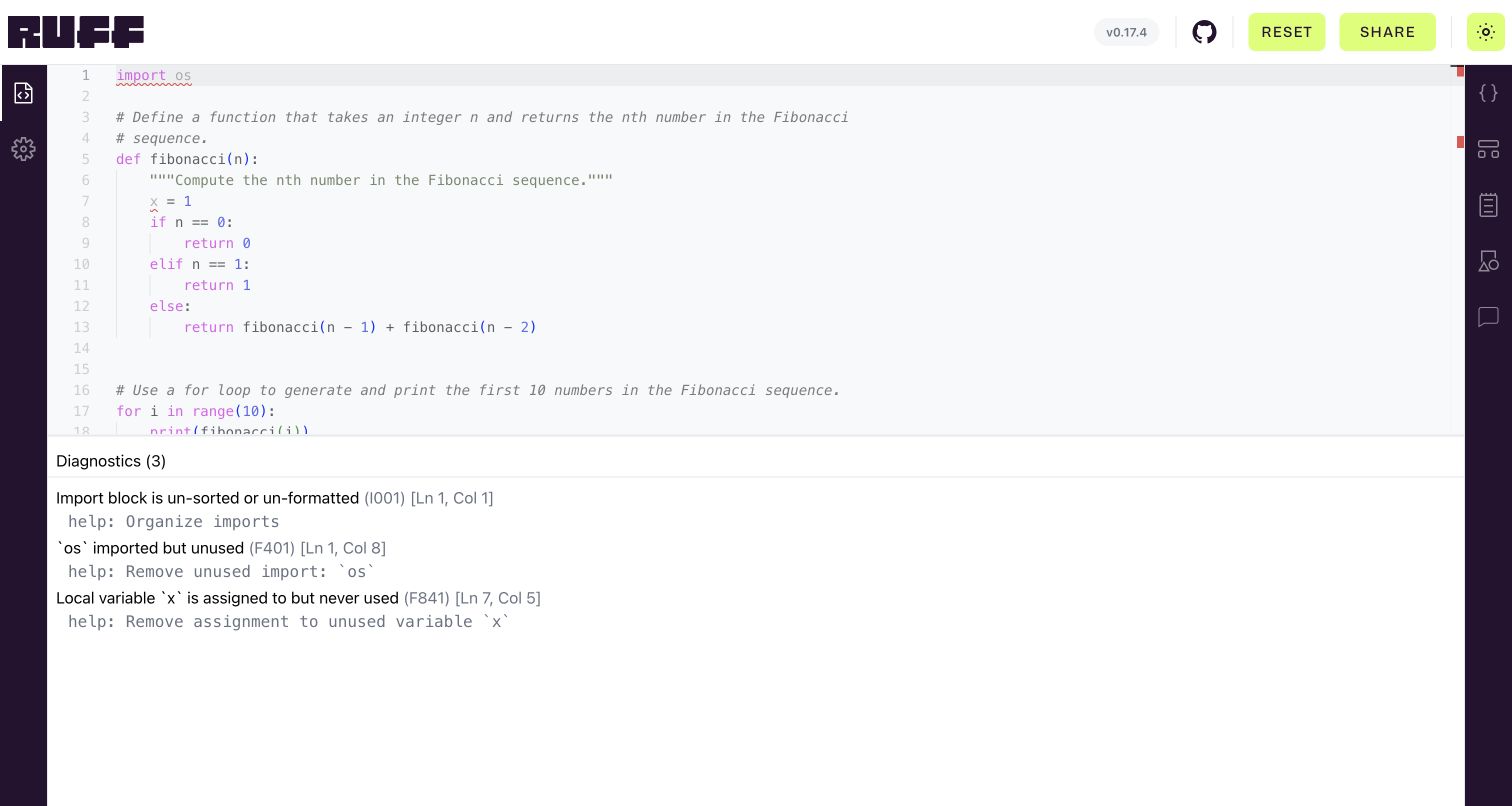
Ruff's playground opens with a short Fibonacci example and three visible diagnostics. The code occupies the upper workspace, while the lower panel names each issue, its rule identifier and its location. Suggested remedies appear directly beneath the corresponding message, connecting a technical rule with a practical next step. The strong purple rails and bright header buttons give the otherwise restrained editor a recognizable identity. Astral's contribution documentation explicitly identifies the ruff_wasm crate as the module powering this playground. The default example was reviewed without editing or sharing, keeping the screenshot a record of the application's supplied teaching material.
What you can learn
Choose a default example that reveals useful behavior immediately. Pair each diagnostic with a location and a remedy, and reserve deeper views such as syntax trees for visitors who need to inspect the tool's internals.
Pros
The supplied example produces meaningful diagnostics before the visitor types anything.
Rule codes, line references and suggested fixes support precise technical exploration.
Cons & considerations
Icon-only side controls require exploration to reveal less common editor views.
The initial diagnostic list covers only a small part of Ruff's rule set.
Platform source: Official project documentation or exact application explanation. Official development documentation explicitly identifies ruff_wasm as the WebAssembly module powering the Ruff Playground. Official project documentation supports the specifically named public application or component. Appearance alone is not runtime evidence; no company-wide, hidden-backend, performance or compatibility conclusion is made. Platform evidence is separate from the direct website screenshot and is not a complete current infrastructure audit.
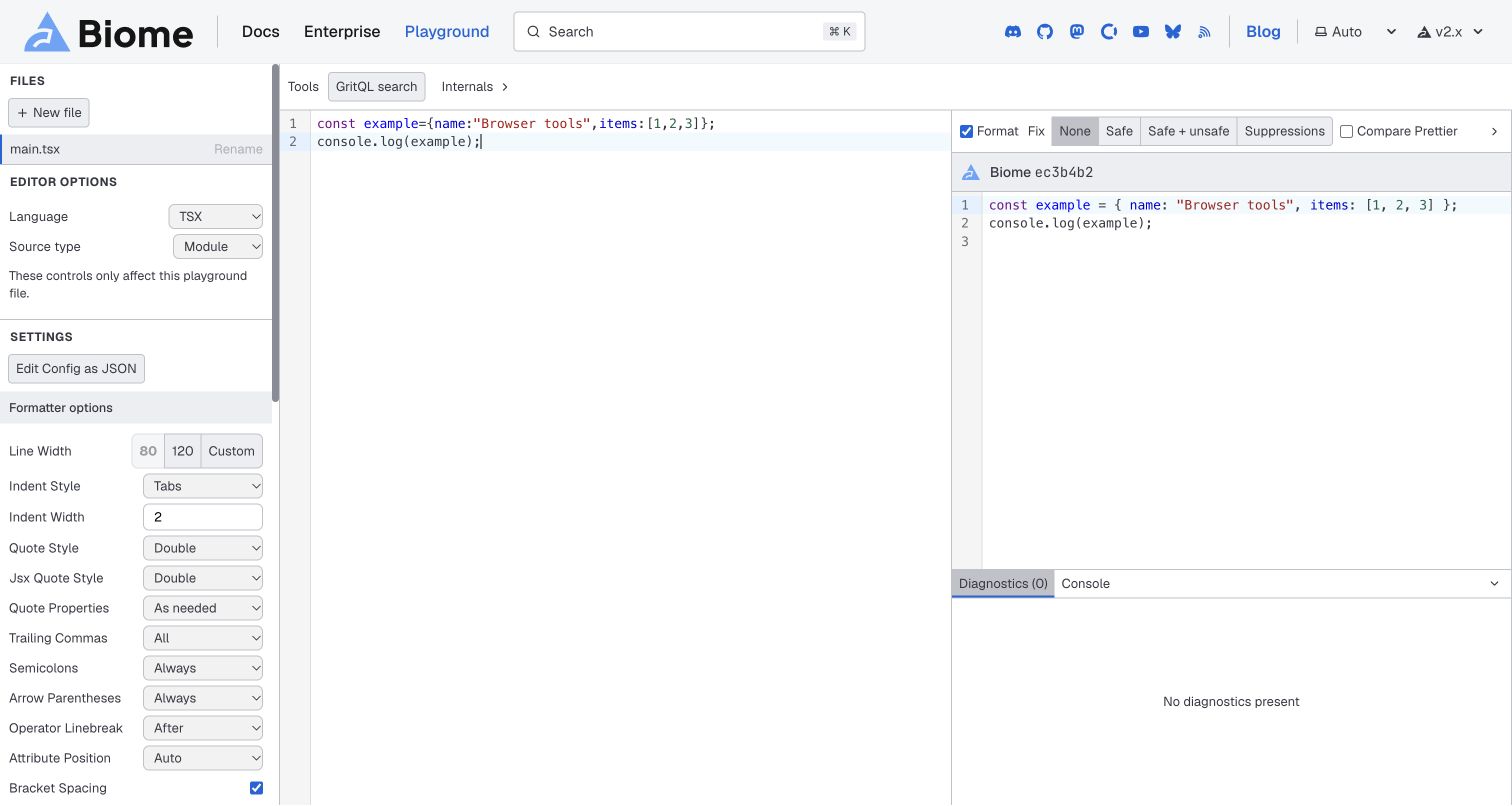
Biome's playground divides the page into a settings sidebar, a source editor and a formatted output panel. A short original example made the spacing changes visible while keeping the content easy to inspect. Language selection, indentation, quote style and other controls remain close to the resulting code, and a diagnostics area reserves space for problems without interrupting the comparison. The official Biome changelog explicitly refers to WebAssembly builds including this playground. Its broad automated audit was robots-excluded and is retained as such; the positive technology association comes from that primary documentation, not an invented successful scan or the editor's appearance.
What you can learn
Keep a configuration option near the consequence it changes. A compact comparison gives technical users a reason to explore settings, while grouped controls prevent the interface from becoming an undifferentiated list.
Pros
Source and formatted output make small syntax changes easy to compare.
The sidebar groups language and formatting options around the active file.
Cons & considerations
The many controls create a substantial learning burden on the first visit.
The blank initial editor requires an example before the transformation becomes apparent.
Visible tech stack
Earlier / documented evidence
WebAssembly
Platform source: Official project documentation or exact application explanation. Official Biome changelog explicitly describes WebAssembly builds including its playground. Primary changelog explicitly includes the playground among Wasm builds. The broad automated audit was robots-excluded, preserved without a bypass or invented successful scan. Platform evidence is separate from the direct website screenshot and is not a complete current infrastructure audit.
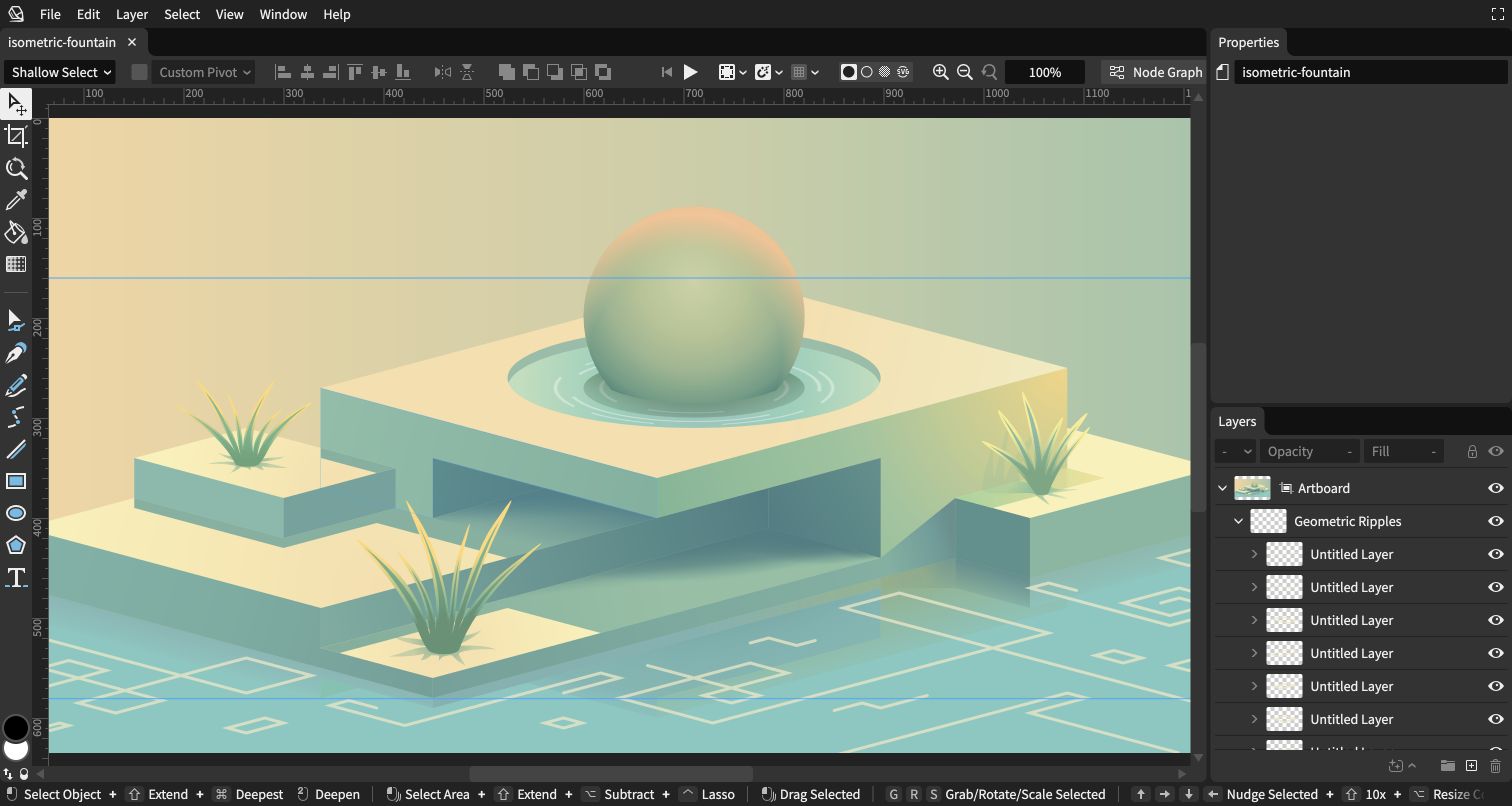
Graphite's browser editor provides a useful route from an empty workspace to a supplied piece of artwork. Opening Isometric Fountain revealed a detailed colored illustration, a vertical tool rail, canvas rulers and a populated layer panel. The interface explains its creative purpose through the work itself, while the layer structure suggests how that result is assembled. Graphite's official architecture guide describes its Rust editor logic compiled to WebAssembly, and the project homepage links this exact editor. The screenshot shows a real bundled document in the application, with no personal file upload or export and no claim that every tool was exercised.
What you can learn
A good example document can teach both the output and the structure of a creative product. Make it easy to open, then preserve enough workspace context for visitors to understand how the result could be changed.
Pros
The public artwork makes the editor's purpose concrete before a visitor creates anything.
Canvas and layers remain visible together, linking visual output with document structure.
Cons & considerations
The dense toolbar and many unnamed layers can overwhelm a first-time visitor.
The large artwork extends beyond the viewport at the captured zoom level.
Platform source: Official project documentation or exact application explanation. Official Graphite architecture describes Rust editor logic compiled to WebAssembly and the homepage links this exact browser editor. Official project documentation supports the specifically named public application or component. Appearance alone is not runtime evidence; no company-wide, hidden-backend, performance or compatibility conclusion is made. Platform evidence is separate from the direct website screenshot and is not a complete current infrastructure audit.
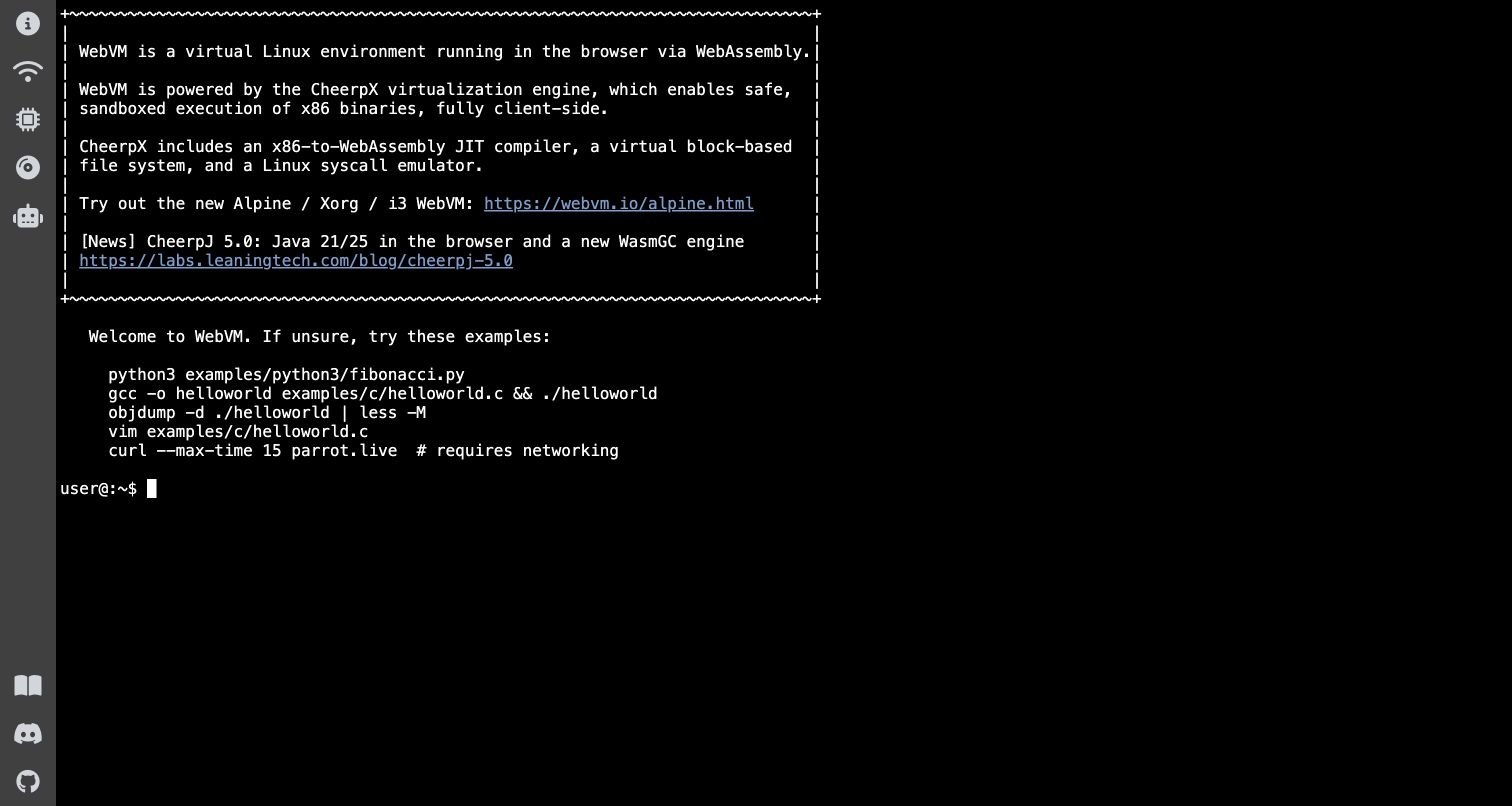
WebVM opens with a terminal welcome message and a ready user prompt. The text explains the virtual Linux environment, names CheerpX and describes its x86-to-WebAssembly mechanism before listing example commands. A narrow icon rail keeps supporting destinations outside the main terminal area. This is unusually explicit onboarding for a runtime demonstration: the application explains both what the visitor can try and why a Linux prompt is appearing inside a web page. The exact public site supplies the primary Wasm attribution. No commands, network connection setup, local file transfers or account actions were performed during the review.
What you can learn
Bridge a surprising capability with a familiar interaction model and a concise explanation. Example commands should make the first step approachable, while optional networking and file operations remain distinct from simply opening the tool.
Pros
The welcome message connects the terminal to a clear browser-runtime explanation.
A ready prompt and example commands establish an immediate route into exploration.
Cons & considerations
The interface assumes command-line knowledge and offers little graphical guidance.
Visible network examples require separate setup and were not exercised in this review.
Platform source: Official project documentation or exact application explanation. Exact public app identifies a Linux environment running in the browser through WebAssembly and CheerpX. Official project documentation supports the specifically named public application or component. Appearance alone is not runtime evidence; no company-wide, hidden-backend, performance or compatibility conclusion is made. Platform evidence is separate from the direct website screenshot and is not a complete current infrastructure audit.
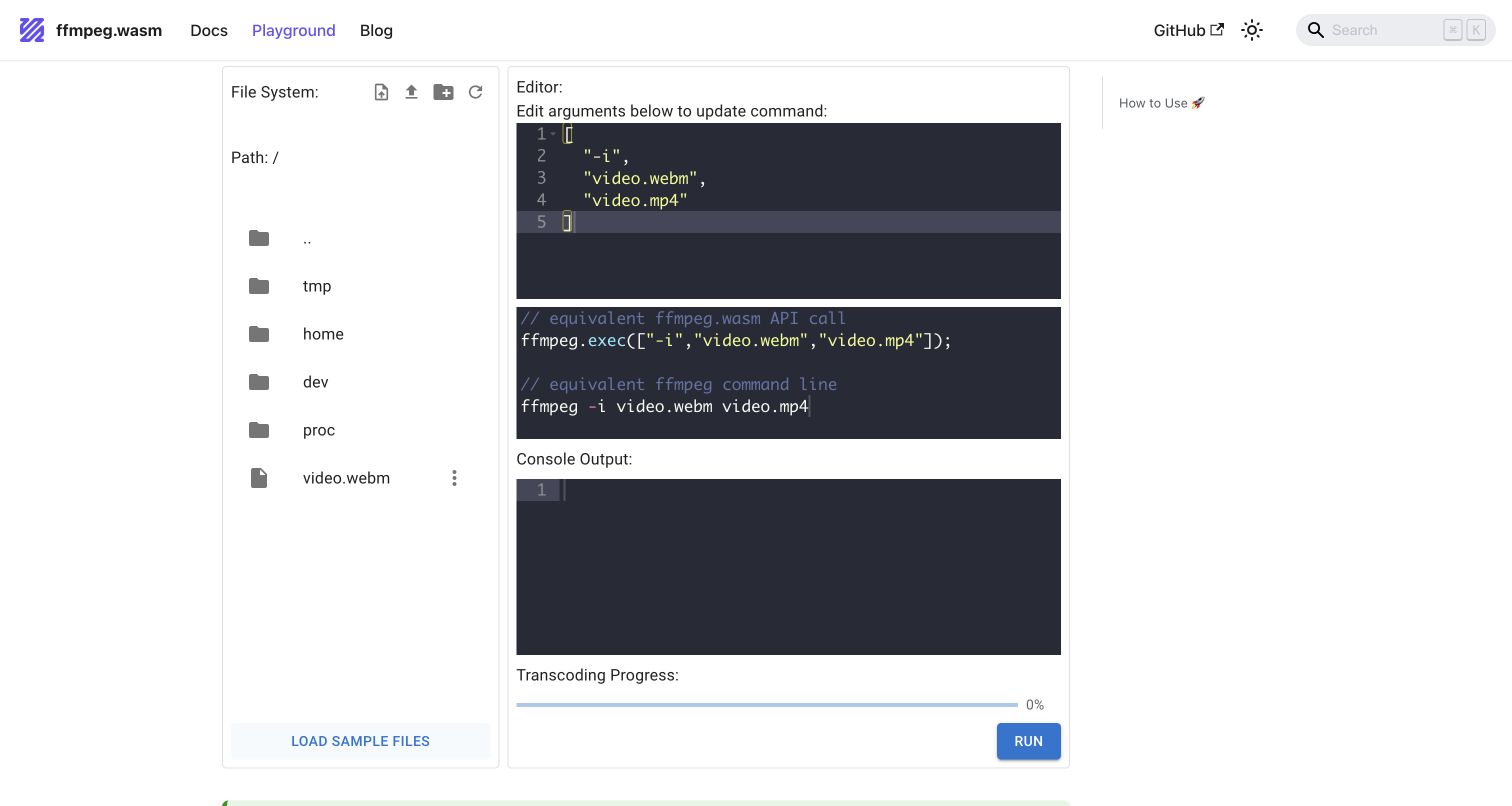
The ffmpeg.wasm playground turns a command-line media tool into a series of visible browser steps. After the assets loaded, the page displayed an in-memory file browser, argument editor, equivalent API and shell syntax, output console and progress indicator. A supplied video.webm sample was loaded for the capture without uploading a personal file. The project's own page explicitly describes its JavaScript and WebAssembly assets, tying the technology evidence to this exact playground. Conversion was not run during review, so the screenshot illustrates the prepared workflow rather than a completed transcode, successful output file or measured processing speed.
What you can learn
Expose the stages of a technical process without hiding their relationship. Showing inputs, arguments and feedback together helps a visitor understand what will happen before they start a potentially expensive operation.
Pros
The sample-file option lets visitors inspect the workflow without supplying media.
Equivalent command and API syntax connect the demonstration with developer implementation.
Cons & considerations
The initial asset download introduces a noticeable preparation stage before use.
The controls and lengthy explanatory page require scrolling to understand the complete flow.
Platform source: Official project documentation or exact application explanation. Official playground directly documents loading WebAssembly assets and running the FFmpeg browser port. The exact official playground describes downloading Wasm assets. Its sample file was loaded; no completed transcode, performance result or personal-file test is claimed. Platform evidence is separate from the direct website screenshot and is not a complete current infrastructure audit.
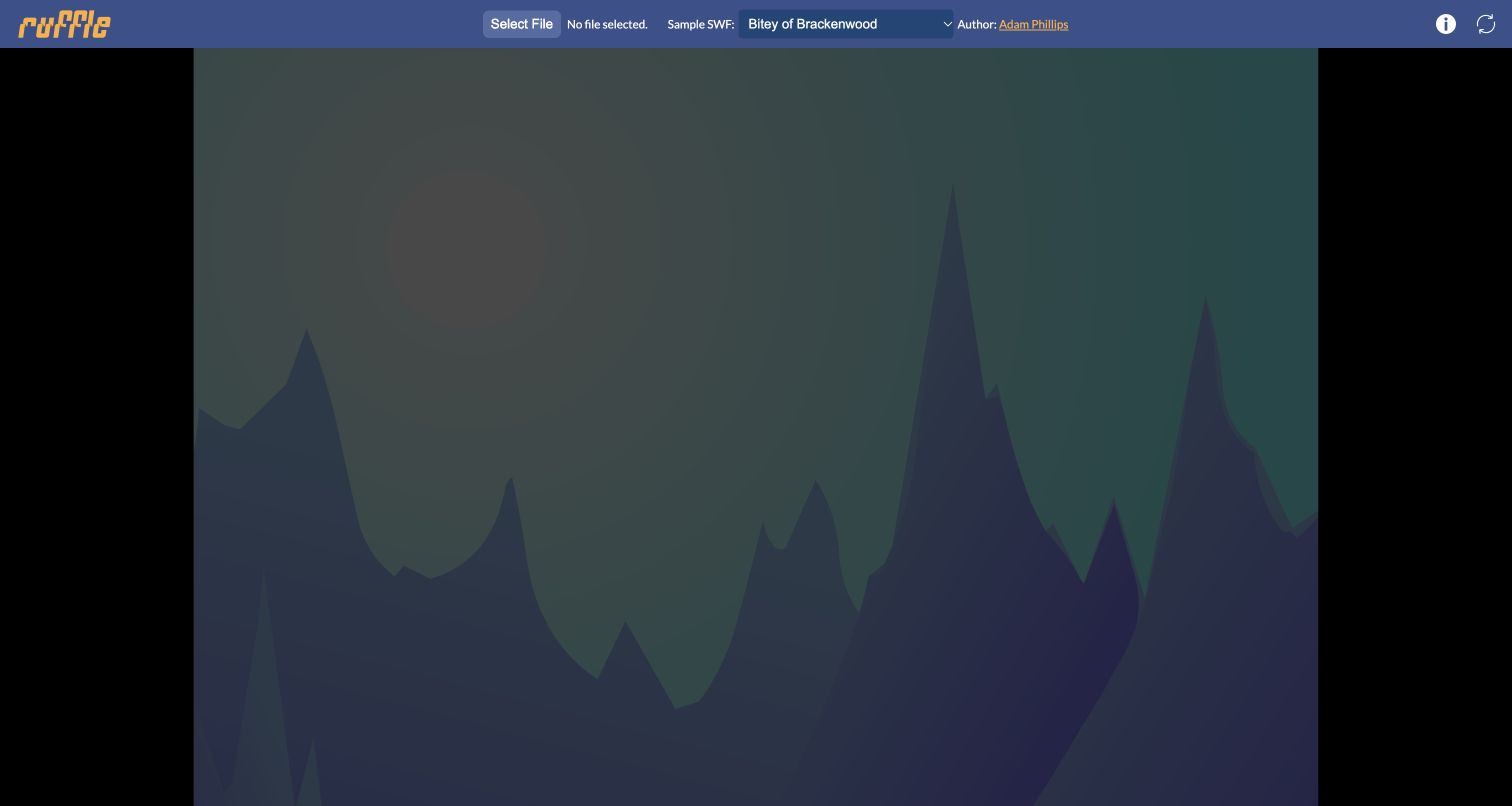
Ruffle's public player places a short control bar above a large media area. A sample selector and visible author credit make it possible to explore preserved work without searching for a file first. The supplied Bitey of Brackenwood animation was selected and played; the capture records a rendered landscape scene beneath the player controls. Ruffle's official project site describes its browser WebAssembly target and links this public demonstration. This is a different public property from the Internet Archive example: here the emphasis is the emulator's own sample player, rather than a historical item embedded in an archival record.
What you can learn
Keep a compatibility demonstration close to representative content. A small sample library reduces setup work, while visible attribution preserves the identity of the work rather than presenting it as anonymous test material.
Pros
Built-in animations and games make exploration possible without personal uploads.
The restrained toolbar leaves most of the viewport available for the original work.
Cons & considerations
Controls inside older animations do not share a consistent modern interaction vocabulary.
A successful sample does not prove complete compatibility with all Flash content.
Platform source: Official project documentation or exact application explanation. The official Ruffle project identifies its browser WebAssembly target and links the public player. Ruffle’s official site describes the browser Wasm target and links this demo player. The reviewed bundled work played; compatibility with all Flash content is not inferred. Platform evidence is separate from the direct website screenshot and is not a complete current infrastructure audit.
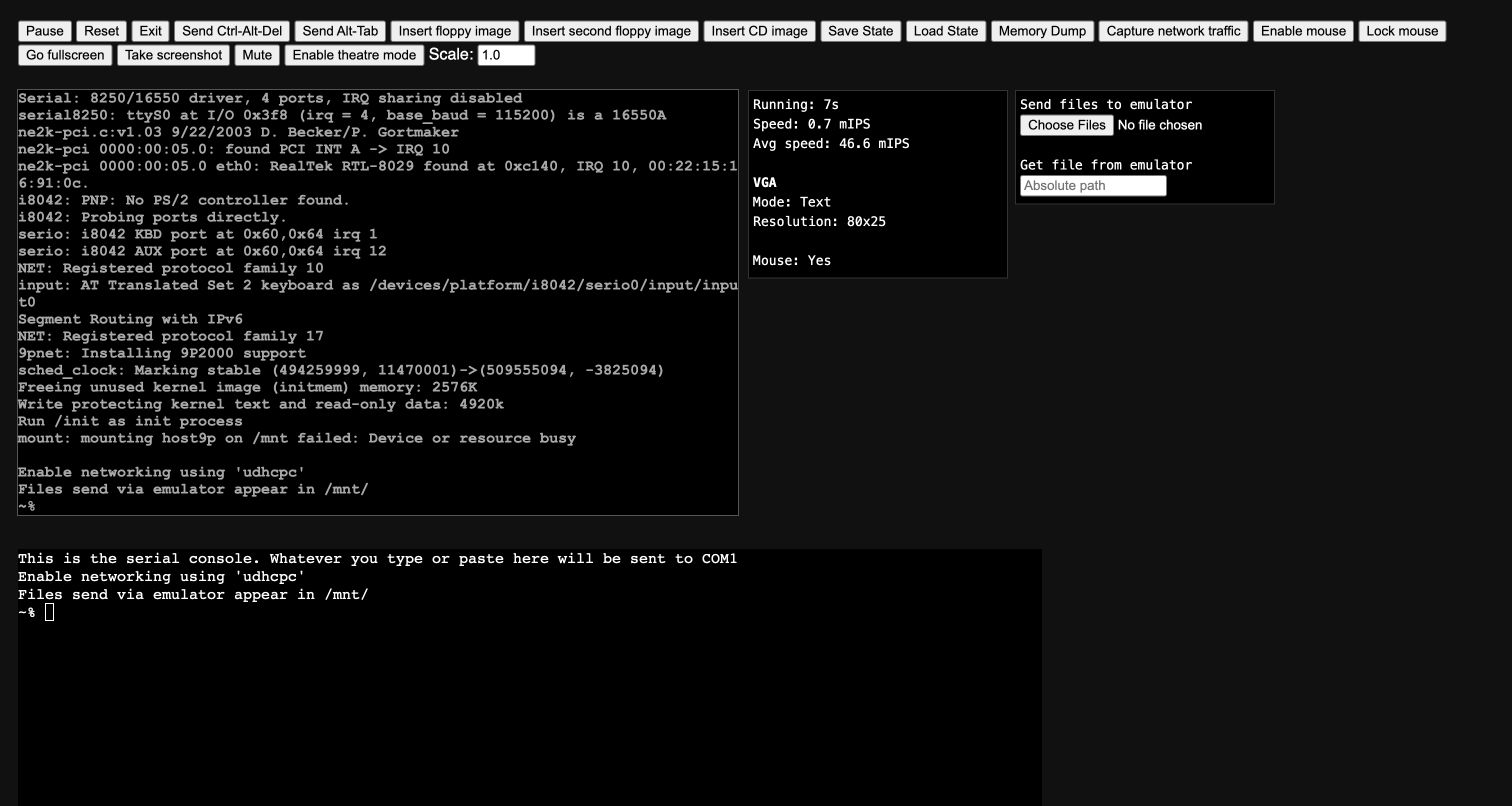
v86 begins with a dense catalog of operating-system profiles, organized by characteristics such as family, interface, architecture and size. Selecting the supplied Buildroot Linux profile opened a running console with emulator controls, runtime statistics and a separate serial terminal. The captured system reached its prompt without an uploaded disk image or any command entry. The project's official repository links this browser deployment and describes translating x86 machine code to WebAssembly at runtime. The example therefore documents the v86 emulator and its provided public profile, rather than claiming that the guest operating system was originally written for the web.
What you can learn
Expose the boundary between host controls and the environment being demonstrated. Clear pause, reset and input controls help visitors understand where they are working, especially when a complete computer interface appears inside another application.
Pros
The profile catalog communicates useful differences before a system is launched.
Visible runtime controls and consoles make the emulator's current state inspectable.
Cons & considerations
The large control strip is visually dense and assumes technical familiarity.
The supplied boot log includes warnings that require context from experienced users.
Visible tech stack
Earlier / documented evidence
WebAssembly
Platform source: Official project documentation or exact application explanation. Official repository links copy.sh/v86 and describes x86 machine code translated to WebAssembly at runtime. The repository documents x86-to-WebAssembly translation in this emulator. The guest Buildroot Linux profile is not itself claimed to have been authored for WebAssembly. Platform evidence is separate from the direct website screenshot and is not a complete current infrastructure audit.
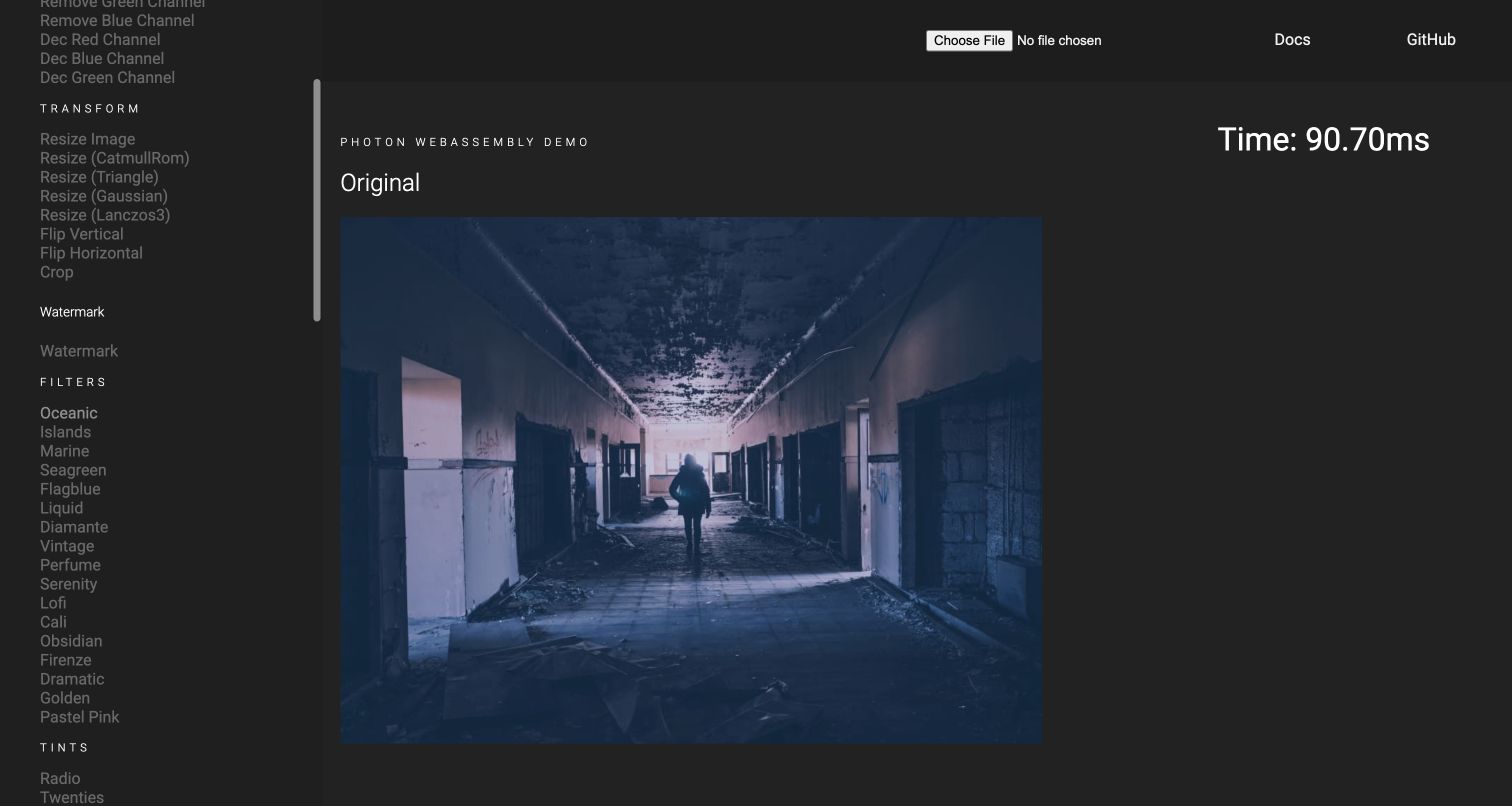
Photon's public demo presents a bundled photograph beside a categorized list of image operations. Channels, transforms, filters and other groups expose the library's breadth without requiring a visitor to write code first. Applying Oceanic changed the displayed corridor photograph and produced a single-run time readout. That number describes this interaction only, so it should not become a general performance claim. The official Photon site and published crate README identify this exact demonstration of its WebAssembly image-processing library. No personal image was uploaded, and the review concerns the provided canvas interaction rather than a tested production editing workflow.
What you can learn
Group a large capability set around the kinds of changes people recognize. A built-in image lets visitors connect each operation with a visible result, while timing information should be framed carefully rather than presented as universal proof.
Pros
A supplied photograph makes the transformation controls immediately available for exploration.
Categorized operations reveal more of the library than a single promotional effect would.
Cons & considerations
The long, subdued menu demands scrolling and makes individual operations less prominent.
The result remains under an Original heading, which can make the changed state ambiguous.
Platform source: Official project documentation or exact application explanation. Official Photon site and published README link this exact demo of its WebAssembly image-processing library. Official project and crate README identify this exact Wasm demo. A visible timing readout is one sample interaction and not a generalized benchmark. Platform evidence is separate from the direct website screenshot and is not a complete current infrastructure audit.
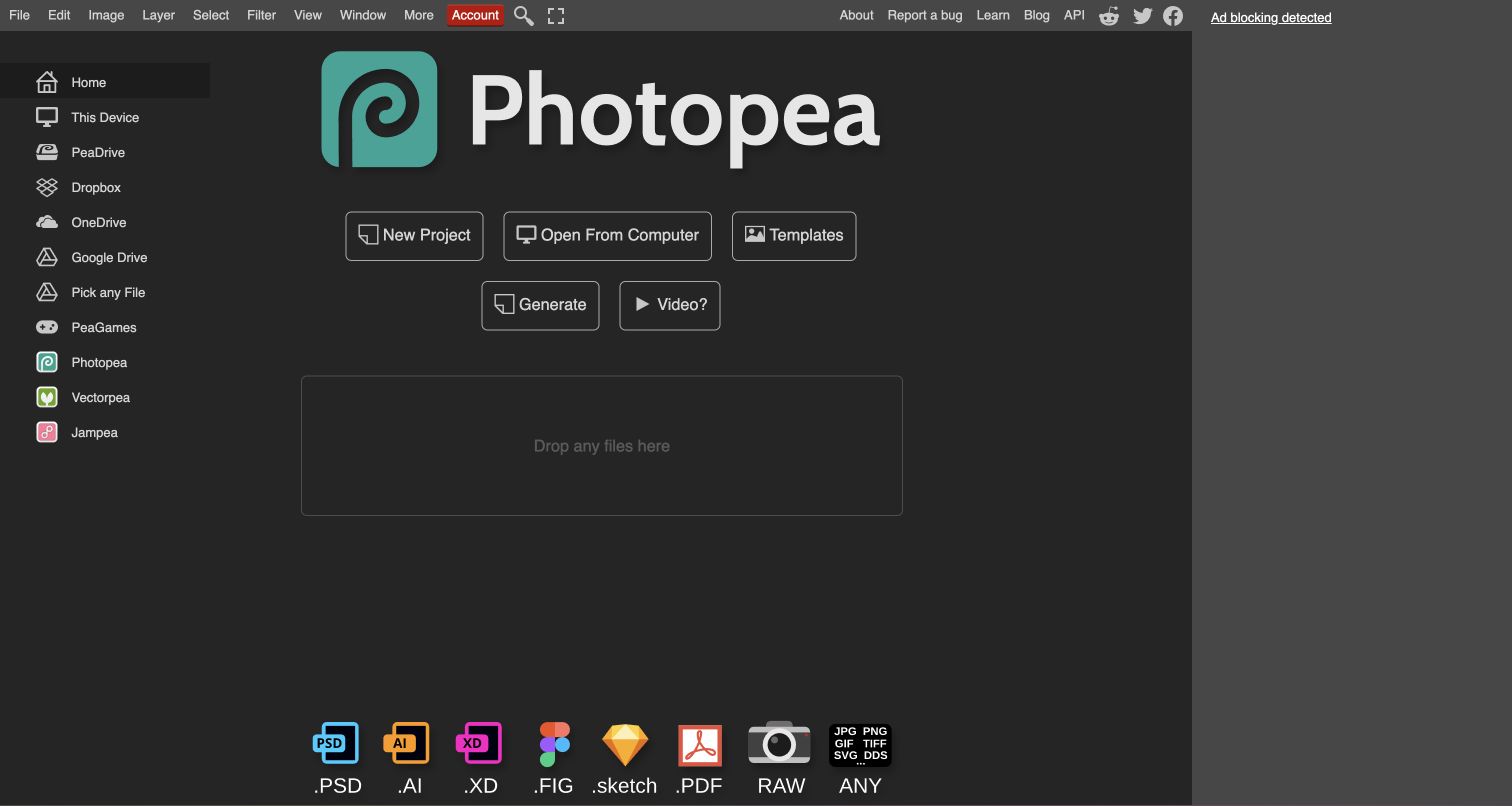
Photopea's public application opens with familiar editing menus above a large product identity and clear New Project, Open From Computer and Templates choices. A row of format icons helps visitors recognize the kinds of work they may bring to the tool. The left rail separates the home surface from device and cloud-file destinations, though no account or storage connection was opened during review. Photopea's own troubleshooting documentation explicitly states that the application requires JavaScript and WebAssembly support. That is direct product-level evidence for this browser editor, without implying that every menu operation uses Wasm or that linked companion products share its implementation.
What you can learn
Reduce the uncertainty of entering a complex application by naming the first decisions clearly. Familiar menus can reassure experienced users, while distinct file-entry routes help newcomers understand how their work begins.
Pros
The opening choices distinguish creating a document from opening an existing one.
Recognizable format icons communicate the editor's intended file ecosystem at a glance.
Cons & considerations
The numerous cloud and companion-product destinations compete with the core starting actions.
The captured home state does not demonstrate editing fidelity for a complex document.
Platform source: Official project documentation or exact application explanation. Photopea’s own support article explicitly requires JavaScript and WebAssembly for this browser application. The evidence does not identify every individual operation, companion product or hidden backend. Only the documented requirement for this public Photopea browser editor is asserted. Troubleshooting advice about weakening browser protection was not followed. Platform evidence is separate from the direct website screenshot and is not a complete current infrastructure audit.
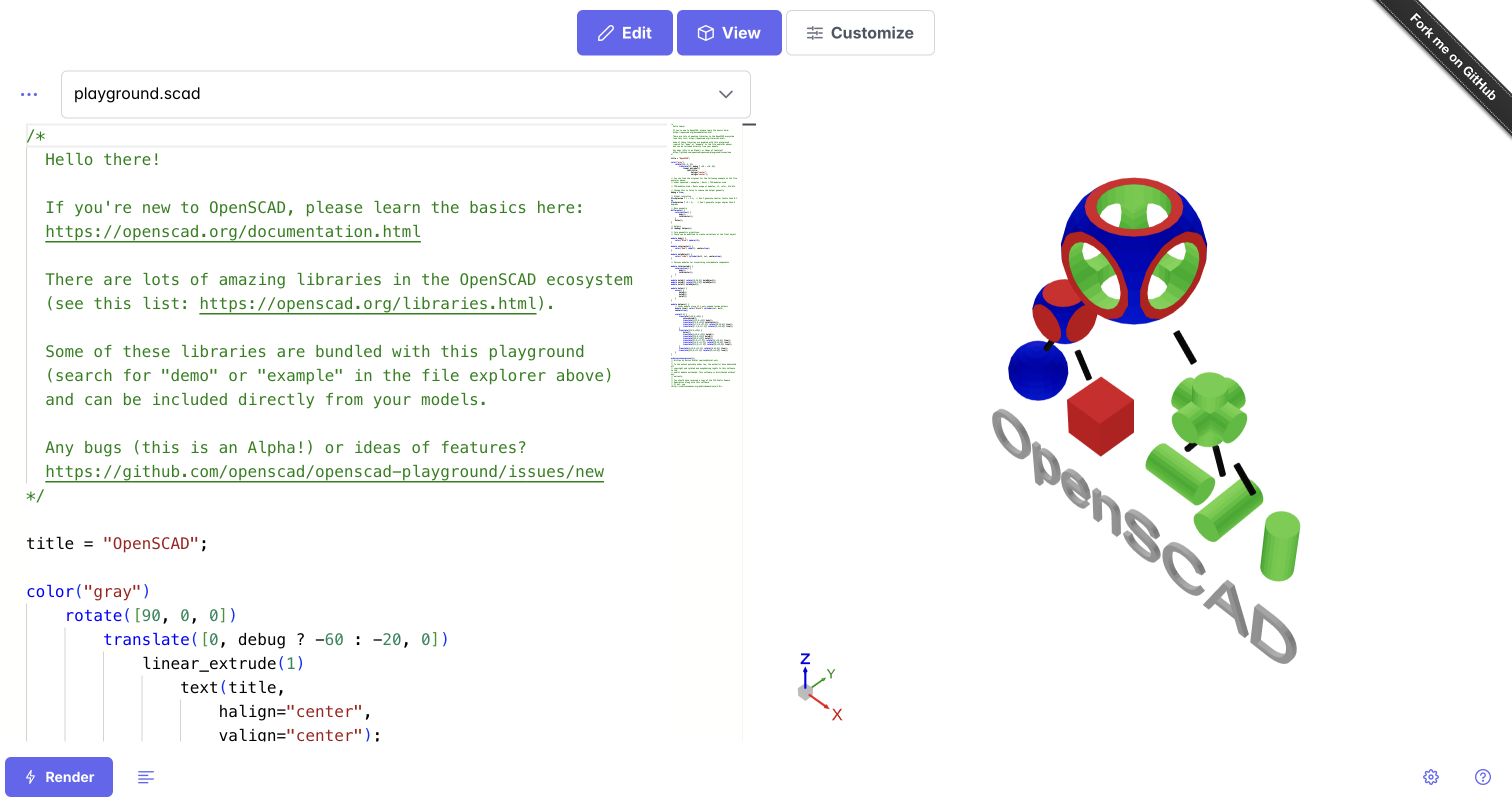
The OpenSCAD Playground linked by the official project repository opens with a supplied script and a colorful rendered model beside it. Edit, View and Customize controls sit above the workspace, while the code includes introductory guidance and links to further learning. This gives newcomers an actual result to inspect before changing a parameter. The repository describes a headless WebAssembly build of OpenSCAD wrapped in a browser interface. Its public demo now redirects to openscad.ochafik.com, which is the captured property. This application is separate from Autodrop3d's OpenSCAD Cloud, whose login-dependent editor was excluded from the collection.
What you can learn
Give a code-driven creative tool a complete starting example. Keeping source and output side by side makes the relationship understandable, while an explicit render action helps visitors recognize when a change becomes a new model.
Pros
The supplied script and model provide an immediate, concrete introduction to parametric design.
The split workspace keeps the visual result near the instructions that describe it.
Cons & considerations
Long introductory comments push much of the modeling code below the first viewport.
The project describes a limited browser port, so native-tool parity should not be assumed.
Platform source: Official project documentation or exact application explanation. The official openscad/openscad-playground repository describes a headless Wasm OpenSCAD build and links the demo, which redirects to openscad.ochafik.com. This is the separate public playground, not Autodrop3d OpenSCAD Cloud or the native desktop application. Official project documentation supports the specifically named public application or component. Appearance alone is not runtime evidence; no company-wide, hidden-backend, performance or compatibility conclusion is made. Platform evidence is separate from the direct website screenshot and is not a complete current infrastructure audit.
Kegan has 15+ years of experience working with small businesses, Fortune 500 companies, and everything in between. No development job is too big or too small: he brings the same hands-on attention to a focused improvement, a complete website, or a custom application.
For WebAssembly projects, he can help with responsive interfaces, reusable components, custom functionality, API connections, and performance-minded implementation. He works directly with clients on scope, design, implementation, testing, and handover, with an emphasis on clear communication and a system that remains practical to maintain after launch.
Show 3 other WebAssembly developersHide other WebAssembly developers
Squoosh, Photon, Graphite and Photopea put visual material at the center, but they solve different problems. A compression tool benefits from before-and-after comparison; an editor needs a durable relationship between canvas, tools and document structure. Keep the most relevant feedback beside the setting that changes it. Plan for large images and long documents without assuming that every visitor has the same screen or available memory.
Language, database and code tools
Pyodide, SQLite Fiddle, DuckDB, Ruff and Biome serve visitors comfortable with technical input. Their interfaces can be compact, provided the prompt, result, diagnostics and execution state are clear. A useful default query or code example can demonstrate the workflow quickly. Show the relevant version and link to the project's documentation for language, package or database limitations that a small playground cannot explain fully.
Emulation and preservation
Internet Archive, Ruffle, WebVM and v86 bring older content or familiar computing environments into a web page. Their surrounding controls need to explain the boundary between the browser application and the embedded work. Keep attribution and context available for preserved media. For a virtual computer, distinguish guest input from host controls such as pause, reset and file transfer so visitors can recover from confusion.
Learning through complete applications
Godot, JupyterLite and OpenSCAD Playground show different ways to make substantial tools available for exploration. A project manager can introduce the first choices, a launcher can distinguish execution environments, and a supplied model can connect source with output. Be explicit about the browser edition's intended role. A useful educational entry point does not automatically establish production parity with a desktop application.
From references to requirements
Plan the complete browser experience
Define the smallest useful execution boundary
Identify the operation that benefits from a compiled module or existing library before deciding how much of the product to move into the browser. Search, image conversion and a language runtime have different integration needs. Write down the inputs, outputs and surrounding interface responsibilities. WebAssembly's own use-case documentation includes both complete codebases and smaller components embedded in larger web applications, so there is no single required architecture.
Consider what must be downloaded and initialized before a visitor can do something useful. A fast computation after a long unexplained setup can still feel slow. The reviewed consoles show ready prompts, while ffmpeg.wasm exposes a more substantial asset-loading stage. Design a sequence that makes progress legible, and measure the complete path with representative devices and inputs before making performance claims. These screenshots do not supply that measurement.
Explain where data and work live
A file picker, a browser memory filesystem, a cloud-storage connection and a downloaded result are different interactions. Label them clearly and explain persistence in the context of the particular application. Do not assume that a Wasm feature makes an entire website offline or prevents all network requests. Review the actual processing and storage paths, especially before asking visitors to bring sensitive documents or large datasets into the experience.
Design the empty, loading and unsupported states
A browser tool should remain understandable before a document is opened and when a capability is unavailable. Godot's project manager supplies a clear empty state; the OpenSCAD Playground supplies a model instead. Choose the starting treatment deliberately. Keep browser limitations, package restrictions and missing dependencies visible in useful language. Never turn a failed initialization into a confident success state or conceal a requirement behind an inert canvas.
Test the interface separately from the runtime
A working module does not establish keyboard usability, readable contrast, understandable errors or a good layout on smaller screens. Canvas-heavy applications need particularly careful interaction planning. Evaluate the surrounding controls and complete user journeys as well as the computation itself. WebAssembly participates in the browser's security model; it is not permission to bypass browser protections, and its presence is not a certification of application safety or quality.
Ask the actual team to carry out its routine job: publish a realistic update, correct a mistake, preview a narrow screen, and identify who owns an integration failure. For a library or frontend framework, also ask who maintains the content source and deployment. A polished screenshot does not answer those operational questions.
Beyond the screenshot
A practical WebAssembly website checklist
Name the exact task and component that use WebAssembly.
Keep a useful first action visible during application setup.
Provide a representative public example when it reduces preparation.
Separate asset loading, data loading and operation progress.
Make input, result and diagnostics easy to relate.
Explain the difference between local files, browser storage and connected services.
State the browser edition's documented limitations.
Offer clear recovery from empty, failed or unsupported states.
Preserve authorship and context for embedded historical work.
Evaluate keyboard interaction and readable controls around every canvas.
Measure realistic workloads before publishing speed or memory claims.
Keep component evidence separate from assumptions about the whole organization.
Retain actual capture, editorial and technology-observation dates.
Test with real content, a keyboard, a small screen, slow or failed requests, and the people who will maintain the system. These are planning checks, not an accessibility, security, performance, or search-ranking certification.
Sources & editorial method
How this WebAssembly collection was reviewed
Twenty distinct public properties were reviewed on November 12, 2026. Nineteen direct browser screenshots show real applications, initialized consoles, supplied examples or live public content. An existing capture of the VS Code website retains its November 9 capture date and original provenance. Every image was visually inspected, and its dimensions and uniqueness were checked. Normal site controls dismissed obstructing notices. The Google Earth screenshot shows the public default globe and excludes the account toolbar; no personal projects or location search are shown. Technology evidence comes from official project documentation, exact application explanations and linked public source repositories. Historical documentation remains qualified rather than described as a new runtime measurement. A broad bounded public technology audit was attempted for each reviewed page, with partial and robots-excluded outcomes recorded. Applications that could not be loaded or reviewed without account access were excluded. The OpenSCAD example is the official public playground with its own documentation and rendered sample. No personal files were submitted. These reviews do not certify accessibility, security, compatibility, business results or performance.
Every image is an unmodified capture from the actual website, with its source and capture date. Some captures are reused from our shared catalog; their dates remain the original capture dates. None comes from a vendor gallery or a generated reconstruction. Moving imagery and live content can change.
Technology attribution uses public page assets or metadata, official platform documentation, or a cited first-party project case study. Documentary and framework-relationship evidence is identified where used; it is not a complete current backend inventory. A CMS image CDN alone does not establish a full CMS deployment. A library’s presence does not prove which individual controls use it, and a platform label does not establish AI authorship.
The composition notes, lessons, pros and tradeoffs are original editorial observations. We have not measured conversion, traffic, security, performance or accessibility conformance. Website owners retain their brands and imagery; these examples are not our client portfolio. Written, Edited and Curated are independent records, not dates advanced by a build. See our editorial standards or suggest a correction.
Questions worth asking
WebAssembly website development FAQs
What makes these WebAssembly website examples?
Each named public property has official evidence connecting its application or a specific component to WebAssembly. The evidence may be project documentation, an exact application explanation or an official repository linked to the deployed tool. A screenshot alone is not treated as technology proof.
Does every part of these websites run in WebAssembly?
No. WebAssembly often works alongside HTML, CSS and JavaScript. The VS Code example is specifically website search, and Lichess's qualification concerns its browser engine implementation. The evidence does not automatically extend to native apps, hidden backends, sibling sites or the whole organization.
Why include public playgrounds and demonstrations?
Official playgrounds are real public applications that let visitors inspect a capability without installing a tool or supplying a private file. The collection distinguishes those educational surfaces from broader production claims and preserves each project's documented limitations.
Is WebAssembly always faster than JavaScript?
This collection does not make that claim. Startup, downloads, data movement, the workload and the surrounding implementation affect the experience. A timing value from one sample is not a general benchmark; performance should be measured for the actual task and target devices.
Does WebAssembly mean an application works offline or keeps all data local?
No. Those properties depend on the application's complete processing, network and storage design. A Wasm component can coexist with cloud services, analytics, asset downloads or connected storage. Check the particular product's behavior and documentation instead of inferring privacy or offline guarantees from the runtime.
How were the screenshots and technology observations dated?
The nineteen new captures retain their actual November 12, 2026 timestamps, URLs and dimensions. The reused VS Code capture retains its earlier date. Editorial review, successful technology observations and historical documentary evidence remain separate; a partial or excluded scan does not become a successful validation date.
Choose the computation that helps the visitor, then design the surrounding experience with the same care. The strongest examples make a complex capability understandable through a clear starting point, visible state and a useful result.