Best OpenAPI Websites of 2026 (20 Real-World Examples)
Public developer portals and API documentation with explicit OpenAPI associations, real screenshots and practical lessons for explaining an interface.
A useful API website helps a developer understand the service, choose a starting point and find an accurate contract. These examples show different ways to connect human explanations with OpenAPI descriptions and the tools that consume them.
OpenAPI describes HTTP interfaces in a form that people and software can inspect. It is not a website builder or a visual style. The properties in this collection are specific public developer portals and documentation pages with official evidence connecting their APIs or tooling to OpenAPI. Their layouts are worth studying independently of the specification format.
Some portals put a request example at the entrance; others first explain access, product families or the task an integration will solve. Neither approach works in every situation. A developer who already knows an operation needs a fast reference route, while a newcomer may need account requirements, terminology and a safe first step before a schema becomes useful.
The evidence has boundaries. Amazon and Clever retain Swagger-era material, HubSpot publishes schemas for a particular Postman synchronization purpose, and some references warn about code-generation or release alignment. Those distinctions matter more than placing every example under the same unqualified technology label. A public specification does not reveal the whole backend or prove which software renders a documentation page.
Before the examples
What makes good OpenAPI website development in 2026?
Keep the human explanation and interface contract connected
OpenAPI provides a structured description of an HTTP API. Give readers a plain explanation of what the service does, then place the relevant contract and operation reference within easy reach. A schema is especially useful when its names, examples and version match the surrounding documentation; it should not become a separate artifact that readers have to reconcile alone.
A complete endpoint inventory is rarely the best introduction. Explain the prerequisites and the smallest useful workflow before asking a newcomer to choose among dozens of operations. Keep quick starts separate from reference pages so an experienced reader can skip the explanation without losing access to it. Use navigation labels that match the tasks developers bring to the site.
Describe inputs where a reader needs to supply them
Make it clear which values belong in a path, a query, a header or a request body. Pair structural detail with examples that explain the intended use, and distinguish required information from optional choices. The OpenAPI format supports these descriptions, but useful naming and explanation remain editorial work rather than an automatic consequence of exporting a file.
A published schema can be intended for documentation, a particular integration or a supported client-generation workflow. Explain those limits beside the download. Identify the relevant version and maintenance policy, and distinguish a documented interface from measurements of reliability, security or performance. Readers should be able to judge an artifact's intended use without inferring promises from its availability.
The collection · 20 examples
20 OpenAPI website examples worth studying
These 20 public properties span commerce, payments, collaboration, infrastructure and specialist APIs. The reviews examine their documentation entrances and reading paths. Each OpenAPI attribution is limited to the specific API, specification or tooling relationship described in its source evidence.
We start with five recognizable brands or organizations: Amazon Selling Partner API, PayPal Developer, Cisco Meraki, Stripe Docs: Get started, HubSpot developer documentation. Each attribution applies to the named website property, not every product or website belonging to its organization. This is a curated reading sequence, not a measured ranking.
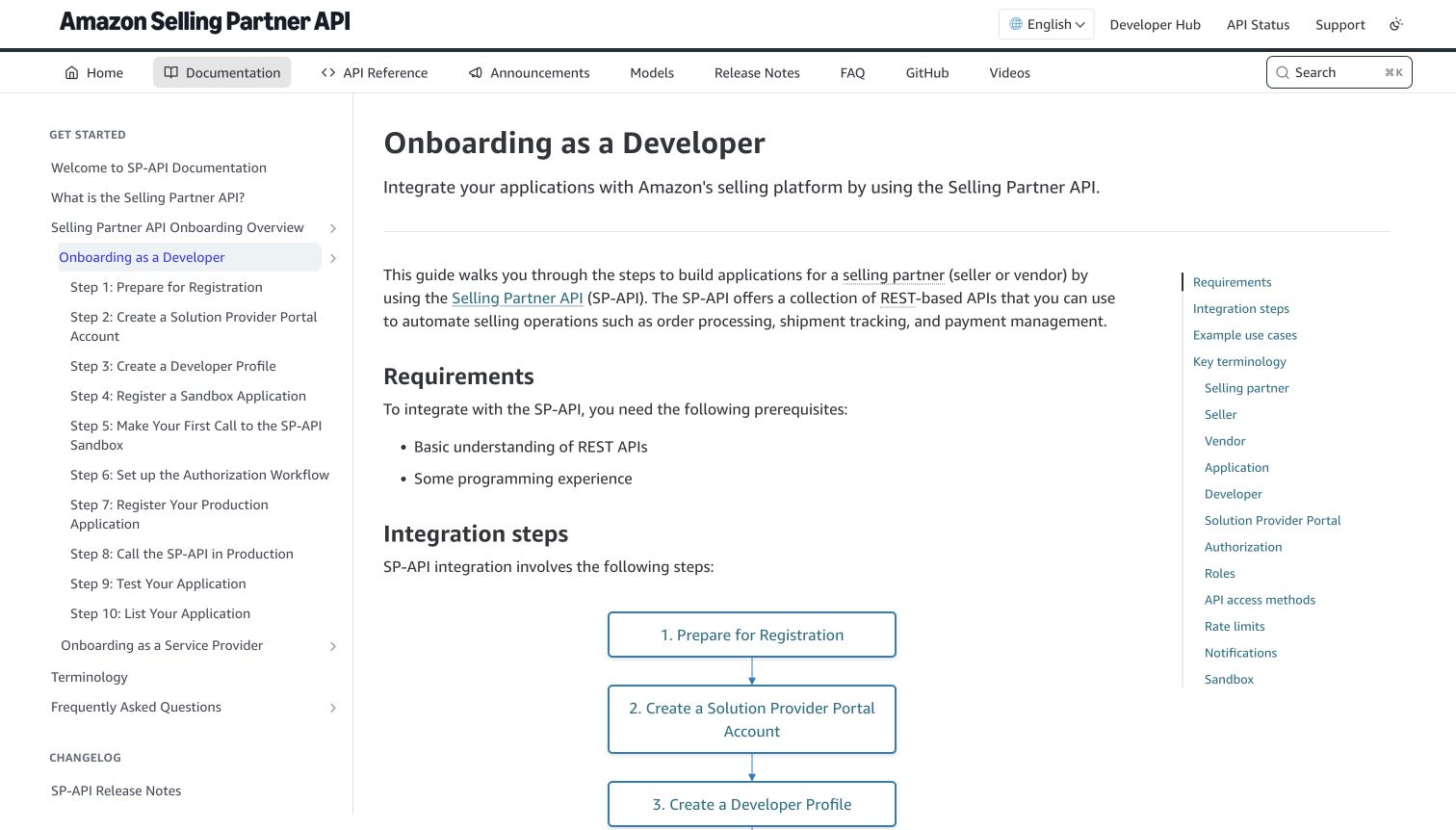
Amazon's Selling Partner API documentation gives the onboarding process a visible shape. A numbered sidebar runs from registration preparation through sandbox work and production access, while a flowchart repeats the sequence in the article. Requirements appear before the diagram, so readers can assess their readiness without guessing which account or programming knowledge comes first. The separate API Reference, Models and release-note destinations keep procedural guidance distinct from the technical inventory. Amazon publishes OpenAPI and Swagger models for these seller integrations; that documented relationship concerns this developer program, not the shopping website.
What you can learn
Treat an API introduction as a route through decisions. Put prerequisites and the first achievable step together, then provide direct routes to specifications for readers who already understand the process. A machine-readable contract cannot replace the explanation of access requirements.
Pros
The numbered navigation makes a multi-stage process easy to locate and revisit.
Requirements and reference material occupy distinct, clearly named parts of the interface.
Cons & considerations
The dense sidebar presents many choices before a newcomer has completed registration.
The long process diagram continues below the initial view and requires scrolling.
Platform source: Official API specification or tooling documentation. Amazon publishes OpenAPI/Swagger models for Selling Partner APIs and links their developer documentation. The retained screenshot is the SP-API onboarding page, not Amazon shopping. This is documentary evidence for the named API/documentation workflow, not a live observation of the page renderer or a complete backend inventory. Platform evidence is separate from the direct website screenshot and is not a complete current infrastructure audit.
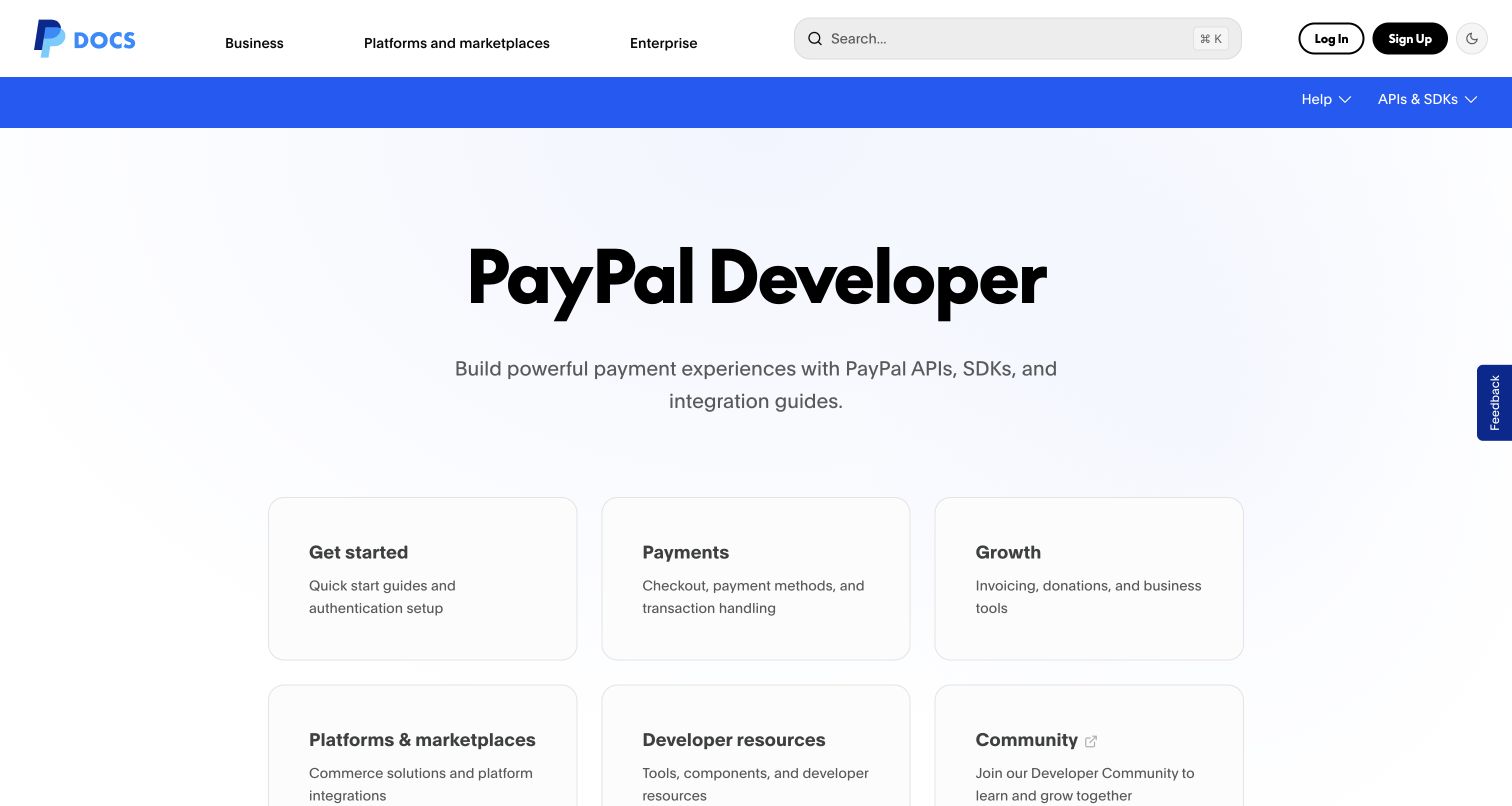
PayPal's developer homepage begins with a broad promise and then divides the next decision into large cards. Getting started, Payments and Growth lead the first row, with platform and community resources below. Audience navigation across the top separates businesses, marketplaces and enterprises, while a prominent search field serves returning developers. The design is restrained enough that the task labels carry most of the hierarchy. PayPal's official specification repository supplies OpenAPI material for its REST APIs, including checkout orders. The screenshot shows the public documentation entrance, not a live checkout or authenticated payment workspace.
What you can learn
Organize a broad API offering around the job a reader needs to perform before exposing every operation. Keep the schema download and detailed reference reachable from that structure, and explain which product family each specification actually describes.
Pros
Large cards give first-time readers a manageable set of concrete starting points.
Audience navigation and search provide different routes for new and experienced visitors.
Cons & considerations
The opening view does not show a request example or a specification download.
Broad audience categories can overlap when an integration serves several business models.
Platform source: Official API specification or tooling documentation. PayPal publishes REST API specification files, including an OpenAPI checkout-orders model and code-generation instructions, linked to its official developer portal. This is documentary evidence for the named API/documentation workflow, not a live observation of the page renderer or a complete backend inventory. Platform evidence is separate from the direct website screenshot and is not a complete current infrastructure audit.
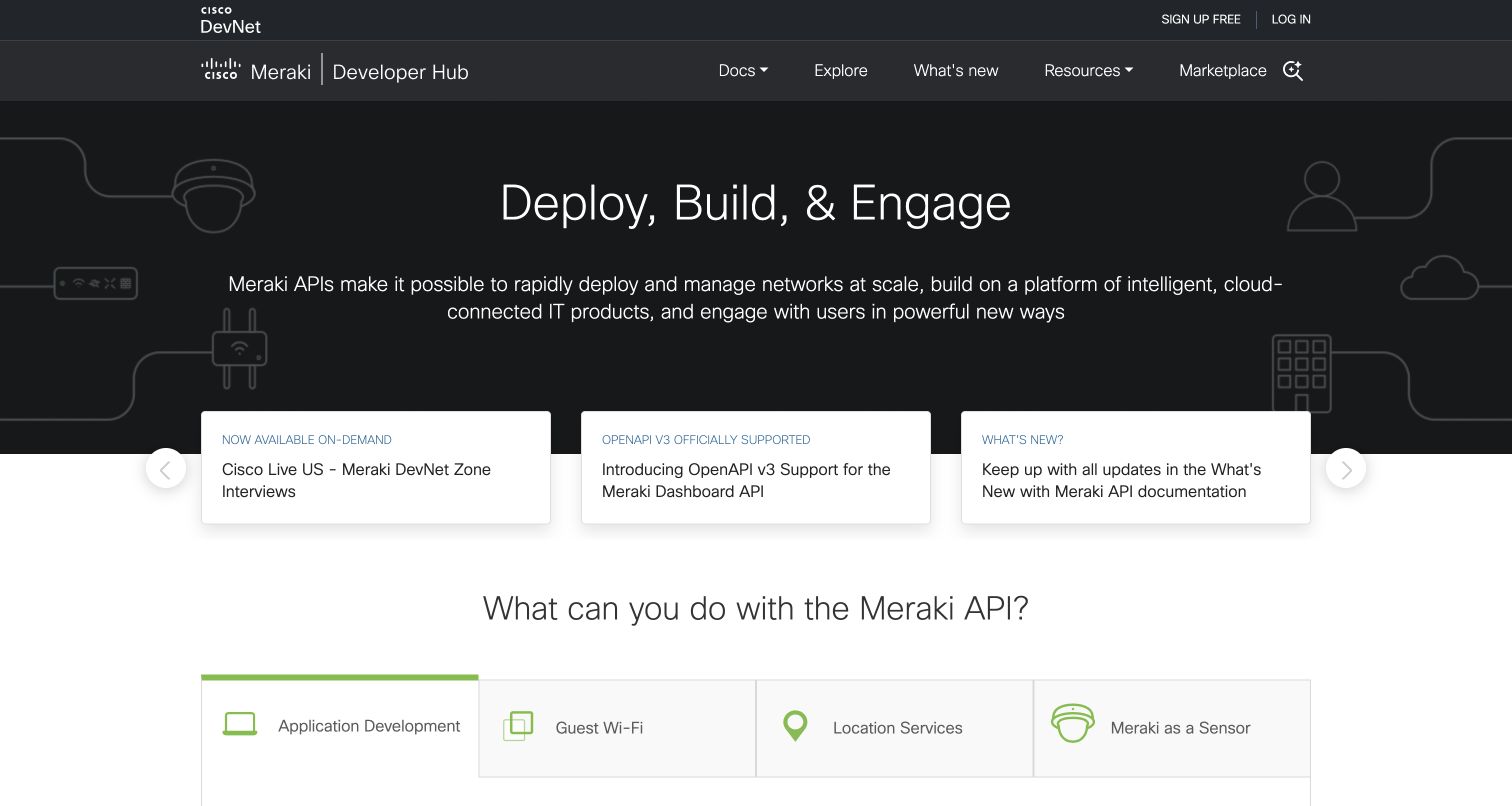
Cisco Meraki's developer hub places a dark introductory panel above a bright row of updates. The central update explicitly announces OpenAPI v3 support for the Dashboard API, making the specification relationship unusually visible in the captured interface. Below it, a question about what developers can do leads into tabs for application development, guest Wi-Fi, location services and sensor uses. This progression connects a technical format with practical areas of work. Cisco Meraki's official repository separately provides the Dashboard API specifications. Neither source establishes the implementation of every network product or the developer website's renderer.
What you can learn
Make meaningful contract changes discoverable where developers start, then connect them with the tasks the API enables. A specification announcement is more useful when readers can understand both the affected API and the workflow that changes.
Pros
The OpenAPI announcement names the version and the affected Dashboard API directly.
Use-case tabs translate a broad infrastructure platform into recognizable integration goals.
Cons & considerations
The rotating update row gives several announcements similar visual priority at once.
The first screen introduces possibilities before explaining authentication or the initial request.
Platform source: Official API specification or tooling documentation. Cisco Meraki publishes OpenAPI specifications for its Dashboard API. The retained developer-hub screenshot itself promotes OpenAPI v3 support. This is documentary evidence for the named API/documentation workflow, not a live observation of the page renderer or a complete backend inventory. Platform evidence is separate from the direct website screenshot and is not a complete current infrastructure audit.
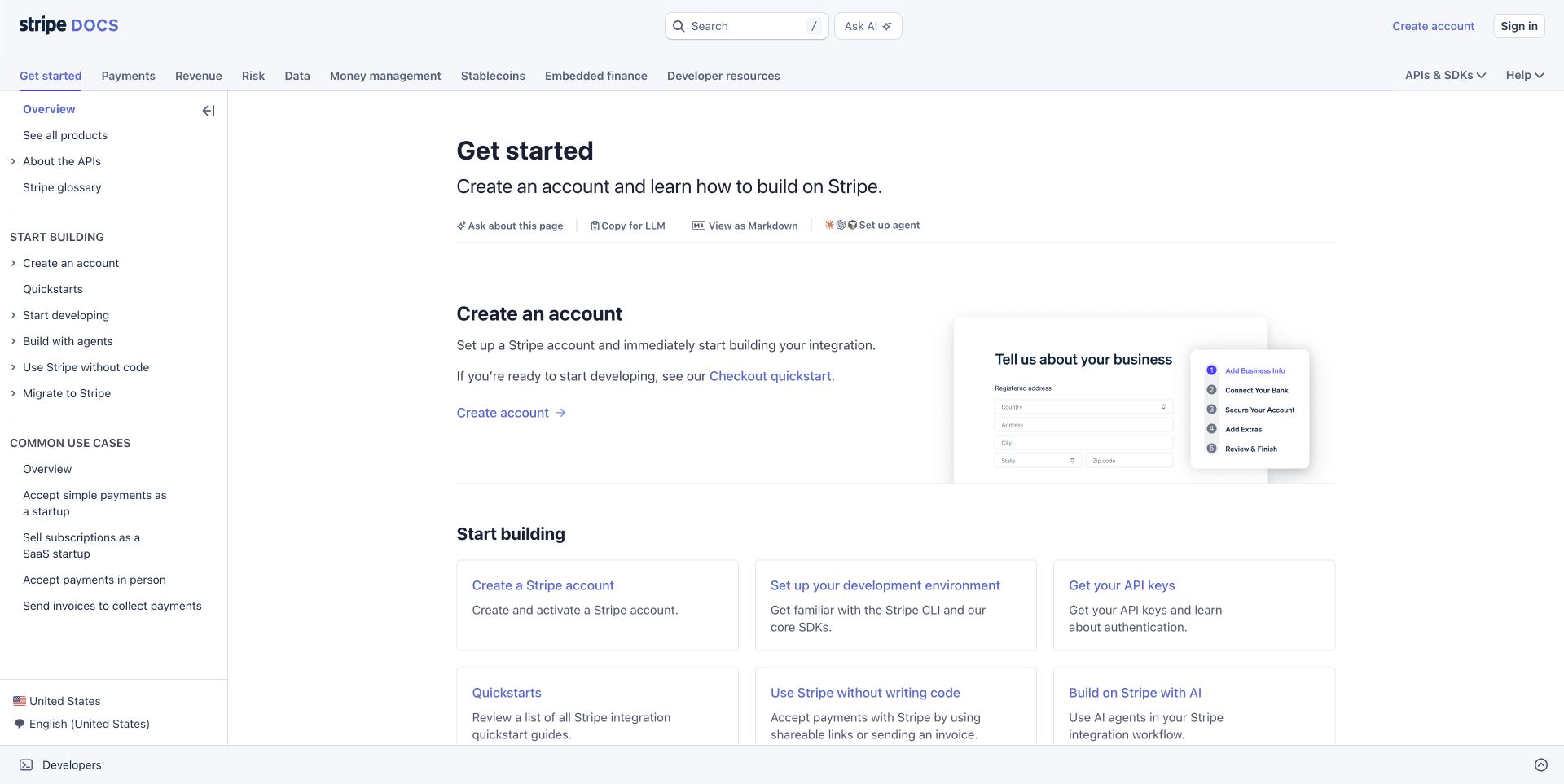
Stripe's Get started page uses several navigation levels without making the article feel like an endpoint list. Product families sit across the top, a left column groups setup tasks and common use cases, and the main column begins with account creation. The accompanying illustration explains the setup context, while cards below offer environment preparation, keys and quick starts. Stripe's official OpenAPI repository provides public API descriptions alongside separately identified SDK-oriented variants. This review concerns the retained documentation page and that explicit schema relationship, not a claim that OpenAPI builds the page or processes a payment.
What you can learn
Separate the questions of what someone wants to build and how they start building it. Let the reference and specification support implementation, while the entrance page explains the surrounding account, environment and product decisions in an understandable order.
Pros
Common use cases and setup steps offer complementary ways into the same documentation.
The main column explains the first task before presenting a larger resource grid.
Cons & considerations
Several navigation layers require readers to distinguish product scope from article scope.
Schema formats and version choices sit outside the immediate Get started view.
Platform source: Official API specification or tooling documentation. Stripe publishes OpenAPI specifications for its API and links the corresponding documentation. The capture is its public Get started documentation, not the payment application. This is documentary evidence for the named API/documentation workflow, not a live observation of the page renderer or a complete backend inventory. Platform evidence is separate from the direct website screenshot and is not a complete current infrastructure audit.
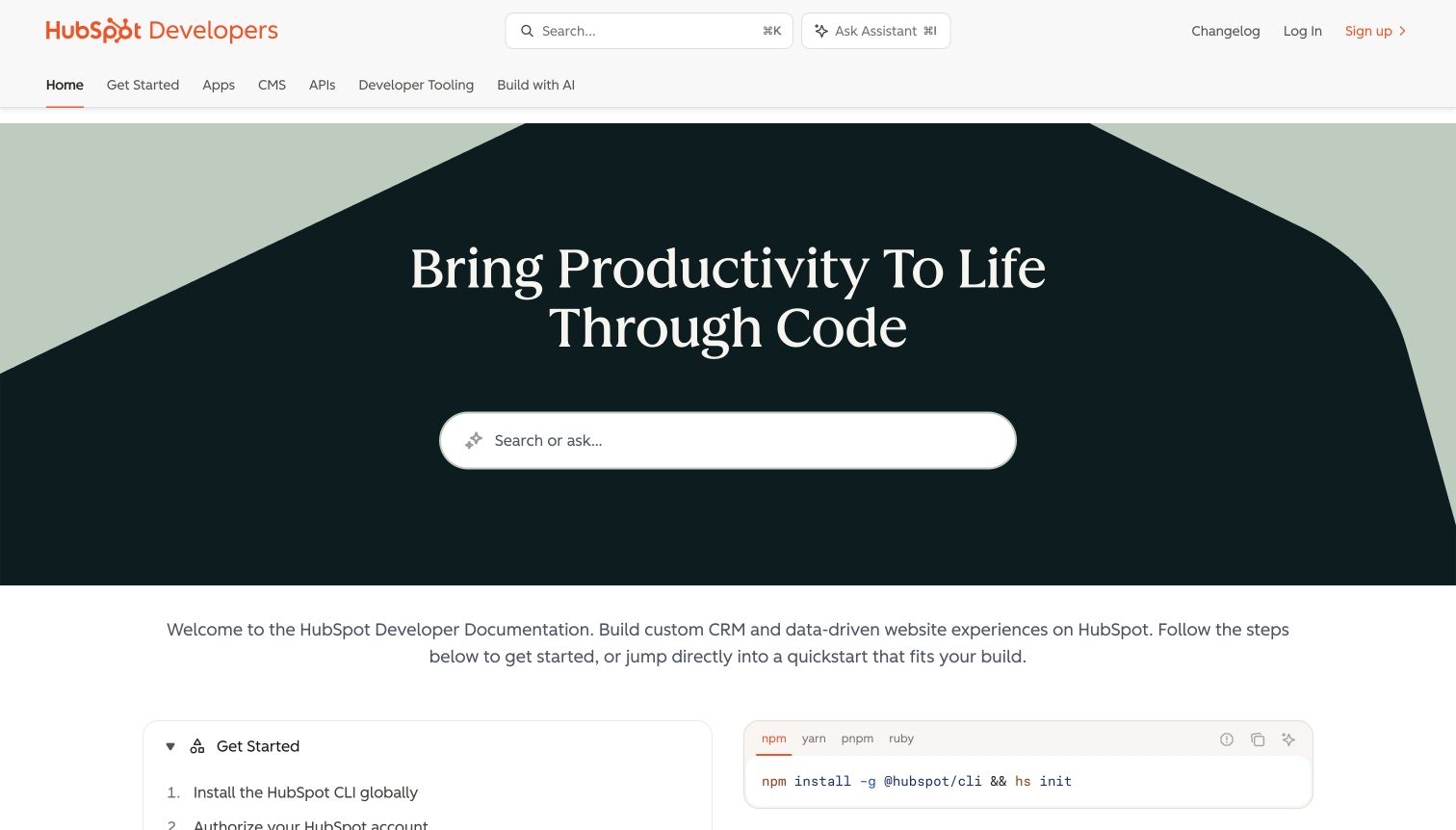
HubSpot's developer entrance centers a large search field inside a dark geometric hero. Product tabs above it distinguish apps, CMS, APIs and developer tooling, while the next section begins a practical CLI setup sequence. The layout serves both readers who know a term and readers who need a starting path. Its OpenAPI relationship needs careful wording: HubSpot publishes schemas to synchronize its public API Postman collections, but describes those files as intended for that internal integration. They are not presented as a supported external specification product, and the repository directs developers to this official documentation.
What you can learn
Explain the intended audience of a published schema as clearly as the audience of the portal. Publicly readable files can have a narrow maintenance purpose. Keep search and product navigation useful without suggesting that every available artifact is a supported integration contract.
Pros
The large search entrance gives experienced developers an immediate way to find material.
Product-family tabs make the broad platform's distinct development areas visible before scrolling.
Cons & considerations
The introductory hero occupies substantial space before the first concrete setup instruction.
A general developer entrance cannot communicate every artifact's support and maintenance limits.
Platform source: Official API specification or tooling documentation. HubSpot publishes OpenAPI 3.0 schemas specifically to synchronize its public API Postman collections. The repository says these schemas are intended for that internal integration, not as a supported external specification product; it directs developers to the captured official documentation portal. This is documentary evidence for the named API/documentation workflow, not a live observation of the page renderer or a complete backend inventory. Platform evidence is separate from the direct website screenshot and is not a complete current infrastructure audit.
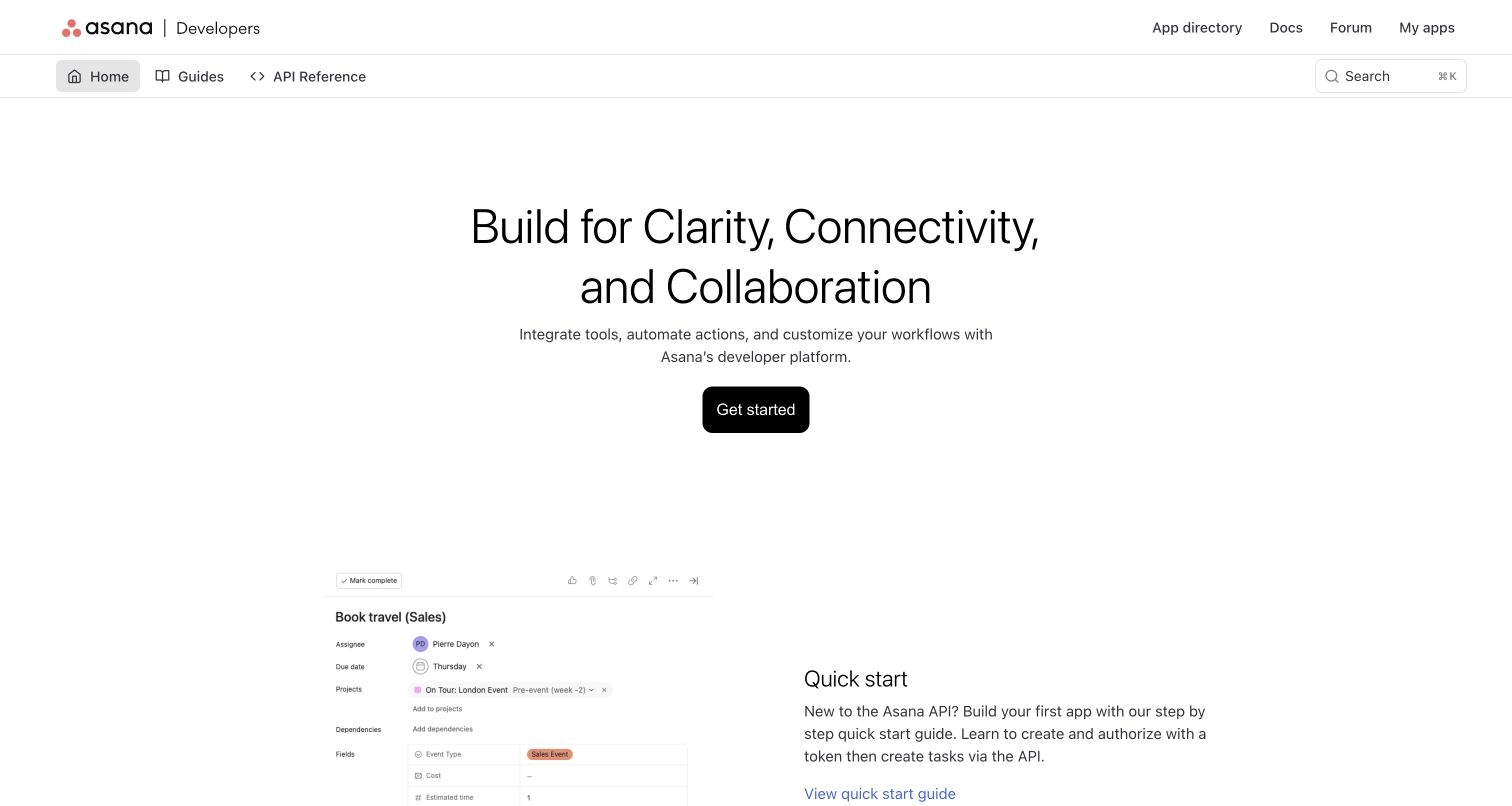
Asana's developer homepage gives a single Get started action plenty of space before introducing its quick-start material. A task-interface illustration below the hero brings the documentation back to the familiar work objects an integration will manipulate. The navigation separates guides from API reference, and the quick-start explanation describes the path toward creating tasks through the API. Asana's official repository publishes OpenAPI definitions for its REST API and app components and links this developer property. That association supports studying the public integration documentation; it does not identify the runtime of Asana's application or corporate pages.
What you can learn
Anchor a technical contract in a recognizable user outcome. A small task example helps readers understand why they would call the API before they encounter the complete schema. Keep the introductory action distinct from the reference route for experienced integrators.
Pros
One prominent starting action reduces competition between introductory calls to action.
The familiar task illustration connects developer work with an understandable product outcome.
Cons & considerations
The large hero postpones detailed implementation information until farther down the page.
The initial view does not explain which schema covers REST operations versus app components.
Platform source: Official API specification or tooling documentation. Asana publishes OpenAPI specifications for its REST API and app components and links its official developer documentation. This is documentary evidence for the named API/documentation workflow, not a live observation of the page renderer or a complete backend inventory. Platform evidence is separate from the direct website screenshot and is not a complete current infrastructure audit.
Miro's developer landing page uses a dark canvas and an exploded illustration to express the idea of extending the product. Two adjacent actions distinguish beginning a build from exploring features. A compact header holds documentation, resources and marketplace routes, leaving the main panel to explain the platform's purpose. The official REST API introduction links Miro's public OpenAPI specification and describes authorization scopes for board access. The retained image shows the gateway to that developer experience, not an API response, a customer's board or proof of the implementation behind every Miro property.
What you can learn
A developer homepage can carry a strong visual identity while keeping its next decisions explicit. Pair the expressive introduction with reference material that explains permissions and scope. Attractive API discovery should lead to a precise account of what an integration can access.
Pros
Two clearly differentiated actions separate exploration from beginning an implementation.
The compact header gives technical resources a stable place without crowding the hero.
Cons & considerations
The decorative illustration consumes room that could show a concrete integration example.
Authentication and permission details require a move into the underlying reference material.
Platform source: Official API specification or tooling documentation. The official REST API introduction links Miro’s public OpenAPI specification and explains the required authorization scopes for board integrations. This is documentary evidence for the named API/documentation workflow, not a live observation of the page renderer or a complete backend inventory. Platform evidence is separate from the direct website screenshot and is not a complete current infrastructure audit.
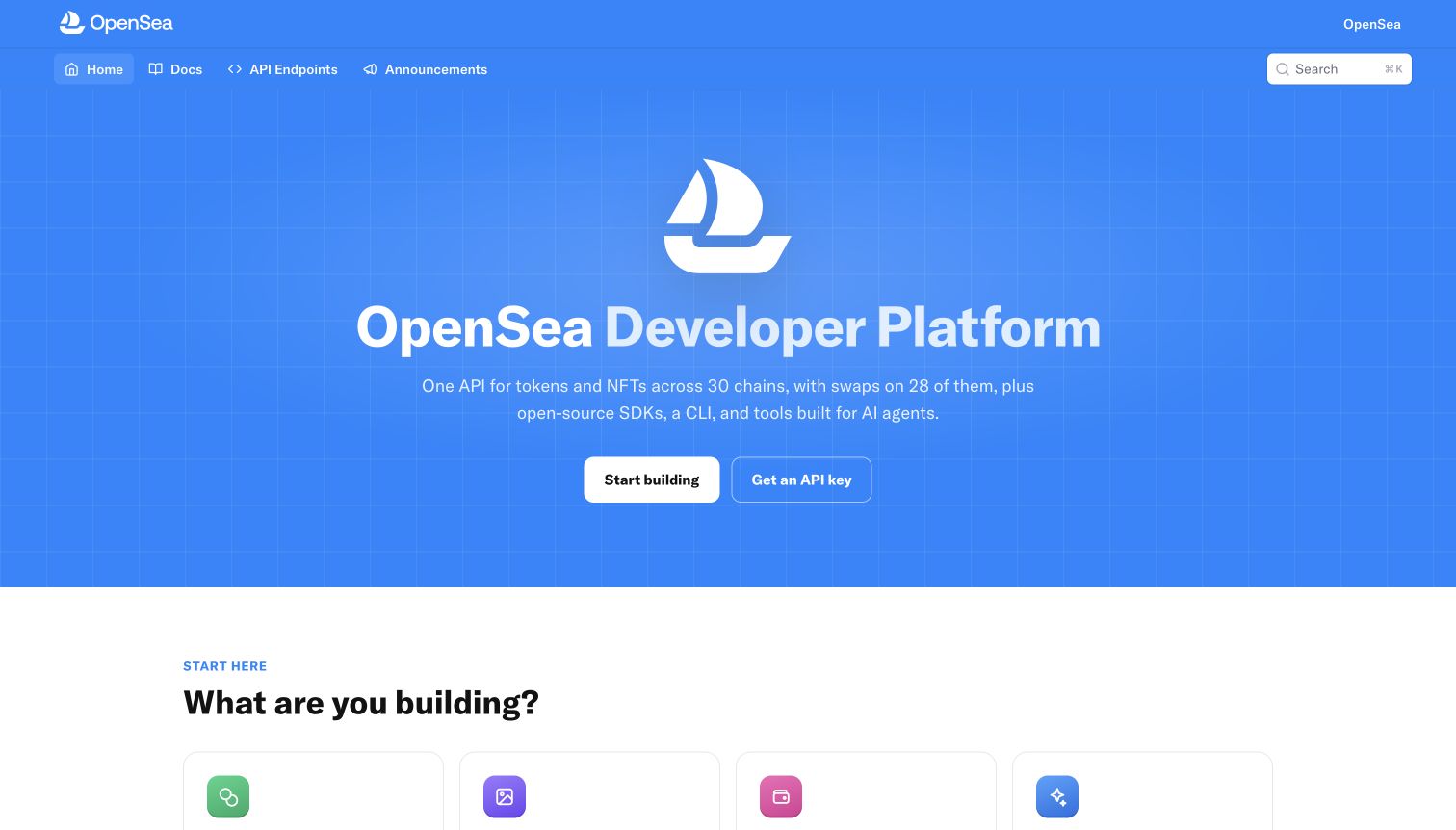
OpenSea's documentation entrance places the developer-platform name in a large blue grid-backed hero. Starting to build and obtaining an API key are separate actions, so the visitor can distinguish learning from access setup. A lower section asks what the reader is building, suggesting a task-oriented route beyond the introduction. OpenSea's official API-types repository identifies its types as generated from an OpenAPI specification. It also warns that the public mirror can trail private development. That is documented API tooling evidence, with a maintenance limitation, rather than a current observation of the page's rendering system.
What you can learn
Give API access and API understanding their own routes, and label the freshness of generated artifacts. A polished developer entrance cannot tell readers whether a published type package or schema matches the latest internal release; that distinction belongs in the accompanying documentation.
Pros
Separate start and API-key actions make two common developer intentions easy to distinguish.
The strong developer-platform heading establishes the scope before more detailed task choices.
Cons & considerations
The opening view offers a broad promise before showing a specific request or response.
Published generated types can lag development, so release alignment needs a separate check.
Platform source: Official API specification or tooling documentation. OpenSea’s official API-types repository identifies its types as generated from the OpenSea API OpenAPI specification. It is a released public mirror which can lag private development; this is not a current page-renderer observation. This is documentary evidence for the named API/documentation workflow, not a live observation of the page renderer or a complete backend inventory. Platform evidence is separate from the direct website screenshot and is not a complete current infrastructure audit.
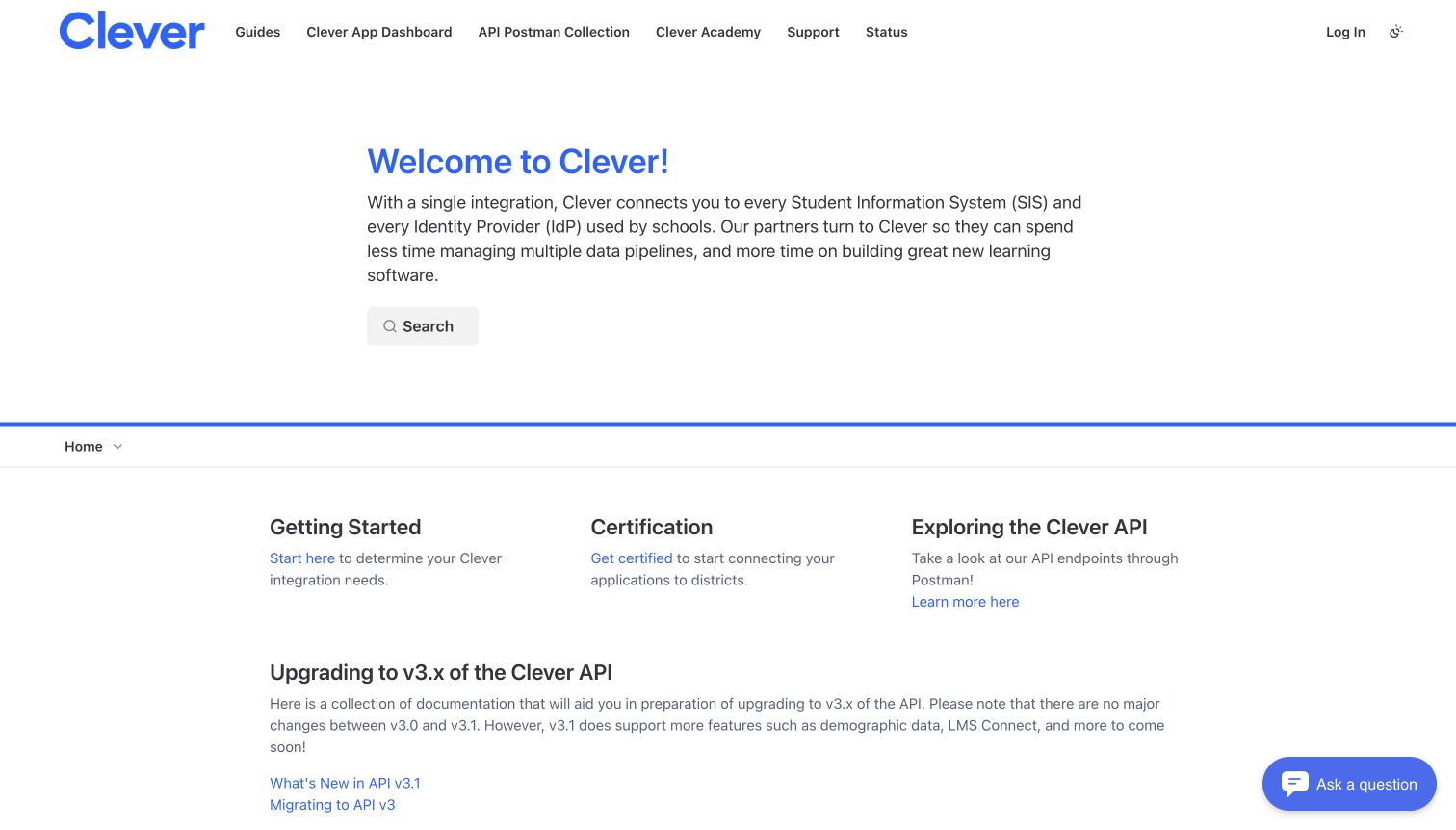
Clever's developer entrance begins by explaining the connection between integration partners, school information systems and identity providers. The next row separates getting started, certification and exploring the API, giving readers a reason to choose each path. Version-upgrade guidance appears directly below rather than being hidden in a distant release archive. Clever publishes Swagger definitions for the API, including extensions used by its API explorer. These belong to the OpenAPI 2.0-era format; the evidence does not justify relabeling them as OpenAPI 3 or treating the developer portal as a school website.
What you can learn
Describe the relationship an API enables before introducing its technical contract. Partner approval and version migration are part of the reader's real task, so give them clear routes beside reference material. Preserve the exact specification generation rather than using a newer version as a marketing label.
Pros
The introduction explains the integration's institutional context in plain language.
Certification and migration routes acknowledge work beyond making the first API request.
Cons & considerations
The broad opening does not expose a concrete request example in the captured view.
Several partner prerequisites must be understood before the endpoint reference becomes useful.
Platform source: Official API specification or tooling documentation. Clever publishes Swagger definitions for its API, the OpenAPI 2.0-era schema format, with extensions used in its API explorer. Do not call these definitions OpenAPI 3. This is documentary evidence for the named API/documentation workflow, not a live observation of the page renderer or a complete backend inventory. Platform evidence is separate from the direct website screenshot and is not a complete current infrastructure audit.
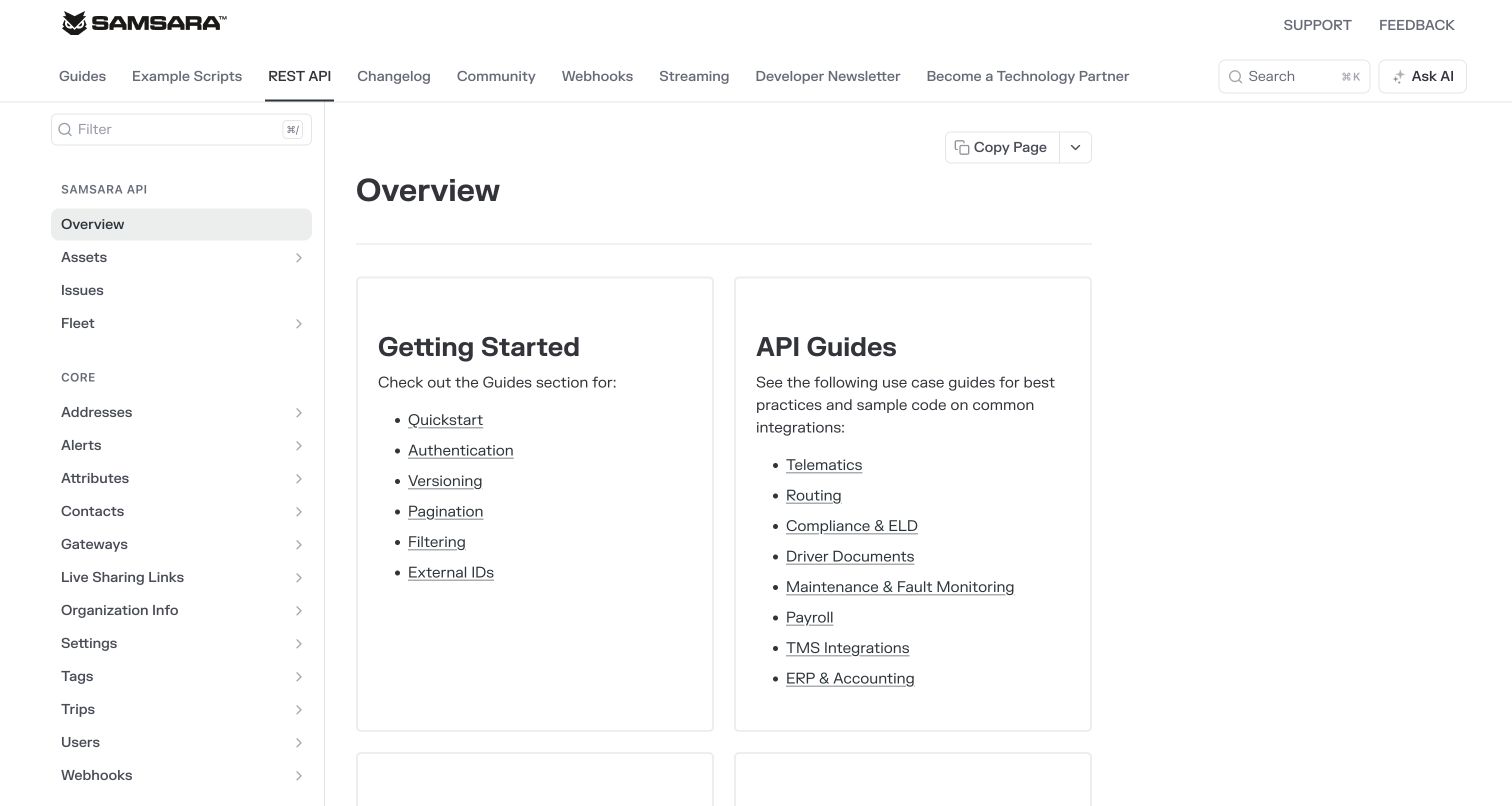
Samsara's API overview splits its main content into two tall cards. One groups fundamentals such as authentication, versioning and pagination; the other lists practical areas including telematics, routing and maintenance. A persistent resource sidebar remains available to readers who already know the object they need. Samsara explicitly says its OpenAPI specification powers the REST API documentation. The same source cautions that the specification has not been officially tested with code-generation libraries. This makes the example useful for both its information architecture and its willingness to separate documented support from assumptions about every possible downstream tool.
What you can learn
Support both learning and doing without mixing them into one long menu. Keep a fundamentals route beside use-case guidance, and describe the tested limits of the specification. A schema that serves documentation well may still need evaluation with a chosen client generator.
Pros
The two-card structure distinguishes general integration mechanics from operational use cases.
The persistent resource list supports readers who already know their target API object.
Cons & considerations
Long lists inside both cards demand careful scanning rather than a single obvious start.
Code-generation compatibility requires separate evaluation under the publisher's stated qualification.
Platform source: Official API specification or tooling documentation. Samsara explicitly says OpenAPI documents its REST APIs and powers the documentation. It warns that the specification has not been officially tested with code-generation libraries. This is documentary evidence for the named API/documentation workflow, not a live observation of the page renderer or a complete backend inventory. Platform evidence is separate from the direct website screenshot and is not a complete current infrastructure audit.
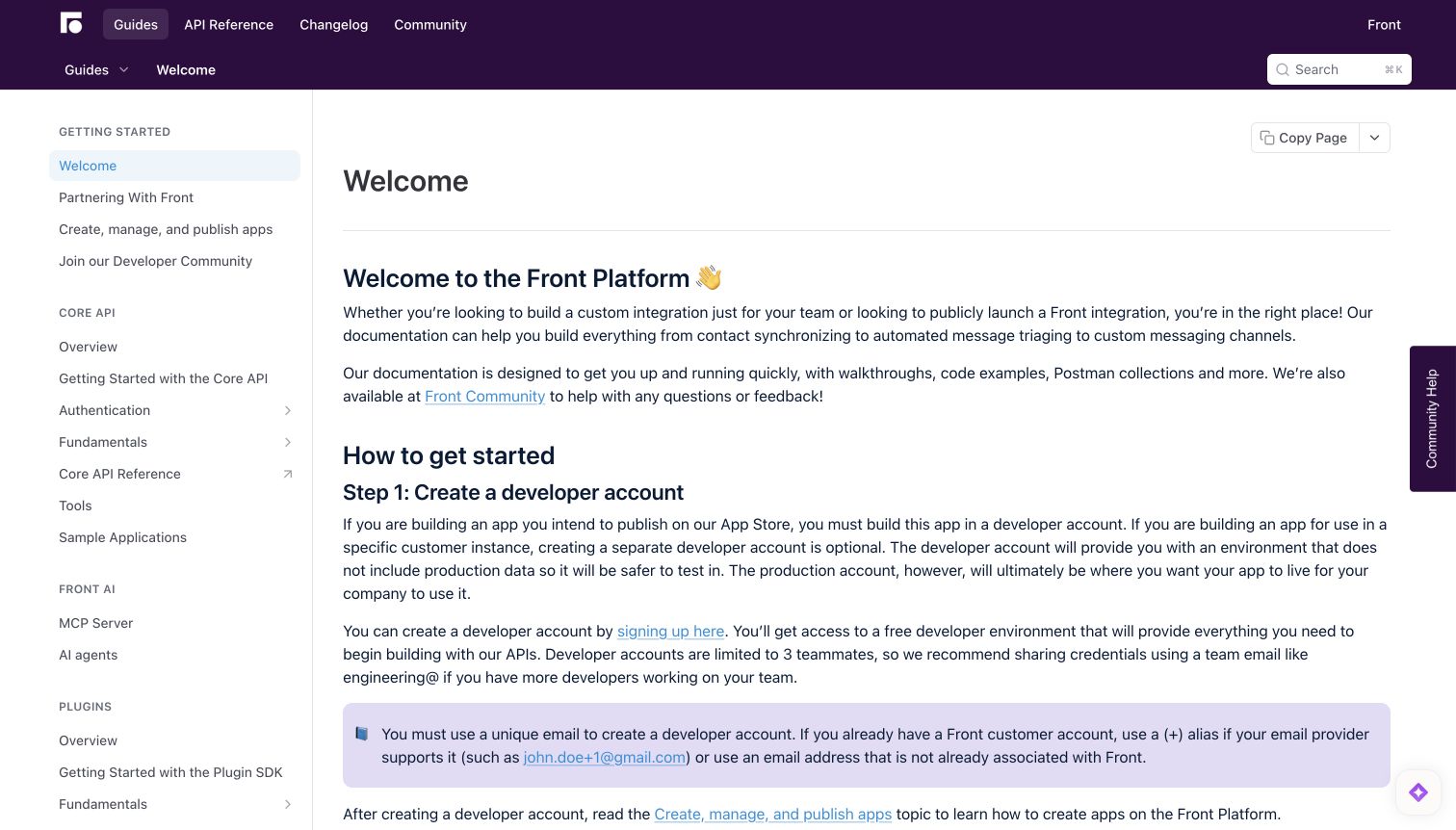
Front's documentation opens with a welcome article that explains what an integration can accomplish before introducing the first account step. The purple header establishes a consistent identity, while the left navigation separates Core API, AI and plugin material. A highlighted note calls attention to an account-related constraint near the setup instructions, where it can affect the reader's next action. Front's official Core API tooling page provides an OpenAPI file for inspection, client generation and mock servers. The relationship is specific to that API; it does not establish the architecture of Front's messaging product or every adjacent integration surface.
What you can learn
Place prerequisites where they change a developer's immediate decision. A well-organized reference should distinguish API families and explain which contract belongs to each one, while keeping account and environment guidance close to the first implementation step.
Pros
The sidebar separates distinct integration surfaces with clear group headings.
A contextual callout keeps an account constraint beside the instructions it affects.
Cons & considerations
Dense introductory paragraphs require more reading than a short task checklist would.
The welcome page does not immediately expose the Core API specification download.
Platform source: Official API specification or tooling documentation. Front’s official Core API tooling page links its OpenAPI file for API inspection, code generation and mock servers. Scope is its Core API, not all Front products. This is documentary evidence for the named API/documentation workflow, not a live observation of the page renderer or a complete backend inventory. Platform evidence is separate from the direct website screenshot and is not a complete current infrastructure audit.
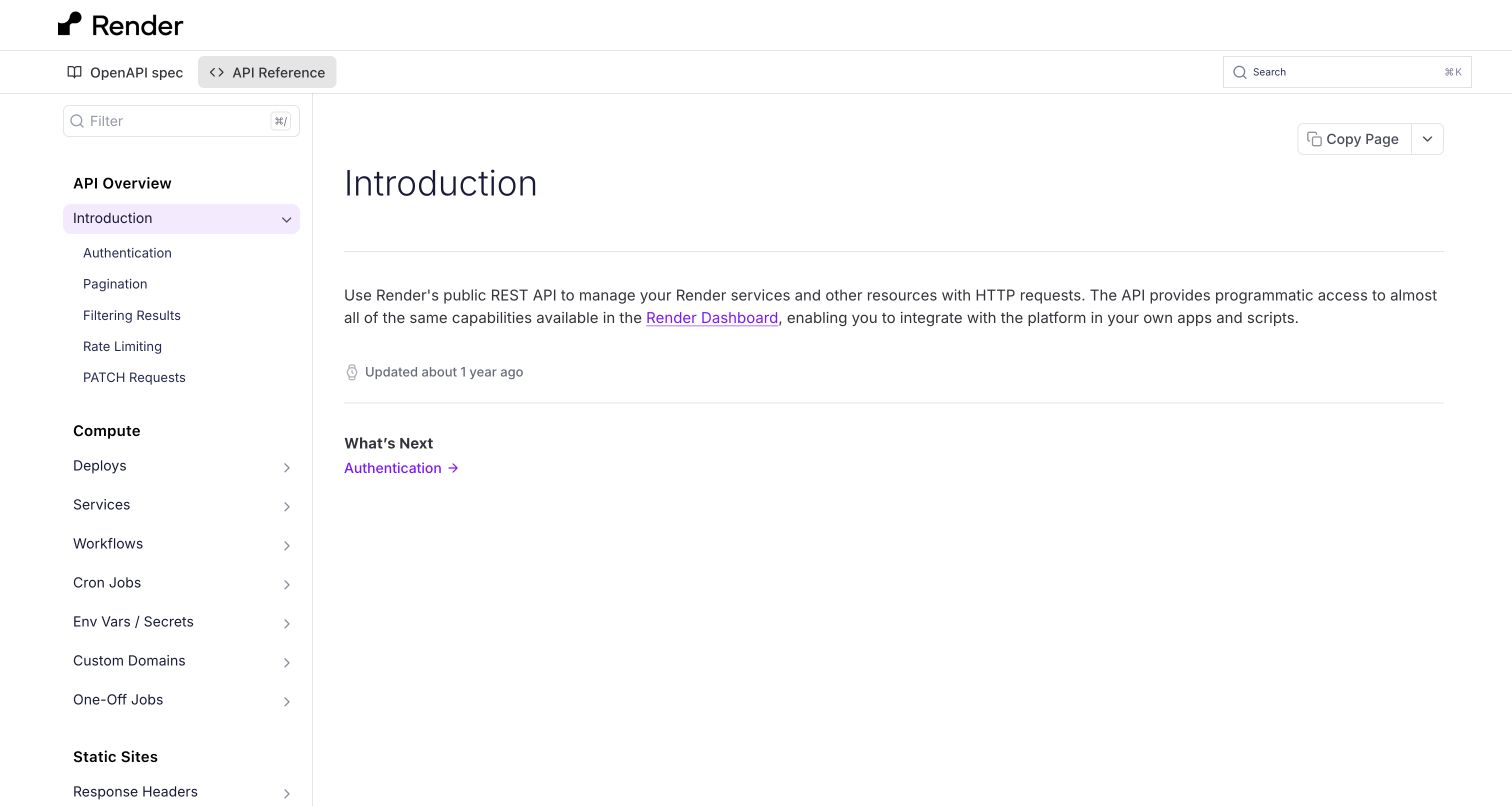
Render's API introduction keeps the main column unusually short. A plain description connects the public REST API with managing platform resources, then a next-step link leads to authentication. The left navigation exposes related fundamentals and resource groups, while OpenAPI spec sits beside API Reference in the top navigation. The official specification page explains that its JSON file is not versioned and that client regeneration can be affected by specification changes. This is a useful distinction between API compatibility and the stability of generated client artifacts, rather than a claim that the captured page demonstrates every operation.
What you can learn
Make the contract easy to find, but keep its maintenance guarantees explicit. A concise introduction can work when navigation carries the detail. Tell readers which compatibility promises concern the service and which concern the specification or generated client names.
Pros
The OpenAPI specification is discoverable directly from the main documentation navigation.
The short article points to authentication without burying the next step in promotion.
Cons & considerations
The spare opening offers little worked context for a developer unfamiliar with the platform.
An unversioned specification requires care when regenerating clients or comparing releases.
Platform source: Official API specification or tooling documentation. Render publishes a JSON OpenAPI specification for its public API. Its documentation warns that the spec is not versioned and regeneration can introduce client changes. This is documentary evidence for the named API/documentation workflow, not a live observation of the page renderer or a complete backend inventory. Platform evidence is separate from the direct website screenshot and is not a complete current infrastructure audit.
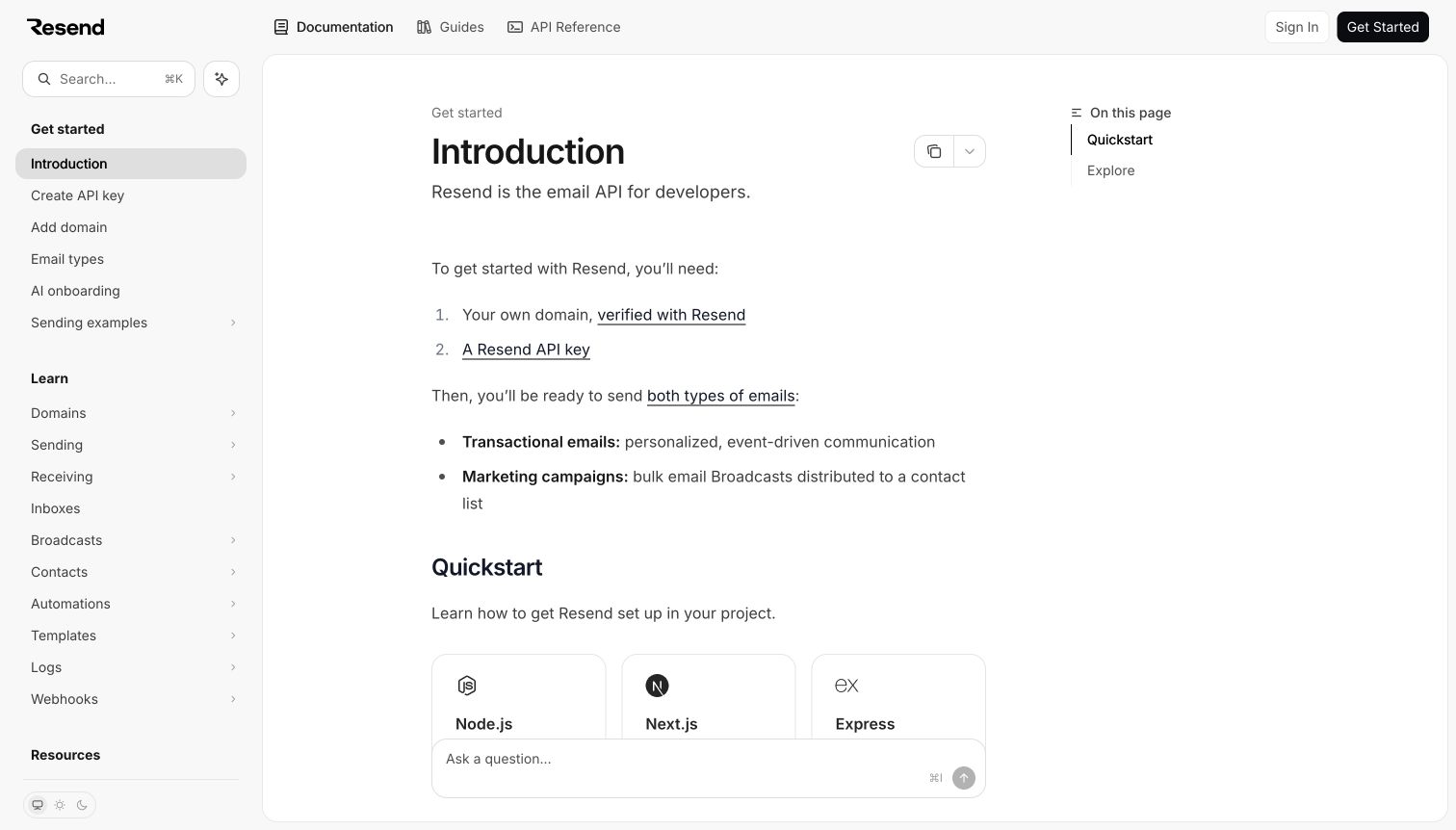
Resend's documentation introduction starts with a brief product description and a small prerequisite list. A verified domain and an API key appear before the page distinguishes transactional messages from marketing campaigns. Language and framework quick starts follow, while a left sidebar groups setup, learning topics and resources. Resend's October 2023 announcement documents the release of its OpenAPI specification for the email API. That dated publication supports the relationship without implying a freshly observed backend. The captured view is the public introduction; it does not demonstrate message delivery, campaign performance or an authenticated sending workflow.
What you can learn
Explain prerequisites before offering a copyable request. Developers need to know which setup work and message category apply to their task. Keep specification evidence and live service claims separate: a published contract describes an interface, while delivery behavior needs its own operational checks.
Pros
A short prerequisite list clarifies what the first useful integration will require.
The introduction separates transactional and campaign concepts before presenting implementation routes.
Cons & considerations
The captured quick-start cards continue below the first view rather than showing a request.
A historical specification announcement alone cannot confirm the service's present configuration.
Platform source: Dated official OpenAPI announcement. Resend’s dated October 18, 2023 announcement provides its OpenAPI specification for its email API and describes importing it into API clients. This is a dated documented association. This is documentary evidence for the named API/documentation workflow, not a live observation of the page renderer or a complete backend inventory. Platform evidence is separate from the direct website screenshot and is not a complete current infrastructure audit.
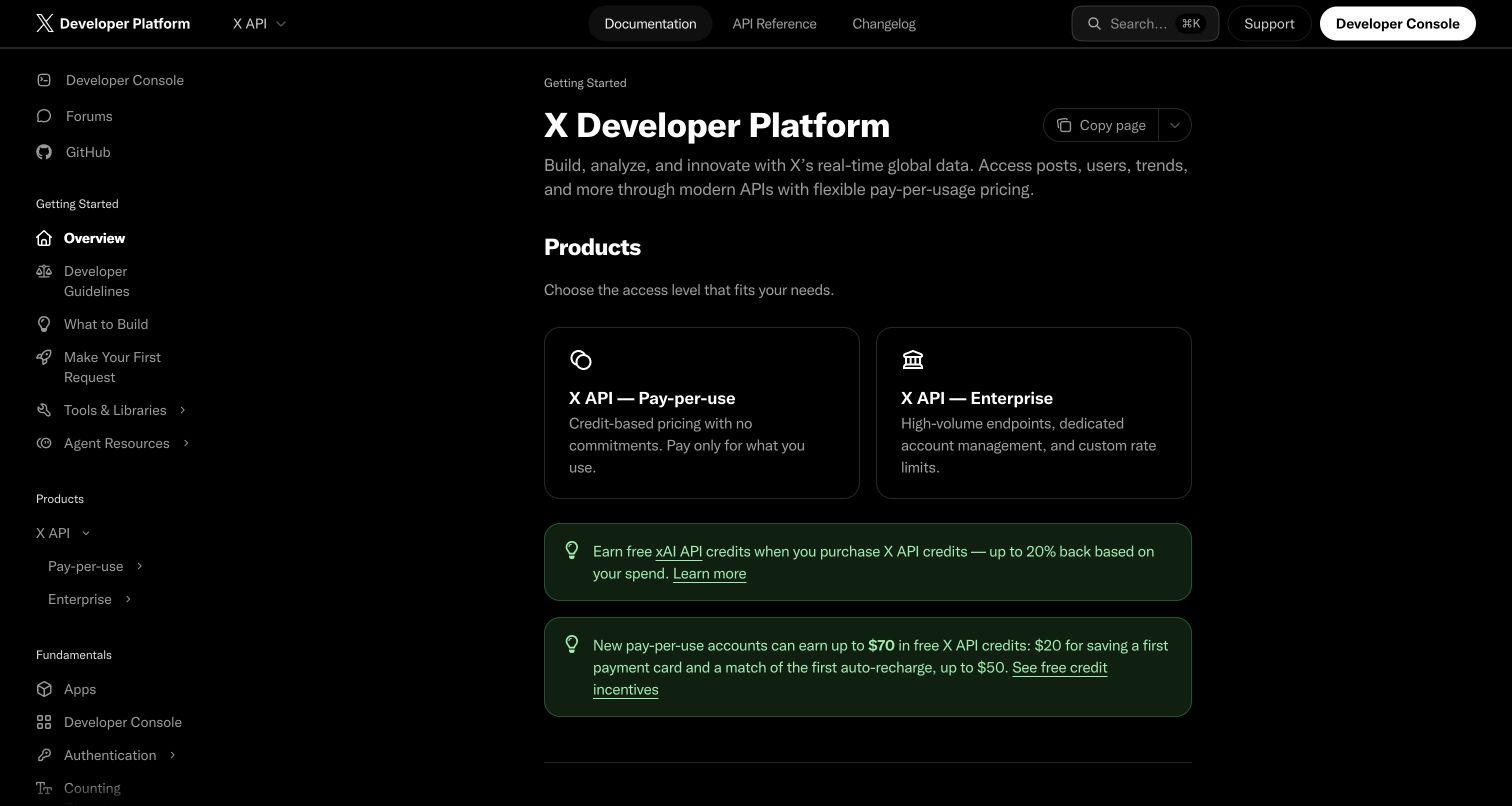
X's developer overview uses a dark interface with a clear separation between the article and its persistent navigation. Two product cards distinguish access routes, while getting-started links and developer guidelines remain visible in the left column. The top bar keeps documentation, API reference and changelog destinations together. X's official reference documents an endpoint that returns its OpenAPI specification in JSON form. This supports an API-contract association for the developer property, not an inference about the consumer application's frontend. Pricing and promotional text in the retained image are part of that dated capture, not current purchasing advice.
What you can learn
Keep access choices close to the technical starting point, but distinguish commercial terms from the contract itself. Readers should be able to find operations and restrictions without confusing a plan card, a specification endpoint and the behavior of the consumer product.
Pros
Persistent navigation keeps guidelines, API concepts and reference material within reach.
The two-card comparison makes the existence of different access routes immediately visible.
Cons & considerations
Promotional notices compete with implementation guidance in the initial reading area.
The overview requires another navigation step before a concrete operation or schema appears.
Platform source: Official API specification or tooling documentation. The official X API documentation describes its full OpenAPI JSON specification endpoint. Scope is the documented X API, not the consumer website frontend. This is documentary evidence for the named API/documentation workflow, not a live observation of the page renderer or a complete backend inventory. Platform evidence is separate from the direct website screenshot and is not a complete current infrastructure audit.
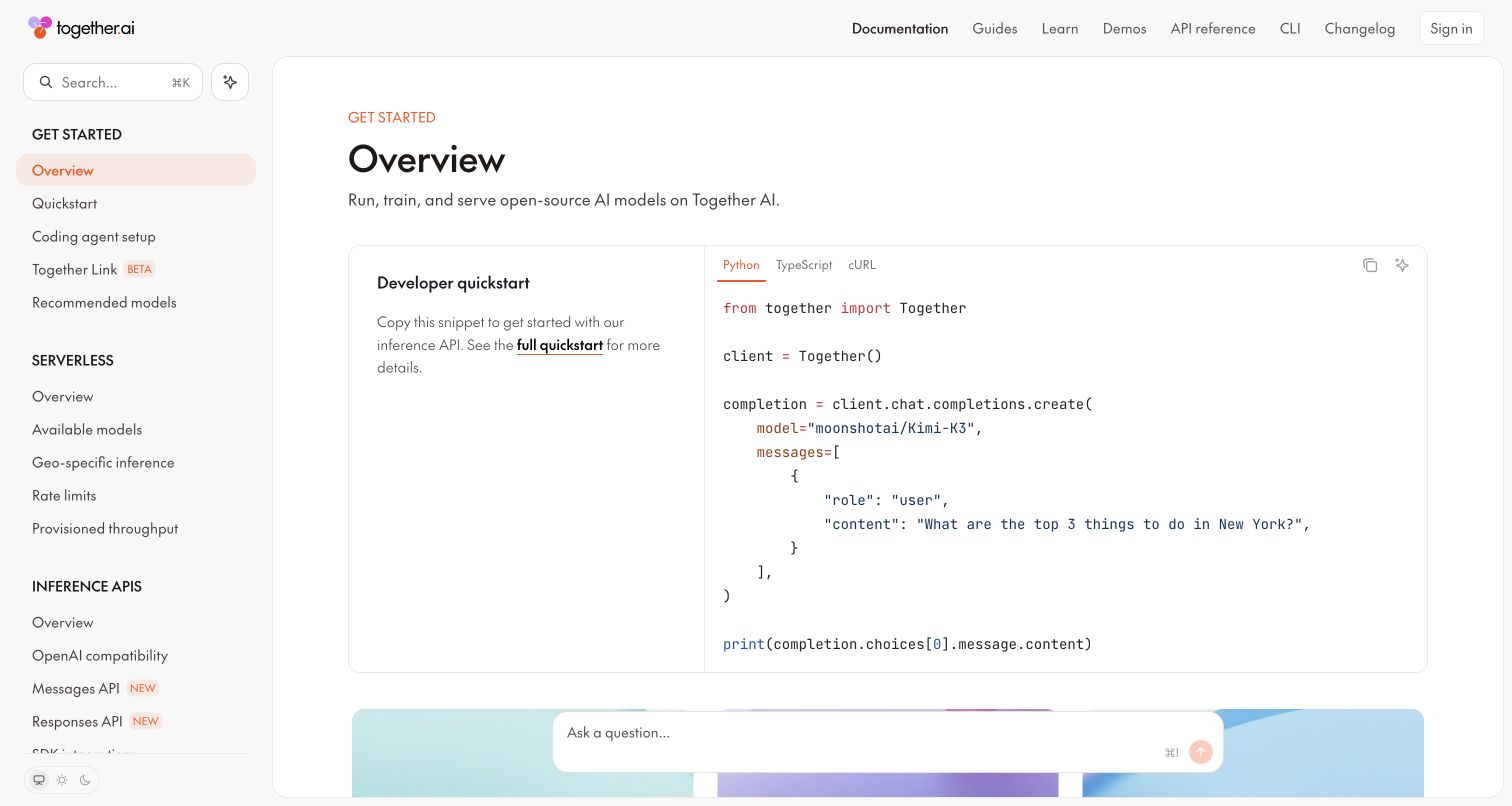
Together AI's documentation overview pairs a short quick-start explanation with a large code panel. Language tabs make the example's format explicit, and the left sidebar separates serverless material from inference API topics. That arrangement gives readers an immediate implementation shape without hiding the wider documentation structure. Together's official compatibility page separately links its full OpenAPI specification. OpenAPI is the API-description format here; OpenAI compatibility is a different statement about supported client interfaces. The retained screenshot shows the documentation example, not a measured model result or proof that every listed model supports identical features.
What you can learn
Put the smallest useful explanation beside the first code example, then label compatibility boundaries carefully. Similar product names and familiar client libraries can conceal differences between a schema format, an API shape and a specific model's capabilities.
Pros
The side-by-side quick start connects a short explanation with a concrete code structure.
Language tabs and grouped topics give readers clear routes beyond the first example.
Cons & considerations
A short request example cannot communicate all model-specific parameters or limitations.
OpenAPI and OpenAI terminology require deliberate clarification to avoid a misleading association.
Platform source: Official API specification or tooling documentation. Together’s official API documentation links its full OpenAPI specification separately from its OpenAI compatibility explanation. OpenAPI and OpenAI are distinct names and claims. This is documentary evidence for the named API/documentation workflow, not a live observation of the page renderer or a complete backend inventory. Platform evidence is separate from the direct website screenshot and is not a complete current infrastructure audit.
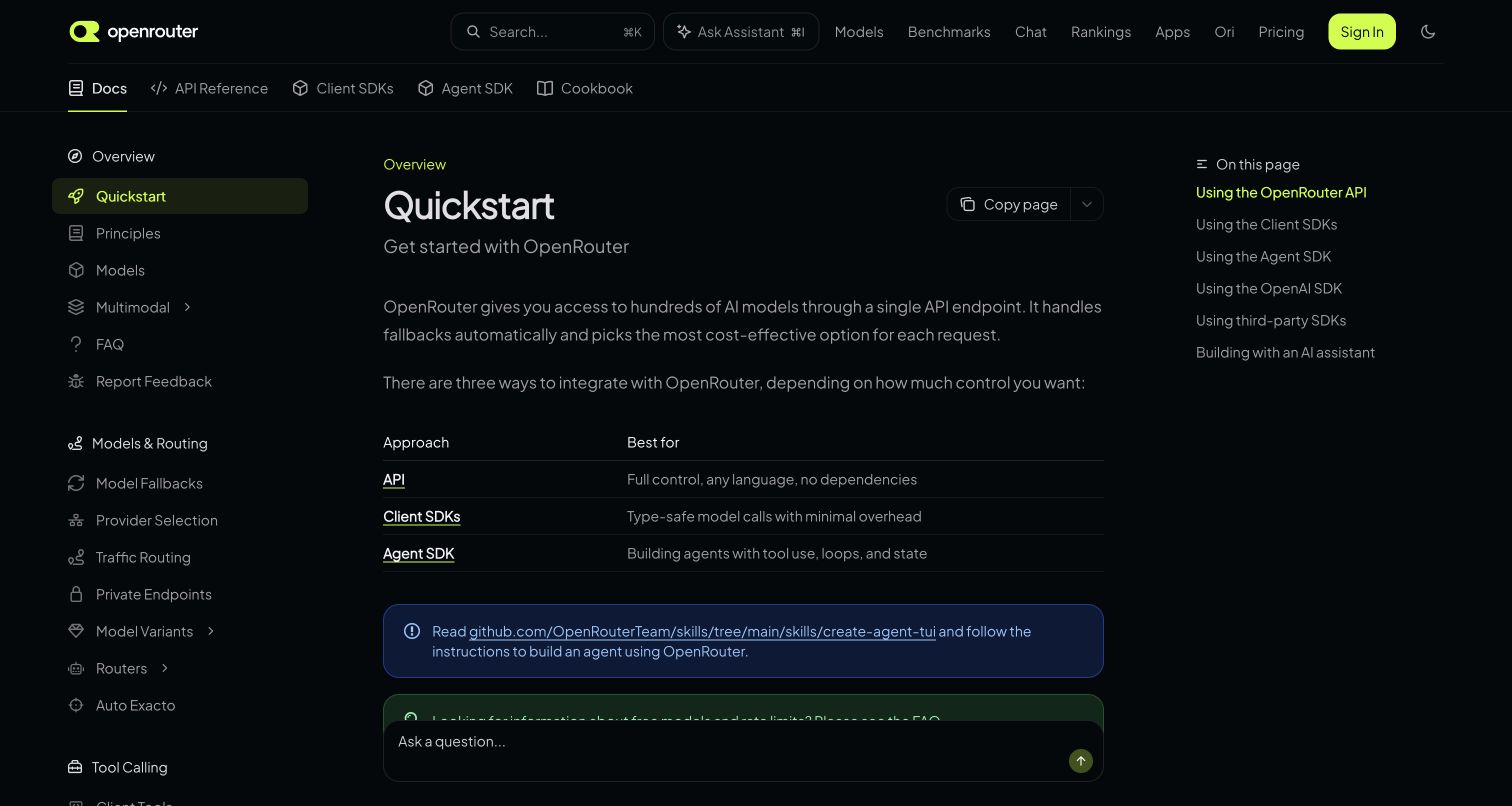
OpenRouter's quick-start page begins by distinguishing several ways to integrate rather than immediately dropping the reader into a code block. A compact table compares raw API use, client SDKs and an agent SDK by the job each approach serves. The dark shell uses a restrained bright accent to identify the active page, while a right-hand contents list exposes the article's remaining routes. The official API overview supplies OpenAPI descriptions in YAML and JSON. That evidence concerns the documented OpenRouter interface, not the internal implementations of every model provider accessible through the service.
What you can learn
Help developers choose their level of abstraction before asking them to install a client. A brief comparison can prevent a quick start from assuming the wrong workflow. Keep the aggregator's contract distinct from the capabilities and policies of services behind it.
Pros
The comparison table explains why someone might choose one integration approach over another.
A visible contents list provides direct access to later sections of the quick start.
Cons & considerations
Several integration options add a decision before the reader reaches a first request.
A shared API contract cannot guarantee identical behavior across every underlying model provider.
Platform source: Official API specification or tooling documentation. OpenRouter explicitly documents its API with OpenAPI and supplies both YAML and JSON specifications for API exploration and client generation. This is documentary evidence for the named API/documentation workflow, not a live observation of the page renderer or a complete backend inventory. Platform evidence is separate from the direct website screenshot and is not a complete current infrastructure audit.
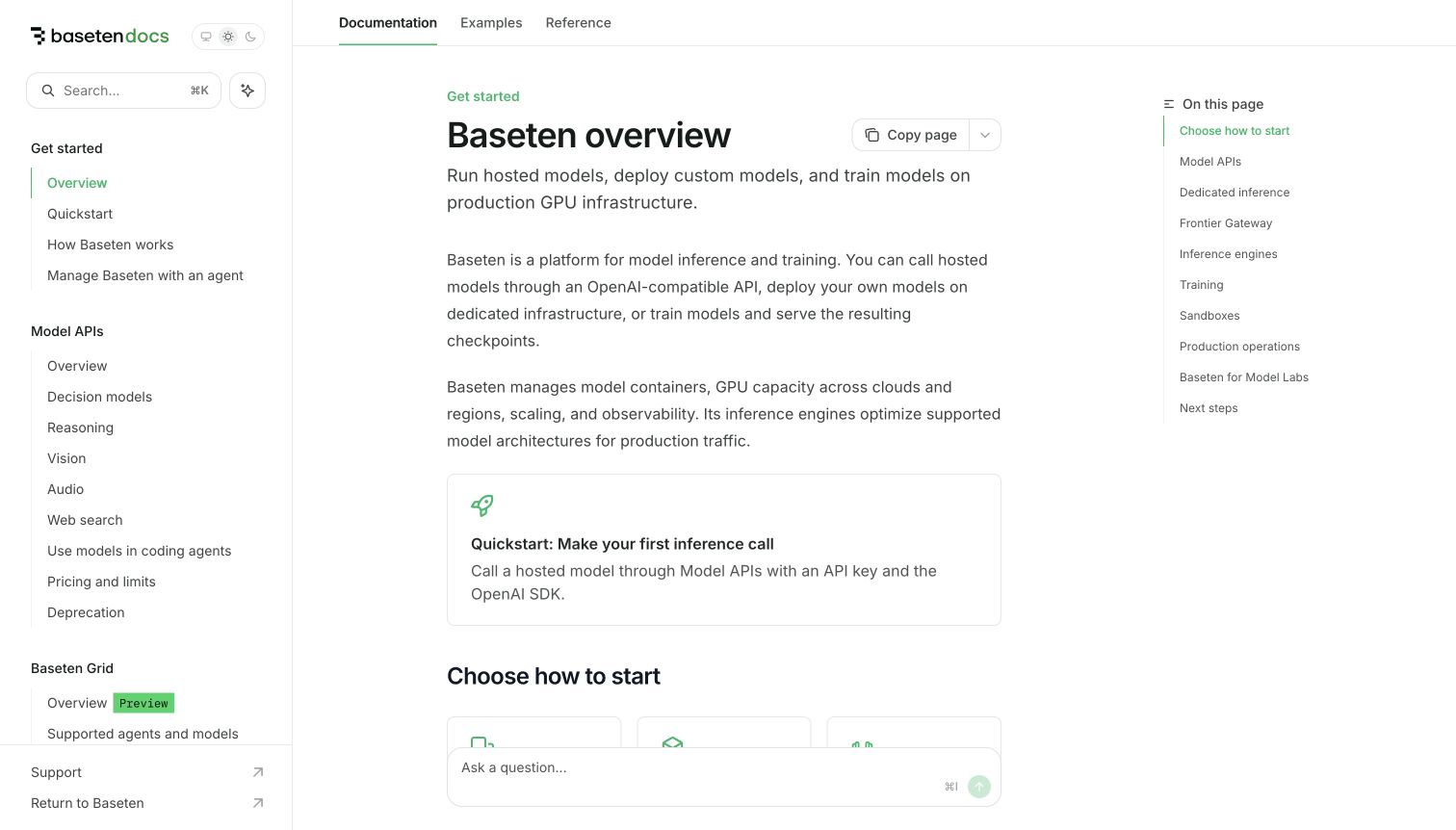
Baseten's overview introduces hosted models, custom deployments and training before offering a focused quick-start box. The main column explains those jobs in plain language, while the sidebar groups model API capabilities and broader platform material. A short contents list on the right gives the overview a navigable shape. Baseten's official Management API reference links an OpenAPI specification for managing models and deployments. That particular relationship should not be extended to every hosted model's interface. The captured overview is an entrance to several workflows, so its broad platform description and the narrower schema evidence serve different purposes.
What you can learn
Name the operational surface an API contract describes. A platform may have separate inference, management and deployment interfaces, even when one documentation site presents them together. Use introductory navigation to make those distinctions understandable before readers select tooling.
Pros
The introduction explains several platform jobs before directing readers toward a quick start.
Grouped navigation and a local contents list support both exploration and targeted reading.
Cons & considerations
The broad overview cannot show the contract and permissions for every operational surface.
A Management API specification does not establish the interface of each hosted model.
Platform source: Official API specification or tooling documentation. Baseten’s official Management API reference links its OpenAPI specification for managing models and deployments. Scope is this documented management API, not every hosted model. This is documentary evidence for the named API/documentation workflow, not a live observation of the page renderer or a complete backend inventory. Platform evidence is separate from the direct website screenshot and is not a complete current infrastructure audit.
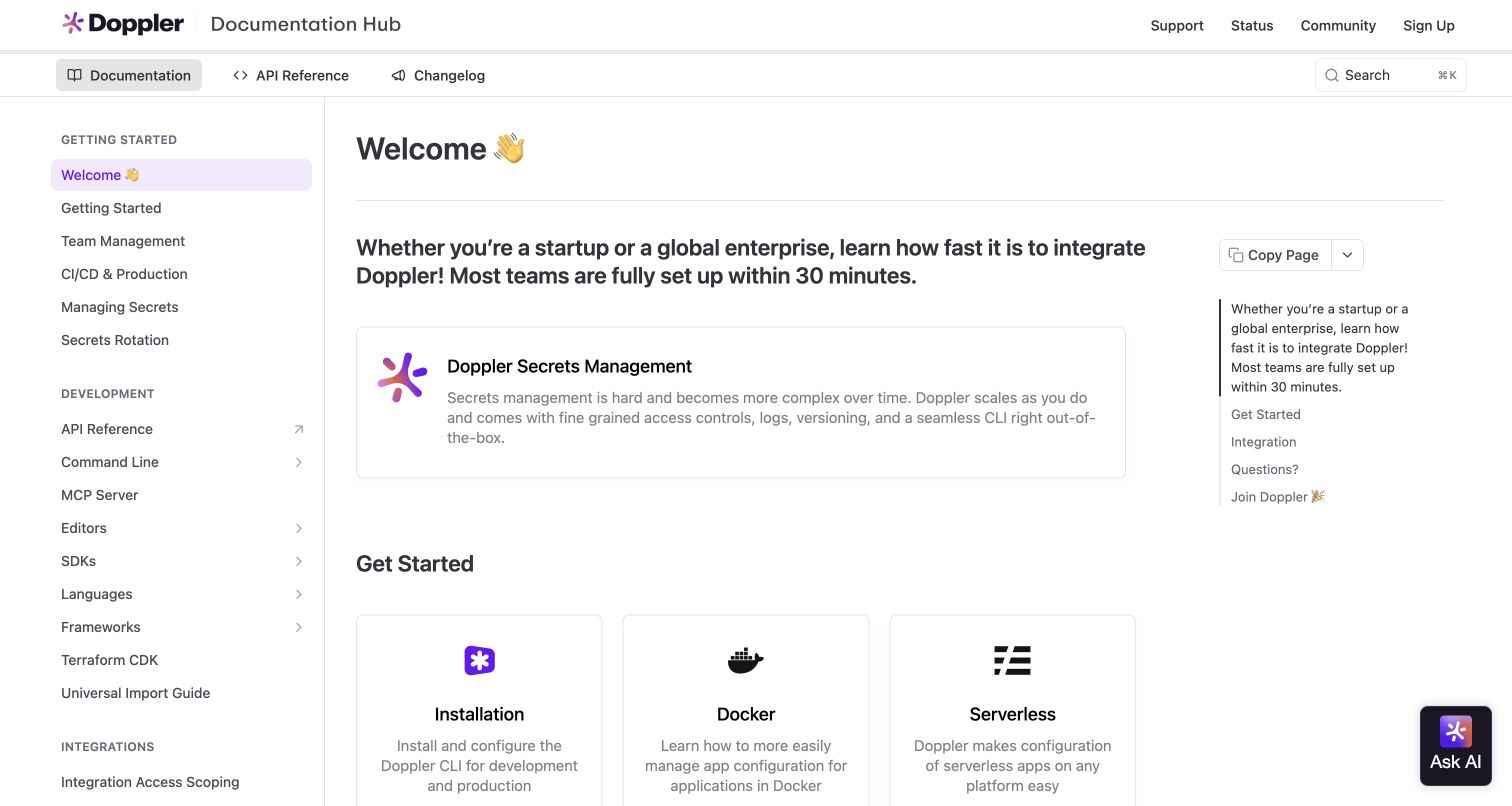
Doppler's documentation welcome page introduces the service in a prominent panel before offering installation, Docker and serverless entry cards. A long but grouped sidebar separates setup, development and integration material, with API reference and MCP resources visible together. The layout recognizes that the same service enters several development environments. Doppler's official MCP server repository links its documentation-hosted OpenAPI specification and explains that tools are generated from it. This is a specific documented API-tooling relationship. The screenshot does not show a private secrets workspace, and the review makes no claim about the security of a deployed integration.
What you can learn
Organize implementation guidance by the context in which developers will use it, while keeping the shared API contract accessible. Generated tools still need clear permission and environment guidance; a consistent schema does not remove the operational differences between deployment targets.
Pros
Environment-oriented cards give readers concrete routes beyond a generic product introduction.
The sidebar places API and related developer tooling within a clearly named section.
Cons & considerations
The large navigation inventory can overwhelm someone who has not chosen an environment.
The welcome view does not expose a request example or permission model directly.
Platform source: Official API specification or tooling documentation. Doppler’s official MCP server repository links the Doppler OpenAPI specification hosted on its documentation property and says its tools are generated from it. Scope is the documented Doppler API. This is documentary evidence for the named API/documentation workflow, not a live observation of the page renderer or a complete backend inventory. Platform evidence is separate from the direct website screenshot and is not a complete current infrastructure audit.
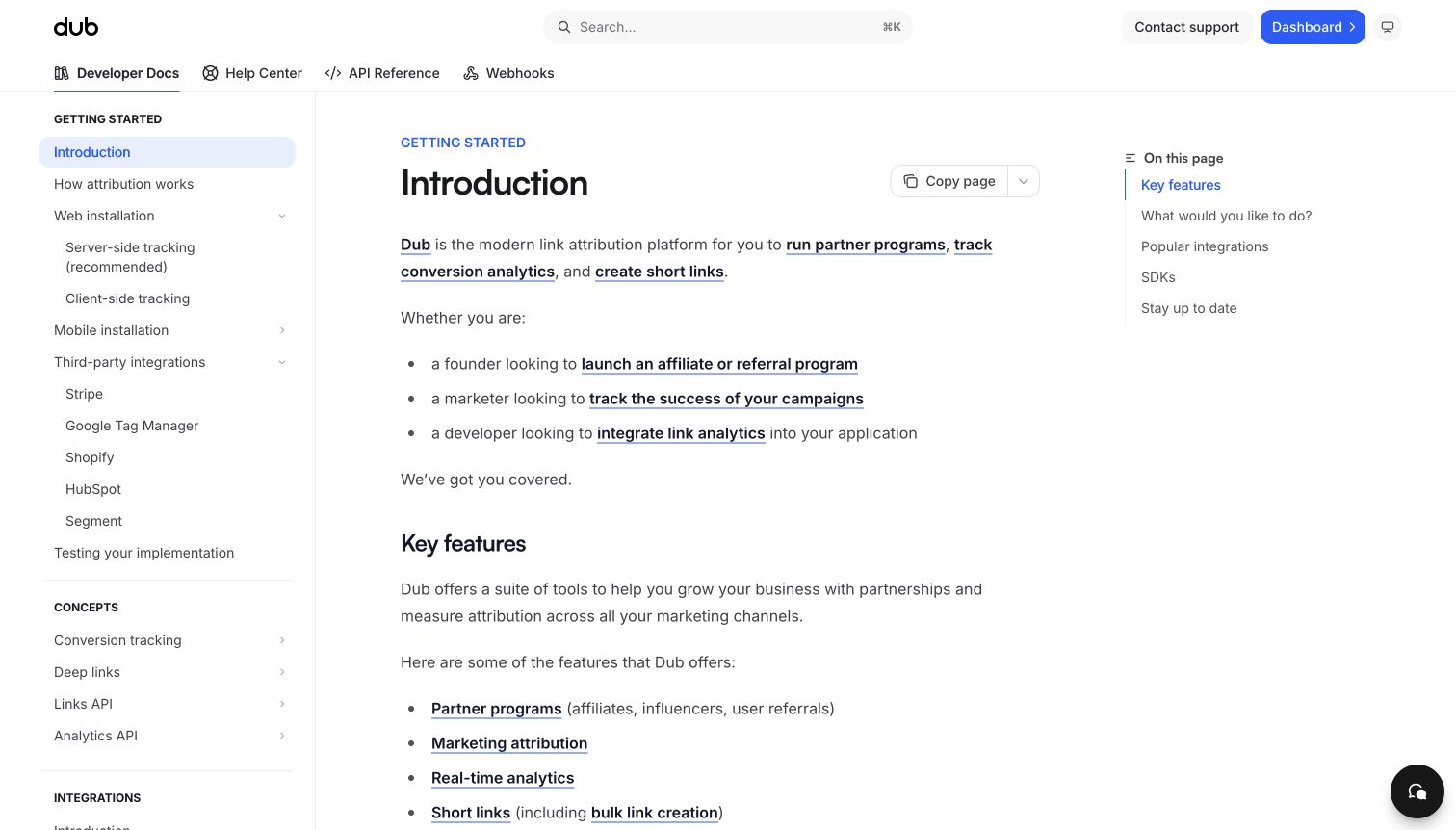
Dub's documentation introduction explains its service through several reader roles before listing its main features. Founders, marketers and developers receive different reasons to continue, while the left navigation separates installation methods, integrations and API concepts. Links within the introductory prose connect broad goals with more specific guidance. Dub's public source constructs an OpenAPI 3.0.3 document for the production API, including link and analytics operations. That evidence identifies the documented interface behind this developer property; it does not establish the technology used by customers' destination websites or validate any campaign's attribution results.
What you can learn
Let a mixed audience understand the business task before meeting the schema. Role-oriented introductions can coexist with precise technical navigation, provided the documentation makes clear which API contract, integration method and operational responsibility apply to each path.
Pros
The role-based opening explains why different readers might need the same platform.
Installation methods and conceptual API areas remain distinct in the persistent navigation.
Cons & considerations
Several linked concepts in the introduction can fragment a newcomer's reading path.
The first view describes capabilities without showing a complete request and response example.
Platform source: Official API specification or tooling documentation. Dub’s official source creates an OpenAPI 3.0.3 document titled Dub API, with production server api.dub.co and link, analytics, event and related paths. The screenshot is its matching developer documentation introduction. This is documentary evidence for the named API/documentation workflow, not a live observation of the page renderer or a complete backend inventory. Platform evidence is separate from the direct website screenshot and is not a complete current infrastructure audit.
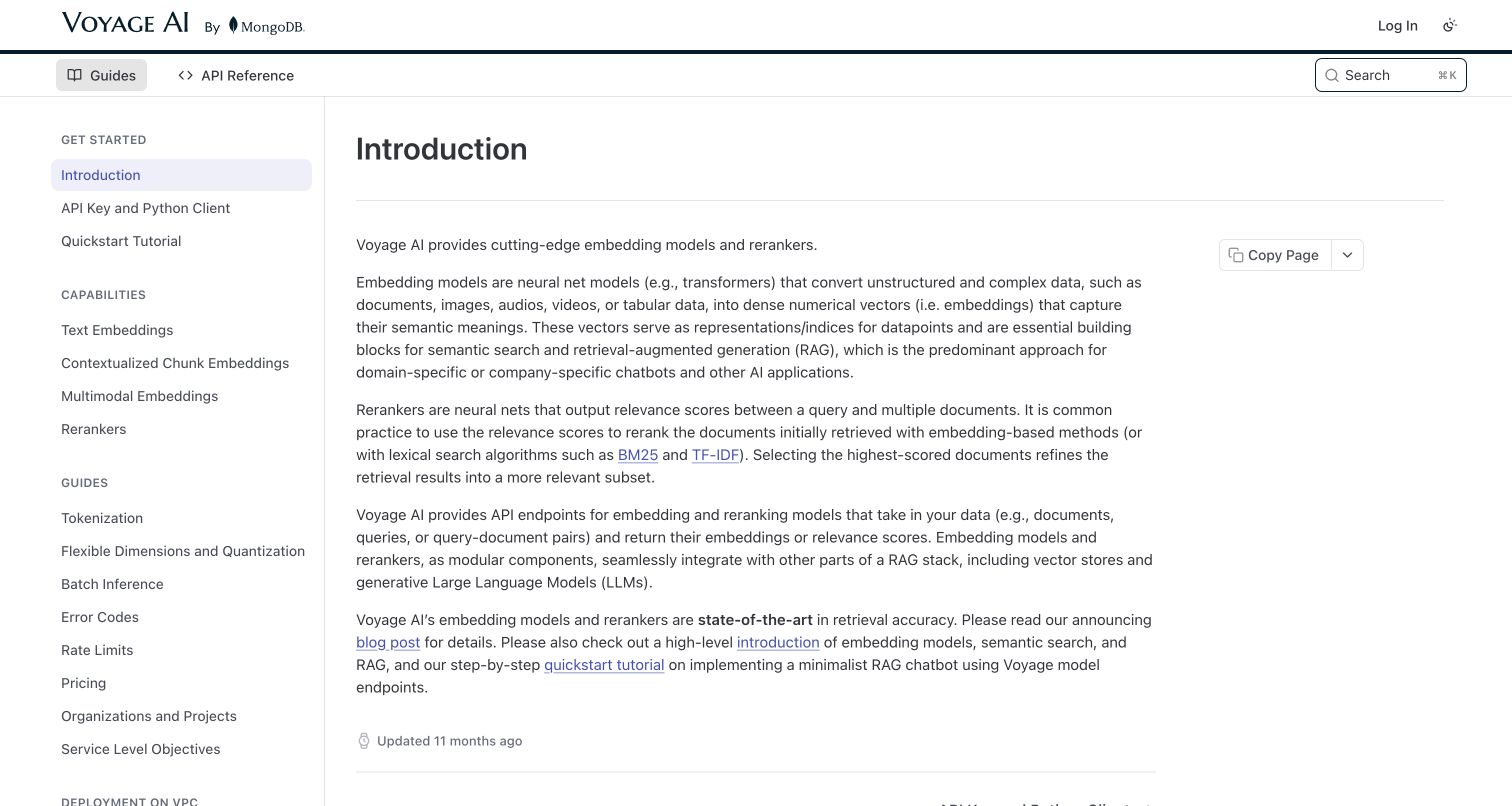
Voyage AI's introduction devotes its main column to explaining embeddings and rerankers before directing readers toward implementation material. The sidebar separates capabilities from guidance such as tokenization, error codes and rate limits. A simple header keeps API Reference distinct from the explanatory guides. Voyage AI's official community-SDK page links its public OpenAPI specification for people building clients and libraries. The association concerns those documented API services, not a claim that every model shares the same behavior. The retained image is a conceptual documentation page rather than a live benchmark or a demonstration of retrieval quality.
What you can learn
Explain similar-sounding capabilities in terms of the tasks they solve before exposing their full contracts. A schema can describe inputs and outputs, but a reader still needs guidance on which operation belongs in a workflow and how to evaluate its result.
Pros
The introduction distinguishes embeddings from reranking before suggesting implementation routes.
Capabilities and operational guidance occupy separate, clearly labeled sidebar groups.
Cons & considerations
The text-heavy opening offers little visual explanation for readers new to these concepts.
A public specification does not substantiate performance claims for a particular dataset or model.
Platform source: Official API specification or tooling documentation. Voyage AI’s official documentation links its publicly available OpenAPI specification for building SDKs and clients. Scope is the embedding and reranking API described in the retained introduction. This is documentary evidence for the named API/documentation workflow, not a live observation of the page renderer or a complete backend inventory. Platform evidence is separate from the direct website screenshot and is not a complete current infrastructure audit.
Kegan has 15+ years of experience working with small businesses, Fortune 500 companies, and everything in between. No development job is too big or too small: he brings the same hands-on attention to a focused improvement, a complete website, or a custom application.
For OpenAPI projects, he can help with responsive interfaces, reusable components, custom functionality, API connections, and performance-minded implementation. He works directly with clients on scope, design, implementation, testing, and handover, with an emphasis on clear communication and a system that remains practical to maintain after launch.
Show 3 other OpenAPI developersHide other OpenAPI developers
Use a compact reference when developers already understand the service and primarily need accurate parameters, responses and examples. Keep the specification download close to the reference, give operations stable names and make authentication guidance easy to find. Add short contextual explanations where an operation's purpose is not obvious from its path.
A task-led developer portal
A larger platform may need an entrance that sorts readers by product, use case or experience. Start with meaningful choices such as payments, reporting or account setup, then lead to the appropriate reference and contract. Preserve a direct path for returning developers who know exactly which API family they need.
A specification-supported tooling workflow
When a contract feeds API clients, mock servers or SDK generation, document that workflow explicitly. Name the artifact, supported format and known limitations. HubSpot's Postman synchronization purpose, Render's specification-change warning and Samsara's code-generation qualification demonstrate why the existence of a file should not be mistaken for unrestricted support for every tool.
From references to requirements
Plan the contract, reading paths and maintenance
Identify the reader and the first useful result
Write down the task a newcomer should complete and the assumptions it depends on. Decide whether account approval, a sandbox, a product choice or domain setup comes first. Use that sequence to shape the introduction and quick start, while giving experienced readers a shorter route to the reference.
Define the supported artifact and version
Record which API family the description covers and which specification version it uses. Make download locations stable and identify any distinction between public, preview and SDK-oriented files. Explain how readers should compare revisions and where they can find a maintenance notice when a generated artifact trails a service release.
Explain authorization without exposing credentials
Describe the authentication scheme and the permissions an operation requires, using clearly marked placeholders in public examples. OpenAPI can describe security requirements at the API or operation level. That description helps readers understand the contract; the actual service must still enforce its authorization rules, and documentation should never contain live credentials.
Decide who updates the schema, reference text, quick starts and client guidance when an interface changes. Check them together using a representative integration task. Preserve clear error explanations and known limitations, and provide a correction route. A generated reference can reduce repetition, but somebody still needs to maintain the experience around it.
A useful handover demonstration
Ask the actual team to carry out its routine job: publish a realistic update, correct a mistake, preview a narrow screen, and identify who owns an integration failure. For a library or frontend framework, also ask who maintains the content source and deployment. A polished screenshot does not answer those operational questions.
Beyond the screenshot
An OpenAPI documentation checklist
Name the API family and the exact scope of the published description.
State the specification version without relabeling older Swagger material.
Provide a visible route to the schema and operation reference.
Explain prerequisites before the first implementation step.
Keep quick starts and exhaustive reference material easy to distinguish.
Use realistic examples with placeholders instead of live credentials or private records.
Make parameter locations, required values and request bodies clear.
Describe authorization requirements and the relevant permissions.
Document errors, version changes and known tooling limitations.
Identify public, preview and SDK-specific artifacts separately where they exist.
Keep navigation usable with a keyboard and on a narrow screen.
Assign an owner to specification, example and documentation updates.
Test with real content, a keyboard, a small screen, slow or failed requests, and the people who will maintain the system. These are planning checks, not an accessibility, security, performance, or search-ranking certification.
Sources & editorial method
How this OpenAPI collection was reviewed
The editorial review on November 11, 2026 paired official API documentation or first-party specification repositories with the exact public developer properties pictured here. The unmodified source captures retain their original November 2, November 6 or November 11 dates. Each property also retains its earlier bounded broad technology-audit attempt, including unavailable and partial outcomes; those outcomes are not presented as successful fresh scans. The new OpenAPI evidence is documentary and scoped to the identified API or tooling workflow. Resend's release announcement remains dated October 2023, Clever's Swagger definitions retain their older format, and HubSpot's schemas retain their stated Postman-integration purpose. The reviews compare visible navigation, explanations and starting paths without measuring API reliability, product performance or business results.
Every image is an unmodified capture from the actual website, with its source and capture date. Some captures are reused from our shared catalog; their dates remain the original capture dates. None comes from a vendor gallery or a generated reconstruction. Moving imagery and live content can change.
Technology attribution uses public page assets or metadata, official platform documentation, or a cited first-party project case study. Documentary and framework-relationship evidence is identified where used; it is not a complete current backend inventory. A CMS image CDN alone does not establish a full CMS deployment. A library’s presence does not prove which individual controls use it, and a platform label does not establish AI authorship.
The composition notes, lessons, pros and tradeoffs are original editorial observations. We have not measured conversion, traffic, security, performance or accessibility conformance. Website owners retain their brands and imagery; these examples are not our client portfolio. Written, Edited and Curated are independent records, not dates advanced by a build. See our editorial standards or suggest a correction.
Questions worth asking
OpenAPI website development FAQs
Does OpenAPI build these websites?
No. OpenAPI describes HTTP interfaces. These examples are public documentation properties with explicit API or tooling associations. Their page rendering, hosting and private backend are separate questions, supported only where the individual evidence identifies them.
Are OpenAPI and OpenAI the same thing?
No. OpenAPI is an API-description specification. OpenAI is a separate organization and product family. An API can use an OpenAPI description, offer an OpenAI-compatible interface, both or neither; one statement does not establish the other.
Why do some examples mention Swagger?
The evidence includes older Swagger-format definitions as well as newer OpenAPI descriptions. The applicable version remains part of each attribution. Do not assume an older file supports the same features or tooling as a newer specification simply because both belong to this interface-description history.
Can every published specification generate a reliable client?
That depends on the artifact, generator and API. Read the publisher's stated support and version policy. Samsara explicitly qualifies its code-generation testing, Render warns about specification changes, and HubSpot identifies a narrow Postman synchronization purpose for its published schemas.
Do these captures show the latest API behavior?
They show the named public pages on their recorded capture dates. The documentary sources establish qualified relationships, while broad scans have their own observation dates and limits. A screenshot or schema reference does not substitute for checking a current integration against the provider's documentation.
What should a small API team build first?
Start with an accurate description of one important workflow, a readable quick start and a reference that explains its inputs, outputs and access requirements. Make the specification easy to find, keep examples aligned with it and assign responsibility for updating both when the interface changes.
Borrow a clear starting path, a useful contract link or an honest support notice. Make your API documentation answer the decisions a developer needs to make before and after the first request.