A useful WP Engine project is more than a redesigned WordPress homepage. It needs a content model, a controlled release routine, and a realistic recovery plan for the people responsible after launch.
The examples below have public WP Engine delivery signals and actual website captures. They span universities, institutions, contractors, hospitality, and other service organizations. The association applies to the named property, not every application or internal system belonging to its owner.
Use the visual references to define visitor tasks and editorial responsibilities. A managed hosting product can provide useful operating tools, but the team still has to decide who reviews content, tests an update, handles an integration failure, and authorizes a restoration. None of those responsibilities can be inferred from a polished screenshot.
Before the examples
What makes good WP Engine website development in 2026?
Model the content before multiplying layouts
Write representative projects, locations, people, and articles before settling the template library. A genuinely repeatable record should be editable without rebuilding the surrounding page. Include long names, missing images, stale offers, and relationships that cross several sections. Otherwise a flexible visual design can become a fragile collection of copied facts that no one knows how to update consistently.
Keep test and public work visibly separate
WP Engine documents production, staging, and development as separate environments. Establish which one the team is using before any update. Keep non-public copies appropriately restricted and exclude sensitive information that is not needed for testing. Also prevent test forms, scheduled tasks, and notifications from behaving like real production activity merely because a site copy looks convincing.
Record who owns the domain, publishing account, forms, search, booking, email delivery, analytics, and any separate portal. A public page can load correctly while an important handoff has failed. Give staff an understandable confirmation and fallback route rather than a list of plugin names. Review access periodically and retain the information needed to move providers without rebuilding institutional memory.
The collection · 20 examples
20 WP Engine website examples worth studying
Compare how these organizations separate current features from enduring tasks. The shared delivery association is not a performance ranking, a platform endorsement, or evidence about protected services linked from each public page.
We start with five recognizable brands or organizations: University of California, Berkeley, Amnesty International, Bechtel, Mayflower, edX. Each attribution applies to the named website property, not every product or website belonging to its organization. This is a curated reading sequence, not a measured ranking.
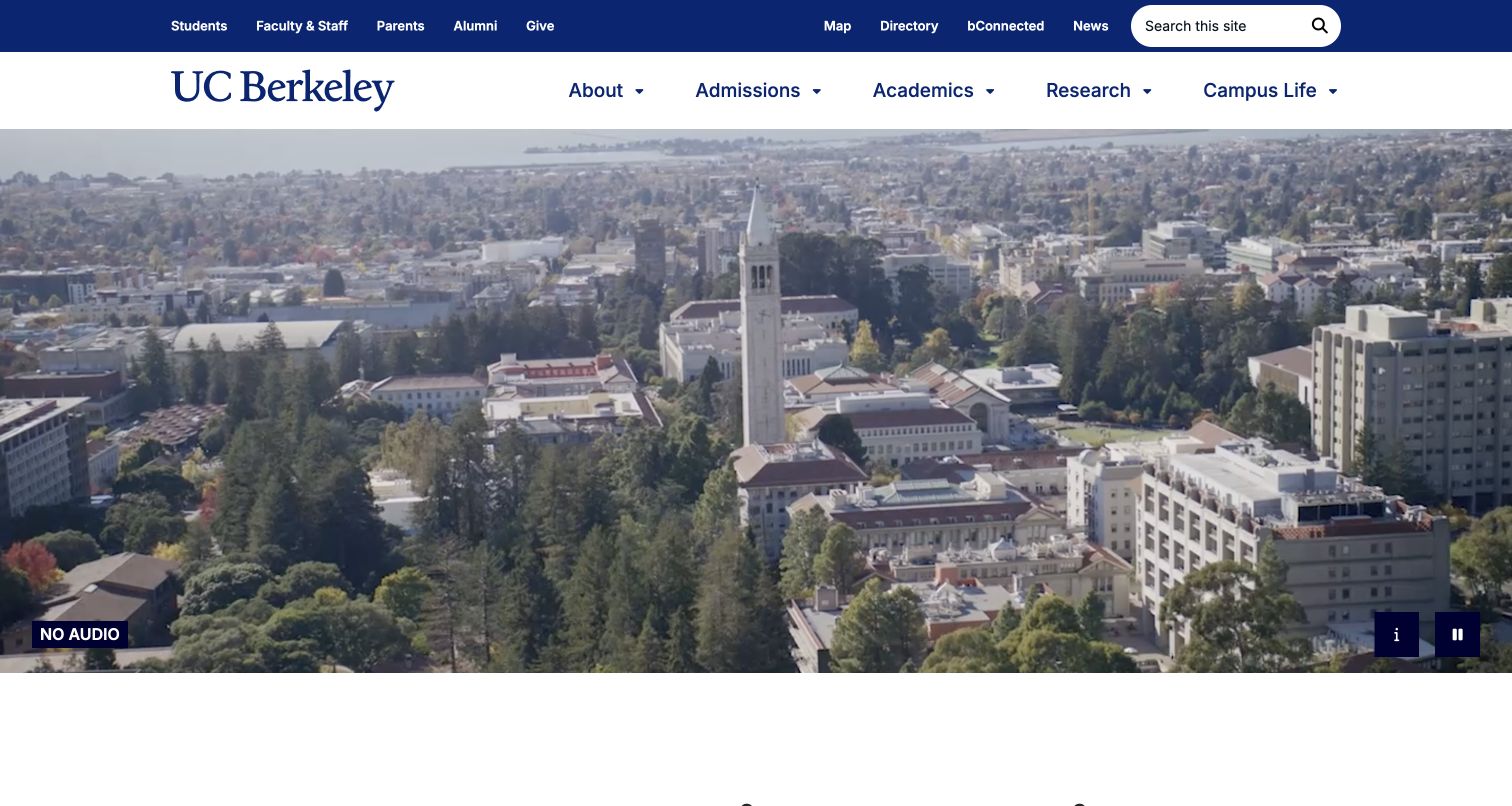
Berkeley combines campus video with its familiar blue-and-gold identity and a broad academic navigation. The media controls identify the absence of audio and provide description and pause options. Audience utilities sit above the main institutional destinations. A WP Engine delivery signal was observed for this public property; it is not evidence that all Berkeley departments, applications, or authenticated services share one managed WordPress environment.
What you can learn
For a comparable publishing project, rehearse a campaign change in a safe environment with representative campus content. Check video fallback, menu behavior, and direct links to permanent resources before release. Keep staff responsibilities for public news distinct from the teams operating student systems. Document a restoration procedure that preserves current content and configuration rather than assuming that recovering an old homepage image restores the whole institutional service.
Pros
Media controls acknowledge several ways a visitor may experience the opening.
Academic navigation and audience utilities have different, recognizable layers.
Cons & considerations
Large campus media needs deliberate small-screen and unavailable-video testing.
The broad institutional menu and audience utilities need clear priority when stacked below the campus feature.
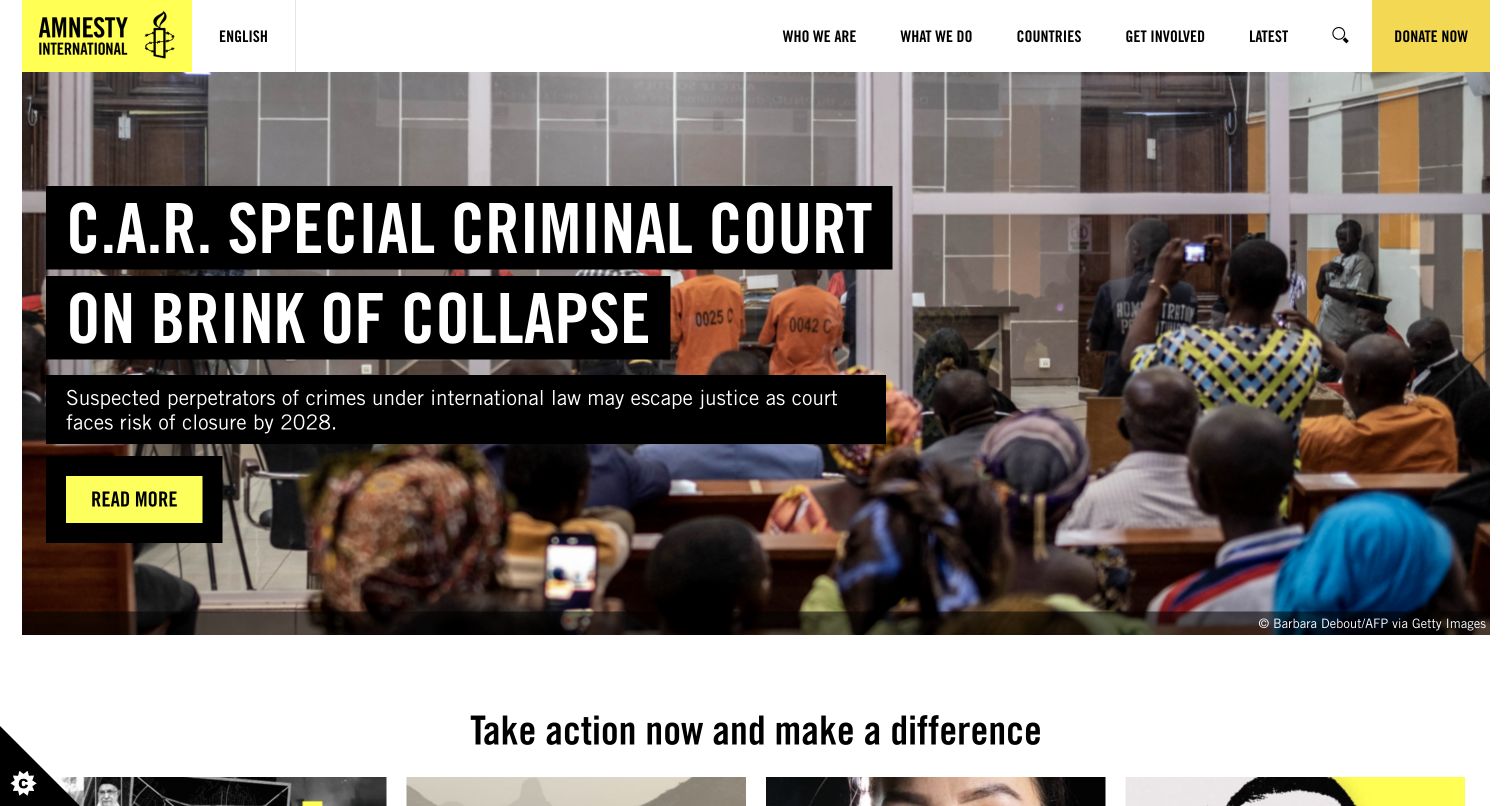
Amnesty International overlays a report headline and short summary on documentary photography, then leads into issue-specific public actions. Countries, latest reporting, organizational information, and support remain separate destinations. The captured campaign is a particular editorial moment. The WP Engine observation is a delivery association for this public surface, not an assessment of campaign operations, supporter records, or the handling of sensitive research.
What you can learn
A campaign-focused WordPress brief should distinguish correction, promotion, and archival work. Test replacing a feature without changing the report's stable URL, and check the public page after a cache refresh. Assign an owner to each action's meaning and expiry. Keep supporter and unpublished research data out of copied test environments, and use approved fictional data when checking the interface and notification handoffs.
Pros
The organization connects a broad mission to clearly labeled individual issues.
Reporting and public action have separate places in the page hierarchy.
Cons & considerations
Urgent campaigns require dependable correction and expiry ownership.
Issue actions need a concise explanation of what participation actually involves before a supporter leaves the report.
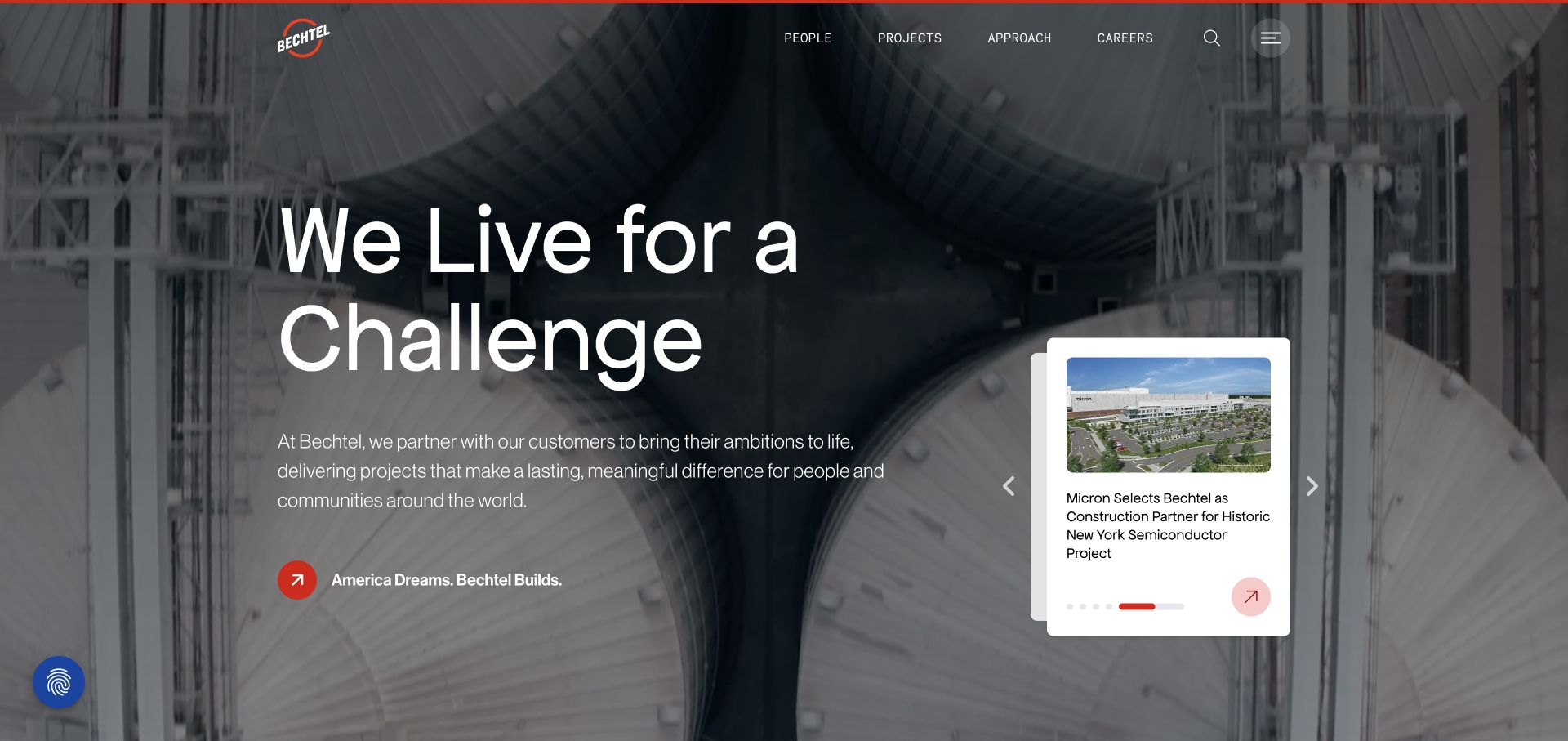
Bechtel places a large challenge-oriented statement over industrial imagery, with people, projects, approach, and careers in a compact navigation. A smaller card introduces a current company story beside the broad brand message. A WP Engine delivery signal was observed in the public sample. This does not describe project-control software, engineering systems, or every corporate application connected to the organization.
What you can learn
Model project and news content independently so an editor can change the opening feature without rebuilding the archive. Review a real update in an approved test environment with long titles, absent photography, and an expired announcement. Keep recruitment and project inquiries routed to their proper owners. Define what a release backup covers, and rehearse recovery of both content relationships and presentation instead of treating a managed platform name as a recovery guarantee.
Pros
The project setting makes the company's scale visually concrete.
The smaller news card adds a specific next destination beside the broad proposition.
Cons & considerations
A large statement still needs detailed project evidence beyond the opening.
Clients and recruits need concrete project or people evidence beyond the shared challenge-focused statement.
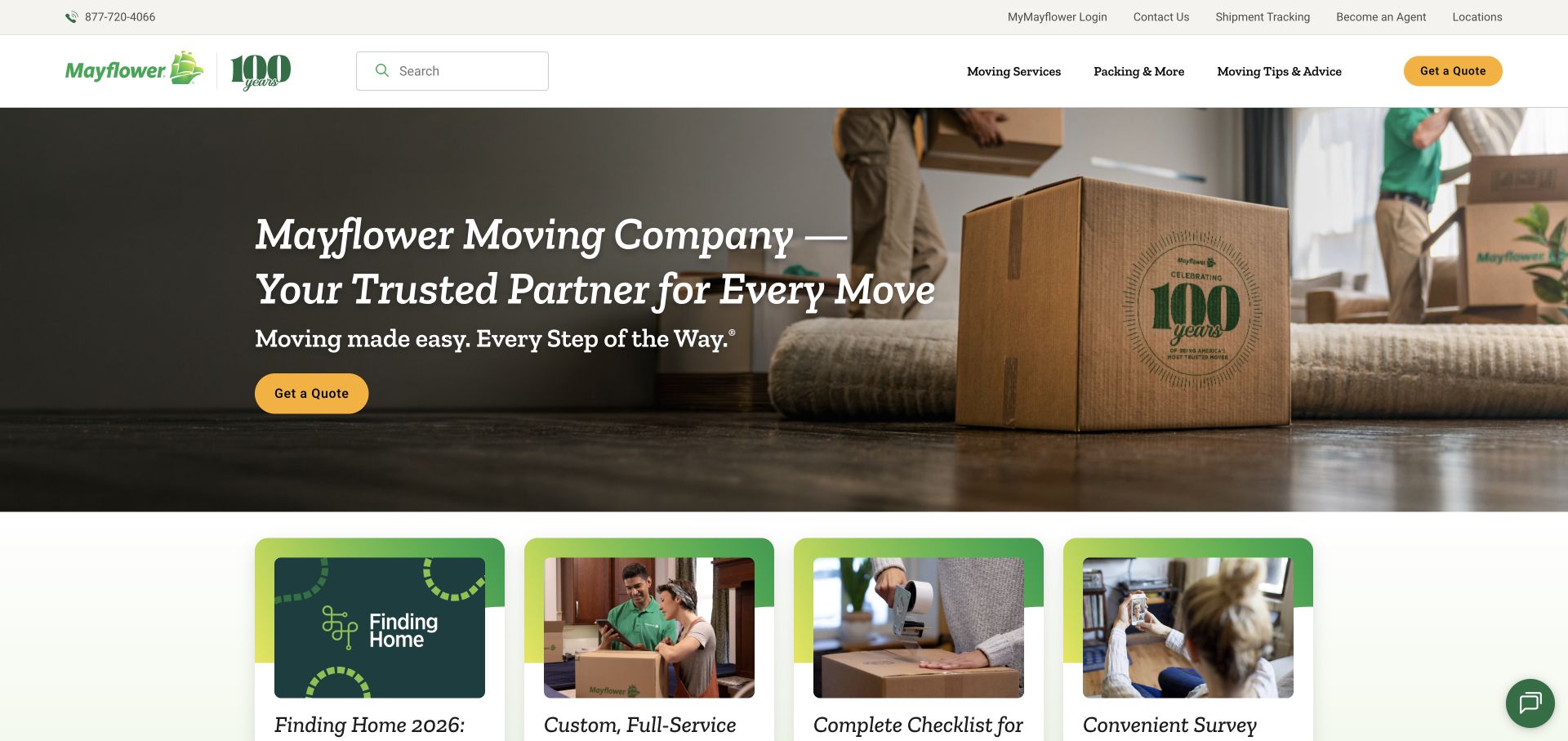
Mayflower uses a household packing scene, a calm green identity, and a conspicuous yellow inquiry action. Moving services, packing help, and advice form the main structure, while tracking and account access occupy a utility role. Resource cards continue beneath the introduction. A WP Engine delivery signal belongs to this public property, not necessarily to shipment tracking, agent systems, or customer accounts.
What you can learn
Define repeatable service, advice, and location records before making every page a special layout. Test an estimate handoff separately from tracking and account routes, using fictional development data. During updates, keep shipping and customer details outside public WordPress copies. A release checklist should verify the practical utility links as well as the hero, because returning customers may depend on those quieter destinations more than on the current acquisition message.
Pros
Planning resources support visitors before they are ready for a detailed inquiry.
Existing-customer utilities are distinct from the initial service proposition.
Cons & considerations
A broad reassurance message needs specific service explanations nearby.
Tracking and account utilities should stay easy to locate for people already managing an upcoming move.
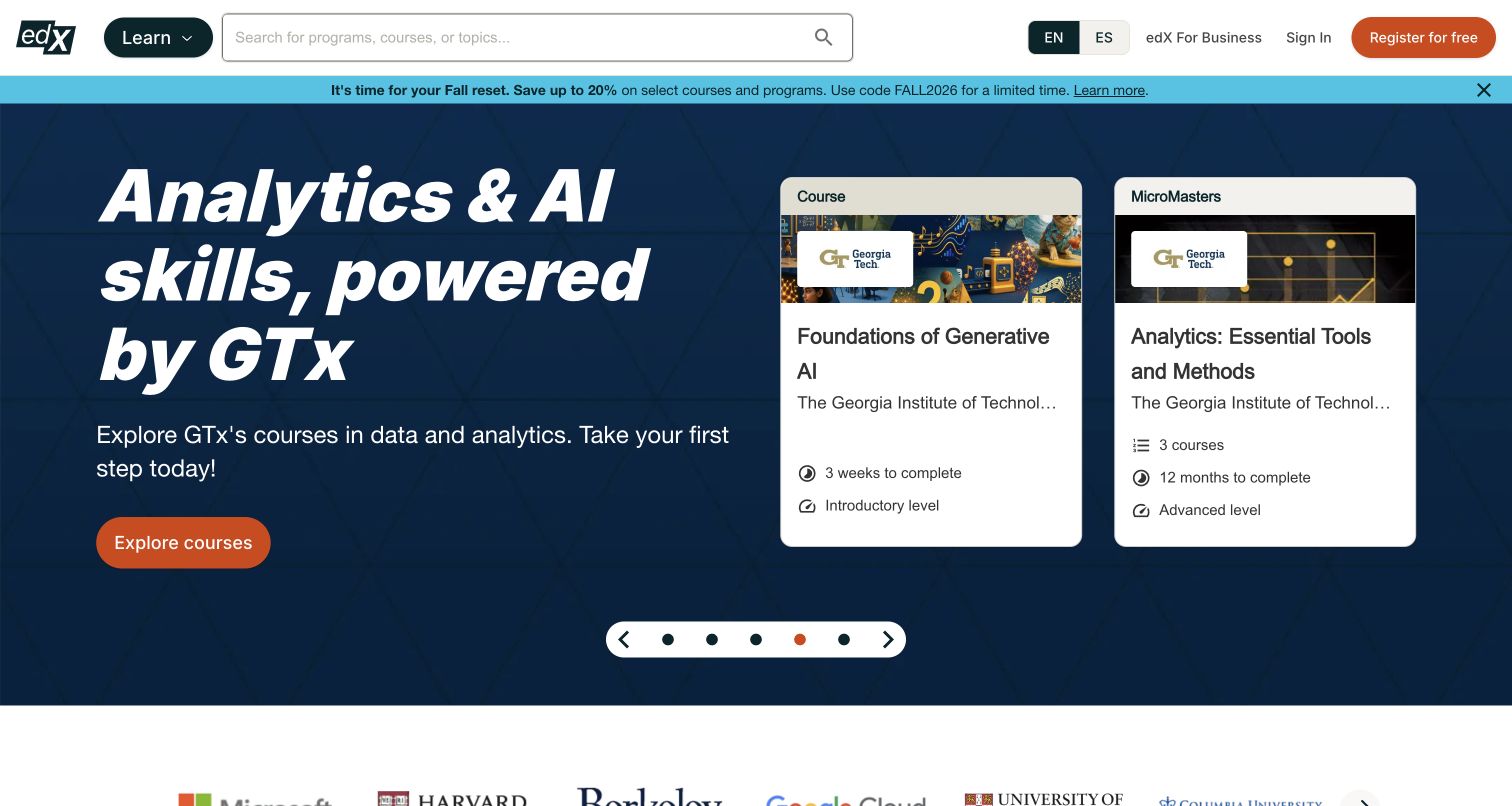
edX combines a large course-and-topic search with clear sign-in, registration, and business routes. A dark blue campaign highlights a learning theme through credential cards, while partner identities begin below. The page gives a visitor an alternative to following the current campaign. The WP Engine delivery observation concerns this public property, not the authenticated course experience or the technology behind every linked credential.
What you can learn
For an education discovery site, keep searchable course records and campaign placements independently maintainable. Rehearse a promotion update without changing stable course destinations, and test an unavailable search integration with a useful fallback. Do not copy learner information into a public-site staging environment. Define responsibility for catalog freshness and enrollment handoffs, since a correctly restored marketing page would not by itself restore course availability or learner progress.
Pros
Broad search remains available alongside the selected learning campaign.
Business evaluation and learner account routes have separate identities.
Cons & considerations
Credential and partner claims need ongoing review by the responsible organization.
Credential cards and search results need practical course context rather than relying only on partner identity.
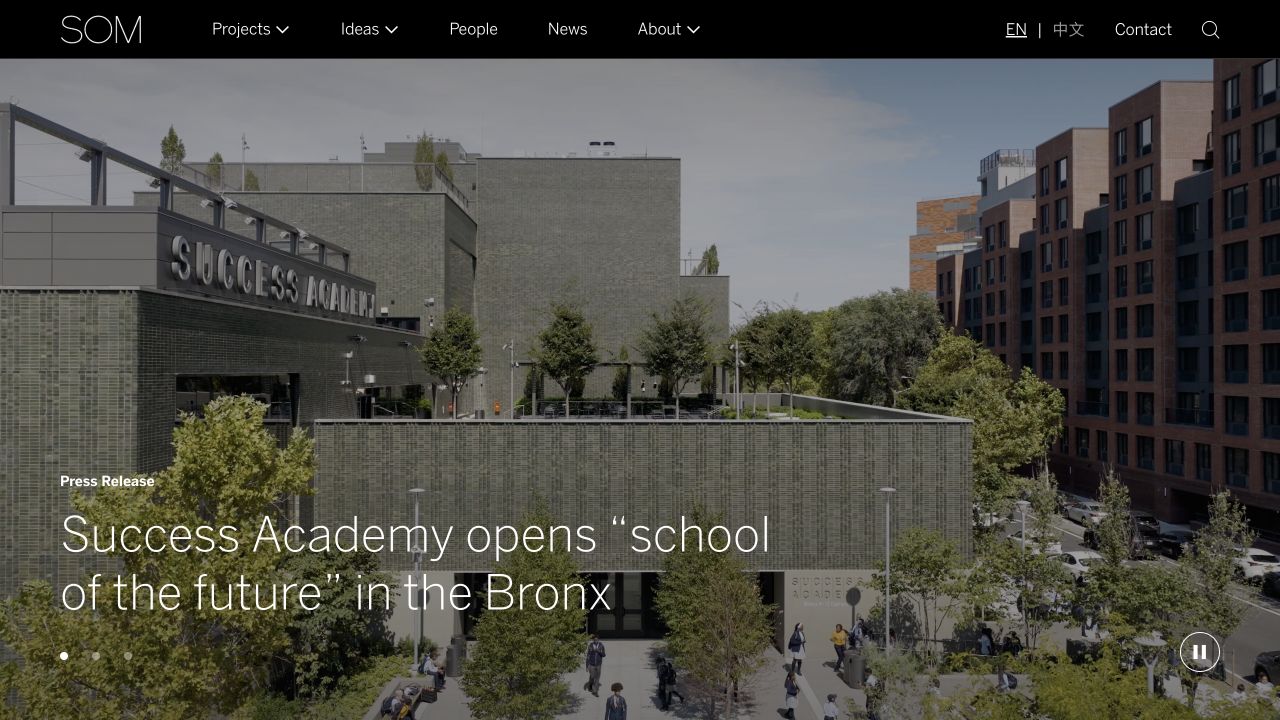
SOM places a project or news photograph beneath a slim dark navigation bar. Projects, ideas, people, news, and company information are plainly named rather than hidden in an expressive interface. The wider archive supports more targeted exploration beyond the image-led feature. WP Engine was observed through a public delivery signal, not through access to the firm's administrative publishing or internal project systems.
What you can learn
Plan relationships among people, project records, topics, and editorial pieces before adding more page templates. An editor should be able to promote a story while retaining the same project reference underneath. Test that relationship in a safe copy with realistic archive depth. Include media replacement, redirects, and restoration of structured content in handover, because recovering a visually correct landing page is not enough if the linked archive has lost its meaning.
Pros
The navigation gives both visual work and intellectual material durable destinations.
A restrained shell leaves room for changing project photography.
Cons & considerations
A substantial archive requires maintained taxonomy rather than navigation labels alone.
A large practice archive needs useful project facts and filter labels beyond the featured photograph.
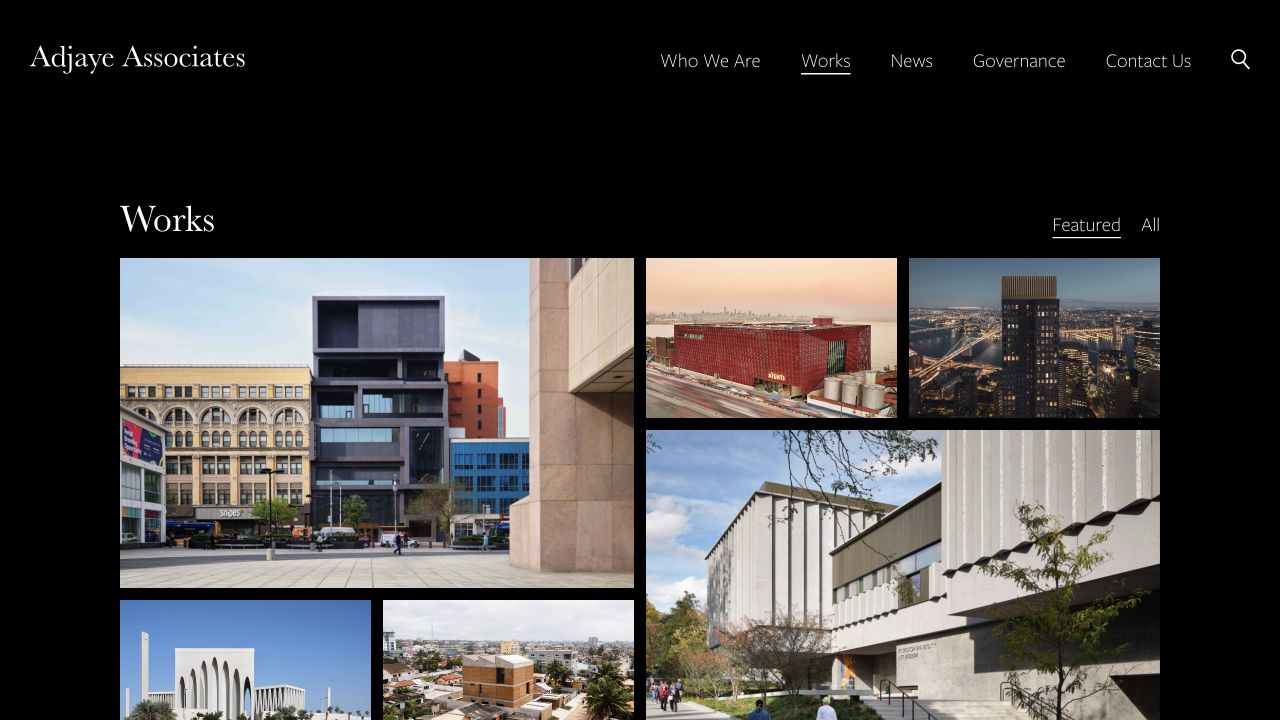
Adjaye Associates uses a dark frame and a varied project selection, with work names and locations supplying context. The captured Works view provides a more direct image-led archive than a broad introductory campaign. Practice, work, news, governance, and contact remain separate choices. The WP Engine delivery association is scoped to the public response, not to all organizational systems or an independently inspected editing workflow.
What you can learn
Build project records with the facts needed for discovery: title, location, status, role, and approved imagery. Rehearse an update to one record and verify its index entry and direct URL together. Keep the editorial index useful after a campaign is removed, and test a missing image without losing the project's identity. Document the restoration of relationships and media references instead of viewing the archive as a collection of unrelated decorative pages.
Pros
The Works view gives visitors a direct route into named projects.
Practice and governance information are distinguishable from the visual archive.
Cons & considerations
A dark image grid depends on consistently useful project labels.
Image-led work discovery needs stable names and locations so visually varied projects remain distinguishable.
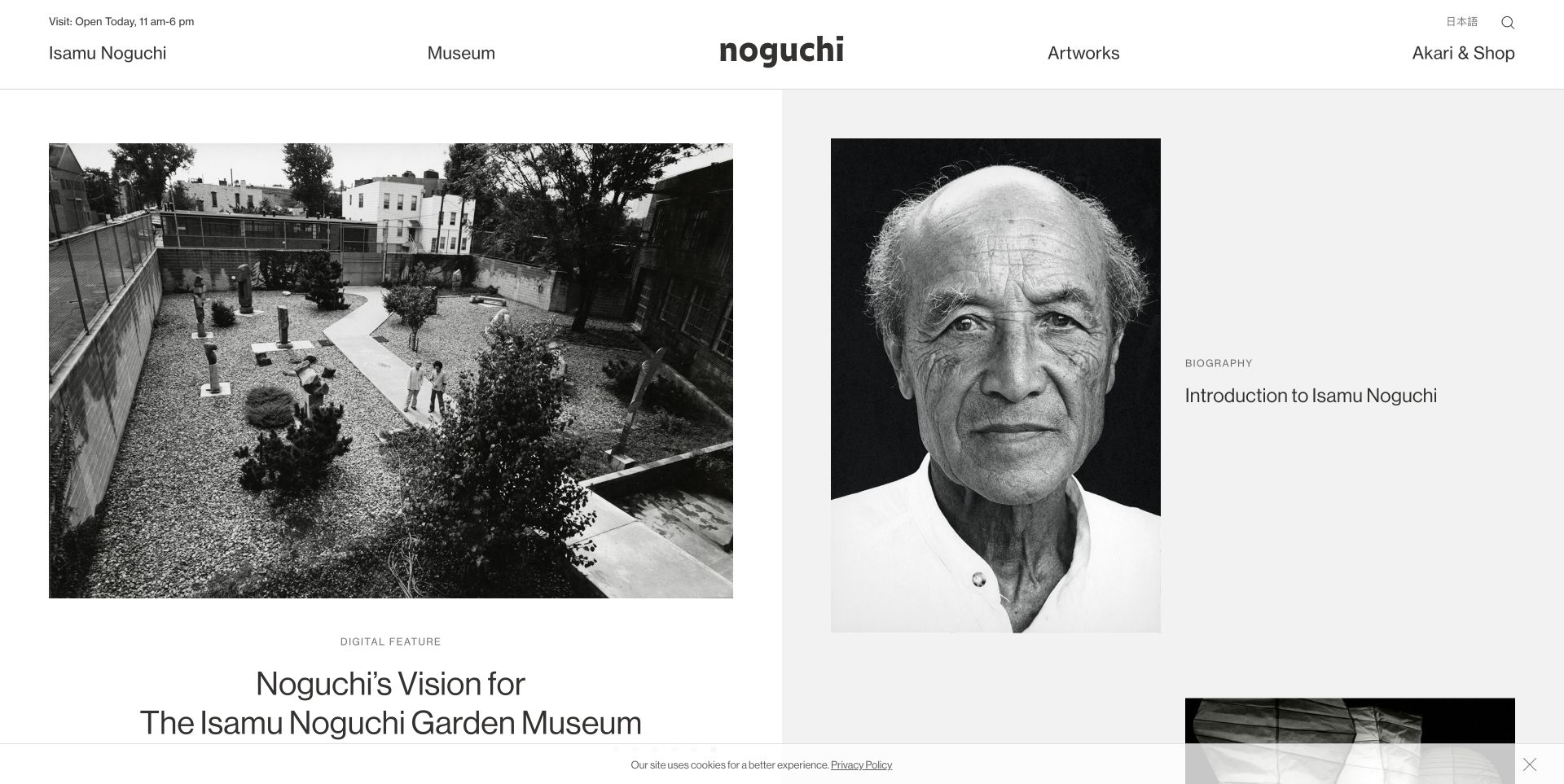
The Noguchi Museum balances a photograph of its spaces with biographical and collection material. The artist, museum, artworks, and shop have distinct header routes, while an operational status line addresses a practical question. WP Engine was observed as a public delivery association. It does not establish the ticketing, shop, membership, or collection-management systems behind the visible destinations.
What you can learn
Store opening information and temporary notices as deliberately owned content rather than repeated text inside several layouts. Test a closure update alongside exhibition and biography edits in the appropriate non-public environment. Keep commerce data out of general publishing copies, and make the release checklist verify operational facts after caches refresh. A small editorial team needs a recoverable content structure, not merely a homepage that is easy for a developer to redesign.
Pros
The header recognizes both a practical visit and deeper cultural exploration.
The status line is separate from the atmospheric photography.
Cons & considerations
Several distinct audiences need clear ownership of changing information.
A shop or ticket handoff needs an understandable relationship to public visit and collection information.
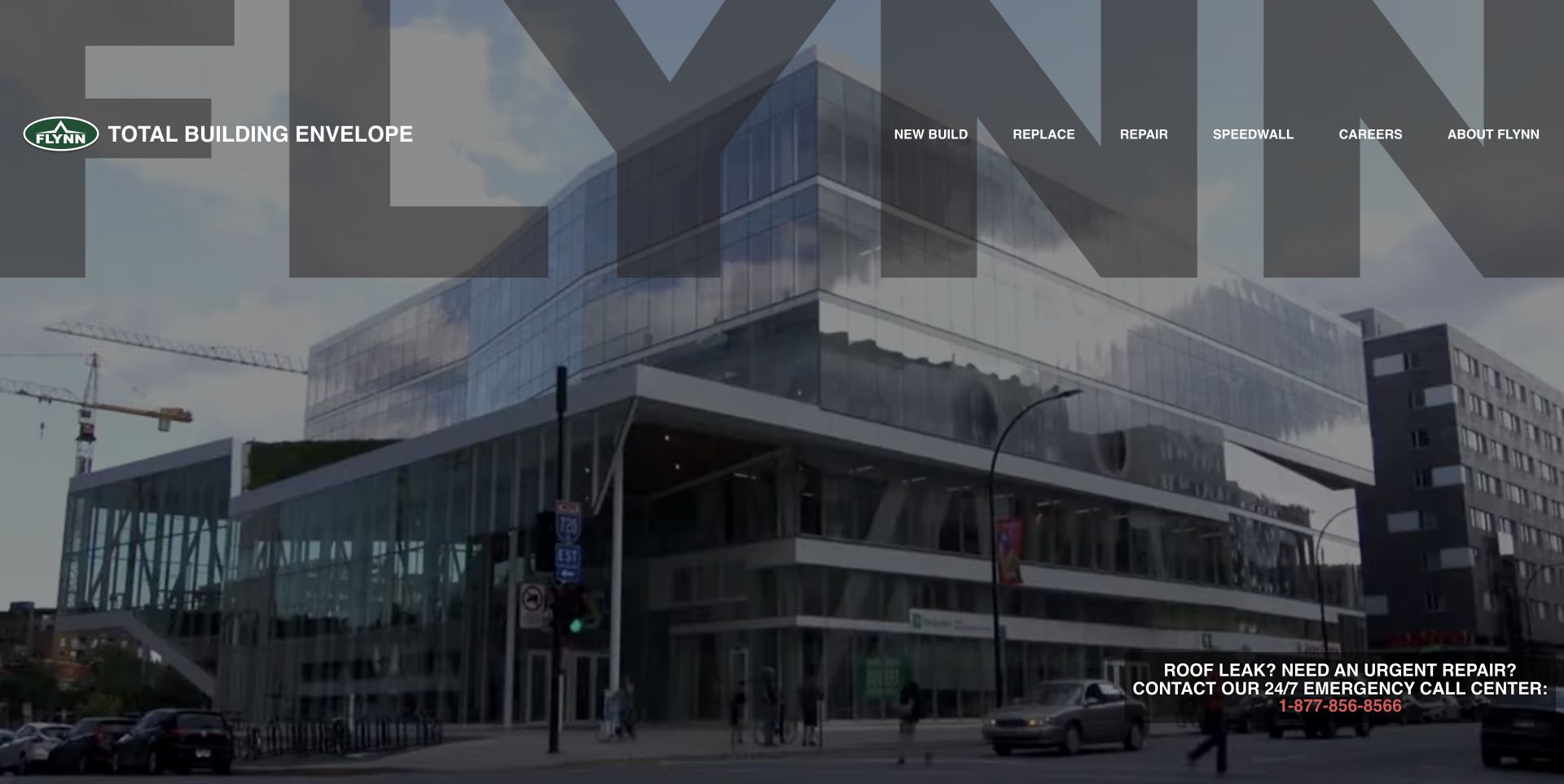
Flynn introduces its scale through large-building footage and translucent brand lettering. Navigation describes new work, replacement, and repair as recognizable tasks. An emergency-contact block is distinct from the broader corporate exploration. The sampled public response included a WP Engine delivery signal; the observation does not describe the operational dispatch, project-management, or staff systems connected to the business.
What you can learn
Give service categories and urgent-contact details a structured owner in the publishing model. Test a seasonal service update without changing the emergency route accidentally. Keep forms and notification behavior separate from the media feature, and rehearse recovery with the correct current contact information. A managed publishing environment should be part of an operating plan that names who checks requests and content, not a substitute for that responsibility.
Pros
The service labels describe concrete stages of building work.
Emergency contact has a distinct place outside general corporate storytelling.
Cons & considerations
Large footage needs a useful still and a readable explanation when it cannot play.
The broad footage-led introduction needs a clear transition into the actual repair, replacement, or new-work scope.
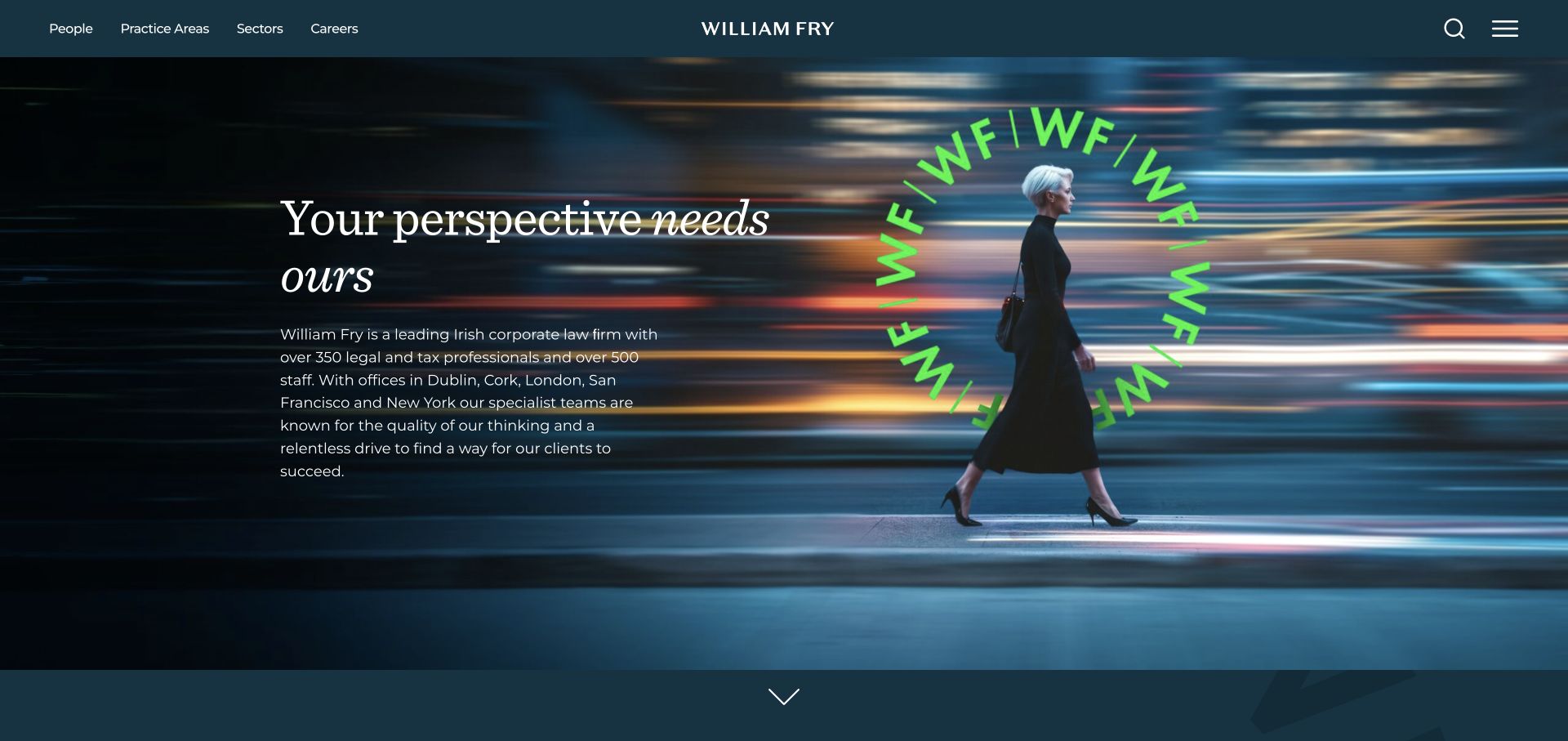
William Fry combines a dark teal header, fine serif lettering, and a vivid green circular monogram. A contemporary city scene gives the opening business context, while people, practice areas, and sectors are separate destinations. Supporting copy adds explanation beyond the visual treatment. WP Engine was observed through a public delivery signal, not through inspection of client systems or the firm's publishing administration.
What you can learn
A professional-services WordPress brief should specify how people connect to practices, sectors, offices, and dated commentary. Rehearse a departure or practice rename without leaving orphaned profiles or broken related links. Keep confidential client material out of website test data. Include permissions, approval responsibilities, and a restoration rehearsal in the handover so ongoing editing remains as deliberate as the carefully controlled opening typography.
Pros
People and sectors provide useful alternatives to guessing a legal-service label.
The monogram and restrained colors create a memorable but coherent visual signature.
Cons & considerations
Fine text and a long introduction need careful small-screen reading tests.
People, practice, and sector pages need connected evidence so choosing one route does not isolate the visitor.
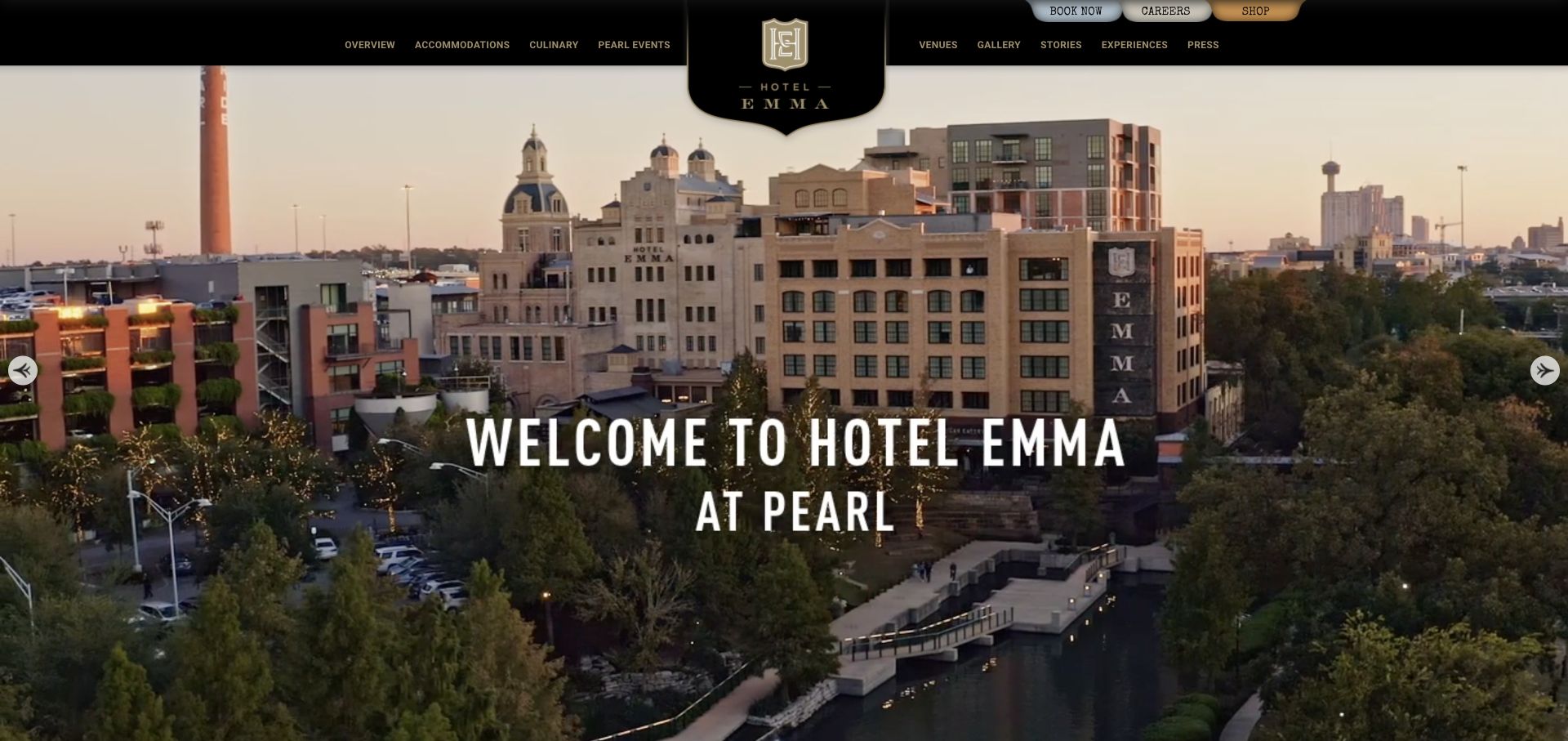
Hotel Emma places a central crest into a panoramic view of the hotel and its surrounding district. Black and gold framing and condensed lettering borrow from historic signage. Accommodations, culinary experiences, venues, and stories have separate navigation, with booking and other utilities nearby. The WP Engine signal concerns public delivery rather than an inspected reservation, availability, or guest-management system.
What you can learn
Structure room, venue, dining, and story content independently, while keeping their relationships visible to editors. Test a booking handoff and an unavailable external provider without entering genuine guest details. Campaign imagery should be replaceable without changing durable accommodation information. Include operational contacts and booking destinations in post-release checks, because restoring an attractive hospitality page is not the same as confirming that a guest can complete the intended practical task.
Pros
The district photograph explains the property's setting as well as its appearance.
Distinct hospitality categories recognize several possible reasons to visit.
Cons & considerations
Historic-signage styling requires careful treatment of long labels and small text.
Small upper utilities must remain usable beside the large crest and panoramic campaign.
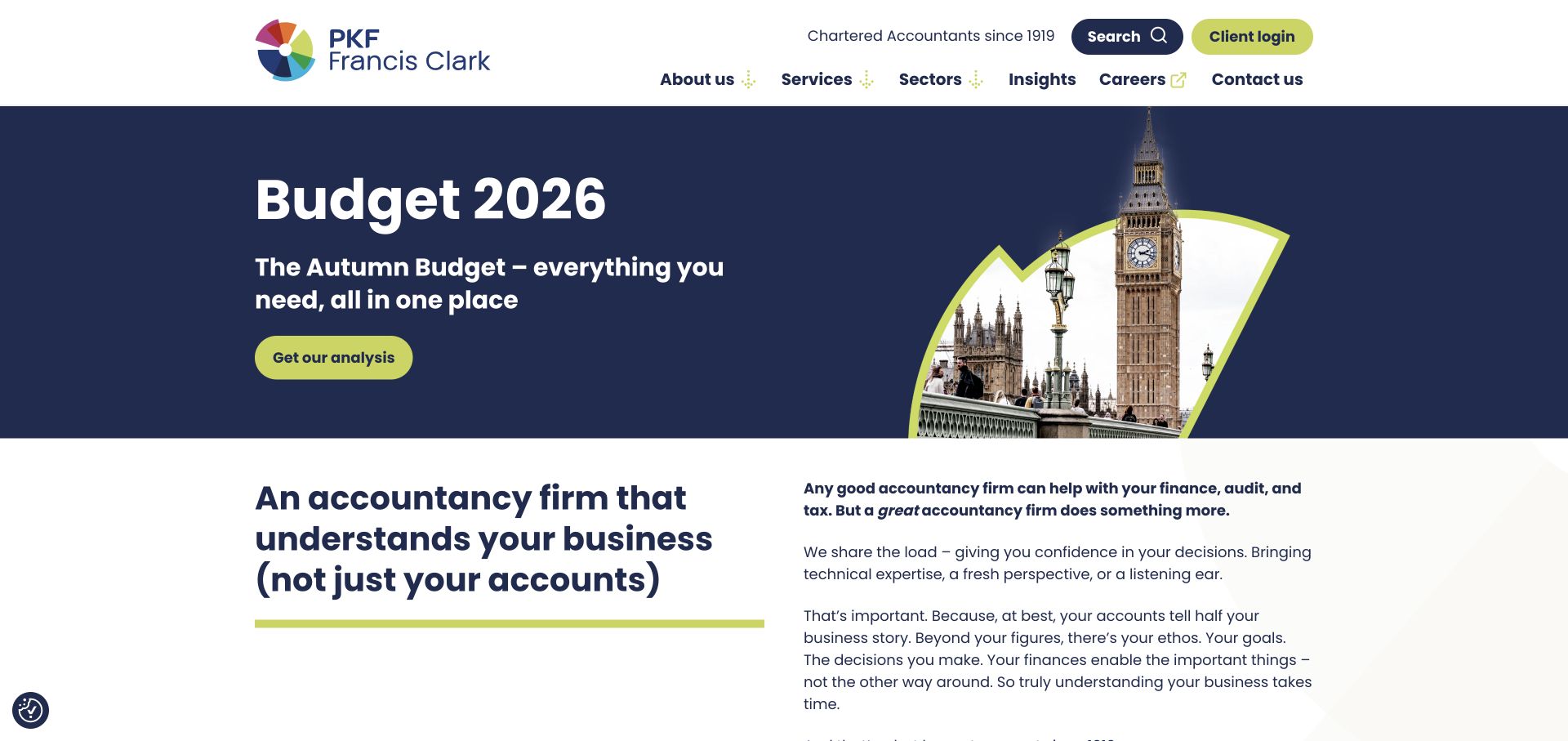
PKF Francis Clark's captured opening uses navy and lime for a Budget campaign, including a short headline and an image within a fan-like shape. The next white section begins explaining the firm before the campaign fills another screen. Client login has a separate utility treatment. The public WP Engine association does not describe the client's portal or the accuracy of the financial commentary.
What you can learn
Treat a Budget feature as a dated article relationship rather than permanent homepage copy. Define who reviews it, when it should stop leading, and where its archive remains available. In an approved test environment, exercise long headlines and removal of the promotional image. Keep portal credentials and client records out of publishing copies, and include that separate destination in a clear handoff inventory for deployment and support.
Pros
The compact campaign leaves room for a continuing explanation of the firm.
Client access and public editorial exploration have different visual roles.
Cons & considerations
Topical financial material needs genuine dates and appropriate professional review.
The topical Budget feature needs dates and a clear continuing archive when it no longer leads the page.
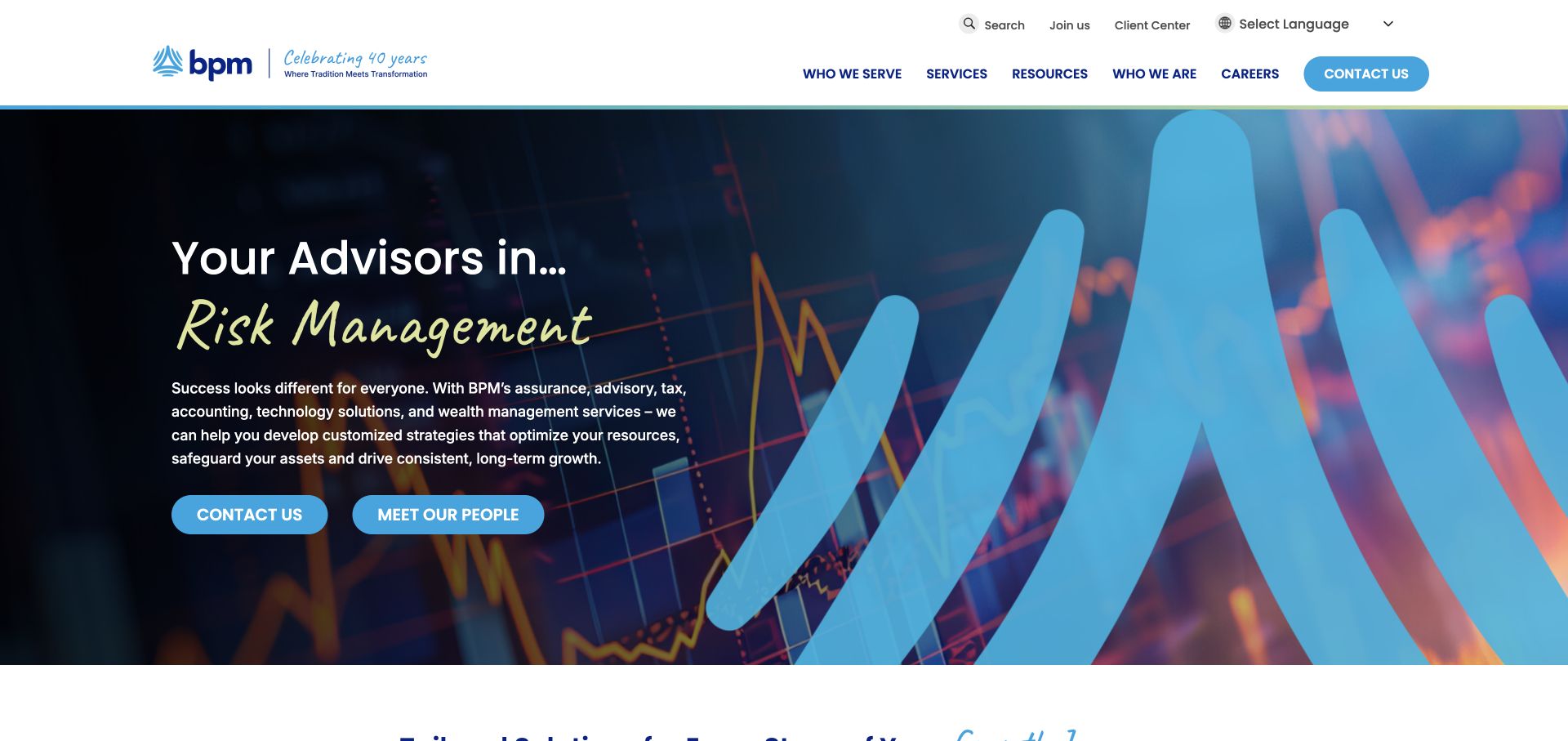
BPM pairs dark chart imagery and a blue ribbon form with a bright handwritten phrase. Two cyan actions distinguish making contact from meeting the people. Services, resources, audiences, and firm information sit in a white header, while client-center access remains a utility. WP Engine was observed as a public delivery association, not as proof of the chart's factual meaning or the client's private service environment.
What you can learn
Keep staff profiles, services, and inquiry routes as related but separately maintained records. Test an employee change, a service rename, and an unavailable profile photograph before publishing. Require approval for numerical or outcome claims even when they appear inside apparently decorative campaign graphics. A release and restoration plan should preserve the correct inquiry destination and profile relationships without copying confidential client material into the marketing site's test content.
Pros
The two main actions acknowledge different levels of prospective-client readiness.
Client-center access is not confused with the public contact journey.
Cons & considerations
Decorative financial imagery should not imply an unverified result.
Team exploration and inquiry actions should retain different expectations rather than converge into one generic contact surface.
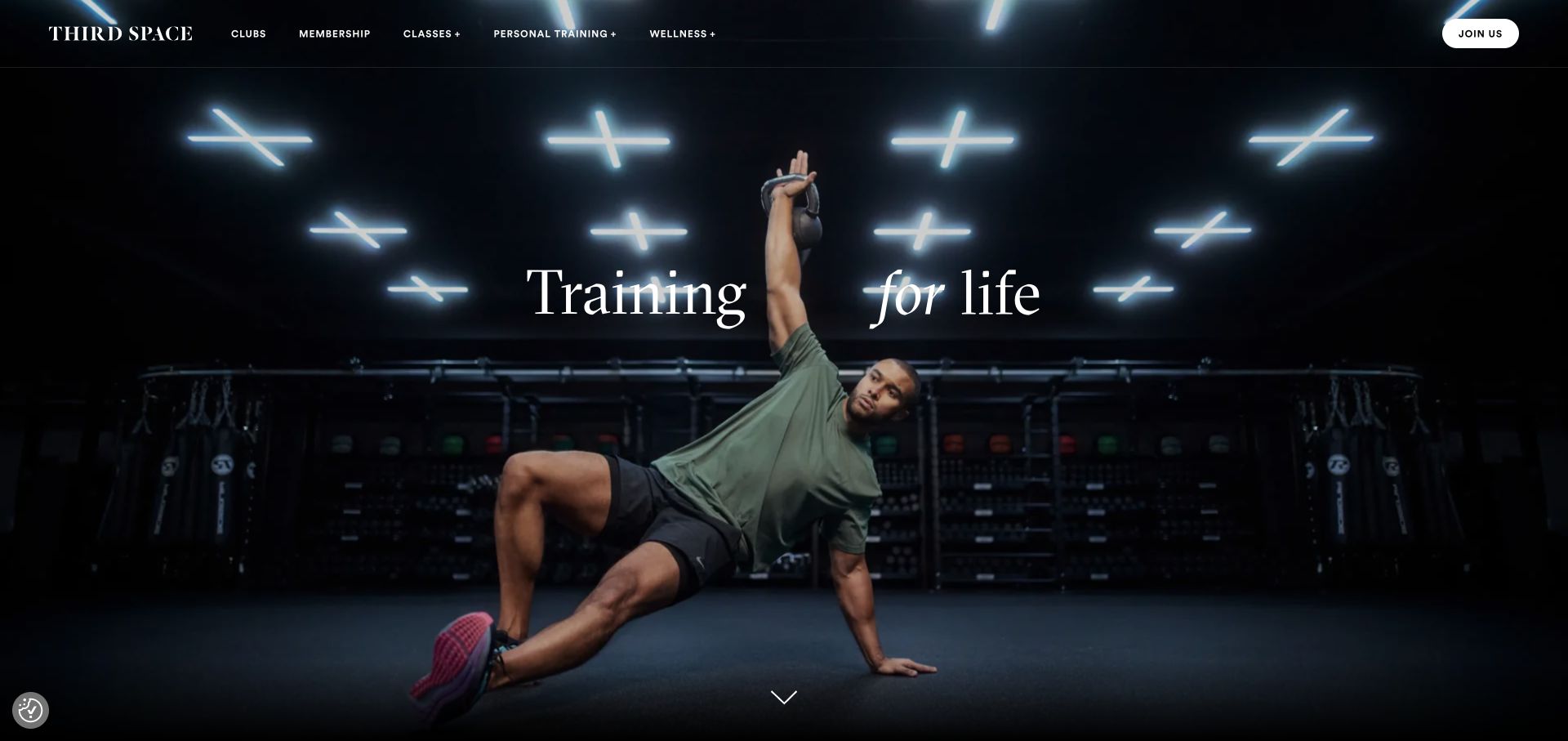
Third Space opens with a dark training scene and a centered serif statement. Clubs, membership, classes, personal training, and wellness are named in a restrained header, with a distinct membership action. The photograph establishes the environment before a detailed schedule appears. The sampled WP Engine delivery signal does not identify the implementation of membership accounts, access controls, class bookings, or health-related information.
What you can learn
Model clubs, facilities, and class descriptions so editors can update shared facts without duplicating every page. Rehearse a location change, an unavailable class link, and a long membership condition in the test environment. Keep the public marketing copy separate from personal member data. Post-release checks should confirm the actual booking and membership handoffs rather than assuming a successful homepage load means the whole customer journey is operating.
Pros
The navigation uses familiar membership and training categories.
The physical setting gives the broad statement a specific visual context.
Cons & considerations
Sparse introductory copy may postpone practical price or location questions.
Club and membership information needs enough practical context before an unfamiliar visitor starts a booking journey.
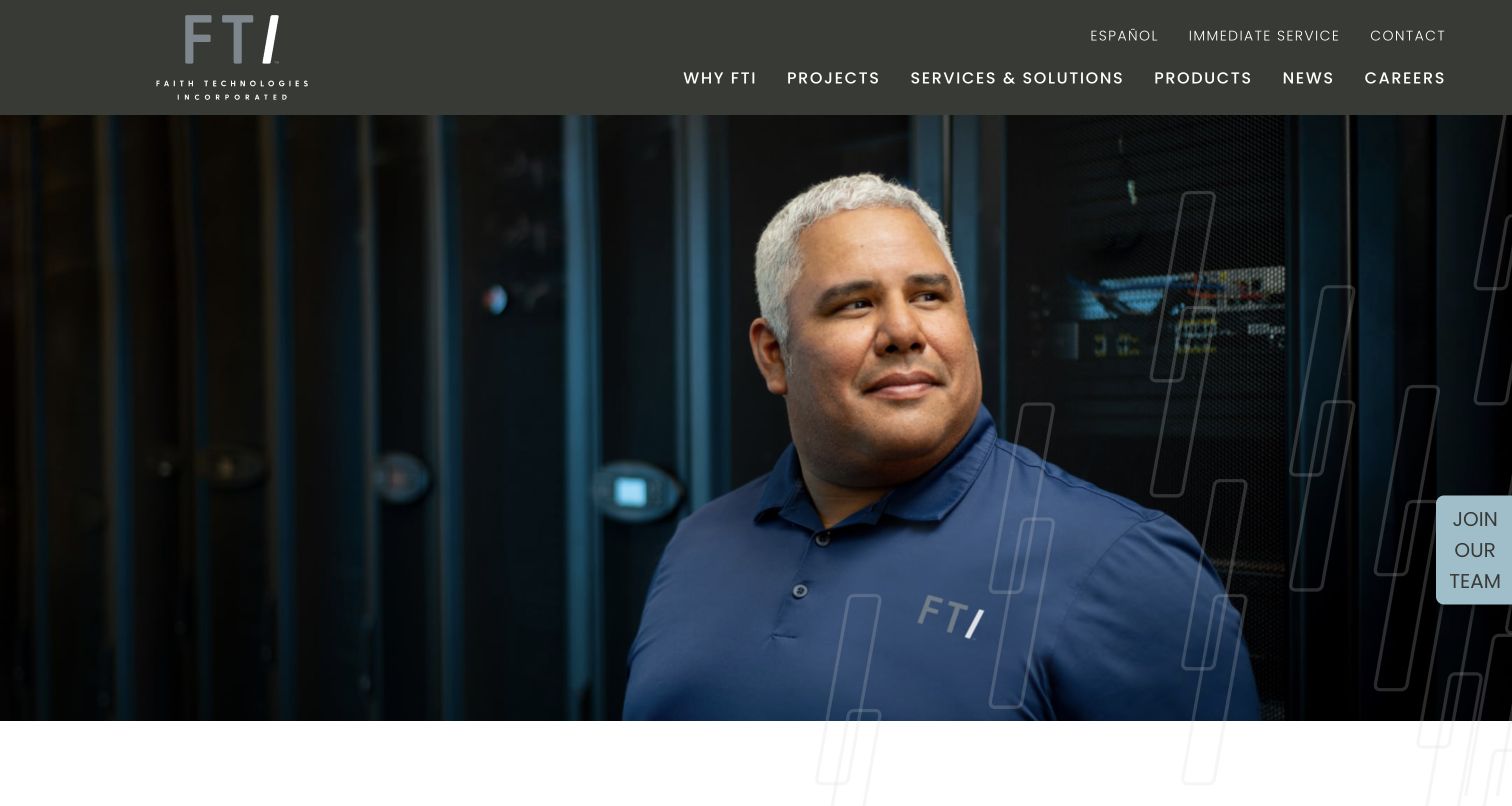
Faith Technologies Incorporated places an employee close-up below a restrained corporate header. Projects, services, products, news, and careers remain explicit, while Immediate Service appears as a utility route. The opening recognizes recruitment and facility needs as different concerns. A WP Engine delivery association was observed for this public property, not for internal electrical operations, dispatch, or project-management systems.
What you can learn
Give immediate-service details a deliberate content owner and test them independently of a culture campaign. Keep project evidence, employment stories, and service descriptions as related content types rather than repeated visual blocks. Rehearse a release with a missing portrait and an outdated project link. A recoverable marketing site should maintain its correct operational handoffs, while making no unsupported claim that the public publishing environment runs the business's technical services.
Pros
Operational service access has a visible route outside the main corporate message.
People, projects, and recruitment are recognized in the navigation.
Cons & considerations
Employee imagery alone does not explain the scope of a technical service.
Project and service pages must explain the technical scope that a people-led company introduction cannot show alone.
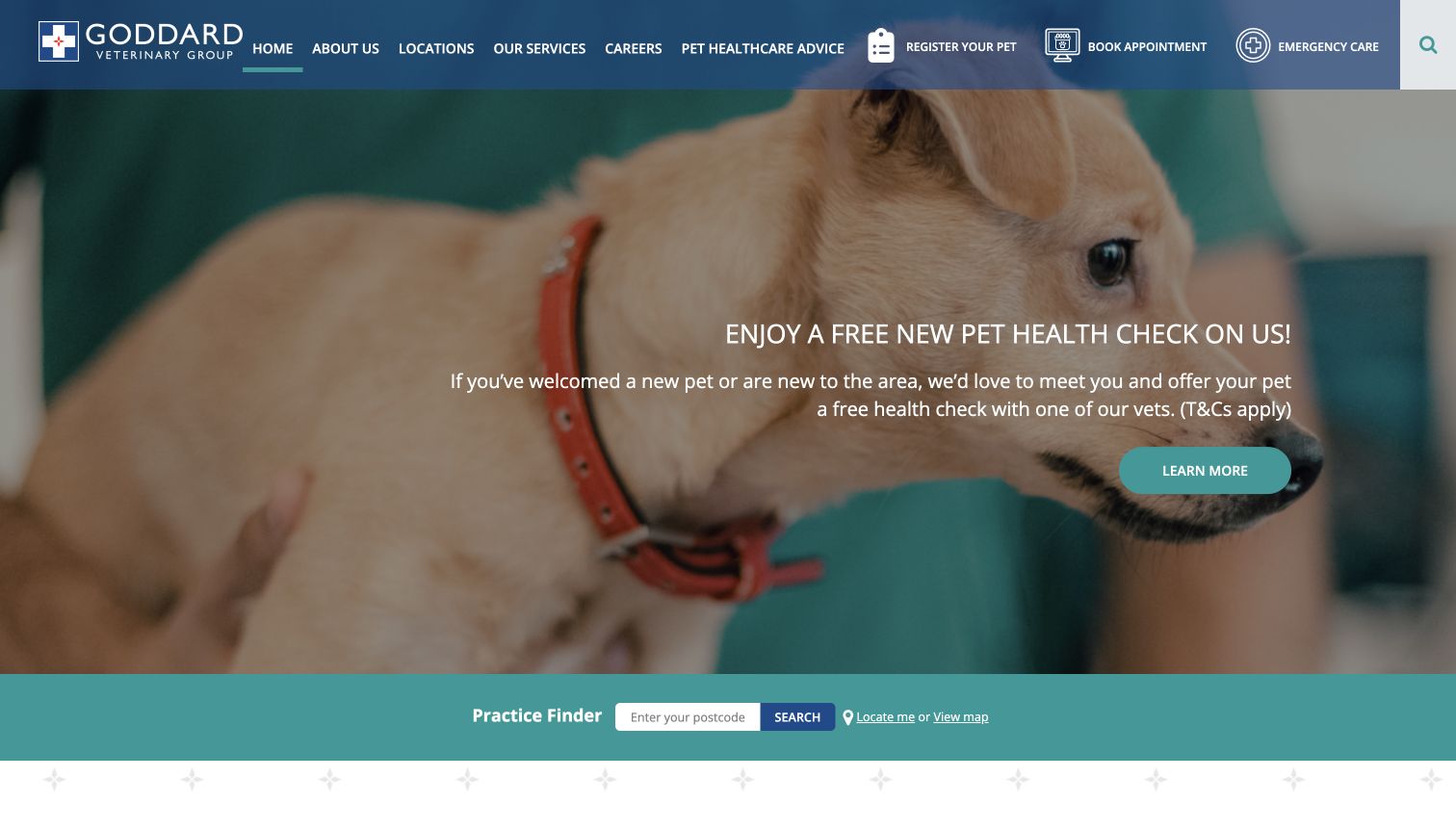
Goddard Veterinary Group combines a pet photograph and introductory offer with a full-width practice finder. Registration, appointments, and emergency care appear as separate header tasks. The finder offers location-oriented discovery rather than assuming one clinic serves every visitor. WP Engine was observed as a public delivery association, not as evidence about veterinary records or the appointment provider's internal implementation.
What you can learn
Create location records with owned contact, hours, and service information. Test the finder with a place outside the coverage area as well as a normal result. Keep pet-owner and clinical details out of copied website environments, and use fictional data for request tests. Include each appointment and emergency handoff in the release checklist so a general homepage update cannot silently invalidate a location's practical next step.
Pros
The finder makes location selection explicit instead of burying it in a menu.
Registration and appointment requests are not presented as the same task.
Cons & considerations
A large offer and dense header can crowd the opening view.
The finder should clarify when registration, ordinary booking, and emergency care lead to different destinations.
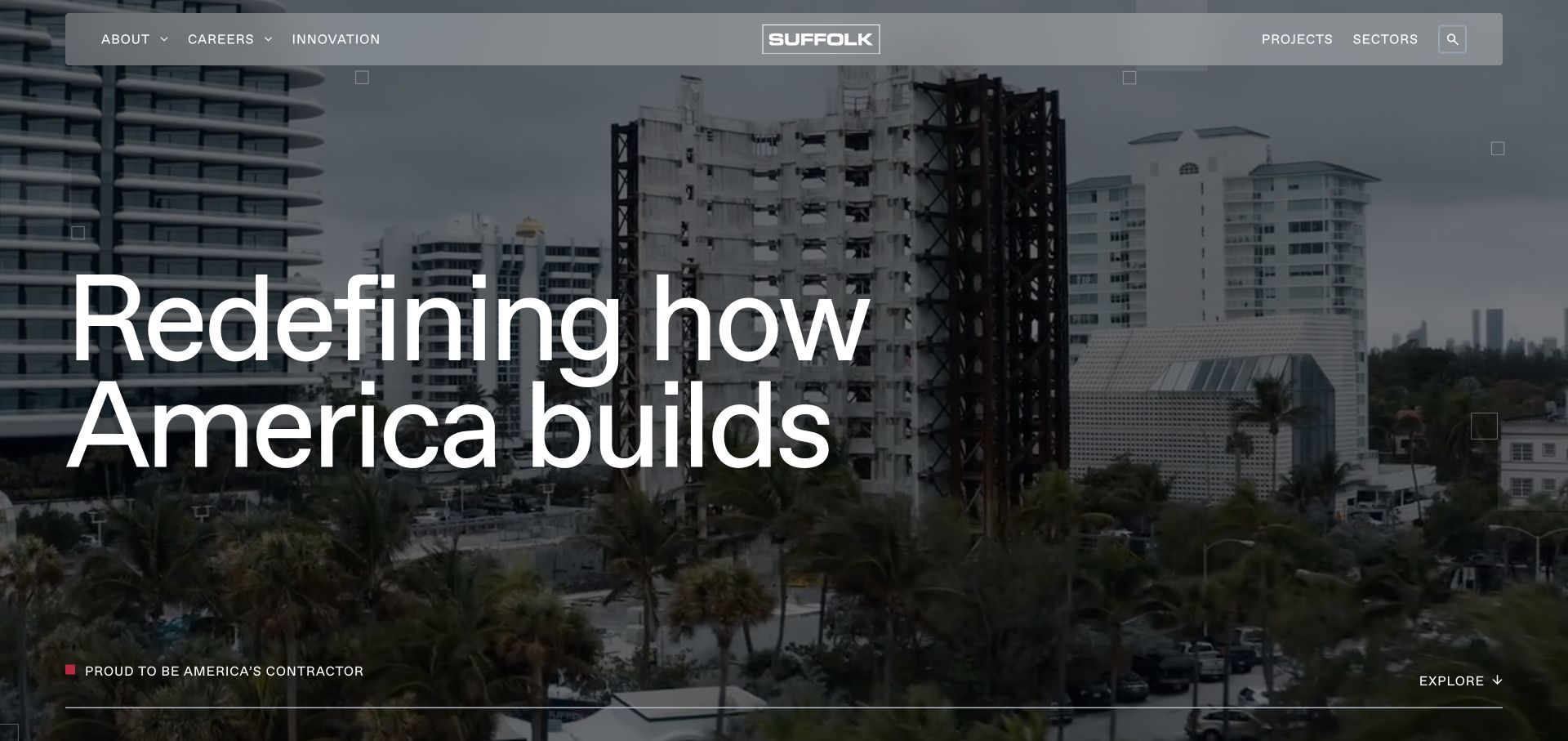
Suffolk uses a dense construction image and a large statement above a project-and-sector navigation. The continuing content divides its delivery approach into named operational and technical themes, giving the broad opening more structure. A WP Engine delivery signal was observed on the public site. The image and that signal do not independently demonstrate project performance, internal data systems, or the effectiveness of the advertised process.
What you can learn
Make each process theme lead to specific approved evidence rather than another interchangeable claim. Test project, sector, and article relationships with realistic archive content before release. Keep presentation changes separate from the structure of the project records, and document how edited media and URLs are recovered after a faulty update. A managed hosting association is a support consideration, not a substitute for a maintainable content model or substantiated business statements.
Pros
The process structure gives the broad headline concrete destinations to investigate.
Project and sector routes support visitors with a more specific brief.
Cons & considerations
A dense structural image can compete with overlaid navigation and text.
Process themes need concrete supporting projects rather than repeating broad innovation language in every section.
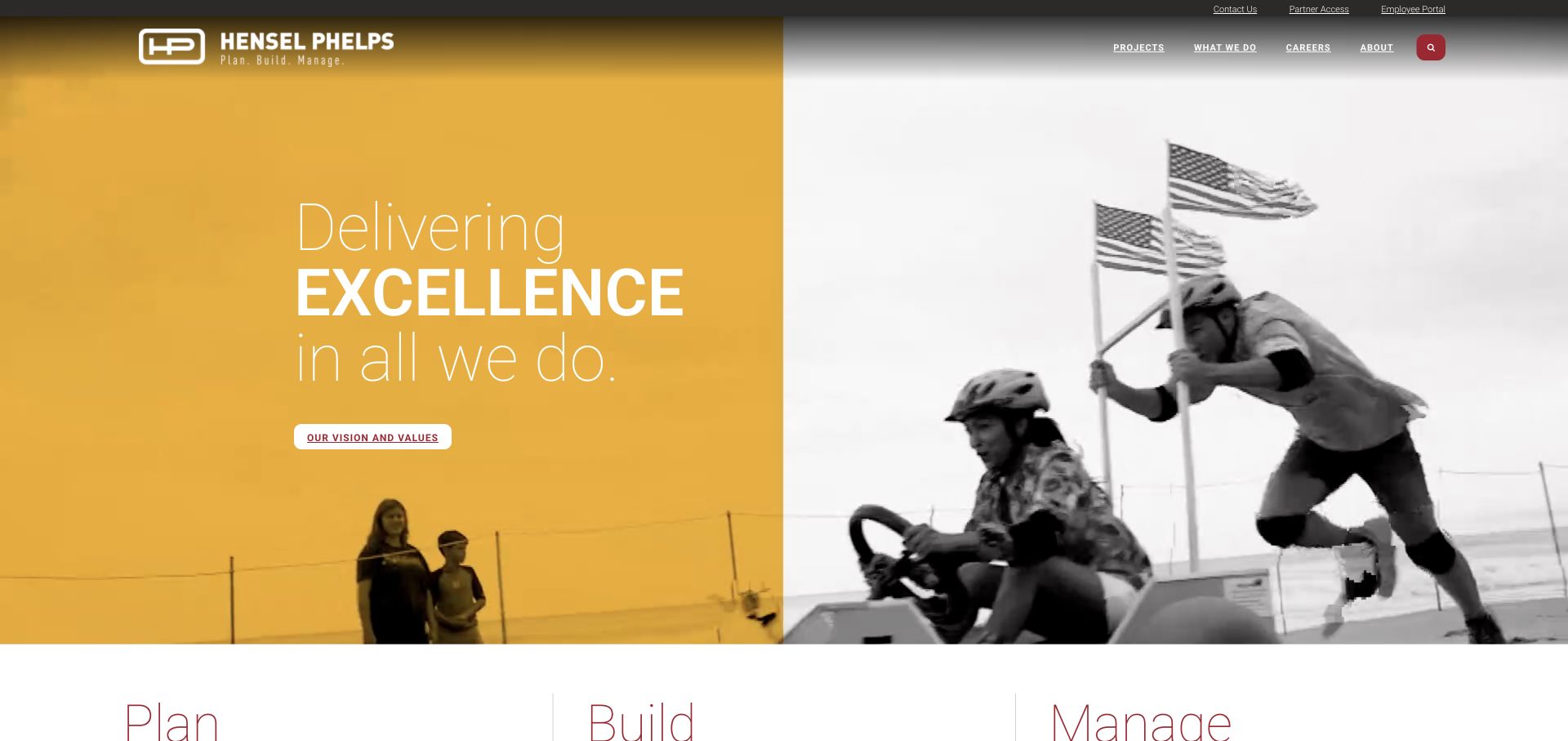
Hensel Phelps combines a gold field with monochrome imagery of people at work. Plan, Build, and Manage begin the service structure directly below the concise opening. Partner access and an employee portal have utility roles rather than competing with the main brand message. The sampled WP Engine association is about public delivery, not the infrastructure or access rules of those separate portals.
What you can learn
Model lifecycle services as meaningful destinations with related project evidence. An editor should be able to connect a project to several service stages without duplicating its description. Test partner and employee handoffs separately from the campaign before deployment. Keep portal data outside marketing-site copies, and rehearse restoration with the correct contemporary utility links so a rollback does not revive obsolete access information.
Pros
The three service stages explain a longer relationship than construction alone.
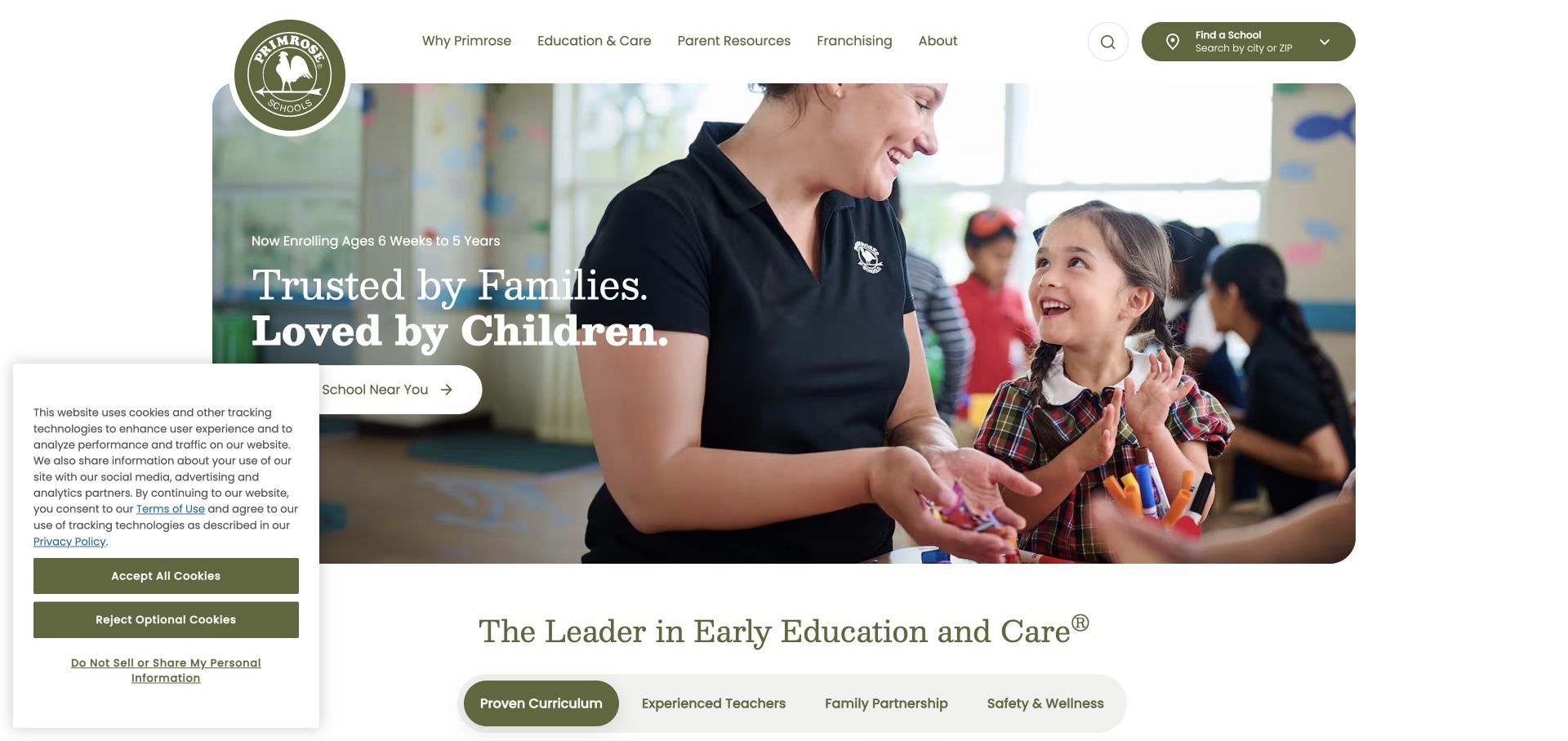
Primrose Schools uses olive and cream framing, a circular identity, and classroom photography around a short introduction. A school-finding action and an age-range cue establish practical context. Tabs below introduce curriculum, teachers, family, and safety-related topics. WP Engine was observed as a public delivery association, not as verification of educational quality, care claims, enrollment systems, or the handling of family information.
What you can learn
Keep network-wide explanations distinct from facts owned by each school. Rehearse a location change, a different age group, and a missing image in a protected test environment. Have the appropriate organization reviewer approve care and safety language rather than inheriting it from a reference layout. Test school-finding and inquiry handoffs with fictional data, and keep sensitive family information outside general WordPress publishing copies and public assets.
Pros
The age cue and school finder connect the brand introduction to concrete choices.
The following topics recognize several common questions a family may have.
Cons & considerations
Care and safety statements need substantiation beyond a visually reassuring design.
School-finding results need accurate local age and program context beyond the shared national brand story.
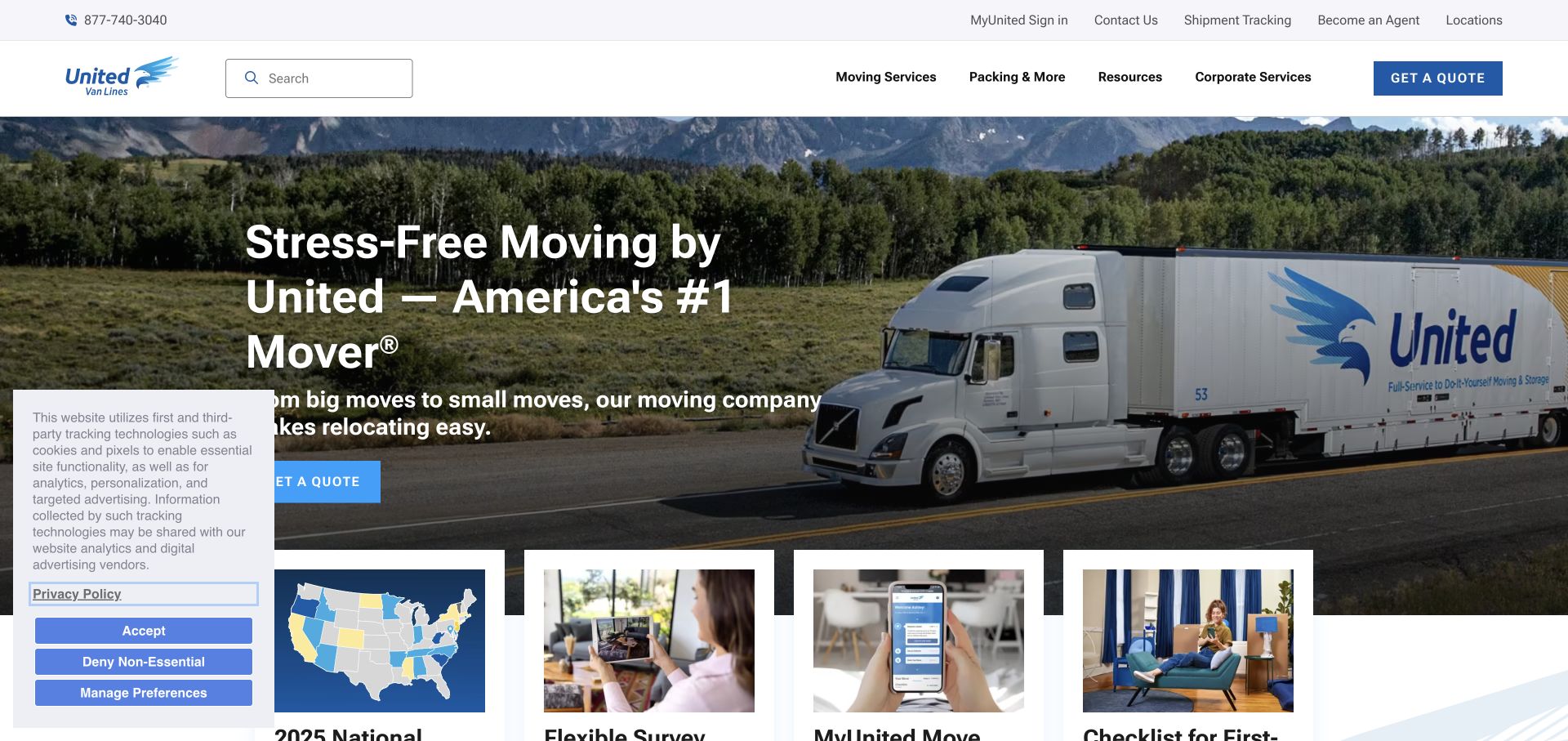
United Van Lines leads with a truck image and a direct moving introduction. The navigation and resource cards continue into planning, service choices, and customer support, so the first interaction does not have to be a detailed estimate request. The sampled public page showed a WP Engine delivery signal. This does not identify the systems used by individual agents, shipment operations, or authenticated customers.
What you can learn
Build a manageable model for services, moving advice, and relevant location information. Test changes to shared contact details and a retired resource without duplicating edits across decorative pages. Keep agent and customer-system responsibilities explicit in the handoff plan. During a release rehearsal, verify support and tracking destinations as well as the inquiry form, and exclude real customer shipment details from any copied publishing environment.
Pros
The fleet image makes the transport service immediately recognizable.
Planning resources give an uncertain visitor a useful next step before an inquiry.
Cons & considerations
A national brand still needs clear regional and agent responsibilities.
Regional service and agent responsibilities need to remain clear when a visitor moves from advice into an estimate request.
Choose the editing and operating model before the hosting label
Use a focused conventional WordPress model
For ordinary services, projects, people, and articles, start with a small, well-supported template and content system. Demonstrate the actual editing job with realistic records. Minimize overlapping components and document why each extension exists, rather than reproducing every integration seen in another organization’s public stack.
Use more visual flexibility with explicit boundaries
A builder can support editorial campaign sections, but it should not make service definitions, office details, or form routing arbitrary design properties. Establish global styles, a limited section vocabulary, and approved content fields. Test an inexperienced editor changing the least convenient real example, not only the designer’s original demonstration.
Separate a frontend only when the requirement justifies it
A separate application or headless frontend changes preview, publishing, release, and incident ownership. Write the specific requirement it solves and compare it with a simpler WordPress implementation. The public WP Engine signal on a reference site does not tell you which of those decisions its team made or how much operational capacity it has.
From references to requirements
Plan environments, dependencies, and recovery together
Rehearse a realistic update
Use approved test content to change a featured article, update a location, replace an image, and correct a related link. Check the public result after the relevant caches refresh. Include the small-screen layout, keyboard use, form failures, and an external service being unavailable. Record the people who approve and release the change.
Make restoration a tested procedure
Identify what must be recovered, what newer information could be overwritten, and who can authorize the operation. WP Engine’s backup documentation distinguishes restore choices and warns that restoration overwrites content. Rehearse safely in the appropriate environment and verify the result; do not discover the consequences during an incident.
Assign responsibility for WordPress, themes, plugins, content accuracy, account access, forms, and paid renewals. Keep a short dependency register with purpose and removal consequences. Review a routine change after handover to confirm staff can perform it without relying on undocumented developer knowledge or copying unreviewed production information into a public test site.
A useful handover demonstration
Ask the actual team to carry out its routine job: publish a realistic update, correct a mistake, preview a narrow screen, and identify who owns an integration failure. For a library or frontend framework, also ask who maintains the content source and deployment. A polished screenshot does not answer those operational questions.
Beyond the screenshot
Managed WordPress launch and upkeep checklist
Confirm the intended public domain, canonical routes, redirects, and production environment.
Restrict non-public copies and verify their indexing and notification behavior.
Review representative long, short, missing-image, and expired-content records.
Test form routing and external handoffs with approved fictional data.
Verify images, navigation, keyboard focus, and readable text on a small screen.
Document each extension, license owner, renewal, and support responsibility.
Rehearse recovery without overwriting information that must be retained.
Have the actual publishing team complete one ordinary update before handover.
Test with real content, a keyboard, a small screen, slow or failed requests, and the people who will maintain the system. These are planning checks, not an accessibility, security, performance, or search-ranking certification.
Sources & editorial method
How this WP Engine collection was reviewed
We selected twenty distinct official properties with a WP Engine-related delivery signal in the public source audit. The first five are major institutional, service, and learning brands. Actual screenshot dates are retained. The evidence does not establish the complete origin architecture, account plan, editorial workflow, or hosting of every linked service.
Every image is an unmodified capture from the actual website, with its source and capture date. Some captures are reused from our shared catalog; their dates remain the original capture dates. None comes from a vendor gallery or a generated reconstruction. Moving imagery and live content can change.
Technology attribution uses public page assets or metadata, official platform documentation, or a cited first-party project case study. Documentary and framework-relationship evidence is identified where used; it is not a complete current backend inventory. A CMS image CDN alone does not establish a full CMS deployment. A library’s presence does not prove which individual controls use it, and a platform label does not establish AI authorship.
The composition notes, lessons, pros and tradeoffs are original editorial observations. We have not measured conversion, traffic, security, performance or accessibility conformance. Website owners retain their brands and imagery; these examples are not our client portfolio. Written, Edited and Curated are independent records, not dates advanced by a build. See our editorial standards or suggest a correction.
Questions worth asking
WP Engine website development FAQs
Does a WP Engine signal mean the whole organization runs on WordPress?
No. The observation is scoped to the named public property and its sampled delivery. An account portal, booking provider, product application, or another regional site may be a separate system. Treat those boundaries explicitly in a new project.
Can a non-developer maintain the website?
That depends on the content model, permissions, templates, and handover actually provided. Ask the responsible editor to publish and correct a realistic record. A hosting subscription by itself does not make a page understandable or every section safely editable.
Is a backup the same as a recovery plan?
No. A recovery plan states what is restored, what may be overwritten, who authorizes it, and how the result is checked. Review the provider’s current documentation and rehearse in an appropriate environment before relying on the procedure during a live incident.
Should every reference site’s plugin be installed?
No. Keep components tied to actual requirements and assign a maintainer to each. A long public stack is research evidence, not a shopping list. Overlapping tools add dependencies and editing complexity without necessarily improving the visitor’s task.
Borrow the useful content and visitor patterns. Choose an operating model the organization can test, maintain, and recover—not just a hosting name that appears in a familiar brand’s response.