Craft CMS is most useful when the editing model reflects the organization’s real content. These examples show varied public presentations; the reusable lesson is how to connect records, editorial decisions, and visitor tasks without turning every page into an unrelated design.
A film publisher, a museum, and an equipment manufacturer need different records and different controls. Before borrowing a layout, identify what changes regularly, what must remain consistent, and what a reader needs to do. A carefully defined content model gives editors useful flexibility while preserving dependable titles, links, images, and relationships.
The collection pairs actual public-page captures with Craft’s named example references and, where observed, public Craft markup. A vendor reference documents a property association; it is not an audit of the installed version, private backend, hosting, or every linked application. We excluded a reference whose current public markup showed a conflicting CMS implementation. The remaining boundaries are stated with each example.
Before the examples
What makes good Craft CMS website development in 2026?
Start with records that have a purpose
List the things the organization publishes: products, exhibitions, events, people, recipes, resources, and articles. Give each a meaning, required fields, and an accountable owner. A homepage feature is often a selection of those records rather than another copy of their text. Craft entries and entry types can express those distinctions; decide them before creating a large collection of page controls.
Use a small vocabulary of tested content sections. Define the permitted images, headings, actions, and relationships for each, with sensible limits on text and nesting. Craft’s Matrix fields manage nested entries, but the existence of that feature does not make unrestricted page composition a useful handover. Let an editor demonstrate a real update before deciding which controls they need.
Separate content responsibility from external journeys
A CMS may manage a product description while another service owns checkout, tickets, donations, or accounts. Name those boundaries in the brief. A consistent visual header does not make the systems interchangeable. Give visitors a clear destination and a fallback route, then test the complete handoff without assuming that the reference site reveals its implementation.
The collection · 20 examples
20 Craft CMS website examples worth studying
Compare the content patterns as closely as the appearance: seasonal campaigns, searchable archives, practical visitor utilities, product-and-sector relationships, and distinct audience routes. The screenshots show public opening views, not measured conversion results or full accessibility audits.
We start with five recognizable brands or organizations: Bob’s Red Mill, Smokey Bear, AP Multimedia Newsroom, HMH, Central Park Conservancy. Each attribution applies to the named website property, not every product or website belonging to its organization. This is a curated reading sequence, not a measured ranking.
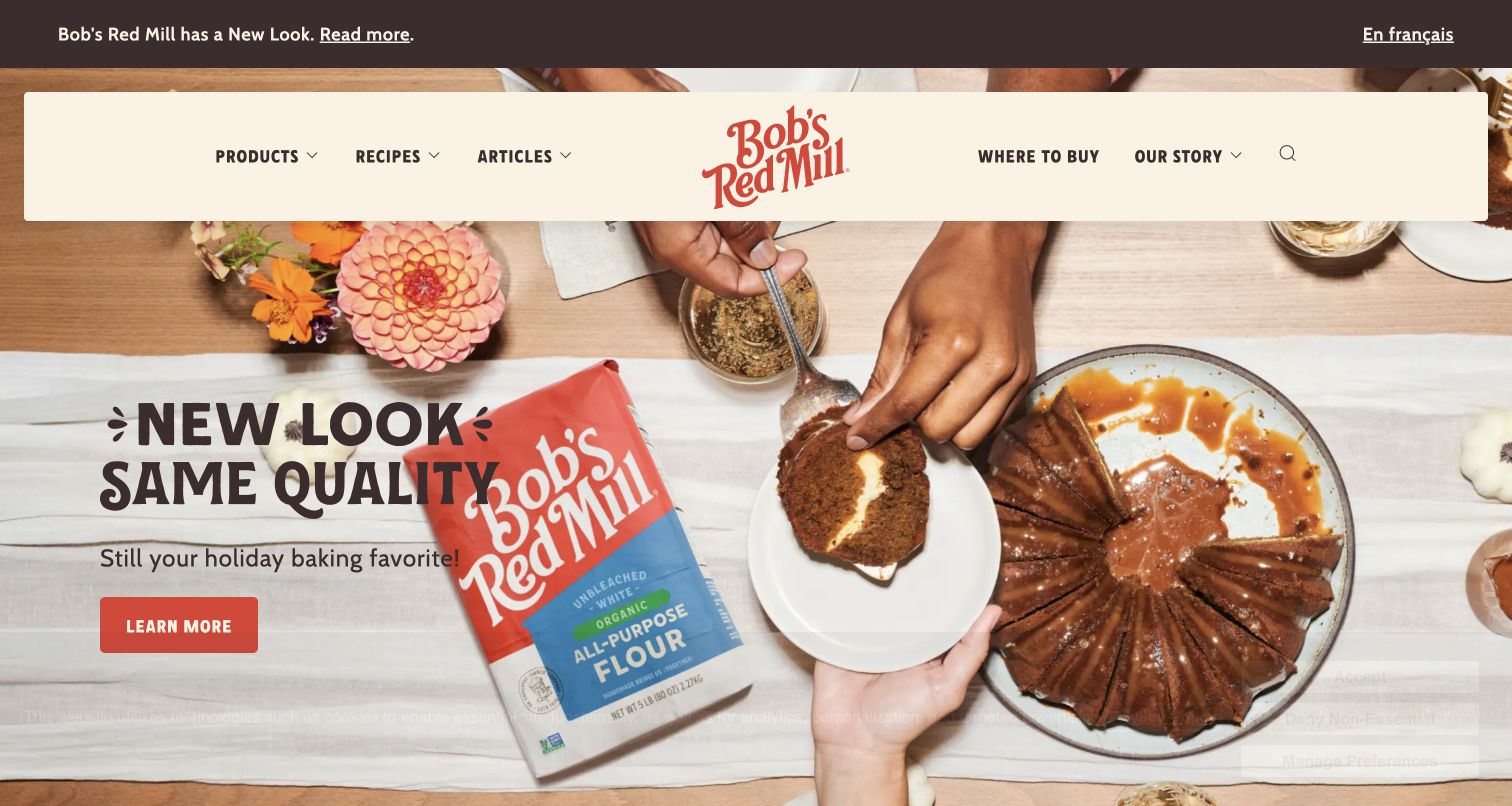
Bob’s Red Mill gives the opening view a warm tabletop photograph, cream navigation panel, and a red campaign action. Products, recipes, and articles have separate entrances; Where to Buy remains visible alongside the brand story. The captured campaign explains a packaging change rather than making visitors decipher it from product imagery alone. A Craft token appears in the public HTML, while the vendor also lists this named property among its examples.
What you can learn
For a Craft project, model a campaign separately from recipes and product records. That lets the campaign change while recipe URLs and buying information remain stable. Preview a new package beside an older product photograph and identify who approves the explanation. Keep the store-finding destination explicit when the website does not itself complete the sale.
Pros
The product, recipe, and article labels give different visitor intentions clear routes.
The packaging message explains a visible brand change beside the relevant imagery.
Cons & considerations
Photography needs alternate crops so promotional text remains readable on smaller screens.
A seasonal feature requires an expiry owner and a useful replacement state.
Visible tech stack
Earlier / documented evidence
Craft CMS
Earlier cited evidence retained; no current scan result. References may be embedded or legacy—not a complete backend inventory.
Platform source: Craft’s official Created with Craft references. Craft’s official Created with Craft collection links this named public property. This is a vendor-documented association, not an audit of the current installed CMS version, backend, hosting, or every linked service. The public HTML also includes a CRAFT_CSRF_TOKEN marker observed on November 3, 2026 UTC. Platform evidence is separate from the direct website screenshot and is not a complete current infrastructure audit.
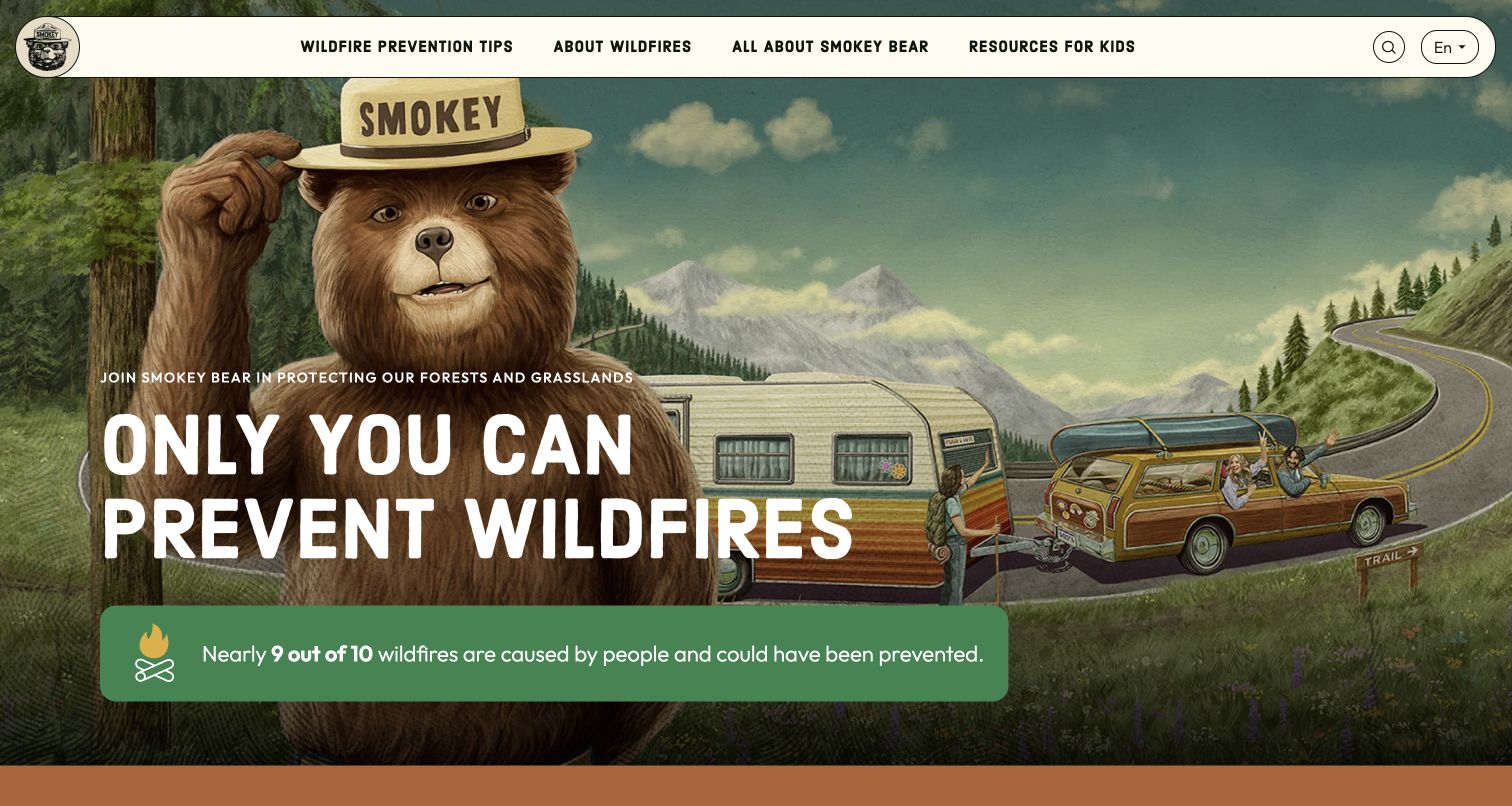
Smokey Bear pairs an illustrated forest scene with a large prevention message and a contrasting fact panel. The rounded cream navigation bar separates prevention tips, wildfire background, the character’s story, and resources for children. Search and language selection remain visible at the right. Craft’s official example list names this public site; the capture demonstrates its information hierarchy rather than independently validating every statistic or educational recommendation on the page.
What you can learn
Use distinct Craft entry types for guidance, teaching resources, and campaign material instead of treating everything as a promotional page. Assign a subject reviewer to factual advice and preserve its revision history. The character can establish recognition, but each illustration still needs a readable route to the practical task and meaningful alternatives for visitors who cannot see it.
Pros
Audience-specific resource labels make the playful presentation easier to navigate.
A solid fact panel separates important text from the detailed illustrated background.
Cons & considerations
A very large illustration pushes deeper practical guidance below the opening view.
Public guidance needs an editorial review process beyond approving the visual design.
Public source checked November 3, 2026. References may be embedded or legacy—not a complete backend inventory.
Platform source: Craft’s official Created with Craft references. Craft’s official Created with Craft collection links this named public property. This is a vendor-documented association, not an audit of the current installed CMS version, backend, hosting, or every linked service. Platform evidence is separate from the direct website screenshot and is not a complete current infrastructure audit.
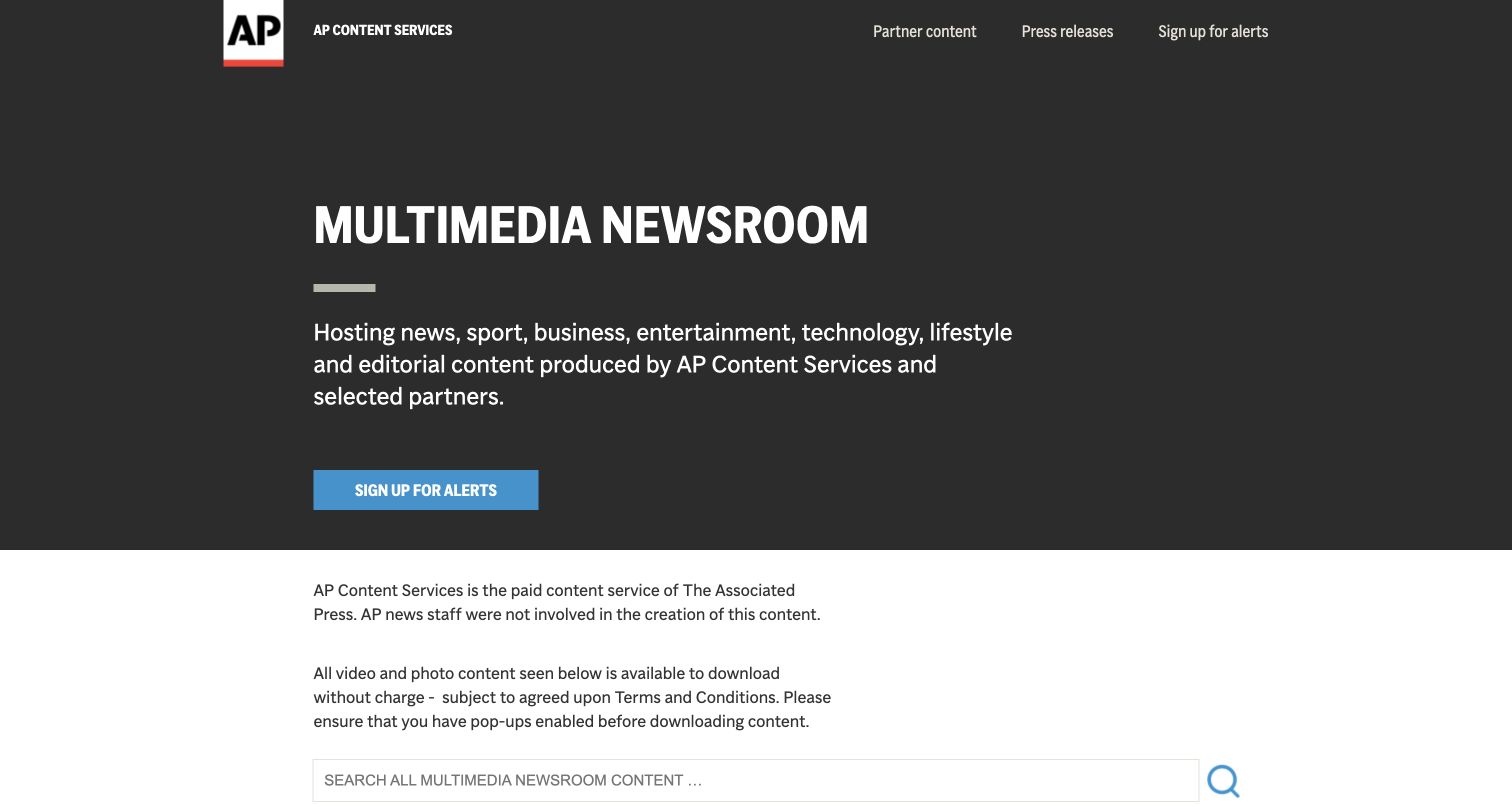
AP Multimedia Newsroom starts with a restrained dark panel, a plain description of its content service, and an alerts action. A white explanation immediately below identifies the relationship to The Associated Press and distinguishes the material from AP news staff’s work. Search and archive filters follow. The Craft reference concerns this separate public newsroom; it does not identify the technology behind AP’s other editorial or distribution products.
What you can learn
In a Craft implementation, put content ownership and usage language into maintained fields near the archive, not an easily overlooked footer. Model release date, media type, topic, and rights information so the same record can support filtering and a detail page. Test whether a visitor can distinguish the source and reuse conditions before opening a download.
Pros
The service description and editorial boundary appear before the visitor reaches the archive.
Search, year, type, and category controls suggest clear routes through a growing collection.
Cons & considerations
The large introductory panel delays the first media items on a short display.
Download conditions need continued review and cannot be established from a screenshot alone.
Visible tech stack
Earlier / documented evidence
Craft CMS
Earlier cited evidence retained; no current scan result. References may be embedded or legacy—not a complete backend inventory.
Platform source: Craft’s official Created with Craft references. Craft’s official Created with Craft collection links this named public property. This is a vendor-documented association, not an audit of the current installed CMS version, backend, hosting, or every linked service. Platform evidence is separate from the direct website screenshot and is not a complete current infrastructure audit.
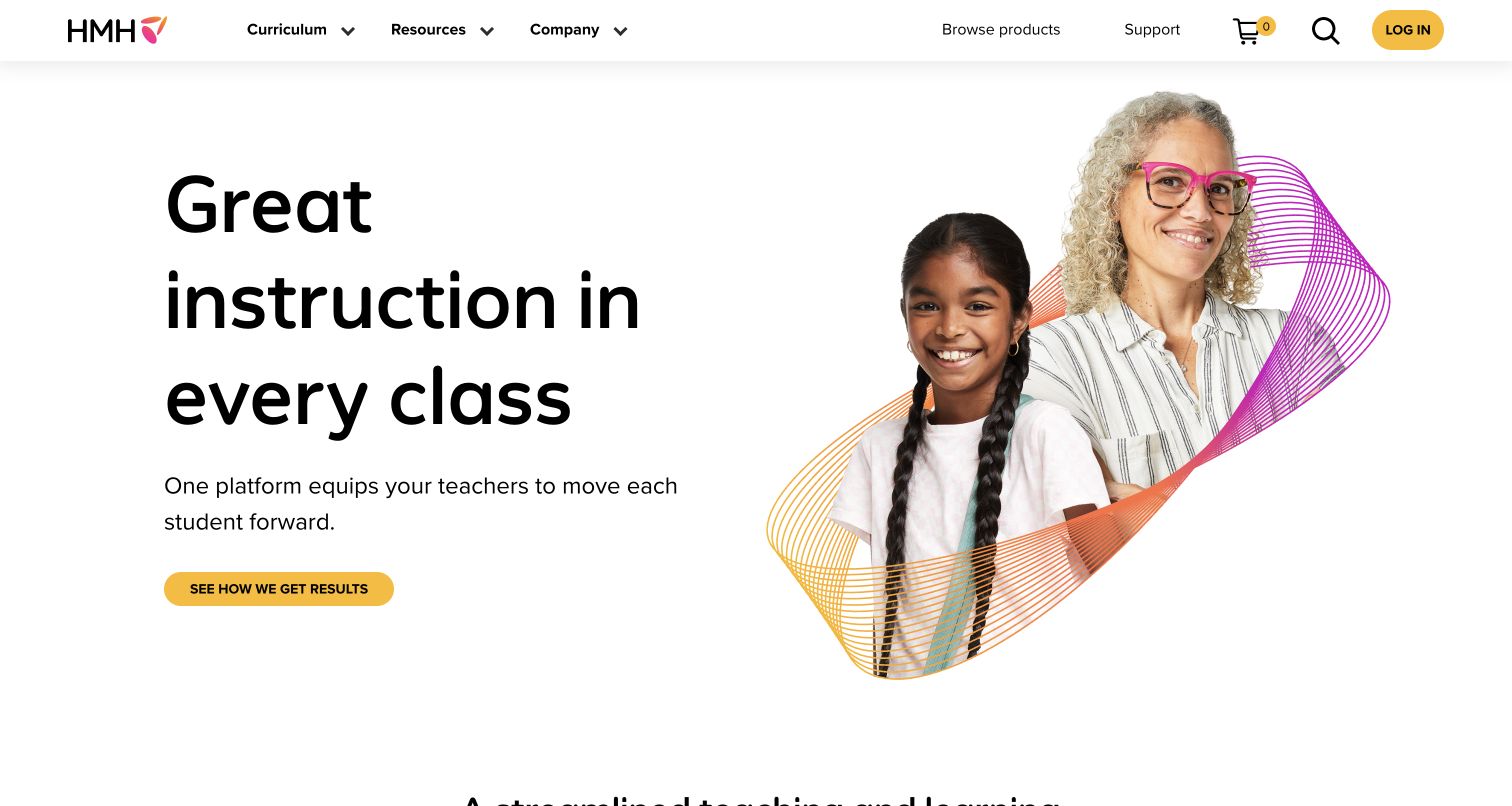
HMH’s opening view uses generous white space, oversized black type, and a teacher-and-student composition with colored lines. A small yellow action connects the proposition to supporting results. Curriculum, resources, and company navigation are distinct from product browsing, support, cart, search, and login. Craft’s current example list names the HMH property, while this visual review remains limited to the public marketing page and its content organization.
What you can learn
Define marketing pages and catalog records as separate responsibilities in a Craft brief. Editors should be able to replace a homepage proposition without altering product identifiers, support routes, or account systems. Preview a longer educational description and confirm that the main action stays understandable when the portrait or animation is unavailable. Ask which system owns each destination in the utility navigation.
Pros
Marketing navigation and practical account or purchase utilities occupy recognizable groups.
The main heading, supporting sentence, and yellow action create a clear reading order.
Cons & considerations
The large headline and illustration require deliberate mobile composition and content limits.
A polished opening does not reveal the consistency of catalog and account handoffs.
Visible tech stack
Referenced on the public page
Amazon CloudFrontDelivery / hosting signal
nginxReported response header
Earlier / documented evidence
Craft CMS
Public source checked November 3, 2026. References may be embedded or legacy—not a complete backend inventory.
Platform source: Craft’s official Created with Craft references. Craft’s official Created with Craft collection links this named public property. This is a vendor-documented association, not an audit of the current installed CMS version, backend, hosting, or every linked service. Platform evidence is separate from the direct website screenshot and is not a complete current infrastructure audit.
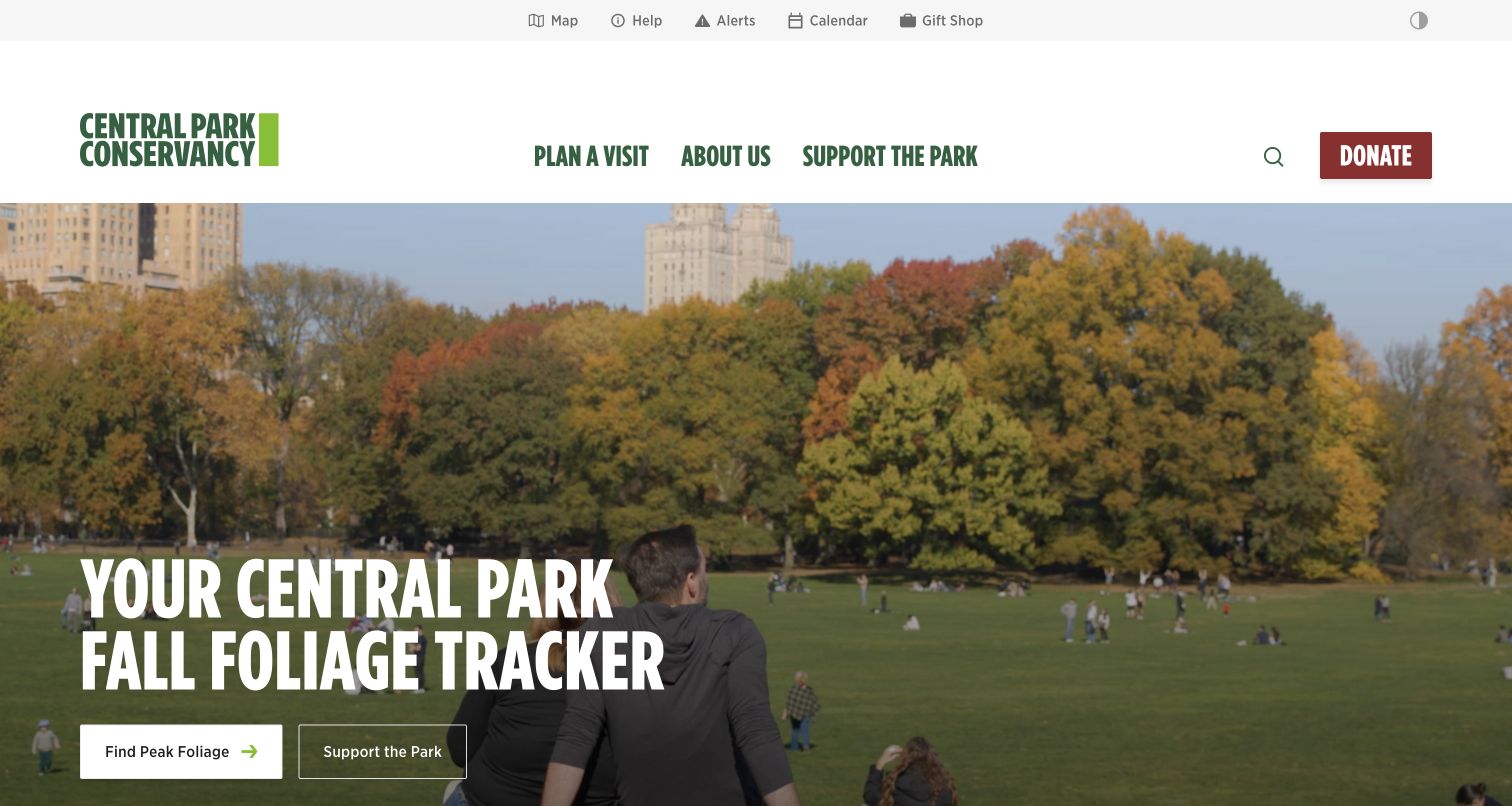
Central Park Conservancy leads with a fall-foliage feature over a park photograph. Find Peak Foliage and Support the Park are separate actions, while Map, Help, Alerts, Calendar, and Gift Shop occupy a quieter utility strip. A prominent donation button remains in the main navigation. The public HTML includes a Craft token, supporting the vendor’s named reference. The screenshot shows a visitor-oriented publishing pattern, not a test of donation or map functionality.
What you can learn
Model seasonal features independently from alerts and durable visit information in Craft. Assign expiry rules to a foliage update and make urgent operational notices available beyond the homepage campaign. Keep fundraising and trip-planning destinations distinct so a visitor can choose the task they came for. Preview photographs with varied foliage and lighting before approving one reusable text-overlay position.
Pros
Practical park utilities remain visible above the changing seasonal feature.
Trip planning and financial support receive distinct, clearly labeled actions.
Cons & considerations
The large image demands reliable contrast across changing seasonal photographs.
Alerts and seasonal content need different review rhythms and responsible editors.
Public source checked November 3, 2026. References may be embedded or legacy—not a complete backend inventory.
Platform source: Craft’s official Created with Craft references. Craft’s official Created with Craft collection links this named public property. This is a vendor-documented association, not an audit of the current installed CMS version, backend, hosting, or every linked service. The public HTML also includes a CRAFT_CSRF_TOKEN marker observed on November 3, 2026 UTC. Platform evidence is separate from the direct website screenshot and is not a complete current infrastructure audit.
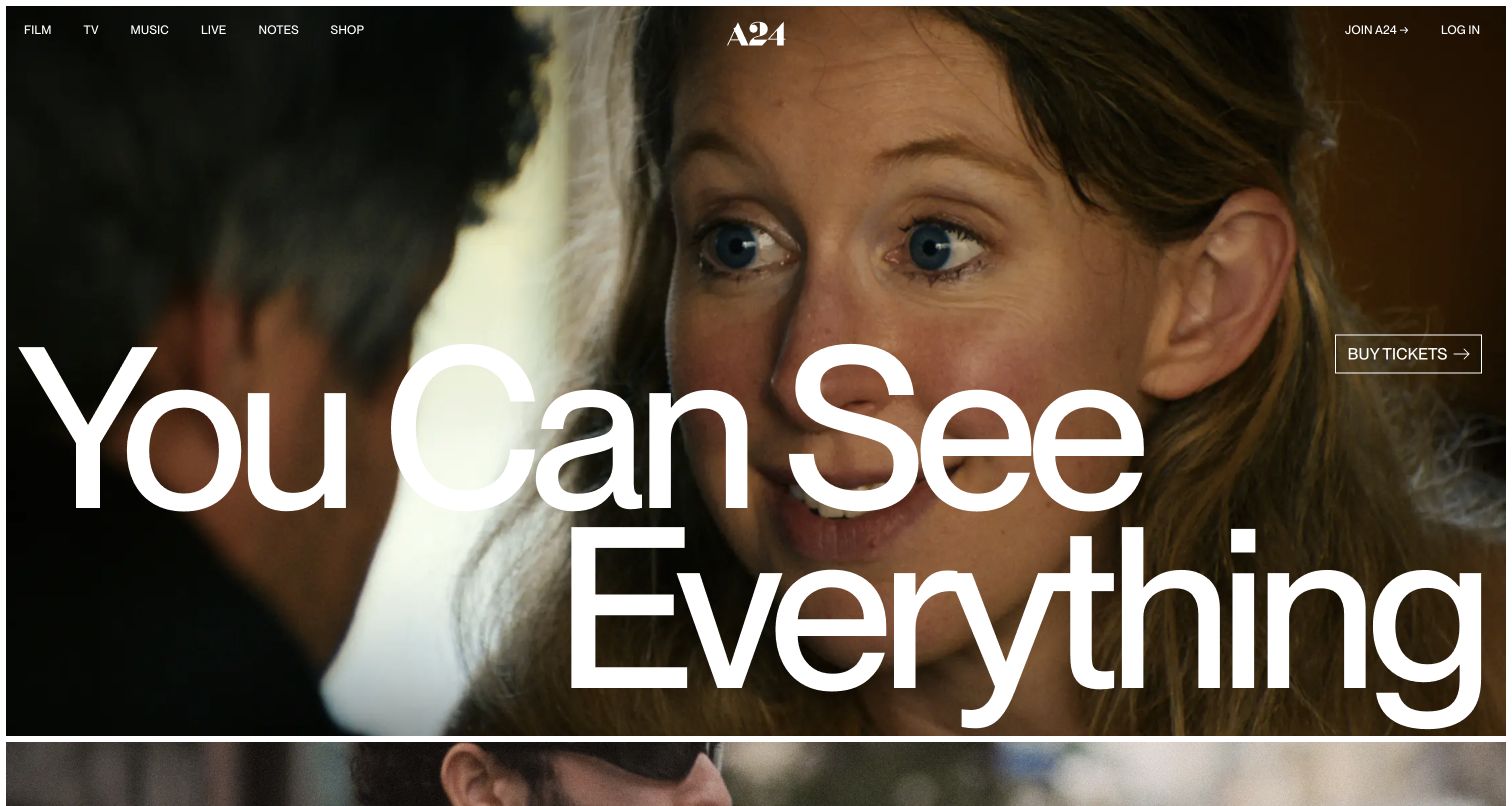
A24 places a film still across nearly the entire opening view, with an exceptionally large title and a compact ticket action. Film, television, music, live events, notes, and shop remain small but visible along the top. The frame beneath hints at the next release. Craft lists this named site as a created-with-Craft reference; the current frontend also uses Next.js assets and shop imagery, so the association must not be expanded into a single-system claim.
What you can learn
Separate a release record from its homepage treatment in your Craft content model. Give editors controlled title, artwork, destination, and availability fields, while letting the layout establish cinematic emphasis. Test the longest title and a less convenient crop before promising this composition for every film. Model shop and ticketing links as external responsibilities with their own owners and availability checks.
Pros
The title and still establish the promoted release immediately.
Stable catalog navigation remains available around the changing campaign artwork.
Cons & considerations
Oversized text creates substantial wrapping and contrast requirements on smaller screens.
A still image cannot establish motion behavior or the success of ticket handoffs.
ReactAssociated with Next.js; not independently observed
Public source checked November 3, 2026. References may be embedded or legacy—not a complete backend inventory.
Platform source: Craft’s official Created with Craft references. Craft’s official Created with Craft collection links this named public property. This is a vendor-documented association, not an audit of the current installed CMS version, backend, hosting, or every linked service. Platform evidence is separate from the direct website screenshot and is not a complete current infrastructure audit.
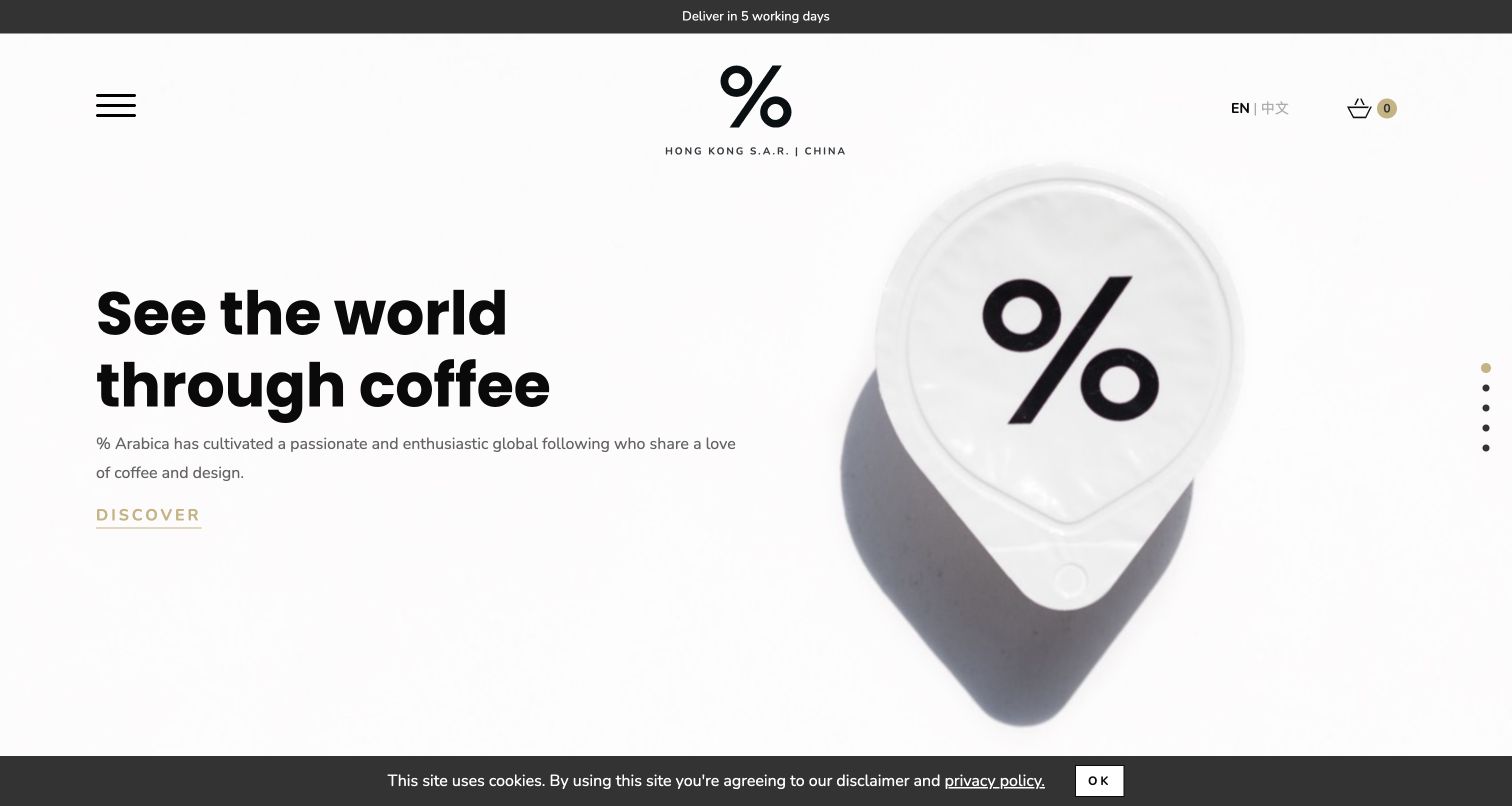
The Hong Kong % Arabica property uses a white field, a large coffee-cup photograph, and the percent symbol as a strong central identifier. The headline and short description sit to the left, with a quieter Discover link. Region, language, cart, and delivery information establish the commercial context without a conventional crowded header. Craft’s reference is specific to this regional property and should not be read as a claim about every global Arabica website.
What you can learn
Plan regional scope before building a Craft commerce or content model. Identify which products, locations, shipping statements, and translations belong to this market. The restrained presentation works best when the underlying navigation remains explicit and accessible; ensure that the menu and cart do not depend solely on recognizing small icons. Keep evergreen brand text separate from operational delivery messages.
Pros
The regional label and language switch establish the scope of the property.
A single product image gives the minimal brand system a clear focal point.
Cons & considerations
An icon-led menu makes destination discovery less immediate than visible navigation labels.
Low-emphasis links need careful contrast checks against the pale background.
Public source checked November 3, 2026. References may be embedded or legacy—not a complete backend inventory.
Platform source: Craft’s official Created with Craft references. Craft’s official Created with Craft collection links this named public property. This is a vendor-documented association, not an audit of the current installed CMS version, backend, hosting, or every linked service. Platform evidence is separate from the direct website screenshot and is not a complete current infrastructure audit.
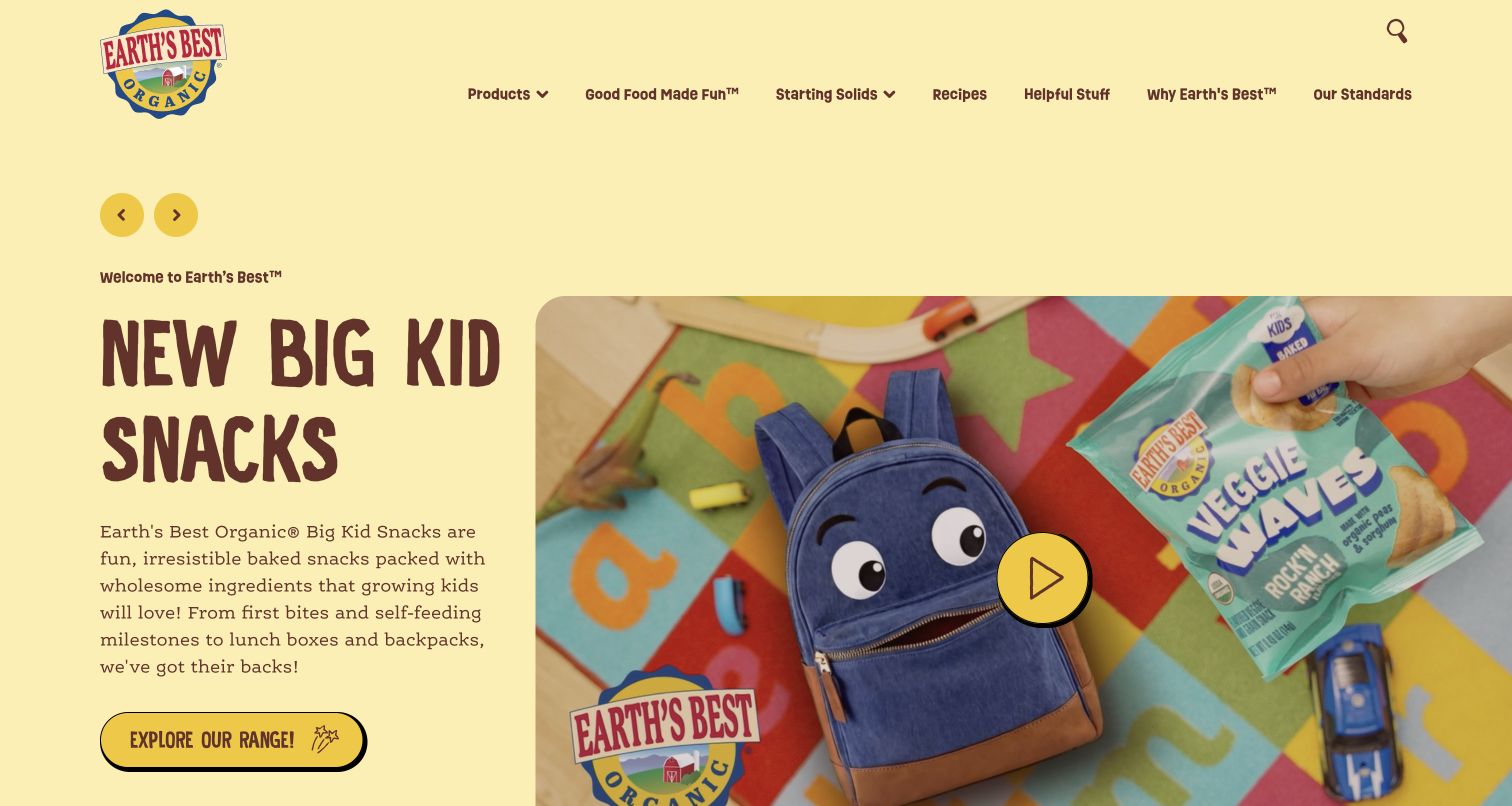
Earth’s Best uses a pale yellow background, playful display type, and a large product-and-lunchbox image. The campaign introduces a snack range with descriptive text and a distinct product action. Navigation separates Products, Starting Solids, Recipes, Helpful Stuff, and standards information. Craft lists the property as an example. The capture supports a review of its organization and presentation, not independent endorsement of nutritional claims or suitability for a particular child.
What you can learn
Keep products, recipes, and reviewed guidance as distinct Craft content types, even when a campaign promotes them together. Give factual material an assigned reviewer and a clear revision process. A reusable campaign module should accommodate both product imagery and a text explanation without embedding essential information in the artwork. Plan links between a product and the relevant guidance deliberately.
Pros
Product discovery and educational resource labels recognize different visitor needs.
The text and product photograph support the same campaign rather than competing messages.
Cons & considerations
The dense opening copy needs testing with longer translations and smaller layouts.
Health-related marketing statements require review beyond the visual production process.
Public source checked November 3, 2026. References may be embedded or legacy—not a complete backend inventory.
Platform source: Craft’s official Created with Craft references. Craft’s official Created with Craft collection links this named public property. This is a vendor-documented association, not an audit of the current installed CMS version, backend, hosting, or every linked service. Platform evidence is separate from the direct website screenshot and is not a complete current infrastructure audit.
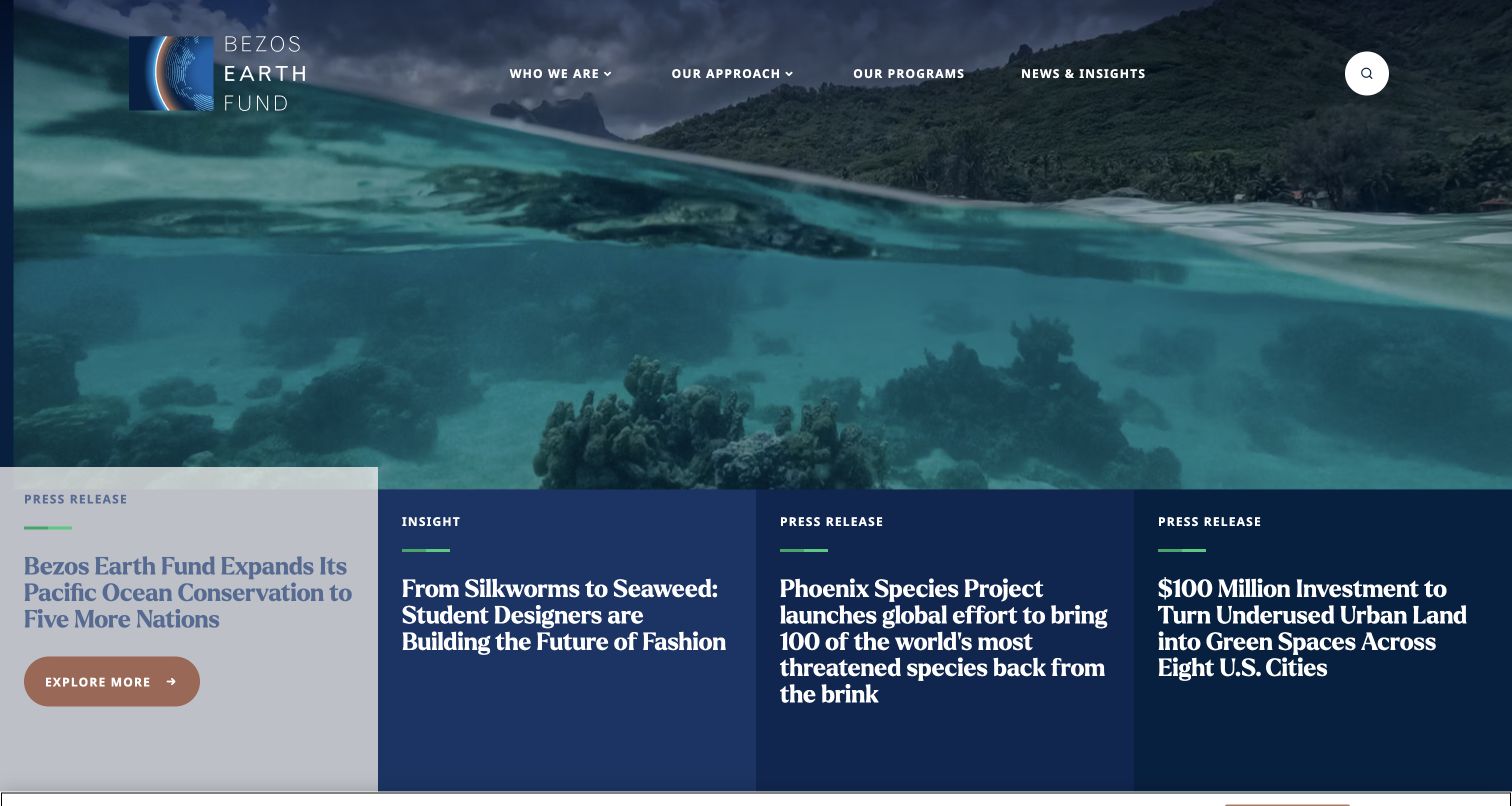
Bezos Earth Fund combines a wide environmental photograph with four substantial story panels along its lower edge. Labels distinguish press releases from an insight article, and the highlighted story has its own action. The header keeps identity, approach, programs, and news separate. Craft’s official site lists this property as a reference. The interface shows a way to connect organizational storytelling and an archive, without proving the impact claims inside the promoted stories.
What you can learn
Model program records and editorial stories separately in Craft, then define how a homepage feature selects and relates them. Preserve story type and publication information when changing the order. Preview a very long headline alongside shorter ones so the selected state does not hide essential text. Include a usable static first story and keyboard controls when adding a rotating presentation.
Pros
Story-type labels help distinguish announcements from broader editorial commentary.
Several visible headlines offer alternatives to the currently highlighted feature.
Cons & considerations
Four dense panels place heavy demands on wrapping and small-screen stacking.
A large visual sequence needs interaction and reduced-motion checks beyond a still capture.
Public source checked November 3, 2026. References may be embedded or legacy—not a complete backend inventory.
Platform source: Craft’s official Created with Craft references. Craft’s official Created with Craft collection links this named public property. This is a vendor-documented association, not an audit of the current installed CMS version, backend, hosting, or every linked service. Platform evidence is separate from the direct website screenshot and is not a complete current infrastructure audit.
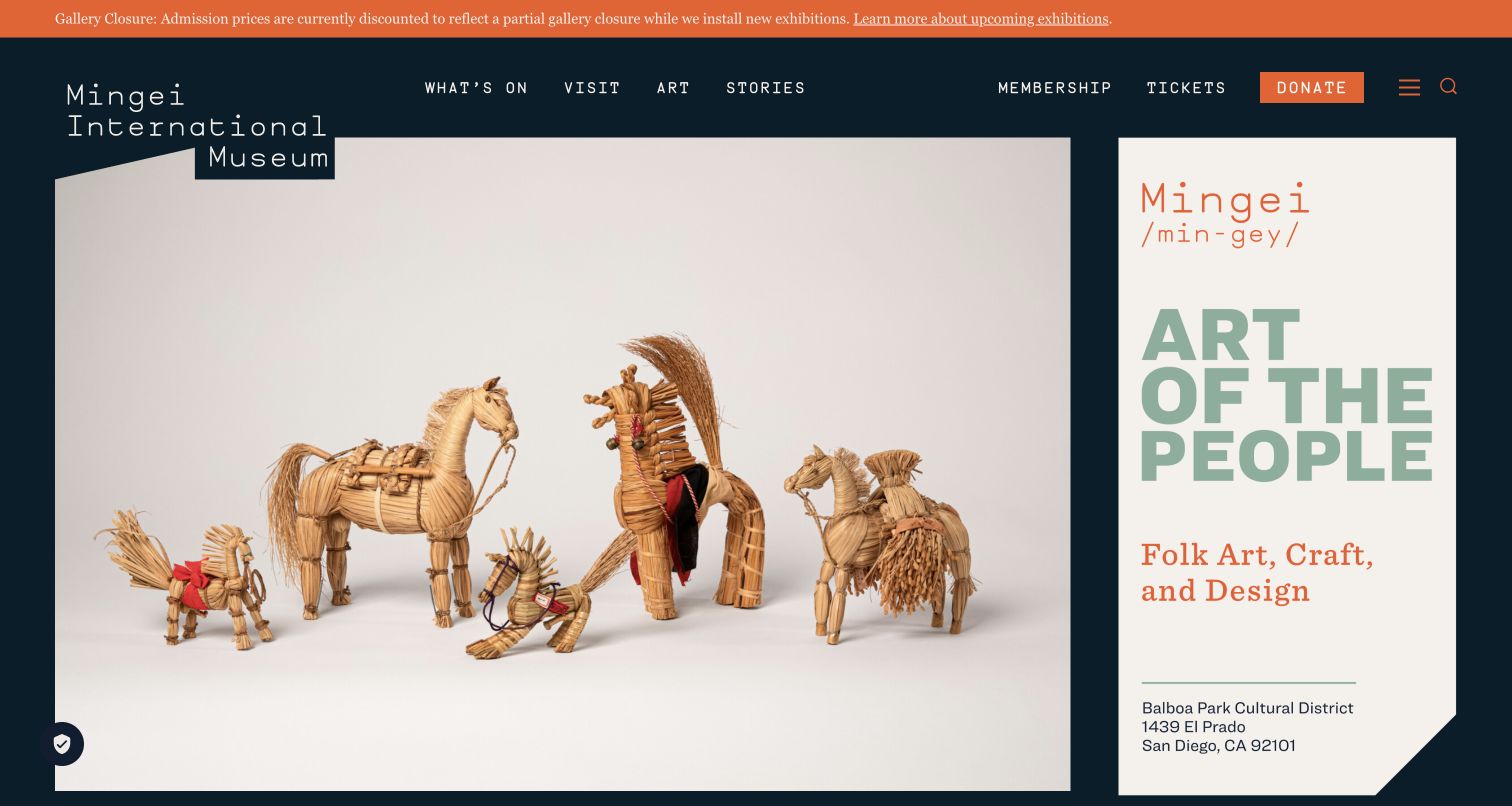
Mingei’s homepage places photographed folk-art objects beside a tall typographic panel explaining the institution’s focus. The dark background and irregular edges give the composition a crafted character. What’s On, Visit, Art, and Stories stay prominent, while membership, tickets, and donation have a separate utility role. A closure notice appears above everything else. Public Craft markup reinforces the vendor reference; the capture does not verify ticket availability or the external transaction systems.
What you can learn
Create separate Craft records for exhibitions, collection stories, practical notices, and visit information. A temporary gallery closure should be editable and removable without redesigning the main feature. Preserve descriptive text for an object even when its image is used expressively. Test ticket and membership handoffs independently from the CMS and provide an understandable route back to practical information.
Pros
The urgent gallery notice appears before the atmospheric collection presentation.
Visitor tasks and editorial exploration receive distinct labels in the navigation.
Cons & considerations
Unusual composition and oversized labels need intentional narrow-screen behavior.
External ticket and donation systems introduce journeys the homepage alone cannot validate.
Public source checked November 3, 2026. References may be embedded or legacy—not a complete backend inventory.
Platform source: Craft’s official Created with Craft references. Craft’s official Created with Craft collection links this named public property. This is a vendor-documented association, not an audit of the current installed CMS version, backend, hosting, or every linked service. The public HTML also includes a CRAFT_CSRF_TOKEN marker observed on November 3, 2026 UTC. Platform evidence is separate from the direct website screenshot and is not a complete current infrastructure audit.
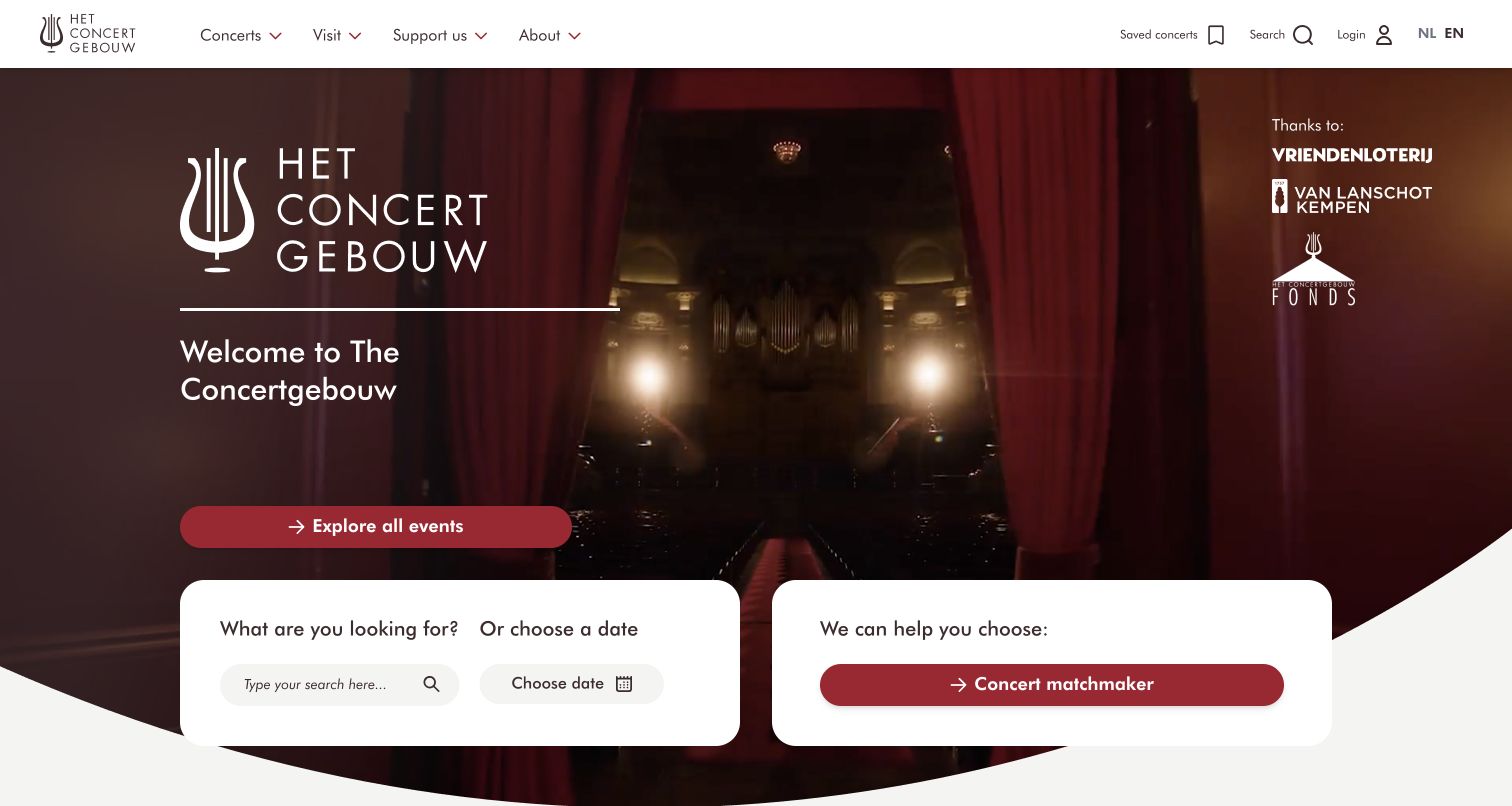
Concertgebouw places its identity and a short welcome over a concert-hall image. An event action leads into the program, while two white panels provide search, date selection, and a concert-matching route. Saved concerts, login, language, and search remain in the header. Craft’s official example list associates this named property with the CMS; the design review concerns the public discovery interface rather than the booking engine or personalization behind it.
What you can learn
For a Craft venue site, treat performances as structured records with dates, locations, access information, and booking destinations. Curated homepage features can then point into the same event data used by search. Define what happens after a performance ends and how a visitor moves between marketing pages and ticketing. Keep guided recommendations optional so a person with a known date has a direct route.
Pros
Search and date selection appear close to the atmospheric opening feature.
The guided choice route supports visitors who have not selected an event.
Cons & considerations
Multiple discovery controls need clear labels and logical keyboard order.
Ticketing, saved events, and account behavior require separate end-to-end verification.
Vue.jsAssociated with Nuxt; not independently observed
Public source checked November 3, 2026. References may be embedded or legacy—not a complete backend inventory.
Platform source: Craft’s official Created with Craft references. Craft’s official Created with Craft collection links this named public property. This is a vendor-documented association, not an audit of the current installed CMS version, backend, hosting, or every linked service. Platform evidence is separate from the direct website screenshot and is not a complete current infrastructure audit.
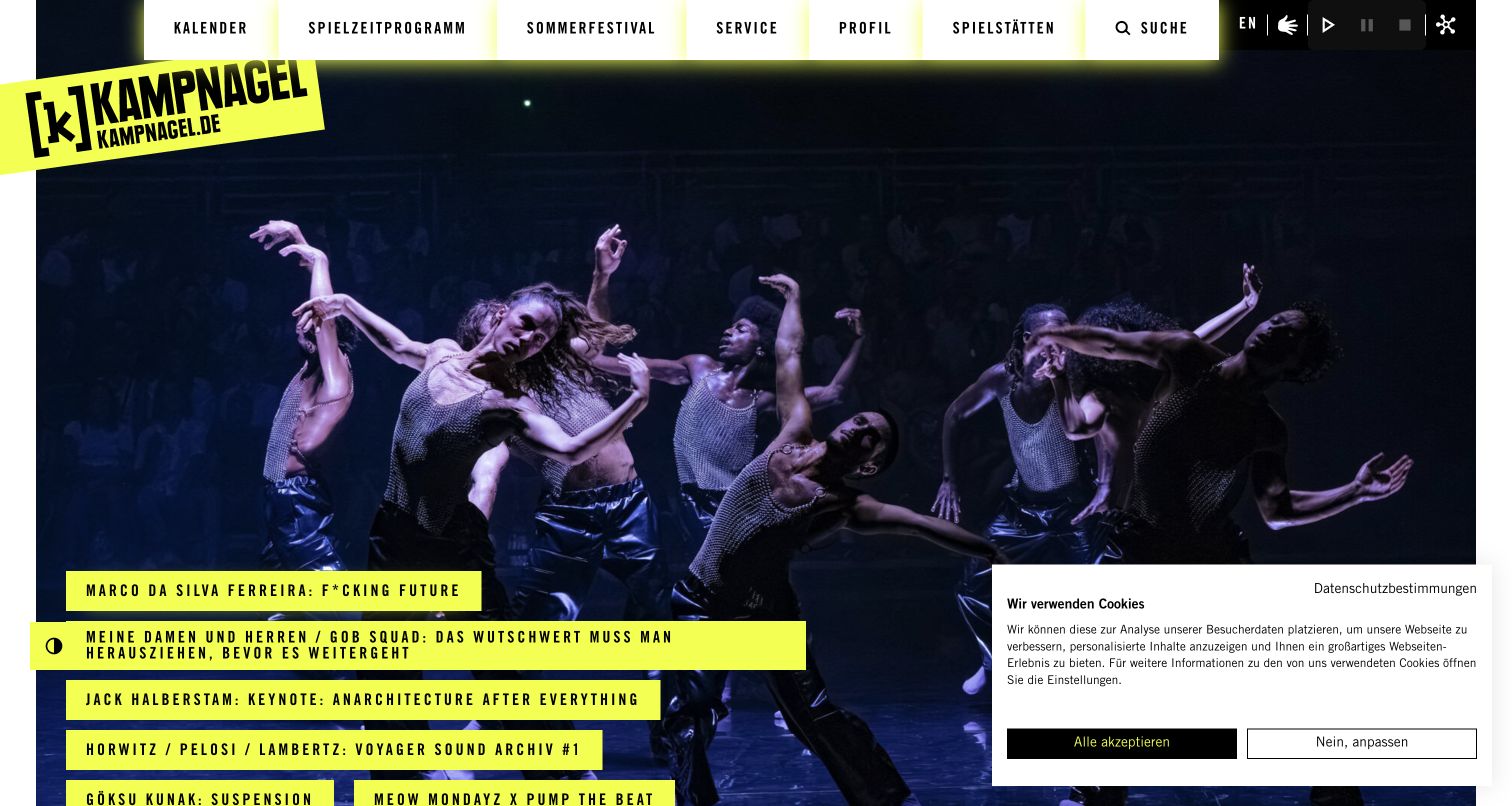
Kampnagel fills the opening with a performance photograph and places fluorescent yellow program strips across it. The angled logo and condensed uppercase navigation reinforce an energetic institutional identity. Calendar, seasonal programming, festival, service, and venue links remain visible. Craft’s named reference establishes a documented CMS relationship. The screenshot captures one photographic moment; it does not establish animation accessibility or whether every event state is equally understandable.
What you can learn
Model events and seasonal groupings independently in Craft so an expressive homepage can be curated without duplicating the program. Store titles as text and test unusually long performer names in the yellow strips. Give editors a preview with several images, because contrast depends on both the panel and its surrounding composition. Keep practical service information accessible when the current event campaign changes.
Pros
Bright program labels create recognizable entrances against the dark performance image.
Calendar and practical service routes remain distinct from promotional programming.
Cons & considerations
Dense uppercase text can become difficult to scan when headlines grow.
Motion controls and layered imagery need direct keyboard and reduced-motion testing.
Visible tech stack
Referenced on the public page
Apache HTTP ServerReported response header
Earlier / documented evidence
Craft CMS
Public source checked November 3, 2026. References may be embedded or legacy—not a complete backend inventory.
Platform source: Craft’s official Created with Craft references. Craft’s official Created with Craft collection links this named public property. This is a vendor-documented association, not an audit of the current installed CMS version, backend, hosting, or every linked service. Platform evidence is separate from the direct website screenshot and is not a complete current infrastructure audit.
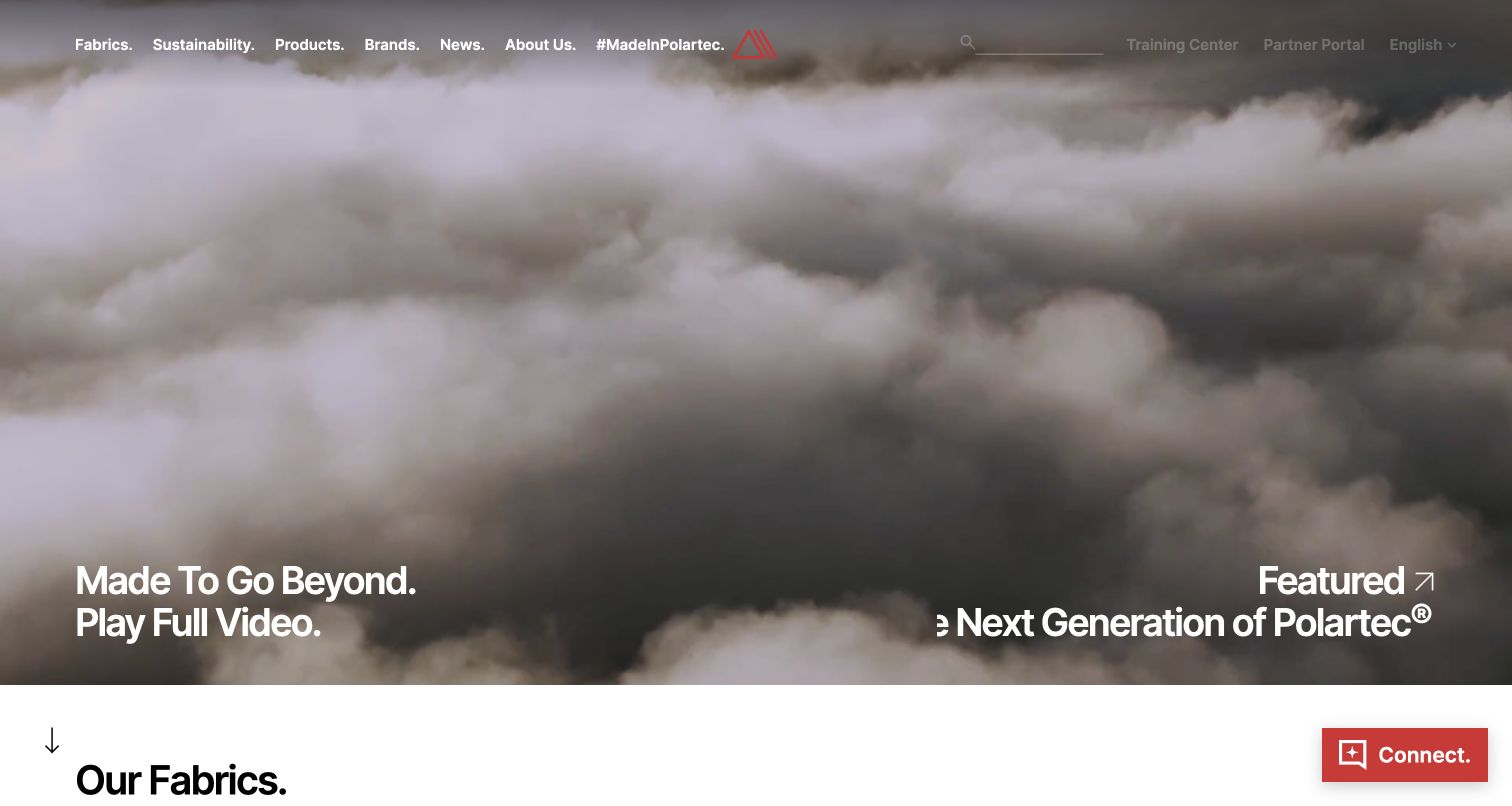
Polartec’s opening uses moving outdoor imagery, a compact navigation bar, and a large feature title. Fabrics, sustainability, products, brands, and news are explicit destinations, while a visible transition introduces the fabric collection below. Craft tokens in the public HTML support the official reference. This is a review of how the material brand presents information; the image does not independently demonstrate fabric performance or validate the environmental statements linked from the site.
What you can learn
Give fabric families, applications, partners, and articles separate Craft records with deliberate relationships. A campaign should be able to feature a material without becoming the only place its specifications are available. Keep a useful still fallback for the opening video and make product discovery work when motion is disabled. Assign technical reviewers to performance descriptions and versioned supporting documents.
Pros
Fabric and application-oriented navigation gives the brand story a practical structure.
The next section is visible enough to signal more than a standalone film.
Cons & considerations
Text over changing video requires contrast checks across more than one frame.
Technical and sustainability claims need maintained evidence beyond marketing imagery.
Public source checked November 3, 2026. References may be embedded or legacy—not a complete backend inventory.
Platform source: Craft’s official Created with Craft references. Craft’s official Created with Craft collection links this named public property. This is a vendor-documented association, not an audit of the current installed CMS version, backend, hosting, or every linked service. The public HTML also includes a CRAFT_CSRF_TOKEN marker observed on November 3, 2026 UTC. Platform evidence is separate from the direct website screenshot and is not a complete current infrastructure audit.
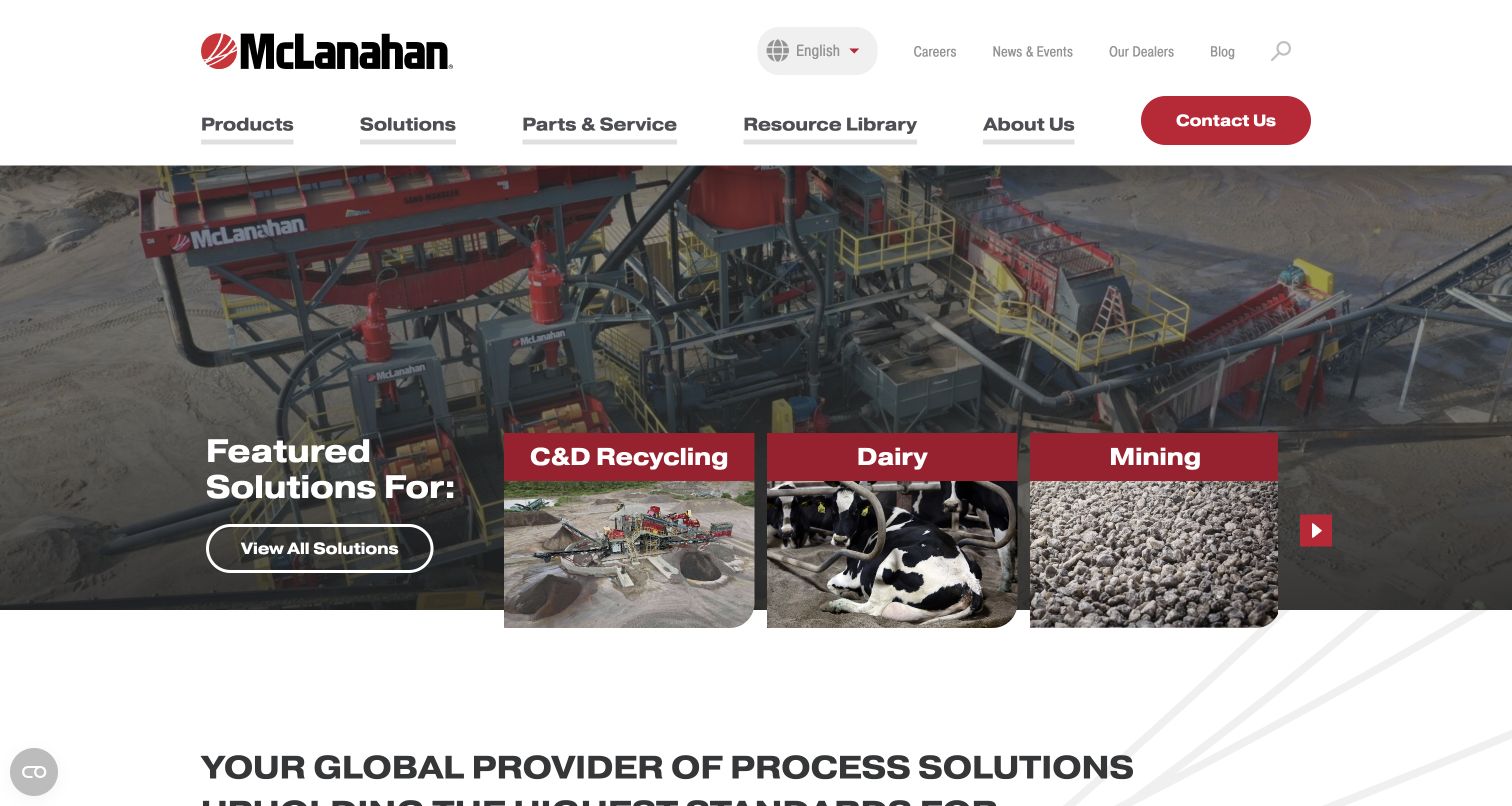
McLanahan places an industrial site photograph behind a set of solution cards. Recycling, dairy, and mining are shown as different entrances into the offering, while Products, Solutions, Parts and Service, and Resource Library occupy the main navigation. Language, careers, dealers, and news sit above. Craft names the property in its example collection. The useful pattern is the distinction between a buyer’s industry problem and the equipment catalog used to address it.
What you can learn
Build sector and product relationships explicitly in Craft. One product may belong to several solutions without needing several disconnected copies of its specifications. Keep parts, support documents, and dealer routes connected to durable identifiers. Ask an editor to change a product’s availability and observe every related listing, while preserving a support route for customers who already own it.
Pros
Sector cards offer an alternative to knowing a particular equipment name.
Parts, service, and the resource library remain prominent alongside sales content.
Cons & considerations
A broad product-and-industry model requires careful taxonomy and ongoing ownership.
Large photographic features can delay technical details for returning service visitors.
Public source checked November 3, 2026. References may be embedded or legacy—not a complete backend inventory.
Platform source: Craft’s official Created with Craft references. Craft’s official Created with Craft collection links this named public property. This is a vendor-documented association, not an audit of the current installed CMS version, backend, hosting, or every linked service. Platform evidence is separate from the direct website screenshot and is not a complete current infrastructure audit.
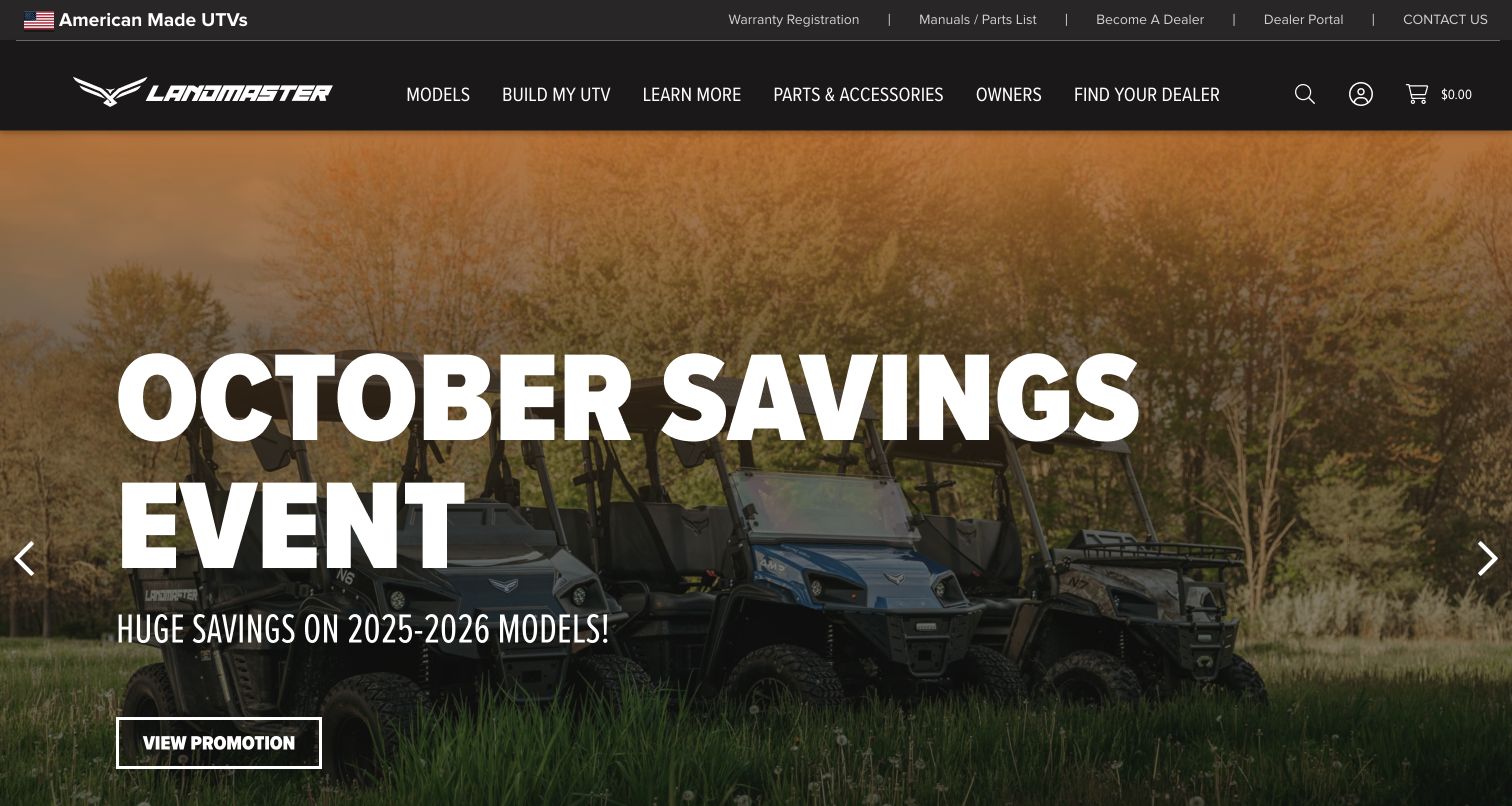
Landmaster’s opening promotes a seasonal vehicle offer over a photograph of utility vehicles. A black header separates models, configuration, learning, parts, owners, and dealer search. Warranty registration, manuals, and dealer resources sit in a smaller upper strip. The Craft-linked legacy domain redirects to this current public property; that redirect is recorded rather than counted as another example. The visible October campaign is preserved as captured, without assuming its terms remain available.
What you can learn
Define promotion dates and product relationships in Craft so an expired offer can be removed without losing the underlying model page. Distinguish a configuration request from a completed order and establish who owns dealer availability. Owners need a durable manual and parts route even when a new campaign dominates the homepage. Test those stable tasks separately from campaign appearance.
Pros
Purchase, dealer, and existing-owner journeys have recognizable navigation labels.
The campaign communicates its seasonal scope rather than disguising it as evergreen content.
Cons & considerations
A promotion still visible after its named month needs editorial expiry review.
Configuration and dealer links require verification beyond the homepage screenshot.
Visible tech stack
Referenced on the public page
Google Analytics
Adobe Fonts
Google Maps
nginxReported response header
Earlier / documented evidence
Craft CMS
Public source checked November 3, 2026. References may be embedded or legacy—not a complete backend inventory.
Platform source: Craft’s official Created with Craft references. Craft’s official Created with Craft collection links this named public property. This is a vendor-documented association, not an audit of the current installed CMS version, backend, hosting, or every linked service. Platform evidence is separate from the direct website screenshot and is not a complete current infrastructure audit.
Sora Fuel uses an aircraft-fueling photograph as an almost full-screen canvas. A small wordmark and menu stay at the top, while a short, widely spaced proposition overlays the image. The page’s next content introduces its conversion process and links to a technology explanation. Craft lists this specific property as an example. The presentation is an editorial reference; the photograph is not evidence that the company’s technical or environmental claims have been independently established.
What you can learn
In Craft, separate the opening proposition from the detailed technical explanation and supporting documents. Give scientific statements a reviewer and record which source supports each change. The minimal hero needs a clear continuation on smaller screens, especially when the image cannot load. Keep essential meaning in ordinary text rather than relying on an animated sequence to reveal each word.
Pros
The photograph connects the abstract proposition to a recognizable aviation context.
A restrained header lets the introductory statement have a clear visual role.
Cons & considerations
Sparse navigation makes deeper technical information less immediately discoverable.
Scientific and environmental statements require evidence outside the visual design review.
ReactAssociated with Next.js; not independently observed
Public source checked November 3, 2026. References may be embedded or legacy—not a complete backend inventory.
Platform source: Craft’s official Created with Craft references. Craft’s official Created with Craft collection links this named public property. This is a vendor-documented association, not an audit of the current installed CMS version, backend, hosting, or every linked service. Platform evidence is separate from the direct website screenshot and is not a complete current infrastructure audit.
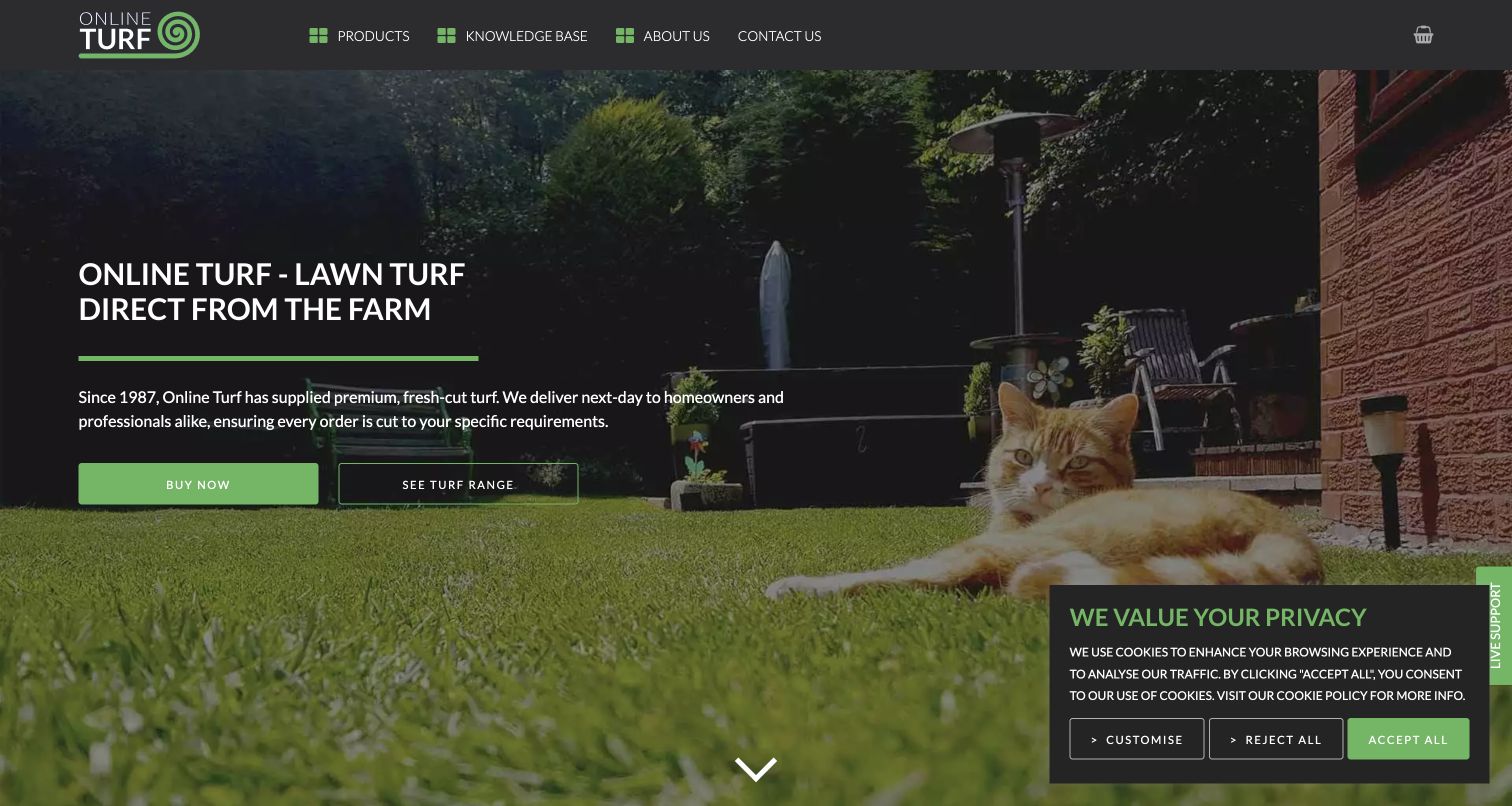
Online Turf places a concise supplier description and two buying actions over a garden photograph. The dark header exposes Products, Knowledge Base, About Us, and Contact Us, with a basket at the far right. Buy Now and See Turf Range distinguish a ready purchase from comparison. Craft’s official reference names this property. The page is useful for studying how a specialized merchant connects commerce to guidance, rather than proving its delivery or product-quality claims.
What you can learn
Model turf products and guidance articles separately in Craft, then link installation and care information to the relevant range. Maintain delivery statements as operational content with an accountable owner. A visitor should be able to compare products without first calculating an order, while a returning buyer needs a short route to the basket. Test those paths with realistic unavailable products and delivery boundaries.
Pros
The proposition states the product category and intended audiences in plain language.
Comparison and immediate purchase receive different actions beside the description.
Cons & considerations
Delivery promises need current operational verification and visible exceptions.
Text over garden imagery requires stable contrast as campaign photographs change.
Visible tech stack
Referenced on the public page
nginxReported response header
Earlier / documented evidence
Craft CMS
Public source checked November 3, 2026. References may be embedded or legacy—not a complete backend inventory.
Platform source: Craft’s official Created with Craft references. Craft’s official Created with Craft collection links this named public property. This is a vendor-documented association, not an audit of the current installed CMS version, backend, hosting, or every linked service. Platform evidence is separate from the direct website screenshot and is not a complete current infrastructure audit.
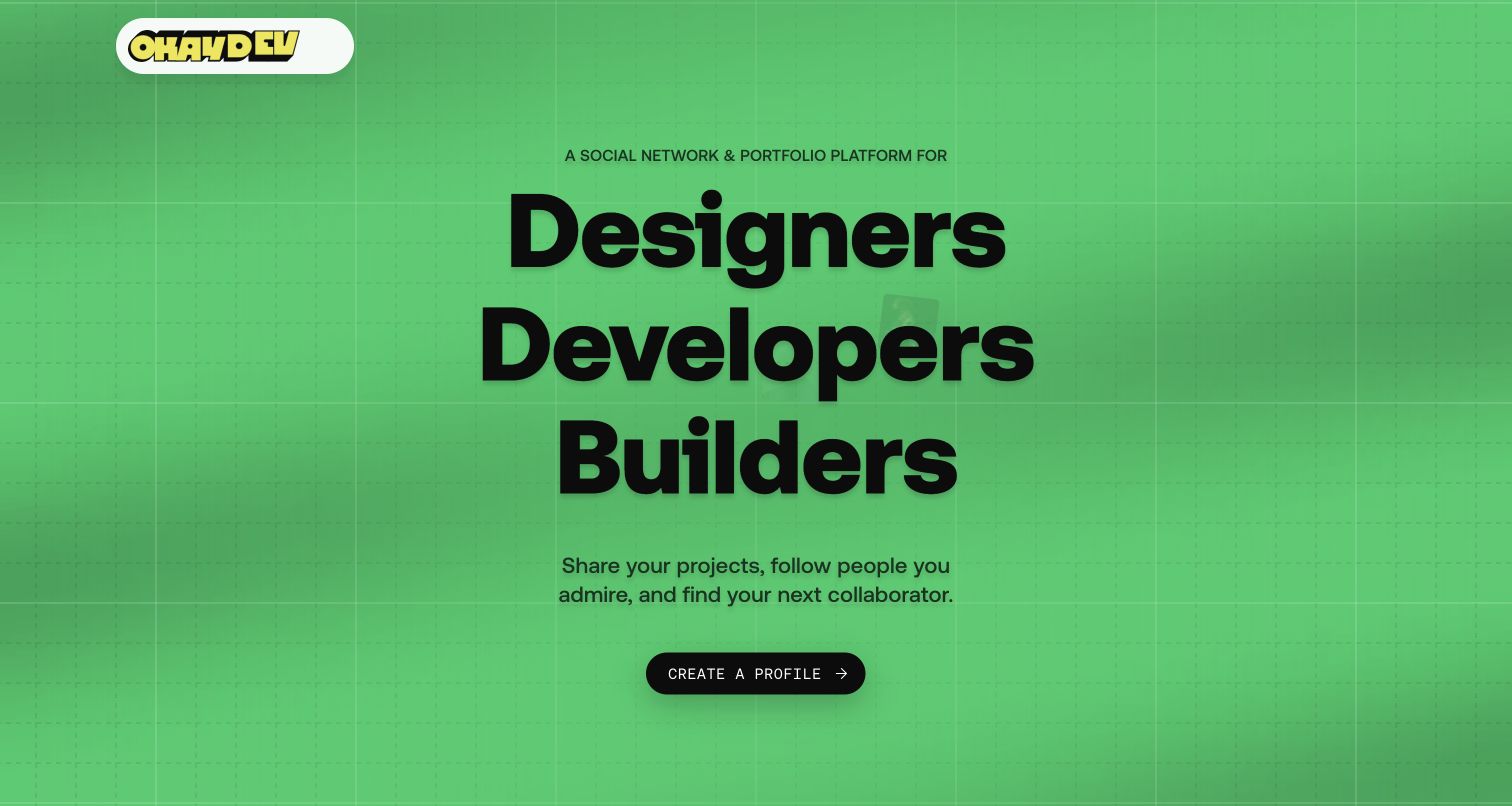
Okay Dev leads with a bright green field, large stacked audience words, and a single profile-creation action. Its short explanation describes sharing projects, following people, and finding collaborators. The next section introduces work and the people behind it. A Craft token appears in the public markup, alongside the vendor listing. The capture is limited to the public landing experience; it does not verify profile privacy, account controls, or the behavior of logged-in features.
What you can learn
Separate the public editorial and promotional records from private member information when planning a Craft-backed community. Define what a project preview exposes before registration and what remains controlled by the account system. Keep the call to participate understandable without overstating community outcomes. Preview the large audience words on small screens and provide a useful gallery path for visitors who are still evaluating the platform.
Pros
A short description explains the purpose behind the registration action.
Strong type and a single primary button make the opening hierarchy easy to recognize.
Cons & considerations
The public hero does not establish moderation, privacy, or account usability.
Very large stacked text can consume substantial space on compact displays.
Public source checked November 3, 2026. References may be embedded or legacy—not a complete backend inventory.
Platform source: Craft’s official Created with Craft references. Craft’s official Created with Craft collection links this named public property. This is a vendor-documented association, not an audit of the current installed CMS version, backend, hosting, or every linked service. The public HTML also includes a CRAFT_CSRF_TOKEN marker observed on November 3, 2026 UTC. Platform evidence is separate from the direct website screenshot and is not a complete current infrastructure audit.
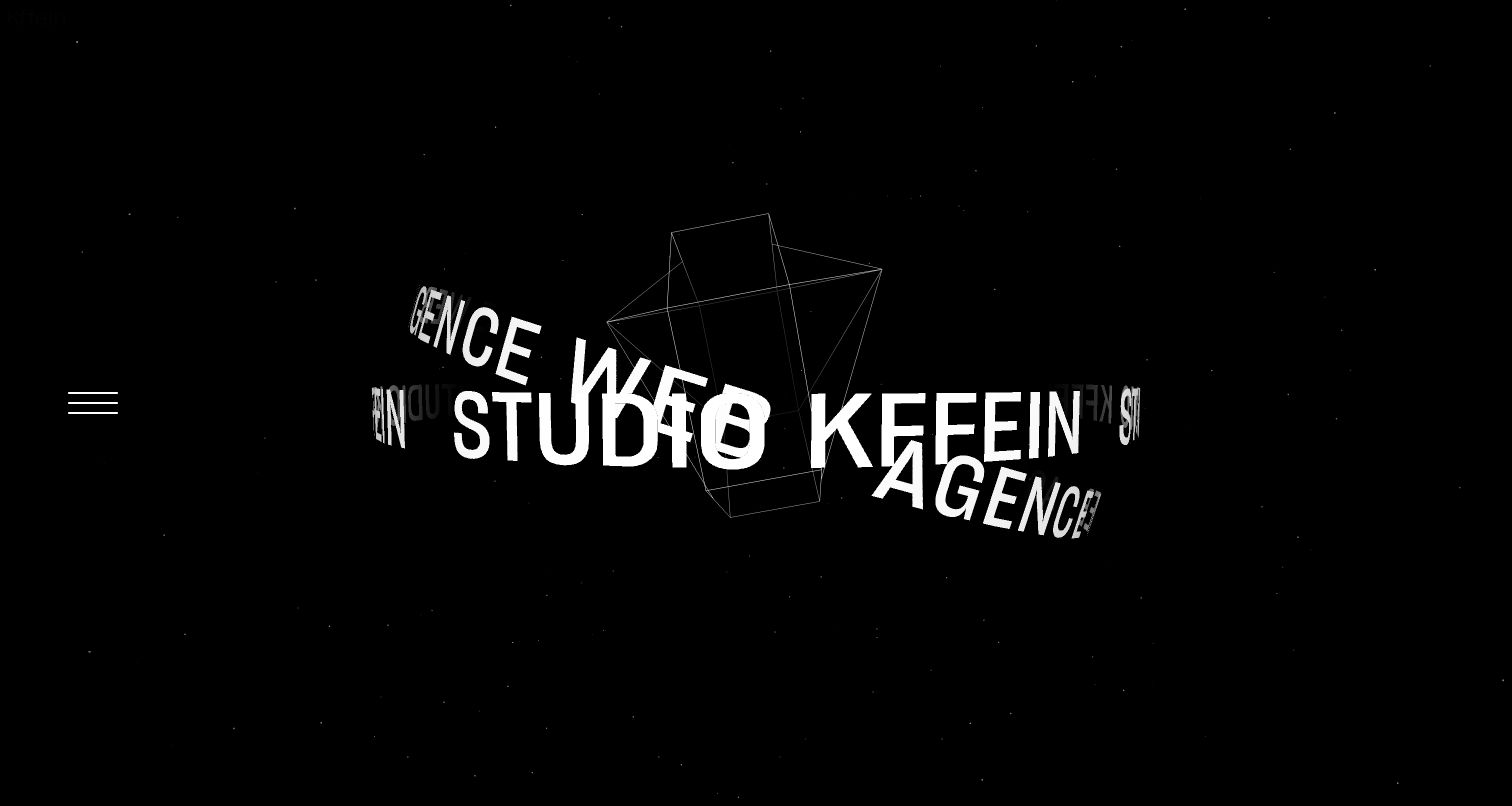
KFFEIN opens with a black background and a rotating typographic composition that carries the studio name and identity. A small menu icon sits at the side, leaving the opening largely to the animated form. The captured French property is the destination of the Craft-listed homepage. It is an unusually presentation-led reference: the visual treatment communicates creative character, while practical service and project discovery depend on continuing beyond the first screen.
What you can learn
A Craft brief for this approach should separate identity animation from the case-study and service records editors maintain. Preserve a clear text introduction and a still alternative so the website remains meaningful without the sequence. Provide an obvious route to projects and contact information, and test keyboard focus against the dark canvas. Do not let an expressive opening become the only explanation of the studio’s work.
Pros
The restrained color system gives the moving typography a strong focal role.
The name remains part of the visual concept instead of an unrelated decorative effect.
Cons & considerations
Practical service and project information are not immediately visible in the opening.
A motion-heavy introduction needs direct reduced-motion and keyboard testing.
Public source checked November 3, 2026. References may be embedded or legacy—not a complete backend inventory.
Platform source: Craft’s official Created with Craft references. Craft’s official Created with Craft collection links this named public property. This is a vendor-documented association, not an audit of the current installed CMS version, backend, hosting, or every linked service. Platform evidence is separate from the direct website screenshot and is not a complete current infrastructure audit.
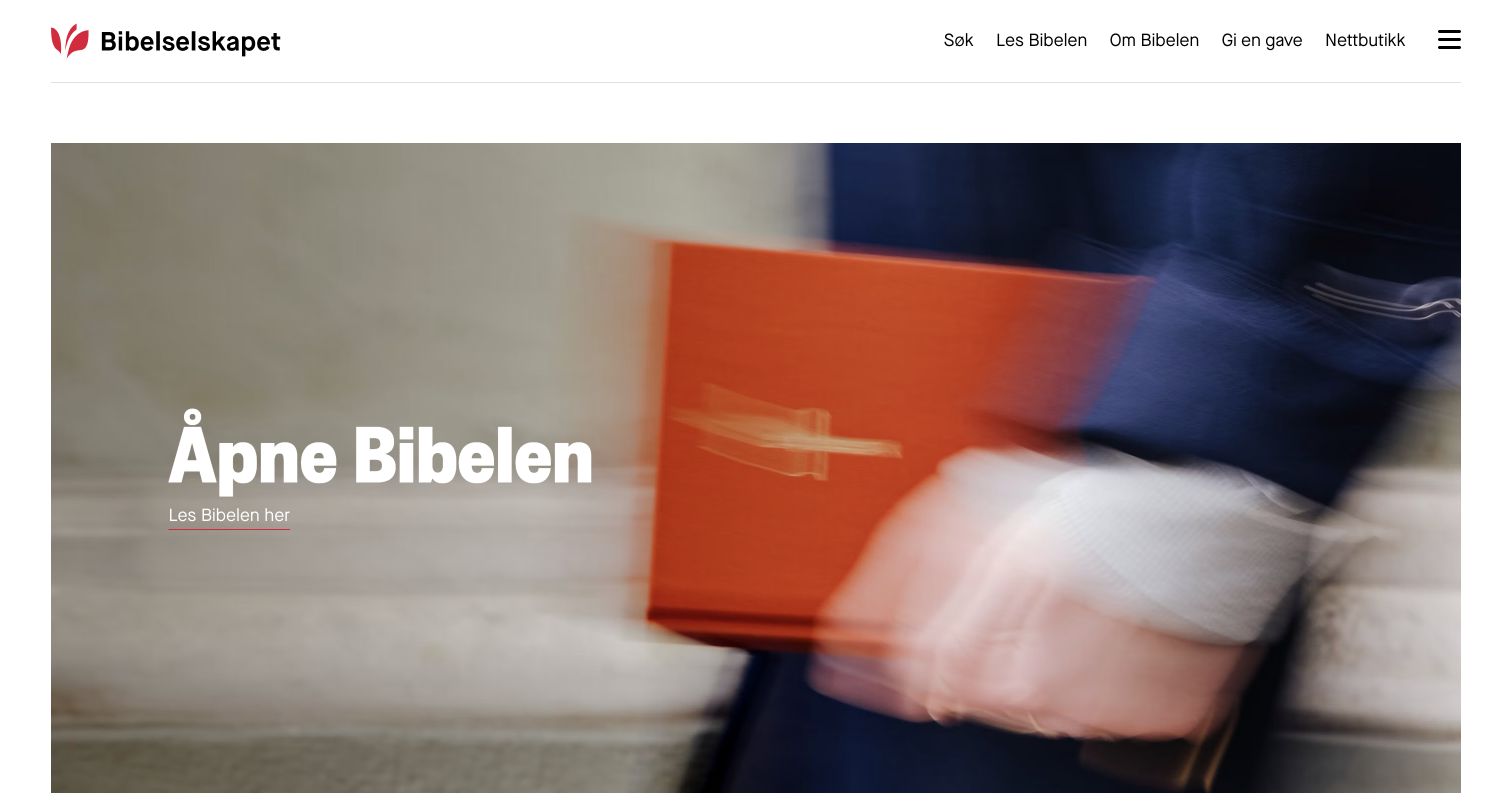
The Norwegian Bible Society places a large reading invitation over a simple photograph of a person holding a red book. Its white header separates search, reading, background information, giving, and the online shop. The logo remains distinct from the content action. Craft’s official examples name this property. The review concerns the way the publisher separates its visitor tasks; it does not assess the text edition, translation, donation handling, or commerce implementation.
What you can learn
Treat reading content, supporting articles, and retail records as different models in a Craft project. Maintain edition and language information wherever it changes the reader’s destination. A simple homepage can then point into those structured systems without duplicating their content. Test the primary reading route with keyboard navigation and ensure that fundraising and shop links remain identifiable as separate tasks.
Pros
The reading invitation gives the homepage a direct and understandable primary task.
Search, background information, giving, and shopping are separately labeled in the header.
Cons & considerations
Text overlay readability depends on the photograph’s brightness and crop.
The public opening does not verify long-form reading or external transaction accessibility.
Public source checked November 3, 2026. References may be embedded or legacy—not a complete backend inventory.
Platform source: Craft’s official Created with Craft references. Craft’s official Created with Craft collection links this named public property. This is a vendor-documented association, not an audit of the current installed CMS version, backend, hosting, or every linked service. Platform evidence is separate from the direct website screenshot and is not a complete current infrastructure audit.
Choose the editing model before the page-building controls
Structured records for repeatable content
Use consistent fields for material that appears in many places. An event’s date and booking destination should come from an agreed source, while a product’s support documents should remain connected when the homepage campaign changes. Define what happens when a record is withdrawn, renamed, or no longer available.
Curated sections for changing editorial presentation
A carefully bounded section library can support campaigns and landing pages. Demonstrate a long headline, missing image, alternate call to action, and translated version in every reusable section. Document when editors should use each type so flexibility does not become a choice among visually similar blocks with different hidden behavior.
A separate frontend when there is a concrete need
Some projects separate CMS content from its public presentation. That adds preview, publication freshness, deployment, and integration responsibilities. Ask which requirement justifies the separation and who will own it. A detected frontend library or a vendor listing does not reveal the full architecture of a reference property.
From references to requirements
Plan a Craft website around the editorial team’s daily work
Collect realistic content before approving templates
Ask for actual examples from the organization, including awkward ones: a long product name, an event that spans dates, a missing portrait, an expired resource, and a translated headline. Use these records to decide validation rules, image proportions, relationships, and empty states. A prototype populated only with convenient sample copy will hide the editing problems the team faces after launch.
Define site and language relationships
Write down which information is shared across markets and which is locally owned. Decide who can update each version and how a correction propagates. Craft’s multi-site features are intended for related sites with shared publishing responsibilities, so do not assume one installation is the right home for unrelated organizations. Test navigation and missing translations before launch.
Have an editor create a draft, preview it with realistic linked content, publish it, correct an error, and retire it. Check the public URL, listings, search, cached representations, and redirects at each step. Record which person handles urgent corrections and how access is transferred when staff change. The workflow should be understandable without the original developer narrating every click.
Budget for ongoing ownership
Inventory custom code, plugins, hosting, licenses, backups, and monitoring. Assign maintenance responsibilities and agree how changes are tested before production. Keep source, operational records, and credentials in their appropriate locations. Rehearse recovery in a safe environment and make sure the editorial team knows where to report a broken form, missing asset, or stale campaign.
A useful handover demonstration
Ask the actual team to carry out its routine job: publish a realistic update, correct a mistake, preview a narrow screen, and identify who owns an integration failure. For a library or frontend framework, also ask who maintains the content source and deployment. A polished screenshot does not answer those operational questions.
Beyond the screenshot
Craft CMS content and launch checklist
Give each content type a clear purpose, owner, and required fields.
Test long titles, missing assets, translated copy, and retired records.
Keep campaigns separate from permanent product, event, or resource URLs.
Demonstrate editing, preview, publication, correction, and withdrawal.
Verify every external booking, donation, account, and purchase handoff.
Review image rights, factual claims, attribution, and expiry dates.
Check narrow layouts, keyboard focus, text contrast, and reduced motion.
Document relationships between sites, languages, and shared content.
Validate metadata, canonical URLs, redirects, search, and sitemap coverage.
Assign update, backup, monitoring, and recovery responsibilities.
Test with real content, a keyboard, a small screen, slow or failed requests, and the people who will maintain the system. These are planning checks, not an accessibility, security, performance, or search-ranking certification.
Sources & editorial method
How this Craft CMS collection was reviewed
Twenty distinct public properties were selected from Craft’s official Created with Craft references and captured directly in the browser on November 3, 2026 UTC. Public source observations supplement the vendor association where available. A24’s separate frontend and shop imagery, Landmaster’s domain redirect, and AP Content Services’ specific newsroom scope are preserved. Genpact was excluded from this Craft collection after its current public markup showed Adobe Experience Manager conventions. No screenshot, installed CMS version, performance result, or complete corporate technology inventory is inferred from appearance.
Every image is an unmodified capture from the actual website, with its source and capture date. Some captures are reused from our shared catalog; their dates remain the original capture dates. None comes from a vendor gallery or a generated reconstruction. Moving imagery and live content can change.
Technology attribution uses public page assets or metadata, official platform documentation, or a cited first-party project case study. Documentary and framework-relationship evidence is identified where used; it is not a complete current backend inventory. A CMS image CDN alone does not establish a full CMS deployment. A library’s presence does not prove which individual controls use it, and a platform label does not establish AI authorship.
The composition notes, lessons, pros and tradeoffs are original editorial observations. We have not measured conversion, traffic, security, performance or accessibility conformance. Website owners retain their brands and imagery; these examples are not our client portfolio. Written, Edited and Curated are independent records, not dates advanced by a build. See our editorial standards or suggest a correction.
Questions worth asking
Craft CMS website development FAQs
Does a Craft example determine how my website should look?
No. The examples demonstrate varied presentations and content problems. Choose a visual approach and editing model that match your own records, audience tasks, and maintenance capacity.
Is every visible component supplied by Craft CMS?
No. A Craft-associated property may use a separate frontend, third-party search, commerce, or account systems. The collection names the property and evidence without presenting it as a complete stack inventory.
Should every page use a flexible page builder?
Only where the editorial work calls for it. Repeatable records benefit from stable fields and relationships, while selected landing pages may need a tested section library. Decide through actual editing tasks rather than the number of controls available.
Can a vendor showcase prove the current installed version?
No. It documents an association with the named property. Public Craft markup can strengthen that observation, but neither establishes an installed version, security posture, or every private system.
How should we handle a temporary campaign?
Give it an owner, a publication window, a destination, and a useful expiry state. Keep the underlying product, event, or article independent so the campaign can end without breaking its permanent URL.